Two local StatusLine tools now surface hidden 5h and 7d quotas from Claude Code telemetry, while Max subscribers still report rate-limit errors and confusing practical headroom. Install a tracker before long sessions so you can measure resets and separate outages from quota exhaustion.

On every message, Claude Code receives the remaining usage limits, but they aren’t shown (until you’re very close to 100%). I made a script to capture that data before it gets discarded and display it all the time. https://github.com/vfmatzkin/claude-statusline (https://preview.redd.it/vrinqykwskrg1.png?width=988&format=png&auto=webp&s=c4015766dadff70ce7995b3b1ccebb1b6c3ab830) You can see: - Context window - Time until the next 5h reset (how close you are to the 5h limit) - Time until the next 7d reset (how close you are to the 7d limit) - Model (I trimmed “Claude” and “context” to make it more compact) - Current branch Unlike Usage4Claude (https://github.com/f-is-h/usage4claude) (which is great, and I used it until today) and other apps, this one doesn’t query any server on its own. Instead, it uses data that is already included with each message from Claude Code and parses it before it gets lost (since it isn’t persisted). Take a look and tweak it as you like if needed (you’re just one prompt away): https://github.com/vfmatzkin/claude-statusline (https://github.com/vfmatzkin/claude-statusline)
A new statusline tool reads data "already included with each message" and keeps it visible in Claude Code's StatusLine instead of waiting until the user is near 100% usage. According to the post, it shows the context window, time until the next 5-hour reset, time until the next 7-day reset, the active model, and the current git branch; the author also says it "doesn’t query any server on its own" because it parses message metadata before it is discarded. The repo is linked in the GitHub project, and the screenshot in
shows the compact terminal-style display.
I built this project so anyone can track how many tokens they actually consume, and—based on your own statistical data derived from the telemetry Claude Code itself exposes—roughly estimate the real 5h max tokens, 7d max tokens, and how large your window effectively is. It’s important to understand that Claude doesn’t directly expose these numbers (5h max tokens, 7d max tokens, etc.) when you’re using a subscription; you can see them via the direct Claude API, but not in the subscription workflow. That’s why this project exists. I saw that someone built something similar. A few days ago I started thinking that I could collect metrics via the StatusLine. The StatusLineMetrics service runs locally and can be exposed within a local network. It’s lightweight and retains data for up to 30 days. - Integrates directly into your StatusLine without breaking it or interfering with normal operation. - Metrics are collected in the background. Tracking is separated per project (there may be minor bugs—for example, sometimes Claude launches agents in a non-standard way for code projects—but these are rare and likely fixable). - The service aggregates and visualizes data in a dashboard, so you can see how many tokens Claude actually provides for the 5-hour or 7-day session. Continuous analysis is available for the last 1h … up to 30d. - You don’t need to run multiple metrics service instances—one is enough. If you’re on a LAN, you can point StatusLine to the service IP (not relevant for everyone, but that’s my setup and it might help others). Please keep in mind this is AI written code — bugs may occur. I spent ~24 hours on it. Free to use. Free to contribute or fork. Welcome. https://github.com/kolindes/Claude-StatusLine-Metrics (https://github.com/kolindes/Claude-StatusLine-Metrics)
The second tool goes longer-term. Its author says the local StatusLineMetrics service collects telemetry in the background, stores up to 30 days, separates tracking by project, and visualizes usage so users can "roughly estimate the real 5h max tokens" and weekly headroom from their own history metrics dashboard. The post says one local instance is enough and can be exposed over a LAN, with the implementation published in the GitHub repo.
I'm not even doing anything special - in fact I think I got my project pretty well organized, very small context usage per sub-agent, I don't use many sub-agents in the first place. My usage is a 5% only for the week! Yet I am constantly hitting that error as soon as Claude comes out of a web search or runs a review or anything slightly more complex than just editing a few files Like what the hell Edit: I found that asking claude to run the thing in a sub-agent bypasses the api error rate limit. Got no clue what's going on, it's been an on-going issue for me for a few days now
The immediate use case is separating quota exhaustion from service-side or workflow-specific failures. In the clearest report, a Max-plan user said they were not doing anything unusual, had "very small context usage per sub-agent," and were still hitting rate-limit errors after web search or code review despite showing only 5% weekly usage rate-limit report. They later added that asking Claude to run the work in a sub-agent seemed to bypass the error, which suggests at least some failures may depend on execution path rather than simple top-line plan consumption same thread.
What are your favorite quality of life tips? Things like plugins, underrated built-ins, terminals, mindset, etc. Context: I'm 2 weeks into Cloud Code, and feels like I'm missing out on a lot of obvious optimizations. I don't know what I don't know. My tips: - Use plan mode + have Claude (or your favorite LLM) generate a prompt - Edit in editor (CMD + SHIFT + G) - Install a Menubar Usage Tracker (like Pixel Panda's usage tracker (https://github.com/hamed-elfayome/Claude-Usage-Tracker)) - Claude goes down a lot, check status using ClaudeStatus (https://status.claude.com/) Things I feel like I'm missing out on: - terminal. Using iterm2, and it doesn't feel too native (scrollback issues + alt click not working) As you can see, my tips are plebishly basic because I'm new to this. Some meta tips: - Understand when it's best to use code vs an LLM (deterministic vs indeterministic). Browser DOM parsing is a good one (70k tokens per access vs scaffolding to a content script driven layer) - it's good to split LLM into orchestration versus muscle - This sub really glazes Opus Oh and if you're new new, go through Anthropic's course (https://anthropic.skilljar.com/) . I wish I would've done that first day. Just spend 2 hours on: - Claude Code in Action - Introduction to agent skills - Introduction to subagents
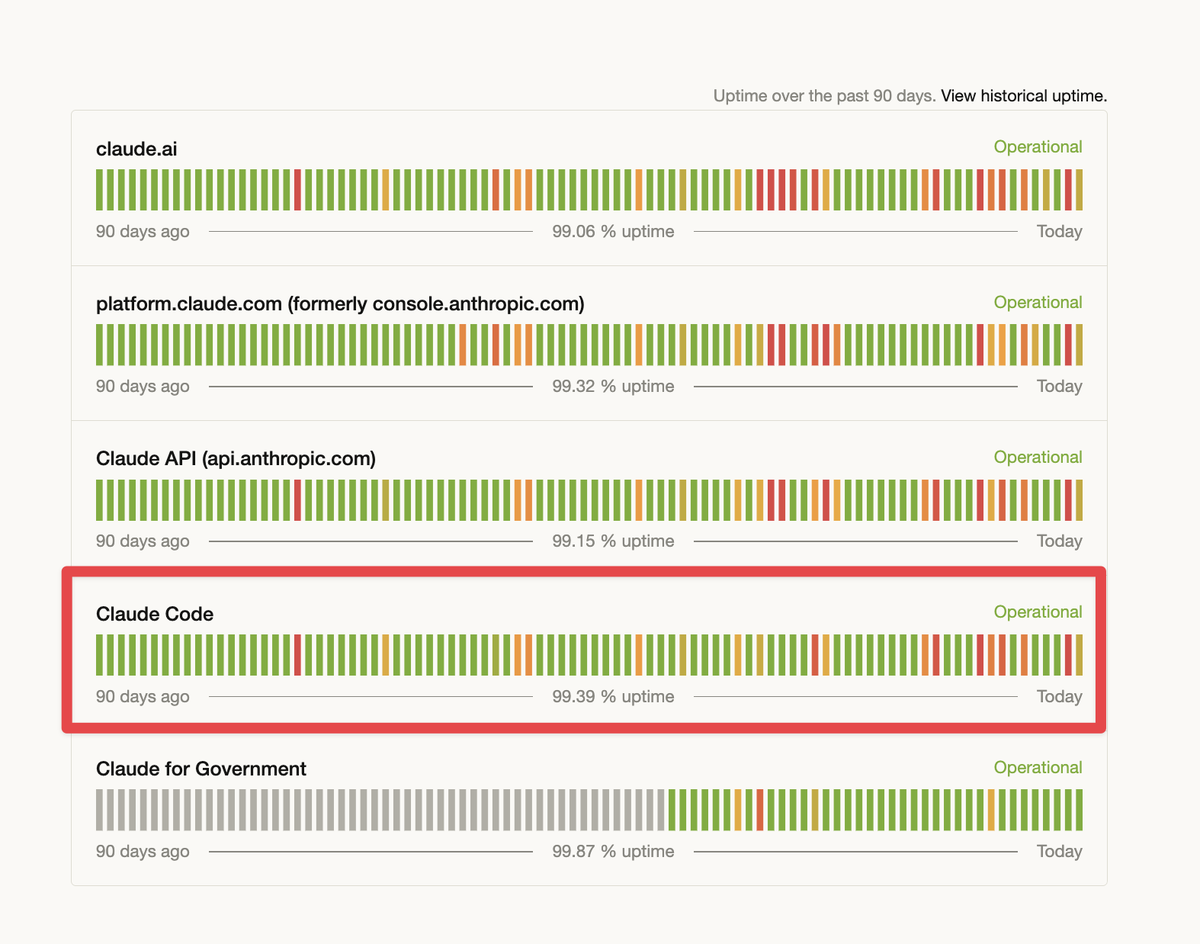
That confusion shows up in newer-user advice too. A separate Reddit QoL thread recommends installing a menu bar usage tracker, using Claude's status page, and learning when to offload expensive browser-DOM work because "70k tokens per access" can add up fast QoL tips. Together, the threads point to the same operational gap: Claude Code users are building their own observability around resets, hidden limits, and ambiguous rate-limit errors because the default product surface still leaves too much practical headroom unexplained.
Users surfaced /insights reports, plan mode, editor handoff, and Anthropic training links as the fastest way to understand Claude Code before buying around unclear session caps. Learn these built-ins first so you can judge where the tool helps and where other agents are still needed.
 breaking
The service says Starter now bundles credits, high-limit access to Claude, GPT, and Gemini families, and a new Web Apps v2 builder with automatic deployment. Treat it as an evaluation path until you verify official API routing, rate limits, and code quality on your own repos.
 release
A new Reddit explainer says Codex v0.117.0 plugin support is reaching users, and some Claude Code subscribers report trying Codex's $20 tier after repeated rate-limit friction elsewhere. Re-evaluate Codex if plugins or practical session headroom were the blockers last week.
 workflow
Users surfaced /insights reports, plan mode, editor handoff, and Anthropic training links as the fastest way to understand Claude Code before buying around unclear session caps. Learn these built-ins first so you can judge where the tool helps and where other agents are still needed.
workflowPractitioners describe Channels as MCP servers that can push messages into a live Claude Code session for folder watches, chat bridges, and response callbacks. Try it for lightweight automations, but plan for context growth, missing remote restarts, and weak daemon support.