Photoshop beta adds Rotate Object, and creators say each new 2D viewing-angle turn uses 20 generative credits. Test it for post-shoot angle fixes and mockups, then budget credits before batch use.
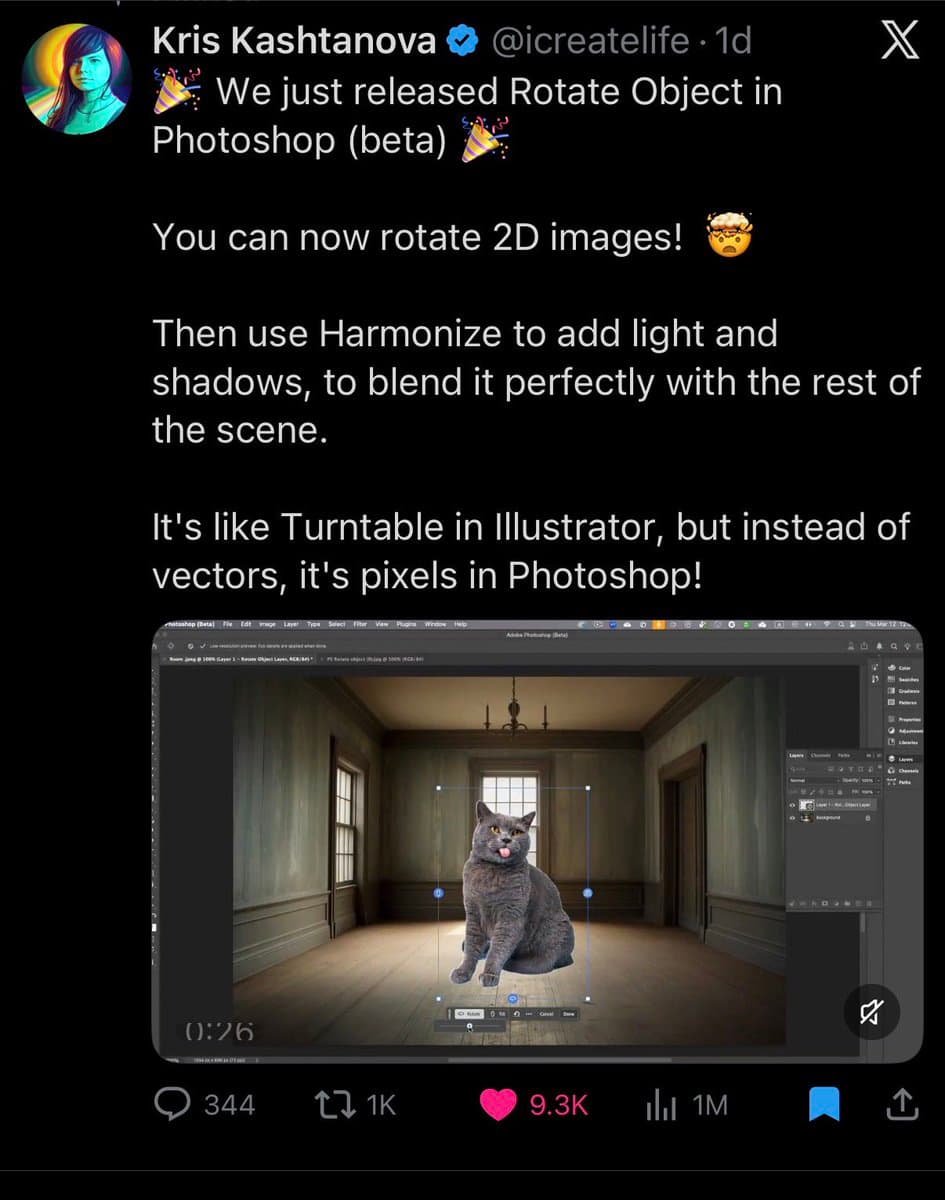
Rotate Object appears to be Photoshop beta's new way to change the camera angle of a 2D image without rebuilding the asset from scratch. In the strongest summary captured so far, the release screenshot says, "You can now rotate 2D images," then pair the result with Harmonize to add light and shadows so it blends back into the scene.
That combination matters for compositors. The feature is being pitched less as a surreal image trick and more as a missing bridge between cutout placement and scene matching: rotate the subject first, then relight it to sit naturally in the plate. A widely shared repost from Adobe creator circles launch repost echoes the same workflow framing.
The clearest creative use case is post-shoot recovery. In the demo video, the tool is shown rotating an object inside Photoshop, and the accompanying text says it is "perfect" for the moment when a photoshoot is done and a different angle turns out to be necessary. That makes it immediately relevant for product mockups, ad comps, and fast social variations where reshooting is expensive.
Creators are also testing it for identity and illustration work. The thread's brand mockup example points to personal-brand assets, while art rotation example shows artwork being turned for alternate views and layouts. The main practical caveat is budget: according to credit reply, each turn costs 20 generative credits, and subscription reply says access runs through Photoshop with Firefly under a Creative Cloud subscription.
Creators are turning Nano Banana 2 templates into reusable prompt systems for merch shots, sports ads, editorial portraits and modular scene builds. Keep the scaffold fixed and swap only brand, lens, action or environment variables to iterate fast.
 update
OpenAI has removed the Sora app as creators and Hacker News users debate whether novelty never turned into durable usage. Save projects now and plan to test ChatGPT-integrated or rival video tools next.
 update
CapCut is expanding Dreamina Seedance 2.0 while Topview restored access within 24 hours, and creators are stress-testing it for vertical repurposing, long prompts and stylized start frames. Try it for fast video conversions, but budget cleanup passes for continuity and transitions.
 prompt
Creators are turning Nano Banana 2 templates into reusable prompt systems for merch shots, sports ads, editorial portraits and modular scene builds. Keep the scaffold fixed and swap only brand, lens, action or environment variables to iterate fast.
 workflow
Riverside's Co-Creator reads transcripts automatically and turns chat-style requests into cuts, captions, thumbnails and social copy from one workspace. Use it when you need fast repurposing without timeline scrubbing, then polish the output by hand.
Rotate Object dropped in Photoshop (beta) just 24 hours ago Now you can rotate 2D images in 3D 🤯 Wild examples:
Ever needed a different angle of an object, but AI doesn’t give you precise control? Rotate Object in Photoshop (beta) fixes that Also perfect for when you finish a photoshoot and realize you needed a different angle