Kimi Slides turns prompts or uploaded files into editable decks, then exports them as PPT or images with dense consulting-style layouts intact. Brand, sales and product teams can draft structured presentations fast and keep refining them in familiar slide tools.
Kimi Slides combines three pieces creators usually have to stitch together by hand: generation from a topic, document-to-deck conversion, and export back into standard slide formats. The demo in feature rundown lists instant generation, file import, editable online layouts, and downloads as PPT or image, and Kimi's own product page positions Slides inside its broader creation stack.
The import angle matters as much as the prompt box. In file import demo, PDFs, reports, research papers, and financial documents are uploaded and automatically restructured into slides, which suggests the tool is aimed at summarizing existing material as much as inventing new deck narratives from scratch.
The strongest early demos are not minimalist pitch decks; they are dense, analyst-style layouts. In EV market demo, a single prompt asks for a global EV opportunity analysis with high information density, waterfall charts, and 2x2 matrices, and the returned slides mimic the visual language of consulting presentations rather than generic template slides.
That formatting logic also extends to operational work. The planogram example claims Kimi generated a shampoo-category planogram deck covering 50 SKUs, shelf facings, and layout simulation with shapes and color intensity charts from one prompt. Together with the style prompts in prompt examples, the pattern is clear: Kimi Slides is trying to compress both slide design and business-visualization work into one step.
OpenAI said it is shutting down the Sora app and will share timelines for the app and API, plus instructions for preserving work. Creators should export assets and test replacement tools now if they built remix-heavy video workflows on Sora.
 breaking
OpenAI said it is shutting down the Sora app and will share timelines for the app and API, plus instructions for preserving work. Creators should export assets and test replacement tools now if they built remix-heavy video workflows on Sora.
 prompt
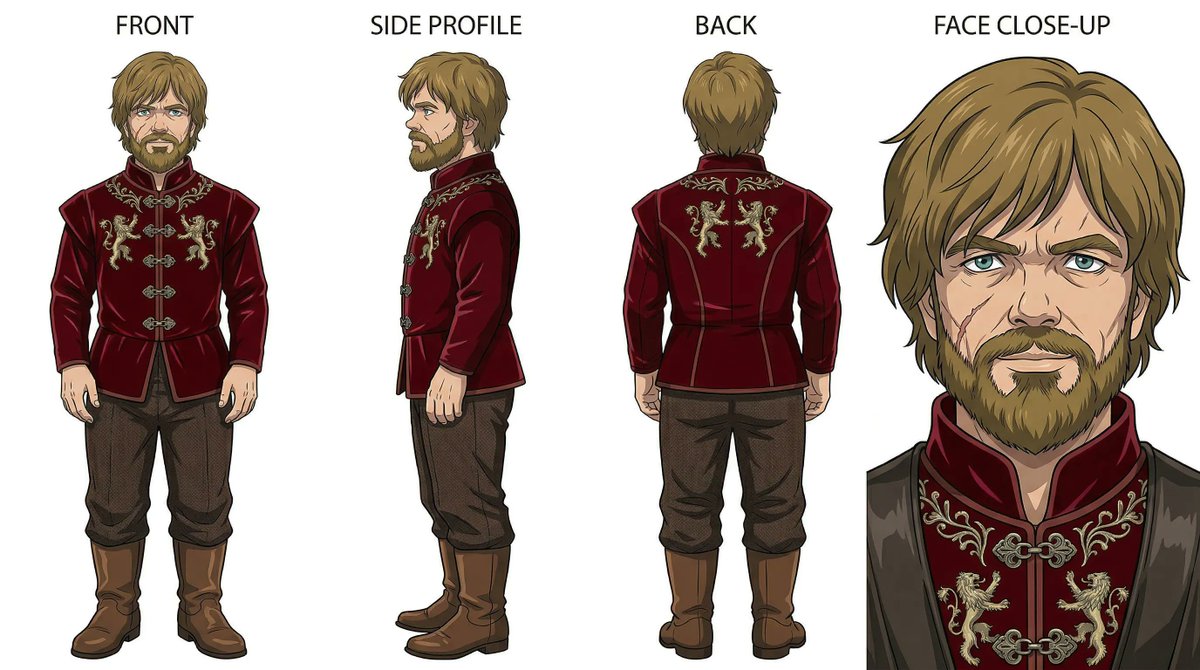
Creators are turning Nano Banana 2 prompting into reusable playbooks built around grids, reference turnarounds, effect templates and product-shot skeletons. That matters because repeatable prompt systems make ads, posters and styled social assets easier to scale without losing consistency.
 release
Luma launched Agents for creative work, with creator tests focused on keeping characters, lighting and environments coherent across multi-scene sequences. Use it to cut file juggling and lock image generation to Uni-1 when you need tighter control.
 update
Topview is promoting a 47% discount on its Business Annual plan, which includes unlimited Seedance 2.0 generations, while creator tests highlight multi-scene continuity and seamless music. If you want to stretch Seedance from short clips into longer, more coherent film workflows, this is the plan to watch.
This is the only AI tool where I typed: "Analyze Global EV market opportunities, McKinsey style, high information density, waterfall charts, 2x2 matrices" And got back something I'd pay a consultant $5,000 for. In 18 seconds.
The wildest use case I tested: I asked Kimi to analyze 50 SKUs across a shampoo category, calculate optimal shelf facings, and simulate layout using shapes and colored intensity charts. It built the entire planogram deck. In one prompt.
Here's what Kimi Slides actually does: → Instant Generation: Type a topic, get a full deck in under 60 seconds → File Import: Upload any file, Kimi structures it into slides automatically → Beautiful Templates: Professional layouts with zero design effort → Edit & Export: Show more
You can also import files and Kimi auto-structures everything into slides. No copy-pasting. No reformatting. Just upload → deck is done. Works for PDFs, reports, research papers, financial docs.