Photoshop on the web added AI Assistant beta for chat-based edits, and Adobe also rolled out AI Markup targeting, Firefly sync, speech generation, and Topaz Astra upscaling. Try it to rough in edits faster, target exact regions, and move drafts toward polished assets with fewer manual steps.
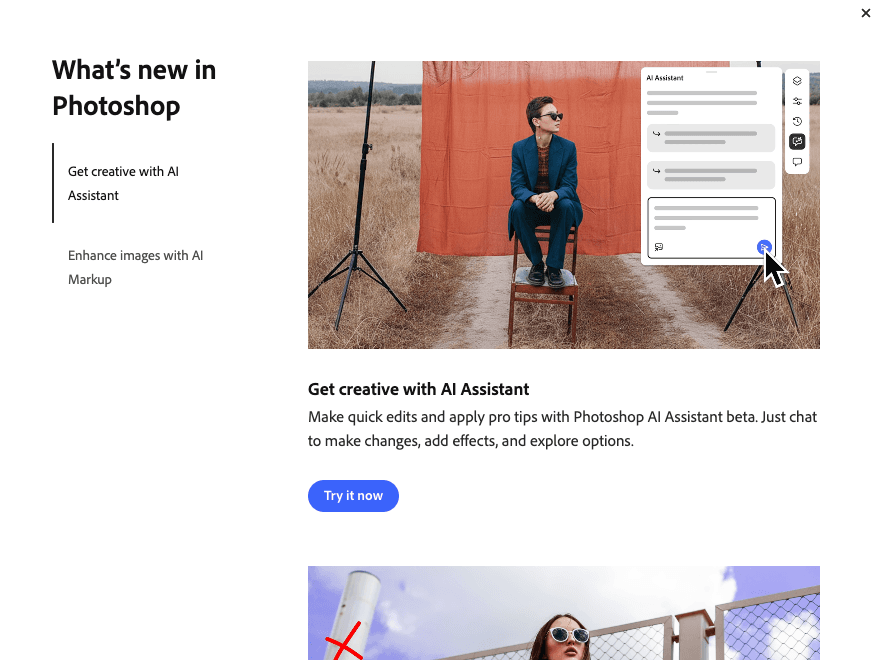
Photoshop on the web now includes an AI Assistant beta that Adobe positions as a conversational editing layer. The launch screen in the update post pairs “Get creative with AI Assistant” with “Enhance images with AI Markup,” framing the release around faster ideation and more directed edits.
The clearest workflow example came from a recorded test, where a single prompt — “add a glitch effect and grade it like 90s nostalgia” — triggered automated layer creation, effect application, and color work. That matters for designers who normally burn time building the first pass by hand; here, the assistant roughs in the stack and leaves the user to tweak taste and finish.
AI Markup is the more production-minded addition. In Adobe’s demo, the user draws visual annotations onto the image and pairs them with text instructions like “Add sunlight” or “Add a circus themed background,” giving the model spatial guidance instead of a broad whole-image command. That makes the tool read less like a generic chatbot and more like directed art notes on the canvas.
Adobe is also tying that edit flow into the rest of Firefly. The sync walkthrough shows AI Assistant work in Photoshop web moving into Firefly Boards, while the Firefly Boards update adds Topaz Astra upscaling to 1080p or 4K. A separate Adobe panel in the speech feature preview shows Generate Speech beta bringing in 70-plus voices from Adobe and ElevenLabs, with controls for emotion, pacing, and emphasis. Together, the update looks less like one chat feature and more like Adobe tightening the path from rough edit to polished motion asset.
Photoshop beta adds Rotate Object to place flat layers in 3D space, with Harmonize relighting and AI Assistant also reaching web and mobile. Try it for composition changes before rebuilding scenes from scratch.
 update
OpenAI has removed the Sora app as creators and Hacker News users debate whether novelty never turned into durable usage. Save projects now and plan to test ChatGPT-integrated or rival video tools next.
 update
CapCut is expanding Dreamina Seedance 2.0 while Topview restored access within 24 hours, and creators are stress-testing it for vertical repurposing, long prompts and stylized start frames. Try it for fast video conversions, but budget cleanup passes for continuity and transitions.
 prompt
Creators are turning Nano Banana 2 templates into reusable prompt systems for merch shots, sports ads, editorial portraits and modular scene builds. Keep the scaffold fixed and swap only brand, lens, action or environment variables to iterate fast.
 workflow
Riverside's Co-Creator reads transcripts automatically and turns chat-style requests into cuts, captions, thumbnails and social copy from one workspace. Use it when you need fast repurposing without timeline scrubbing, then polish the output by hand.
The coolest part about AI Assistant in Photoshop (web) that we released today is that you can also add AI Markup to target specific areas by drawing arrows, circles, etc. Visual annotation editing another level 🤯

Photoshop AI Assistant (beta) just dropped on web 🎉 I typed "add a glitch effect and grade it like 90s nostalgia" It created the layers. Applied the effects. Used Gemini Flash for color grading. I just… watched it happen and adjusted to my taste when I needed. So wild.
The coolest part? Everything's connected. Create your work with AI Assistant (beta) in Photoshop (web) → it syncs to Firefly Boards → powered by Nano Banana 2. All Adobe tools, all AI models, one ecosystem.

Photoshop AI Assistant (beta) just dropped on web 🎉 I typed "add a glitch effect and grade it like 90s nostalgia" It created the layers. Applied the effects. Used Gemini Flash for color grading. I just… watched it happen and adjusted to my taste when I needed. So wild.
Photoshop on the web got an AI assistant 🎉 Have you tried already? I'm playing with it right now and will share with you my experiments shortly.


