Chrome DevTools MCP now lets agents attach to an existing signed-in browser session, and companion tools added one-command auto-connect flows. Use it to debug and automate in the tabs you already use instead of setting up separate logins or headless sessions.
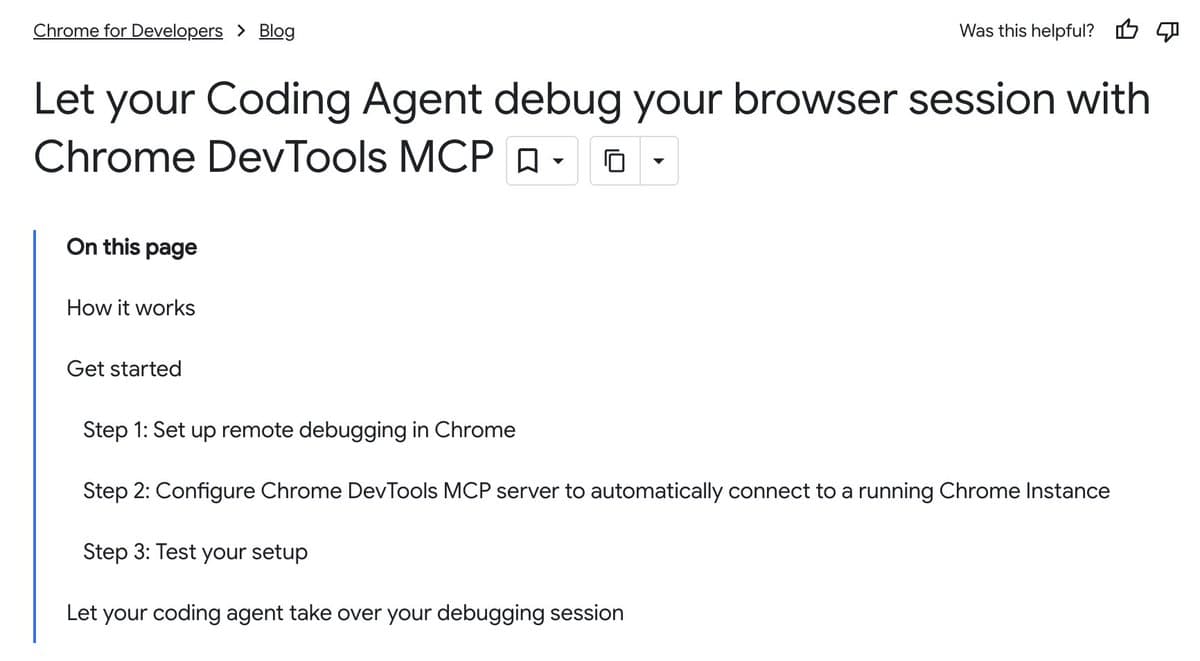
--auto-connect, while the Chrome’s update is that agents can connect to the browser session you are already using, not just a fresh automated instance. In Addy Osmani’s overview thread, the pitch is “no extensions,” “no headless browser,” and “no separate logins,” while the linked developer post says the MCP server can now automatically connect to a running Chrome instance and let an agent inspect active debugging context.
The practical change is workflow continuity. The Chrome writeup lays out remote debugging in Chrome, configuring the MCP server with --autoConnect, and then letting the agent debug the same session where you are already authenticated. That means an agent can work against the same tabs, cookies, and page state you are seeing, instead of replaying setup in a clean profile.
Companion tools immediately wrapped the new capability in easier CLIs. The agent-browser update added agent-browser --auto-connect open <url> plus an environment-variable path, and the product page in agent-browser docs says its Rust daemon exposes 50+ commands, snapshot-based page state, and ref-based interactions aimed at deterministic agent control.
A separate path is bypassing higher-level browser frameworks and talking to Chrome’s debugging interface more directly. Omar Sanseviero’s demo thread shows a chrome-cdp-client controlling existing tabs, and the linked chrome-cdp repo says the tool can list tabs, inspect accessibility trees, extract HTML, click, type, monitor network resources, and keep persistent per-tab daemons alive so it avoids reconnecting on every command. The same repo summary says it works with existing Chrome installs and is designed to handle “over 100 tabs reliably,” which matches Cedric Chee’s practitioner note about direct WebSocket connections, logged-in accounts, and persistent sessions.
The main engineering gain is that browser agents no longer need to choose between automation and real user context. The repo summary frames the win as access to “logged-in pages” and the current browsing environment, and the Chrome-side MCP post makes the same case for debugging live sessions rather than recreating them.
That closes a long-standing gap for agent workflows around internal dashboards, auth-gated apps, and stateful debugging. One practitioner described the missing piece as “my agents couldn't see what I see” in a supporting post, while broader reaction in browser-use’s take calls Chrome 146 “an crazy unlock for agents.” The more immediate takeaway from the primary sources is narrower but concrete: Chrome’s remote-debugging session is becoming a shared substrate for coding agents, browser automation CLIs, and debugging tools.
Agent Computer launched cloud desktops that boot in under half a second and expose persistent disks, shared credentials, SSH access, and ACP control for agents. It gives coding agents a faster place to run tools and reuse auth, but teams still need to design safe session and credential boundaries.
 release
OpenClaw shipped version 2026.3.22 with ClawHub, OpenShell plus SSH sandboxes, side-question flows, and more search and model options, then followed with a 2026.3.23 patch. Teams get a broader plugin surface, but should patch quickly and review plugin trust boundaries as the ecosystem grows.
 release
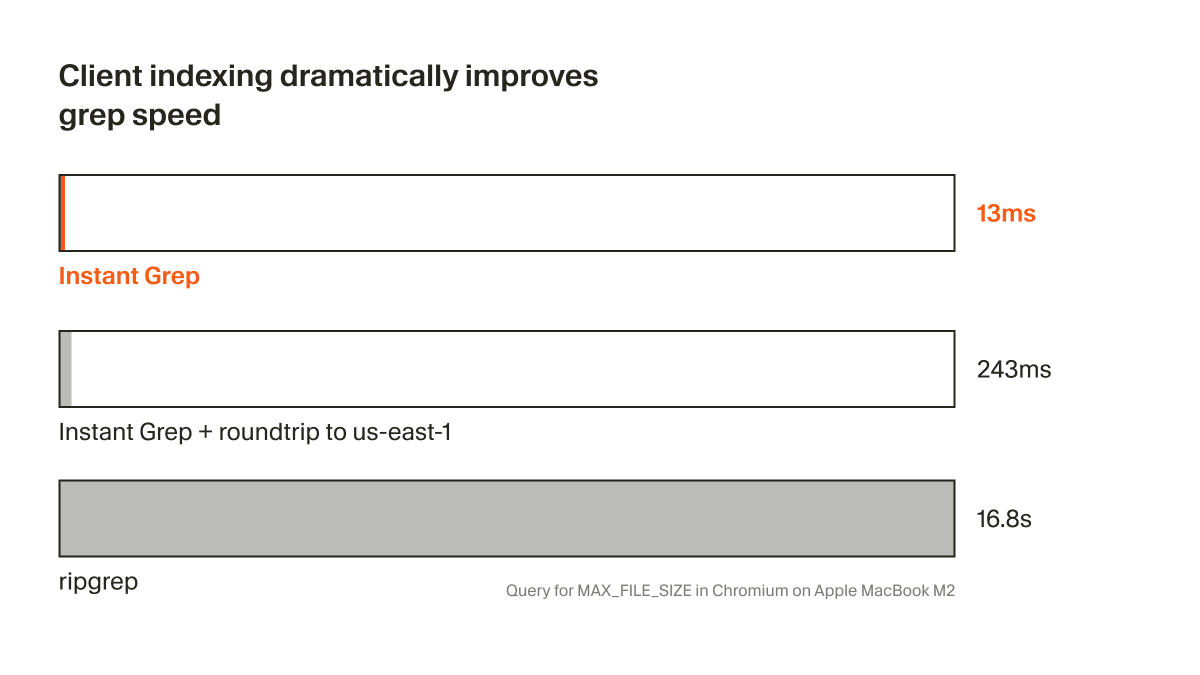
Cursor shipped Instant Grep, a local regex index built from n-grams, inverted indexes, and Bloom filters that drops large-repo searches from seconds to milliseconds. Faster candidate retrieval shortens the coding-agent loop, especially when ripgrep-style scans become the bottleneck.
 breaking
ChatGPT now saves uploaded and generated files into an account-level Library that can be reused across conversations from the web sidebar or recent-files picker. It removes repetitive re-uploading and makes past PDFs, spreadsheets, and images part of a persistent working context.
 breaking
Epoch AI says GPT-5.4 Pro elicited a publishable solution to one 2019 conjecture in its FrontierMath Open Problems set, with a formal writeup planned. Treat it as an early milestone worth reproducing, not blanket evidence that frontier models can already automate math research.
Chrome just became massively more agent-friendly 🔥 Your real, signed-in browser can now be natively accessible to any coding agent. No extensions. No headless browser. No screenshots. No separate logins. Just one toggle to enable it. Check this out: developer.chrome.com/blog/chrome-de…
The chrome-cdp skill is fire! It lets your coding agents see and interact with your live Chrome sessions. No browser automation framework needed. Already started to automate a few tasks with it. Skills are a lot of fun to build with.
openclaw 3.13 added live chrome attach. before this, my agents couldn't see what i see. dashboards behind login walls, authenticated sessions, real browser state. i had to screenshot and paste. now: # openclaw.json { "browser": { "defaultProfile": "user" } } # Show more


New @openclaw beta is up: it comes with the new live browser control that Google added in latest Chrome! enable via chrome://inspect#remote-debugging Your clanker will know when to use what, or you can ast it. new "user" profile session is there! developer.chrome.com/blog/chrome-de…

OpenClaw 2026.3.13 🦞 👁️ live Chrome session attach — real logins, one toggle, zero extensions 📱 android redesigned & down to 7MB, iOS gets welcome pager 🐳 docker timezone override 🪟 windows gateway tweaks the lobster sees all now github.com/openclaw/openc…
chrome goes agent-native!! yuge. might get me to switch back

Auto-discover and connect to your running Chrome with agent-browser agent-browser --auto-connect open <url> Or via environment variable: AGENT_BROWSER_AUTO_CONNECT=1
Cool work by Petr: x.com/xpasky/status/… chrome-cdp skill here: github.com/pasky/chrome-c…

It took another two months but Chrome 146 is out since yesterday! And *that* means: with a single toggle, you can expose your current live browsing session via MCP and have your CLI agent do things in it. Aaand I have been waiting to deal with my LI connects until this moment.


