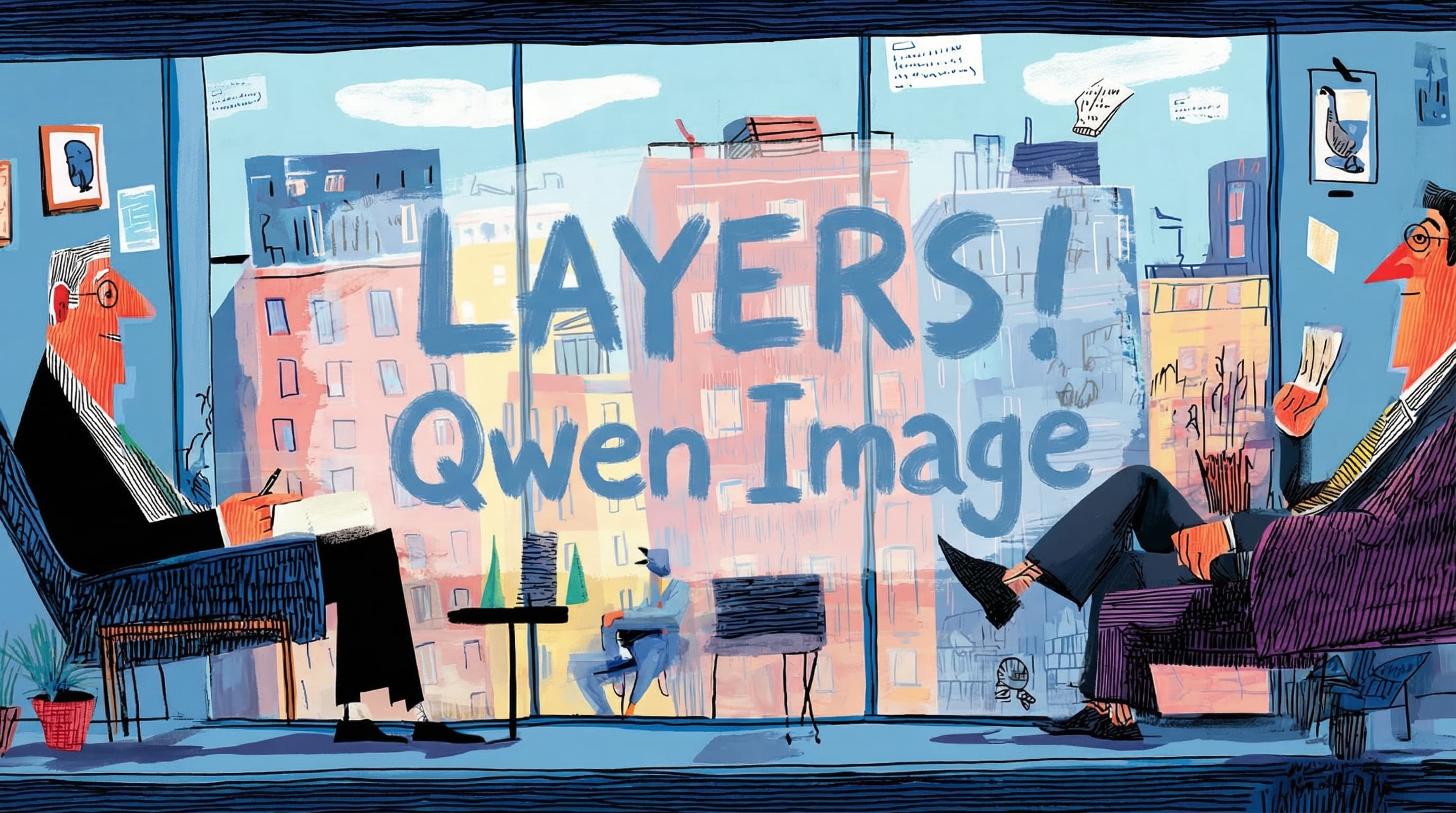
Qwen Image Layered hits fal and Replicate – 15× faster RGBA pipelines

Stay in the loop
Free daily newsletter & Telegram daily report
Executive Summary
Qwen Image Layered is moving from demo to infrastructure: fal now hosts prompt-addressable RGBA layer stacks, while Replicate and PrunaAI report ~15× faster multi-layer outputs versus their initial deployment; creator explainers highlight “infinite decomposition,” where any object or region can be recursively split into new layers, yielding Photoshop-grade transparency and edge preservation for compositing, UI mockups, and text/brand tweaks. Fully open-source checkpoints on Hugging Face and ModelScope plus an arXiv paper keep it neutral; platforms can wire it into editors without depending on a closed image SaaS.
• WAN 2.6 and Kling 2.6 video control: WAN 2.6 R2V clones look and voice from a 5s clip with synced dialogue; creators show tight lip-sync, grain-aware retro upscales, and high-speed drift shots that stay coherent. Kling 2.6’s Motion Control delivers clean walk cycles, anime battle recipes, and prompt-only rack-focus nightclub shots, while Kling O1 handles fine-grained character swaps in legacy footage.
• GPT Image 1.5 and Nano Banana prompts: GPT Image 1.5 inside ImagineArt and ComfyUI stresses multi-region text edits, layout fidelity, and contact-sheet style sequences; some still favor Nano Banana Pro for portraits. Prompt kits push Nano Banana into consistent telephoto looks, Y2K “giant product” ads, glossy transparent-black product renders, and watercolor or cel-animation story styles.
• Agents, automation, provenance: Google’s Antigravity desktop agent now runs on Gemini 3 Flash with higher usable limits; NotebookLM upgrades to Gemini 3 and becomes a callable Gemini tool; Glif, ElevenLabs+Lovable, Notte, and Pictory all lean into production-grade creative agents. In parallel, C2PA Content Credentials—already supported by 200+ platforms—are promoted over brittle detectors as the practical provenance layer for AI-heavy film and ad pipelines.
Research previews like Generative Refocusing (single-image depth-of-field control) and StereoPilot (generative-prior stereo conversion) hint at post-production tools collapsing more optical decisions into late-stage edits, while community debates over “pencils,” “slop,” and disclosure underscore how norms around credit and authenticity are forming as fast as the models themselves.
While you're reading this, something just shipped.
New models, tools, and workflows drop daily. The creators who win are the ones who know first.
Last week: 47 releases tracked · 12 breaking changes flagged · 3 pricing drops caught
Feature Spotlight
Qwen Image Layered goes platform-wide (feature)
Qwen Image Layered lands on fal and Replicate with native RGBA decomposition, prompt-specified layers, and major speedups—bringing real Photoshop-like editability and compositing into AI workflows for creators.
Photoshop-grade, prompt-controlled RGBA layers for real image editability hit multiple runtimes. Today’s posts show fal + Replicate support, big speed gains, and creator demos of true layer isolation. This is a fresh rollout vs prior image-model news.
Jump to Qwen Image Layered goes platform-wide (feature) topicsTable of Contents
🧩 Qwen Image Layered goes platform-wide (feature)
Photoshop-grade, prompt-controlled RGBA layers for real image editability hit multiple runtimes. Today’s posts show fal + Replicate support, big speed gains, and creator demos of true layer isolation. This is a fresh rollout vs prior image-model news.
fal hosts Qwen Image Layered for prompt-driven RGBA edits
Qwen Image Layered (fal): fal has turned Alibaba’s Qwen Image Layered into a first-class hosted model, exposing Photoshop-style RGBA layer stacks that you control directly from the prompt, rather than through hacks or masks, as shown in the fal launch. For image makers, this means you can ask for separate foreground, background, and shadow layers in one call, then treat them as real, editable assets in downstream tools.
fal’s launch copy highlights “Photoshop-grade layering” and “native decomposition,” describing how the model outputs physically isolated layers that preserve transparency and edges so recolors and moves don’t bleed into the rest of the frame, as detailed in the fal launch. A follow-up post shows fantasy dragon scenes split into distinct RGBA components—character, background castle, and even flying cloth elements—demonstrating that the same prompt can request coarse or fine-grained separation depending on how you phrase the layer spec, as shown in the fal dragon demo. For designers and art directors, this shifts Qwen Image Layered from a research curiosity into something you can actually plug into production pipelines for compositing, UI mockups, and brand-safe revisions without regenerating an entire frame each time.
Replicate and PrunaAI ship 15× faster Qwen Image Layered endpoint
Qwen Image Layered (Replicate/PrunaAI): Replicate has added Qwen Image Layered as an API endpoint and partnered with PrunaAI to compress the model, claiming roughly 15× faster generation of layered outputs compared with their initial deployment, according to the replicate launch and speed improvement. For interactive editors and web tools, this speed claim is central since every layer pass needs to feel near-instant to be usable.
The Replicate example centers on a thread-embroidered Pikachu illustration rendered as a clean foreground element that can be lifted off or composited over new backgrounds while preserving a separate shadow layer for realistic contact lighting, as detailed in the replicate launch. PrunaAI says they achieved the 15× performance gain through model compression and optimized inference serving, explicitly targeted at multi-layer RGBA output rather than flat images, as shown in the speed improvement. For creatives building custom editors or brand tools on Replicate, this turns Qwen Image Layered into a practical backend for drag-and-drop object swaps, retouching, and layout experiments rather than a slow, one-off effect.
Creators pitch Qwen-Image-Layered as “infinite decomposition” standard
Qwen-Image-Layered (Alibaba Qwen): A new creator explainer frames Qwen-Image-Layered as a shift from prettier generations to structural editability, arguing that native RGBA layers plus what they call “infinite decomposition” move AI images closer to real PSD workflows, following up on the core research capabilities covered in editable layers. The thread stresses that every major element can live on its own layer and that any layer can itself be recursively decomposed again, as shown in the explainer thread. In that explainer, the author lists concrete operations—recoloring a subject without touching its backdrop, resizing or deleting objects without halos or artifacts, and editing text or UI details without regenerating an entire scene—as natural fits for this model family, as noted in the explainer thread. They also note that Qwen-Image-Layered is fully open source with checkpoints on Hugging Face and ModelScope plus a technical paper on arXiv, positioning it as a neutral building block that services like fal and Replicate can integrate rather than a closed SaaS, according to the explainer thread. The takeaway for art teams is that Qwen-Image-Layered is being treated less as another style model and more as a candidate standard for layer-aware, AI-assisted workflows that sit alongside Photoshop rather than replace it.
🎭 WAN 2.6 R2V: record-to-video character + voice
New today: WAN 2.6 R2V replicates a person/animal/object from a real-time or 5s reference, preserving appearance and voice with synced output. Creators also share lip-sync tests, retro footage clarity, and music video workflows.
WAN 2.6 R2V clones characters and voices from a 5s reference
WAN 2.6 R2V (Alibaba_Wan): Alibaba’s new WAN 2.6 R2V mode lets you record a subject in real time or upload a 5‑second clip, then re‑use that person, animal, animated character, or object in fresh videos while preserving both appearance and voice with full audio‑visual sync as shown in the R2V launch. The model supports single‑ and multi‑character shots and outputs not just dialogue but also music and sound effects, so the cloned subject can speak, emote, and "live" inside entirely new scenes.
• Record or upload flow: Creators can either capture a live performance or feed in a short reference clip, which R2V learns from before placing that subject into different camera setups and environments as shown in the R2V launch.
• Voice + look together: Unlike pure face‑swap tools, R2V is framed as reproducing timbre and delivery along with visual style, with Alibaba pitching it as "Be What You Wanna Be" for characters and influencers per the R2V launch.
• Multi‑character support: The same system can drive several distinct characters that share a scene, which matters for storytellers planning dialogue, group acting beats, or mascot ensembles as detailed in the R2V launch.
For AI filmmakers and virtual creators, this shifts WAN 2.6 from a pure text‑prompt engine into something closer to a performance capture layer that can carry both look and voice across shots and projects.
Creators build music videos by pairing WAN 2.6 visuals with external audio
Music video workflow (Wan 2.6 on GMI Cloud): Building on music workflows that used WAN 2.6 for FPV and macro music clips, Kangaikroto describes a pipeline where they generate visuals first with WAN 2.6, then add audio separately in editing, yet still perceive "a strong sense of synchronization" between motion and music as shown in the music video workflow and caption correction. The claim is that pacing, cuts, and camera moves produced from text prompts alone end up feeling naturally aligned with later‑chosen soundtracks.
• Audio‑agnostic directing: The visuals are created without baking the final track into the prompt; instead, WAN 2.6 is guided toward cinematic arcs and beats, and the editor later drops in music on top, suggesting the model’s motion is structured enough to sit well with different songs per the music video workflow.
• Cinematic intent: GMI Cloud and collaborators position this as a way to prototype music videos quickly—generate several narrative visual passes, then audition multiple tracks over them in a conventional NLE rather than regenerating full AV clips each time according to the music video workflow and GMI Cloud console.
For musicians and directors experimenting with AI, this reinforces WAN 2.6 as a flexible visual engine that can slot into existing audio‑first workflows instead of forcing everything into end‑to‑end "music plus video" generations.
Creators report WAN 2.6 lip-sync feels closest to live performance
Dialogue lip‑sync (Wan 2.6 on GMI Cloud): Following up on creator evals, which highlighted WAN 2.6’s lip‑sync and structured control, creator Kangaikroto shares a side‑by‑side short‑film test where the WAN 2.6 version shows tighter lip timing and more believable facial performance compared with an earlier take as shown in the lip test and GMI Cloud console. The comment "feels the most accurate" is aimed at both timing and emotional cadence, not only mouth shapes.
• Side‑by‑side evaluation: The clip places the original performance next to the WAN 2.6 output, making it easy to spot that consonants and pauses land closer to the spoken audio on the AI side per the lip test.
• Cinematic framing: Tests are run inside GMI Cloud’s Cinema Studio pipeline, so the model is judged as a tool for multi‑shot narrative work rather than meme clips, with creators stressing naturalistic timing for drama scenes according to the cinema praise and cluster engine page.
For anyone planning AI‑assisted dubbing, monologues, or dialogue‑heavy shorts, this kind of creator‑grade comparison is an early signal that WAN 2.6 can carry spoken scenes without obviously "robotic" lips.
High-speed drift tests show WAN 2.6 holding sharp, stable detail
Motion precision (Wan 2.6 on GMI Cloud): A new test likens WAN 2.6’s control to "two drift cars moving in perfect tandem," with synchronized racing shots used to show that the model can track fast action, smoke, and light streaks without tearing or wobble according to the drift cars demo and GMI Cloud console. The sequence emphasizes that sharpness and framing remain locked even under intense lateral motion, which is a common failure point for many AI video models.
• Stability under stress: The test stresses close‑quarters drifting where cars nearly collide; WAN 2.6 keeps body lines, tire smoke, and reflections coherent frame to frame instead of melting into blur per the drift cars demo.
• Creator framing: Kangaikroto pitches this as proof of "exceptional control, stability, and sharp detail in every moment," underscoring GMI Cloud’s positioning of WAN 2.6 as a tool for action‑heavy shorts and kinetic commercials rather than only slow, painterly clips as shown in the drift cars demo.
For AI filmmakers planning chase scenes, motorsport edits, or dance work, this kind of stress‑test is a practical demonstration of how much motion WAN 2.6 can handle before artifacts show.
WAN 2.6 upscales retro footage while preserving grain and camera feel
Retro footage tests (Wan 2.6 on GMI Cloud): Creator tests on classic archival clips suggest WAN 2.6 can enhance clarity while keeping original film grain, subtle camera shake, and period texture intact as detailed in the retro footage test and GMI Cloud console. Age "is no limitation for clarity" is how the test is framed, with side‑by‑side examples showing sharper edges and stabilized motion without turning the material into plastic‑looking HD.
• Grain‑aware enhancement: Instead of scrubbing noise, WAN 2.6 appears to respect grain patterns and low‑contrast lighting, which matters for music videos or essays built from public‑domain archives as shown in the retro footage test.
• Stable motion: Camera moves and handheld wobble stay smooth and coherent across frames, which is important if creators plan to cut archival material into modern 4K sequences without jarring shifts in motion quality as shown in the retro footage test.
This positions WAN 2.6 not only as a generator but as a viable tool for refreshing older footage into cleaner, more cinematic cuts that still feel like film.
⚡️ Kling 2.6 motion control and prompt craft
Fresh hands-on clips and prompt recipes dominate today: first Motion Control tests, a gliding rack‑focus ‘unlock,’ anime action tokens, and character replacement demos. This is separate from yesterday’s Higgsfield feature.
Kling 2.6 Motion Control impresses in early tests but shows morph quirks
Kling 2.6 Motion Control (Kling): A new ~12-second wireframe demo shows Kling 2.6’s Motion Control generating a clean, parametric walk cycle with stable hips, arms, and pacing, extending the feature beyond earlier dance and stunt clips as shown in the motion control which covered the initial launch. Creator Diesol’s first test highlights how the model can keep a neutral walk locked to a simple path without obvious jitter or drifting camera, which is the kind of baseline rig behavior animators expect from traditional CG tools via the Motion test clip.
TheoMediaAI pushes Motion Control harder with a dramatic monologue shot, calling it “kind of the real deal” while pointing out a few unnatural morph cuts and facial warps in character transitions that would still need cleanup for production work according to the Oscar clip review. In a follow-up, he reruns the clip with original production audio instead of ElevenLabs voice-to-voice, showing that most visible lip-sync drift came from the external dubbing pipeline rather than Kling’s face animation itself, which tracks much better when audio is left untouched via the Lip sync comparison. StevieMac and others frame the new controls as a major creative unlock for planned camera paths and performance beats rather than purely random motion tests as shown in the Motion control praise).
High-speed anime battle prompt recipe gets standout results on Kling 2.6
Anime action prompt craft (Kling 2.6): Creator Artedeingenio shares a detailed prompt formula that consistently yields ultra-dynamic anime fights on Kling 2.6, centering each description with an opener like “High-speed anime battle” and layering in tokens such as “extreme kinetic energy,” “exaggerated anime speed,” “feral kinetic chaos,” and “cinematic camera weaving through destruction” as shown in the Anime prompt thread.
He reports that variants like “Ultra-fast anime fight” or “Savage high-speed anime fight” also work, but that the biggest gains come from specifying both action grammar (hit-and-run strikes, debris flying, exaggerated motion arcs) and camera behavior (orbiting, whip pans, violent shake to sell scale). A reference prompt featuring a samurai and monster clashing in a shattered forest is described as working “almost 100% of the time,” giving Kling users a reusable template for shonen-style sequences instead of starting from vague battle prompts each run detailed in the Anime prompt thread and Kling repost.
Kling O1 swaps Harry Potter for a realistic lizard while preserving scene detail
Character replacement in Kling O1 (Kling): A “You’re a lizard Harry!” demo shows Kling O1 replacing the iconic Harry Potter character with a realistic, animated lizard while preserving the original set, props, and camera motion from the base video, illustrating how far its character-swap pipeline has come for narrative edits as shown in the Lizard Harry demo).
The shot keeps the wand hand pose, eye-line, and lighting direction intact while changing only the actor into a small green creature, which points toward workflows where directors can iterate on creature designs or stylized avatars without re-shooting plates. Uncanny_Harry, who posted the clip, directly calls out entertainment and media professionals, suggesting that this kind of fine-grained replacement could factor into future discussions about stunt casting, reshoots, or localized cuts of familiar scenes per the Lizard Harry demo and Industry comment).
Gliding rack-focus nightclub shot emerges as new Kling 2.6 prompt unlock
Cinematic rack focus prompts (Kling 2.6): Creator StevieMac discovers that prompting Kling 2.6 for “multiple gliding rack focus through a cyberpunk nightclub” unlocks a new class of camera move where focus smoothly travels between foreground and background characters over one continuous dolly, rather than randomly cutting or snapping between focal planes via the Rack focus prompt).
The shot reportedly allows even the near-camera characters to be described directly in the prompt, so their close-ups arrive in focus as the lens travels down the club, giving filmmakers something closer to a designed Steadicam + focus-puller performance than generic motion. Kling’s own account amplifies this as a “prompt unlock,” signaling that rack-focus style moves are not a dedicated UI control yet but can be reliably accessed with the right phrasing in text prompts according to the Rack focus prompt).
Nano Banana Pro plus Kling delivers slick New Balance shoe morph transitions
NB + Kling product transitions (Techhalla): Techhalla showcases a brand-style workflow where Nano Banana Pro creates polished stills of New Balance sneakers and Kling handles the motion, morphing one shoe into the next with tight spins, zooms, and camera sweeps to build a short, punchy transition reel as shown in the NB shoe transitions).
The clip cycles through multiple models and colorways while keeping framing and lighting coherent, suggesting a path for small creative teams to generate “campaign look” packs of product imagery in Nano Banana and then hand those frames to Kling for cinematic transitions instead of doing custom 3D animation. The result looks close to a traditional motion-graphics spot, but is built entirely from AI-generated assets rather than live-action or CG pipelines, which is highly relevant for brand designers and social video editors seeking faster turnaround on seasonal campaigns as shown in the NB shoe transitions).
🖌️ GPT Image 1.5: integrated edits, text fidelity, comps
Threads show GPT Image 1.5 inside ImagineArt and ComfyUI with crisp text, precise multi‑edits, and brand consistency; creators compare against Nano Banana. Excludes Qwen Image Layered (see feature).
GPT Image 1.5 inside ImagineArt focuses on clean text and brand‑safe edits
GPT Image 1.5 in ImagineArt (OpenAI + ImagineArt): Creator threads show GPT Image 1.5 now wired into ImagineArt’s image workflow, with side‑by‑side comparisons against Nano Banana Pro highlighting sharper instruction following, readable text, and low "brand drift" for packaging and layout work as shown in the ImagineArt results, brand consistency note , and full comparison thread. The integration lets users both generate from scratch and upload existing assets for in‑place edits, so they can swap slogans, headers, or UI elements without rebuilding a composition from zero as seen in the single place edits.
• Text and layout fidelity: Threads stress that posters, labels, and UI screens retain typographic structure while swapping copy, with claims of "no broken letters, no random spacing, no visual glitches" when replacing multiple text regions at once, according to the text behavior claim and precise edits claim.
• Instruction following and retries: Creators say prompt understanding "feels sharper", reporting fewer failed tries before getting a usable frame and describing 1st‑gen outputs as "polished" rather than rough drafts, per the prompt sharpness.
• Brand and series work: For campaigns where color grading, lighting, and layout must match across many variants, GPT Image 1.5 is described as keeping colors balanced and compositions stable across rerolls, reducing accidental shifts in style or logo treatment via the variation consistency.
• Taste split vs Nano Banana: Not everyone prefers GPT Image’s look; one creator posts a two‑image portrait comparison captioned "Nano Banana Pro >>> GPT Image 1.5", implying that for beauty and portrait aesthetics Nano Banana still feels stronger even if GPT Image wins on text and control according to the portrait comparison.
Overall the sentiment in these posts frames GPT Image 1.5 inside ImagineArt as a controlled system for copy‑heavy, brand‑sensitive work rather than a pure "pretty image" engine, while Nano Banana Pro retains fans for more stylized portrait rendering as detailed on the ImagineArt page.
ComfyUI adds GPT Image 1.5 node for multi‑edits and cinematic contact sheets
OpenAI GPT Image node (ComfyUI): ComfyUI has shipped an "OpenAI GPT Image" node that routes to GPT Image 1.5, and the team showcases it doing complex, multi‑step edits in one prompt—swapping headline text, changing a Japanese subheader, updating a year stamp, and replacing a CRT screen with a node‑graph UI while keeping the original layout, lighting, and illustration style intact, as shown in the ComfyUI node demo. This sits alongside generation from scratch, so users can either feed a clean prompt or treat GPT Image 1.5 as a layout‑aware retoucher.
• Multi‑edit prompts: One example prompt instructs the model to change four different text regions and a screen image in a retro computer magazine cover without moving elements, which the authors present as a proof that GPT Image 1.5 can follow detailed edit lists instead of needing separate passes according to the ComfyUI node demo.
• Cinematic contact sheets: A follow‑up recipe asks GPT Image 1.5 to generate a cohesive 3×3 "contact sheet" of skiers from a single input still, varying only camera distance and angle; the output keeps lighting, snow texture, outfits, and atmosphere consistent while shifting from wide shots to close‑ups with natural depth‑of‑field changes, as shown in the contact sheet demo.
• Character sheets and style transfer: The same thread describes prompts for turnaround character sheets, 4×4 grids of Lord of the Rings characters in a given style, and even a retro markdown UI rendered on an iMac screen, all emphasizing that GPT Image 1.5 respects layout grids, text formatting, and style instructions rather than hallucinating new structures via the contact sheet demo.
For ComfyUI users this node turns GPT Image 1.5 into a general‑purpose edit/generate block that can slot into larger graphs, which is particularly relevant for storyboard artists and designers who need consistent sequences and on‑image typography without hand‑compositing every change.
🎬 Other video engines: Dream Machine, Runway, Veo, more
A lighter but useful sweep: Ray3 Modify for directed edits, Runway Gen‑4.5 stress tests, Veo 3.1 one‑image multi‑shot direction, and Dreamina/Seedance A/V examples. Separate from Kling and WAN categories.
Veo 3.1 spins seven distinct shots from one still image
Veo 3.1 (Google DeepMind): Creator tests feed a single Midjourney still into Veo 3.1 and generate seven different short clips—like push‑ins, lateral moves, and an ultra‑close hand‑to‑lens touch—using prompt changes alone instead of new images as shown in the multi video demo and hand to lens prompt.
• Prompt-level camera control: A detailed prompt such as “Ultra‑close 35mm; their ringed fingers approach and touch the lens. Finger oil smear. Add a ghosted vignette” produces a shot that the creator says “feels like a real DP shot it,” with believable focus shifts and lens artifacts as shown in the hand to lens prompt.
• Instruction following and ‘listening’: Follow‑up commentary frames Veo 3.1 as giving “directional control like a filmmaker, not a prompt tweaker,” emphasizing that it responds cleanly to requests for specific lenses, angles, and emotional pacing rather than free‑associating via the instruction focus. The tests position Veo 3.1 as a tool where one style frame can yield a bank of coverage—wides, mids, macro details—driven by camera grammar in text instead of manual keyframing.
BytePlus Seedream 4.5 and Seedance push cinematic branded holiday scenes
Seedream 4.5 and Seedance 1.5 (BytePlus/ByteDance): BytePlus showcases its Seedream 4.5 model with a detailed prompt for an oversized jewel‑encrusted candy cane staged like a luxury centerpiece—plush lighting, opulent set dressing, and product‑style framing—while continuing to tease Seedance 1.5 Pro and Dreamina as tools for moody, dialogue‑driven scenes “with lies and memories” as shown in the candy cane prompt and deep conversation teaser.
Building on Seedance tests that focused on smoother motion and unobtrusive sound design, the new Seedream example spells out how to craft high‑end holiday product shots (oversized prop, rich lighting, decorative environment) in a single text block, signaling BytePlus’s ambition to cover both cinematic storytelling and polished commercial visuals across its video lineup.
Pictory AI Studio adds text-to-image now and prompt-to-video next
Pictory AI Studio (Pictory): Pictory highlights its new AI Studio as a generative layer on top of its existing PPT‑to‑video pipeline, with Text to Image and Prompt to Image already live for license‑free scene generation and a Prompt to Video feature on the roadmap to turn prompts directly into short clips with recurring characters as detailed in the studio promo and ai studio blog.
• Scene creation inside the editor: Creators can generate tailored images in styles like cinematic or corporate photography from prompts, then drop them straight into video scenes instead of searching stock libraries via the ai studio blog.
• Character consistency across media: The same reference images or short clips can anchor a character that stays visually coherent across many images and future AI‑generated video segments, tying into Pictory’s pitch for brand‑safe, reusable assets detailed in the ai studio blog. Following Pictory decks, which covered turning slide decks and layouts into narrated videos, AI Studio marks Pictory’s move toward being a full generative engine for marketing, training, and onboarding pieces rather than only an editor for existing visuals.
Runway Gen‑4.5 gets closer to anatomically plausible gymnastics
Runway Gen‑4.5 (Runway): A new community test puts Gen‑4.5 through a demanding pommel horse routine, where the model keeps camera motion and overall body rhythm coherent but still slips into a few impossible limb warps on transitions as shown in the pommel horse test. For filmmakers, this shows Gen‑4.5 is edging toward physically believable athletic motion on hard prompts rather than only excelling at slow walks or simple blocking, while still signaling that high-intensity biomechanics remain an active failure mode.
Vidu Agent tutorial formalizes Role/Goal/Context pattern for creative tasks
Vidu Agent (ViduAI): A new walkthrough shows Vidu Agent being configured with explicit Role, Goal, and Context fields—then tasked with “Generate five unique social media post ideas,” illustrating how structured setup steers the agent toward specific, repeatable creative outputs as shown in the agent tutorial. The tutorial expands on Vidu agent beta, where the same system auto‑generated ad spots from brand inputs, by emphasizing this Role/Goal/Context pattern as the core way to brief the agent for ideation, copy, or narrative beats before handing results to downstream video tools.
🧰 Prompt kits for ads, telephoto looks, and stylization
Usable recipes dominate: LTX’s ‘giant product’ shoots with Nano Banana Pro, a 15‑prompt telephoto course, glossy black product spec, and MJ style refs for classic cel/children’s book looks.
15 Nano Banana Pro prompts teach realistic telephoto lens aesthetics
Telephoto prompt course (TechHalla/Leonardo): TechHalla published 15 highly specified prompts that teach telephoto photography grammar inside Nano Banana Pro on Leonardo AI, with each recipe defining focal length, aperture, subject distance, compression behavior, and environment (Dolomites example, prompt pack ). One example uses a 400mm f/4 lens with a hiker 200m away and Dolomite peaks 10km behind to show how telephoto compression makes mountains loom directly behind a tiny human figure.
• Education angle: The thread explicitly frames LLMs and Nano Banana Pro as a way to learn real telephoto concepts—like depth of field, atmospheric haze, and panning—while generating reference images, with Leonardo’s app linked as the main playground (learning thread, Leonardo app ).
LTX’s Nano Banana Pro prompt kit turns retro gadgets into giant ad props
Giant product prompts (LTX Studio): LTX Studio shared a full prompt kit for supersized retro-tech product shots using Nano Banana Pro, covering devices like PlayStation 1, Tamagotchi, iPod, Walkman, Nintendo 64 cartridges, and Furby in polished Y2K-style studio setups (LTX overview, prompt roundup ). The prompts spell out backdrop color, softbox lighting with halation bloom, pose direction, and editorial tone so ad creatives can drop in a subject and get consistent, surreal “giant product” campaigns instead of re-tuning photo specs each time.
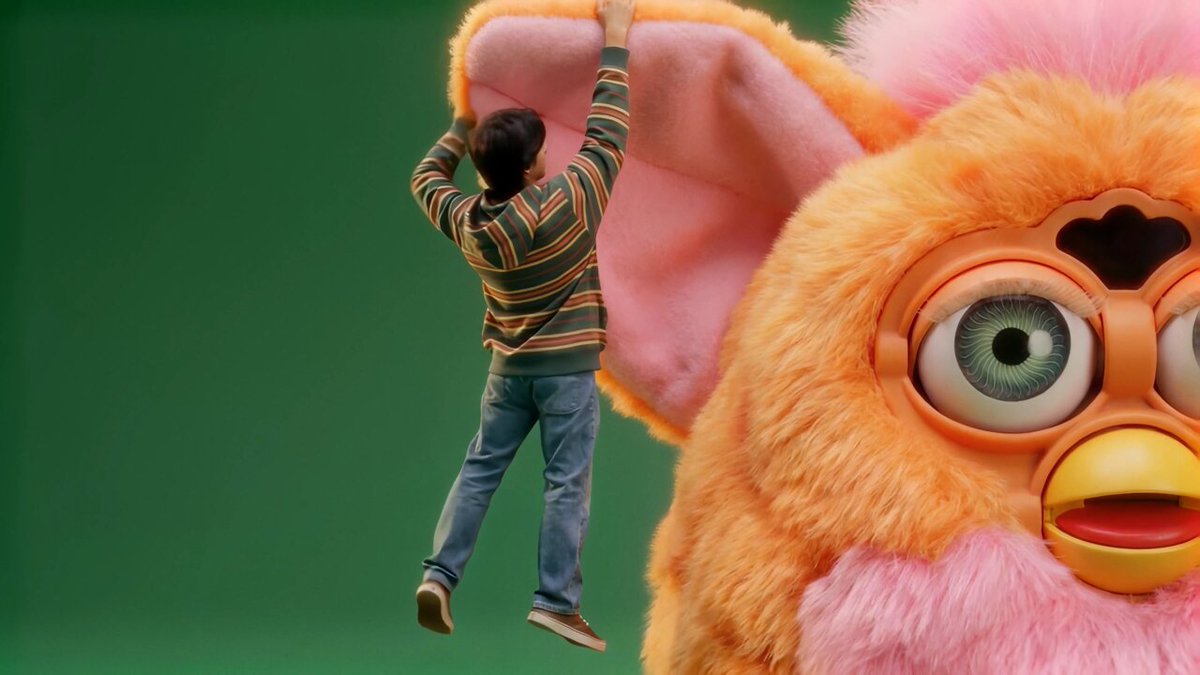
• Workflow recipe: The how-to thread walks through opening LTX’s Image Generator, choosing Nano Banana Pro, pasting one of the provided prompts, then optionally animating the result with LTX‑2 Fast for motion ads (workflow guide).
JSON-style ‘transparent black hyperrealism’ spec standardizes glossy product renders
Ultra-modern transparent black spec (Nano Banana Pro): Amira Zairi released a JSON-style prompt definition for Nano Banana Pro that creates a repeatable “ultra‑modern transparent black hyperrealism” look—sleek, floating objects made of transparent black glass or polymer with high‑gloss reflections and rim-lit edges (prompt template). The spec pins down visual language, materials, lighting, palette, resolution, and aspect ratio so designers can swap in any subject (cards, controllers, cans, dice) and still get the same dark, luminous, hyperreal product aesthetic (creator usage).
• Shared look, many subjects: Community tests show the same recipe applied to everything from branded drink cans to sculptural figurines, suggesting it functions as a portable “house style” for glossy black product lines rather than a one-off trick (community example).
Midjourney style refs for classic fairy-tale cels and children’s book art
Story art style refs (Midjourney): Artedeingenio surfaced concrete Midjourney style references for narrative work, including a --sref 4053850314 that yields “Classic Fairy Tale Cel Animation” reminiscent of Little Mermaid‑era frames, pitched for romantic fantasy and nostalgic storybook reinterpretations (fairy tale style). A second batch of examples shows a Sketch Creator style tuned for children’s books—loose linework, soft washes, and simple poses that turn prompts into expressive kid-friendly characters like small crowned heroes or young sword-wielding adventurers (children book style).
• Use cases: The cel style is positioned for classic fairy tales and cinematic story moments, while the children’s illustration style focuses on character-driven pages, giving writers and illustrators two reusable visual "dials" for consistent series work (fairy tale style, children book style ).
Ethereal watercolor prompt kit offers flexible, dreamy portrait stylization
Ethereal watercolor prompt (community): A short prompt template for “ethereal watercolor portraits” circulates as a reusable style kit, taking a slot for [subject] plus two color variables to generate flowing, abstract portraits that feel “intimate and otherworldly” (watercolor prompt). Example outputs range from queens and ballerinas to ravens and skull-faced figures, all sharing dissolving brushwork, soft pigment blooms, and large white negative space that makes the series hang together visually (community example).
• Series-friendly design: Because the text focuses on mood (“dreamy, ever-changing landscape”) rather than camera specs or rigid composition, creators can reuse the same recipe across tarot-style decks, character sets, or album art while keeping strong stylistic continuity (watercolor prompt).
🤖 Practical agents for creative workflows
Creation agents get useful updates: room renovation timelapses with palette control, Gemini 3 Flash in Antigravity, NotebookLM import to Gemini, ElevenLabs agents in Lovable, and Notte’s cloud functions.
Notte ships Deployed Functions to turn browser automations into cloud services
Deployed Functions (Notte): Notte is rolling out Deployed Functions, a feature that lets users take their browser automations and deploy them as cloud‑hosted functions with one click, complete with automatic scaling and triggers via API or schedules as shown in the Deployed Functions launch; this follows earlier work where Notte’s Agent Mode turned natural‑language runs into executable automation code as detailed in the Agent mode.
• From local scripts to production: Instead of keeping automations as local scripts or one‑off runs, creators can now promote them to managed functions that run on a schedule or on demand, handling the infra details like concurrency and uptime on Notte’s side according to the Deployed Functions launch.
• API and cron triggers: The announcement stresses that functions can be invoked programmatically via API, or configured as recurring jobs, which lines up with use cases like nightly content refreshes, batch asset pulls, or scheduled social posting without manual intervention as shown in the Deployed Functions launch.
For creatives who have been recording browser flows to automate research, publishing, or asset management, this is the piece that moves those agents from "personal helper" to something that can quietly run in the background as part of a real production stack.
Gemini 3.0 Flash powers Google Antigravity’s computer-use agent
Antigravity computer-use agent (Google): Google’s Antigravity "computer use" agent is now powered by Gemini 3.0 Flash, with users reporting that Pro and Ultra tiers get "quite good" rate limits for driving apps via natural‑language instructions rather than manual clicks as indicated by the user impressions and agent update; this builds on earlier sightings of Flash inside Antigravity and shifts the focus to sustained, high‑frequency automation for real work as detailed in the Tooling lineup.
• Model swap to Flash: The Antigravity agent that actually manipulates the desktop—opening apps, editing, browsing—now routes through Gemini 3.0 Flash, which is tuned for fast, low‑cost tool use rather than heavyweight analysis as stated in the agent update.
• Creator‑friendly quotas: One creator notes that with Pro or Ultra subscriptions the rate limits are strong enough that Antigravity feels viable for day‑to‑day workflows, not just occasional experiments, which matters for continuous tasks like batch asset prep or multi‑step editing flows as reported in the user impressions.
For people building creative automation on top of Antigravity, this combination of a cheaper, faster model and higher usable limits is what makes laptop‑level "agents" start to look dependable rather than toy‑like as shown in the user impressions.
ElevenLabs Agents integrate into Lovable app builder with persistent API keys
ElevenLabs Agents in Lovable (ElevenLabs): ElevenLabs announced that its Agents and audio models can now be used directly inside Lovable‑built apps, with Lovable remembering a creator’s ElevenLabs API key across projects so they only connect it once as described in the Lovable integration.
• One‑time auth, multi‑app use: The demo shows a simple "Enter your ElevenLabs API key" panel in Lovable; once set, that key is reused for future projects, trimming friction for people spinning up multiple voice‑driven or narration‑heavy tools as shown in the Lovable integration.
• Agent routing inside apps: Because the integration exposes ElevenLabs Agents rather than raw synthesis only, Lovable apps can offload dialog flows, voice selection, and speech logic to an external agent layer, which is useful for interactive storytellers or audio course builders who don’t want to hand‑roll voice plumbing as detailed in the Lovable integration.
This turns ElevenLabs from a separate post‑processing step into something that can live inside the app scaffolding itself, which changes how quickly small teams can stand up production‑quality audio experiences.
Glif Room Renovator agent adds timelapse and palette-based control
Room Renovator agent (Glif): Glif is showcasing a "Room Renovator" agent that turns a single photo of a room or landscape into a smooth, time‑lapse style renovation sequence, handling layout, furniture, lighting, and decor changes automatically as demonstrated in the agent demo; creators can supply a specific color palette so the agent re‑themes the space to match that combination rather than guessing aesthetics as indicated by the palette control and agent page.
• Timelapse automation: The agent outputs progressive states of the same scene, so a bare room can evolve through multiple design passes in one run, yielding a ready‑made transformation sequence for reels or B‑roll as shown in the agent demo.
• Palette‑driven looks: Passing a brand or mood palette lets it lock color decisions (walls, textiles, accents) to a defined scheme instead of generic “nice interior” choices, which matters for consistent series, clients, or IP worlds as specified in the palette control.
Glif is positioning this as a reusable building block inside its broader agent system, so the same renovation logic can slot into larger creative workflows like storyboarded home‑makeover videos or interactive room planners as described in the agent page.
NotebookLM upgrades to Gemini 3 and plugs directly into Gemini as a tool
NotebookLM + Gemini 3 (Google): Google’s long‑form research tool NotebookLM now runs on Gemini 3 and also appears as a callable tool inside the main Gemini interface, so users can pull NotebookLM’s grounded summaries and source packs directly into general chat sessions as shown in the NotebookLM upgrade and Gemini tool import.
• Model upgrade: NotebookLM itself is now powered by Gemini 3, which is positioned as a stronger reasoning and summarization model for working over document collections, transcripts, and notes as described in the NotebookLM upgrade.
• Tool import in Gemini: Inside Gemini’s "Tools" menu, users can now import an existing NotebookLM project as a first‑class tool, alongside file uploads and Drive, meaning a creative chat can query a curated notebook instead of repeatedly re‑uploading PDFs or scripts as detailed in the Gemini tool import.
For writers, researchers, and showrunners, that effectively turns a structured notebook of sources into an always‑on sidekick inside Gemini, using the same underlying model on both sides so context stays consistent across drafting, outlining, and revision as demonstrated in the NotebookLM upgrade.
🛣️ Path‑based animation from a single image (Comfy)
ComfyUI spotlights WanMove workflows that turn one still into a controlled shot by drawing motion paths. Today includes a live session announcement and a published workflow JSON.
ComfyUI showcases WanMove path animation from a single image with new workflow and livestream
WanMove path animation (ComfyUI): ComfyUI is formalizing a new workflow where creators draw motion paths on a single still image and render a controlled shot using WanMove, WanVideoWrapper, and FL Path Animator, pairing a live session on December 19 at 3pm PST / 6pm EST with a published JSON workflow so people can replicate the setup in their own nodes as shown in the livestream poster, feature overview, and workflow link.
• Live training session: The "Motion Path Animation From A Single Image" stream focuses on turning one frame into motion by sketching camera/subject paths directly on the image, then rendering the move inside ComfyUI’s graph-based interface as shown in the livestream poster and feature overview.
• Open workflow JSON: ComfyUI published the wan21-wanmove_fl_path_animator workflow file so users can load a ready-made graph with WanMove, WanVideoWrapper, and FL Path Animator wired for path-based animation, rather than building it from scratch, detailed in the workflow link and workflow json.
For filmmakers, designers, and motion artists already using ComfyUI, this turns single keyframes into precise dolly, pan, or subject-move shots with a draw-and-render approach instead of prompt trial-and-error.
🔐 Provenance over detection: C2PA for AI media
Creators highlight C2PA Content Credentials as the practical way to verify how media was made, already adopted by 200+ platforms. Guidance leans toward disclosure for AI filmmaking workflows.
C2PA Content Credentials promoted as practical standard for AI media provenance
C2PA Content Credentials (C2PA): Creators and tooling advocates are pushing C2PA "Content Credentials" as the realistic way to tell how media was made, emphasizing cryptographic provenance records over fragile AI detectors that fail on ~44% of Veo‑style fakes as shown in the c2pa overview and implementation guide. The approach attaches a signed, tamper‑evident manifest to each asset that records the capture device or AI model, every edit, and who vouched for it, and is already supported by more than 200 platforms including Adobe, Google, OpenAI, and TikTok as detailed in the c2pa overview.
• Detection vs provenance: The argument is that trying to visually "spot fakes" with classifiers will keep falling behind newer models, while C2PA flips the problem to proving authenticity with cryptographic chains of trust instead of guessing from pixels according to the c2pa overview.
• Guidance for filmmakers: A detailed guide walks AI filmmakers through how to integrate C2PA into their pipelines so finished shorts ship with full edit histories and AI disclosures, positioning transparency about AI tools as better practice than hiding usage or relying on platform‑level filters as shown in the implementation guide.
The net message for creatives is that as AI‑assisted filmmaking becomes standard, the expectation will shift toward attaching verifiable Content Credentials to show audiences and collaborators exactly how each frame was produced.
🔬 Research to watch: refocus and stereo via priors
Two bite‑size methods relevant to visual creators: refocusing defocus from a single image, and unified stereo conversion with generative priors. Mostly technique demos this cycle.
Generative Refocusing adds post‑hoc depth of field from a single image
Generative Refocusing (research): A new "Generative Refocusing" method shows flexible defocus control and realistic bokeh using only a single input image, letting you shift focus between planes and simulate different apertures without multi-frame capture or depth sensors as shown in the refocusing thread.
For photographers, filmmakers, and designers this behaves more like a virtual lens than a blur filter: the demo cycles between the original, a conventional refocus, and a "generative refocusing" result where the eye region pops while background blur and highlights look physically plausible, which suggests applications for salvaging flat shots, adding cinematic rack-focus moves in post, or re-lighting product/portrait imagery where you never shot wide open in the first place as detailed in the refocusing thread.
StereoPilot uses generative priors for cleaner stereo depth conversion
StereoPilot (research): The "StereoPilot" system presents unified, efficient stereo conversion that leans on generative priors to produce sharper, more coherent stereo depth than baseline methods, with side-by-side metrics showing consistently lower loss and smoother geometry during training as detailed in the stereopilot overview.
For 2D-to-3D conversion workflows—archival films, music videos, stylized shorts—this kind of generative prior helps maintain fine structure and object separation across the frame, which can reduce distortions and flicker when turning flat renders or footage into stereo pairs for VR, 3D displays, or depth-aware compositing as shown in the stereopilot overview.
🗣️ Culture wars: ‘pick up a pencil’ and the slop defense
Community discourse itself is the news: creators push back on ‘pencil’ gatekeeping, defend low‑cost ‘slop’ as experimentation, and argue for targeting bad actors over regulating AI wholesale.
Creators push back on ‘pick up a pencil’ AI gatekeeping
Pencil gatekeeping debate (Community): An AI filmmaker argues that traditional pencil-drawing skill is overrated and that real creative leverage now comes from artistic vision, editing, and owning the full audiovisual process rather than manual draftsmanship, framing pencil bragging as "pathetic" and saying drawers will be "pawns" while directors move the pieces as shown in the pencil skills critique. Memes pile on the old "pick up a pencil" talking point, with one creator mocking "anti AI guys when they can't say 'pick up a pencil'" and another staging a tongue‑in‑cheek stock‑photo style prompt test built around the line detailed in the anti ai meme and the pencil prompt gag.
• Reframing the skill stack: The thread positions AI tools as extending cinema‑style thinking to solo creators—vision, pacing, and editing choices over raw draft skill—echoing how many AI shorts, trailers, and music videos in the feed credit prompting, shot design, and cutting as the scarce skills rather than line art.
• Cultural undercurrent: The recurring pencil jokes, including a fantasy warrior brandishing a No. 2 as a weapon via the pencil warrior art, treat analog craft not as useless but as no longer the gatekeeper for who is allowed to tell stories with moving images.
Debate shifts from regulating AI tools to holding bad actors liable
Accountability vs tool bans (Community): Responding to concerns about people using AI to generate low‑quality or unsourced academic work, one creator argues that the problem is "untrustworthy people" publishing without checking sources and asks why the response is to "REGULATE THE AI" rather than hold authors responsible, quipping that regulation will not make such people "grow a morality structure" as shown in the regulation rant. Another commentator stresses the need for legal clarity across AI music, video, and art, framing current lawsuits and policy fights as necessary to establish where copyright, compensation, and training data lines should fall so each part of genAI "knows where it stands" according to the law clarity post.
• Norms implied for creatives: The combined stance is that AI‑assisted work should be judged by the same standards as any other—truthfulness, licensing, attribution—while regulation should target misuse (e.g., unlicensed songs, deceptive papers) rather than the underlying models or tools themselves via the regulation rant and the law clarity post .
‘Slop’ defended as healthy byproduct of cheap AI creativity
Slop discourse (Community): A creator shares Jason Crawford’s "In defense of slop" argument and applies it to generative AI, saying that when the cost of making things drops to near zero, a flood of low‑effort "slop" is inseparable from a wider explosion of experiments, weird formats, and new voices according to the slop defense thread. Another post deadpans "slop" alongside a collage of the word rendered in different materials and typographic treatments, turning the insult into a visual prompt in its own right as shown in the slop one word.
• Tradeoff framed plainly: The thread lists upsides of cheap AI creation—more experimentation, niche content, extra runway for work to find an audience, and less dependence on gatekeepers or finance—even as it acknowledges that scams and low‑quality output ride along the same curve per the slop defense thread.
• Normalizing experimentation: By treating "slop" both as a joke and as an expected byproduct of abundance (rather than a crisis), the posts give AI artists and storytellers rhetorical cover to share unfinished, messy work while they learn the new tools.
HappAI Christmas short shows AI ads can be surreal without faking reality
HappAI Christmas short (Knucklehead): A breakdown of the short film "HappAI Christmas, you Knucklehead" highlights it as an example of AI in advertising that leans into openly surreal, impossible worlds—Santa, elves, Krampus, a surfing Jesus—rather than covertly faking reality, at a moment when AI‑assisted ads face "heavy criticism" in the industry per the ai christmas summary. The spot, directed by R.C. Jinks with AI production by Knucklehead’s new division Airhead, is explicitly framed as using AI as a tool to push tone and visual excess while keeping a clear creative concept, not as the selling point itself.
• Culture‑war angle: The thread argues that AI campaigns work best when they don’t pretend to be human or replace the idea, but instead amplify style and voice, positioning this kind of transparent, self‑aware use of AI as a counter‑example to the "AI in ads" backlash that worries about deception rather than declared fantasy according to the ai christmas summary.
🎁 Holiday credits, sales, and creator programs
Seasonal boosts for creators: OpenArt’s 7‑day Advent (20k+ credits), Lovart’s 60% off unlimited, Freepik’s SF trips, and festive Seedream prompts. Lighter items but valuable for budget‑minded teams.
OpenArt launches 7‑day Advent calendar with 20k+ AI credits and prizes
Advent Calendar (OpenArt): OpenArt rolls out a 7‑day Holiday Advent Calendar where upgraded accounts unlock daily drops worth around 20,000 credits across models like Nano Banana Pro, Veo3 and Kling 2.6, running from December 19–25 as shown in the Advent launch and calendar details; every upgraded user gets each day’s gift, plus separate raffles offer up to $720 in extra credits and AI Summit tickets, and one social winner gets 20,000 bonus credits by replying “advent” as detailed in the Advent launch and flip the switch. Creators need a paid tier to participate, with upgrade options laid out on OpenArt’s pricing page per the pricing page.
• Daily model drops: Day‑1 and Day‑2 examples include 50 free Nano Banana Pro gens and 20 Kling O1 videos for anyone upgraded during the promo, detailed via the day one gift.
• No contest barrier: The main calendar gifts are guaranteed for upgraded users who sign in daily, so only the side raffles are luck‑based rather than the core rewards, according to calendar details.
Character.ai rolls out “charms” loyalty system for quests and premium perks
Charms rewards (Character.ai): Character.ai introduces charms, a collectible in‑app currency you earn by completing quests like posting to the feed or using Imagine, then spend on extra imagines, skipping slow mode, and removing ads, according to the charms overview; the system lives behind a prominent C‑icon in the app and tracks weekly and starter quests, with clear counters and claim buttons for each reward tier per the charms overview. The feature turns everyday chat and creation activity into a gamified progression loop rather than a flat usage meter, and is promoted as a growing perks system with "more soon" promised on the UI as shown in the charms overview and homepage.
• Quest‑driven engagement: Early quests include tasks like three feed posts or three Imagine uses in a week, each paying out 10 charms, hinting at a design tuned to keep people exploring creative tools rather than only chatting, detailed in the charms overview.
Freepik 24AIDays Day 18 gives three SF trips for Upscale Conf entries
24AIDays Day 18 (Freepik): Freepik’s #Freepik24AIDays holiday campaign adds a travel twist with Day 18 offering three trips to San Francisco, each including flights, hotel, and a ticket to Upscale Conf SF for creators who share their best Freepik AI artwork, detailed in the day 18 prize; this follows the prior 500k‑credit giveaway on Day 17, extending the calendar from pure credits to real‑world rewards as shown in 500k credits and entry reminder. Entrants must post today, tag @Freepik, use #Freepik24AIDays, and also submit via the official form as shown in the entry form.
• Tight submission window: The prize is locked to Day 18 posts, so only content created and tagged within the 24‑hour window around the announcement counts for the SF trip draw, according to the day 18 prize.
Lovart Christmas Unlimited sale offers 60% off and a year of zero‑credit use
Christmas Unlimited (Lovart): Lovart announces a week‑long "Christmas Unlimited" sale from December 20–26 with up to 60% off subscriptions and 365 days of zero‑credit generation for supported models, as shown in the sale announcement; the bundle covers NanoBanana Pro, NanoBanana, GPT Image 1.5, Seedream 4/4.5, Midjourney v7, Kling O1/2.6 and Wan 2.6, turning it into an all‑in‑one creative pass for image and video makers per the sale announcement. Upgrade paths and tiers are outlined on Lovart’s main site, according to the landing page.
• All‑you‑can‑create year: The “365 Days of Zero‑Credit Magic” framing means active teams can push a lot of experimentation and client work through these models without worrying about per‑gen token burn in 2026 via the sale announcement.
BytePlus shares Seedream 4.5 prompt for luxury candy‑cane holiday scenes
Holiday product prompt (BytePlus Seedream 4.5): BytePlus’ Day 7 "BytePlusUnwraps" drop features a detailed Seedream 4.5 prompt for a giant jewel‑encrusted candy cane staged like a luxury centerpiece, aimed at teams crafting glamorous seasonal product scenes, as shown in the candy cane prompt; the example shot combines an oversized, crystal‑studded cane with high‑end lighting and decor to suggest how Seedream can handle opulent holiday campaigns according to the candy cane prompt. The full prompt text, printed on the visual, guides model behavior around lighting, opulence, and composition for branded Christmas imagery.
• Holiday campaign angle: The copy explicitly targets "over‑the‑top Christmas opulence" and reads like a ready‑to‑paste brief for marketers who want Seedream‑powered key visuals without starting from scratch, as shown in the candy cane prompt.
Pollo AI launches gesture‑controlled “Magical AI Christmas Tree” photo experience
Magical AI Christmas Tree (Pollo AI): Pollo AI debuts an interactive AI Christmas tree where users upload up to 20 photos that then animate inside a virtual tree, controlled via hand gestures that change the tree’s state in real time according to the tree launch; the experience is pitched as "pure holiday magic" that requires no editing and runs entirely in the browser. Privacy is a core part of the messaging, with Pollo stressing that the camera feed used for gesture control is visible only to the user and is never stored or shared on their servers as shown in the privacy detail.
• Family‑friendly showcase: The tool functions both as a festive toy for non‑technical users and as a soft showcase of browser‑based vision + generative pipelines that creatives can fold into holiday campaigns or interactive cards as shown in the tree launch.
While you're reading this, something just shipped.
New models, tools, and workflows drop daily. The creators who win are the ones who know first.
Last week: 47 releases tracked · 12 breaking changes flagged · 3 pricing drops caught


