Kling 2.6 adds native audio and 235‑second clips – platforms light up

Stay in the loop
Free daily newsletter & Telegram daily report
Executive Summary
After a week of Kling O1 edit tricks, Kling 2.6 lands as the “talking pictures” upgrade. It co‑generates 1080p video, dialogue, music, ambience, and SFX in one pass, so a single prompt or still frame now yields a fully voiced shot instead of a mute clip plus three extra tools. ElevenLabs wired it in for up to 235‑second scenes on an $11 Creator plan, while Kling positions O1 as the director’s console that reshapes what 2.6 spits out.
The ecosystem moved fast. Freepik, OpenArt, Krea, Nim, and a small army of niche video apps flipped 2.6 on within hours, and Higgsfield is offering uncensored, unlimited 1080p generations on top. That means you pick the host that matches your workflow and still tap the same core model, not yet another mystery engine.
Early tests are already weird in a good way: typed‑only Turkish lyrics turn into on‑beat vocals with usable lip‑sync, and storm prompts produce convincing low‑end thunder and wind beds. Long monologues still wander in tone, so pros will keep human VO for hero work, but 2.6 is more than a toy—storyboarders are pairing Seedream or Nano Banana stills with script‑style prompts to churn out 5–10 second, fully voiced micro‑shots on repeat. We help creators ship faster; this week, that means shipping with sound.
While you're reading this, something just shipped.
New models, tools, and workflows drop daily. The creators who win are the ones who know first.
Last week: 47 releases tracked · 12 breaking changes flagged · 3 pricing drops caught
Top links today
- Kling 2.6 native audio model overview
- Kling O1 unified video model on Runware
- Seedream 4.5 image model on Runware
- Nano Banana Pro image model on Hailuo
- Z-Image Turbo LoRA trainer on fal
- Z-Image-Turbo text-to-image on Runware
- HunyuanOCR model on Hugging Face
- HunyuanOCR technical report
- BlockVid minute-long video generation paper
- MagicQuillV2 interactive image editing paper
- ViSAudio binaural spatial audio paper
- RELIC interactive video world model paper
- LTXStudio AI video editing and retake
- Invideo VFX House powered by Kling O1
- OpenArt Wonder plan with top AI models
Feature Spotlight
Kling 2.6 goes audio‑native across creator platforms
Kling 2.6 adds one‑pass video+voice+SFX with tight lip‑sync and lands on major creator platforms—compressing idea‑to‑publish for shorts, ads, and narrative clips.
Biggest story today: Kling’s first model with native audio spreads fast. Creators share lip‑synced dialogue, sung lyrics from prompts, and narrative shorts; platforms light up access and credit promos. Excludes Kling O1 editing (covered on prior days).
Jump to Kling 2.6 goes audio‑native across creator platforms topicsTable of Contents
🔊 Kling 2.6 goes audio‑native across creator platforms
Biggest story today: Kling’s first model with native audio spreads fast. Creators share lip‑synced dialogue, sung lyrics from prompts, and narrative shorts; platforms light up access and credit promos. Excludes Kling O1 editing (covered on prior days).
Kling 2.6 launches with native audio for fully voiced AI video
Kling AI has rolled out VIDEO 2.6, its first model that co‑generates video, dialogue, music, ambience, and sound effects in a single pass, turning what used to be silent clips into complete audiovisual moments from a text prompt or a still frame. The launch thread highlights native support for monologues, narration and multi‑character dialogue under the "See the Sound, Hear the Visual" banner, plus a short film called I Have a Secret that was built entirely on 2.6’s new pipeline launch announcement.

For creatives this means you no longer need to chain a video model, TTS engine, and sound‑effects library to get something watchable; you can describe camera motion, performance beats, and exact lines of dialogue in one prompt and get synced lips, matching soundscapes, and 1080p visuals back in seconds. Compared to 2.5, early clips show smoother motion and higher prompt adherence, while Kling O1 now clearly sits beside it as the "director’s console" for editing and compositing rather than the core generator. The practical takeaway: if you’re story‑driven (ads, short films, explainers), 2.6 is the Kling model you reach for first, and O1 becomes the place you refine and re‑cut what 2.6 gives you.
Kling 2.6 jumps onto Freepik, ElevenLabs, OpenArt, Krea, Nim and more
Within hours of the launch, Kling 2.6’s audio‑native model has been wired into a wide slice of creator platforms, so you can probably use it without touching the official app. Freepik is pitching it as a one‑stop generator for video, dialogue, ambience, and precise SFX "available now" inside its Spaces environment, targeted squarely at motion designers and marketing teams Freepik launch note.

ElevenLabs added Kling 2.6 inside its Image & Video suite as the engine for fully voiced, character‑driven scenes, promising up to 235 seconds of video generation on an $11 Creator plan and leaning on their existing voice lineup for more natural character fits ElevenLabs integration. Beyond that, OpenArt made 2.6 unlimited as part of its Wonder bundle, Krea now exposes it as a photoreal + audio option, Nim uses it as a “complete sensory experience” model, and a long list of video apps (PolloAI, Invideo, Veed, SeaArt, Artflo, RoboNeo, SelfieU) have turned it on for text‑to‑video and image‑to‑video. Higgsfield goes further, offering uncensored, unrestricted 1080p 2.6 generations on an unlimited plan. For filmmakers, editors, and social teams, the point is simple: pick the host that fits your workflow and you still get the same underlying 2.6 capabilities instead of learning yet another proprietary video engine.
Creator guide shows how to drive Kling 2.6 dialogue and scenes with prompts
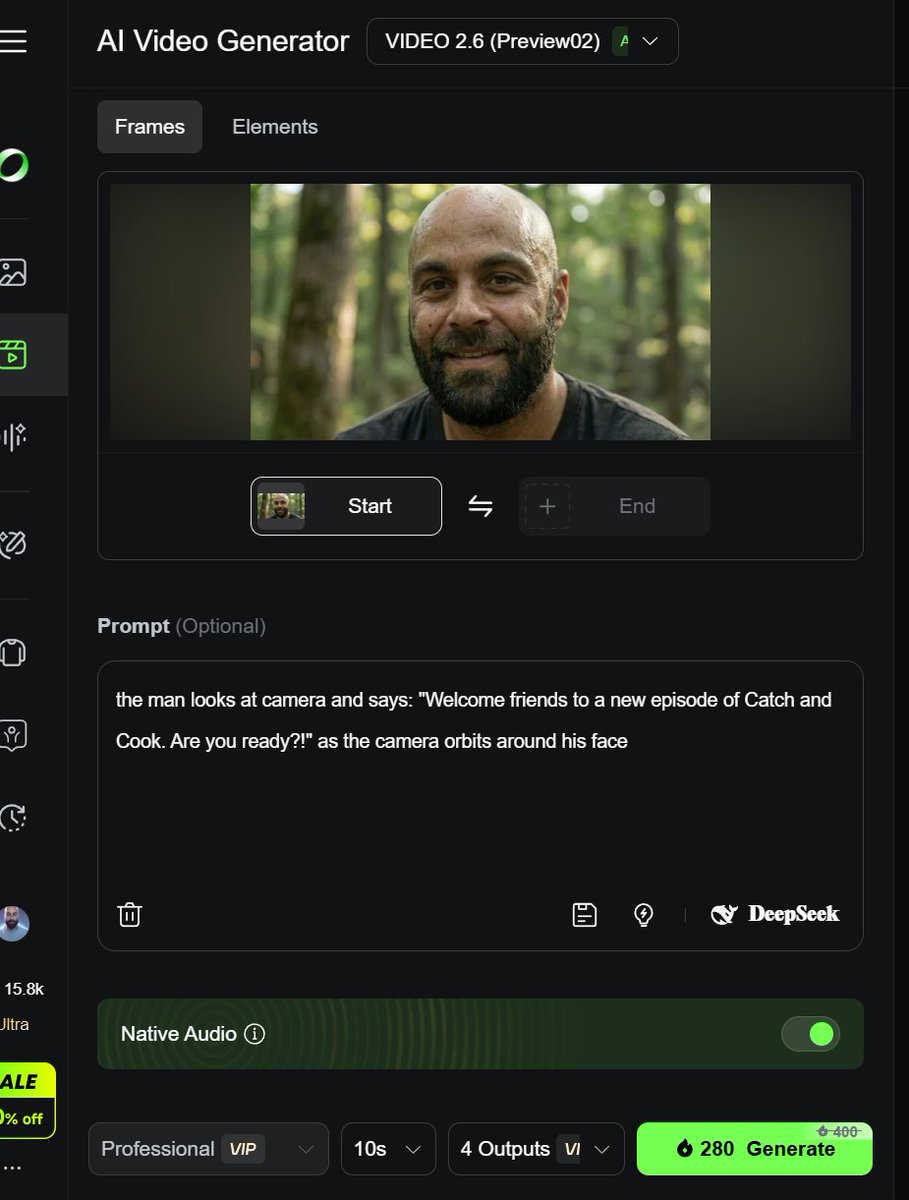
Creator @techhalla broke down how to use Kling 2.6 to make the kind of weirdo viral clips you keep seeing in feeds: start by designing your characters and environments as stills (often with Seedream 4.5 or Nano Banana Pro), then feed those frames into 2.6 with a very explicit script‑style prompt that includes quoted dialogue, camera instructions, and emotional beats prompt UI example.

The workflow is closer to storyboarding than "prompt and pray": you grab an initial frame, write something like "The man looks at camera and says: 'Welcome friends…' as the camera orbits around his face", and let 2.6 fill in motion and audio. From there you iterate—changing angles, reactions, and cuts—until you have a full micro‑short stitched from multiple 5–10s generations. This approach lets filmmakers and marketers keep control over timing and performance instead of handing everything to the model, and it’s already proving effective for ad parodies, reaction skits, and docu‑style pieces where the character needs to sell a line straight to camera.
Early Kling 2.6 tests show typed lyrics, ambient SFX and some dialogue quirks
Creators are stress‑testing Kling 2.6’s audio by pushing beyond straight narration. One standout example is a Turkish music clip where the user only typed the song lyrics into the prompt—no audio upload—and 2.6 generated an on‑beat vocal performance in Turkish with convincing lip‑sync, underscoring that the model isn’t limited to English VO

. T2V thunder and wind test Others are exploring it as a pure sound‑design engine: ai_artworkgen showed a text‑only prompt for "low‑frequency thunder rumble, moaning wind" and got a matching storm ambience over a moody landscape, demonstrating that you can script soundscapes the same way you script visuals T2V thunder and wind test. Sentiment so far is that short clips have excellent sync and believable timbre, while longer narrative pieces can require re‑rolls to keep character voices consistent and avoid odd phrasing. For filmmakers and musicians, that suggests 2.6 is already strong enough for concept pieces, social promos, and temp tracks, but you’ll still want human VO or dedicated dubbing tools when the performance itself has to carry the project.
🎬 Directable video beyond Kling: control, lighting, fixes
Non‑Kling video craft updates: controllable motion/camera via Kamo‑1 (3D‑conditioned), Runway Gen‑4.5 lighting control, Veo 3.1 object removal, and LTX “Retake” spot fixes. Excludes Kling 2.6 (feature).
Kinetix Kamo‑1 Open Beta brings 3D‑conditioned, fully controllable AI video
Kinetix’s Kamo‑1 Open Beta puts creator control ahead of raw fidelity, letting you drive a character’s movement with your own performance while a true 3D‑conditioned model handles stable pan, tilt, truck, dolly and orbit camera moves. Kamo-1 explainer

Instead of treating video generation as a "beautiful surprise", Kamo‑1 reconstructs the scene in 3D first, which means posture, rhythm and spatial relationships stay consistent across the shot, and camera direction feels like working in a DCC tool rather than rolling the dice on a prompt. Kamo-1 explainer For animators, previs artists and choreographers, this looks like the first serious step toward AI video you can actually block, stage and iterate on with intent rather than hoping for a lucky seed.
LTX Studio’s Retake lets you rewrite a moment without redoing the shot
LTX Studio introduced Retake, a tool that lets you surgically change a specific slice of a clip—AI‑generated or uploaded—by selecting a time range and describing the new beat, while the rest of the shot stays untouched. Retake intro

You head into LTX, open the clip in Gen Space or Playground, choose Retake, drag over the few seconds you want to adjust, and then write a positive prompt like “He looks relieved as the door opens” or “The scene begins with a confident smile”; everything outside that window is frozen. Retake select moment This makes it practical to fix odd gestures, tweak reactions, or reshape pacing without throwing away a strong take—and because only a segment is regenerated, you also save compute and avoid new glitches creeping into the rest of the scene. Retake small fixes Full details and access live on the LTX site. LTX overview
Runway Gen‑4.5 showcases “Intuitive Lighting” and precise scene control
Runway is highlighting Gen‑4.5’s new "Intuitive Lighting" tools, showing one scene relit from clean studio setups to moody, cinematic tableaus without changing composition or subject. Gen-4.5 lighting demo
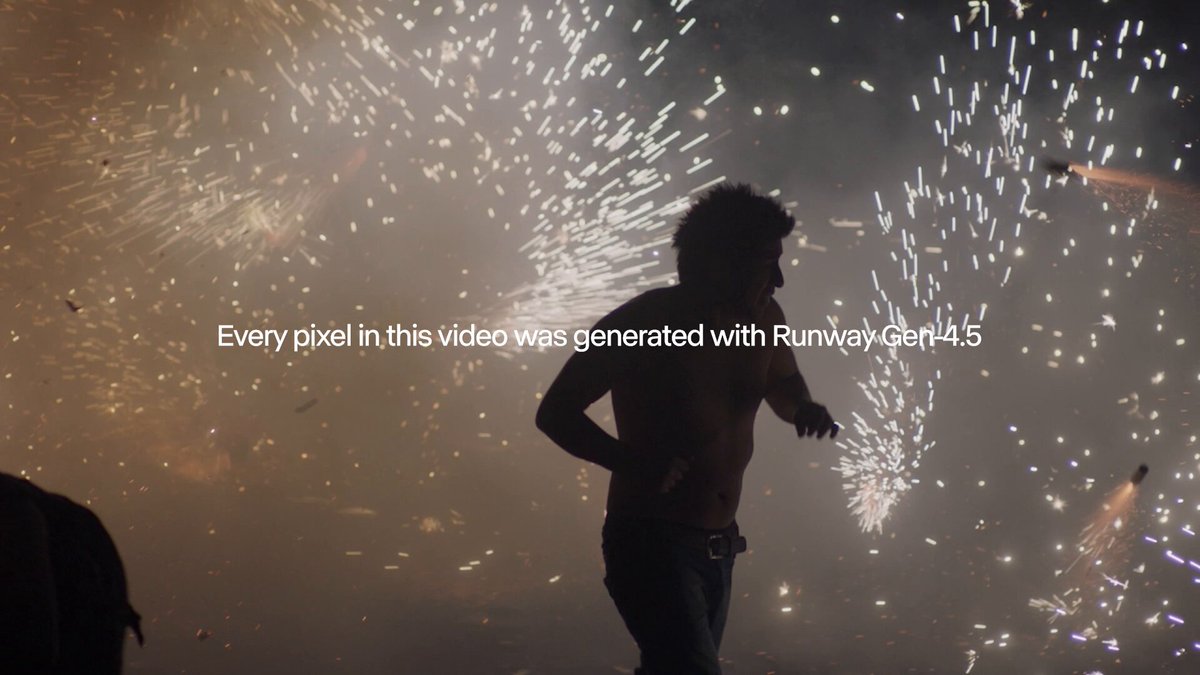
The demo underlines that Gen‑4.5 can now handle realistic light and shadow as a controllable dimension of the prompt, not random decoration—so you can nudge a shot toward "tense night interior" or "soft daylight commercial" and get believable results while keeping framing and performance intact. Gen-4.5 lighting demo For directors and DP‑minded creators, that means faster exploration of looks and more consistent lighting continuity across AI‑assisted sequences.
Google Veo 3.1 adds promptable object removal for cleanup shots
Google’s Veo 3.1 now supports simple object removal instructions like "remove statue" directly in the prompt, turning a regular clip into a clean plate without manual roto or paint. Veo 3.1 removal

Side‑by‑side tests show park and beach scenes where a large statue vanishes while surrounding trees, paths and shadows remain coherent, which is exactly the kind of detail work that usually eats hours in a traditional comp. Veo 3.1 removal For editors, indie filmmakers and social teams, this turns a lot of "almost great" shots into usable material with one line of text instead of a trip through Mocha and After Effects masks.
Luma’s Ray3 in Dream Machine powers “Star Seeker” world‑wandering shots
Luma Labs is showing off Ray3 inside Dream Machine with "Star Seeker", an image‑to‑video piece where a solitary figure walks through glowing alien landscapes and then looks up at a swirling nebula sky—all generated as a continuous, stylized journey from still art. Star Seeker announcement

The clip leans into what Ray3 is good at right now: smooth traversal through richly lit worlds, consistent character silhouette and a strong sense of mood rather than tight lip‑sync or dialogue. Star Seeker announcement For music video makers, title sequences and ambient storytelling, this gives you a way to turn a single keyframe or concept painting into a fully moving "wander this world" shot that feels designed, not thrown together.
🖼️ Seedream 4.5: production‑grade stills for teams
ByteDance’s Seedream 4.5 focuses on clarity, spatial coherence, typography, and multi‑reference fusion. Today adds day‑0 availability on fal/Runware and creator pipelines. Excludes Kling news (feature).
ByteDance unveils Seedream 4.5 for higher-fidelity, workflow-ready stills
ByteDance’s BytePlus arm formally introduced Seedream 4.5, a still-image model tuned for production work where detail fidelity, spatial structure, and text clarity matter more than flashy samples. The team highlights sharper visuals, better scene reasoning, more reliable execution of complex prompts, and multi-image fusion with up to 10 references, all aimed at e‑commerce, advertising, design, film, animation, and game art teams release thread.

Compared to prior Seedream versions, 4.5 explicitly attacks pain points like fuzzy typography, off-model faces, and compositional drift, promising clearer small text, cleaner facial rendering, and more cohesive multi-reference outputs release thread. It’s available in open beta on BytePlus ModelArk, so studios that need consistent product shots, key art, or layout-heavy graphics can start testing it in parallel with their existing stacks rather than waiting for a bigger re-architecture.
Seedream 4.5 lands on fal, Runware and Replicate with multi-ref 4K
Seedream 4.5 is already spreading across key creation platforms: fal added both text-to-image and image-edit endpoints with a detailed blog on typography, product photography, virtual try‑on and size-aware multi-image reference workflows fal launch post fal blog post, while Runware launched a D0 integration that supports up to 14 references and 2K–4K output at about $0.04 per image, claiming it’s roughly 70% cheaper than similar models runware launch thread. Replicate also brought Seedream 4.5 online with a simple "Run it here" entry point emphasizing rich world knowledge and high reference limits, which lowers the barrier for quick experiments and API prototyping replicate endpoint.
Fal’s examples focus on editing as much as generation—showing text replacement on a Tmall fashion poster while preserving layout and composition, plus product shots with near-100% label preservation and multi-garment virtual try‑on flows fal poster example fal feature roundup. Runware leans into scale and cost for teams: 14-reference prompts, coherent lighting, refined surfaces and reflections, and 2K–4K renders mean you can drive catalog or key art pipelines at volume without blowing budget runware quality note model browser. Together with Replicate’s endpoint, Seedream 4.5 is immediately reachable whether you prefer playground UIs or wiring it into your own tools.
Creators fold Seedream 4.5 into 4K influencer and hybrid video stacks
Early testers are already treating Seedream 4.5 as a “production model” rather than a toy, dropping it into mixed pipelines and calling the quality a big jump. One creator bluntly calls it “the best image model next to Nano Banana!” creator opinion, while others lean on it for clean typography, stable character faces, and layout‑aware edits that survive upscale or compositing.

Apob AI plugged Seedream 4.5 into its Ultra 4K generation mode to keep AI influencer faces locked across outfits and scenes, pitching “unbelievable character consistency” for brand and fashion campaigns apob integration. Techhalla shows a hybrid workflow where Nano Banana Pro and Seedream 4.5 handle high-quality stills and style, then Veo 3.1 and Kling 2.5 animate them—turning one reference selfie into a full, multi-look video multi-model workflow. Over on Freepik, creators pair Seedream 4.5 with the new Magnific Skin Enhancer and Kling 2.6 audio video to get sharp, natural skin in beauty content before bringing it to life in motion freepik beauty demo. For creatives, the pattern is clear: Seedream 4.5 is quickly becoming the stills backbone in larger 4K and video-first stacks where consistency and text legibility matter more than pure novelty.
⚡ Z‑Image Turbo + personal LoRAs enter the fast lane
Open T2I momentum around Tongyi‑MAI’s 6B model. New LoRA trainer flows and aggressive per‑image pricing help teams stylize and personalize at scale. Excludes Seedream items.
Runware hosts Z‑Image Turbo at $0.0019/image and says it’s up to 62% cheaper
Runware put Z‑Image‑Turbo into production with both API and Playground access, pricing generations from this 6B‑parameter Tongyi‑MAI model at $0.0019 per image and later correcting their claim to “up to 62% cheaper” than other hosts. (launch details, pricing correction) The model is pitched as fast, detailed, and text‑capable, giving small studios a cheap open alternative to closed T2I for day‑to‑day shots. model overview

Runware backed the launch with example posts calling out precise details, balanced lighting, and lifelike textures, which matter if you’re doing product visuals, cinematic frames, or typography‑heavy layouts where cheap models usually fall apart. (detail sample, lighting sample, texture sample) Taken together with creators already using Z‑Image in tools like Glif for high‑fidelity open T2I Glif adoption, this pushes Z‑Image Turbo further into the “default open workhorse” slot: you can fine‑tune styles via LoRAs on fal, then hammer cheap, high‑volume renders through Runware when it’s time to scale a look across campaigns or storyboards.
fal launches Z‑Image Turbo LoRA Trainer for fast style and character personalization
fal rolled out a Z‑Image Turbo LoRA Trainer that lets you train lightweight adapters for style, personalization, and custom visual concepts directly on top of Tongyi‑MAI’s 6B open T2I model. LoRA trainer release
For creators this means you can feed your own dataset (ブランド look, OC, product line, etc.), get a LoRA back, and then reuse it across prompts and tools that support Z‑Image Turbo instead of hand‑prompting the same aesthetic every time. The trainer is hosted on fal’s platform with a dedicated playground and API entry point, so teams can script bulk training and integrate it into their pipelines. trainer page This moves Z‑Image from a “generic fast open model” into something you can bend toward your own brand bible or cast of recurring characters without running full custom models.
🎨 Reusable looks: line‑art packs, MJ sref, and card prompts
A grab‑bag of high‑signal style kits and prompts for instant looks—minimalist line art, a cohesive MJ sref set, product branding workflows, and fandom card templates.
Nano Banana Pro Pokémon TCG prompt turns selfies into full‑art cards
Ai_for_success shares a detailed Nano Banana Pro prompt that converts a user photo plus a chosen Pokémon into a full‑art Pokémon TCG‑style card, complete with invented attacks, HP, trainer title, and flavor text rendered at high legibility Pokemon card prompt.
The template controls aspect ratio (3:4), bans hands or backgrounds, and asks the model to transform the person into an anime trainer while matching background energy to the Pokémon’s type. For fan commissions, community events, or merch mockups, this is a reusable blueprint: swap [NAME] and [POKÉMON NAME], feed a new reference photo, and you get consistent, on‑brand card art without rebuilding the layout every time.
Reusable minimalist line‑art prompt spawns a community remix pack
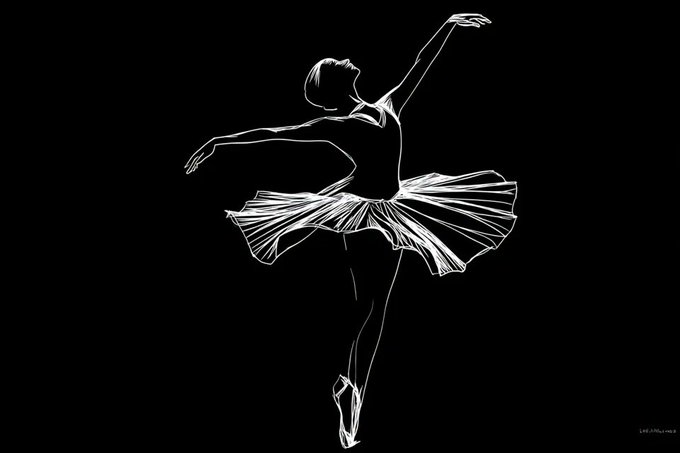
Azed shares a flexible line‑art recipe — [Subject], drawn in minimalist white line art on a solid black background. Emphasized [detail], no shading, clean contours, elegant and graphic composition. — that’s quickly turning into a whole micro‑ecosystem of styles for posters, logos, tattoos, and merch Base line art prompt.
Creators are already pushing it into recognizable IP and custom motifs: Captain America silhouettes Superhero remix, tribal masks, lotus flowers, and stags rendered as concentric contour lines Mask and lotus set, plus decorative long‑haired cats built from swirling filigree strokes Ornate cat line art. Because the structure is simple ([Subject] + one emphasized detail), it’s easy to slot into any T2I model and reuse as a line‑art "filter" on top of other prompts.
Fantasy sketch style ref 1988004609 nails character design sheet aesthetics
Artedeingenio highlights a Midjourney style reference --sref 1988004609 that produces loose, sketchy fantasy character designs with clean shapes and flat color blocks, very close to animation or game concept sheets Fantasy sketch sref.
Examples include a steampunk red‑haired explorer, a dual‑wielding elf in layered armor, a goggled orc engineer, and a ranger‑style heroine with belts and pouches — all sharing consistent line weight, muted palettes, and readable silhouettes. For character‑driven projects (RPGs, animation bibles, VTuber concepts), this sref gives you a ready‑made "studio sheet" look without hand‑tuning every prompt.
James Yeung’s Nano Banana Pro prompt pack for Hailuo storytelling and branding
James Yeung drops a mini prompt pack for Nano Banana Pro inside Hailuo, covering story MV boards, cute dog inserts, BTS shots, and even social profile billboards Hailuo prompt thread.
Examples include: adding "a lot of baby chihuahua" doing varied actions into a reference image Chihuahua prompt, generating a behind‑the‑scenes photography setup with visible cameras and strobes BTS photo prompt, and putting an X profile as a translucent 3D billboard atop a Tokyo skyscraper complete with follower counts Billboard prompt. Another recipe turns lyrics from “All Out of Love” into a four‑panel cinematic music‑video board MV panels prompt. Together they form a reusable kit for quick brand storytelling and social content that you can adapt by swapping in your own products, accounts, or songs.
Midjourney V7 sref 5294690156 delivers cohesive teal sketch animation style
Azed drops Midjourney V7 style ref --sref 5294690156, which locks in a distinctive teal background, chunky black linework, and painterly shading that reads like a modern 2D animation frame across portraits, action shots, and intimate character beats Teal sketch sref post.
The sample grid covers a stylized profile portrait, an elderly sniper in a fur‑collared coat, a determined young boxer under a rain‑lit spotlight, and a quiet couple’s embrace — all with consistent brush texture and color palette More sref samples. Because the look stays stable while composition changes, this sref is a strong candidate for visual‑cohesive storyboards, graphic novel panels, or light‑animation overpaints.
Vintage Polaroid car workflow pairs Nano Banana Pro with Weavy automation
Ror_Fly breaks down a four‑stage Weavy + Nano Banana Pro workflow for designing a "Vintage Polaroid" branded race car, moving from base car design to branded concept and then into batch shot variation Polaroid car overview.

After moodboarding car shapes, they prompt Nano Banana Pro to fuse those forms with retro Polaroid typography and rainbow stripes, then use Weavy’s list/iterator nodes to auto‑generate close‑ups and alternate angles while preserving both the exact car body and brand treatment
. For anyone doing product or livery explorations, this doubles as a pattern: “moodboard → brand ref → merge prompt → batch camera‑angle prompts” that you can reskin for other brands.
Midjourney V7 sref 2987994866 creates soft narrative panel collages
Another Midjourney V7 reference, --sref 2987994866, outputs soft, pastel story mosaics: multi‑panel layouts mixing astronauts, domestic scenes, cooking vignettes, and portraits into a single coherent collage Panel collage sref.
The style leans on gentle gradients, simplified anatomy, and clean graphic shapes, so generated grids feel like editorial spreads or mood‑boards rather than raw dumps. For pitch decks, mood‑setting Instagram carousels, or cover art that hints at a full story world, this sref gives you a ready narrative format straight out of the model.
Nano Banana Pro “Fun with Comics” prompts for character sheets and cinematic restyles
Ai_artworkgen shares a pair of Nano Banana Pro prompts aimed at repurposing existing comics: one turns each panel’s subject into a standalone character sheet, the other restyles the strip into a cinematic, photoreal sequence Comic prompt examples.
The character‑sheet variant asks the model to "create a character sheet for each subject shown in the comic", ideal for pulling cast line‑ups from a rough gag strip. The second prompt — "turn this comic strip into a cinematic photorealistic style" Cinematic comic prompt — acts as a one‑line upgrade path from flat inks to storyboard‑ready keyframes. If you’re adapting webcomics, storyboards, or manga into trailers, these two prompts give you a reusable bridge from 2D panels to production‑ready visuals.
🧩 Turn pipelines into mini‑apps (+ sketch‑to‑art)
Tooling to productize creative ops: Krea’s Node App Builder lets you publish shareable apps from node graphs; Hedra’s He‑Draw turns doodles into fully styled renders with a credit promo.
Krea Node App Builder turns node graphs into shareable mini-apps
Krea introduced Node App Builder, a new left‑sidebar mode that lets you turn any Krea Nodes workflow into a simple app with its own inputs, outputs, and share settings. launch thread

Creators can click the new sidebar button, pick any node property as an input (supports multiple inputs), and bind any node output as one or more app outputs. multi input demo You can rename each input/output and set the app’s visibility to public, private, or team‑only directly from the sidebar before publishing. visibility controls Once published, collaborators or clients see a clean app UI instead of the underlying node graph, which is ideal for packaging repeatable pipelines (e.g., style systems, batch generators) into “one‑screen” tools for non‑technical teammates. (output binding demo, publish flow demo)
Hedra launches He-Draw doodle-to-illustration tool with launch promo
Hedra launched He-Draw, a sketch‑to‑image tool that turns rough doodles (stick figures, dragons, cars) into fully rendered images in styles like hyper‑realistic, oil painting, or cyberpunk. feature intro

The demo shows hand‑drawn scribbles instantly transforming into polished concept art, effectively replacing complex text prompts with quick drawings for layout and pose control. Hedra is seeding adoption with a promo: the first 500 new followers who reply “HEDRAW” get 1,000 credits via DM, making it easy for illustrators, storyboard artists, and hobbyists to test sketch‑driven workflows without upfront cost. feature intro
🧪 Research watch: minute‑long video, spatial audio, interactive worlds
Fresh papers/demos relevant to media creators: coherent long video via block diffusion, video‑driven binaural audio, interactive world models, and layered‑cue image editing.
BlockVid proposes semi‑autoregressive block diffusion for coherent minute‑long video
Alibaba’s DAMO Academy unveiled BlockVid, a semi‑autoregressive block diffusion framework that generates minute‑long videos by sampling in multi‑frame chunks while conditioning on past blocks for narrative continuity. It combines semantic‑aware sparse KV caching, a block forcing training strategy, and chunk‑wise noise scheduling to limit long‑horizon drift, and introduces LV‑Bench with 1,000 human‑checked minute clips and five VDE metrics for clarity, motion, aesthetics, background, and subject stability BlockVid video demo BlockVid blog explainer. The team also ships Inferix, an Apache‑2.0 engine with optimized KV‑cache management, distributed synthesis, 8‑bit quantization, and RTMP/WebRTC streaming support for real‑time creative use, detailed in the paper and blog ArXiv paper.
ViSAudio generates binaural spatial audio directly from video
The ViSAudio project presents an end‑to‑end model that takes video as input and outputs binaural (left/right ear) spatial audio, aiming to infer directional cues and room acoustics purely from visual motion and scene layout ViSAudio teaser. For filmmakers, game teams, and XR creators, this points toward auto‑generated spatial mixes that respond to on‑screen action without hand‑placing sources, as illustrated by the 3D head and moving sound objects in the demo and the accompanying technical description ArXiv paper.
RELIC teases an interactive video world model with long‑horizon memory
A new project called RELIC is previewed as an interactive video world model that keeps long‑horizon memory, hinting at agents or players able to act within a learned video environment while the system tracks state over extended timelines RELIC code demo. The short teaser shows a terminal‑style interface stepping through visual rollouts, and the linked paper promises tools that could matter to interactive storytellers and game designers looking for AI‑driven, temporally coherent worlds rather than one‑off clips ArXiv paper.

MagicQuillV2 enables layered, cue‑based interactive image editing
MagicQuillV2 introduces a precise image‑editing system where artists guide changes through layered visual cues—selecting regions, masks, and layers rather than rewriting full prompts MagicQuillV2 demo. The demo shows a Photoshop‑like UI with separate layers and masks being refined before the model renders a coherent final image, suggesting a workflow that aligns better with illustrators and compositors who want local, iterative edits instead of regenerating entire frames from scratch project page.

💸 Creator deals to grab (non‑Kling)
Promos unrelated to today’s Kling feature: Freepik’s Day‑2 Advent prize, Vidu’s 40% countdown, and Seedream 4.5 unlimited offers from partners.
Runware debuts Z‑Image Turbo at ~$0.0019 per image, up to 62% cheaper
Runware launched Z‑Image Turbo, a 6B open text‑to‑image model from Tongyi‑MAI, at about $0.0019 per image and later corrected its claim to say it’s up to 62% cheaper than other providers Z-Image launch thread pricing correction. The model focuses on fast, photorealistic outputs with good text rendering and is already wired into their Playground and API.
For designers, marketers, and concept artists who burn through hundreds of drafts per project, this is an ultra‑low‑cost sandbox: you can prototype styles, signage, or layout concepts at scale on Z‑Image Turbo, then reserve pricier proprietary models for final hero shots.
Runware launches Seedream 4.5 at ~$0.04 per 2K–4K image, 70% cheaper
Runware rolled out Seedream 4.5 with pricing around $0.04 per 2K–4K image and claims it’s up to 70% cheaper than comparable models, while still supporting up to 14 reference images for coherent, production‑grade scenes Runware Seedream pricing. The model is available via their API and UI, alongside a curated gallery of material, lighting, and multiperson examples Runware models page.
For e‑commerce, product, and key art teams, this is less a flashy launch and more a cost‑structure shift: if Seedream 4.5 holds up in your tests, you can route high‑volume catalog and concept work here to shave image costs without giving up resolution or reference control.
Freepik AI Advent Day 2 offers 1:1 strategy session with CXO
Freepik’s 24-day AI Advent moves into Day 2 with a single-winner prize: a 1:1 session with CXO Martin LeBlanc for the best Freepik AI creation posted today, following the multi-prize kickoff in AI Advent launch. Creators need to post their best Freepik AI piece, tag @Freepik, use #Freepik24AIDays, and submit the post via the linked form to be eligible Day 2 announcement.

For designers and illustrators using Freepik’s tools, this is less about credits and more about direct product and strategy feedback from a top decision-maker, which can be worth more than typical giveaways if you’re trying to build a career around AI-powered visuals.
Lovart drops Seedream 4.5 Unlimited with up to 50% off
Lovart is pitching Seedream 4.5 as an "UNLIMITED" Day‑0 drop with up to 50% off subscriptions, bundling the new ByteDance image model into its AI design agent stack Lovart Seedream promo. The offer is tied to a sale window on their site, where plans highlight discounted access and workflow automation around images, video, and even 3D Lovart landing page.

If you’re a brand or studio building lots of layouts, campaign visuals, or iterations, this is effectively a chance to buy a year of Seedream-heavy production at a lower base cost while you test whether Lovart’s “design agent” wrapper meaningfully reduces manual art‑direction time.
Vidu Q2 40% discount hits last 24 hours with unlimited images
Vidu is in the final 24 hours of its 40% off sale, which also includes unlimited image generations for members until Dec 31, tightening the window from the earlier 48-hour notice in Vidu Q2 promo. The promo ends Dec 4 at 24:00, after which pricing returns to normal 40 percent last call.

For video-first creatives, this is a straightforward “grab it or skip it” moment: if you’ve been testing Vidu’s Q2 image and video stack, locking in the annual discount now gives you a month of effectively uncapped experimentation to see if it belongs in your 2025 pipeline.
Apob AI ties Seedream 4.5 Ultra 4K to 60% off yearly plan
Apob AI announced that Seedream 4.5 now powers its Ultra 4K generation mode—promising sharper detail and steadier character identity for AI influencers and brand videos—while simultaneously cutting its yearly plan price by 60% in a limited promotion Apob Seedream launch. The pitch is clear: better 4K visual fidelity plus more reliable faces across frames for significantly less annual spend.
For creators experimenting with always‑on virtual influencers or character‑led social ads, this discount is a way to stress‑test whether Apob’s consistency actually translates into higher trust and sales before committing at full price.
Hedra’s new He‑Draw tool offers 1,000 credits to first 500 users
Hedra introduced He‑Draw, a doodle‑to‑art tool that turns rough sketches into polished images in styles like hyper‑realistic oil painting or cyberpunk, and is giving 1,000 credits to the first 500 followers who reply "HEDRAW" after following the account He-Draw credits offer. The promo effectively lets early adopters explore a lot of iterations without paying.
If you storyboard, concept environments, or block out compositions by hand, this is a low‑risk way to see whether sketch‑driven control fits your workflow better than pure text prompts—and to stockpile some free outputs while the launch giveaway is active.
🎭 Authenticity debate: AI dubs vs human performance
Community/industry sentiment spikes around AI voices and performance. Good context for filmmakers/voice artists considering synthetic pipelines.
Amazon pulls AI anime dubs from Prime Video after fan and actor backlash
Amazon briefly shipped AI‑generated English and Latin American Spanish dubs for several anime series, including Banana Fish, but removed them within hours after viewers and professional voice actors slammed the tracks as robotic, emotionless, and poorly synced. Prime Video dubs recap For filmmakers and VO talent, the episode is an early stress test of how audiences react when synthetic voices try to replace human casts rather than fill gaps. The stated goal was accessibility for titles without official dubs, but the quality gap and lack of transparency triggered enough anger that Amazon pulled the tracks entirely instead of iterating in public. The signal is pretty clear: studios might experiment with AI dubbing for back catalog or low‑priority regions, but if it ships under the main brand, fans and actors will judge it by the same emotional bar as a human dub, and they will notice when it misses.
James Cameron calls AI‑generated actors “horrifying” while backing AI for VFX
James Cameron used a new TV interview to draw a hard line between using AI to support filmmaking and using it to replace actors, saying AI‑generated performers that can be invented from a prompt are “horrifying” even as he sits on Stability AI’s board. Cameron AI comments He frames performance capture as a celebration of human acting—tech that extends what an actor can do on screen—while describing generative systems as a "blender" of past art that cannot originate lived experience.

For directors and performers, the takeaway is that big‑name filmmakers are happy to lean on AI for VFX speedups and worldbuilding, but they see the actual performance—the face, voice, timing—as the part that becomes more valuable as synthetic options get better. Expect more productions to market “real performance” as a feature, even when heavy AI is used everywhere else in the pipeline.
Creators predict high demand for hybrid AI video + compositing skills
Some working creators are arguing that hybrid skills—traditional compositing plus AI video generation—will be the safest bet in a world of synthetic content, with one saying you “won't need to search for work” if you can do both and will instead turn clients down. compositing jobs comment The same voice dismisses calls to “ban all genAI” as wishful thinking and points out the double standards where people justify AI use in some pipelines but condemn it in others. ban AI pushback For filmmakers and motion designers, the implied career advice is blunt: AI is going to sit alongside cameras and NLEs, not vanish under regulation. If you can direct AI shots and clean them up—fixing jitter, blending plates, preserving actor performances—you’re selling craft and judgment rather than raw pixels, which is much harder to automate away.
While you're reading this, something just shipped.
New models, tools, and workflows drop daily. The creators who win are the ones who know first.
Last week: 47 releases tracked · 12 breaking changes flagged · 3 pricing drops caught