ComfyUI Comfy Cloud drops 30% to 0.266 credits/s – more hours per plan

Stay in the loop
Free daily newsletter & Telegram daily report
Executive Summary
ComfyUI cut Comfy Cloud compute pricing after “better infrastructure rates,” dropping usage from 0.39 credits/s to 0.266 credits/s; the company frames it as a straight pass-through that makes the same subscriptions last longer. Plan math is explicit: Standard goes 3h→4.4h; Creator 5.27h→7.73h; Pro 15h→22h; no new features attached, just more render-time throughput for iterative Comfy graphs.
• FLUX.2 [klein] 9B everywhere: fal adds hosted T2I + Edit endpoints pitched as sub-second; Replicate lists it as a 4-step distilled speed model; Runware posts a floor price of $0.00078/image at 4 steps, 1024×1024.
• Kilo “Giga Potato” rumor: claims 256k context and 32k output with “frontier” long-context coding wins, but no model card or benchmark artifacts shown.
• HERMES paper: proposes KV-cache-as-hierarchical-memory for streaming video understanding; claims 10× time-to-first-token, with implementation details still unclear in the social summary.
Net signal: creators keep buying speed and predictability (credits/s, 4-step distillation, low-latency agents) more than new capability tiers; many performance claims remain marketing- or paper-level until independent evals land.
While you're reading this, something just shipped.
New models, tools, and workflows drop daily. The creators who win are the ones who know first.
Last week: 47 releases tracked · 12 breaking changes flagged · 3 pricing drops caught
Top links today
- Hugging Face model downloads and cards
- Replicate FLUX.2 klein model page
- fal FLUX.2 klein image and edit APIs
- Runway Gen-4.5 image-to-video product page
- Luma Dream Machine Ray3 Modify page
- Freepik AI video color grading tool
- Comfy Cloud pricing and plans
- Hedra Elements scene building feature
- Artlist AI Toolkit powered by fal
- Escape AI Brave New Stories festival
- The Ankler ranking for Flow Studio
Feature Spotlight
AI influencers go full “growth stack”: Higgsfield Studio + Earn + flash discount/credits push
Higgsfield is turning AI influencers into a packaged business: make a persona, publish, and get paid—while an expiring 85% off + credit drops try to pull creators in right now.
High-volume cross-account push around Higgsfield’s AI Influencer Studio + Earn monetization—now paired with an urgent 85% off window and engagement-for-credits tactics. This section focuses on creator monetization + distribution mechanics (not general video tooling).
Jump to AI influencers go full “growth stack”: Higgsfield Studio + Earn + flash discount/credits push topicsTable of Contents
📣 AI influencers go full “growth stack”: Higgsfield Studio + Earn + flash discount/credits push
High-volume cross-account push around Higgsfield’s AI Influencer Studio + Earn monetization—now paired with an urgent 85% off window and engagement-for-credits tactics. This section focuses on creator monetization + distribution mechanics (not general video tooling).
Higgsfield extends its 85% off urgency play with “unlimited” Nano Banana Pro + Kling
Higgsfield Creator promo (Higgsfield): Following up on flash discount (85% off bundle), Higgsfield is again pushing a time-boxed “85% OFF” window framed as “last 10 hours,” bundled with “unlimited Nano Banana Pro + ALL Kling models,” plus an engagement-for-credits loop (“retweet & reply & follow & like” for 220 credits via DM) as stated in the promo thread.

• Price-drop framing + hard comparison: A separate promo claims “2 years of Creator at 85% OFF,” “up to 30 days of unlimited access to all Kling models,” and positions it as the “biggest price drop” while showing a side-by-side generation table against Freepik Pro in the pricing comparison post.
The numbers in that table (e.g., “12,666 images” and “2,533 videos” at a $158.33 price point) are the main new artifact today, even though the surrounding messaging is highly promotional.
Higgsfield Earn is being marketed as direct brand payouts, with “$100k/week” claims
Higgsfield Earn (Higgsfield): Following up on Earn payouts (guaranteed payouts framing), a new promo thread claims creators can publish AI persona content and get paid “directly through campaigns,” with a headline claim that payouts “can reach $100,000 per week,” as stated in the Earn claim thread.

• Lowering monetization requirements: The pitch being reshared is that Earn pays for viral content “regardless” of platform monetization status, echoed in the repost about eligibility.
• Where the program lives: The most concrete artifact is Higgsfield’s Earn program page, linked via Earn page, describing tiered rewards based on view milestones.
The dollar figure is presented as marketing copy; no payout receipts or independent verification appear in the tweets provided today.
Higgsfield’s AI Influencer Studio is being sold as character “DNA splicing” for anonymous creators
AI Influencer Studio (Higgsfield): Following up on studio workflow (unified character-to-video loop), today’s posts sharpen the product’s creative hook around building “bodies that don’t exist in nature” and “twins,” plus “merge ethnicities” / “hybridize species,” as described in the capabilities pitch.

• Adoption story that keeps repeating: Multiple promos keep hammering “no camera” and “stay anonymous” as the primary reason to adopt, alongside “verified AI personalities” and “structured performance tracking” language in the infrastructure framing and anonymous creator pitch.
• Workflow details getting highlighted: One thread emphasizes “10 pre-built characters” for fast starts in the preset characters note, “merge them together” to create new personas in the merge presets claim, and direct iterative edits vs “slot-machine prompting” in the edit not gamble note.
The closest thing to a canonical spec reference in today’s set is Higgsfield’s AI Influencer Studio product page, linked via product page, but most of the signal is still creator-marketing positioning rather than release notes.
🎬 Image-to-Video craft check-in: Runway Gen‑4.5 tests, Kling 2.6 action beats, and anime flow clips
Today’s video posts lean heavily on practical demos—Runway Gen‑4.5 I2V shorts/essays and Kling 2.6 action choreography—plus a few model shoutouts (Luma, Vidu, LTX). Excludes Higgsfield influencer content (covered in the feature).
Freepik shows a live-footage remix pipeline using Kling 2.6 Motion Control
Kling 2.6 Motion Control (Freepik): Freepik’s “He‑Man trailer” remix pairs real footage with Kling 2.6 Motion Control and then spells out a repeatable movement-transfer workflow—select Kling 2.6 Motion Control, upload a character image, upload a reference video for movement, generate multiple takes, then add music/voice using Freepik Audio, as outlined in the He-Man breakdown and reiterated in the Step list.

The notable bit is the explicit separation of concerns: one asset for identity (character image), one asset for timing/motion (reference clip), then iterate generations until the motion read matches the source footage.
A Runway Gen‑4.5 I2V short film tests “style lock” from Midjourney (Ghibli look)
Gen‑4.5 Image‑to‑Video (Runway): A creator shares a first short film made with Gen‑4.5 I2V, calling out that it “precisely respects” a Ghibli-style look they established in Midjourney, with the voice-over credited to Hailuo_AI, per the Short film note. It’s a practical validation of a common pipeline: use Midjourney for style discovery, then use I2V for consistent motion.

The key claim here is style persistence shot-to-shot. No settings are disclosed, so treat it as a qualitative data point rather than a recipe.
Kling 2.6 gets stress-tested on fight choreography and aggressive motion
Kling 2.6 (Kling): Two separate action posts lean on Kling 2.6 to prove out combat readability—one frames a matchup as “brute force vs supersonic speed,” ending on a winner card in the Fight demo, and another pushes a more chaotic “John Rambo in berserker mode” sequence in the Rambo sequence.

• Choreography clarity: The “strength vs speed” cut is staged to sell a decisive beat (setup → impact → result), which is typically where I2V models wobble (contact frames, weapon paths), as seen in the Fight demo.
• Motion extremity: The Rambo clip is closer to a worst-case test—fast limbs, intense facial movement, messy camera energy—per the Rambo sequence.
Gen‑4.5 I2V gets an anime motion check with a DBZ Trunks flight shot
Gen‑4.5 Image‑to‑Video (Runway): A quick Gen‑4.5 I2V test targets anime-style action—specifically a DBZ Trunks flying beat—to see whether the model can keep a stylized character readable under fast motion, as shown in the Anime action test.

As a craft check, clips like this are mainly about silhouette integrity and temporal consistency (hair/face/wardrobe) while the camera moves.
LTX‑2 clips emphasize photoreal humans with subtle expression continuity
LTX‑2 (LTX): A pair of short demos argue for LTX‑2’s photoreal human capability—“the people in these videos don’t actually exist”—showing close-up facial performance and expression continuity in the Photoreal people clips.

This kind of shot is a practical benchmark because it tends to expose identity drift (eye shape, smile lines, skin texture) faster than wide shots.
Runway pushes a Gen‑4.5 I2V worldbuilding workflow and a limited 15% discount
Gen‑4.5 Image‑to‑Video (Runway): Runway is promoting a “single image → cinematic universe” workflow built around Gen‑4.5 I2V (paired with Nano Banana Pro), while also saying it’s available on all paid plans with a limited-time 15% off offer, as framed in the Workflow promo.

This is essentially a packaging update—less about new model behavior, more about a canonical how-to narrative that aligns with how people are already using I2V: lock a character look, then iterate shots and environments around it.
ViduAI spotlights anime-style “perfect cuts” and transition continuity
Vidu (ViduAI): ViduAI is showcasing a short sequence aimed at anime-like edit rhythm—quick camera switches and “seamless transitions,” with on-screen “PERFECT CUT” text in the Anime transitions demo.

As a craft reference, this is less about character acting and more about whether the model can preserve scene continuity across rapid viewpoint changes.
🧪 Copy‑paste prompts & style refs: Midjourney srefs, Niji mashups, and photo-spec prompt blocks
A prompt-heavy day: multiple Midjourney style refs, Niji 7 mashup prompts in ALT text, and full prompt blocks for photography looks. Excludes step-by-step tool tutorials (covered elsewhere).
Niji 7 prompt mashup: Mad Max recast as Hokuto no Ken warriors
Niji 7 (Midjourney): A full mashup set that re-skins Mad Max characters into 1980s Hokuto no Ken-style anime warriors, with the exact prompts embedded in the ALT text of the image set shared in the mashup post. This is a clean example of “franchise X as style Y” prompting with consistent aspect + mode flags.
Prompts (copy-paste from ALT, abbreviated here):
- Dementus:
... desert storm behind him ... --ar 9:16 --raw --niji 7 - Lord Humungus:
... burning wasteland ... --ar 9:16 --raw --niji 7 - Max Rockatansky:
... dramatic pose ... --ar 9:16 --raw --niji 7 - Immortan Joe:
... apocalyptic throne ... --ar 9:16 --raw --niji 7
A copy-paste black-and-white dance photo prompt with camera spec tags
Midjourney (photo-spec prompt block): A full, copy-paste prompt for a high-contrast backstage dance photograph with explicit camera body and parameter tail, shared verbatim in the full prompt post. The prompt bakes in staging (foreground dancer + profile depth), lighting (soft but high-contrast), and “cinematic tones,” then locks in MJ params.
Copy-paste (as posted):
Midjourney sref 32944651 targets flat vector editorial illustration
Midjourney (style reference): A shareable style anchor for clean, flat, vector-like portraits—pitched as “editorial cartoon art, with fashion and caricature influences” in the style ref note. This is useful when you want consistent, graphic line + minimal shading across a set (thumbnails, character sheets, poster variants) without reinventing the look each prompt.
Copy-paste:
The samples shown in the style ref note lean into high-contrast color blocks, sharp outlines, and stylized facial proportions.
Midjourney sref 5271079443 leans teal/red halftone and glitch texture
Midjourney (style reference): A new “teal + red” texture-heavy look that reads like halftone print + cyber-glitch overlays, shared as a single sref code in the sref drop. It’s a good fit for moody key art, cover-style portraits, and UI/tech posters where you want noisy texture without losing silhouette clarity.
Copy-paste:
The examples in the sref drop show hooded boxing imagery, matrix-like code rain, and granular skin texture as a recurring motif.
Nano Banana Pro prompt trick: “but all the proportions are wrong”
Nano Banana Pro (prompt modifier): Adding the phrase “... but all the proportions are wrong” can push outputs into controlled-surreal territory—big eyes, warped anatomy, odd symmetry—according to the before/after examples in the prompt trick post. This is a lightweight way to get “intentional wrongness” without switching models or going full abstract.
The samples in the prompt trick post show the effect on both human portrait proportions and a stylized pet portrait (ears/eyes/paws/tails skewed).
A shareable “8 prompts” pack for cinematic scene generation
Prompt pack (multi-scene): A creator points to an article containing “8” prompts, positioned as a ready-to-steal set in the prompts callout. The attached grids suggest the prompts are geared toward cinematic, story-like sequences (bridge destruction/action beats; monochrome desert chase; rainy-night diner dialogue; aurora-lit expedition) as shown in the prompts callout.
No prompt text is included in the tweet itself; the value here is the scene coverage variety (action, travel, dialogue, atmosphere) implied by the examples.
Seven “AI nature photography” prompt recipes for wildlife shots
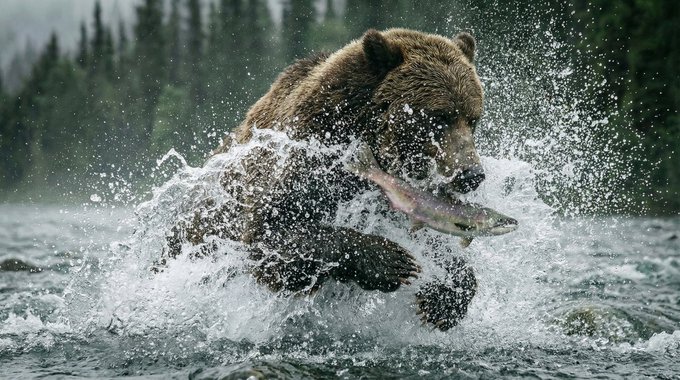
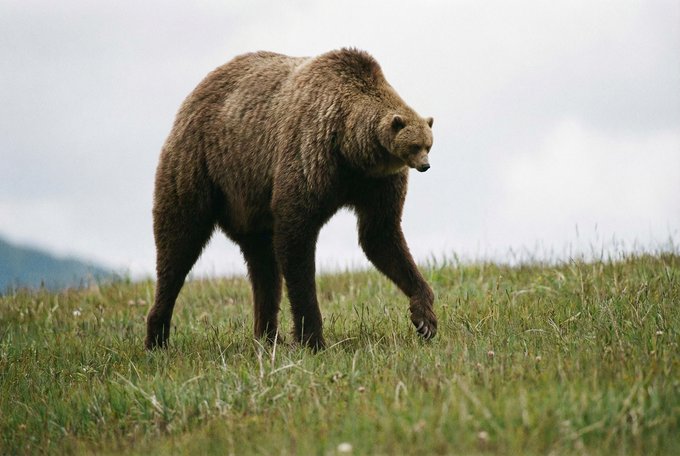
Photography prompting (wildlife realism): A compact set of “7 AI Nature Photography Prompts” is teased in the prompt card post, with sample outputs that cluster around high-drama bear-and-salmon sequences (splash, catch, close-up wet fur) as shown in the prompt card post. For creators, this is a reusable structure for “National Geographic”-style realism: action peak moment, shallow depth-of-field close-ups, and environmental establishing shots.
The tweet doesn’t include the literal prompt text; it primarily communicates the look target via the example frames in the prompt card post.
A Suno prompt that yields an orchestral rock opera cue
Suno (music prompt example): A concrete, copyable prompt is shown directly inside the Suno UI—“orchestral rock opera about a sad clown who finds love”—with the resulting track title visible as “The Painted Tears of Auguste” in the Suno UI clip. For musicians/storytellers, it’s a clean template for genre + narrative hook in one line.

Copy-paste:
🧩 Workflows you can steal: sketch→render loops, JSON-from-screenshots, and motion-control agents for ads
Multi-step creator techniques across tools: converting references into structured prompts, chaining image→video stacks, and using agents to automate ad variations. Excludes single-tool UI walkthroughs.
Kling 2.6 Motion Control Agent workflow for targeted ad variations
Kling 2.6 Motion Control Agent (Glif): heyglif pitches a workflow that starts from a “driving video” and automates the rest—extract an image, edit the frame, prompt motion, and swap the voice to produce audience-specific ad variants, as described in the Agent overview.

• What’s bundled into one run: Motion transfer plus appearance/scene edits plus voice replacement are positioned as a single agent pipeline, with the runnable entry point listed on the Agent page.
Sketch→3D→engine go/no-go loop for faster concept validation
Sketch→3D go/no-go loop: iamneubert shows a rapid validation workflow—sketch a concept, jump to a 3D visualization, and only then commit to an engine if it’s worth it, summarizing it as “Don’t like it? Move on. Like it? Move to engine,” as shown in the Sketch-to-3D clip.

• What creatives steal from this: The “move on / move to engine” framing functions as a production gate—fast kill decisions before you sink time into rigging, layout, or shot-building, per the Sketch-to-3D clip.
Screenshot-to-JSON prompting to recreate a motion-illustration look in Nano Banana Pro
Nano Banana Pro (Higgsfield): A practical style-steal loop is emerging where you screenshot a frame from a motion-illustration video, convert that image into a structured “JSON prompt,” then use Nano Banana Pro to regenerate the look—fofrAI describes doing this to mimic a D4RT motion-visualization screenshot, with a side-by-side comparison in the Workflow comparison.
• How the loop is run: Grab a representative frame (one that contains the color language + geometry you want), run an image-to-prompt/JSON extractor, then iterate inside Nano Banana Pro until the output matches your reference’s motion-trail palette and wireframe cues, as described in the Workflow comparison.
TinyFish Web Agents API: parallel multi-site browsing that returns structured JSON
TinyFish Web Agents API: A repeatable automation pattern is being sold as “multi-URL + one goal → structured JSON,” with the key claim being parallel execution across many sites (not sequential browsing) and sub-minute turnaround—outlined in a competitor-pricing example in the Pricing workflow demo.

• Second workflow template: The same approach is extended to appointment businesses—check availability and pricing across 15+ salon booking systems and return earliest slots + booking links in ~30–45 seconds, as described in the Availability workflow.

The consistent promise across both: fewer brittle selectors and less custom scraping glue, per the Pricing workflow demo and Availability workflow.
Generative rendering shot: ink sketch dissolves into a finished portrait
Process-reveal transition: A short-form-friendly technique is to film an analog-looking line sketch and hard-cut or dissolve into an AI-finished render of the same subject; iamneubert posts a clean “generative rendering” example that reads like a reusable intro/outro beat for promos, as shown in the Sketch-to-render clip.

The value is the edit language: it communicates authorship and iteration without needing behind-the-scenes footage, per the Sketch-to-render clip.
Nano Banana Pro → Runway Gen-4.5 stack callout for cinematic sizzles
Nano Banana Pro → Gen-4.5 sizzle stack: iamneubert’s “sizzles” recipe is explicitly multi-tool—generate the look with Nano Banana Pro, then push shots through Runway Gen-4.5 for motion, as stated in the Stack callout.
This is less a tutorial than a stack signal: still-gen for art direction, then image-to-video for the cut, per the Stack callout.
🖼️ Image-making experiments: Nano Banana weirdness, generative “render reveals,” and creature/emoji tests
Mostly creator experiments and capability demos in image models (especially Nano Banana Pro): proportion-breaking prompts, surreal composites, and “sketch → final render” reveals. Excludes raw prompt packs (covered in prompts/styles).
“Render reveal” transition: ink sketch dissolves into a finished portrait
Generative render reveal format: A short clip demonstrates the high-performing social format where an ink sketch transforms into a full-color render, as shown in the Render reveal clip.
Because the reveal itself carries the “story,” this works as a reusable wrapper for character design drops, concept art, and mood-piece promotions.
Nano Banana Pro photo-edit: swapping a product into LEGO Crocs realism
Nano Banana Pro (edit use): A real photo was edited into a “Crocs x LEGO Brick Clog” gag—useful as a realism test for product swapping while keeping lighting and scene fidelity, per the Edit example.
This points at a practical advertising/prop workflow: keep the human pose and environment, then mutate the hero product without rebuilding the whole shot.
Grok Imagine: prompt-driven photo-to-painted portrait transformation
Grok Imagine (xAI): A demo shows a photo shifting into a painterly portrait look via prompt, framed as “artistic effects” that depend heavily on prompt choice, per the Style shift demo.

The visible value for creatives is rapid look exploration (photo realism → stylized finish) without starting from a blank canvas.
Surreal animal-body mashups as a fast creature-concept test
Hybrid creature image tests: A quick “Monsters” set leans into deliberate anatomical mismatch (e.g., a giraffe head on an overweight body) as a practical way to probe how an image model handles impossible silhouettes and texture continuity, as shown in the Hybrid animal stills.
This kind of output is mainly useful as a lookdev sketch—finding a readable silhouette and mood before you refine anatomy, swap species combinations, or move into 3D sculpt/paintover.
Exaggerated “new emoji” generations for sticker/pack ideation
AI emoji exploration: A “new emoji” gag shows how pushing facial proportions can create high-readability reaction faces for sticker packs (big mouth, uneven eyes), as captured in the Emoji close-up.
It’s a compact test for whether a style stays legible at tiny sizes (the real constraint for emoji/stickers).
Prompt-as-brand: generating a mascot that “might be a fofr”
Mascot identity probe: “Show me something that might be a ‘fofr’” is essentially a brand-mascot test—one prompt trying to converge on a recognizable, repeatable character concept, as shown in the Fuzzy mascot test.
For creators, this is a lightweight way to pressure-test whether a channel/series can have a consistent visual anchor before committing to a full character pipeline.
🧍 Keeping characters consistent: reusable assets, realtime edits, and motion-mapped avatars
Tools and patterns aimed at repeatable characters and controlled variation—asset libraries/tags, near-zero-latency editing from references, and motion mapped onto digital avatars. Excludes Higgsfield persona monetization (feature).
Hedra Elements shows tag-based reusable assets for faster, consistent scenes
Elements (Hedra): Hedra is pushing a consistency-first workflow where you build scenes by reusing tagged components—characters, outfits, styles, and locations—instead of re-prompting from scratch, as described in the Elements walkthrough and linked from the Elements app.

• Reusable library mindset: The core mechanic is “pick from a library or upload your own,” then reference assets via tags in prompts for repeatable identity and scene language, as laid out in the Elements walkthrough.
• Speed + continuity: The pitch is less prompt iteration and more modular assembly—swap an outfit or location while keeping the same character consistent, per the Elements walkthrough.
Apob AI pitches motion-mapping your movements onto digital avatars
Motion mapping (Apob AI): Apob is marketing a motion-transfer workflow where recorded body movement gets mapped onto a digital avatar—framed as a way to “launch a new persona” while keeping performance consistent, according to the Motion-to-avatar demo.

• Identity stays reusable: The clip demonstrates a performer in a capture-like suit whose motion is applied to a stylized avatar, implying creators can keep one “rigged” character and swap worlds/looks around it, as shown in the Motion-to-avatar demo.
No technical breakdown (export formats, retargeting controls, or rig requirements) is provided in the tweet, so capability boundaries are still unclear from today’s posts.
Krea “Realtime edit” model teased for near-zero-latency reference editing
Realtime edit (Krea): Krea is amplifying a “Realtime edit” model positioned around near-zero-latency image generation from reference inputs—aimed at interactive iteration where the output updates immediately as you adjust references, per the Realtime edit RT.
The post is light on settings and access details (no public docs or demo link in the tweet), but the emphasis is clearly on responsiveness rather than offline batch generation, as framed in the Realtime edit RT.
Photo Booth 10.0 teased as a fast way to capture consistent expression sets
Photo Booth 10.0 (Krea ecosystem): “Photo Booth 10.0” is being promoted as a quick capture workflow for consistent multi-frame identity/expression strips—useful when you need the same face across varied poses without re-rolling identity each time, per the Photo Booth 10.0 clip.

The demo shows a classic photobooth-style sequence (multiple expressions in one session), which maps cleanly to building reusable identity packs for downstream video/animation steps, as shown in the Photo Booth 10.0 clip.
🎞️ Finishing polish: one-click color grading styles and edit-first creator tools
Post-production improvements that make AI/video outputs feel ‘final’: today is dominated by Freepik’s Video Color Grading and adjacent editing/learning hubs. Excludes core video model demos (covered in Video Filmmaking).
Freepik launches free Video Color Grading with pro-style looks
Video Color Grading (Freepik): Freepik introduced a Video Color Grading tool that rapidly cycles a clip through “professional styles,” positioning it as a finishing pass rather than a basic filter, as shown in the Feature intro.

The product framing is explicitly about getting from “simple clips” to a more finalized look without manual grading work, with the usage flow implied by the Upload CTA (upload a video and apply styles).
Workflow: use grading presets to test mood fast and keep campaign consistency
Finishing polish workflow: A practical use case being pushed is rapid mood exploration (trying multiple looks quickly) plus visual consistency across a feed or campaign, described as “not just filters” but a final “finishing touch” in the Creator recap.

The same post frames the value as speed (test many grades quickly) and repeatability (consistent look across posts), with the tool positioned as free-to-use in the Creator recap.
Pictory Academy launches as a tutorial hub for editing, text animation, and AI voiceovers
Pictory Academy (Pictory): Pictory is pointing creators to “Pictory Academy” as a centralized learning hub covering edit workflows like text animation, general video editing, and AI voiceover creation, per the Academy promo and the linked Learning hub page.
It’s positioned as production support content (tutorials/tool guides/FAQs) rather than a new model capability, as described in the Academy promo.
💸 Pricing that changes throughput: Comfy Cloud gets cheaper
Only one major non-feature pricing move stands out today: Comfy Cloud’s material price drop and plan-time increase. (Higgsfield promos are excluded here because they’re the feature.)
Comfy Cloud gets ~32% cheaper, boosting hours across Standard/Creator/Pro
Comfy Cloud (ComfyUI): ComfyUI says Comfy Cloud is now 30% cheaper after negotiating better infrastructure rates and passing savings through, cutting usage from 0.39 credits/s to 0.266 credits/s as stated in the pricing update.
• Plan throughput impact: the same monthly allotments translate to more render time—Standard 3h→4.4h, Creator 5.27h→7.73h, and Pro 15h→22h, per the same pricing update.
This is a straight throughput win for creators running iterative Comfy workflows (more generations per subscription, with no new feature dependency called out).
🧰 Where models are shipping: FLUX.2 klein everywhere, fast image APIs, and download milestones
Platform availability and distribution updates: FLUX.2 [klein] 9B spreads across hosts, fast image APIs appear, and open models hit adoption milestones. Excludes creative capability demos (covered under image/video categories).
fal adds FLUX.2 [klein] 9B for sub-second text-to-image and editing
FLUX.2 [klein] 9B (fal): fal added hosted Text-to-Image and Edit endpoints for FLUX.2 [klein] 9B, positioning it around sub-second generation plus precise object add/remove/modify use cases, as described in the endpoint announcement.
• What “shipping” means here: it’s not just model availability; it’s an API surface for both generation and editing (useful for interactive creative apps) per the endpoint announcement, with direct “try it” links collected in the try links post.
Runware lists FLUX.2 [klein] 9B with a $0.00078/image starting price
FLUX.2 [klein] 9B (Runware): Runware says FLUX.2 [klein] 9B is live with a pricing callout starting at $0.00078/image for 4 steps at 1024×1024, emphasizing sub-second inference for latency-sensitive production, as stated in the pricing callout.
Runware points to its launch surface via the model page, while the availability announcement thread starts in the pricing callout.
LTX-2 crosses 2,000,000 Hugging Face downloads
LTX-2 (LTX team): the LTX-2 account reports 2,000,000 Hugging Face downloads, highlighting open development and community-driven iteration in the milestone post.

This is a distribution milestone (adoption + availability via Hugging Face) rather than a new model capability drop, as framed in the milestone post.
Replicate adds FLUX.2 [klein] 9B for near real-time image gen/edit
FLUX.2 [klein] 9B (Replicate): Replicate says FLUX.2 [klein] 9B is now available on its platform, framing it as a 4-step distilled model aimed at sub-second generation and editing workflows, per the listing post.
The tweets position this as a “speed-first” option for tight iteration loops, but no standardized latency numbers are shown beyond the qualitative claims in the listing post.
Runware adds TwinFlow Z-Image-Turbo for low-latency 4-step T2I
TwinFlow Z-Image-Turbo (Runware): Runware says TwinFlow Z-Image-Turbo is live as a speed-oriented image model—4-step inference, low-latency predictable performance, and text-to-image support—per the model availability post.
The product surface is linked directly in the model page, which frames it as a fast-iteration API option rather than a “maximum quality” model.
Sekai’s tag-to-mini-app prompt: “Click the CEO” game with leaderboard
Sekai (in-feed mini-apps): a concrete example prompt shows how Sekai’s tagged-post workflow is being pitched—describe a simple game (“Click the CEO”), add pacing rules (speed up every 10 seconds), and request a leaderboard, all inside the feed loop per the prompt example.
It’s a distribution story because the core claim is that interactive content ships without installs (“lives in your feed”), as described in the prompt example.
🧊 3D & motion design: model editing, image→3D workflows, and arch/rotations
3D-adjacent creator workflows: editing existing 3D models, image-to-3D insertions, and rapid architectural motion/rotations. Excludes general image/video generation.
Rodin Gen-2 “Edit” launches as an upload-and-edit 3D model workflow
Rodin Gen-2 “Edit” (DeemosTech/Rodin): A “3D Nano Banana” drop is being promoted as a new edit workflow for existing 3D models, with the headline capability being “upload ANY model and edit like magic,” as stated in the Rodin Gen-2 Edit teaser. The post hints at smart optimization features (“Smart Low-…”) but doesn’t include the full feature list in the captured text.
This reads like a direct bid for “mesh editing as a consumer feature” (bring your own model; non-destructive-ish edits), but the tweets don’t yet show UI, examples, or export constraints.
Sketch-to-3D-to-engine loop for rapid vehicle look-dev
Sketch → 3D visualization workflow: A short demo shows a vehicle concept going hand sketch → 3D wireframe → textured render, framed as a quick go/no-go loop: “Don’t like it? Move on. Like it? Move to engine,” according to the Sketch to 3D pipeline clip.
The key creative implication is speed: it’s presented less as “final asset creation” and more as a rapid filter before committing to a real-time engine pipeline.
A rapid architectural “turntable build” clip is making the rounds
Architectural motion blockout: A Krea-shared clip shows a large geometric building form assembling and rotating as a turntable, the kind of output that’s useful for arch concepting, client reveal beats, and motion-design loops, as seen in the Architect rotation clip.

What’s concrete from the post is the visual behavior (fast assembly + rotation); the tweets don’t specify the exact model/tool settings used to generate the motion.
Firefly Boards demo shows image-to-3D conversion for compositing
Firefly Boards (Adobe): A shared workflow clip shows turning a single image into a 3D model and then placing that model into a Boards composition, positioned as a practical way to go from reference to a scene-ready 3D element, per the Firefly Boards 3D workflow RT.
The tweet text frames this as a fast bridge between look-dev and layout (image → 3D asset → drop into your board), but there’s no detail here on model quality (topology/UVs), supported formats, or whether this is native to Boards vs a connected Firefly toolchain.
🎵 AI music bits: Suno prompts + soundtrack-first creator challenges
Small but actionable audio slice: Suno prompt examples and a creator challenge built around pairing many AI-made visuals with an AI-made ABC soundtrack.
Bri Guy AI’s February Alphabet compilation pairs AI visuals with a Suno ABC soundtrack
February Alphabet challenge (Bri Guy AI): A creator recap shows a “make something daily from A→Z” format where finished visuals (made across hand drawing/Procreate plus Midjourney/Flux/Hailuo) get packaged as one cohesive piece by pairing the whole compilation with a reimagined ABCs track made in Suno, as described in the challenge recap.

The useful takeaway for music-first workflows is the structure: treat the Suno ABC track as the timeline backbone, then cut/sequence the visuals to it—turning lots of disparate experiments into one watchable, repeatable format, per the challenge recap.
A copy-paste Suno prompt: “orchestral rock opera about a sad clown…”
Suno (prompt example): A screen capture shows the Suno workflow end-to-end—type prompt → generate → get a titled track with waveform—using the exact text “orchestral rock opera about a sad clown who finds love”, as shown in the Suno UI clip.
This is a small but practical pattern: prompts that specify both genre fusion (“orchestral rock opera”) and a clear character arc (“sad clown… finds love”) tend to create more narratable stems for visual editing, matching how the prompt is framed in the Suno UI clip.
🗣️ Voice libraries & lip-sync: more human-sounding stock voices
Voice-specific updates focused on ready-to-use libraries and lip-sync quality—light volume today, but relevant for character shorts and explainers.
Mitte AI ships a new voice library and highlights easy lip-sync
Mitte AI (Mitte): Mitte says it has launched a new voice library and that the voices read “way more human” than expected, with lip-sync called out as both strong and simple to use in the voice library demo follow-up.

• Workflow signal: The positioning is less “pick a voice” and more “pick a voice + get usable mouth sync quickly,” which maps well to character shorts and talking-head ads as described in the voice library demo.
• Where to try: The product entry point is the Product page, shared in the try it link.
Creators pair Hailuo AI voice-over with Runway Gen-4.5 image-to-video shorts
Voice-over pairing (Hailuo AI + Runway): A creator testing Runway Gen-4.5 Image-to-Video credits the voice-over to Hailuo AI, framing it as a clean narration layer for a stylized short (Ghibli-like look sourced from Midjourney), as noted in the short film credit.
• Why it matters for lip-sync adjacent work: Even when you’re not doing close-mouth dialogue, this shows a common pipeline—image-driven video for visuals, then a separate VO generator for pacing and tone—described directly in the short film credit.
📈 Creator culture & platform friction: artist vs creator, broken replies, and monetization jokes
Light discourse today: identity debates (“artist vs content creator”) and platform reliability jokes that affect how work gets seen. No major policy shift content in this sample.
Artist vs content creator debate resurfaces as AI tools blur roles
Creator identity: A simple prompt—“what’s the difference between being an artist and being a content creator?”—kicked off fresh self-positioning talk in the AI art scene, as posed in the artist vs creator question. It matters because AI-assisted output amplifies volume and iteration speed, which pushes people toward “content” behavior (shipping constantly) even when their intent is closer to “art” (craft, authorship, taste).
The thread framing is lightweight, but it’s a useful temperature check: creators are still negotiating whether “artist” is about process, originality, and constraint, while “content creator” is about distribution mechanics and audience response loops.
Meme anxiety: OpenAI “taking a cut” from vibe-coded apps
OpenAI (rent-seeking anxiety meme): A viral-style joke imagines OpenAI taking a percentage of every “vibe-coded” app because “their AI wrote 90% of the code,” per the vibe-code revenue cut meme. The point isn’t accuracy; it’s a signal that creators and indie builders expect the next fight to be over who captures value from AI-accelerated output—platforms, model providers, or the person shipping the work.
Even in a filmmaking/design-heavy feed, this resonates because the same fear applies to AI media workflows: if a stack writes, edits, grades, and voices content, who gets the margin?
X reliability joke lands on a creator pain point: replies breaking distribution
X (platform friction): A recurring gag frames X as “spinning the wheel” to decide which basic feature breaks next—today’s punchline being “Replies,” as shown in the spinning wheel gag and reinforced by the follow-up in replies punchline.
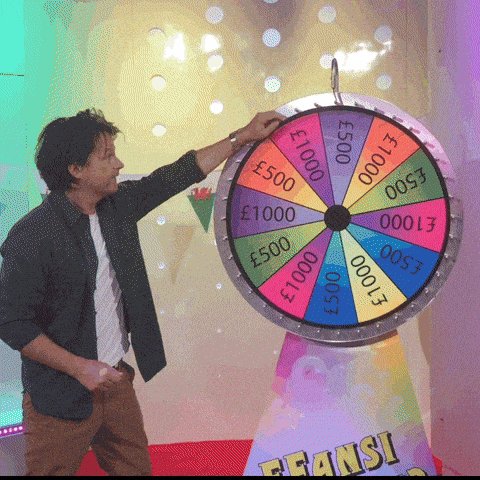
Reply threads are still the main way AI creators do process breakdowns, prompt sharing, and rapid critique loops; when replies are unreliable, the work’s visibility and feedback cycle get hit first.
AI filmmaking jargon gap: a “starter pack” push for newcomers
Community onboarding pattern: TheoMediaAI notes that frequent builders “basically speak a totally different language” now, and responds by making a newcomer “starter pack” to explain the landscape, as described in the starter pack rationale and echoed in follow-up context.
This is a practical culture move, not a tool update: as AI film pipelines get more multi-tool and jargon-heavy, creators are increasingly packaging glossaries + mental models (not just prompts) so collaborators and audiences can keep up.
Creator coping signal: “Stop hating on AI posts” and the engagement incentive
AI creator culture (engagement incentives): A small exchange captures a common dynamic on X: frustration at anti-AI reply mobs paired with the pragmatic view that comments still fuel reach and revenue, as implied by stop hating on AI posts and the reply “every comment they leave, pays us” in comments pay us.
The subtext for working creators is that distribution systems can perversely reward controversy, even when it degrades the day-to-day craft conversation.
🧑💻 Creator-dev corner: web agents, long-context coding rumors, and AI inside spreadsheets
Coding/productivity items that matter to creators building tools or automations: web agents that return JSON, AI-assisted Excel workflows, and a mystery long-context coding model rumor. Separate from creative media generation.
Kilo deploys a mystery long-context coding model dubbed “Giga Potato”
Giga Potato (Kilo): A rumor-style drop claims Kilo deployed a “mystery frontier model from a top Chinese lab” that “beats nearly every open-weight model on long-context coding,” with stated specs of 256k context and 32k output plus “strict system prompt adherence,” as described in the model specs claim.
The thread also speculates it “would be wild if this is from DeepSeek,” but there’s no confirmatory model card or benchmark artifact in the tweets—treat it as a deployment signal more than a verified eval result, per the model specs claim.
TinyFish Web Agents API turns multi-site checking into one JSON call
TinyFish Web Agents API: A workflow pitch for creators building automations—send many URLs plus a natural-language goal and get structured JSON back in under 60 seconds, with the key claim being parallel execution across sites (not sequential scraping) as described in the parallel browsing demo.
• Competitor price tracking: The example is “15 retailer sites, same product”; TinyFish is framed as avoiding brittle Puppeteer/Selenium selectors by navigating each UI and returning a JSON schema you can plug into dashboards or alerts, per the parallel browsing demo.
• Service availability aggregation: A second example applies the same pattern to appointment calendars—“15+ salons” with different booking interfaces—claiming 30–45 seconds to return earliest slots, price, and booking link as outlined in the salon availability example.
The practical takeaway is that “web agent as JSON endpoint” is being sold as the middle layer between creator tooling and messy, API-less websites, per the parallel browsing demo.
Claude in Excel is being demoed as a formula autocomplete layer
Claude in Excel (Anthropic): A short demo shows Claude completing a complex Excel formula after the user types “SUM”, positioning it as a time-saver for repetitive spreadsheet work, as shown in the Excel autocomplete demo.

What’s missing from the post is the exact integration surface (native add-in vs external helper), but the creative-dev angle is clear: spreadsheet-based budgeting, production tracking, and asset planning become faster when formula composition is handled by an LLM, per the Excel autocomplete demo.
📅 Deadlines & screenings: Kling dance challenge extension + Escape AI festival slot
Time-boxed opportunities: a Kling creator challenge deadline extension and an AI-film festival selection with online screening mechanics.
STRANDED is selected for Escape AI’s Brave New Stories Festival with Twitch screening
STRANDED (Escape AI / Brave New Stories Film Festival): Creator heydin_ai says STRANDED was officially selected for the festival, with a planned screening that’s “streaming live on Twitch” plus a parallel interactive viewing option via Escape AI’s Interactive Online Theater, as described in the festival selection note.

This is a time-boxed distribution slot (not a tool release), but it’s directly relevant if you’re tracking where AI-made shorts are getting programmed and how they’re being exhibited online.
Kling AI’s dance challenge is a Motion Control stress test with a Jan 24 cutoff
Kling 2.6 Motion Control (Kling AI): The ongoing dance challenge is being framed as a real-world workflow test for motion control—generate dance clips with Kling 2.6 Motion, post with the required watermark + hashtag, and rewards are tied to engagement, with the submission deadline noted as Jan 24 in the challenge details.
The only concrete mechanics shared today are the posting requirements and the engagement-based scoring; no new prize totals or judging rubric are included in the tweet.
📚 Research radar (creative-adjacent): streaming video memory, agents in sandboxes, and matting
A dense paper day: video understanding/memory architectures, agent training frameworks, matting/segmentation for video, and diffusion-model reasoning discussions. Kept practical for creators scanning what’s next.
HERMES reframes KV cache as hierarchical memory for streaming video understanding
HERMES (paper): A new architecture treats the KV cache as hierarchical memory for streaming video understanding; it’s pitched as training-free and aimed at real-time “time-to-first-token” improvements (claimed 10× TTFT vs prior approaches), as summarized in the paper card.
For creative tooling, the practical implication is better “live” comprehension of long footage (think: assistants that can keep up with a running timeline or dailies review) without blowing up GPU memory, which is the core failure mode for today’s long-video assistants.
• What to watch: If the KV-cache reuse idea holds up in implementations, it could reduce the latency penalty when you query a long stream mid-playback, as described in the paper card.
VideoMaMa demos mask-guided video matting with a generative prior
VideoMaMa (paper): A mask-guided video matting approach is being shared as “generative prior”-driven background separation; the post is accompanied by a visual demo clip in the demo video.

In creator terms, this sits in the same bucket as rotoscoping helpers—but the promise is cleaner separation in harder cases (hair, motion blur, semi-transparent edges) when you can provide an initial mask or rough guidance.
• What’s concrete today: The tweet emphasizes the mask-guided matting angle and shows qualitative results in the demo video; no runtime or integration details are provided in the tweet itself.
Cosmos Policy explores fine-tuning video models for control and planning
Cosmos Policy (paper): Shared as a direction for fine-tuning video models toward visuomotor control and planning, with a results-style video included in the demo clip.

While the paper’s target domain is robotics/control, the creative-adjacent signal is about turning video priors into controllable policies—the same kind of shift creators want for consistent character blocking, repeatable motion beats, and “do this action on this cue” reliability.
• Open question: The tweet doesn’t include a model card, training recipe, or tooling hooks, only the positioning and qualitative video shown in demo clip.
EvoCUA proposes “evolution” loops for computer-use agents via synthetic experience
EvoCUA (paper): This work frames progress in computer-use agents around autonomous task generation + iterative policy optimization over many sandbox rollouts, as summarized in the paper card and detailed in the linked ArXiv paper.
For creative operations, the reason this matters is upstream: the same mechanisms that make agents better at “using a computer” tend to make them better at operating messy creative toolchains (web UIs, asset downloads, project setup steps) where brittle scripts fail.
• Notable implementation signal: The paper emphasizes infrastructure for “tens of thousands of asynchronous sandbox rollouts,” per the paper card, which is the scale story behind better robustness.
LLM-in-Sandbox argues tool-rich sandboxes unlock more general agent behavior
LLM-in-Sandbox (paper): This work claims that letting an LLM operate inside a controlled “computer” (files, scripts, external resources) elicits broader agentic behavior without extra training; it also describes an RL-enhanced variant (LLM-in-Sandbox-RL), according to the paper card and the linked ArXiv paper.
For creators, the near-term relevance is less about code and more about reliable multi-step automation: agents that can keep long context in files, run transforms, and satisfy exact formatting constraints—useful primitives for pipelines like “ingest references → generate shot lists → conform outputs” when the agent needs state beyond the chat window.
• Key detail: The paper frames the sandbox as a way to “generalize” by exploration (and to manage long context via the file system), as described in the paper card.
Stable-DiffCoder pushes diffusion-style modeling into code generation
Stable-DiffCoder (paper): A diffusion-based approach to code generation is being circulated as a frontier push for “code diffusion LLMs,” per the paper mention.
This is relevant to creative builders mostly as a directional bet: if diffusion-style decoding ends up producing more globally consistent artifacts (fewer mid-file contradictions), it could matter for tools that generate or refactor the glue code around creative pipelines.
The tweet doesn’t include an abstract snippet, evals, or a repo link—just the pointer that the model/paper exists, as shown in paper mention.
The Flexibility Trap argues arbitrary-order diffusion hurts reasoning
The Flexibility Trap (paper): This paper argues that letting diffusion LLMs generate tokens in arbitrary order can backfire by collapsing the solution space too early, challenging a common pro-diffusion assumption, as summarized in the paper card and expanded in the linked ArXiv paper.
For creators, the practical angle is expectation-setting: “non-left-to-right” decoding doesn’t automatically mean better planning or better long-form structure; it may need constraints to avoid skipping the hard parts.
• Core claim: The authors attribute failures to models exploiting flexibility to skip high-uncertainty tokens, per the paper card.
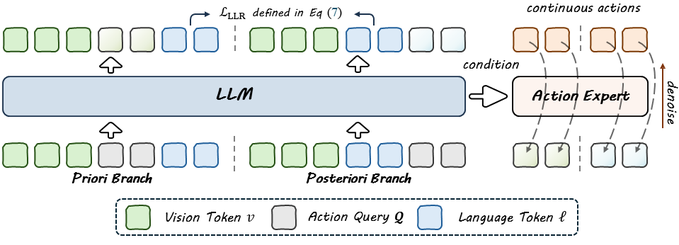
BayesianVLA resurfaces the “vision shortcut” problem in vision-language-action models
BayesianVLA (paper): A retweet flags work that targets the “vision shortcut” failure mode in vision-language-action models via Bayesian decomposition, as mentioned in the BayesianVLA retweet.
The creator-adjacent signal is robustness: as VLA-style systems get repurposed for camera/motion planning and interactive scene tools, shortcut behavior shows up as “it looks right but doesn’t follow the real constraint.” The tweet itself doesn’t provide methods, numbers, or links—only that the paper exists and is being circulated, per the BayesianVLA retweet.
While you're reading this, something just shipped.
New models, tools, and workflows drop daily. The creators who win are the ones who know first.
Last week: 47 releases tracked · 12 breaking changes flagged · 3 pricing drops caught