.png&w=3840&q=75&dpl=dpl_8P5vK4vf12zexrDqzD3r2KN8zCZZ)
Google Veo 3.1 lands 4K endpoints – $0.20/s video, $0.40/s audio

Stay in the loop
Free daily newsletter & Telegram daily report
Executive Summary
Google’s Veo 3.1 upgrade wave is surfacing through integrators rather than a single launch post; fal says 4K is live across all endpoints (T2V, I2V, first/last-frame, reference-to-video), adds seed + negative prompts, and exposes per-second pricing at $0.20/s without audio and $0.40/s with audio; Runware also markets “Ingredients”/reference control plus native 9:16 output, while a Gemini-app update claims multi-image references for Veo 3.1 steering, but without stated limits or weighting. Quality/latency deltas are mostly demo-led; no independent benchmarks or reproducible eval clips are bundled.
• Kling 2.6 Motion Control: positioned as the “consistency fix” for AI video via character swaps + performance transfer; Higgsfield pushes 30 days “unlimited” Motion Control with a 200-credit retweet/reply bonus.
• OpenAI access shifts: ChatGPT Go rolls out globally at $8/month; OpenAI also signals US testing of ads in the free tier while paid tiers stay ad-free.
Unknowns: how Veo 3.1’s new controls affect identity consistency shot-to-shot; whether 4K is a true quality step-up or mainly an output tier across vendors.
While you're reading this, something just shipped.
New models, tools, and workflows drop daily. The creators who win are the ones who know first.
Last week: 47 releases tracked · 12 breaking changes flagged · 3 pricing drops caught
Top links today
- fal Veo 3.1 4K API update
- Runway Academy courses and prompting resources
- Flow Studio getting started tips
- Kling 2.6 Motion Control tutorial
- WAN 2.6 reference-to-video in ComfyUI
- ComfyUI install guide for LTX-2
- Topaz Video Upscaler model guide thread
- STEP3-VL-10B technical report
- Alterbute image attribute editing paper
- V-DPM 4D video reconstruction paper
- Fast video generation distillation paper
- Dreamina AI Visual Design Award entry
- Hedra ambassador program application
- Nano Banana and Kling stunt double tutorial
- Exploded-view product video agent tutorial
Feature Spotlight
Kling Motion Control hits the mainstream: consistency-first character swaps & performance transfer
Kling Motion Control is becoming the default shortcut to consistent AI video: record motion once, re-skin it onto any character/asset, and keep identity stable enough for repeatable shorts and VFX-style workflows.
Today’s dominant creator thread is Kling 2.6 Motion Control being used (and marketed via Higgsfield) as the ‘consistency fix’ for AI video—swapping identities, transferring body motion, and stabilizing characters across shots. Excludes Veo 3.1 updates (covered elsewhere).
Jump to Kling Motion Control hits the mainstream: consistency-first character swaps & performance transfer topicsTable of Contents
🧍♂️ Kling Motion Control hits the mainstream: consistency-first character swaps & performance transfer
Today’s dominant creator thread is Kling 2.6 Motion Control being used (and marketed via Higgsfield) as the ‘consistency fix’ for AI video—swapping identities, transferring body motion, and stabilizing characters across shots. Excludes Veo 3.1 updates (covered elsewhere).
A repeatable character-swap workflow: Higgsfield stills plus Kling Motion Control video
Character swap workflow (Higgsfield → Kling): A creator thread lays out a minimal pipeline: generate a consistent set of images in Higgsfield, then record yourself “goofing around” and use Kling Motion Control to apply that motion to the generated character—keeping the prompt constant while swapping image inputs, as described in the Step-by-step thread.

This workflow matters because it treats Motion Control as the bridging primitive between “design a character” and “animate performance,” with the repeatability coming from holding the prompt stable (and varying only the reference), per the Step-by-step thread.
Kling Motion Control is increasingly framed as the consistency layer for swaps
Kling Motion Control (community): Multiple reposts and reactions keep hammering the same claim: Motion Control addresses AI video’s biggest pain—character consistency—and enables rapid character swapping workflows, as stated in the Consistency claim repost and echoed by “made this with AI in… 10 minutes” style framing in the 10-minute claim repost.
Two themes show up repeatedly: (1) motion-as-identity glue (“copy motion, paste onto another actor”) and (2) speed narratives that reframe what counts as a viable content pipeline for short-form, per the Character swapping hype.
“Be your own stunt double” chains Nano Banana Pro edits into Kling 2.6 Motion Control
Performance transfer recipe (heyglif): A workflow post explicitly chains three tools: Nano Banana Pro for editing the reference image, Kling 2.6 Motion Control for applying motion from a phone-recorded clip, and Claude for prompt writing, as outlined in the Stunt double recipe.

This is less about new knobs in Kling and more about a packaging pattern: Motion Control as the “acting” layer in a multi-tool stack (image identity upstream, motion downstream), per the Stunt double recipe.
Higgsfield promotes 30-day unlimited Kling Motion Control with a 200-credit DM bonus
Kling Motion Control on Higgsfield (Higgsfield): Higgsfield is again pushing “UNLIMITED Kling Motion Control” for 30 full days, and adds a short-window engagement incentive—“for 9h: Retweet & reply” to receive 200 credits—as stated in the Promo offer thread.

This is a pricing/packaging move more than a feature change, but it matters because it lowers the friction for creators testing Motion Control as a repeatable consistency layer (performance transfer, character swaps) rather than a one-off experiment, per the Promo offer thread.
AI mocap discourse centers on full performance transfer (body, face, lips)
AI motion capture (VFX workflow pattern): A reposted take claims AI mocap is rapidly taking over parts of VFX because it can copy body motion, expression, and lip motion and transfer it onto other actors, as summarized in the VFX mocap repost.
While the post is not a Kling changelog, it maps directly onto why creators are excited about Motion Control-style tooling: using captured performance as a reusable asset rather than reanimating each shot, per the VFX mocap repost.
Kling 2.6 Motion Control tutorial targets “trending color mixing” videos
Kling 2.6 Motion Control (Kling): Kling shared a step-by-step creator tutorial aimed at a specific short-form format—“trending color mixing video”—positioning Motion Control as the core mechanic for replicable hand/action motion, as shown in the Color mixing tutorial.

The notable part is the framing: not “make a cinematic,” but “make a trend,” which signals Motion Control being sold as a social template tool (repeatable motions, consistent execution), per the Color mixing tutorial.
Kling Motion Control gets pitched for rapid identity swaps and influencer personas
Identity remix use-case (Kling): A Japanese-language repost frames Motion Control as a way to rapidly change perceived age, gender, and body type—positioning it as a shortcut to “becoming the version of yourself you want” for influencer-style content, as stated in the JP identity swap repost.
This is less about cinematic realism and more about persona portability: record motion once, then redeploy it across different identities/characters, per the JP identity swap repost.
Niji 7 plus Kling Motion Control tests a cel-shaded DBZ-like animation look
Niji 7 + Kling (community workflow): A community test pairs Niji 7 (for the look) with Kling Motion Control (for motion transfer) to get a cel-shaded animation vibe likened to DBZ Tenkaichi-era graphics, as described in the Cel-shaded combo test.
This is a practical combo signal: style comes from the image model, while Motion Control is being used to keep the animation readable and consistent once the style is locked, per the Cel-shaded combo test.
Kling positions Motion Control as a TikTok Shop ad format
Social-commerce format (Kling): Kling reposted a how-to that frames the output as “influencer TikTok shop videos,” with a step list starting from product selection—suggesting Motion Control clips are being treated as a production shortcut for shoppable content, as shown in the TikTok shop tutorial clip.

The key signal is the use-case: not film tests or art reels, but a repeatable ad assembly pattern optimized for fast iteration, per the TikTok shop tutorial clip.
🎬 Veo 3.1 upgrade wave: 4K outputs, Ingredients/ref control, and vertical-first formats
Across multiple accounts, Veo 3.1 updates are the big filmmaking capability beat today—4K endpoints, better reference/‘Ingredients’ control, and social-ready 9:16 output. Excludes Kling Motion Control (today’s feature).
fal rolls out Veo 3.1 with 4K endpoints, seeds, and negative prompts
Veo 3.1 (Google) on fal: fal says Veo 3.1’s “major updates” are live, calling out 4K resolution on all endpoints, plus seed and negative prompt support, and a 9:16 option for Reference-to-Video in the fal update thread.

• Endpoints & pricing surface: fal’s model pages list Text→Video, Image→Video, First/Last Frame→Video, and Reference→Video entry points, with pricing shown as $0.20/s without audio and $0.40/s with audio, as detailed in the model page pricing and the reference-to-video page.
• Ingredients tuning: fal frames Reference-to-Video (“Ingredients”) as improved for “more expressive clips” and “better visual consistency,” as described in the fal update thread.
Runware updates Veo 3.1 with Ingredients control and native 9:16 output
Veo 3.1 (Google) on Runware: Runware says Veo 3.1 now supports Ingredients/reference images, native 9:16 output, and “improved 1080p + 4K outputs,” positioning it as better suited for repeatable, social-first video creation per the Runware feature list.

• Launch surfaces: Runware links separate product pages for standard and “Fast” variants, as shown in the Veo 3.1 page and the Veo 3.1 Fast page.
The tweets don’t include a changelog-style breakdown, so the exact deltas versus Runware’s prior Veo 3.1 integration aren’t fully specified beyond these feature claims.
Gemini app adds multi-image references for Veo 3.1 video creation
Veo 3.1 (Google) in Gemini app: a shared update claims that when generating with Veo 3.1 inside the Gemini app, you can now use multiple image references to steer the final video, as described in the multi-reference note.
This is a distinct control surface from single-reference “ingredients” flows, but the tweet doesn’t specify limits (how many images), weighting, or whether the feature is staged/region-limited.
Mitte AI turns on 4K Veo 3.1 generation
Veo 3.1 4K (Mitte AI): Mitte AI messaging says Veo 3.1 is now 4K for users, framing it as “sharper frames” and “cleaner textures,” as shown in the Mitte 4K clip and echoed by a creator repost in the creator recap.

The tweets don’t clarify whether this is a model switch (3.0→3.1), a new output tier, or changes to pricing/credits on Mitte.
PixVerse shares a partner short film to showcase PixVerse R1’s direction
PixVerse R1 (PixVerse): following up on Infinite Flow—the “real-time world” positioning—PixVerse posted a partner short film made with IPmotion-IPLEX to illustrate R1’s creative ceiling and “future possibilities,” according to the partner film post.

This is more portfolio signal than a spec update: no new knobs, latency targets, or tooling details are mentioned in the tweets.
Runware adds PixVerse v5 Fast for low-cost preview iteration
PixVerse v5 Fast (PixVerse) on Runware: Runware is positioning v5 Fast as a “faster, cheaper” PixVerse v5 variant for quick iteration and previews, supporting T2V and I2V, with pricing starting around $0.0943 per 5 seconds, per the Runware positioning note and the model page.

Audio and advanced control features aren’t mentioned here, which matches the “preview-focused pipeline” framing in the Runware positioning note.
Luma posts a Ray3 Modify BTS showing a live stylization pass
Ray3 Modify (Luma): Luma shared a behind-the-scenes clip of “Crab Walk” where a real movement clip is transformed into a stylized/low-poly look using Ray3 Modify inside Dream Machine, as shown in the Ray3 Modify BTS.

The post reads like a workflow proof: it demonstrates a specific “modify pass” concept (footage → stylized render) rather than announcing a new model version.
Luma AI CEO Amit Jain talks Hollywood and AI on Fox Business
Luma AI (Luma): Luma’s CEO Amit Jain appeared on Fox Business to discuss AI’s impact on Hollywood and creative production, as linked in the Fox Business segment.
The clip is positioned as industry narrative (adoption and disruption framing), not as a product release or feature rollout.
🖼️ Photoreal & style-range image models: 4K design assets, anime tests, and ‘printed’ typography
Image posts today lean toward photoreal/product-grade outputs (ImagineArt 1.5 Pro) plus style explorations (Niji 7, Grok Image, fashion/editorial sets). This category is about capability results, not prompt dumps (those are in Prompts & Style).
ImagineArt 1.5 Pro leans into native 4K realism and usable design layouts
ImagineArt 1.5 Pro (ImagineArt): Following up on 4K tease, creators are now framing ImagineArt 1.5 Pro as shipping with native 4K output and higher-fidelity human detail, especially in portraits, per the “just dropped” claim in launch thread. The pitch is less about stylization and more about production-grade assets—“faces that survive extreme zoom” and text/layout stability for posters and packaging, as described in portrait detail note and poster typography claim.
• Typography and layout stability: The standout claim is “clean typography, stable layouts, zero warped letters,” positioning outputs as closer to “use as-is” design assets, according to poster typography claim and launch thread.
• Zoom and lighting retention: Multiple posts emphasize that details hold under crop/zoom and lighting changes, with side-by-side framing in zoom comparison note and texture/lighting notes in texture close-up note and lighting behavior note.
The evidence in the tweets is largely promotional (no shared full-res files or third-party evals), but it’s clearly being marketed as a “print pipeline” image model rather than a concept-art generator, as stated in native 4K pitch.
Grok Image gets used for an early‑2000s on‑film fashion portrait look
Early‑2000s fashion portrait (Grok Image): A fashion test using Grok image prompt language (“shot on film,” low-rise jeans, trucker hat, navel piercing) is being shared as a compact recipe for that specific era’s editorial vibe, as shown in film aesthetic example.
The output leans on soft indoor lighting, slightly muted tones, and a believable wardrobe fit—useful as a reference point for teams trying to hit “period-correct” styling without heavy post, as evidenced by the single-frame result in film aesthetic example.
Readable on-device text shows up in Motorola pager concept renders
Readable device UI (concept render pattern): A pair of Motorola pager concept images highlight a practical milestone for product mockups: small pixel-screen text (“BRING ME BACK”) reads cleanly and matches the lighting of the device body, as shown in pager concept images.
This kind of render is especially relevant for designers doing industrial-design explorations where readable UI text and consistent reflections usually break first, with both the tabletop shot and the robotic-hand variant visible in pager concept images.
A high-contrast “marbled skin” look spreads via Grok Image grids
Marbled-skin monochrome (Grok Image): A black-and-white multi-panel grid shows faces and bodies with marble/ink-like patterning mapped onto skin, framed as a distinct fashion/beauty aesthetic made with Grok Image, as posted in marble grid share.
The appeal here is the controlled tonality—clean blacks, readable facial structure, and pattern coherence—rather than photoreal “normal humans,” which is what the grid in marble grid share emphasizes.
Surreal fashion portraits lean on oversized birds and strong editorial lighting
Surreal bird-fashion set (workflow pattern): A three-image mini-set pushes a consistent editorial-photo language (dramatic lighting, shallow depth cues) while inserting oversized or staged birds as the central prop—albatross scale play, pigeon styling, and a “black swan” motif—as shown in bird fashion set.
The consistency across frames suggests a repeatable approach for fashion storytelling: keep wardrobe/pose grounded while making the animal element absurdly “real,” which is what the images in bird fashion set are leaning on.
🧰 Agent workflows for product VFX & rapid ad formats (non‑Kling)
Workflow posts today focus on agentized, repeatable formats—especially product ‘exploded view’ videos and design-team agent skills. Excludes Kling Motion Control pipelines (covered as the feature).
Builder adds “Agent Skills” to standardize agent behavior for teams
Agent Skills (Builder): Builder is shipping Agent Skills as reusable instruction sets so agents follow team preferences consistently, with the “not just for devs” positioning aimed squarely at design teams in the design teams framing and confirmed via the Builder announcement RT.
This reads like a governance primitive for creative production: instead of rewriting the same brand/voice/layout rules per prompt, teams can encode defaults once and reuse them across recurring tasks (ads, landing modules, design QA), reducing drift between creators and across revisions.
Glif “exploded views + superpowers” workflow turns a hand wave into disassembly VFX
Exploded views + superpowers (Glif): A shareable ad/VFX format is being packaged as a repeatable “gesture → object explodes → reassembles” beat, with cars used as the hero example in the exploded car demo.

The workflow is being positioned as something you can recreate via a dedicated agent and tutorial, as outlined in the exploded car demo and linked from the agent page. The creative value here is the same repeatable “magic trick” shot that product teams can slot into ads, explainers, or launches without storyboarding a full sequence from scratch.
OpenArt prompts a debate: animating Alphonse Mucha with AI as art vs theft
Mucha-style animation (OpenArt): OpenArt is explicitly framing a Mucha-inspired animation experiment as an authorship question—“art, theft, or collaboration across time?”—in the authorship prompt, using a short generated motion example to anchor the discussion.

The notable part for storytellers is less the specific output and more the packaging: the prompt is treated as a reproducible creative experiment, but the post also invites critique about credit, influence, and where “style animation” crosses lines.
Diesol’s “What’s cooking?” thread becomes a WIP discovery format for AI shorts
WIP discovery thread (Diesol): A simple “share what you’re working on” prompt is being used as a lightweight discovery mechanism for new AI film experiments and pipelines, as shown in the community call for work with a sample clip attached.

In practice, this functions like an informal routing layer: creators drop works-in-progress, others pull techniques (looks, pacing, compositing tricks), and the thread itself becomes the index.
🧪 Prompts & style references: Midjourney srefs, Nano Banana JSON recipes, and look libraries
Today’s prompt economy is heavy: Midjourney style refs for comics/maps, structured Nano Banana Pro JSON scene specs, and Niji 7 prompt sharing for IP style tests. Excludes tool walkthroughs (Tutorials) and finished films (Showcases).
Midjourney --sref 1436867901: medieval and fantasy map cartography look
Midjourney (Midjourney): Another style reference—--sref 1436867901—is being positioned specifically for medieval/fantasy map generation (parchment tone, inked details, compass roses, ship vignettes), as called out in the Fantasy map sref.
The shared outputs include both “flat parchment map” compositions and more dimensional floating-island cartography, suggesting the sref is flexible across map layouts while keeping the antique cartographic language consistent, per the Fantasy map sref.
Midjourney --sref 3536479616: modern American comics inking look
Midjourney (Midjourney): A new style reference—--sref 3536479616—is circulating as a “modern American comic / graphic novel” look with semi-realistic anatomy, bold lineart, and cross-hatching-leaning shading, as described in the Comics sref note.
The examples being shared read like clean-key art (Joker/Batman/Venom-style frames), which makes this sref useful when you want consistent ink weight and less painterly diffusion texture, per the Comics sref note.
Runway Story Panels: “Kodak Tri-X 400” prompt nudges B&W expansion
Runway Story Panels (Runway): A prompt trick is circulating where naming a black-and-white film stock (specifically “Kodak Tri-X 400”) causes Story Panels to expand a color input into a black-and-white stack, per the Tri-X prompt trick.
The same post notes the downstream video generation used Google Veo 3.1, but the core prompt mechanic is the film-stock reference acting like a style constraint for the panel expansion, as shown in the Tri-X prompt trick.
Grok Imagine meme clips lean on dialogue and captions as control knobs
Grok Imagine (xAI): Meme-style anime clips keep spreading where the key control is dialogue beats + caption timing, not just the image style; the claim is explicit that “add dialogues” is what makes it land, per the Dialogue meme example and the Dialogue praise clip.

This is less about a single aesthetic and more about a template: short setup, one readable line of on-screen text, then a reaction beat—visible in the “My brain at 3 AM” style of clip sharing, as shown in the Anime template clip.
Grok Imagine portal/door transition look gets a repeatable example
Grok Imagine (xAI): A “dimensional doors” portal transition example is being shared as a repeatable magical-effect look—character steps through a shimmering doorway into a new realm, per the Portal effect clip.

The post frames Grok Imagine as particularly strong for “magical effects,” which for creators usually means coherent transition geometry (door/threshold) and readable before/after worlds in a short clip, as shown in the Portal effect clip.
Midjourney --sref 7817595678: motion-blur speed-photo aesthetic
Midjourney (Midjourney): A “newly created” style reference—--sref 7817595678—is being shared as a motion-blur/speed-photography look (streaked backgrounds, smeared edges, long-exposure feel), per the New sref drop.
The example set spans portraits and vehicles, which makes it a handy preset for kinetic editorial frames (speed, crowds, street energy) without having to prompt the blur behavior from scratch, as shown in the New sref drop.
Grok Image early-2000s film-fashion prompt gets a concrete recipe
Grok Image (xAI): A short, direct prompt is being passed around for an early-2000s fashion portrait “shot on film” (low-rise jeans, crop top graphic tee, trucker hat, navel piercing), per the 2000s film prompt.
It’s a straightforward style anchor for teams chasing Y2K editorial frames, where the “shot on film” tag is doing most of the texture/grain work, as shown in the 2000s film prompt.
Nano Banana Pro floating-food ad grid prompt template circulates
Nano Banana Pro (Nano Banana): A “premium food advertising” prompt template is being shared for clean, white-seamless, levitating ingredient stacks (contact-sheet grid), per the Food grid prompt.
The shared text leans on product-photo language (“high key studio lighting,” “100mm lens look,” “f/8 sharp focus”) to push realism and repeatability across different foods, as shown in the Food grid prompt.
Niji 7 + Grok Imagine pairing for Dragon Ball transformation beats
Niji 7 + Grok Imagine (Midjourney + xAI): A specific pairing is being promoted for Dragon Ball-style character work—Niji 7 for the look, Grok Imagine for motion/dialogue beats—per the DB transformation clip.

The example focuses on readable aura/power-up staging (hair/aura shifts, tight framing, fast beat), which is the kind of micro-language these combos aim to keep consistent across variants, as implied in the DB transformation clip.
Structured JSON prompting keeps getting normalized as a creator habit
Prompting pattern (Workflow): A throwaway line—“prompt in JSON”—captures how schema-first prompting is becoming a cultural default for some creators, per the JSON prompting quip.
The practical point is that people are treating prompts like specs (keys for scene/layout/camera/constraints) rather than prose, which matches the long-form Nano Banana prompt sharing elsewhere in today’s feed, as seen in the JSON collage prompt.
📚 Hands-on how‑tos: ComfyUI video modules, local installs, and creator training hubs
Single-tool guidance today is largely about getting production workflows running: ComfyUI templates (WAN 2.6 Ref‑to‑Video), local LTX‑2 setup, and Runway’s new education hub. Excludes prompt-only drops (Prompts & Style).
ComfyUI adds WAN 2.6 Reference-to-Video workflow for 720p/1080p clips from 1–2 refs
WAN 2.6 Reference-to-Video (ComfyUI): ComfyUI is shipping a WAN 2.6 reference-to-video workflow that learns motion, camera behavior, and style from 1–2 reference clips, then generates new 5–10s outputs at 720p or 1080p, as shown in the [ref-to-video demo](t:25|Ref-to-video demo).

The setup path is explicitly “update ComfyUI → open Workflow Library → pick WAN 2.6 Ref-to-Video → upload refs → prompt → generate,” as detailed in the [setup blog post](link:138:0|Setup blog post) shared alongside the [feature announcement](t:25|Feature announcement).
Techhalla shares local install guide for ComfyUI + open LTX-2 with timing estimates
LTX-2 local runs (ComfyUI): A hands-on thread walks through installing ComfyUI and running the open LTX-2 video model locally (Python 3.10+, Git, NVIDIA CUDA), with a cloud fallback if you don’t meet requirements, as shown in the [install thread clip](t:26|Install thread clip).

The same guide reports real-world generation times on an RTX 4070 Ti 16GB—about ~5 min for 5s 720p T2V and ~8 min for 5s 720p I2V—and posts a direct download pointer in the [follow-up link post](t:146|Download link follow-up).
Runway launches the new Runway Academy with logged-in course progress tracking
Runway Academy (Runway): Runway rolled out a revamped Academy with courses, tutorials, and prompting resources, plus the ability to log in with your Runway account to track learning progress, per the [Runway Academy announcement](t:20|Academy announcement).

The landing page shared in the [Academy link](link:145:0|Academy landing page) positions it as a central, updated knowledge base rather than one-off tutorials.
Freepik thread breaks down Topaz Video AI Upscaler: 10 enhancement models, incl. Proteus
Topaz Video AI Upscaler models (Freepik): A Freepik thread frames Topaz upscaling as “one upscaler, 10 models,” arguing each model serves a distinct restoration goal; the [thread opener](t:19|Model selection thread) spotlights Proteus as an all-purpose option for everyday/compressed footage.

A separate short clip reiterates the same Proteus positioning and shows a model menu with multiple options, as seen in the [Proteus demo](t:124|Proteus demo).
ComfyUI highlights Camera control node usage alongside Nano Banana Pro
Camera control node (ComfyUI): ComfyUI is calling out a workflow that pairs its camera control node with Nano Banana Pro, positioned in the same cluster of creator-facing video workflows as WAN 2.6 Ref-to-Video, per the [camera node mention](t:45|Camera node mention) and the broader [WAN 2.6 workflow drop](t:25|WAN 2.6 workflow drop).
🧊 3D & mocap pipelines: student film workflows + 4D reconstruction research
3D/animation content today mixes practical mocap guidance (Autodesk Flow Studio) with research-style approaches for 4D/rig+motion learning. Excludes pure 2D video model updates (Video Filmmaking).
RigMo paper unifies rigging and motion learning for generative animation
RigMo (research): The RigMo paper argues for learning rig + motion together from mesh sequences, producing an animatable representation (explicit bones/weights plus motion latents) without relying on hand-authored rigs, as summarized in the [discussion pointer](t:113|discussion pointer) and detailed on the [paper page](link:113:0|paper page).
The creative pipeline implication is a tighter bridge from captured/deforming 3D sequences into assets that can be re-animated, but today’s tweets don’t include comparative metrics—just the high-level method framing in the [discussion pointer](t:113|discussion pointer).
V-DPM proposes 4D video reconstruction using Dynamic Point Maps
V-DPM (research): A new method, V-DPM, was shared for 4D video reconstruction via Dynamic Point Maps, aiming to represent time-varying scenes as structured point-based geometry rather than only per-frame pixels, per the [paper share](t:50|paper share); an accompanying app link was also posted in the [app pointer](t:182|app pointer).

For 3D/VFX teams, the notable angle is the promise of turning video into a temporally coherent point representation (useful for downstream animation/scene manipulation), but the tweets don’t include benchmark numbers or dataset scope—only the demo clip in the [paper share](t:50|paper share).
Autodesk posts 8 practical capture tips for Flow Studio AI mocap
Flow Studio (Autodesk): Autodesk shared an “8 tips” write-up focused on getting cleaner AI mocap out of everyday footage—especially wardrobe/background contrast, lighting, and framing choices that make tracking more reliable, as outlined in the [Flow Studio tips post](t:114|Flow Studio tips post) and expanded in the [tips blog](link:114:0|tips blog).
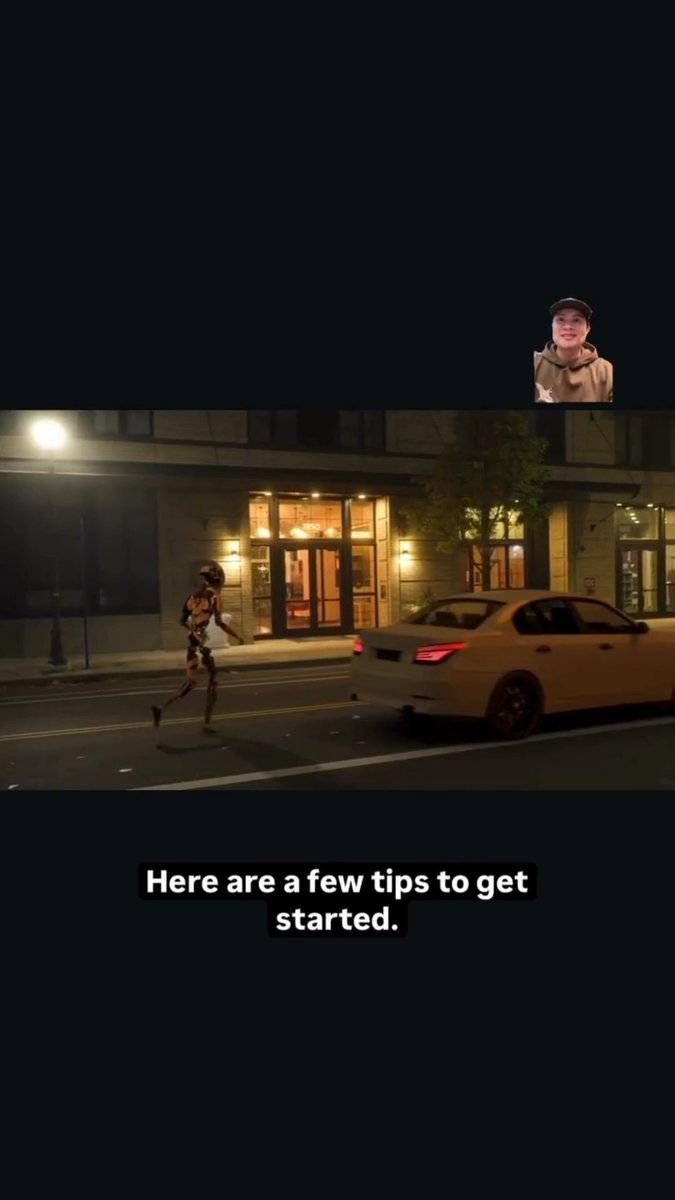
The advice is framed as low-friction setup rather than studio gear: shoot higher resolution so you can downscale later, keep a clean background, start wider for full-body tracking, and avoid lighting that creates harsh shadows or backlight problems—details called out directly in the [Flow Studio tips post](t:114|Flow Studio tips post).
Autodesk schedules a Jan 28 Flow Studio student film workflow livestream + Q&A
Student film pipeline (Autodesk Flow Studio): Autodesk announced a live walkthrough on Jan 28 (9am PT / 12pm ET) with filmmaker Fadhlan Irsyad, centered on building a thesis film using Flow Studio—explicitly including AI mocap, exporting elements like camera tracking, and refining scenes, as described in the [livestream announcement](t:123|livestream announcement).
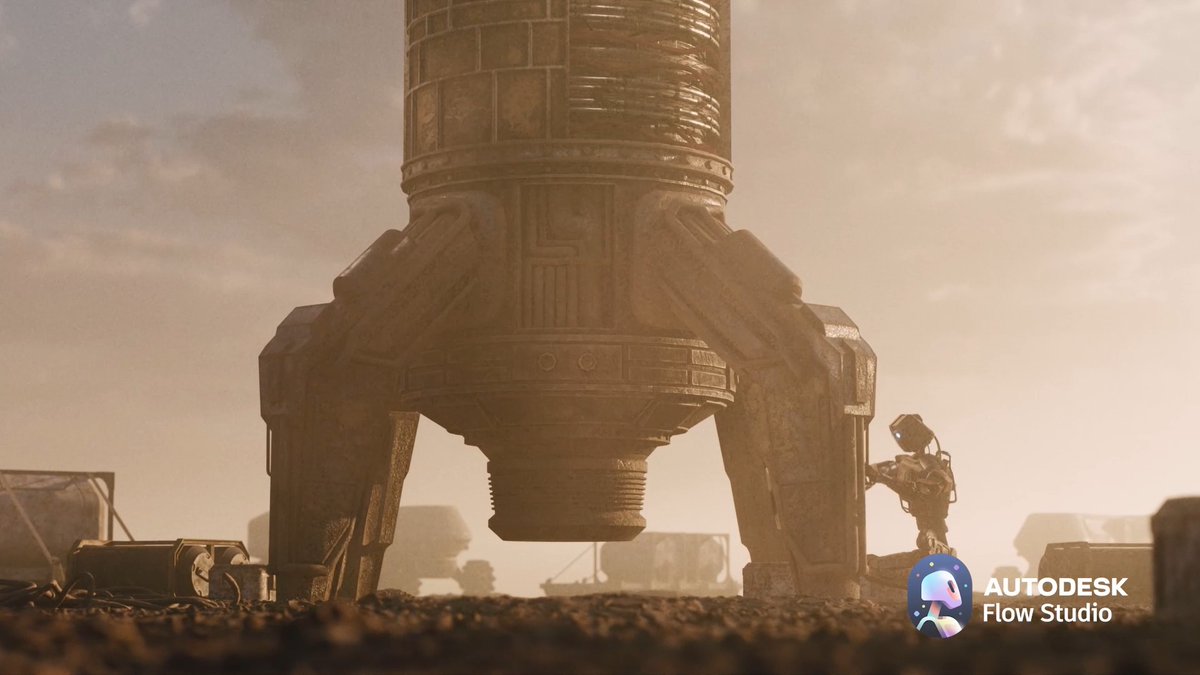
The positioning is “strong results without specialized equipment,” tying the workflow back to practical setup guidance and the longer capture checklist in the [Flow Studio tips post](t:114|Flow Studio tips post).
🪄 Finishing passes: upscalers and restoration models that make clips shippable
Post-production mentions today center on Topaz Upscaler model selection (e.g., Proteus) as a practical finishing layer for compressed or AI-generated clips. Excludes primary generation tools and Motion Control.
Freepik maps Topaz Upscaler’s 10-model menu, positioning Proteus as the default fix
Topaz Upscaler (Topaz Labs): Freepik shared a practical “1 upscaler, 10 models” chooser thread that frames upscaling as a per-clip decision (pick the model that matches the footage problem), rather than a one-button 4K pass, as explained in the Model picker thread. Proteus is called out as the reliable, all‑purpose option for everyday and compressed video, with a clear before/after shown in the Proteus example.
• What creatives actually do with this: treat Proteus as the starting point for “unknown footage,” then switch models when the issue is specific (e.g., heavy compression vs. sharpening vs. restoration), mirroring the “each model serves a purpose” framing in the Model picker thread.
🎵 Music gen & soundtrack tooling: open models and ‘Sonata’ rumors
Audio posts today include an open-source music foundation model family (HeartMuLa) plus creator usage (Suno) and speculation around OpenAI’s ‘Sonata’ hostnames. This is a smaller but distinct beat versus video/image volume.
HeartMuLa pitches an open-sourced music foundation model family
HeartMuLa (Ario Scale Global): The HeartMuLa team is circulating a release framing it as “a family of open sourced music foundation models,” with a demo reel showing generated audio outputs in the Model family post.

The key creative implication is straightforward: more music generation capability is landing as open weights, which tends to expand remixing, fine-tuning, and offline soundtrack workflows—though the tweets here don’t include benchmark-style comparisons or model specs beyond the positioning in the Model family post.
‘sonata.openai.com’ hostnames spotted, fueling OpenAI music-tool speculation
Sonata (OpenAI): A hostname watch screenshot claims sonata.openai.com was “recently observed” on 2026-01-16 and sonata.api.openai.com on 2026-01-15, which is being interpreted as a possible codename for a music product in the Hostname screenshot.
Separately, the same “OpenAI’s Sonata” thread is getting broader pickup as a headline item in a creator-focused roundup, as noted in the Newsletter mention. Nothing here confirms what Sonata is; it’s still inference based on DNS/hostname observation.
HeartMuLa-oss-3B model page appears on Hugging Face
HeartMuLa-oss-3B (HeartMuLa): A HeartMuLa-oss-3B model page is now live, linked from the Model link post, with the listing describing usage as a text-to-audio model and pointing to supporting resources on the page itself, as shown in the Model page.
This is a separate signal from the general “family” announcement: it’s an actionable artifact (weights + docs hub) that creators can reference when trying to reproduce a soundtrack pipeline locally or in a custom inference stack.
A Midjourney + Suno credit line shows up in a dreamlike short release
Midjourney + Suno (workflow credit): A creator release explicitly credits Midjourney for images and Suno for music in “Encore Une Fois: A Rêverie,” positioning the piece as a mood-first “rêverie” rather than a narrative music video in the Rêverie release note.

The useful takeaway for composers and filmmakers is the attribution itself: it’s a clean example of an AI soundtrack tool being treated as a first-class production credit, alongside the image model, as described in the Rêverie release note.
🧑💻 Agentic dev for creators: Claude SDK flexibility, browser-building swarms, and auto-cloud setup
Dev-side posts today focus on agents and automation that creative teams increasingly rely on: swapping model backends in Claude Agent SDK, multi-agent swarms building apps, and Google Antigravity automating Cloud setup. Excludes creative model launches.
Anthropic Economic Index claims 9–12× productivity gains on complex tasks
Anthropic Economic Index (Anthropic): A summary of Anthropic’s analysis claims Claude delivers 9–12× productivity gains on tasks predicted to require ~14.4 years of education on average (vs 13.2 across all tasks), with a cited 67% success rate on Claude and “augmentation” rising to 52% for iterative collaboration, per the [Index recap](t:120|Index recap).
For creative toolbuilders, the notable detail is that usage concentrates around coding/math at 24–32%, implying the biggest measured gains still come from “build the pipeline” work rather than purely aesthetic ideation, as described in the same [Index thread](t:120|Task mix details).
Claude Agent SDK can run on any model via OpenRouter with three env vars
Anthropic Agent SDK (Anthropic/OpenRouter): Builders note you can point the Claude Agent SDK at any OpenRouter-backed model by swapping just three environment variables—changing the base URL, auth token, and explicitly blanking ANTHROPIC_API_KEY, as shown in the [config screenshot](t:8|Config screenshot).
This effectively turns the SDK runtime into a backend-agnostic harness (helpful for creative pipelines that want to route different scenes/tasks to different models) while keeping the same agent code, per the [OpenRouter compatibility note](t:8|OpenRouter compatibility note).
Agent swarm “Velocity Browser” shows working Hacker News after ~6 hours of runtime
Agent swarms (community): A long-running multi-agent run is reported to be “six hours in” and already rendering a working browser view (Hacker News loaded inside a project called Velocity Browser), with the author saying they may open-source the harness if there’s interest, according to the [progress post](t:57|Swarm progress post).
The key signal is less the browser itself and more the claim that “hundreds of agents can collaborate effectively” when properly instrumented, as framed in the [follow-up context](t:57|Collaboration claim).
Google Antigravity automates Firestore setup end-to-end in Cloud Console
Google Antigravity (Google): A user demo shows Antigravity taking a plain-language request (“set up Firestore for my Cloud project”) and then driving the Google Cloud console itself—opening URLs, selecting the project, enabling/configuring Firestore, and finishing setup, as shown in the [screen recording](t:7|Console automation demo).

For creative teams shipping small apps (asset browsers, review tools, internal dashboards), this is a concrete example of “agent does the click-ops” rather than just generating instructions, per the [Firestore setup anecdote](t:7|Firestore setup anecdote).
AA-Omniscience benchmark suggests routing models by language, not loyalty
AA-Omniscience benchmark (Artificial Analysis): A shared benchmark summary argues there’s no single best model for programming-language knowledge; it cites Claude 4.5 Opus leading Python (56) and Go (54), while Gemini 3 Pro Preview leads JavaScript (56) and Swift (56), per the [benchmark recap](t:120|Benchmark recap).
The practical implication for agentic creator stacks is model routing by task/language instead of “one LLM for everything,” matching the spread shown in the [scores visualization](t:167|Scores visualization).
ChatGPT shows an improved chat history UI for faster backscroll and retrieval
ChatGPT (OpenAI): A UI clip shows improved chat history with a more explicit history screen and scrolling list of prior chats, suggesting OpenAI is smoothing retrieval/navigation for heavy users, as shown in the [mobile UI demo](t:72|Chat history UI demo).
For creative operators who treat ChatGPT as a running production log (prompts, shot notes, client variants), this is a small but real workflow change: fewer taps to find older threads, per the [feature callout](t:72|Feature callout).
📣 Short-form growth formats: TikTok shop templates, blog-to-video repurposing, and CTR hacks
Marketing-oriented creator posts today are about repeatable formats and performance levers—TikTok shop video recipes, turning blogs into ads, and visual contrast tactics. Excludes major pricing and model capability news.
Pictory pitches “blog to video in 3 clicks” for product promos
Pictory (Pictory): Pictory is marketing its “blog to video” flow as a fast repurposing path—turn articles into product videos with branded visuals, captions, and voiceover, as described in the Blog-to-video pitch and its product page in AI video generator page.
The positioning is explicitly performance-oriented (reach/ROI), with the core promise being speed-to-asset for short-form placements rather than bespoke edit craft.
APOB pushes a “visual contrast” CTR tactic using neon outfits
Visual Contrast (APOB AI): APOB is promoting a CTR lever built around high-contrast character styling—“deep skin tones paired with hyper-luminous, neon outfits”—and frames it as an A/B-testable variable for scroll-stopping creatives, according to the CTR contrast tip.

The creative takeaway is that it’s not a new model capability claim; it’s a styling heuristic packaged as a growth knob (muted → pop) with a built-in testing story.
Influencer TikTok Shop video step list circulates via a Kling repost
TikTok Shop influencer format: A concise “how to make influencer TikTok Shop videos” recipe is spreading via a Kling repost, framing the workflow as a repeatable checklist starting from product selection and moving into a templated build process, as shown in the Steps intro card.
For short-form teams, the practical value is that it treats the ad as an assembly line (product → script → record/edit), rather than a one-off creative—useful for scaling variations without reinventing the structure each time.
APOB pitches “AI content refreshing” as a service to brands
AI Content Refreshing (APOB AI): A services-first play is being pushed: take a brand’s existing raw footage, swap in a trendy AI spokesperson, and sell the refresh as a cost-cutting upgrade, as laid out in the Service business pitch.
It’s framed less as “be a creator” and more as packaging a repeatable transformation offer (old asset → new face/format) that can be delivered on a schedule.
Showrunner AI markets itself as a “new kind of studio” with early access
Showrunner AI (FableSimulation): Showrunner AI is positioning itself as a studio-like system where ideas “perform” (rather than sit in notes), with an early-access funnel emphasized in the Early-access teaser.

This reads as a distribution/packaging pitch more than a tooling spec drop—useful context for creators tracking where short-form-native animation catalogs might get aggregated next.
🗣️ Voice & dialogue: summits, lower latency avatars, and meme-ready scripts
Voice items today range from ElevenLabs’ London summit programming to lower-latency realtime avatar stacks and dialogue-driven meme clips. Excludes music model research (Audio & Music).
Grok Imagine dialogue prompting spreads for character voice and meme beats
Dialogue-first prompting (Grok Imagine / xAI): Creators are highlighting dialogue as the main control layer for short character clips—one example gives Daenerys Targaryen a speaking voice and calls out that Grok Imagine “usually nails the perfect dialogue,” per the Daenerys dialogue clip.

A second pattern is meme construction: “add dialogues” is described as what makes the memes “pure gold,” with an anime-style example built around on-screen dialogue beats, as shown in the dialogue meme example.
LemonSlice-2 update claims ~1.8s faster responses for real-time avatar chats
LemonSlice-2 (LemonSlice): A reported upgrade says LemonSlice-2 response times are “about 1.8 seconds faster,” aiming at interactive avatars and real-time voice/video experiences where lower latency makes turn-taking feel more natural, according to the latency claim.
The tweet doesn’t show a trace, benchmark setup, or before/after capture, so the exact measurement conditions (device, region, streaming mode, model size) remain unspecified beyond the qualitative “noticeable difference,” as described in the latency claim.
ElevenLabs names Deutsche Telekom’s Jonathan Abrahamson as Summit speaker
ElevenLabs Summit (ElevenLabs): ElevenLabs is promoting its London Summit on Feb 11 with a new speaker announcement—Jonathan Abrahamson, Chief Product & Digital Officer at Deutsche Telekom, positioned as leading DT’s digital, product, and AI strategy across Europe, as stated in the speaker announcement.

The signal for voice builders is that large customer-contact orgs (telco scale) are being framed as first-class design partners for voice/interaction, not just enterprise “buyers,” although no agenda details or product launch tie-ins are shown in the post itself, per the speaker announcement.
🧭 Where creators run models: academies, run-time marketplaces, and creator programs
Platform news today is about surfaces where creators actually work: Runway’s education hub, Runware’s fast/cheap video endpoints, and creator program on-ramps. Excludes plan/pricing specifics (Pricing & Plans).
PixVerse v5 Fast lands on Runware for rapid text-to-video and image-to-video iteration
PixVerse v5 Fast (Runware): Runware added PixVerse v5 Fast, positioning it as a faster, preview-oriented variant of v5 that supports both text-to-video and image-to-video for rapid iteration, as stated in the V5 Fast availability and reflected in the model page.
The pitch here is pipeline fit: a “quick loop” model for storyboard beats, drafts, and timing checks—where creators want many iterations before spending on higher-fidelity passes, per the V5 Fast availability.
Runway relaunches Runway Academy with logged-in learning and progress tracking
Runway Academy (Runway): Runway rolled out a refreshed Runway Academy with new courses/tutorials and prompting resources, plus the ability to log in with your Runway account to track progress and stay updated on new content, as described in the Academy announcement and outlined on the Academy hub.
For creators, this is a practical “source of truth” surface inside the Runway ecosystem rather than scattered docs—especially relevant as teams standardize internal workflows and want consistent onboarding material tied to actual Runway accounts, per the Academy announcement.
Hedra opens Ambassador applications with early betas, tools access, and affiliate earnings
Hedra Ambassador (Hedra): Hedra is recruiting creators into a new Ambassador program, offering “full tools,” early betas, a creator community, and affiliate earnings, with applications handled via DM after commenting a keyword, as announced in the Ambassador call.

For creative teams, this is an explicit distribution/on-ramp mechanism: early access plus affiliate incentives to seed workflows and tutorials in the community, according to the Ambassador call.
Runware lists FLUX.2 [klein] SKUs alongside its video model hub updates
FLUX.2 [klein] (Runware): In the same model-hub update thread as its PixVerse announcement, Runware referenced multiple FLUX.2 [klein] SKUs—calling out 4B and 9B “base” options and a smaller distilled variant for faster generation—framed as choices for different build needs (fine-tuning/control vs speed), per the Model hub SKU list.
This is mainly an availability/catalog signal: creators running image pipelines on Runware now have clearer “which klein do I pick?” slots without needing to leave the platform, as shown in the Model hub SKU list.
Showrunner AI pitches “a new kind of studio” and opens early access
Showrunner AI (FableSimulation): Showrunner AI is being marketed as “a new kind of studio,” with an early-access sign-up call and a short demo clip used as the hook, per the Early access pitch.
This is less about a single feature drop and more about a “where creation happens” bet: a platform layer trying to package ideation-to-animation into one place, as framed in the Early access pitch.
ComfyUI highlights a camera control node paired with Nano Banana Pro
ComfyUI (ComfyUI): A “camera control node + Nano Banana Pro” pairing was highlighted as a composable building block inside ComfyUI, pointing at more structured, node-level control over camera behavior as part of Nano Banana workflows, per the Camera control mention.
This reads as incremental but useful surface-area expansion: creators who already standardize ComfyUI graphs can treat camera behavior as an explicit module rather than burying it in prompt wording, as suggested by the Camera control mention.
💳 Access & plans that change creator output: free tiers, 4K pricing, and new bundles
Today’s meaningful access changes include Hailuo’s ‘free now’ bundle, OpenAI’s new Go tier, and notable pricing on fast video endpoints. Excludes Kling Motion Control unlimited messaging (covered as the feature).
OpenAI will test ads in ChatGPT free tier in the US alongside ChatGPT Go
ChatGPT monetization (OpenAI): OpenAI says it plans to begin testing ads in the free tier in the US soon, while stating that Plus, Pro, Business, and Enterprise will remain ad-free, as shown in the Ads notice screenshot.
For AI creatives, this is a near-term UX shift for anyone relying on free ChatGPT as part of daily ideation, scripting, or prompt iteration, with the ad boundary now explicitly tied to paid tiers per the Ads notice screenshot.
Hailuo makes Nano Banana Pro, Seedream 4.5, and GPT Image 1.5 free and cuts 56% off yearly
Hailuo access bundle (Hailuo): Hailuo is promoting Nano Banana Pro, Seedream 4.5, and GPT Image 1.5 as “free now,” plus a 56% discount on yearly plans, as shown in the Free-now promo montage and reiterated in the Bundle recap.

• Giveaway mechanics: The account also frames a 48-hour giveaway of 10 memberships in the Giveaway post, pointing people at the Product page.
Net effect: it lowers the immediate cost of running a multi-model image workflow (realism + stylization + layout/text experiments) for anyone already building around these named models, per the Free-now promo montage.
OpenAI launches ChatGPT Go worldwide at $8/month
ChatGPT Go (OpenAI): OpenAI is now offering ChatGPT Go globally for $8/month, according to the Go product card.
This creates a new price point between free and higher tiers for creators who want more predictable access than the free tier (especially if ads roll out) but don’t need Plus/Pro, as indicated by the Go product card.
fal publishes Veo 3.1 per-second pricing: $0.20/s without audio and $0.40/s with audio
Veo 3.1 pricing (fal): fal’s Veo 3.1 model pages disclose per-second pricing—$0.20/s without audio and $0.40/s with audio—as shown on the linked endpoint pages in the Image-to-video pricing and Text-to-video pricing.
The tweets themselves focus on entry points to different Veo 3.1 modes (text-to-video, image-to-video, first/last-frame, reference-to-video) in the 4K endpoint links, but the practical creator takeaway is that budgeting becomes “seconds × per-second rate,” with audio doubling the rate per the linked pricing pages.
Runware lists PixVerse v5 Fast for preview iteration starting around $0.0943 per 5 seconds
PixVerse v5 Fast (Runware): Runware says PixVerse v5 Fast is positioned as a faster, cheaper preview model for T2V/I2V, with pricing starting around $0.0943 per 5 seconds, per the Pricing note and its linked Model page.
This kind of low-cost “preview endpoint” changes how aggressively small teams can iterate on shot ideas before paying for higher-fidelity renders, as described in the Pricing note.
📅 Contests & deadlines: design awards, Olympics-themed challenges, and creator events
Event-driven creative work is strong today: a new ADC award category for AI visuals, an Alibaba/Wan championship tied to Milano Cortina 2026, and other creator-facing gatherings/programs. Excludes general platform promos not tied to deadlines.
Dreamina AI and ADC 105th launch AI Visual Design Award with $30K pool (deadline Mar 16, 2026)
Dreamina AI × ADC 105th Annual Awards: A new AI Visual Design category is open (free to enter), framed around the theme “Imperfection” and backed by a $30,000 prize pool, as announced in the award launch post and detailed on the Entry page.
• Dates and theme: Submissions run Jan 16–Mar 16, 2026 (GMT-5) with the brief pushing “glitches, gaps, rough edges” as intentional design language, per the award launch post and echoed in the category explainer.
• Prize breakdown: The entry brief lists Gold $6,000, Silver $4,000, and Bronze $2,000 awards adding up to $30K, as shown in the award launch post.
The posts position Dreamina as the “engine” (image/video + agent collaboration mode), but there’s no judging rubric or model/tooling constraints beyond “made with Dreamina AI” in the materials surfaced today.
Wan 2.6 “YOUR EPIC VIBE” championship offers Milano Cortina 2026 trip and Olympic Museum showcase
YOUR EPIC VIBE (Alibaba Wan 2.6): A creator championship is being promoted around generating winter-sports “worlds” using Wan 2.6, with top rewards including a trip to the Milano Cortina 2026 Winter Olympics and having work shown at the Olympic Museum, as described in the championship invite thread.

• How entries are made: The flow shared today is “sign up → choose Wan 2.6 → pick duration/resolution/ratio → use built-in camera movements, lenses, lighting, styles → generate and submit,” as laid out in the step-by-step post.
The event is framed as open access (“model is open to everyone”), but today’s tweets don’t include a prize quantity, judging criteria, or an explicit submission deadline.
ElevenLabs Summit (London, Feb 11) adds Deutsche Telekom product/AI leader Jonathan Abrahamson
ElevenLabs Summit (ElevenLabs): ElevenLabs is hosting a summit in London on Feb 11, and announced Jonathan Abrahamson (Chief Product & Digital Officer at Deutsche Telekom) as a speaker, as stated in the speaker announcement.
The positioning is a leadership gathering about how people interact with technology, but today’s post doesn’t list an agenda or ticket/pricing details beyond “register your interest.”
GMI SIGNAL’26 closes registration and shifts to live social coverage
GMI SIGNAL’26: Registration is now closed, with organizers telling followers to watch socials for live coverage and highlights, per the registration closed notice.
The event page outlines a format of partner talks, panels, studio demos, and a hackathon that includes building a video AI app using PixVerse and GMI, as described on the Event page.
🏛️ Finished work & creative drops: shorts, reels, and worldbuilding notes
Beyond tools, creators shared finished or named pieces: short films, stylized reels, and explicit worldbuilding writeups. Excludes pure tool demos and prompt packs.
PixVerse shares IPmotion‑IPLEX partner short film to showcase R1’s cinematic range
PixVerse R1 (PixVerse): PixVerse published a partner-made short film from IPmotion‑IPLEX, positioning it as a concrete “what this can become” example after the R1 launch, rather than another feature tease, as described in the Partner short film note. The cut leans into dark, cinematic robot imagery and rapid style shifts to show how far R1 can stretch visually within a single piece.
The main signal for creators is that PixVerse is using third-party studio work to define R1’s aesthetic ceiling and near-term direction, per the framing in the Partner short film note.
“Encore Une Fois: A Rêverie” releases as a Midjourney+Suno dreamlike short
Encore Une Fois: A Rêverie (pzf_ai): A named piece drops as a “rêverie” (explicitly not a conventional music video), using imagery created in Midjourney and music created in Suno, as stated in the Release note. It’s framed around emotional inevitability—“the pull of return”—with visuals that prioritize atmosphere over literal narrative mechanics.
The creative takeaway is the packaging: the work foregrounds intent and feeling (not tool novelty), which is spelled out directly in the Release note.
ECHOES: Worldbuilding note explains contrast-first sci‑fi setting design
ECHOES (Victor Bonafonte): A new “Worldbuilding” write-up clarifies that ECHOES treats the alien planet as an emotional metaphor—“distant, silent and unfamiliar”—while keeping the human locations intimate and real, as explained in the Worldbuilding statement. The point is to use environment as mood and reflection rather than lore density.

This is a useful articulation of a common AI-film constraint: you can imply a bigger world without over-explaining it, and still ground the story with familiar, shootable-feeling spaces, per the contrast described in the Worldbuilding statement.
DavidmComfort shares a new ~7m49s short film in a community reply thread
Short film (DavidmComfort): In response to a community prompt to share what people are making, DavidmComfort posted a fresh short film link, with the attached clip running about 7m49s, as seen in the Short film share. It reads as a more traditional short-form narrative beat (dialogue-driven opening, scene progression) rather than a tool demo.

This matters mainly as a distribution pattern: finished work is being surfaced inside “what’s cooking?” threads instead of standalone launches, as shown by the context in the Short film share.
Rainisto posts “Movie Night” photo from Life In West America series
Life In West America (rainisto): A named still, “Movie Night,” is shared as part of the ongoing series, emphasizing signage, crowd staging, and dusk color as the core mood, per the Series still post. It’s presented as a chapter-like artifact (a single frame that implies a larger world) rather than a standalone meme or prompt drop.
The post functions as worldbuilding-by-still: one image carries location, culture, and implied ritual, as suggested by the titling and series reference in the Series still post.
PixVerse credits a “video powered by PixVerse” for a dinq_me launch shout-out
PixVerse (PixVerse): PixVerse posted a lightweight community signal—congratulating @dinq_me and explicitly crediting the launch asset as “video powered by PixVerse,” as stated in the Congrats post. It’s not a full showcase drop on its own (no clip attached here), but it’s a clear usage attribution in a launch context.
The main point is attribution-as-marketing: PixVerse is encouraging creators to label work as PixVerse-powered in public launches, consistent with the wording in the Congrats post.
⚖️ IP, authorship & governance: AI studios, ‘theft’ debates, and OpenAI legal context
Policy/ethics discussion today centers on AI’s impact on IP production models, authorship debates in art animation, and OpenAI’s governance/legal narrative. Excludes plan/pricing items unless they’re explicitly governance-related.
OpenAI posts 2017 call notes to rebut Musk’s “philanthropic” framing
OpenAI vs Musk (governance/legal): A summary thread claims OpenAI is rebutting Elon Musk’s lawsuit by citing 2017–2018 internal notes showing Musk advocated transitioning from a nonprofit into a B‑corp/C‑corp structure while keeping philanthropic optics, including discussion of needing to raise $150M in 2018 and scaling toward $10B long term, as recounted in the lawsuit summary.
The image highlights what Musk’s filing allegedly quoted versus what the Sept 2017 call notes contained, emphasizing omitted context around “transition from non-profit… and is B-corp or C-corp,” as shown in the lawsuit summary.
Proposal: $10M-per-studio AI slate as an alternative to $100M+ TV budgets
Ten-studio $10M slate model (PJaccetturo): A creator/producer pitch argues a major franchise could stop spending $100M+ on traditional productions and instead fund “10 AI studios $10M each,” aiming to deliver multiple scripted seasons across niches by end of 2026, as laid out in the 10 studios proposal. The framing explicitly keeps legitimacy via “real SAG actors with motion control capture,” while betting that near-photoreal AI video is ~6 months out (Veo 5 / Kling 4.6 cited as the inflection point) per the 10 studios proposal.
• Production model: Start a writers’ room now, storyboard everything, then shift into capture/animation/post once the next-gen video models land, as described in the 10 studios proposal.
• Creative governance angle: The pitch is about IP stewardship—multiple genres for different fan bases rather than one “everything for everyone” show, per the 10 studios proposal.
It’s a provocative financing + authorship structure claim, but it’s still a concept pitch—no studio/IP partner is named in the tweets.
Animating Mucha with AI rekindles the “art vs theft” authorship debate
Mucha animation debate (OpenArt): OpenArt tees up a direct authorship prompt—“If you animate Mucha with AI… art? theft? collaboration across time?”—and pairs it with an example animation, as posed in the authorship question.
The thread is less about new tooling and more about norms: whether style transfer + animation constitutes derivative infringement or acceptable homage, with the creator explicitly asking for community takes in the authorship question.
Target IP shortlist emerges for the 10-studio AI slate idea
IP targeting (PJaccetturo): A follow-up to the multi-studio production proposal adds a concrete shortlist of “open universe, few films yet” franchises—Warhammer, Dungeons & Dragons, Final Fantasy, and Warcraft—shared in the target IP shortlist. The list functions as a governance/rights thesis: pick worlds with deep lore and large fan bases where parallel seasons can explore different niches, echoing the broader structure suggested in the 10 studios proposal.
Mira Murati return-to-OpenAI speculation pops up again
OpenAI leadership chatter: A viral-style question asks, “When is Mira Murati going back to OpenAI?”—more rumor pulse than reporting, but a signal of ongoing attention to OpenAI leadership dynamics in the Murati return question.
No substantiating details are provided beyond the question and portrait in the Murati return question.
🔬 Research worth skimming: multimodal VL, faster video gen, and image attribute editing
Research tweets today are mostly multimodal (VL) and generative media methods (video speedups, image editing), plus an alignment-data framework mention. Bioscience-related papers are intentionally excluded.
STEP3-VL-10B report details 1.2T-token multimodal training and scaled RL
STEP3‑VL‑10B (StepFun): The technical report describes a 10B-ish multimodal foundation model built with a language-aligned Perception Encoder paired to a Qwen3‑8B decoder, trained on 1.2T multimodal tokens plus 1,000+ RL iterations, according to the report post and the accompanying technical report. A separate note says it was picked for Hugging Face Daily Papers in the Daily papers repost.
This lands as “VL reasoning infrastructure” rather than a creative-gen model, but it’s directly relevant to creators building agents that must read frames, UI, or storyboards and then plan edits or shots consistently.
Alterbute targets identity-preserving edits of intrinsic object attributes
Alterbute (paper): A new diffusion-based method focuses on editing intrinsic object attributes (e.g., color/texture/material/shape) while keeping the object’s identity and scene context stable, as described in the paper thread and detailed in the ArXiv page. It uses a relaxed training objective (allowing broader variation during training) but then constrains inference by reusing the original background and object mask so edits stay “about the object,” not the whole scene.
For creative tooling, the pitch is a more reliable “same object, different material” edit loop than prompt-only regeneration, especially for product shots and character props where identity drift breaks continuity.
Transition Matching Distillation surfaces as a fast video generation approach
Transition Matching Distillation (paper + demo): A research drop proposes a distillation approach aimed at speeding up video generation, shared with a short visual demo in the demo post.

The creative relevance is straightforward: if the method holds up in replications, it points to shorter iteration loops for motion studies and previz, where “good enough quickly” often beats waiting on higher-fidelity passes.
OpenBMB introduces AIR to break down what makes preference data work
AIR (OpenBMB): OpenBMB teased AIR, a framework aimed at systematically decomposing what makes preference data effective for LLM alignment, via the AIR framework teaser.
There aren’t concrete artifacts or results in the tweet itself (no benchmarks or ablations shown), but it’s a relevant signal for teams training or fine-tuning creative assistants where “human taste” and ranking data often matter as much as raw capability.
While you're reading this, something just shipped.
New models, tools, and workflows drop daily. The creators who win are the ones who know first.
Last week: 47 releases tracked · 12 breaking changes flagged · 3 pricing drops caught