.jpg&w=3840&q=75&dpl=dpl_3ec2qJCyXXB46oiNBQTThk7WiLea)
Wan 2.6 on OpenArt delivers 15s multi-shot scenes – 24h AMA targets pro workflows

Stay in the loop
Free daily newsletter & Telegram daily report
Executive Summary
Wan 2.6 steps out of pure image‑to‑video into a directing‑style production suite: OpenArt now offers paying users unlimited 15‑second multi‑shot sequences where plaza reveals, product freeze‑frames, and VO beats are scripted in one storyboard‑like prompt; eight‑clip tests show action scenes, ASMR‑style sound design, and close‑up dialogue with tighter lip‑sync than Wan 2.5. Alibaba parallelly ships Wan 2.6‑Image, adding interleaved text‑and‑image layouts, multi‑image conditioning, and art‑direction extraction for campaigns and comics; a 24‑hour Discord AMA promises answers on internals and limitations, signaling deeper engagement with production teams.
• Kling Motion Control: New workflows restage 3–30s reference performances onto fresh characters via Nano Banana Pro swaps; community clips stress fast kicks, dense sign language, multi‑character dance clones, and stitched ~40s loops that feel closer to directing than style transfer.
• WaveSpeed + Qwen‑Image‑Layered: WaveSpeed operationalizes Qwen‑Image‑Layered as PSD‑like RGBA stacks where ads decompose into 3–8+ controllable layers; a free 6B‑param Z‑Image desktop model handles local concepting before cloud‑side structured edits.
These toolchains land as AI filmmakers refine full shot‑list‑driven pipelines and talk openly about theatrical‑scale projects, even while most underlying model benchmarks remain self‑reported and lightly audited.
While you're reading this, something just shipped.
New models, tools, and workflows drop daily. The creators who win are the ones who know first.
Last week: 47 releases tracked · 12 breaking changes flagged · 3 pricing drops caught
Feature Spotlight
Wan 2.6 becomes a director’s suite (feature)
Wan 2.6 consolidates into a director‑grade suite: OpenArt unlocks unlimited multi‑shot sequences while Alibaba adds commercial‑grade image output—creators show lip‑sync, 15s continuity, ASMR‑level SFX, and 1080p product shots.
Cross‑account focus today: Wan 2.6 evolves beyond i2v into a production toolkit—multi‑shot direction, tighter AV sync, and new commercial‑grade image controls. Posts span OpenArt unlimited access, Alibaba’s 2.6‑Image specs, AMA, and creator stress tests.
Jump to Wan 2.6 becomes a director’s suite (feature) topicsTable of Contents
🎬 Wan 2.6 becomes a director’s suite (feature)
Cross‑account focus today: Wan 2.6 evolves beyond i2v into a production toolkit—multi‑shot direction, tighter AV sync, and new commercial‑grade image controls. Posts span OpenArt unlimited access, Alibaba’s 2.6‑Image specs, AMA, and creator stress tests.
OpenArt adds unlimited Wan 2.6 for natural-language multi-shot video
Wan 2.6 on OpenArt (OpenArt): OpenArt now exposes unlimited Wan 2.6 video generations for paying users, with azed_ai framing it as the moment when "AI video finally understands directing" because creators can describe full camera sequences and edits in plain language instead of crafting separate prompts per shot, as shown in the OpenArt Wan launch. The integration supports clips up to 15 seconds with coherent multi-shot sequences, deliberate camera moves, and tighter audio–visual sync, showcased in examples like a plaza waltz that moves from overhead reveal to circling dolly to intimate close-ups, and a grape‑soda spot where freeze‑frames, VO lines, SFX, and product hero shots are all scripted directly into one prompt, detailed in the plaza demo and soda ad demo. The positioning emphasizes Wan 2.6 not as a one-off clip generator but as a scene director that can parse storyboard-style prompts into structured shots, which is a notable shift for AI filmmakers who have been stitching together short, disconnected vignettes by hand.
Alibaba’s Wan 2.6‑Image adds interleaved text–image and multi-image conditioning
Wan 2.6‑Image (Alibaba Wan): Alibaba introduced Wan 2.6‑Image as a commercial-grade counterpart to its video model, emphasizing interleaved text–and–image output, multi‑image conditioning, and strong ID and style preservation for campaigns and serial content, according to the image model launch. The model can generate narrative layouts that combine reasoning over text and images in a single pass—useful for comics, educational step-by-steps, and branded storyboards—and it allows creators to feed several references that get flexibly merged, recomposed, or replaced while keeping character identity intact, as shown in the Wan 2.6 brief.
• Art direction extraction: Wan 2.6‑Image can extract color, style, and composition cues from reference images and apply them to new scenes, which is positioned as absorbing an art direction rather than cloning a single shot, as seen in the image model launch.
• Camera and lighting control: Prompts can specify lens perspective, foreground/background separation, and detailed lighting setups (for example, rim-lit portraits or deep atmospheric depth), giving illustrators and designers more predictable layout and mood control out of the box, according to the feature breakdown. The messaging targets professional workflows—ad sequences, IP worlds, episodic comics—rather than one-off social posts, signalling Wan 2.6‑Image is meant to sit inside pipelines where consistency and editability matter.
Eight Wan 2.6 demos span action, ASMR, lip-sync, and claymation dialogue
Wan 2.6 capabilities (Azed_ai/OpenArt): Azed_ai published an eight-part demo set built on Wan 2.6 that walks through how far the model now goes toward full film grammar—handling multi-character action, detailed sound design, product animation, and emotionally controlled dialogue from a single structured prompt series, as demonstrated in the OpenArt Wan launch. In a moonlit temple courtyard test, Wan 2.6 keeps a bald monk and masked villain locked in consistent poses while the camera arcs, slows for impacts, and synchronizes SFX and VO beats like "Discipline meets darkness" across punches and blade clashes, detailed in the temple fight demo.
• Sound and texture focus: An ASMR frying-pan sequence leans on micro SFX—butter sizzling, egg hit, lacey browning—showing the model can follow very fine-grained audio cues rather than just generic soundtrack tags, as highlighted in the ASMR egg demo.
• Product/logo motion: A 1080p-branding test has the Wan logo liquefy into a swirling stream that hardens into a square watch and spinning crown, matching specified formation sounds and light pulses, which points squarely at commercial motion-design use, as seen in the watch logo demo.
• Expressive dialogue and lip-sync: A close-up of a 3D man delivering the line "If I could go back…" demonstrates controlled micro‑expressions and accurate mouth shapes that stay locked to the audio, while a separate claymation boy‑and‑cat exchange shows the model juggling two distinct voices, timing jokes, and keeping stop‑motion body wobbles in rhythm, as shown in the lip sync demo and clay dialogue demo. Taken together, the set reads less like isolated clips and more like a checklist that Wan 2.6 now covers most of the ingredients indie teams expect from a basic directing toolkit.
Higgsfield shows Wan 2.6’s improved lip-sync and AV sync over 2.5
Wan 2.6 lip-sync (Higgsfield): Higgsfield is now leaning hard on Wan 2.6’s upgraded text‑to‑speech and mouth motion, sharing a split-screen where a dialogue shot rendered with Wan 2.5 sits next to 2.6—the newer model keeps jaw and lip shapes much closer to the spoken line, while 2.5 drifts and lags, as detailed in the 2.5 vs 2.6 demo. Building on earlier Wan 2.6 lip‑sync experiments highlighted alongside Veo 3.1’s lens prompts in lip sync control, Higgsfield’s marketing now calls out more "natural" narration, better pacing alignment, and less trial‑and‑error for getting believable dialogue in multi‑scene pieces, as shown in the tts and pacing brief and stability focus.
• Workflow angle: Multiple posts describe Wan 2.6 at Higgsfield as "faster and more stable" and emphasize that smoother transitions, sharper detail, and more reliable character motion reduce reshoots in AI projects, letting filmmakers concentrate on story rather than wrestling with glitchy mouths or off‑beat VO, as seen in the stability overview and sharper visuals note. The net message is that Wan 2.6 is crossing a qualitative line from "good enough for B‑roll" toward something directors can trust for close-up, talking-head shots without manual patching in post.
Wan 2.6 team runs 24‑hour Discord AMA focused on technical questions
Wan 2.6 AMA (Alibaba Wan): The Wan team announced a 24‑hour AMA on its Discord, framing it as a technical forum where engineers answer the Top 10 upvoted questions about Wan 2.6, with the Top 3 threads earning a one‑month membership card on the official platform, as noted in the AMA announcement. Submissions open for 24 hours starting Monday at 12:00 CST (UTC+8), with answers scheduled in a one‑hour window the next day, and organizers stress that posts should focus on model internals, capabilities, and limitations rather than ads or off-topic chatter, detailed in the AMA announcement. The format—threaded questions, community upvotes, and a fixed answer block from core engineers—aims to surface real-world pain points around Wan 2.6’s image and video stacks, which is particularly relevant for designers and filmmakers trying to standardize on it for client work.
🎛️ Kling 2.6 Motion Control: from mimicry to direction
Practical motion‑capture style control—replicate reference performance, handle hands/expressions, and stitch loops. Excludes Wan 2.6 (covered as feature).
Eminem ‘Godzilla’ sign‑language test frames Motion Control as real directing, not mimicry
Kling Video 2.6 Motion Control (Kling): Eugenio Fierro stress‑tests Motion Control with a verse from Eminem’s “Godzilla” plus sign language, arguing that the model holds up on high‑speed full‑body motion, hands, and lip sync, and that it feels closer to directing a performance than dropping a style filter as shown in the director’s review. He highlights that Motion Control works from 3–30s motion references, can reproduce complex hand choreography and facial intent, and now supports up to ~30‑second one‑shot sequences with a consistent take as shown in the director’s review. Following up on motion control, where Motion Control first appeared as a core workflow hook, his thread pushes a production angle: using it to add AI co‑performers alongside real actors, choreograph stunts that are expensive to shoot, and reshape identity and style while preserving a believable, actor‑like performance trajectory as shown in the director’s review.
Techhalla’s Nano Banana → Kling Motion Control pipeline turns any clip into a new performance
Kling 2.6 Motion Control (Kling): Techhalla shows a practical three‑step workflow where you freeze a frame from a live‑action clip, run a full body+face swap in Nano Banana Pro, then feed that still plus the original motion into Kling 2.6 Motion Control to restage the performance with a new character as detailed in the frame swap example and workflow teaser. The key claim is that even completely random, exaggerated moves from the reference stage performance are copied convincingly onto the bald‑with‑beard character, including body orientation and timing as detailed in the motion robustness example.
This pipeline illustrates how creatives can recycle any filmed choreography or meme clip into fresh character performances while still steering costume, identity, and scene with a short prompt in the Motion Control UI as shown in the UI walkthrough and usage recap.
Blizaine’s four‑clip method turns Kling 2.6 outputs into ~40s seamless loops
Kling 2.6 looping workflow (community): Creator Blizaine breaks down a practical recipe for building ~40‑second seamless loops with Kling 2.6 by generating two 10‑second base clips, then two extra 10‑second clips that capture only the start and end frames so they can be stitched between the bases as shown in the loop explanation. The final trick is to delete the first frame of an extended clip and nudge playback speed, which hides the cut and makes the motion feel continuous when the loop restarts as shown in the loop explanation. Kling’s own repost of the experiment and other replies from AI creators underline this as a repeatable pattern for ambient visuals, music videos, and background loops where you want long, consistent motion without having to render a single very long clip in one go as shown in the official repost and community reaction.
Community clips show Kling 2.6 motion‑to‑video handling fast kicks, dance, and cinematic ‘iris out’
Kling 2.6 motion‑to‑video (Kling): Multiple community tests focus on how well Kling 2.6 translates motion capture into stylized video—Emily’s martial‑arts clip shows a side‑kick and punch sequence with crisp pose transitions and camera timing, while another creator uses Motion Control for a complex dance ending in an old‑school “IRIS OUT” shot and calls the realism good enough for live‑action‑style work as demonstrated in the martial arts demo and iris out dance. Kling’s own repost of these clips underlines support for full‑body motion, expressive faces, and long continuous takes up to ~15–30 seconds without obvious drift as shown in the official repost and seasonal motion example. For AI filmmakers, these examples suggest Motion Control is already usable for action beats, choreography tests, and stylized transitions where hand, leg, and head timing all need to stay locked to a reference performance rather than improvising new animation each frame.
Japanese dance demo shows one actor can drive many Kling Motion Control characters
Motion Control dance demo (Kling): A Japanese creator shows Kling 2.6 Motion Control mirroring the same reference dance onto multiple on‑screen characters, emphasizing that one performer can effectively play many roles by reusing the same motion track as shown in the dance split demo. The clip demonstrates that the pose timing, limb arcs, and camera framing remain in sync across clones while outfits and styling differ, making it relevant for indie filmmakers who want ensemble‑style blocking without hiring multiple dancers or stunt actors.
🧰 Indie AI film playbooks: shotlists, stacks, and upscales
A full production workflow share: NB Pro stills, Veo 3.1 animation, Gemini‑assisted shotlists, Milanote boards, character sheets, 4‑image stacks, and 4K upscales. Excludes Wan 2.6 and Kling (covered elsewhere).
Full NB Pro + Veo 3.1 playbook powers a $1M AI film entry
AI film workflow (Genre.ai): Director PJ Accetturo laid out a complete indie pipeline for his $1,000,000 AI film festival submission, using Nano Banana Pro for stills and Veo 3.1 on Google Flow for animation, plus a clear division of labor between human creatives and AI tools as shown in the festival workflow; the same framework was used to coach six Hollywood cinematographers with zero prior AI experience, and he is now packaging the system in a free newsletter for 17,000+ subscribers via the newsletter plug and newsletter page.
The workflow leans on script-driven planning, NB Pro plates for every shot, and Veo 3.1 clips that match those plates rather than one-off prompt experiments, which is framed as the key to getting a coherent 9‑minute film rather than a collection of unrelated AI demos as detailed in the festival workflow and newsletter plug.
Four‑image stacks and 3×3 grids keep AI scenes spatially coherent
Multi‑frame layouts (Genre.ai): PJ shares two compositing techniques to keep AI‑generated scenes spatially consistent: a 4‑image vertical stack in 9:16 that captures a wide, then closer CUs and ECUs of the same moment, and a classic 3×3 grid where the subject pose stays frozen while the camera moves around them as shown in the four stack prompt and grid description; both are generated as a single NB Pro image, then cropped into individual frames for animation.
• 4‑image stack: The stack is prompted to show a character on a Paris park bench waking up as the camera rushes toward him and then jumps to an overhead shot, with strong notes about lens, grain, and lighting; PJ says this retains much more facial and environmental detail than 3×3 grids while still providing multiple angles from one generation as detailed in the four stack prompt.
• 3×3 cell grid: For scenes like a prisoner obsessively writing under a backlit window, each of the nine squares specifies a precise shot type (profile wide, low frontal, bird’s‑eye, Dutch angle, doorway wide, etc.) with consistent pose and Arri Alexa aesthetic, so the camera move is built into the single composite and can be split later via the grid description.
He notes that Nano Banana Pro unlocked more reliable location consistency mid‑production, letting him treat each grid or stack as a mini storyboard for that scene rather than juggling totally separate prompts for every angle according to the single shot images and NB Pro overview.
Gemini shotlists and Milanote boards bring film grammar to AI shoots
Shot planning workflow (Genre.ai): PJ Accetturo describes a pre‑production stack where Gemini drafts a first‑pass shotlist "as if it were an award‑winning director," which he and Dean Israelite then refine into a traditional shot plan before any image generation happens according to the shotlist advice; that shotlist is re‑mapped into Milanote rows so each row is a scene and each column holds character refs, location refs, shot descriptions, and multiple candidate frames with colored borders for selects as shown in the Milanote board.
This layout also supports a plate‑first approach: PJ generates clean environmental plates for each setup and places them on the left side of the Milanote board, then drops actors into those plates and pins the resulting comps to the right side as consistent references for all subsequent angles of the same scene via the plate layout board.
Off‑white portraits and two‑panel sheets lock AI characters in place
Character workflow (Genre.ai): For casting, PJ recommends first prompting Nano Banana Pro to generate clean off‑white background portraits with soft light and subtle shadows until a face feels right, then using that single face as the anchor for all later shots as detailed in the character creation; instead of the usual 3×3 grids, he argues that a simple two‑panel character sheet—one close‑up and one wide shot stitched into a single image—gives higher resolution and far better consistency when passed as a reference into downstream image or video models according to the character sheet tip.
The same two‑panel sheet is reused across the entire project as a stable character ref, avoiding style drift and mismatched proportions that often appear when every new shot is generated from scratch with only text prompts per the character sheet tip.
Crop‑and‑upscale plus strict filenames finish AI films at 4K
Finishing workflow (Genre.ai): Once a stack or grid yields a keeper frame, PJ recommends zooming until the frame fills the screen, grabbing a crop or screenshot, and then sending that single image through an upscaler with a simple instruction like "Upscale this image to 4K, keep the lighting and color, give photorealistic skin" as detailed in the upscale guidance; if the upscaler drifts on facial identity, he adds a character reference or performs a separate face swap pass to snap it back to the original look via the upscale guidance.
He pairs this with old‑school editorial discipline: every generated animation clip is named with scene and shot codes such as "14 - C - Quinn saying Hello" so the editor can assemble the 9‑minute short without guessing which AI clip belongs where, a detail he credits to editor Martin Bernfeld’s success in keeping pacing and flow coherent as shown in the editing advice and newsletter plug.
Freepik Spaces tutorial turns NB Pro grids into a fake Pawn Stars episode
Pawn Stars workflow (Techhalla): Creator Techhalla shows a parallel indie pipeline where a Freepik Space holds both Nano Banana Pro stills and Veo 3.1 animations to insert himself into a spoof episode of Pawn Stars as shown in the Pawn Stars breakdown and Freepik plans page; the process starts with a 3×3 NB Pro grid of show‑style thumbnails built from a single reference selfie, then uses per‑cell "extraction" prompts to pull each frame into its own node for touch‑up and dialogue prep via the Freepik workflow.
From there, Techhalla wires Veo 3.1 video nodes to animate the stills, sometimes supplying both start and end frames plus JSON‑structured animation prompts to control timing and lines, and sometimes relying on a single keyframe plus text; the result is a short clip where his AI double banters inside the show’s familiar shop layout without any actual on‑set shoot per the Pawn Stars breakdown.
🧩 True layered edits with Qwen‑Image on WaveSpeed
Qwen‑Image‑Layered gets practical: native RGBA decomposition, variable layer counts, and desktop acceleration—useful for ad, poster, and UI revisions. Excludes Wan 2.6 items.
Qwen‑Image‑Layered on WaveSpeed brings native RGBA layers to AI posters
Qwen‑Image‑Layered on WaveSpeed (WaveSpeedAI): WaveSpeedAI has integrated Qwen‑Image‑Layered into its cloud UI and API so creatives can break a single image into true RGBA layers and surgically edit elements like headlines or logos while preserving the rest of the composition as shown in the model availability and model card; this builds on earlier framing of the model as an “infinite decomposition” Photoshop alternative in Photoshop engine, which focused on the raw research rather than production tooling.
• Inherent editability demos: WaveSpeed’s diagrams show a “Sour Sour candy” ad decomposed into separate layers for the background burst, character, lemons, and text so the main title can be swapped to “Qwen‑Image” without any manual masking or inpainting, while occlusion and shadows stay correct per the layer diagrams.
• Variable and infinite layers: Additional examples illustrate 3‑layer vs 8‑layer decompositions of a Halloween poster and a more complex scene labeled “infinite decomposition,” highlighting that users can choose coarse or fine‑grained layer counts depending on whether they’re tweaking global mood or specific objects according to the layer diagrams and tool overview.
The practical effect is that AI‑generated posters, ads, and UI screens become structurally editable assets—much closer to PSDs—rather than single flattened images that require hacks for every revision.
WaveSpeed Desktop adds free, local Z‑Image generator for iterative design
Z‑Image on WaveSpeed Desktop (WaveSpeedAI): WaveSpeedAI has released Z‑Image inside WaveSpeed Desktop as a free, local, hardware‑accelerated image generator powered by a 6B‑parameter model, giving designers an offline way to iterate on concepts without paying per‑call cloud costs via the desktop launch. Z‑Image runs on the desktop app rather than the browser, so it leans on the user’s GPU/CPU for speed, and is positioned as a complement to heavier cloud tools like Qwen‑Image‑Layered that handle layered decomposition and editability.
This combination means creatives can sketch and explore looks locally with Z‑Image, then move selected frames into WaveSpeed’s cloud models for precise layered edits and production‑grade revisions.
🎨 Style refs and JSON kits for consistent looks
A dense drop of reusable looks and prompt blocks for designers: neo‑noir comics, sketch‑scribble sets, Ghibli‑like anime, silhouette photography, frosted‑glass logos, and NB Pro ad grids.
Nano Banana Pro ad‑grid prompt yields nine‑shot product campaigns in one go
NB Pro ad grids (Nano Banana Pro): Azed_ai shares a Nano Banana Pro prompt that generates a cohesive 3×3 grid of product photos—here a full On Running sneaker campaign—covering studio blocks, splashes, fabric drapes, exploded views, and lifestyle running shots in a unified white‑on‑white aesthetic (nb pro ad grid); the same grid is later paired with Midjourney and Grok Imagine in a cross‑tool pipeline, reinforcing that one well‑designed NB Pro prompt can seed a whole ad narrative (ad grid reuse).
For creatives, this acts as an instant lookbook generator: nine complementary camera angles and compositions tuned to one brand, ready to be upscaled, animated, or handed to motion tools.
Neo‑Noir Cinematic Comic style ref turns Midjourney into graphic‑novel film stills
Neo‑Noir Cinematic Comic (Midjourney): Artedeingenio publishes a reusable style reference --sref 2987391823 that fuses modern comics, noir cinema, and cinematic framing, giving AI filmmakers and illustrators a consistent neo‑noir look across characters, close‑ups, and full scenes (style reference); creators are already pairing it with Grok Imagine to animate split‑panel conversations in the same aesthetic, effectively turning static noir frames into voiced mini‑scenes (grok usage demo).
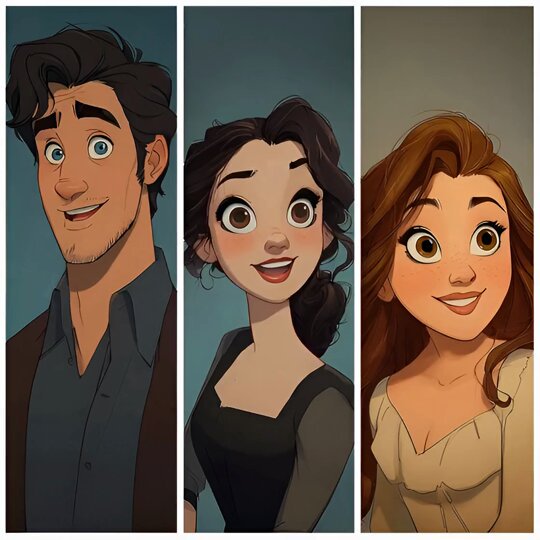
The pack’s mix of moody lighting, bold graphic shadows, and tight character work targets storyboards, motion comics, and short AI films that want a coherent noir language rather than one‑off lucky generations.
Silhouette Photography prompt kit standardizes backlit, long‑exposure motion looks
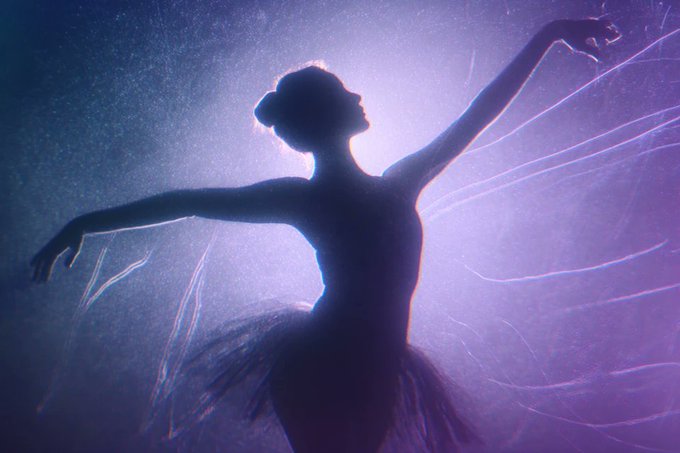
Silhouette Photography prompt (Azed_ai): Azed_ai shares a reusable prompt template for “silhouette of [SUBJECT]” lit from behind with a colored glow, hazy textures, depth‑of‑field blur, long‑exposure light trails, and a cinematic film look, with examples for dancers, guitarists, ballerinas, and samurai (silhouette prompt share); the structure is designed to swap SUBJECT and COLOR while preserving grain, negative‑style tones, and atmospheric lighting, making it a drop‑in look for posters, covers, and title cards.
Follow‑up community images reuse the same recipe on sports, sand sculptures, and concerts, suggesting the prompt behaves like a true style preset rather than a one‑off trick (soccer silhouette example, freddie silhouette example ).
Frosted‑glass logo JSON turns GPT Image 1.5 into a WWDC‑style logo machine
Frosted glass logos (GPT Image 1.5): Azed_ai publishes a full JSON spec that restyles any logo into a “WWDC25‑inspired frosted glass aesthetic,” detailing visual language, base material, lightbox‑style volumetric lighting, iridescent highlights, and 2.5D emboss in a structured target_style block plus explicit output_settings (frosted logo json); example renders show Apple, OpenAI, Slack, and Louis Vuitton marks as translucent glass with soft rainbow refraction on white (frosted logo json).
Because the recipe is parameterized rather than a one‑liner, designers can paste and tweak it inside GPT‑Image‑1.5‑powered tools to produce entire logo sets with consistent material feel across brands.
Sketch‑scribble Midjourney style ref delivers chaotic inked looks across subjects
Sketch‑scribble pack (Midjourney): Azed_ai shares a new Midjourney style reference --sref 4654586827 that produces loose, high‑energy black‑and‑white sketches with selective color accents, demonstrated on cars, city streets, warriors, and portraits (scribble style pack); the look leans on overlapping linework, gestural shading, and signature‑like marks, giving designers a fast way to unify key art, thumbnails, and concept sheets in a recognizable sketchbook aesthetic (scribble repost).
The style’s consistency across vehicles, architecture, and characters makes it a candidate for entire pitch decks, comic layouts, and motion animatics that want a hand‑drawn feel without hand inking every frame.
Whimsical Ghibli‑like anime style ref anchors poetic fantasy worlds
Whimsical fantasy anime (Midjourney): Artedeingenio introduces style reference --sref 2027859776 aimed at “whimsical fantasy anime with painterly backgrounds,” showing it across a kimono heroine, a cottage‑witch doorway, a sunset road trip, and a firefly fairy scene (ghibli style reference); the pack mixes soft edges, warm palettes, and detailed backdrops in a way that mirrors Ghibli‑adjacent films, giving storytellers a single sref to keep entire universes visually coherent from key art to final stills.
The examples cover character‑centric portraits and wide environmental storytelling shots, so the same aesthetic can span posters, interior pages, and establishing frames without visible style drift.
Avant‑garde portrait JSON defines neon pop‑art cutout wall aesthetic
Pop‑art cutout portrait (fofr): Fofr publishes an extensive JSON prompt describing a high‑fashion portrait where a model’s head, hand, and leg protrude through circular wall cutouts, with strict controls over face texture, hair, pose, gloves, wall color, and a neon‑yellow sketch overlay that traces edges for a 2D‑on‑3D effect (avant-garde json); example images show both blue‑wall/orange‑glove and green‑wall/magenta‑jacket variants, all sharing the same surreal portals and doodle outlines as a stable visual grammar (avant-garde json).
Later portraits with neon yellow and cyan edge lines around denim‑jacket profiles suggest the JSON is already being adapted into a broader “graphic outline” portrait family for album art and posters (neon outline portraits).
Phone‑gallery JSON kit builds ultra‑specific POV selfie contact sheets
POV gallery contact sheet (fofr): In a long meta‑prompt, fofr shares JSON for a POV shot of a hand holding an iPhone on the Photos app’s “For You” tab, with the screen filled by a grid of cozy selfies plus a detailed living‑room background featuring a TV, Snorlax plush, and Pokémon figures (json phone gallery); the constraints section locks UI labels, times (22:22/22:24), and non‑mirrored text, while a must_keep list forces elements like the Snorlax plush and app chrome so the result reads as a real phone capture rather than generic mockup.
Paired with earlier kinetic‑sand and outline JSONs, this gives storytellers a reusable blueprint for “scrolling through memories” shots where both on‑screen content and off‑screen room design stay consistent across sequences (living room example).
📽️ Other video engines: PixVerse Modify, Dreamina, Seedream, Pictory
Non‑Wan, non‑Kling engines see real usability gains—click‑to‑edit video elements, multi‑frame flows, and playful festive outputs—plus a text‑to‑video guide for scripting to export. Excludes the Wan 2.6 feature and Kling Motion Control.
PixVerse launches click-to-edit “Full Video Editing Modify” for existing clips
Full Video Editing Modify (PixVerse): PixVerse introduced a Full Video Editing Modify workflow that lets creators click on elements inside an existing video and change the subject, camera angle, lighting, or even the scene using prompts, turning the product from a text‑to‑video generator into a practical editor for pre‑shot footage as shown in the feature teaser and PixVerse app. The rollout is tied to a 24‑hour push where retweeting the announcement grants 300 credits, which signals a strong nudge for filmmakers, social editors, and ad teams to trial the new modify mode against their current NLE stack as shown in the feature teaser.
The feature targets a common pain point for AI video users—having to regenerate whole clips for small changes—by letting them keep timing and blocking while experimenting with looks and casting at the prompt level.
Dreamina Video 3.5 Pro and Seedance 1.5 Pro highlighted in still-to-motion and multiframe demos
Video 3.5 Pro + Seedance 1.5 (Dreamina): Creators shared concrete workflows that build on Dreamina’s integration of Seedance 1.5 Pro for native audio–video generation, extending the earlier launch recap in the initial launch; one breakdown shows Nano Banana Pro stills used as base images inside Dreamina and then animated into motion with Video 3.5 Pro / Seedance 1.5 Pro so viewers can compare the static concept to the final sequence side by side as illustrated in the workflow breakdown. Dreamina also promoted a "VIDEO LAB" multiframes feature, where a grid of images collapses into an animated output, underscoring that the engine now supports multi‑frame‑driven motion design rather than single‑prompt clips via the multiframe preview.
For AI filmmakers and motion designers, the combination of base‑image control plus multiframes hints at a storyboard‑like workflow: design frames in an image model, refine them in Dreamina, then let Seedance handle timing, interpolation, and sound.
Pictory publishes in-depth guide to its script/URL/PPT text-to-video pipelines
Text to Video AI guide (Pictory): Pictory released a detailed "Text to Video AI" guide explaining how its AI Studio converts scripts, blog URLs, PowerPoint decks, and image sequences into finished videos, expanding on the product overview covered in the earlier overview by walking through scene splitting, stock visual selection, narration, captions, and branding tools as shown in the guide promo and text-to-video guide. The article breaks out different entry points—script‑first, article‑first, slide‑first—and shows how creators can keep control over shot order, pacing, and visual swaps rather than accepting a one‑shot auto‑edit, with the Studio UI emphasizing story‑based editing instead of raw timeline work.
For storytellers and small video teams, the guide clarifies Pictory’s niche as a structured production environment built around written material, contrasting it with pure prompt‑to‑clip generators.
BytePlus Seedream 4.5 showcases photoreal ‘Big Mouth Santa Bass’ as holiday demo
Seedream 4.5 (BytePlus): BytePlus continued its #BytePlusUnwraps campaign for Seedream with a Day 9 sample that turns the classic Big Mouth Billy Bass gag into a photoreal wall‑mounted Santa head singing from a vintage wooden plaque, presented as a "kitschy" but highly rendered holiday character via the Santa sample; the scene includes warm multicolored lights, detailed fur trim, and a readable "BIG MOUTH SANTA BASS" nameplate, showing off lighting and texture fidelity. This follows the "mini Mariah" diva from an earlier gift per mini Mariah, positioning Seedream 4.5 as an engine for character‑driven festive idents and social clips rather than only abstract generative tests.
The series gives designers and brand teams a clearer sense of how Seedream handles skin, fabric, and prop detail in stylized but production‑leaning promotional spots.
🎭 Grok Imagine’s hybrid toon–live action storytelling
Creators use Grok Imagine to mix live action with cartoons and auto‑assigned character voices for era/style—plus split‑panel dialogue scenes. Distinct from Wan/Kling workflows.
Grok Imagine turns stills into voiced hybrids of live action, cartoons, and comics
Grok Imagine hybrid storytelling (xAI): Following up on short film use where Grok Imagine was framed as a stylized short‑film workhorse, creators are now using it to mix live action with cartoons, animate split‑panel comics, and stage painterly establishing shots with auto‑assigned voices and era‑aware tone. One filmmaker combines a Jessica Rabbit–style femme fatale and a Cary Grant‑like leading man, blending color and black‑and‑white while Grok assigns voices that fit each character’s style and era; they describe the result as “way better than a movie studio,” highlighting how the tool handles both casting and audio direction in one pass, as shown in the Hybrid toon demo.
Creators are also turning static comic layouts into talking scenes: using a Neo‑Noir Cinematic Comic style reference in Midjourney (sref 2987391823) as the base look, then feeding a three‑character split image into Grok Imagine to have the characters “talk to each other” with distinct speech bubbles and voices per panel, which effectively upgrades a single illustration into a short, voiced dialogue beat, as detailed in the Noir style reference and Split‑panel dialogue. In a quieter use, another artist shares a field scene with a lone figure and huge glowing domes in the sky, calling out how “Grok is WILD” for producing painterly, cinematic lighting that already reads like an opening shot or dream sequence rather than a generic wallpaper via the Scenic domes art.
Taken together, these experiments point to Grok Imagine moving beyond one‑off clips into a flexible storytelling surface where creators can route the same model from character‑driven hybrid live action, to panel‑based comics, to atmospheric stills that double as narrative setups, all with built‑in voice casting and style consistency rather than separate tools for VO, compositing, and grading.
🗣️ Industry mood: AI cinema in 2026 and backlash
Sentiment threads argue AI will hit theaters by 2026 and debate ‘with AI’ vs ‘by AI’ Oscars; analysis cites studio spend and guild frameworks; creators also address harassment patterns. Product news excluded.
Analysts and creators call 2026 the year AI filmmaking goes mainstream
AI cinema 2026 (Multiple): Creators and analysts are converging on 2026 as the year AI-made films move from novelty into the theater pipeline, with some insisting “AI will be in theaters by 2026” as a given rather than a question as shown in the 2026 theater claim; a longer industry breakdown traces that confidence to concrete studio moves like Disney’s reported $1B investment into OpenAI/Sora, VFX guild guidance, and new union language around AI work detailed in the ai-film thread and full analysis blog.
• Studio and guild signals: The analysis ties the 2026 timeline to big studio capital (Disney’s $1B Sora bet), VES adding AI to its official handbook, and the next round of WGA/SAG contract talks where explicit AI terms are expected to be central via the ai-film thread and full analysis blog.
• Tooling and provenance: Following up on earlier pushes for C2PA content credentials as a way to cryptographically track how shots were made according to the adoption guide, the same commentators argue that provenance systems matter more than bans once AI cinematography is normalized in pipelines per the ai-film thread.
• Creator sentiment split: Tech creators frame skepticism as denial—“If they’re blind to it, that’s on them” per the 2026 theater claim—while others in the thread worry less about capability and more about how credits, authorship, and labor are handled as AI-made footage edges toward theatrical release.
So far there are no public commitments from major studios to release a fully AI-heavy feature in 2026, but the combination of capital, guild frameworks, and creator certainty is shifting the debate from if to how and who gets credit.
Hollywood cinematographers shoot $1M AI film festival entry using AI tools
AI film festival entry (PJaccetturo): Director PJ Accetturo describes recruiting six top Hollywood cinematographers with zero prior AI experience to create a short film as a submission to a $1,000,000 AI film festival, using AI for images and animation while keeping a traditional process around script, shotlist, and edit detailed in the festival submission.
• Traditional craft, new pipeline: The team still wrote a script, had Dean Israelite (Power Rangers) build a detailed shotlist, and organized scenes in tools like Milanote, then swapped cameras and crews for models like Nano Banana Pro for frames and Veo 3.1 for motion, framing AI as a different camera department rather than a toy as shown in the shotlist advice and shot organization.
• Education and demystification: The thread leans into how quickly seasoned cinematographers adapted once given a “simple framework” for prompts and references, and PJ promotes a free newsletter breaking down the workflow for 17,000 subscribers plus a portfolio site aimed at brands wanting AI‑driven ads or films via the newsletter plug and brand outreach.
• Signal to the industry: Positioning a festival with a seven‑figure prize pool and naming Emmy‑winning collaborators frames AI filmmaking as something A‑list crew will put their reputations on, not only an experiment for solo creators or anonymous internet shorts according to the festival submission.
The festival’s judging criteria and distribution plans aren’t detailed here, but the way established DPs talk about shotlists, lenses, and performance in an AI context suggests that, internally, they’re treating these projects as real films, not side experiments.
AI artist details harassment campaign and defends women in the space
Community backlash (Artedeingenio): A prominent AI illustrator lays out how criticism has escalated into harassment and even death threats, especially targeting women in the AI art community, calling some traditional artists “trolls” rather than peers and arguing that their own hate posts will age badly in a market where AI literacy becomes a hiring filter as shown in the harassment thread.
• Targeted abuse: The thread names repeated abuse and threats aimed at creators like @azed_ai and @zeng_wt, describing “vile things and death threats” as routine for women posting AI work, and shares a screenshot where a critic says the author “should have been bullied more” according to the harassment thread.
• Reframing ‘real art’ arguments: In a separate post the same creator pushes back on the “button press” stereotype, saying they wish AI art were that trivial so they could realize every idea in their head, which underlines that, for them, the bottleneck is imagination and time rather than software complexity as shown in the button quote.
• Future reputational risk: Building on earlier, more playful clapbacks at AI haters detailed in the clapback, this thread leans harder into prediction: public anti‑AI rants will read poorly on portfolios once “knowing how to use AI will be a requirement everywhere,” especially if they’re tied to harassment of specific individuals according to the harassment thread.
The posts don’t propose formal remedies, but they document a shift from abstract debates about style theft to concrete safety concerns and reputational stakes for those leading harassment.
Debate sharpens over Oscars for films made with AI vs by AI
Awards and authorship (Community): A widely shared comment from AI filmmaker circles frames an emerging fault line around Oscars as “teams who want to win an Oscar for a film made with AI vs the teams who want to win an Oscar for a film made by AI,” arguing that a non‑human intelligence observing humans is itself a valid artistic point of view as detailed in the oscar debate.
• With vs by AI: The “with AI” camp implies traditional creative leadership using AI as a tool, closer to how VFX or animation software is treated today, while the “by AI” framing imagines credits or even awards going to autonomous systems as originators rather than instruments as shown in the oscar debate.
• Legitimacy question: The post claims that an angry, alien perspective on human behavior from a machine is a legitimate artistic stance, which presses the Academy and guilds to clarify whether authorship is tied to biological humans, legal entities, or something more abstract once AI systems do more structural work on a film according to the oscar debate.
No concrete rules from the Academy have surfaced in these threads yet, but this language shows how quickly the conversation is moving from “can AI win an Oscar?” to “what does winning mean when part of the creative stack isn’t human.”
Victor Bonafonte teases Echoes, an AI-driven film slated for 2026
Echoes film (Victor Bonafonte): Director Victor Bonafonte keeps dropping short, stylized teasers for ECHOES, a new film signposted for 2026 with the tagline “What remains is not the image, but the trace it leaves behind,” positioning it clearly as an AI‑heavy project in development according to the forest teaser and echoes teaser.
• Teaser cadence: Multiple clips across the day show glitchy waveforms, grainy corridors, fog‑filled forests, and decaying text reading “ECHOES,” all using the same 2026 tag and trace‑focused line, which reads as a cohesive visual identity rather than isolated experiments as shown in the corridor teaser and trace montage.
• Conceptual framing: The recurring phrase “not the image, but the trace” hints at a meta‑narrative about memory and generated imagery, which fits broader conversations about AI film being as much about provenance and process as about final frames according to the forest teaser.
There are no plot, runtime, or release platform details yet, but the sustained teaser campaign suggests at least some AI filmmakers intend to anchor full projects to 2026 rather than treating AI shorts as one‑off stunts.
🏗️ AI compute ramp and 2026 model slate (context)
Non‑AI exception for creative planning: threads map 2026 LLM release estimates and the H2’26+ datacenter/GPU ramp (GB200/300, TPUs, MI‑series) alongside OpenAI ‘Stargate’ sites. Helps forecast tool cadence.
Global AI chip and datacenter ramp points to bigger model jumps from H2 2026 onward
AI chips and datacenter ramp (multi‑vendor): A consolidated status report lays out where the main accelerator vendors and AI labs stand going into 2026, highlighting that most GB200/GB300‑class and equivalent capacity is only starting to come online and that the real ramp runs from H2 2026 through 2028 as shown in the chips summary and ramp comment. Commentators note that many new data centers are not yet live and that even models like GPT‑5.2 are still predominantly trained on older Hopper‑era hardware, which helps explain why labs talk about more dramatic capability gains landing later in the decade rather than immediately in 2025 per the ramp comment.
• Nvidia and TPU stack: Nvidia GB200/GB300 (Blackwell) shipments have been ramping since mid‑2025, with GB300 volume only starting around September–October and largely going into new net capacity for Microsoft Azure, Google Cloud, and others; Google TPU v7 Ironwood has been generally available since November 2025 and is tuned for high‑volume, low‑latency inference with FP8, with broader 2026 expansion plans including direct data‑center sales and joint work with MediaTek and TSMC as detailed in the chips summary.
• Other accelerators: AMD MI300X racks and newer MI355X (CDNA4) parts are in production deployments, with further MI450 series planned for 2026; Intel Gaudi3 entered volume production in H2 2025 and is shipping via major OEMs; Cerebras WSE‑3 powers CS‑3 systems and the Condor Galaxy 3 cluster; Groq LPU v2 is in production on Samsung 4 nm; AWS Trainium3 is live in Trn3 UltraServers with Trainium4 in development; Microsoft’s in‑house Maia 100 is deployed while Maia 200 has slipped to 2026; Qualcomm, Huawei Ascend, and Alibaba also have 2026‑oriented roadmaps for AI‑specific silicon according to the chips summary.
• Lab‑side capacity build‑outs: OpenAI (with Microsoft/Oracle), xAI, Anthropic (with AWS), Meta, Google, and Tesla are all described as standing up hundreds of megawatts to multi‑gigawatt campuses, with a combined estimate of about 7 GW of net‑new AI datacenter capacity by the end of 2025 and much larger totals targeted by 2028 as shown in the chips summary.
The point is that many of the models creatives are using today were trained on pre‑Blackwell clusters; if these ramp plans hold, the largest visible jumps in reasoning depth, context length, or multi‑modal fidelity are likely to track the H2 2026+ hardware wave rather than the 2025 marketing cycle.
2026 LLM roadmap sketches likely cadence for GPT‑6, Claude 5, Gemini 4 and rivals
2026 LLM slate (industry): Community analyst Alan D. Thompson’s timeline maps out estimated 2026 release windows for most major labs—Meta, xAI, Google, Anthropic, OpenAI, Microsoft, and Baidu—giving creatives a rough sense of when new "flagship" models may arrive as outlined in the timeline overview. The chart places Meta’s Avocado and Grok 5 in Q1, Claude 5 and Gemma 4 in Q2, a crowded Q3 with GPT‑6, MAI‑2, Grok 6, and Claude 5.5, then Q4 slots for Meta and OpenAI "Next" models plus ERNIE 6, while also flagging wildcards like DeepSeek, Amazon, Apple, Qwen, Mistral, and others whose dates are still opaque as noted in the timeline page.
Why this matters for builders: For AI filmmakers, designers, and toolmakers planning multi‑year pipelines, the slate suggests that big behavior shifts are more likely in late 2026 than in early 2025, and that several competing stacks (Gemini/Gemma, Claude, GPT, Grok, Meta’s models) will all refresh within the same 12‑month window according to the extra context link; the dates are explicitly framed as estimates, but they anchor expectations for when to budget time and compute for major retraining, re‑evaluation, or rewriting of creative workflows.
OpenAI’s Stargate program maps 10–20 GW of AI datacenters through 2029
Stargate datacenters (OpenAI): A focused roll‑up on OpenAI’s Stargate initiative details a string of large U.S. and international sites—often paired with Oracle, SoftBank, Microsoft, or regional partners—that collectively aim for 10–20 GW of AI datacenter capacity by around 2029 as summarized in the stargate summary. The Abilene, Texas flagship region is already online on Oracle Cloud with GB200 racks and at least two buildings live as of late 2025, forming part of a 600 MW+ local footprint, while additional Oracle sites in Shackelford County (TX), Doña Ana County (NM), and Wisconsin sit inside a broader 5.5 GW+ Oracle expansion plan as shown in the stargate summary.
• SoftBank and Midwest build‑outs: SoftBank‑backed sites in Lordstown, Ohio and Milam County, Texas are each planned to scale to about 1.5 GW within roughly 18 months of construction commencement, with Lordstown targeted for 2026 operations; in Michigan, a 1.4 GW Saline Township facility secured approval in December 2025, and land purchases around Grand Rapids are also linked to future Stargate expansions according to the stargate summary.
• Global locations: Outside the U.S., OpenAI and Microsoft are tied to projects in Norway, a proposed $25B Patagonia, Argentina build with Sur Energy, and additional partnerships in the UAE and South Korea, indicating that not all of the long‑term training and inference footprint will sit inside the continental U.S. grid as noted in the stargate summary.
For AI creatives, this build‑out explains why OpenAI leadership can talk about future systems—like an "intern AI researcher" tier model—on a mid‑to‑late‑2026 horizon: the supporting power and GPU capacity is still under construction, and today’s ChatGPT/Sora behavior runs on only a fraction of what Stargate is intended to provide.
🕹️ Generalist game agents as embodied media R&D
Early research signal for interactive creators: NVIDIA/Stanford’s NitroGen trains on 40k hours across 1k+ games, releasing dataset, evals, and weights for vision‑to‑action control. Quiet but relevant to future interactive media.
NitroGen turns 40k hours of gameplay into a generalist game agent
NitroGen generalist agent (NVIDIA): NVIDIA and academic partners frame NitroGen as a vision‑to‑action foundation model trained on 40,000 hours of human gameplay across more than 1,000 titles, using raw video plus controller overlays to learn a single policy that can adapt to new games as shown in the NitroGen overview; following up on gaming agent launch, which highlighted NitroGen’s debut as a multi‑game controller, today’s thread stresses that experience compounds across games, yielding up to a 52% improvement on unseen tasks versus training per‑game with the same budget.
Methodology and assets (NVIDIA/Stanford/Caltech): The team automatically extracts input traces from gamepad overlays in public gameplay videos, trains a single multi‑game policy via behavior cloning, and evaluates cross‑game generalization, with the dataset, evaluation suite, and model weights all released for community use so interactive creators can prototype agents that perceive pixels and output controller actions instead of hard‑coded logic as detailed in the NitroGen overview).
🎁 Holiday boosts: credits, giveaways, and discounts
Actionable promos for creators: OpenArt’s Advent gifts, Freepik’s 40×10k‑credit day, Higgsfield’s 67% gift deals, and Lovart’s 60% sale. Product features excluded (see feature/other sections).
Higgsfield runs 9‑hour 67% gift sale plus 294‑credit engagement bonus
Holiday gift sale (Higgsfield): Following up on Higgsfield sale which pushed a 24‑hour 67% discount, Higgsfield now frames the same pricing as a giftable 1, 3, or 12‑month subscription at 67% off, bundled with unlimited image models, and adds a 9‑hour social engagement window where following, retweeting, replying, and liking earns an extra 294 credits for the participant as shown in the gift promo. The promo is positioned as a way to "make someone’s 2026" by handing them a full AI video/image platform ahead of the new year, with additional posts still pointing to up‑to‑70% off tiers for WAN 2.6 and Nano Banana Pro on the main pricing page for those who want to lock in longer‑term capacity via the pricing plans.
Freepik #Freepik24AIDays Day 20 offers 40×10k AI credits
Freepik 24 Days of AI (Freepik): Building on Freepik 24AIDays which gave away Upscale Conf trips, Day 20 of the #Freepik24AIDays campaign puts 400,000 AI credits on the table via 40 winners × 10,000 credits each, awarded for sharing your best Freepik AI creation on X as detailed in the Day 20 rules. Entry requires posting today, tagging @Freepik, using the event hashtag, and then submitting the post through a Typeform, with the credits usable across Freepik’s AI image and video tools for future client work, pitch decks, or portfolio pieces according to the entry form.
OpenArt Advent Day 3 adds a free 3‑minute Story for upgraders
OpenArt Holiday Advent (OpenArt): Following up on OpenArt advent which highlighted 20k+ credits and Kling video gifts, OpenArt’s Advent Day 3 unlocks one free Story (up to 3 minutes) for anyone who upgrades during the promo, effectively handing AI filmmakers a no‑risk, 3‑minute narrative slot to test its Story pipeline as shown in the Day 3 promo. The claim flow shows the Story credit applied automatically once an account is upgraded, framed as part of a 7‑gift holiday run targeting creators who want to experiment with longer, multi‑shot pieces without burning through their regular balance according to the advent details.
While you're reading this, something just shipped.
New models, tools, and workflows drop daily. The creators who win are the ones who know first.
Last week: 47 releases tracked · 12 breaking changes flagged · 3 pricing drops caught