LTXStudio Audio-to-Video ships 20s clips – ElevenLabs gets 7-day exclusive

Stay in the loop
Free daily newsletter & Telegram daily report
Executive Summary
LTXStudio rolled out Audio-to-Video, flipping the pipeline so an audio track becomes the timing “source of truth”; visuals are generated to match beats/pauses with native lip sync, pitched as keeping voice/performance stable while swapping prompts, shots, and style. ElevenLabs says the model runs exclusively on its Creative Platform for 7 days, making ElevenLabs the front door for early audio-led iteration. Creator walkthroughs flag current constraints—100MB audio cap, 20s max length, exports at 1080p/25fps—but reviews claim sync survives camera moves and remains a one-step generate (no separate lip-sync pass), with no independent benchmarks yet.
• Bria FIBO Edit rollout: ComfyUI ships day‑1 support; fal and Runware push the same mask + structured JSON “no-spillover” edit control; Runware prices from $0.04/image and ComfyUI touts licensed-data training plus “open weights soon.”
• Access volatility: BFL’s 24‑hour FLUX.2 [klein] free API window hit “insufficient credits,” then was marked resolved; Freepik’s “unlimited” Nano Banana Pro drew creator-reported quality regressions.
Across media tools, control surfaces are hardening (audio as timeline; JSON+mask as edit boundary) while distribution shifts to gated windows, exclusives, and subscription funnels.
While you're reading this, something just shipped.
New models, tools, and workflows drop daily. The creators who win are the ones who know first.
Last week: 47 releases tracked · 12 breaking changes flagged · 3 pricing drops caught
Top links today
- LTX Audio-to-Video launch thread
- ElevenLabs Audio-to-Video platform access
- Hedra Elements product page
- Higgsfield AI Influencer Studio launch
- PixVerse R1 real-time world model launch
- Bria FIBO image edit in ComfyUI
- FIBO Edit on fal inference page
- Qwen Image 2512 LoRA trainer on fal
- Multiplex Thinking paper
- Waypoint-1 interactive video diffusion paper
- CoDance multi-subject animation paper
- Motion attribution for video generation paper
- Kling Elite Creators Program application
- Persistent tabs Markdown editor for prompts
Feature Spotlight
Audio-driven video takes a leap: LTX Audio‑to‑Video (with ElevenLabs)
LTX’s Audio‑to‑Video makes the soundtrack the “source of truth” for motion + lip sync—unlocking faster, more directable dialogue scenes and music cuts without the usual voice drift.
Big cross-account story today: LTX’s new Audio‑to‑Video workflow turns dialogue/music/SFX into timed motion with native lip sync—positioned as a faster way to keep voice consistent while iterating shots. Excludes AI influencer creation (covered elsewhere).
Jump to Audio-driven video takes a leap: LTX Audio‑to‑Video (with ElevenLabs) topicsTable of Contents
🎬 Audio-driven video takes a leap: LTX Audio‑to‑Video (with ElevenLabs)
Big cross-account story today: LTX’s new Audio‑to‑Video workflow turns dialogue/music/SFX into timed motion with native lip sync—positioned as a faster way to keep voice consistent while iterating shots. Excludes AI influencer creation (covered elsewhere).
LTXStudio ships Audio-to-Video generation anchored on your audio track
Audio-to-Video (LTXStudio): LTXStudio introduced Audio-to-Video, where you start from an audio file to drive performance timing (beats/pauses) and get native lip sync while generating the visuals, as described in the launch thread; LTX positions the rollout as a partnership with ElevenLabs for voice consistency, as echoed in the partner announcement.

• What’s materially different: audio becomes the “source of truth,” so you can swap prompts/shots without re-losing the same voice/lip sync, per the launch thread and the walkthrough clip.
• Inputs supported: LTX frames it as working for dialogue/music/SFX timing (not only talking-head mouth animation), as stated in the launch thread.
ElevenLabs gets a 7-day exclusive window for LTX Audio-to-Video
Audio-first video (ElevenLabs): ElevenLabs says LTXStudio’s new Audio-to-Video model will run exclusively on the ElevenLabs Creative Platform for the next 7 days, according to the seven-day exclusive; the pitch is that you start from an ElevenLabs Voice/Music/SFX, then let that waveform drive the visuals.

• Workflow implication: this makes ElevenLabs the front door for “audio-led” video tests during the exclusivity window, with LTXStudio pointing back to its own platform access in the product link.
Early review: Audio-to-Video holds lip sync through harder shots
Audio-to-Video (LTXStudio): A creator review calls the feature very fast and highlights that it tolerates camera moves that often break lip sync in other tools, while staying a one-step generate (no separate lip-sync pass), as reported in the creator review.

• What they tested: speech, singing, and sound effects are all called out as working paths in the creator review.
LTX Audio-to-Video: current limits and a minimal prompting recipe
LTX Audio-to-Video (creator walkthrough): A step-by-step creator walkthrough spells out current constraints—audio files under 100 MB, exports at 1080p and 25fps, and a 20-second max length—along with a “keep the prompt short” approach, as documented in the export limits and the prompting example.

• Minimal prompt that’s being used: “character is singing a song or talking” (then iterate visually), as written in the prompting example.
• Two starting modes: upload audio + add an image + prompt, or start from prompt, matching LTX’s own flow in the walkthrough clip.
Audio-as-anchor workflow: iterate visuals while audio sets pacing
Audio-led editing loop: A longer explainer argues Audio-to-Video reduces “fix it in post” audio work because pacing (pauses, emphasis) is baked into generation, and the voice stays consistent while you change angles/shots; that framing is laid out in the long explainer and reinforced by LTX’s positioning in the launch thread.

• Practical boundary: today’s outputs appear optimized for short-form, with creators citing a 20-second cap in the export limits.
📣 AI influencer economy & performance ads: synthetic creators go mainstream
Today’s feed heavily pushes synthetic persona workflows and ad-creative operations: AI influencer builders, identity swaps for “be the star,” and performance-marketing infrastructure claims. Excludes LTX Audio‑to‑Video (featured elsewhere).
Higgsfield makes AI Influencer Studio free with full‑motion 30s videos
AI Influencer Studio (Higgsfield): Higgsfield is pitching a new end-to-end synthetic persona builder—free access, “1 TRILLION+ customization options,” full-motion character output, and up to 30s HD video, as stated in the launch post launch announcement.

Azed frames the same launch as shifting from experimentation to monetizable formats, claiming creators can publish 30s clips and that Higgsfield “pays you” based on social performance in the income framing clip. The thread-level messaging is explicitly “we launched an industry,” which signals an attempt to standardize the AI-influencer workflow as a product category rather than a hacky pipeline, per the launch announcement.
AI Influencer Studio shifts persona creation from prompts to character‑creator controls
Character creation workflow (Higgsfield): A creator breakdown emphasizes “zero prompting” as the core UX—treating the tool like a video-game character creator where identity is set via visual controls first (face/body markers, non-human options), with prompts as optional fine-tuning, as described in the workflow breakdown.

• Format targeting: The same walkthrough calls out vertical-first output (including 9:16) as part of the publishing flow, aligning the builder with short-form distribution mechanics in the workflow breakdown.
• Consistency intent: The pitch focuses on micro-identity details (freckles/scars/imperfections) as the way to keep a persona recognizable across iterations, again per the workflow breakdown.
The original launch post frames the product in similar “builder” terms (customization + full motion + 30s video), as stated in the launch announcement.
Airpost positions “AI + strategist review” as the fix for AI ad tools
Airpost (performance ads): A thread argues that prior AI ad tools failed because they lacked a human feedback loop tied to real campaign performance, and claims Airpost pairs automated script/variant generation with experienced strategists who review and optimize, as described in the human feedback loop pitch.
The post cites traction-style metrics (including “1M ARR in under 6 months,” “100% retention,” and a reported “~40% drop in CAC” for DoorDash) in the human feedback loop pitch, but no primary case study artifact is included in the tweets.
Apob AI launches ReMotion for fast identity swaps into cinematic scenes
ReMotion (Apob AI): Apob is marketing a “swap identities in seconds” feature aimed at placing a user into recognizable cinematic setups with high-consistency face/identity replacement, as shown in the ReMotion demo clip.

The product positioning is explicitly “become the lead star,” which maps to short-form character format production where a single performer identity can be reused across multiple scene templates, per the ReMotion demo clip.
Creators predict a flood of AI influencer accounts as persona builders simplify
AI influencer distribution signal: A recurring framing today is “a new horde of AI influencers is coming,” paired with a short demo clip, suggesting creators expect rapid account proliferation once persona creation becomes turnkey, as shown in the swarm framing clip.

A separate reaction post positions the same drop as “social media just evolved,” reinforcing that the novelty is less about single outputs and more about repeatable persona production loops, as implied by the reaction demo.
🏷️ Deals & free windows that change how much you can ship this week
High-signal access changes: Freepik’s unlimited-generation bundles, time-boxed free API access windows, and meaningful free-month offers for creator tools. Excludes bug/status chatter (tracked separately).
Freepik brings back unlimited Nano Banana Pro (and adds unlimited Kling 2.5)
Freepik: Freepik says Unlimited Nano Banana Pro is “here to stay” for Premium+ and Pro at the same price, and bundles in Unlimited Kling 2.5 plus discounts on Veo 3.1 and Seedream 4.5 “up to 55% off,” as announced in the bundle update.

• What changes for output volume: the core shift is that Nano Banana Pro generations can be run without metering on eligible tiers, per the bundle update.
• Stack implication: Freepik explicitly frames this as “same price, more generations,” with Kling 2.5 included for motion passes after image creation, as stated in the bundle update.
BFL makes FLUX.2 [klein] free via API for 24 hours (Jan 21–22 CET window)
FLUX.2 [klein] (Black Forest Labs): BFL is offering select FLUX.2 [klein] models free via its API for a 24‑hour period starting Jan 20 at 3:00pm PST, as stated in the free API announcement, and later clarifies the “Free Access Window” as Jan 21 00:00 CET to Jan 22 00:00 CET in the CET window note.
The tweets position this as a speed/quality win “especially for editing,” but don’t enumerate which specific klein variants are included beyond “select models,” per the free API announcement.
PixVerse offers a subscriber-only R1 trial plus 300-credit promo
PixVerse R1 (PixVerse): PixVerse promotes a subscriber-exclusive trial for R1 (real-time world model) with “real-time generation + full access” and offers 300 credits for RT+follow+reply, as described in the subscriber trial promo.

The trial is framed as access to an interactive, continuous-generation system; additional onboarding friction (invite codes) shows up elsewhere, but the concrete deal terms are in the subscriber trial promo.
Hedra Elements launch comes with “first 100” free-month codes
Hedra Elements (Hedra Labs): Alongside the Elements launch, Hedra says the first 100 followers who reply “HEDRA ELEMENTS” will get a full month free via DM code, per the launch offer.

The product pitch centers on reusable tagged components (characters/outfits/styles/locations) to avoid rebuilding scenes from scratch, but the time-sensitive part is the 100-code limit described in the launch offer.
BytePlus x FlexClip JP run a weekly AI-art challenge with free credits and prizes
BytePlus x FlexClip JP: BytePlus announces a creator challenge running Jan 19–Feb 2, 2026, offering free credits plus prizes including Amazon gift cards and extra AI credits, with entry via quoting the post with your AI-generated “week,” per the challenge announcement.

The same thread also promotes a Seedance 1.5 Pro webinar slot (18:00 GMT+8), but the time-bounded incentive and prize structure are spelled out in the challenge announcement.
🧩 Commercial-safe image editing & deterministic control (masks + JSON)
Editing, not generating, was the story here: Bria FIBO Edit propagates as a production-friendly, repeatable image edit system (masking + structured prompts) across creator runtimes and APIs.
ComfyUI adds Bria FIBO Image Edit for deterministic, commercially safer edits
Bria FIBO Image Edit (ComfyUI): ComfyUI added Bria FIBO Image Edit on day‑1, positioning it around deterministic edits (repeatable outputs) and 100% licensed training data for clearer commercial usage, as described in the launch note.
• Commercial posture: ComfyUI highlights licensed data and governance/attribution claims in the launch note, alongside an “open weights soon” tease.
• Why creators care: This is aimed at “edit, don’t regenerate” workflows—change lighting/clothes/materials while keeping composition stable—rather than prompt-only re-rolls, per the launch note.
fal adds Bria FIBO Edit with JSON-structured, maskable image editing
Bria FIBO Edit (fal): fal launched FIBO Edit as an editing endpoint built around structured JSON prompts and optional masking, with the pitch that you can target lighting/material/texture changes without unintended spillover, per the model announcement.
• Edit control surface: The product framing emphasizes “precise editing” knobs (mask + JSON) rather than freeform prompt edits, as listed in the model announcement.
Relighting as an edit recipe: day→night (and golden hour) without re-composing
Relighting workflow (ComfyUI + Bria FIBO Edit): A concrete example making the rounds is using FIBO Edit for scene relighting—shifting a shot from day to night or golden hour while keeping the underlying layout intact, as described in the relight example.
• What to copy into your own workflow: Treat lighting as an explicit edit target ("day→night" / "golden hour warmth") and keep everything else fixed; the before/after grid in the relight example shows the kind of structural consistency this approach is aiming for.
Runware launches Bria FIBO Edit at $0.04/image for mask+JSON automation
Bria FIBO Edit (Runware): Runware announced a day‑0 release of FIBO Edit focused on image + mask + JSON for reproducible edits that fit automation/agent pipelines, with pricing called out as starting at $0.04 per image in the D0 release.

• Where to try it: Runware points to a hosted playground in the playground page, which matches the “agent pipeline” positioning in the D0 release.
Mask-first editing: specify the region, then describe the change in JSON
Mask + JSON editing pattern (Bria FIBO Edit): The most production-friendly habit with FIBO Edit is to treat the mask as your “edit boundary,” then describe only the intended change via structured inputs—so you can re-run the same recipe without the model drifting, matching the “no unwanted changes outside masked regions” promise in the fal feature list.
• What the demo shows: One shared example pairs a masked region with an edited result (plus the mask itself), illustrating how teams can separate “where to edit” from “what to change,” as shown in the example images.
🧪 Workflows you can steal: multi‑tool film + content agents
Practical, repeatable pipelines showed up: character creation → interview scene generation with improved audio, storyboard-to-video shot expansion, and agent-driven vertical “viral renovation” formats. Excludes one-tool prompt drops (kept in prompts).
Simon Meyer’s AI interview film stack: Nano Banana keyframe + Veo 3.1 Ingredients interviews
AI interview workflow (Simon Meyer / creator stack): A creator breakdown claims an “interview film” can be built by iterating a single hero frame for a day in Google DeepMind Nano Banana, then generating the interview coverage with Google DeepMind Veo 3.1 Ingredients via Freepik/invideo—where Ingredients reportedly yields noticeably cleaner dialogue audio than the usual start-frame approach, per the BTS notes in BTS workflow thread and the longer context in LinkedIn breakdown.

• Keyframe-first setup: The workflow starts by locking a main character + office environment with “many, many iterations” (nearly a day) before any video work begins, as described in BTS workflow thread.
• Interview generation with Ingredients: The same breakdown claims Ingredients changes the feel of voice output (“doesn’t sound tinny… not echoey, not distorted”), which is presented as the practical advantage over start-frame interview generation in BTS workflow thread.
What’s still unclear from the posts is which exact Ingredients settings (or Freepik/invideo knobs) are responsible for the audio improvement versus model updates or post-processing.
CBS show uses GenAI reconstructions to immerse viewers in real crime scenes
Promise (The Generation Company) + CBS: A broadcast TV deployment claims their team used GenAI to reconstruct real crime scenes from limited archival images to “immerse viewers inside those moments,” tied to Episode 3 of Harlan Coben’s Final Twist airing at 8pm ET, per Broadcast production note.
This is one of the cleaner signals that GenAI “reconstruction” workflows are moving from internal pitch reels into recurring primetime deliverables, although the post doesn’t specify which models or toolchain were used beyond the high-level pipeline description.
Using Runway Story Panels as Veo 3.1 “shot seeds” for big camera moves
Runway → Veo camera-move workflow: A small but concrete pattern is emerging: treat Runway Story Panels outputs as your locked “boards,” then use Veo 3.1 to generate a single cinematic move from each board—one example uses a reverse pull-out from an eye close-up to a drone-scale reveal, as shown in Shot prompt example.

• Copy-paste prompt that drove the shot: The creator shares the exact camera language: “A high-speed reverse pull-out… starts in an extreme close-up on the subject’s tearful eye… pulls back hundreds of feet… revealing her as a tiny, colourful dot amidst the massive, white ice floes and dark sea,” as written in Shot prompt example.
This is less about “better prompts” and more about a repeatable editorial trick: storyboard once, then spend tokens on camera grammar.
A single Glif agent prompt drives the “viral epoxy renovation” video format
Glif agents (Room Renovator): Glif is being pitched as a format engine: the same “Room Renovator” agent can be re-aimed at a short-form trend (epoxy floor renovation clips) by giving one high-level instruction (“I want to make an epoxy floor home renovation”), as shown in Epoxy video pitch.

• Artifact + recipe: The post pairs a runnable example with a step-by-step write-up, pointing to a dedicated walkthrough in the Tutorial article and an executable entry point in the Agent page.
The posts don’t spell out which underlying video model(s) the agent calls, but the operational pattern is clear: one reusable agent = many adjacent “viral” vertical formats.
🧷 Copy‑paste prompts & style refs (Midjourney/Niji/Nano Banana/Veo)
A dense prompt day: multiple Midjourney --sref packs, a claymation template, shot-language prompt bundles, and structured “spec photo” prompting for Nano Banana.
8 “movie shot” prompt patterns as a camera-language cheat sheet
Cinematic prompting (Shot language): A compact visual cheat sheet of 8 film shot types is being passed around as prompt scaffolding—crane shot, POV, tight close-up, over-the-shoulder, Dutch angle, low angle, extreme wide, and establishing—per the shot taxonomy image.
This is less about one “magic prompt” and more about consistently naming the camera grammar inside prompts, as shown in the shot taxonomy image.
Nano Banana Pro “phone portal + glass shatter” structured portrait spec
Nano Banana Pro (Structured spec prompt): A detailed, JSON-like portrait spec is being shared for an editorial “subject popping out of a phone” effect—gold-rim phone frame as a portal, tempered-glass shards frozen mid-air, and macro camera settings like 100mm + f/11 + 1/8000s—per the structured prompt.
The notable pattern is how the prompt is organized into sections (facial features, wardrobe, pose, scene physics, camera/lighting) rather than a single paragraph, as shown in the structured prompt.
Claymation prompt template that keeps the “handmade” look
Clay style prompt (Template): A reusable claymation prompt template is circulating that bakes in the two details most models forget—visible fingerprints and small handmade imperfections—and keeps the frame clean by explicitly removing props/background, as shared in the clay style prompt.
The copy/paste template from the clay style prompt is:
Midjourney --sref 3868529853: cinematic realistic-anime key visuals
Midjourney (Style reference): --sref 3868529853 is being shared as a “realistic anime” key-visual look—less cartoony, more film-graded—with the post calling out golden-hour lighting and camera-like depth of field in the anime sref breakdown.
The usable snippet is the style ref itself—--sref 3868529853—with the aesthetic description anchored in the anime sref breakdown.
Veo shot recipe: tearful eye close-up to massive aerial reveal
Veo 3.1 (Shot-language prompt): A specific “scale shift” camera move prompt is being shared for Veo—start on an extreme close-up of a tearful eye, then do a high-speed reverse pull-out hundreds of feet into the air to reveal the subject amid ice floes—described in the reverse pull-out prompt.
The value here is the shot instruction being explicit about lensing and move (extreme close-up → drone pull-out), with a concrete text block in the reverse pull-out prompt.
Midjourney --sref 3753368611: classic pulp comic with digital finish
Midjourney (Style reference): --sref 3753368611 is being positioned as a “classic pulp comic” look with a clean digital illustration finish—useful for character-forward key art and poster-ish frames, according to the pulp style sref.
The shared code is --sref 3753368611, as described in the pulp style sref.
Midjourney --sref 4461417250: black-and-white ink wash studies
Midjourney (Style reference): A new style reference, --sref 4461417250, is being shared as a monochrome ink-wash look that reads well for figure/portrait studies and high-contrast story frames, per the sref code drop.
The whole “copy/paste” part is the code itself—--sref 4461417250—as posted in the sref code drop and echoed via the retweet.
🖼️ Image craft & lookdev: character sheets, posters, and environment studies
More “portfolio-ready” image work today: character design sheets, stylized poster outputs, and architectural/environment studies that function as lookdev references.
Niji 7 poster frames: Arcane-style key art with prompts you can reuse
Niji 7 (Midjourney): A poster-making workflow shows Arcane-style key art with typography and aggressive color blocking, with the actual prompts embedded in ALT text so you can rerun and remix the look, as shared in the poster thread.
• Copy/paste prompt structure: The examples lean on “pop art silkscreening,” “extreme angle,” and “atompunk,” plus poster layout constraints like --ar 9:16 --niji 7, as documented in the poster thread.
• Practical use: These frames function as “deliverable posters” (not just frames), meaning they’re directly applicable for pitch decks, thumbnails, and social launch art, as shown in the poster thread.
Maelle-inspired character sheet shows how far “portfolio-ready” AI concept art has gone
Character design sheet (iamneubert): A Maelle-from-@expedition33-inspired concept focuses on delicacy + power via baroque clockwork prosthetics, with multiple angles and detail cut-ins that read like production concept art rather than a single pretty frame, as shown in the character design sheet.
• Why it matters for lookdev: The set’s profile/back views and mechanical close-ups make it usable as a reference pack for future generations (silhouette, materials, and ornament density), not just a one-off illustration, as seen in the character design sheet.
A deliberately vague Midjourney prompt can produce oddly coherent story beats
Prompt ambiguity (Midjourney): A “completely vague prompt” test highlights a repeatable tactic: stop over-specifying and let the model choose the subject matter—sometimes yielding a more surprising, narrative-feeling composition than tightly directed prompts, as shown in the vague prompt result.
• What to take from it: The output’s unexpected casting and prop staging suggests “vagueness” can be used as an ideation mode for posters/album covers—then you iterate with targeted constraints once you find a strong premise, as implied by the vague prompt result.
Sunny-day megastructure photography as high-signal environment reference
Environment lookdev (jamesyeung18): A small set of “otherworldly architecture” shots leans on reflective curves, perforated panels, and hard sun flares—useful as a prompt/reference target for clean sci‑fi megastructure environments, as shown in the architecture set.
• What makes it usable: Consistent low-angle perspective + repeating structural motifs (glass tubes, escalator canopies, perforations) gives you multiple anchors for matching camera and materials across generated scenes, as seen in the architecture set.
A single escalator silhouette frame that reads like a finished poster beat
Mood-board composition (jamesyeung18): “Solitude – Escalator” is a strong single-subject silhouette study—high contrast, strong diagonals, and a tiny human figure for scale—useful as a target reference for cinematic staging and negative space, as shown in the solitude frame.
• Why it matters: This kind of frame is easy to turn into a repeatable “series template” (same architecture language, different subject/action) when building a coherent portfolio set, as indicated by the solitude frame.
Bird-on-keyboard meme frames that double as photoreal key art
Meme-ready stills (bri_guy_ai): A small image set turns “It’s still Twitter to me” into photoreal bird-on-keyboard frames—clean black backgrounds, tight lensing, and strong subject clarity that works for thumbnails/posters, as shown in the bird image set.
• What’s reusable: The series shows how a single gag can be packaged into multiple consistent angles (close-up beak/eye, claws on keys, wider composition) for a cohesive mini-campaign, as seen in the bird image set.
🕹️ Real‑time interactive video worlds (continuous generation)
A distinct cluster: real-time “world model” video experiences with continuous streams and memory—more like interactive worlds than one-off clips. Separate from standard video generators and from LTX’s audio-driven approach.
PixVerse R1 launches as a real-time, interactive video world (powered by fal compute)
PixVerse R1 (PixVerse × fal): fal says PixVerse just launched its first real-time video world model R1, positioning it as a shift from one-off clips to an interactive, continuous generation stream—powered by fal’s compute, as described in the launch thread.
• Real-time loop: The pitch is a “continuous generation stream” plus an “autoregressive memory system,” which implies the system can carry state forward rather than resetting every clip, according to the launch thread.
• Creative fit: The framing centers on fast responses for interactive exploration (more like steering a world than rendering a shot), again per the launch thread.
Overworld releases Waypoint-1, a real-time interactive video diffusion model
Waypoint-1 (Overworld): Overworld’s Waypoint-1 is shared as “real-time interactive video diffusion,” with a visual demo clip attached in the demo post.

• Model availability: A Hugging Face model collection is linked in the collection link, and it highlights multiple variants (e.g., small/medium) intended for consumer hardware, as summarized on the Model collection.
What’s not in these tweets: clear latency targets, input/control schema, or interaction affordances beyond “real-time” positioning.
PixVerse R1 leans on invite codes and subscriber trials to onboard real-time video
PixVerse R1 (PixVerse): Early access is being pushed through a subscriber-exclusive trial and invite-code drops, including a “free R1 trial exclusive to subscribers” callout in the trial promo and a follow-up “step into the stream” code dump in the invite codes post.
• Credit-based onboarding: PixVerse also ran an engagement-for-credits hook (“RT + Follow + Reply = 300Cred”), as shown in the trial promo.
• Direct funnel: The subscription entry point is linked via the Subscribe page, which is referenced from the trial context.
This access pattern is a signal that real-time world models are being treated more like gated, server-backed experiences than commodity clip generators.
🛠️ Single‑tool tactics: style control, cinematic toggles, and practical prompting
Hands-on how-tos surfaced for keeping creative control inside one tool—especially style steering and “cinematic” packaging—without turning into full multi-tool pipelines.
A creator walkthrough shows how to steer LTX-2 style using LoRAs
LTX-2 (LTX): A practitioner tutorial is circulating on how to control visual style with LTX-2 LoRAs, focusing on an explicit “control style” workflow rather than hoping prompt adjectives stick, as teased in the LoRA style control share.

The clip is a screen-recorded walkthrough (file/model selection visible) aimed at repeatable style steering inside LTX-2, which is the kind of control creators reach for when they need consistent output across multiple shots.
A Freepik Spaces tutorial shows how to merge multiple photos into one composite
Freepik Spaces (Freepik): A step-by-step walkthrough is being shared for combining multiple existing photos into a single cohesive “editorial” composite inside Freepik, positioned as a repeatable method rather than a one-off trick, as linked in the Composite tutorial link via the YouTube tutorial.
The thread frames it as especially timely because Nano Banana Pro is currently easy to iterate with inside Freepik, but the actionable part is the compositing process: taking many separate inputs and converging them into one designed image.
Anamorphic look prompting works better when you also forbid lens flare
Prompting technique: A small but practical note for “cinematic” prompting—when you ask for anamorphic lens characteristics, add an explicit “no lens flare” constraint because models tend to overdo it, as PJ Accetturo notes in his No lens flare tip.
This is a clean example of controlling a specific failure mode (overcooked flare) without abandoning the broader lens-language aesthetic.
Creators are using Grok Imagine specifically for fast-paced action sequences
Grok Imagine (xAI): Creators are highlighting Grok Imagine as a practical choice when you need rapid, high-energy action beats (quick motion readability over “perfect” still realism), as shown in the Action scenes claim and reinforced by the note that it can work even with Grok’s own generated images in the Midjourney vs Grok images note.

This frames Grok Imagine less as a general video tool and more as a specialist for punchy action inserts.
🧯 What broke flow today: access bugs & quality regressions
A few concrete friction points popped up: access errors during a free window and creator-reported quality regressions in an “unlimited” pipeline. Kept narrow to issues with clear user impact.
BFL’s FLUX.2 [klein] free API window hit “insufficient credits” errors
FLUX.2 [klein] (Black Forest Labs): BFL opened select FLUX.2 [klein] models for free API use for a 24-hour window, as announced in the Free API window post, but then acknowledged users were blocked by an “insufficient credits” error in the Incident acknowledgement.
The incident matters most if you’re trying to batch image edits (the use case BFL highlighted in the Free API window post) and suddenly can’t run jobs mid-window.
BFL restores FLUX.2 [klein] free API access and clarifies the window
FLUX.2 [klein] (Black Forest Labs): After the “insufficient credits” block, BFL said the issue is resolved and creators can resume free API usage, per the Resolution update; they also clarified the free-access window as Jan 21 00:00 CET to Jan 22 00:00 CET, applying to both existing and newly created API keys according to the Window timing note.
This turns the promo back into a usable “run a bunch of edits now” window, but the tweets don’t explain what caused the credit gating in the first place.
Nano Banana Pro on Freepik: “unlimited” access, but creators flag quality issues
Nano Banana Pro (Freepik): Freepik announced Unlimited Nano Banana Pro as a permanent perk for Premium+/Pro plans in the Unlimited plan announcement, but creators reported quality issues “today” while using Nano Banana Pro on Freepik in the Quality regression report.
• Why it hits flow: the complaint is coming from a heavy user framing it as a reliability check-in (“Anyone else noticing quality issues… I’m on Freepik currently”), as described in the Quality regression report.
🧰 Where models ship: ComfyUI ecosystem + hosted model menus
Platform surface area expanded: more models inside ComfyUI, plus “pick-a-model” generation inside all-in-one creator apps and hosted endpoints for training/inference.
Bria FIBO Image Edit lands in ComfyUI with deterministic JSON edits
Bria FIBO Image Edit + ComfyUI: ComfyUI says Bria FIBO Image Edit shipped “Day‑1” in the ecosystem with a focus on deterministic, repeatable edits; the positioning leans hard on “licensed data” and “open weights soon,” per the Day-one announcement.
• Edit control surface: The workflow is described as JSON-driven (tweak attributes like lighting/color/texture) plus optional masks for targeting, with a relighting example shown in the Relight example.
Lovart adds direct-to-model image/video generation inside its prompt box
Lovart (Lovart): Lovart is surfacing a “pick-a-model” workflow directly in the prompt box—users choose from 20+ image/video models, optionally add reference images or start/end frames, and run without leaving the composer, as shown in the Feature demo and reinforced by the Try it now link.

This is a distribution change more than a model change: it turns “which model should I use?” into a per-prompt routing decision inside a single UI, with the landing flow described on the product page in Product page.
PixVerse R1 launches as a real-time video world model powered by fal compute
PixVerse R1 (PixVerse + fal): fal says PixVerse launched R1, described as a real-time video “world model” hosted on fal’s compute—highlighting continuous generation, an autoregressive memory system, and fast response, according to the fal launch note.
PixVerse echoed the partnership framing in the PixVerse thanks note, but the tweets don’t specify pricing, latency numbers, or client/API details beyond the “try it” link.
fal adds Bria FIBO Edit with structured JSON + masking for precise edits
Bria FIBO Edit (fal): fal is listing FIBO Edit as a new hosted model emphasizing structured JSON prompts and masking for localized edits (lighting/materials/textures) without changing unmasked regions, as described in the Model launch post.
The example set in the Edit samples visually reinforces the “mask + edit” pitch, but the tweets don’t include a full schema reference for the JSON fields.
fal ships Qwen Image 2512 Trainer v2 (LoRA training claimed 2× faster)
Qwen Image 2512 Trainer v2 (fal): fal launched a v2 trainer for Qwen Image 2512, claiming LoRA training is 2× faster than the original while keeping quality the same, per the Trainer announcement.
• Where it runs: fal links both an inference endpoint and a training endpoint in the Try it links, via Inference endpoint and Trainer endpoint.
Wan 2.6 (Alibaba) is officially integrated into the ComfyUI ecosystem
Wan 2.6 (Alibaba): Alibaba’s Wan team says Wan 2.6 is now “officially integrated into the ComfyUI ecosystem,” framing it as enabling higher-quality video generation and more creative control via ComfyUI workflows, according to the Integration announcement.
No node list, install steps, or versioned ComfyUI package details were included in the tweets, so the exact integration surface (custom nodes vs bundled support) remains unspecified.
Meshy 6 (MeshyAI) is now available inside ComfyUI
Meshy 6 (MeshyAI) + ComfyUI: ComfyUI added Meshy 6 as an in-graph option for production-oriented 3D generation—calling out refined organic geometry, sharper hard-surface structure, and low-poly optimization for real-time use, as shown in the ComfyUI announcement.

Runware launches Bria FIBO Edit “D0” at $0.04/image for automation pipelines
Bria FIBO Edit (Runware): Runware announced a “D0 release” of Bria FIBO Edit positioned for automation/agent pipelines—image + mask + JSON for reproducible inpainting/outpainting/compositional edits—with pricing stated as $0.04/image, per the D0 launch post.
The hosted model entry is accessible via the model page referenced in Model page.
Runware adds Kandinsky 5.0 Image Lite with reference-image editing pricing
Kandinsky 5.0 Image Lite (Runware): Runware says Kandinsky 5.0 Image Lite is live with both text-to-image and image-to-image editing that can use a reference image; it cites output up to 1080×1080 and pricing at $0.0077/image, according to the Launch note.
The model can be opened from the launch page linked in Model page.
🧱 3D for creators: production meshes, printing, and node-based control
A small but useful 3D cluster: higher-quality mesh generation inside ComfyUI, plus creator questions about taking AI 3D outputs all the way to colored 3D prints.
Meshy 6 is now available inside ComfyUI for production 3D generation
Meshy 6 (MeshyAI x ComfyUI): Meshy 6 is now integrated into ComfyUI, positioning “production-quality 3D” as a first-class node workflow instead of a separate web app, per the integration announcement in integration post.
• Mesh quality upgrades: The ComfyUI post highlights refined organic geometry (smoother/anatomically cleaner), enhanced hard-surface (sharper edges/cleaner mechanical structures), and low-poly optimization (more efficient wireframes for real-time use), as described in integration post.
This puts character and prop meshes closer to “usable in-engine” without leaving a node graph, though no pricing/VRAM/runtime details are included in today’s tweet.
The missing step: automating colored .3mf exports from AI-generated 3D
3D printing pipeline gap: A creator question highlights a practical blocker: taking an AI-generated 3D object plus an .stl and ending with a colored .3mf suitable for 3D printing—where “single color is easy enough” but automated coloring is not, as asked in 3mf color workflow question.
The thread frames a real need for an end-to-end path from “AI mesh output” → “texture/material assignment” → “print-ready colored container,” especially for reference-image-driven generation and repeatable automation.
Autodesk Flow Studio leans on “not a black box” creative control messaging
Flow Studio (Autodesk): Autodesk is pushing Flow Studio as a hands-on, controllable alternative to “input → output” AI tooling, quoting an instructor’s reaction—“So many AI tools feel like a black box. Flow Studio is different.”—in testimonial clip.
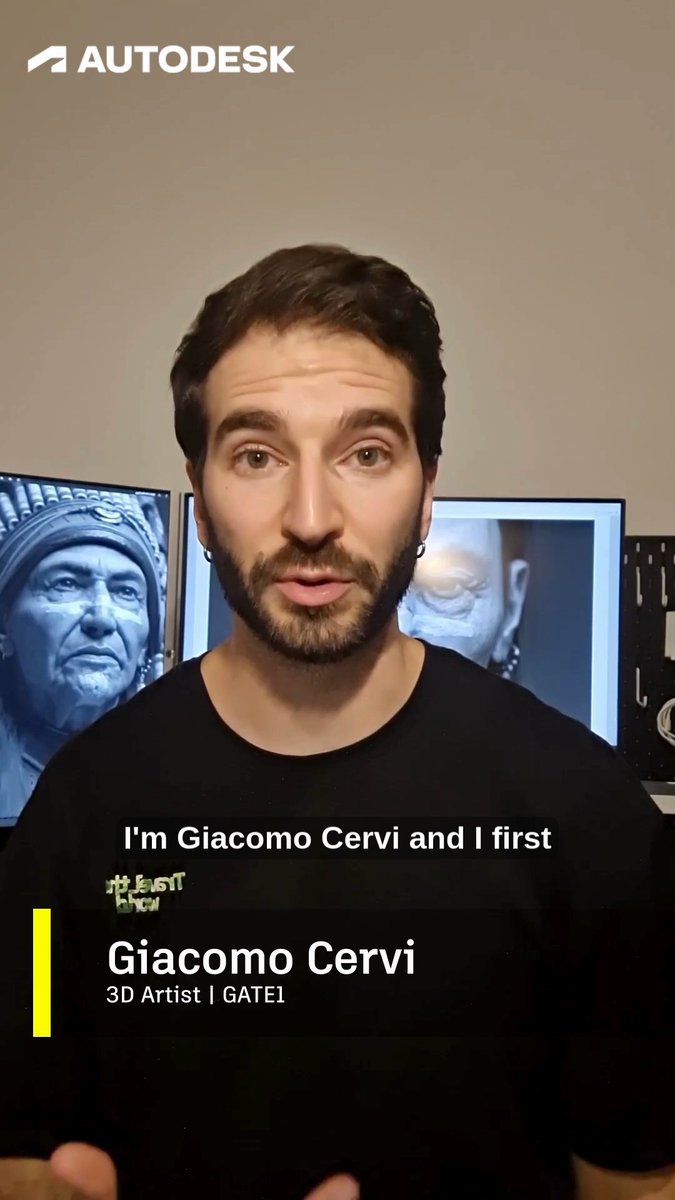
The on-screen workflow emphasizes a node/graph feel (guiding the process via adjustments), framed through a Big Rock Institute teaching context in testimonial clip.
📅 Creator programs, workshops, and contests to watch (Jan–Feb)
Multiple creator-facing opportunities appeared: creator programs, workshops, webinars, and contests—most aimed at helping people ship work and build audience in 2026.
Kling AI reopens Elite Creators Program recruiting for growing creators
Elite Creators Program (Kling AI): Kling says its Elite Creators Program (ECP) is still recruiting for 2026—positioned for creators “still growing their influence,” with Kling Pro plans and creator perks, as stated in the Recruiting announcement.
• What you get: Free monthly plans + chances to earn extra credits; early access; direct support; prioritized consideration for CPP; an Elite badge; swag/meetups, as listed in the Recruiting announcement.
• What it is not: Kling explicitly says ECP is not the Creative Partners Program (CPP) and existing Elite Creators don’t need to re-apply, per the Recruiting announcement.
OpenArt schedules AI Influencer Summit in San Francisco on Jan 30
AI Influencer Summit (OpenArt): OpenArt is promoting an in-person “AI influencer” event on Jan 30 in San Francisco, positioning it around how AI affects IP, content, media, and advertising, per the Event teaser and the Registration page.
• Speaker lineup (announced so far): Names include Gil Rief, Andres Reyes, Phil Quist, Monica Monique, Rocky Yu, per the Speaker list; plus Gabe Michael, Matt Zien, Matty Shimura (ElevenLabs creator competitions / Chroma Awards), and Aaron Sisto, as listed in the Additional speakers.
OpenArt says more speakers are still to be announced, as noted in the More to be announced.
BytePlus hosts Seedance 1.5 Pro webinar with millisecond sync claims
Seedance 1.5 Pro (BytePlus): BytePlus scheduled a live session for today at 18:00 GMT+8, highlighting millisecond sync, multi-speaker storytelling, and low-cost drafts, as promoted in the Webinar details with the session hub linked via the Event page.
• What they’re pitching: A workflow fix for “creative workflows that feel like pulling teeth,” with speakers (Tia, Eason, Gordon) presenting Seedance 1.5 Pro’s sync + storytelling features, per the Webinar details.
Fable Simulation launches a Showrunner pilot contest with $750 top prize
Showrunner (Fable Simulation): Following up on Self insertion (upload-yourself characters), Fable Simulation launched a Showrunner contest to create a pilot episode via Discord, with prizes of $750 for 1st place and $250 for 2nd, per the Contest announcement.
The announcement is light on judging criteria and submission format beyond “head over to our Discord,” as stated in the Contest announcement.
Hailuo announces a GenAI Workshop in Rome on Feb 14
GenAI Workshop (Hailuo AI): Hailuo is running its first in-person workshop in Rome on Feb 14, pitching it as a hands-on creator session spanning cinema to marketing, according to the Workshop announcement.
The post frames it as “heritage meets innovation” and asks people to request to join; exact agenda, capacity, and pricing aren’t specified in the Workshop announcement.
Producer AI announces Spaces challenge winners and publishes playable entries
Spaces community challenge (Producer AI): Producer AI announced winners for its latest community challenge and linked out to playable game entries, framing it as an early look at what’s possible “within Spaces,” per the Winners post.
• Winners: 🥇 Alikan; 🥈 VORTEXION & SplusT; 🥉 energized_by_riffs, VOXEFX & Marusame, as listed in the Winners post.
• Playable entries shared: Deserts of Rage appears in the Game link drop; Laser Arrhythmia is in the Game link drop; Producer Unicorn is in the Game link drop; Trivia Titan is in the Game link drop; Chordmatch is in the Game link drop; Geovibe is in the Game link drop.
⌨️ Creator productivity AI: research, writing, Excel automation, and ‘Skills’
Not core generative media, but highly relevant to working creatives: tools that accelerate writing, research, planning, and spreadsheet-heavy production tasks.
Tracelight 1.0 adds reusable slash commands for Excel modeling plus formula error checking
Tracelight 1.0 (Tracelight): Tracelight positions itself as an “Excel AI” for financial modeling; it lets you save repeatable workflows as custom commands (e.g., run an LBO/DCF via a slash command) and adds automated error checking that scans formulas before you ship a model, as described in the [launch description](t:61|Launch description) and reiterated in the [consulting-focused recap](t:83|Consulting-focused recap). The product page also frames adoption in high-stakes spreadsheet orgs (private equity/asset managers; “5 of the 10 biggest management consultancies”), as stated on the [product page](link:196:0|Product page).
Chrome shows early “Skills” UI strings for Gemini-powered task automation
Chrome + Gemini “Skills” (Google): UI/localization strings suggest a Skills Management surface in Chrome—labels like “Add Skill,” “Edit Skill,” and “Skills help simplify and automate repetitive tasks…,” as visible in the [code screenshot](t:134|Skills strings).
No shipping date or behavior is confirmed in the tweets; the evidence is limited to strings, but it matches the broader “save reusable instructions” direction creators want for repeatable production chores.
NotebookLM is getting positioned as a 2026 default for research and notes
NotebookLM (Google): A creator account frames NotebookLM as the “one AI tool” to start with in 2026, signaling ongoing momentum around research-to-notes workflows rather than pure chat, as shown in the [NotebookLM callout](t:8|NotebookLM callout).
The post doesn’t include a specific new feature drop; it’s more a “default tool” positioning signal for creative research, outlining, and source-grounded note synthesis.
Gemini adds “Answer now” using Gemini 3.0 Flash for low-latency replies
Gemini “Answer now” (Google): Gemini surfaces an “Answer now” option that uses Gemini 3.0 Flash when you want speed over waiting for a slower response path, as shown in the [UI screenshot](t:32|Answer now UI).
This is a small UX change, but it directly affects creative research loops (skim a PDF, get a quick summary, then decide whether to do a deeper pass).
A persistent-tab Markdown editor for prompt writing (local, no sign-in)
Simple Markdown Editor: A lightweight browser Markdown editor is shared as a daily driver for drafting prompts and keeping multiple “tabs” of working text stored locally (no sign-in), as shown in the [editor screenshot](t:84|Editor screenshot) and linked via the site.
The practical angle for creatives is fast prompt/version management—keeping prompt variants, shot lists, and beat outlines in separate persistent tabs without creating docs/projects elsewhere.
🎞️ Finished drops: showreels, spec ads, and broadcast deployments
A few named outputs worth scanning for craft: a 2026 showreel, a Lynch-inspired spec ad, and a broadcast TV use case built from archival constraints.
CBS ‘Final Twist’: GenAI reconstruction of real crime scenes from sparse archives
Final Twist (CBS) reconstruction pipeline (Promise / The Generation Company): Promise says Episode 3 of Harlan Coben’s Final Twist (airing 8pm ET) includes GenAI used to reconstruct real crime scenes from limited archival images—aiming to “immerse viewers inside those moments,” as described in the Broadcast deployment note.
This is a clean mainstream-TV signal: GenAI used as a constrained reconstruction tool (archival → scene rebuild) rather than a fully synthetic show, echoed by third-party praise about pushing AI into broadcast workflows in the Mainstream TV shoutout.
Showreel 2026: a consistency-first reel spanning ads and cinematic experiments
Showreel 2026 (EugenioFierro3): EugenioFierro3 published a new Showreel 2026 built as a finished scan of craft rather than tool demos—ads/social pieces plus cinematic sequences, with a repeated claim that “clean, consistent, and ready to ship” visuals are achievable when character/mood/lighting/camera stay coherent across shots, as described in the Showreel release post.

• What it’s emphasizing: consistency as the deliverable (identity + mood + environment continuity) across multiple scenes, stated directly in the Showreel release post.
• Why it’s a useful reference: it’s presented as a reel of shipped-like outputs (ads + experiments) rather than a single hero clip, which makes it easier to judge pacing, variety, and continuity from the
.
Daydream: a David Lynch-inspired AI spec ad published as a finished piece
Daydream (gcwalther_x): gcwalther_x released “Daydream”, framing it as a completed AI spec ad with explicit David Lynch inspiration, first teased as a finished drop in the Inspiration note and linked as the final watchable piece via the Spec ad link.
The post doesn’t include a breakdown of tools or settings, so treat it primarily as a direction-and-editing reference rather than a replicable recipe, per the limited detail in the Spec ad link.
📈 Algorithm talk as a creative constraint (X feed meta)
Distribution meta surfaced as its own storyline: creators dissect X’s algorithm changes, publish “growth” breakdowns, and push back on optimizing for the feed instead of the work.
Anti-algo pushback: “stop giving a shit about the algorithm”
Platform incentives (X): A long post argues that obsessing over X’s algorithm is an empty promise—framing creators as “a resource and a metric,” and calling for ignoring the feed optimization impulse, as written in the Anti-algo essay; it lands amid the same moment other creators are openly publishing algorithm breakdowns, as seen in the Algorithm code analysis tease.
Techhalla publishes an “X algorithm” growth breakdown after reading 6,979 lines of code
X algorithm talk (Techhalla): One creator says they reviewed 6,979 lines of X’s “new algorithm” and compiled an article on “the best ways to grow organically,” per the Algorithm code analysis tease; it’s less a spec drop than a signal that distribution meta is becoming a first-class creative constraint for AI creators.
The tweet doesn’t include the actual code excerpts or a reproducible methodology, so treat it as a directional “here’s what to do” claim rather than a verified reverse-engineering artifact.
Creators meme the time sink of “studying X’s new algorithm”
Creator attention (X feed meta): A meme captures the vibe of creators “examining the new X algorithm” and performing competence, as shown in the Pretending to read code clip—useful as a snapshot of how much cognitive budget is getting diverted from making work to decoding distribution.

“X just open sourced their—” becomes the punchline of the week
Algorithm obsession (X culture): A short gag—“X just open sourced their—” (then muted)—signals how algorithm changes have become a recurring content format in themselves, as posted in the Open sourced punchline; it pairs with the broader wave of “read the algo, grow faster” claims like the Algorithm code analysis tease.
Character.AI’s “two moods” meme shows engagement culture cross-pollinating
Engagement culture (creator communities): A Character.AI meme (“i have two moods: hehe / not hehe”) captures the lightweight, loopable posting style that thrives under algorithmic distribution systems, as shown in the Two moods meme.
🛡️ Policy & privacy that affects creators: ChatGPT age prediction rollout
Trust/safety news centered on OpenAI’s consumer rollout of age prediction—how accounts get classified, what experiences change, and the privacy concerns it triggers. No other major policy threads surfaced today.
ChatGPT begins rolling out age prediction and defaults uncertain users to teen mode
ChatGPT age prediction (OpenAI): OpenAI is rolling out an age-prediction system on ChatGPT consumer plans to estimate whether an account is under 18, using behavioral + account signals and sending uncertain cases into “teen mode” safeguards, according to the rollout write-up shown in Rollout summary.
The same note says the rollout is global except the EU, which follows “in coming weeks,” as described in Rollout summary.
Age prediction prompts privacy anxiety about what ChatGPT scans to classify users
Privacy concerns (ChatGPT): The age-prediction rollout is immediately triggering creator-side anxiety about how “personal” chat logs remain if OpenAI is scanning signals to infer age, as framed in the backlash-style question in Privacy concern.
The tension is that the system is described as using behavioral signals to decide teen safeguards in the rollout summary in Rollout summary, which is exactly the kind of mechanism that makes people ask what’s being observed and how broadly it’s applied.
📚 Research worth skimming (reasoning + animation control + evals)
A mixed research batch with direct creative relevance: multi-subject animation robustness, motion analysis for generators, new reasoning approaches, and a visual-reasoning benchmark gap vs humans.
BabyVision shows a large visual-reasoning gap between top MLLMs and adults
BabyVision benchmark: A benchmark result shared today puts Gemini 3 Pro Preview at 49.7% accuracy on BabyVision-Mini, versus 94.1% for adult humans across 388 language-free visual reasoning tasks, as shown in the benchmarks chart.
The creative takeaway is less about chat quality and more about vision reliability: if you’re building visual agents for storyboarding, continuity checks, or scene understanding, these numbers suggest “human-like” visual reasoning is still far from solved even for top multimodal models.
CoDance targets robust multi-subject animation with an unbind/rebind design
CoDance (paper): A new framework for multi-subject animation tries to fix a common failure mode—reference images and driving poses not lining up—by “unbinding” rigid spatial alignment and then “rebinding” motion to the right subjects using text + mask guidance, as described in the paper thread and the Hugging Face paper. For filmmakers and animators, this is directly about keeping multiple characters coherent when scenes get crowded (and when reference/pose mismatches would normally scramble who does what).
LongCat-Video-Avatar claims longer identity stability and natural idle motion
LongCat-Video-Avatar (Meituan LongCat team): A 13.6B open-source avatar model is resurfacing with claims of tackling two long-video avatar problems—identity drift (via “Reference Skip Attention”) and stiff idle motion during silent gaps (via “Disentangled Unconditional Guidance”)—plus multi-person dialogue with preserved identities, as detailed in the model recap.

It’s positioned for long-form “talking head” or training-style video, since the stated target is 5–15 minute stability rather than short clips.
Motion Attribution for Video Generation surfaces where motion comes from
Motion Attribution for Video Generation: A new method is being shared with side-by-side “ours vs baseline” comparisons to attribute and analyze motion behavior in generated video, with illustrative examples shown in the demo comparisons.

For creators, the practical relevance is diagnostics and control: motion attribution is the kind of tooling that can explain why a generator “moved the wrong thing,” and it’s a stepping stone toward more predictable motion transfer across shots.
Multiplex Thinking: token-wise branch-and-merge reasoning without longer chains
Multiplex Thinking (paper): A Microsoft Research + UPenn paper proposes “token-wise branch-and-merge” reasoning—sampling multiple candidate next tokens per step and merging them into one continuous “multiplex token,” aiming to keep uncertainty/alternatives without growing the sequence length, as summarized in the paper thread and linked in the Hugging Face paper. For creative builders, the angle is efficiency: getting some of the benefits of exploring multiple reasoning paths without paying for very long chain-of-thought outputs.
DeepSeek repo diff references “MODEL1,” hinting at a potential upcoming variant
DeepSeek (repo signal): A code diff screenshot shows DeepSeek’s repo updated with references to “MODEL1,” including notes about different KV-cache layouts and an fp8 decoding kernel requirement, which is being read as a hint that a new model variant may be coming, per the code diff screenshot.
No public model card or launch post is attached here, so this remains speculative—but it’s a concrete implementation breadcrumb rather than a vague rumor.
While you're reading this, something just shipped.
New models, tools, and workflows drop daily. The creators who win are the ones who know first.
Last week: 47 releases tracked · 12 breaking changes flagged · 3 pricing drops caught