Runway Gen‑4.5 hits all tiers – 10s shots, smoother cameras land

Stay in the loop
Free daily newsletter & Telegram daily report
Executive Summary
Runway’s Gen‑4.5 graduated from hype reel to everyday tool: it’s now the default video model for all subscription plans, not a gated preview. That means the same engine we covered yesterday for its 5–10s 720p clips and internal Elo‑board crown is suddenly what casual users see on first load. NVIDIA is amplifying the moment by slotting Runway alongside GPT‑5.2 on its GPU stack promos, signaling that Gen‑4.5 is built for heavy, production‑scale workloads rather than occasional “wow” demos.
Out in the wild, creators are mapping its personality. A cowboy riding through a modern city shows cameras that finally track motion cleanly instead of warping, while dance and neon‑city tests keep avatars, cars, and signage locked across multiple beats. At the edges, metallic snake‑robots and horror‑leaning contortion clips remind everyone the model will still hallucinate when pushed—which can be either a bug or a stylistic feature, depending on how weird your brief runs.
In parallel, InVideo’s new browser‑based Performances engine tackles a different piece of the puzzle: emotion‑true cast and scene swaps that preserve timing and micro‑expressions, hinting at a near‑future workflow where you generate worlds in Runway, then refit the acting without re‑shooting a frame.
While you're reading this, something just shipped.
New models, tools, and workflows drop daily. The creators who win are the ones who know first.
Last week: 47 releases tracked · 12 breaking changes flagged · 3 pricing drops caught
Top links today
- Higgsfield quiz and Shots offer
- Runway Gen-4.5 video model launch
- MoCapAnything monocular motion capture paper
- RL in text-to-3D generation paper
- Lovart AI Nano Banana Pro tools
- Runware react-1 and lipsync models
- Runware Veo video extension API
- Vidu Q2 object replacement editor
- Freepik Z-Image fast image model
- Producer AI music video creator
- Script to image and video tool
- Pictory text to speech tutorial
- Krea Animorph AI morphing miniapp
- ComfyUI 3x3 product ads workflow
- ElevenLabs Grants Program for startups
Feature Spotlight
Runway Gen‑4.5 goes GA
Runway Gen‑4.5 is generally available. Early creator tests point to stronger dynamic camera moves, high visual fidelity, and better environment consistency—useful for previs, music videos, and ads.
Follow‑up to yesterday’s Runway news: today Gen‑4.5 is live for all plans, with many creator tests highlighting camera work, fidelity, and environment consistency. Excludes GWM items covered previously.
Jump to Runway Gen‑4.5 goes GA topicsTable of Contents
🎬 Runway Gen‑4.5 goes GA
Follow‑up to yesterday’s Runway news: today Gen‑4.5 is live for all plans, with many creator tests highlighting camera work, fidelity, and environment consistency. Excludes GWM items covered previously.
Runway Gen‑4.5 goes GA on all plans with NVIDIA-backed stack
Runway has flipped Gen‑4.5 from a hyped preview into a general‑availability model for all subscription tiers, calling it “the world’s top‑rated video model” and pushing visual fidelity and control as the pitch to everyday creators rather than only studio teams release announcement. For anyone doing AI storyboards, ads, or music videos, this means you no longer need special access: the newest model is now the default option in the Runway app.
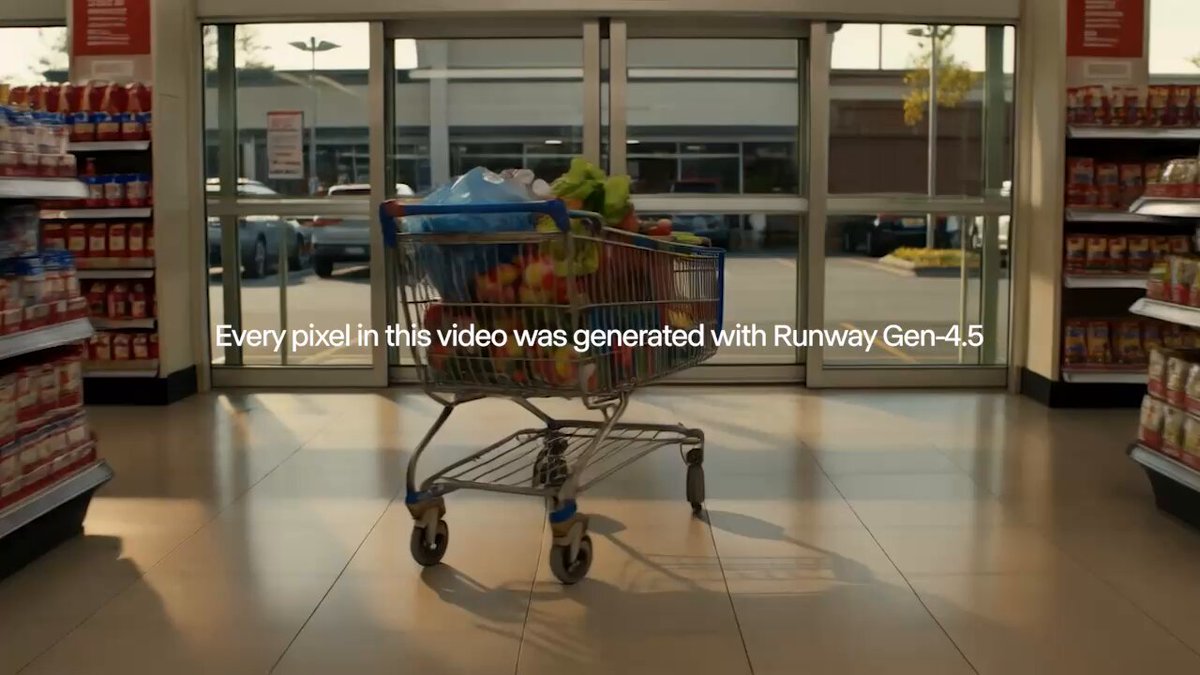
NVIDIA amplified the launch by grouping Runway alongside GPT‑5.2 and other "leading models" built on its GPU stack, a subtle signal that Gen‑4.5 is designed to scale to big production workloads rather than remain a toy demo nvidia promo. For working creatives, the combination of GA availability and serious infra backing matters: you can start designing pipelines, presets, and client offerings around Gen‑4.5 with more confidence that latency, capacity, and support won’t shift week to week. It also raises the bar for rival video tools that still gate their best models behind waitlists or higher enterprise tiers.
Creators probe Gen‑4.5’s strengths: camera moves, dancing avatars, and glitches
A fresh wave of Gen‑4.5 tests is clarifying where the model shines and where it still behaves oddly, building on the first look at stronger camera work and world coherence from earlier this week early tests. A Turkish creator ran a cowboy riding through a modern city and came away saying there’s no total revolution over Gen‑4, but that the biggest improvement is in dynamic camera tracking, which now follows the horse smoothly without obvious warps turkish camera review.

Other clips push performance and style: a dance test shows a digital avatar hitting fluid choreography while the environment stays locked and consistent, which is exactly the kind of subtle stability people struggled to get from earlier generative video dance avatar demo. Night‑city tests with a neon car and signboard make it clear the model can hold a cinematic look over multiple beats rather than a single money shot night car scene. At the same time, some users are leaning into its weird side: a "badass" metallic snake‑robot sequence and a horror‑ish contortion clip both highlight that Gen‑4.5 can still glitch and abstract in interesting ways when pushed hard on motion or surreal prompts robot progress reel glitch horror test.
For filmmakers, designers, and music‑video folks, the pattern is emerging: Gen‑4.5 looks strongest when you lean on it for smooth cameras, coherent space, and expressive motion, while treating occasional hallucinations less as bugs and more as a stylistic tool you can either harness or avoid depending on the brief.
🎭 Emotion‑true swaps with InVideo Performances
New performance‑preserving swaps keep timing, eye contact, micro‑expressions while changing actor or scene—multiple creators share convincing examples. Excludes Runway Gen‑4.5 (feature).
InVideo’s Performances feature brings emotion-true actor and scene swaps to the browser
InVideo has rolled out Performances, a new engine that lets you swap actors or entire scenes while preserving the original performance’s timing, eye contact, micro‑expressions, and lip sync, giving creators “real acting” rather than the usual uncanny face swap feel feature breakdown.

Creators are highlighting two big use cases: Cast Swap, where your own performance is carried over to a completely different face or character without losing rhythm or emotion, and Scene Swap, which drops the same acting into a new environment so a simple room shot can become a cinematic set while the delivery stays identical feature breakdown swap montage. Community reactions are framing this as a real leap in browser‑level motion capture, with one creator calling it “the biggest leap in motion capture… real, raw human performances” as the engine keeps full facial nuance and head motion intact across versions motion capture quote. A longer how‑to thread walks through when to reach for Performances instead of classic face replacement, aimed at storytellers who care more about acting beats than visual tricks storytelling guide.
🗡️ Kling 2.6: action & anime with native audio
Creators push Kling 2.6 for high‑speed action and stylized anime with 10s clips and native sound—strong motion, afterimages, and fast cuts. Excludes Runway Gen‑4.5.
Creators lean on Kling 2.6 for high‑speed anime sword fights
Anime‑focused creators are calling Kling 2.6 “spectacular” for supernatural combat, with a 10‑second clip of a vampire swordsman blinking across the frame, leaving afterimages as he kicks and slashes under dramatic gothic lighting while the camera struggles to keep up. vampire fight demo A follow‑up clip pushes blood, sparks, and finishing poses, prompting the claim that “action anime has entered a new era with Kling 2.6,” which signals that stylized violence, fast cuts, and exaggeration are now very much in range for indie anime shorts and AMVs. anime blood clip

Kling 2.6 nails 10‑second urban car chases with full native audio
Kling 2.6 is being pushed into live‑action style coverage, with a creator showing a 10‑second dusk car chase shot from a low bumper‑cam, complete with drifts, wall scrapes, flashing police lights, and baked‑in engine, tire, radio, helicopter, and music tracks. action prompt demo For filmmakers and ad teams, this means you can block and pace complex chase scenes, test camera angles, and feel the audio rhythm before you ever rent a rig or stunt car.

Leonardo + Kling 2.6 workflow targets AI‑driven video game cutscenes
A new guide shows how to turn existing game screenshots into cinematic cutscenes by restyling them with Nano Banana Pro inside Leonardo, then animating those stills with Kling 2.6, leaning on its 10‑second clips and native audio. cutscene workflow guide For narrative designers and indie devs this points to a practical path to prototype or even ship story beats and trailers without full mocap or manual keyframing, as long as you invest in strong prompts and visual references up front.
Nano Banana stills plus Kling 2.6 native audio sell large‑scale fantasy battles
One creator built a full fantasy battle reel by first using Nano Banana Pro to design still keyframes, then feeding them into Kling 2.6 image‑to‑video with native audio turned on, deliberately pushing aggressive camera moves, chaos, and on‑beat sound effects. fantasy test notes The takeaway for fantasy filmmakers is that you can lock in art direction in stills, then let Kling handle motion, impact sounds, and ambience so the world feels alive without separate sound‑design passes.

🧩 No‑prompt shot designers & chained agents
Higgsfield Shots returns 9 consistent angles from one image (“no prompt” demos), while Glif agents chain NB Pro with Kling for end‑to‑end scenes and thumbnails. Excludes Runway Gen‑4.5.
Higgsfield Shots turns one image into 9 cinematic angles, now 67% off
Higgsfield’s Shots tool keeps gaining traction as a no‑prompt storyboard generator: you upload a single image and it automatically returns nine varied, cinema‑style angles with consistent faces, clothing, and lighting, so you don’t have to type camera jargon like “Dutch angle, medium shot, from behind.” shots explainer Creators can then pick any of those frames, upscale them, and even animate inside Higgsfield, turning what used to be a multi‑app process into one flow. shots explainer

Following up on nine angles, where Shots first appeared as a 9‑angle contact sheet tool, today’s threads lean into the "RIP prompt engineering" angle and highlight a holiday deal: 67% off all tools plus a full year of unlimited image generations, which includes access to Shots. sale reminder The promo runs through a dedicated Shots page, making this one of the cheaper ways right now to experiment with automatic shot design and continuity boards driven from a single key art image. shots tool page
Glif agent chains Nano Banana Pro and Kling 2.5 into an end-to-end scene builder
Glif released a full tutorial for its agent that turns one uploaded image into a complete multi‑shot video sequence by chaining Nano Banana Pro for stills and Kling 2.5 for motion. glif scene tutorial Following up on chained agent, which introduced the basic Wan → NB Pro → Kling pipeline, this walkthrough shows the concrete steps: generate a contact sheet of candidate frames, approve the ones you like, auto‑extract them as stills, then have Kling generate dynamic transitions and camera moves between those beats.

The agent also handles speeding up clips and stitching them into a single scene, so you stay inside one interface instead of manually hopping between image tools, video generators, and an editor. glif scene tutorial For filmmakers and motion designers, the point is you can prototype a full scene in any visual style from a single piece of key art, then iteratively improve transitions and pacing rather than starting from a blank timeline.
Glif thumbnail agent pairs Nano Banana Pro with Claude for fast YouTube covers
Glif is also shipping an "AI thumbnail" agent that chains Claude with Nano Banana Pro to output YouTube‑style thumbnails from a rough idea and base image. thumbnail agent tutorial In the shared workflow, a creator sketches or blocks out a composition in Photoshop, uploads that plus a short description of the video concept, and the agent uses a prompting framework behind the scenes: Claude refines the textual brief and layout decisions, while Nano Banana Pro generates and iterates on the actual thumbnail art.

The tutorial walks through two full iterations where the agent incorporates references, adjusts text placement, and tightens color and style to feel more "clickable," so non‑designers can arrive at polished covers without mastering graphic design software. thumbnail agent tutorial For channels that ship videos frequently, this kind of chained agent turns thumbnails from a manual bottleneck into a fast, conversational step in the publishing flow.
📹 PixVerse, ViduQ2, LTX & Veo extensions
A mixed bag of video tools for coverage, object swaps, precise color control, and clip extension. Excludes Runway Gen‑4.5 (feature).
Runware’s Veo extension adds +7s to clips with native audio
Runware rolled out a Veo extension feature that can append roughly seven seconds of extra footage to Veo 3.1, Veo 3.1 Fast, and Veo 2.0 renders, keeping native audio intact so shots feel like one continuous take instead of a hard cutoff Veo extension post.

For editors stitching story-driven pieces or ads, this is a small but important control knob: you can generate a strong base clip with Veo, then use the extension pass to smooth transitions, hold on reactions a bit longer, or build more graceful camera moves between beats without regenerating the entire shot from scratch.
LTXStudio adds Color Picker to drive prompt‑level palette control
LTXStudio introduced a Color Picker that lets you sample a hue directly from any element or reference image and inject its HEX code straight into your prompt while working with FLUX.2 or Nano Banana, so color direction becomes part of the generation request instead of something you fix later in grading Color picker intro.

For art directors and brand teams, this means you can match wardrobe, props, and lighting to specific brand colors with a single click, or paste exact HEX values for campaign palettes, keeping large batches of shots visually consistent across scenes rather than fighting subtle color drift clip by clip.
PixVerse Multi‑Shot Mode turns one interview into many locations
PixVerse is pushing a new Multi‑Shot Mode that lets you stage an interview once and reframe it across wildly different environments in a single flow, as shown by the same speaker jumping from an industrial freezer to a rooftop skyline while keeping identity and performance intact PixVerse overview.

For video creators and social teams, this behaves like an AI location-scout: you can keep your talking head consistent while exploring different visual contexts for A/B testing, narrative beats, or B‑roll, without manually regenerating and matching separate clips.
ViduQ2 leans into fast object replacement and i2v workflows
ViduQ2 is being framed less as "yet another video model" and more as an object‑swap workhorse, with a new demo showing a T‑shirt color changing repeatedly in the same shot to illustrate how you can replace people, products, or items in seconds for ads and branding Vidu teaser.

Following up on image to video, which focused on image‑to‑video prompting, today’s push highlights the underlying Vidu API’s three routes into video—image‑to‑video, reference‑to‑video, and start/end‑frame generation—with scene templates that claim >50% higher success than generic models for marketers who need controlled, on‑brand variations from a single base asset Vidu api.
🎨 Style refs, botanical diagrams, and NB Pro play
Style‑forward image threads: vintage botanical diagram prompt, neo‑pulp and noir srefs in Midjourney, plus NB Pro surreal and poster design tests.
Vintage ‘botanical diagram’ prompt becomes a reusable style formula
Azed_AI’s reusable prompt for “a botanical diagram of a [subject]… in the style of vintage scientific journals” is turning into a mini‑trend, with artists swapping in everything from hummingbirds and teacups to sorceresses and forest spirits while keeping the same sepia, annotated lab‑notebook look prompt details.
For style‑driven creators this is basically a plug‑and‑play look: one prompt gives you consistent cross‑sections, Latin‑ish labels and aged paper texture, and the community is now stress‑testing it on roses, cotton plants, fairytale sprites and more without breaking the aesthetic community examples.
Nano Banana Pro flexes from surreal river salmon to gallery poster design
Creators keep pushing Nano Banana Pro into weirder, more designed territory: fofr shows it happily rendering a deadpan prompt like “salmon in the river, but it’s salmon fillets” as photoreal fillets lounging on river rocks salmon river test, while Azed_AI uses it inside Leonardo to produce a high‑end conceptual poster (“Marionette Series – AMIRA”) with toy‑inspired puppet, halftone crop, editorial typography and moody film‑grain finish poster prompt.
For art directors and poster designers this is a useful signal: the same model that can stick uncanny objects into believable landscapes can also hold tight layout constraints, type hierarchy and gallery‑poster polish, making it a strong candidate for both surreal key‑art experiments and more controlled graphic design work.
Two new Midjourney srefs nail neo‑pulp and noir manga moods
Artedeingenio shared two powerful Midjourney style references: --sref 3003656792, described as a neo‑classical illustrated pulp blend of 70s–80s sword‑and‑sorcery covers, European bande dessinée linework and classic 80s–90s anime, and --sref 1940342995, which leans into neo‑retro manga crossed with Western noir comics, flat vintage colors and cinematic framing pulp sref noir sref.
Together they give illustrators two reusable "dial‑in" looks: one warm, sketchy and heroic for fantasy characters, and one moodier, ink‑heavy palette for witches, urban anti‑heroes or cape comics that still feel hand‑drawn rather than airbrushed digital art.
🗣️ Lip‑sync & live‑translate for creators
APIs for performance editing and live language help: Runware ships react‑1 and lipsync‑2/Pro, while Google Live Translate (Gemini) proves fast & practical at home.
Runware adds react‑1 and lipsync‑2 Pro with 4K output to its API
Runware has brought three high‑end performance tools into its video API stack: react‑1 for full facial performance editing (lips, expressions, emotion, head motion), plus lipsync‑2 and lipsync‑2‑pro for aligning voices to faces, with Pro supporting outputs up to 4K resolution and all three models available API‑only for now Runware api update. For AI filmmakers and marketing teams, this means you can now treat performance swaps, dubbing, and emotional retiming as programmable steps in a pipeline rather than bespoke After Effects work.

The short demo shows a stylized avatar whose face, timing, and head movement are re‑driven across different takes as the on‑screen labels switch between react‑1, lipsync‑2, and lipsync‑2‑pro, underscoring how these models cover everything from simple mouth‑flap dubbing to full emotional performance replacement Runware api update. For creators, the catch is that there’s no click‑to‑edit web UI yet; you either need your own tooling or a third‑party editor that sits on top of Runware’s API, but once wired in this is the kind of infra that can automate regional dubs, creator‑avatar content, and last‑minute line changes without reshoots.
Google Live Translate with Gemini impresses in real Tamil→English demo
A creator tested Google’s new Live Translate (labeled "Google Translate built with Gemini") by asking his Tamil‑speaking wife to say a sentence he didn’t understand, and the app translated it near‑instantly into natural English: "I have to tell you a thousand times for one thing," leading both of them to crack up on camera Gemini translate test. For anyone working across languages—interviews, documentary shoots, family content, or travel vlogs—this is early proof that Gemini‑powered translation on phones is now fast enough and accurate enough to lean on in real situations rather than as a novelty.
The screenshot shows Live Translate running in dark mode with Tamil and English side‑by‑side, plus an "Auto playback" toggle and a Gemini badge, hinting that spoken conversations can be turned into near‑real‑time subtitles or voiceovers without extra gear Gemini translate test. Creators shouldn’t assume it’s flawless across dialects yet, but if you shoot bilingual content or talk to guests in other languages, it’s worth testing this on‑device before investing in separate interpreting or transcription tools.
🧪 MoCap, encoder adapters, and sparse circuits
Mostly visual research drops relevant to creators: monocular MoCap to 3D skeletons, Apple’s FAE encoder‑to‑gen bridge, OpenAI’s circuit‑sparsity model, and RL for text‑to‑3D.
Apple’s FAE shows one attention layer can adapt big encoders for image gen
Apple’s “One Layer Is Enough” paper introduces FAE, a Feature Auto‑Encoder that adapts high‑dimensional vision backbones like DINO and SigLIP into low‑dimensional latents suitable for diffusion and flow models using as little as a single attention layer, then decodes back both to the original feature space and to images Apple FAE post. The approach hits an FID of 1.29 on ImageNet 256×256 with classifier‑free guidance and 1.48 without it, which is near or at state of the art given the training budget claimed in the abstract.
For creatives, the big deal is architectural: instead of training custom VAEs from scratch, future tools can plug directly into whatever strong encoder a platform already uses for understanding—unlocking tighter text–image alignment, better semantic edits, and potentially more consistent cross‑app style control. Because FAE is generic across encoder families and works with both diffusion models and normalizing flows, it should make it easier for smaller teams to ship high‑quality generators that inherit rich semantics from off‑the‑shelf vision models.
AR3D‑R1 uses RL to sharpen text‑to‑3D generation and introduces MME‑3DR
A new study asks whether reinforcement learning is ready for text‑to‑3D and answers with AR3D‑R1, an RL‑enhanced autoregressive 3D generator that optimizes both global shape and local texture using GRPO variants and carefully designed reward signals RL 3D summary. The authors also introduce MME‑3DR, a benchmark aimed at testing implicit reasoning in 3D models, and propose Hi‑GRPO, a hierarchical scheme that separates coarse geometry rewards from fine detail.
For 3D artists and technical directors, the takeaway is that RL is starting to clean up recurring text‑to‑3D pain points—lumpy topology, broken symmetry, or prompts that models half‑follow. While this work is still research‑grade, its open codebase and reward recipes should help engine and tool vendors experiment with "self‑critiquing" 3D generators that better respect design briefs before they ever reach a human modeler.
MoCapAnything turns single-camera footage into 3D motion for any skeleton
MoCapAnything proposes a unified 3D motion capture system that reconstructs motion from monocular video and retargets it to arbitrary skeletons, with side‑by‑side comparisons against ground‑truth rigs showing close alignment even on complex martial arts moves MoCapAnything teaser. For creators, this points toward browser‑ or DCC‑integrated tools where you can film an actor with a phone and drive any character rig—humanoid, stylized, or creature—without a multi‑camera studio or suit‑based capture.

If the released code and models match the teaser quality, small animation teams and solo filmmakers could prototype action, previs, or stylized character beats by recording quick reference clips and retargeting directly into Blender, Unreal, or game engines instead of blocking everything by hand.
OpenAI releases 0.4B “circuit-sparsity” model for structured reasoning tasks
OpenAI quietly posted a 0.4‑billion‑parameter circuit‑sparsity language model on Hugging Face, along with lightweight inference code, as a reference implementation of sparse architectures explored in Gao et al. (2025) circuit sparsity link. The model focuses on tasks like bracket counting and variable binding rather than broad chat, making it more of a research artifact than a general assistant.
For tool builders, this is a small but useful signal: OpenAI is publishing concrete examples of sparsity patterns that support very reliable symbolic‑style behavior, which can inspire custom controllers, validators, or tiny reasoning helpers inside creative workflows. Because it’s Apache‑2.0 licensed and runs via standard Transformers code paths, teams can dissect and fine‑tune it to better understand how to enforce strict structure in prompts, scripts, or markup used in complex media pipelines. HF model card
🎁 Credits, contests & surveys for makers
Actionable promos: big Higgsfield sale, Freepik trips to SF, ComfyUI survey + stream, and ElevenLabs startup grants. Useful to stock up and get visibility.
ElevenLabs startup grants give AI teams a year of free voice credits
ElevenLabs launched a Grants Program that gives early‑stage startups 12 months of free voice AI usage, covering up to 33M characters (~680+ hours of speech) worth over $4,000 in credits. grants announcement This is aimed at teams building tutors, support bots, narrative tools, and voice‑driven games who want to prototype and scale without paying per‑utterance from day one. grants page For creatives and small studios, this effectively removes TTS cost while you figure out format and traction. If you’re shipping anything with narration, character voices, or live agents, it’s worth applying now while the program is fresh and likely less saturated.
Freepik’s 24AIDays Day 11 sends three AI artists to San Francisco
Freepik’s #Freepik24AIDays Day 11 challenge is awarding three trips to San Francisco, including flights, hotel, and a full‑access ticket to Upscale Conf SF for AI creators. contest details To enter, you post your best Freepik‑made AI piece on X, tag @Freepik, add #Freepik24AIDays, and then submit that post via their form. entry form For illustrators and designers already using Freepik’s Seedream/Reve/Z‑Image models, this is a high‑leverage way to get both travel and conference access in exchange for one strong showcase image. Creators are already amplifying it in their feeds as a rare “trip plus exposure” combo that’s actually concrete. creator plug
ComfyUI opens 2025 user survey with 30 merch and cloud prizes
ComfyUI launched its 2025 User Survey, a ~6‑minute questionnaire that will award 30 random participants a month of Comfy Cloud Standard plus special ComfyUI merch. survey promo The team explicitly frames it as "we moved fast, and we’re listening," using the results to steer models, Nodes 2.0, and partner nodes this coming year. survey form At the same time, they’re running a live deep dive on a 3×3 Nano Banana Pro product‑ad grid workflow: nine unique product shots from a single call, then picking and upscaling the winner. (stream promo, stream page)
If you rely on ComfyUI for client work or animation pipelines, this is a low‑effort way to influence roadmap while maybe picking up free cloud time—and the stream itself doubles as a ready‑made template for cinematic ad layouts.
InVideo and MiniMax launch $5K “viral effect” video challenge
InVideo and MiniMax (via Hailuo AI) kicked off a $5,000 Minimax Viral Effect Challenge, inviting creators to make videos that showcase any of MiniMax’s viral effects inside InVideo’s editor. challenge launch Entries are already rolling in, with creators producing bespoke spots built around the effect pack specifically for the contest. creator example For editors and motion designers, this is both a cash prize shot and a reason to experiment with effect‑driven short‑form pieces you can later repurpose as portfolio work or client templates.
Wondercraft’s Xmas finale lets viewers win a free month of the platform
Wondercraft scheduled a live Christmas Challenge finale on Dec 16 at 4pm GMT where the community picks which creator “saves Christmas,” and anyone who correctly guesses the winner gets one free month of Wondercraft. xmas finale event challenge page
If you’re into audio dramas or podcast‑style storytelling, this is a low‑friction way to have the platform comp your next month of experiments—while also seeing how other makers structure narrative projects in Wondercraft’s tooling.
⚙️ Dev tools for creative stacks
Helpful plumbing for builders: a full Swift client for HF Hub, an agent context platform that auto‑distills skills, and a creator’s script→image→video studio prototype.
Acontext turns agent runs into reusable skills and context for builders
Acontext is a context data platform aimed at people wiring up AI agents into real products, and it has already attracted about 1.8k GitHub stars acontext overview. It stores all the messy bits around an agent run—prompts, tools used, artifacts, and user feedback—then automatically distills successful traces into reusable "skills" the agent can draw on next time, instead of relearning everything from scratch.
For creative stacks, this means your "edit this shot into a trailer" agent or "design a thumbnail from this script" agent can improve over time: Acontext logs each session, highlights which subtasks succeeded or failed, and surfaces patterns like "these deployment steps usually work" or "this color‑grading plan gets good feedback" GitHub repo. All of this is visible in a dashboard, so teams can debug and refine their multi‑tool pipelines (image model → video model → captioner → publisher) without spelunking through raw logs.
StoryStream Studio prototype chains script → Nano Banana Pro → Veo 3.1
Creator StoryStream Studio is showing what an end‑to‑end script‑to‑shot pipeline could look like for solo filmmakers and small teams: you write a shot description, it turns that into a Nano Banana Pro prompt, generates a still, then feeds that into Veo 3.1 to render an 8‑second clip with "dailies" and approval states baked into the UI storystream screenshot.
The interface is split into four panels—Script, Prompt Engine (with aspect/2K resolution controls and audio notes like "heavy rain"), Visual Dev for stills, and Dailies for the rendered Veo clip—mirroring how live‑action productions manage shots. This prototype won’t replace full editors yet, but it’s a concrete pattern for how creative devs can structure their own tools: treat LMs and video models as services behind a shot tracker, so writers, directors, and editors can iterate on specific beats instead of wrestling with raw prompts.
Swift client for Hugging Face Hub streamlines model assets in Apple stacks
A new swift‑huggingface client gives iOS/macOS developers a first‑class way to pull models and other assets from Hugging Face Hub, with fast, resumable downloads and flexible authentication built in swift client RT. This matters if you’re building creative tools (editing apps, on‑device generators, live VJ tools) in Swift and have been hacking around with generic HTTP clients or Python wrappers.
The client wraps common Hub workflows (listing models, downloading weights, handling partial transfers) into predictable Swift APIs, which should cut down on glue code in AV/creative apps that need to cache or update model weights locally on Apple hardware. For small teams, the takeaway is simple: you can now treat Hugging Face Hub more like a native Apple framework in your Xcode projects instead of an external service you talk to via ad‑hoc scripts.
⚖️ IP friction: Disney, Google & AI video
Creators dissect Disney’s legal pressure on Google around YouTube‑trained models while contrasting it with Disney’s paid Sora licensing—implications for fan content and compensation.
Creators link Disney’s Google C&D to its $1B Sora licensing strategy
Creators are connecting reports that Disney sent a cease-and-desist to Google over alleged copyright infringement in Veo’s YouTube‑trained video models with its recent $1B investment and 200+ character licensing deal for Sora, arguing the studio is punishing unlicensed training while monetizing fan films on its own terms creator legal analysis sora licensing recap licensing deal.
Posts point out that YouTube’s terms likely allow Google to train on uploads, so a hardline Disney stance could spark a showdown where Google could respond by pulling Disney off YouTube or de‑indexing its properties, though most see that as leverage in negotiations rather than a real threat creator legal analysis. At the same time, Disney is already suing or threatening smaller players like Midjourney while striking lucrative deals with giants like OpenAI, which many artists read as “pay us or get sued” rather than a consistent moral position sora licensing recap. For working animators and writers, there’s anger that Disney and OpenAI will profit from fan‑made Sora shorts while the people who created these characters “won’t receive any compensation” and union voices say they “deserve to know how their contributions…will be used” sora licensing recap. For AI filmmakers and storytellers, the takeaway is that official Sora integrations are becoming the only relatively safe place to touch Disney IP, while training or prompting other video models on similar material could draw takedowns—so project planning now has to account for which side of this emerging licensing wall your tools sit on creator legal analysis.
💼 Runware’s $50M bet on ultra‑low‑latency inference
Platform news for builders: Runware announces a $50M Series A, 10× revenue since Q3, plans sub‑10ms city pods and broad HF model support. Product specifics are covered elsewhere today.
Runware raises $50M to build sub‑10ms AI inference pods and host all HF models
Runware has announced a $50M Series A round and says revenue is up 10× since Q3 as its inference platform now serves “hundreds of millions” of end users across image, video, and audio workloads funding thread.
The company plans to deploy more than 20 dedicated Runware Inference Pods across major cities in Europe and the US in 2026, targeting sub‑10ms latency by bringing compute physically closer to users funding thread. It also says it will extend the platform to support every model on Hugging Face, pitching itself as a universal, faster‑and‑cheaper host for popular creative models rather than only a few curated ones funding thread. New additions like the API‑only react‑1 performance editor plus lipsync‑2 and lipsync‑2‑pro (up to 4K) show how it’s leaning into high‑fidelity character work and avatar tooling for filmmakers and agencies, while a Veo 3.1 "Extend by 7 seconds" feature with native sound underlines the focus on long‑form, low‑latency video generation at the infra layer rather than a standalone editor veo extension update
. For creatives and tool builders, the signal is clear: Runware wants to be the quiet backend that makes heavy multimodal models feel instant, not another front‑end studio competing for your attention.
📺 Showcases & festival picks
A lighter slate of finished pieces: OpenArt MVA celebrity choices plus stylized shorts/demos from creators across Grok Imagine. Excludes tool launches; focuses on viewing links.
OpenArt MVA ambassadors reveal their Celebrity Choice music videos
OpenArt is rolling out the Celebrity Choice awards for its Music Video Awards, with artists like rnbstellar, XaniaMonet, grannyspills, Ralph Rieckermann, Yuri (HQ4) and Akini Jing each picking a favorite fan-made clip built on their own tracks Celebrity picks thread. The highlighted pieces range from the flirty, comedic "Jenna Ortega" video to pink hyper-real worlds, tightly synced techno visuals and melancholic cyber-night stories, giving AI video makers a clear sense of what resonates with working musicians Additional winner clips.

For creatives, it’s both a curated watch list and a reference board: you can study pacing, transitions, shot choices and how different teams used the same song to tell very different stories, then borrow those ideas for your next OpenArt or multi-model music video project.
Wan Muse+ Season 2 pro contest showcases 87 finalist AI works
Alibaba’s Wan Muse+ Global Creator Contest wrapped its Season 2 professional group with a four-hour jury session covering 87 finalists, led by four industry authorities and 28 AIGC creators WanMuse jury recap.

For filmmakers and visual artists this is effectively a festival reel of high-end AI-assisted work: you can study how top entrants handle pacing, composition, and hybrid workflows, and benchmark your own shorts or image series against what an expert jury currently considers award-worthy.
Grok Imagine keeps spawning stylized anime shorts and visual tricks
Several creators are leaning into Grok Imagine as a playground for short, stylized animations instead of static images. We see a moody cyberpunk sword draw under neon lights Cyberpunk clip, an OVA-style villain close-up with glowing eyes OVA villain clip, clever frame-based effects where horizontal panels flip vertical when a character fires Frame transition test, loose cartoon sketch morphs Cartoon sketch workflow, and even dialogue-driven vignettes that the artist "loves being surprised by" Dialogue comment.

For storytellers and designers this is useful reference: it shows Grok can hold consistent characters across cuts, handle stylized lighting, and support experimental layouts, which you can treat as mini-proof-of-concept shots for bigger anime, comic, or motion-comic projects.
La Nuit Américaine shares quiet B-roll that leans into AI as cinematography tool
Director Victor Bonafonte dropped a short B-roll vignette from his project La Nuit Américaine, showing a realistic, fabric-draped mannequin shot like an on-set lighting test B-roll share.

Following up on La Nuit, where he framed AI as one more tool in a traditional director’s workflow, this new snippet is worth a close look: it feels like straight cinema rather than a "model demo", and gives filmmakers a concrete reference for how far current tools can go when you treat them like a camera and grip department instead of a toy generator.
Lovart’s grumpy chef cat short nails holiday character comedy
Lovart shared a hyper-real mini-scene of a grumpy orange tabby in a Santa chef outfit stir-frying rice next to a stunned human cook, created with Nano Banana Pro and Veo 3.1 Chef cat announcement.

Beyond the promo, the shot is a neat reference for anyone trying to mix photoreal creatures with humans in busy environments: it shows convincing costume integration, kitchen lighting and camera placement that you can mine when storyboarding your own comedic holiday spots or social shorts.
Producer AI spotlights SplusT’s glitchy Crywave-inspired music video
Producer AI highlighted a new music video by creator SplusT built on its platform, framed as part of a Crywave playlist that blends spaced rhythms, house synths, dark trap textures and goth aesthetics Producer spotlight.

The clip itself leans into neon glitch, abstract forms and aggressive cutting, so if you’re scoring or cutting AI-driven music videos, this is a good example of how far you can push stylized visuals while still keeping beats and mood aligned with the track.
Wondercraft sets live finale for its Christmas audio story challenge
Wondercraft scheduled a live finale on December 16 at 4pm GMT for its "Who Will Save Christmas?" challenge, where listeners pick the winning AI-assisted audio story and correct voters get a free month of the platform Wondercraft finale promo.
If you work with narrative podcasting, audio dramas or voiced shorts, this gives you a batch of finished, released pieces to dissect: how different teams used AI voice, sound design and script structure to make a holiday story feel human rather than synthetic.
"Freaky Friday Bad Santa" challenge invites darker holiday AI scenes
Creator @youseememiami kicked off a community prompt jam called "Freaky Friday Bad Santa & Friends", asking artists to expose "Bad Santa" variants or chaotic helpers instead of cozy holiday clichés Bad Santa prompt.
The kickoff image—a grimy Santa tagged up with lights and spray-painting the NICE LIST on a brick wall—sets a grittier tone than typical Christmas AI art, giving character designers and storytellers a loose brief to push subversive seasonal imagery and maybe prototype storyboards for an offbeat holiday short.
LTX Retake powers a quirky Jack Torrance micro-short
Creator @cfryant used LTX Studio’s Retake feature to turn a static Jack Torrance-style setup into a short, jittery dance gag, riffing on "Jack Torrance hasn't watched TV since 2016" Retake dance joke.

For editors and meme makers, it’s a small but clear example of how Retake-style performance editing lets you remap new motion and energy onto familiar characters, which can be repurposed for parody trailers, alt takes, or quick character beats inside longer AI-assisted shorts.
🧑🎨 Creator pulse: polls, memes & milestones
Sentiment and culture threads: GPT‑5.2 community poll split, nostalgia posts on the scene’s growth, and “RIP prompt engineering” memes around auto‑shot tools.
“RIP prompt engineering” meme spreads around auto‑shot and agent workflows
Creators are leaning into a "RIP prompt engineering" meme as tools start handling framing and shot language for them, with Higgsfield’s SHOTS pitched as understanding cinema automatically from a single upload instead of needing "Dutch angle, medium shot, from behind" style incantations. RIP prompt post
ProperPrompter echoes the vibe by showing a 3×3 grid of consistent anime shots generated from one click and no written prompt at all, reinforcing the idea that shot planning is turning into a UI choice rather than a prompt‑craft skill. no prompt grid
Glif’s longform agent tutorial, where Nano Banana Pro and Kling are chained into a single step‑through flow, adds to the sense that "prompt engineering" is being replaced by higher‑level workflow design, even as these systems still quietly depend on strong prompts under the hood. agent workflow demo
Atlantic story on “outsourcing thinking to AI” sparks creator self‑reflection
A widely shared Atlantic piece, summarized by @koltregaskes, highlights people using chatbots for up to eight hours a day for everything from marriage advice to tree‑fall risk checks, coining concerns about "outsourcing their thinking" and even "AI psychosis" when users blur tool and companion. Atlantic summary
The thread notes that some heavy users are taking breaks via challenges like #NoAIDecember, while OpenAI and others add gentle usage‑break nudges and Sam Altman himself says youth dependence on constant AI consultation "feels really bad". Atlantic summary For creatives, it’s a reminder to stay intentional about which parts of writing, designing, or story planning they give to models, and which they keep as their own judgment, rather than sleepwalking into full dependency.
GPT‑5.2 community poll shows near‑even split on model quality
A public poll on GPT‑5.2 has drawn 1,415 votes so far, with 53% of respondents calling the model "good" and 47% saying it is "not a great model overall," underlining how divided power users feel despite its benchmark wins. poll interim The poll was framed as a simple "Yah or nah?" check‑in on whether people actually like using 5.2 day to day, and the creator plans to share final results after the voting window closes, giving creatives and builders a quick cultural temperature read on whether it’s worth reshaping their workflows around the new flagship. initial question
AI video community gets nostalgic for the “small island” era
Veteran creators are reminiscing about the early days of the AI art/video scene, with one noting that 3.5 years ago it "almost felt we were all neighbors on a deserted island" before today’s explosion of global talent. community reflection Others recall 2023–24 as a "special time" of local tools, more wonder, and less hostility, contrasting it with a present where the comments section can feel like a nonstop barrage. (nostalgia post, early video era)

A meme clip of frantic typing over a "comments section" overlay captures the mood, while replies acknowledge that as AI art has gone mainstream, creators now juggle both bigger opportunities and sharper criticism—changing how it feels to share experimental work in public. (typing meme, hostility comment)
While you're reading this, something just shipped.
New models, tools, and workflows drop daily. The creators who win are the ones who know first.
Last week: 47 releases tracked · 12 breaking changes flagged · 3 pricing drops caught