Runware Wan2.6 Flash cuts video-with-audio 50% – 5–10s faster runs

Stay in the loop
Free daily newsletter & Telegram daily report
Executive Summary
Runware rolled out Wan2.6 Flash as a throughput SKU rather than a new capability tier; it claims 5–10s faster average generation; prices video with audio 50% cheaper than Wan2.6 (video without audio 25% cheaper); supports 2–15s clips at 720p/1080p, positioning iteration economics as the differentiator as much as model choice.
• Runway/Gen‑4.5 I2V: shipped to all paid plans; creators report more “intentional” motion texture and stronger camera language; prompting hacks like explicit “WHIP PAN” beats circulate; a 3×3 storyboard-grid-as-input continuity test is shared but later called “not totally reliable.”
• LTX‑2 local runtime: creators push audio-to-video into harder shots (OTS driving, silhouettes, mirrors) at 25–30s; LTX team says a GTX 1080 Ti is “pushing the limits,” showing ~11,000–11,900MB VRAM overlays before failure.
Across stacks, control is being productized as presets (flash variants; first/last-frame locks; multi-image modes), but many performance claims remain creator-reported with no independent eval artifacts.
While you're reading this, something just shipped.
New models, tools, and workflows drop daily. The creators who win are the ones who know first.
Last week: 47 releases tracked · 12 breaking changes flagged · 3 pricing drops caught
Top links today
- Runway Gen-4.5 image-to-video launch
- Higgsfield X Article Challenge rules
- Higgsfield AI Influencer Studio free
- LTXStudio audio-to-video prompting guide
- ElevenLabs Eleven Album announcement
- Freepik Business plans and features
- OmniTransfer video transfer paper
- Tuning-free visual effect transfer paper
- Toward Efficient Agents paper
- Being-H0.5 robot learning paper
- LightOnOCR multilingual OCR model paper
- DeepLearning AI Gemini CLI short course
Feature Spotlight
Runway Gen‑4.5 Image‑to‑Video lands (cinematic camera + longer stories)
Runway’s Gen‑4.5 Image‑to‑Video is getting rapid real‑world validation for cinematic camera moves and story coherence—raising the baseline for image‑seeded short films and shot iteration.
Cross-account, high-volume story: multiple creators are testing Runway’s Gen‑4.5 Image‑to‑Video and highlighting more coherent narrative movement plus stronger camera control. This section is only about Gen‑4.5 I2V and its early creator findings.
Jump to Runway Gen‑4.5 Image‑to‑Video lands (cinematic camera + longer stories) topicsTable of Contents
🎬 Runway Gen‑4.5 Image‑to‑Video lands (cinematic camera + longer stories)
Cross-account, high-volume story: multiple creators are testing Runway’s Gen‑4.5 Image‑to‑Video and highlighting more coherent narrative movement plus stronger camera control. This section is only about Gen‑4.5 I2V and its early creator findings.
Runway ships Gen-4.5 Image-to-Video to all paid plans
Gen-4.5 Image-to-Video (Runway): Runway rolled out Gen-4.5 Image-to-Video to all paid plans, pitching it for longer stories with more precise camera control, more coherent narratives, and more consistent characters, as stated in the launch announcement and reiterated in the try it now post.

Early creator reaction is strongly positive but framed around “feel” as much as specs—one tester opens with “runway delivered” in the reaction post, while another calls out the motion looking “intentional” in the movement note. Access is via the Runway app, as linked in the app link.
Gen-4.5 camera control hack: write whip pans as explicit beats
Whip pan prompting (Runway Gen-4.5 I2V): A repeatable way creators are steering Gen-4.5’s camera is by writing WHIP PAN as an explicit beat—TheoMediaAI shares a concrete example prompt (“handheld shaky camera, whip pan to a waiter… whip pan back…”) in the whip pan prompt tip, and separately encourages adding “WHIP PAN” directly in your prompt in the prompt nudge.

• Coverage pattern: TheoMediaAI frames whip pan reveals as a reusable staging tool (e.g., pan to a suspicious alley/hooded figure) in the hooded figure example, which pairs well with Gen-4.5’s broader “cinematic outputs” positioning in the test thread intro.
3×3 storyboard grid as a single Gen-4.5 I2V input (shot continuity test)
Storyboard-as-input pattern (Runway Gen-4.5 I2V): ProperPrompter tested feeding a 3×3 storyboard grid as the image input to see if Gen-4.5 can “understand” multi-shot intent and produce a coherent moving sequence, as shown in the storyboard grid test.

A useful caution is that the same creator later notes it’s “not totally reliable for this specific use-case” in the reliability follow-up, which suggests this works best as an exploration technique (rapidly probing scene continuity) rather than a guaranteed production control method.
Gen-4.5 tends to “explore” the reference scene unless you constrain it
Framing control (Runway Gen-4.5 I2V): In testing, TheoMediaAI notes Gen-4.5 can be eager to roam around the environment implied by your reference image (camera drifting to other parts of the scene) in the camera wander note, which is an important behavior to expect when you’re trying to match a storyboarded composition.

This tendency shows up across multiple examples in the same thread—Gen-4.5 “flexes the other side of the street” in the street crossing example—and it’s consistent with creators leaning into deliberate camera-language prompts (like whip pans) rather than leaving camera intent implicit, as discussed in the whip pan prompt tip.
Gen-4.5’s differentiator: “intentional” motion texture
Motion quality (Runway Gen-4.5 I2V): Creators are describing Gen-4.5 as a shift in how motion reads on screen, not just a bump in fidelity—iamneubert says Gen-4.5 “renders movement… intentional” in the movement note, a framing that matches broader “Runway delivered” sentiment in the reaction post.

The practical implication for filmmakers is that camera movement and subject motion may feel more authored even when driven from a single image prompt, which is exactly what Runway claims around precise camera control in the launch announcement.
🧰 Single‑tool playbooks: Audio‑to‑Video prompting (LTX) + ComfyUI masking tricks
Heavier on practical guidance today: LTX’s Audio‑to‑Video gets a step-by-step prompting guide (multi-speaker, timing, edge cases), and ComfyUI creators continue sharing masking-based insert workflows. Excludes Runway Gen‑4.5 (covered in the feature).
LTX Audio-to-Video: add an audio buffer to fix frozen first frames and sync issues
Audio-to-Video (LTXStudio): The guide lists a concrete troubleshooting move: if you see a frozen first frame or lip sync that feels off, add a short audio buffer at the start; adding light ambient sound that fits the scene can also improve results, with voice/start-frame changes treated as last resorts, per the edge case fixes.

The implied workflow is “fix the conditioning,” not “iterate prompts endlessly,” as stated in the edge case fixes.
LTX Audio-to-Video: isolate vocals (and optionally include lyrics) for music videos
Audio-to-Video (LTXStudio): For music video style generations, LTX recommends isolating vocals for best timing; instrument stems can help rhythm/dance alignment, and writing out the sung words in the prompt can guide timing when lyrics are fast or heavily processed, as detailed in the music video timing note.

LTX also reiterates the “isolated vocals” trick as a standalone sync win in the isolated vocals reminder.
LTX Audio-to-Video: start frames work best when the voice matches the character
Audio-to-Video (LTXStudio): The prompting guide emphasizes that your voice choice is part of the conditioning—matching personality/age/gender of the voice to the character improves believability and lip sync, whether you generate from a prompt or from a start frame, as explained in the start frame guidance.

If the character read feels off, the suggestion is to realign the voice with the character concept rather than “prompt harder,” per the same start frame guidance.
LTX Audio-to-Video usually detects speech automatically—prompt only to fix issues
Audio-to-Video (LTXStudio): LTX says speech is “usually detected automatically,” meaning you often don’t need any dialogue prompt at all; when it glitches, a minimal nudge like “Character speaks” or “The person talks” is the recommended fix, per the dialogue tip.

This is a useful default because it reduces prompt surface area: add language only when you see failure modes, as described in the dialogue tip.
LTX Audio-to-Video: match the emotion in audio, prompt, and start frame
Audio-to-Video (LTXStudio): The guide calls out a common failure pattern—if the voice sounds angry but your prompt says “happy,” the performance can feel wrong; it also flags that the start frame’s expression matters, recommending neutral or emotion-matched start frames, per the performance alignment tip.

This is effectively “direction consistency”: the audio is the strongest signal, so prompt and start frame should not contradict it, as described in the performance alignment tip.
LTX Audio-to-Video: sequence speakers with plain descriptors for multi-person scenes
Audio-to-Video (LTXStudio): For multi-character clips, LTX recommends describing who is speaking with simple, concrete descriptors and keeping them in sequence (for example: “Person A… then person B…”), as laid out in the multi-speaker tip.

The guidance suggests avoiding elaborate character backstories in the prompt; identification-by-visual is the primary control lever here, per the multi-speaker tip.
LTX Audio-to-Video: use music and SFX as timing signals, then state intent in prompt
Audio-to-Video (LTXStudio): LTX explicitly recommends layering music or sound effects into your audio to help drive timing and motion, but pairing that with a prompt that explains intent so the model interprets the audio the way you mean, as described in the sound layering tip.

This is a practical inversion of “prompt-first”: the audio becomes the motion cue track, and the prompt is there to disambiguate what the sound is “for,” per the sound layering tip.
LTX Audio-to-Video: write actions in sequence so they land on natural pauses
Audio-to-Video (LTXStudio): LTX frames Audio-to-Video as more than lip sync—you can direct actions and camera movement, but prompts should be structured in sequence; actions tend to align to natural pauses in speech unless the audio itself strongly drives motion, per the action direction tip.

This makes it closer to blocking a scene than prompting an avatar: the ordering of instructions is part of the control surface, as explained in the action direction tip.
ComfyUI masking: insert new elements into a scene with Wan 2.2 Animate
ComfyUI masking workflow: A shared example highlights using masking to add new elements into an existing scene via ComfyUI paired with Wan 2.2 Animate, as referenced in the masking insert example.
The core move is “mask the region, animate the change,” which keeps the rest of the scene stable while you surgically introduce new objects or details, following the same masking insert example.
🧩 Workflows you can steal: agents, multi‑tool shots, and “AI made the tutorial” loops
Today’s workflow chatter clusters around (1) multi-step creator experiments (e.g., photo arrays → video), and (2) ‘agent’ templates for repeatable content formats (contact sheets, teardown videos). Excludes Runway Gen‑4.5 workflows (feature).
A creator made an LTX Audio-to-Video tutorial using Audio-to-Video itself
Audio-to-Video self-referential workflow: A creator generated an LTX Audio-to-Video tutorial with the same Audio-to-Video model they’re teaching, effectively turning the feature into its own demo asset, as shown in the Tutorial clip made with LTX.

• Concrete constraints surfaced: The walkthrough calls out that audio needs to be trimmed into a short window ("between 3 and 10 seconds") and then paired with a reference image plus prompt inside the playground flow, per the Step-by-step limitations.
It’s a clean example of a “tool documents itself” loop that can scale documentation, teasers, and feature explainers without separate production.
Glif’s Kling Motion Control Agent frames motion control as a reusable template
Kling Motion Control Agent (Glif): A reusable agent template is being circulated as a starting point for motion-directed clips—positioned as the first step before layering other planning tools, per the Agents workflow pitch and the linked agent page.

The same agent page notes it can help create reference images and support character swaps in animations, per the agent page, which pushes it toward “repeatable motion briefs” rather than one-off prompting.
A contact-sheet agent turns one photo into multi-angle coverage for continuity
Contact Sheet Agent (Glif): Glif is also pointing creators at a contact-sheet style agent for planning dynamic angles and continuity, referenced alongside motion-control tooling in the Multi-tool planning claim.
The linked agent page describes turning a single fashion photo into a 6-frame multi-angle sheet for storyboarding and extracting frames for transitions, as detailed in the agent page.
Gemini TTS audio used as the input track for LTX Audio-to-Video
Text → TTS → video pipeline: A simple chain showed up in the wild: generate narration with Gemini TTS, then feed that audio into LTX Audio-to-Video to drive the clip’s timing and performance, as demonstrated in the Gemini TTS to LTX example.

This is a practical proof that “audio as source of truth” can start from synthetic speech, not just recorded dialogue.
Glif’s Deconstructed Product agent standardizes “exploded view” teardown videos
Deconstructed Product agent (Glif): A teardown-video format is being productized as an agent: “have an AI agent break one down, literally,” with a sample breakdown video in the Teardown demo clip.

The corresponding page positions it as a way to generate photoreal “exploded view” animations that keep camera angle and physical plausibility, as described in the Agent description.
Kling 2.6 tested for bullet-time from multiple photos (close, not solved)
Kling 2.6 (multi-view to motion): A creator tried to approximate a “Bullet Time” shot by feeding Kling 2.6 photos from different sides of the same moment; the result is described as “pretty close, but not quite there” in the Bullet time test clip.

The thread indicates the source images are shared for others to replicate or improve the setup, as noted in the Photos follow-up.
A game-ready 3D loop: Tripo highpoly to Hunyuan lowpoly with auto UVs
Platform-blending 3D pipeline: A shared workflow for game-ready assets chains Tripo for initial highpoly generation, then Hunyuan 3D Studio for lowpoly conversion plus auto UV unwrapping, as summarized in the Platform blending stack.
It’s a clear “generate → optimize → unwrap” loop aimed at downstream real-time engines, not just still renders.
A shared “image pack to video pack to audio” stack for anime remakes
Multi-tool remake stack: One remix workflow explicitly lists a toolchain for turning a known film into a 2D-anime-style piece: images via Niji7/SeeDream/NanoBanana, videos via Kling/Vidu/Hailuo/Grok, and SFX/dialogue via ElevenLabs, as described in the Stack breakdown.
It’s a concise snapshot of how creators are mixing “best-in-class per step” rather than committing to a single end-to-end suite.
Nano Banana Pro → Kling 2.5 shows up as a default short-form combo
Short-form combo pattern: The “Nano Banana Pro → Kling 2.5” pairing keeps getting referenced as an expected stack for shipping fast iterations, captured in a creator meme in the Nano Banana to Kling clip.

A separate post frames the same pairing as “no limits,” reinforcing that the combo is being treated as a baseline production lane rather than an experiment, as shown by the
.
LTX-2 training gets a livestream slot (Oxen-hosted)
LTX-2 (training workflow): The LTX account flagged a livestream opportunity focused on training models with LTX-2, pointing to an education/workflow angle rather than another generation feature drop, per the Livestream invite.
No agenda details or dates are included in the tweet itself, but it signals that “how to train/finetune for LTX” is getting more formalized in community learning.
🏷️ Deals that change output volume this week (4K video, 50% off, team plans)
Discounts and plan shifts are unusually dense: big %-off offers, free credit bursts, and new team plans. Excludes contest-style challenges (covered in Events).
OpenArt upgrades Veo 3.1 Ingredients with 4K/1080p + native 9:16 (and runs 60% off)
Veo 3.1 Ingredients (OpenArt): OpenArt says its Veo 3.1 Ingredients-to-video flow now supports 1080p and 4K, native 9:16 vertical output, and improved “ingredients-to-video consistency,” and it’s paired with a 60% off promo framed as active “in the next 20 hrs,” per the promo details and offer reminder; the product page is linked via the Veo 3.1 page.

The practical implication for short-form teams is straightforward: the discount is attached to exactly the things that increase usable output volume (vertical native renders and higher-res delivery), rather than minor UI improvements, as described in the upgrade recap.
Freepik launches Freepik Business: shared workspace, up to 30 seats, up to 40% off
Freepik Business (Freepik): Freepik introduced a team plan positioned around higher output per org—unlimited generations for all, Collaborative Projects & Spaces, up to 30 seats, and indemnification, with a launch offer up to 40% off, per the plan announcement.

The notable shift for studios is the “shared credits / one workspace” framing (less account juggling) rather than a single-model discount, as reinforced in the plan announcement.
Pollo AI launches Flux 2 max with 50% off week promo and 24h 122-credit drop
Flux 2 max (Pollo AI): Pollo AI says Flux 2 max “launches today” with 50% off for the week and a 24-hour “follow + RT + comment” mechanic to get 122 free credits, with an anti-bot constraint that accounts must have a profile photo, per the launch promo and feature bullets.

The pitch is oriented around production reliability—“highest precision” for faces/text/lighting and faster throughput—though the tweets don’t include an eval artifact beyond those claims, as stated in the feature bullets.
Runware adds Wan2.6 Flash with lower pricing and faster renders vs Wan2.6
Wan2.6 Flash (Runware): Runware is promoting Wan2.6 Flash as a faster/cheaper variant, claiming 5–10 seconds faster average generation time; video with audio is 50% cheaper than Wan2.6, and video without audio is 25% cheaper; it supports 2–15s duration and 720p/1080p, per the pricing and speed claims.

For teams producing lots of short clips, the pricing delta is tied directly to the “with audio” SKU (often the bottleneck in social-ready exports), while the model page with commercial pricing is available via the model page.
📅 Creator challenges & deadlines (cash prizes, credit pools, submission windows)
Multiple time-boxed creator programs are active today: a $50k writing challenge plus a large credit-pool dance trend with an extended deadline. Excludes pure discounts (Pricing section).
Higgsfield opens a $50,000 X Article Challenge with a Jan 25 deadline
Higgsfield (X Articles): Higgsfield opened a $50,000 X Article Challenge with 10 winners and prizes up to $5,000 each, focused on writing X Articles about AI influencers, filmmaking, or creation with Higgsfield; entries are due Jan 25, 2026 at 4:00 PM GMT, as stated in the challenge announcement and repeated in the follow-up post.

• Submission requirements: Publish up to 3 X Articles that are 5,000+ characters each; include #HiggsfieldArticle, tag @higgsfield_ai, and submit via Typeform, per the challenge announcement and the follow-up post.
Kling extends #KlingAIDance submissions to Jan 24 and reiterates 260M credits pool
Kling AI (Creator challenge): Kling extended the #KlingAIDance submission deadline by 3 days to Jan 24, 2026 at 23:59 UTC-8, while keeping reward distribution slated for Jan 25–Feb 7, 2026 (UTC-8), according to the deadline extension post.
• How eligibility is enforced: Posts must include the KlingAI watermark, use #KlingAIDance, mention “Created By KlingAI”, tag @kling_ai, and creators must DM their Kling UID before the deadline, as listed in the deadline extension post.
• Prize mechanics: The 260 million credits pool is allocated by like-count tiers (with different ladders called out for TikTok/Instagram vs X), as shown in the deadline extension post.
LTX-2 team shares a livestream to learn model training with Oxen
LTX-2 (Training workflow): The LTX-2 account shared a livestream opportunity “to learn more about training models using LTX-2,” hosted by Oxen, as noted in the livestream invite. The tweet doesn’t include a schedule or registration link in-line, so timing and access details aren’t yet verifiable from this post alone.
🧾 Copy‑paste aesthetics: Midjourney srefs + Niji prompt-ready mashups
A strong prompt/style day: multiple Midjourney style-reference codes, plus prompt-reusable anime mashups shared with ALT-text prompts. Excludes step-by-step tutorials (Tool Tips) and finished releases (Showcases).
A structured Nano Banana Pro prompt for 80s “nerd techno party” flash photos
Nano Banana Pro (prompt template): A highly structured, copy-paste prompt is circulating for turning a reference face into a photorealistic 1980s underground nerd techno party snapshot—explicitly calling for strict facial adherence, shutter shades, direct-flash 35mm point-and-shoot look, smoke + lasers, and “awkward geek” background casting, as detailed in the Structured party prompt.
• Key control levers in the text: “CRITICAL: Use attached image/video as strict reference for the man's face and mullet hair,” plus explicit scene layout (basement disco; foil “Tron/Star Wars” costumes; braces; suspenders) and camera notes (direct flash; high contrast; slight motion blur) in the Structured party prompt.
• Why it’s reusable: It’s already formatted like a production brief (Directive / Subject / Scene / Technical specs), making it easy to swap only the subject reference while keeping the vibe consistent, as shown by the Structured party prompt.
Midjourney style ref 2725484666 targets 80s–90s OVA-era anime keyframes
Midjourney (--sref): A second style reference, --sref 2725484666, is positioned as a classic 80s–90s anime (OVA era) aesthetic—mature/seinen, sensual, darker lighting and color, according to the OVA style ref description.
• Taste anchors: The reference is explicitly compared to Vampire Hunter D, Bubblegum Crisis, City Hunter, Wicked City, and Crying Freeman in the OVA style ref.
• Practical reuse: Works as a “single code” look-lock for character closeups and noir-ish action beats, as shown by the OVA style ref.
Niji 7 prompt pack re-skins Star Wars into Cowboy Bebop noir
Niji 7 (Midjourney): A reusable character “reskin” set maps Star Wars → Cowboy Bebop with prompts published in image ALT text—Leia, Luke, Han, and Boba rendered as 90s OVA jazz-noir bounty-hunter archetypes, per the ALT prompt set.
• Prompt scaffolding you can lift: The pack repeats a stable recipe—“Cowboy Bebop anime style,” neon city night, “jazz noir mood,” “cinematic close-up,” “90s OVA aesthetic,” plus vertical framing like --ar 9:16 --raw --niji 7, as shown in the ALT prompt set.
• Character-specific motifs: Luke gets “space drifter bounty hunter” + cigarette smoke, while Han is staged in a neon cantina with holster/blaster cues, as written in the ALT prompt set.
Midjourney style ref 2869131251 maps to urban sketch + watercolor washes
Midjourney (--sref): The style reference --sref 2869131251 is being shared for a contemporary “urban sketchbook” look—expressive ink linework with watercolor-like washes—described in the Urban sketch sref.
• Artist adjacency: The look is compared to Lapin, James Gurney (quick sketches), and Conrad Roset (sketch phase) in the Urban sketch sref.
• What the samples show: It holds up across portraits, still life, and travel-journal landscapes while preserving loose line energy, as shown in the Urban sketch sref.
Midjourney style ref 5287628150 pushes a monochrome motion-blur look
Midjourney (--sref): A new style reference, --sref 5287628150, is being shared as a ready-made “speed photography” look—monochrome, high-contrast frames with aggressive streaking/motion blur, as shown in the Style ref code examples.
• What it consistently yields: Strong directional smear and “kinetic” silhouettes across subjects like motorcycles, fighters, horses, and portrait profiles, per the Style ref code.
• Where it slots in: Useful as a consistent storyboard/animatic look when you want motion energy without needing complex scene detail, based on the Style ref code.
🧍 Keeping characters stable: Hedra Elements asset‑tagging and step‑by‑step builds
Character consistency discourse centers on Hedra Elements: tag-based asset references to swap outfit/environment/style while keeping the same character. Excludes Runway Gen‑4.5 consistency claims (feature).
Hedra Elements turns character consistency into asset-tag prompting
Hedra Elements (Hedra): Elements is being positioned as a character-consistency workflow where you save/select assets (character, outfit, environment, style) and then reference them via tags inside your prompt—so you can remix scenes without “re-rolling” your protagonist, as shown in the Elements tags explainer.

• What it enables: swapping a character into a new environment, a new outfit, or a new style is framed as a tag-combination problem rather than a long from-scratch prompt, per the Elements tags explainer.
• Why it matters for continuity: the workflow is explicitly about keeping identity stable across variations (a common failure mode in pure prompt-only image generation), with creators sharing consistent outputs like the stylized face render in the Elements output example.
Creators use Hedra Elements to build scenes step-by-step instead of prompt from scratch
Hedra Elements (creator workflow): A recurring use pattern is treating Elements like a modular scene builder—pick a character first, then lock outfit, then place them into an environment, then apply style—so you’re composing with visual blocks rather than trying to describe everything at once, as described in the Creator walkthrough.

• Prompt anxiety angle: azed frames Elements as solving the “I don’t know how to start” moment by letting you iterate visually and only then refine wording, according to the Creator walkthrough and Follow-up.
• Continuity across scenes: the same creator claims keeping the same character across scenes “finally feels effortless,” with a concrete example in the Same character example.
• Speed without losing control: the workflow is framed as faster iteration while still shaping details, per the Speed plus control claim.
🖥️ Local stacks & runtime reality: running generative video on your own GPU
Creators are comparing local vs hosted generation, especially around running LTX‑2 locally and the practical VRAM/GPU constraints. Excludes cloud pricing promos (Pricing).
LTX-2 local Audio-to-Video stress tests show lip sync holding in harder shots
LTX-2 (LTXStudio): A creator report shows running LTX-2 locally (GPU required) and pushing Audio-to-Video beyond “avatar” shots—over-the-shoulder lip sync while driving, dark silhouettes, mirror/reflection sync, and lots of camera movement, with clips described as 25–30 seconds long in the Local LTX-2 tests.

The emphasis here is runtime reality: this is framed as “locally FREE” (hardware aside) and highlights where creators are checking robustness—camera motion + occlusion + reflections—rather than only front-facing talking heads, per the Local LTX-2 tests.
LTX-2 on consumer GPUs: 1080 Ti VRAM ceilings show up fast
GPU/VRAM reality: In a thread about running LTX-2 locally, the LTX team notes that while the community has “done amazing work adapting for consumer hardware,” a GTX 1080 Ti is still “pushing the limits very hard” for this workload, as stated in the Hardware reality check.
• What “limits” looks like: A short clip shared by the team shows VRAM overlays around 11,000–11,900 MB before failure, matching the 1080 Ti’s 11GB class constraints in the VRAM overlay clip.
• Creator behavior shift: The same thread has creators explicitly connecting LTX-2’s local capability to upgrade decisions (e.g., considering a system upgrade), as seen in the Upgrade motivation and the 1080 Ti question.
Net: the bottleneck being discussed isn’t “how to prompt,” it’s whether your VRAM budget survives longer, audio-driven sequences without instability.
A repeatable local setup path for LTX-2: Pinokio, then WanGP or ComfyUI
Local LTX-2 setup: A practical “first install” recipe gets repeated: install Pinokio, then use it to install either WanGP or ComfyUI as your local launcher/workflow surface, as outlined in the Setup note and reiterated in the Pinokio path.
This is the kind of stack choice that changes day-to-day iteration speed: a one-click-ish installer (Pinokio) plus a node/UI surface (WanGP/ComfyUI) instead of wiring everything manually.
🧱 Where creators run models: studios, modes, and all‑in‑one hubs
Platform-layer updates today are about ‘where’ you generate: multi-image modes, team workspaces, and model menus across hosted hubs. Excludes discounts (Pricing) and Runway Gen‑4.5 (feature).
ComfyUI highlights Seedance 1.5 Pro with first/last-frame locking
Seedance 1.5 Pro (ComfyUI): ComfyUI is spotlighting first/last-frame control for Seedance 1.5 Pro—locking opening and closing frames to define style, composition, and character continuity, as described in the first-last-frame control note.

By presenting this as a named control (not just “prompt harder”), ComfyUI is treating end-frame determinism as a standard building block for longer edits and transitions—especially relevant when creators want a shot to “land” on an exact final pose or match-cut.
Lovart adds Veo 3.1 Multi-Image mode for cinematic video generation
Veo 3.1 Multi-Image (Lovart): Lovart is promoting a Multi-Image workflow for Veo 3.1—upload several images, add a prompt, and generate a single cinematic video that blends the references, as shown in the multi-image mode demo.

This matters as a “hub” feature because multi-image input tends to be how teams keep continuity (character, wardrobe, key props) without building a full pipeline—Lovart is positioning it as a simple upload-first interface rather than a node graph or shot-by-shot stitching, per the multi-image mode demo.
Freepik Business launches with team workspaces and shared credits
Freepik Business (Freepik): Freepik introduced a Business tier framed around team production—shared credits, Collaborative Projects & Spaces, management for up to 30 seats, plus “legally covered with indemnification,” as stated in the Business plan announcement.
The notable shift is operational: this is Freepik treating AI generation as a shared workspace primitive (projects, permissions, pooled usage) rather than individual accounts passing files around—useful for small studios running image/video generation as a repeatable internal service.
Runware adds Wan2.6 Flash as a faster, cheaper hosted video option
Wan2.6 Flash (Runware): Runware announced Wan2.6 Flash as a lower-latency hosted option—claimed “avg 5–10s faster” than Wan2.6 I2V and priced cheaper (including “video with audio is 50% cheaper”), with 2–15s durations and 720/1080 outputs, according to the launch note and the model page.
This is a “where you run it” update: it’s another sign that hubs are differentiating on throughput + price-per-iteration, not just model names, by offering distilled/flash variants alongside the heavier defaults.
Character.AI shows a split-screen ‘talk with my Character’ format
Character video chat (Character.AI): Character.AI shared a short demo of a split-screen interaction where a real person “cracks open a convo” with an animated character that mirrors gestures, per the split-screen convo clip.

For creators, this is a platform-level packaging choice: it frames character interaction as a presentable, postable unit (a vertical clip with both faces on screen) rather than a behind-the-scenes chat UI, aligning with how Shorts/Reels/TikTok content is commonly formatted.
🎵 AI music goes ‘mainstream-collab’: artists + AI instrumentation experiments
Audio news is anchored by an artist-forward release framing AI as instrumentation and production workflow. Excludes speech/ASR research (Research).
ElevenLabs’ The Eleven Album pushes AI music as artist-led instrumentation
The Eleven Album (ElevenLabs): ElevenLabs announced The Eleven Album, framing it as a “first-of-its-kind” collab where established artists release original tracks that blend their signature voice/style with AI-generated instrumentation, per the launch post in Album announcement and the follow-up detail in Artist workflow note.

• Legitimacy signal: The lineup is positioned as cross-generational (including names like Liza Minnelli and Art Garfunkel), which a recap explicitly calls out while arguing this is “AI as a creative workflow,” not replacement, as described in Mainstream framing recap.
The public details here are mostly positioning (no technical breakdown of the instrumentation system yet), but the release is a clear attempt to normalize AI-assisted production via recognizable credits, as framed in Album announcement.
Creators say AI music still needs a visual anchor to travel on social
AI music distribution pattern: A creator notes that releasing music “doesn’t get much attention… without a visual anchor,” and that producing a music video has historically felt like the hard part—see the comment in Visual anchor reflection.
This is less about model quality and more about packaging: in practice, music discovery on social often rides on a repeatable visual format (clips, loops, narrative beats), and the constraint is production bandwidth, as described in Visual anchor reflection.
The unsolved audio problem: handling lots of people talking at once
Speech-to-speech robustness: A recurring practical blocker for interactive audio systems is messy real-world input—one creator asks how long until a speech-to-speech model can handle “a load of kids shouting different requests,” highlighting the gap between clean single-speaker demos and home/party/classroom conditions, as raised in Multi-speaker robustness question.
This matters for creators building audio-first experiences (interactive characters, live-performance tools, reactive music) because multi-voice, interrupt-heavy scenes are where timing and intent separation break down, echoing the concern in Robots with kids note.
🖼️ Lookdev & moodboards: architecture, surreal environments, and poster-ready stills
Image posts today skew toward environment lookdev (surreal architecture sets) and ‘poster beat’ single images. Excludes Midjourney sref/prompt dumps (Prompts section).
Bri Guy AI’s “Love Machine” still is a ready-made thumbnail character concept
Surreal character lookdev: Bri Guy AI is pushing a “Love Machine” prompt/theme that reads like instant poster art—human body, CRT TV head with a single eye on-screen, and a glossy red heart perched on top, as shown in the Love Machine post.
The value here is the prop-driven silhouette: it’s a one-glance concept that can anchor a whole scene pack (close-up eye flicker, heart reflections, CRT scanline texture) without needing complicated worldbuilding.
James Yeung’s “Tappy tappy” set leans into fog, scale, and hard silhouettes
Poster-beat stills: James Yeung posted a new set of moody frames mixing foggy, angular megastructures with hard-edged light bars and small human silhouettes—good reference for scale and negative-space composition, as shown in the Tappy tappy set.
A notable through-line is the silhouette readability: the figure stays legible even when the world is mostly haze and geometry, which is a reliable recipe for key art that survives cropping.
A cyberpunk alley frame with teal-orange lighting for fast atmosphere boards
Environment moodboard frame: Alillian shared a single cyberpunk street image built around wet pavement, teal ambient haze, and orange practical lights—useful as a compact lighting reference for “rainy neon alley” scenes, as shown in the Across town frame.
This kind of frame is especially handy for continuity: it bakes in a clear palette, a dominant light direction, and a readable vanishing-point layout you can reuse across shots.
LeonardoAI spotlights sketch-to-finished as a fast lookdev loop
Sketch-to-final workflow: LeonardoAI posted a short sketchbook-to-finished montage—rapid pencil sketching, page flips, then a completed colored illustration beat—as shown in the Sketch-to-finished clip.

For lookdev, this reinforces a common pipeline pattern: rough ideation artifacts (sketch pages) become the “source of truth” for styling and polish passes, rather than starting from a blank prompt every time.
🎞️ Finished drops & teasers: early AI TV episodes, crime drama reels, project reveals
This bucket is for named works and explicit ‘release/episode/project’ beats rather than isolated cool clips. Excludes general capability demos (Image/Video sections).
Ikiru Shinu positions itself as an early “AI TV episode” drop
Ikiru Shinu (Fable Simulation): Fable Simulation frames Ikiru Shinu as one of the first “real AI TV episodes,” explicitly positioning it as prompt-powered and already shippable despite “Hollywood gatekeeps what’s ready,” per the release post in AI TV episode claim.

The pitch is less about a single clip and more about an episode-shaped unit of work—an important packaging move for filmmakers and storytellers who are trying to publish longer narrative arcs instead of isolated tech demos.
ElevenLabs releases The Eleven Album with AI-generated instrumentation
The Eleven Album (ElevenLabs): ElevenLabs announced The Eleven Album, a compilation where named, working artists release original tracks that blend their own voice/style with AI-generated instrumentation via Eleven Music, as stated in the launch post in album announcement and clarified in the follow-up note in instrumentation description.
For musicians and creative directors, the notable detail is the framing: it’s presented as “artist-led” collaboration (credits and legitimacy via the roster, including Liza Minnelli and Art Garfunkel), rather than anonymous “AI music” output.
Diesol teases Mill.33 with a four-panel story-world reveal
Mill.33 (Diesol): Diesol revealed Mill.33 as an upcoming project via a four-panel teaser montage that reads like a mini pitch deck—injury aftermath, a cybernetic facial detail close-up, an eye detail insert, and an enclosed forest scene with the title card, as shown in Mill.33 reveal.
This is a clean example of the “project reveal” format AI creators are using now: mood, character detail, and world texture in a single post—enough to sell tone without a full trailer.
Colossus crime-drama teaser recirculates as an AI action proof point
Colossus (Diesol): A gritty crime-drama/action teaser for Colossus got re-amplified with the explicit claim “Who said AI couldn’t do action,” pushing it as genre-proof rather than tool-proof, per Colossus teaser repost.

The creative signal is distributional: the same teaser is now being framed as a repeatable argument for action blocking, rain-slick realism, and fast cuts in AI-made narrative reels.
A One Piece-style villain character beat drops as a short character video
One Piece-style villain beat (Artedeingenio): Artedeingenio posted a short character video framed as “this villain could appear in any season of One Piece,” treating it like a franchise-ready character intro rather than a style test, as shown in One Piece villain drop.

For storytellers, this is the micro-format to watch: a single character moment designed to read like canon casting—useful as a proof-of-character before committing to longer scenes.
BeautifulAnomaly repost highlights the “micro-release” clip format
BeautifulAnomaly (micro-clip): A short BeautifulAnomaly clip was reposted into the feed, signaling how these ultra-short “release beats” travel as standalone units even when detached from a longer project context, per BeautifulAnomaly repost.

It’s less about the specific scene and more about the packaging: a single weird moment that’s legible as an installment.
🛡️ Synthetic media trust & consent: misinformation spikes + actor scanning pushback
Trust/safety discussion is concrete today: AI disaster clips misattributed as real footage, plus ongoing labor pushback on biometric scanning for AI training. Also includes ‘proof of human’/provenance predictions relevant to creators shipping online.
Kamchatka snowfall becomes a case study in AI disaster clips misread as news
Misinformation dynamics: A real extreme snowfall in Kamchatka got followed by “disaster-movie” AI videos that looked like breaking news and then propagated globally—sometimes even echoed by mainstream outlets—per the breakdown in Misinformation checklist post.

• Why it fooled people: The post argues remoteness + unfamiliar geography weakens viewers’ “visual antibodies,” while repeated, hyper-cinematic clips create social proof, as described in Misinformation checklist post.
• Practical verification cues: A newsroom-style checklist is proposed—track the original uploader, check landmarks/building scale, sanity-check physics (how deep snow behaves), and require external confirmation—laid out in Misinformation checklist post.
The thread frames AI less as the cause than an amplifier for speed/click incentives, which changes the risk profile for creators shipping “realistic” disaster footage online per Misinformation checklist post.
UK performers union escalates over biometric scanning for AI training
Equity (UK performers’ union): Equity says 99% voted to refuse on-set AI scanning; producers reportedly returned with an improved offer around Jan 20, but the union says it still doesn’t cover everything requested—so the strike threat remains, according to Equity scanning dispute recap.
• What’s being contested: The dispute centers on scanning faces/bodies (biometric data) and how that data can be used for AI training, as summarized in Equity scanning dispute recap.
• Why creators should track it: This is a concrete signal that “scan on set” is turning into a contract-line-item fight (consent, scope, reuse), not an abstract ethics debate, per Equity scanning dispute recap.
Prediction: online content becomes “AI by default” unless provenance-signed as human
Provenance shift: A 2026 predictions thread claims social platforms may treat content as AI-generated “by default” unless it’s cryptographically signed as human-made (citing a C2PA-like approach), with algorithms potentially downranking unsigned posts as described in Predictions list.
The post frames this as an anti-slop market dynamic (not a creator preference), where distribution becomes tied to provenance metadata rather than just aesthetics, per Predictions list.
Prediction: “verified human webs” emerge via biometric proof-of-personhood
Identity gating: The same 2026 predictions thread forecasts platforms escalating anti-spam defenses into biometric proof-of-personhood (e.g., scans) and a split between open networks and “verified human” spaces, as outlined in Predictions list.
This is positioned as a response to AI-generated spam pressure rather than a niche safety feature, per Predictions list.
Demis Hassabis weighs in on calls to “pause” AI development
Safety governance discourse: A clip of DeepMind CEO Demis Hassabis discussing proposals to “pause” AI is circulating, per Hassabis pause clip.

The tweet doesn’t provide detailed policy specifics in text, but it’s a clear signal the “pause” framing remains a live public narrative among top AI lab leadership, as shown in Hassabis pause clip.
⌨️ Creator-dev corner: coding culture shifts, Gemini CLI, and the ‘vibe’ discourse
Light but present: coding workflow sentiment and a couple of practical learning links for creators who build tools or automate pipelines. Excludes research papers (Research).
“Software engineers won’t write code” claim spreads again
Coding culture: A blunt take says “one thing software engineers will not do in the future is write code,” framed as “100% happening” in the Role shift claim. It’s less about a specific tool and more about the implied shift toward spec-writing, review, and system design—especially relevant to creators building small automations and content pipelines.

It’s an opinion, not evidence. But it’s getting airtime.
A free Gemini CLI short course drops on DeepLearning.AI
Gemini CLI (Google): A free short course on Gemini CLI is shared as a quick on-ramp for using Gemini from the terminal, including basic command discovery and a “Gemini API Quickstart” walkthrough shown in the Gemini CLI course share. For creator-engineers, this is a practical bridge from chat experiments to repeatable scripts.

The post doesn’t specify course length or prerequisites. It’s positioned as beginner-friendly.
Vibe Coding vs Vibe Debugging becomes the dev moodboard
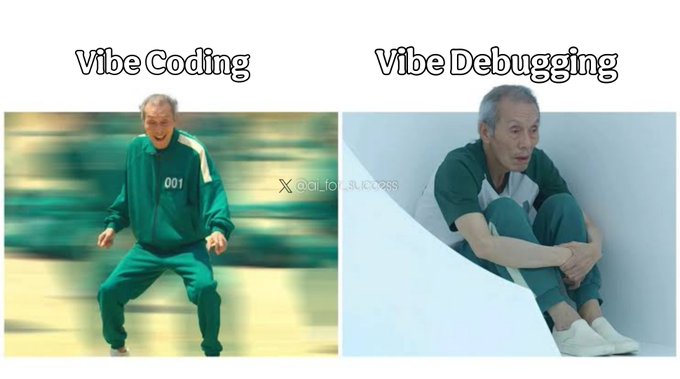
Coding culture: A widely-shared “Vibe Coding” vs “Vibe Debugging” meme frames the current reality of AI-assisted building—rapid generation feels fun, while diagnosing edge cases still feels like the hard part, as shown in the Vibe debugging meme. It’s a lightweight signal, but it matches how a lot of creator-devs describe their loop today.
The punchline is simple. Debugging hasn’t disappeared.
AI coding speed triggers “excitement and fear” at once
Adoption psychology: A short sentiment post describes the emotional split of seeing AI “write code so fast and so accurately,” creating “a strange mix of excitement and fear,” as described in the Excitement and fear. It’s a small datapoint, but it’s consistent with the broader vibe-coding discourse: iteration is accelerating, and so is anxiety about where responsibility sits.
Karpathy’s “contact me on X/email” preference resurfaces
Community coordination: A screenshot of Andrej Karpathy’s LinkedIn profile emphasizes that he “doesn’t use or check” LinkedIn and prefers contact via X/email, as seen in the LinkedIn screenshot. For builders trying to reach collaborators or hire, it’s a reminder that AI community coordination often routes around traditional professional networks.
It’s a small signal. But it’s a real workflow detail.
🧪 Research radar for creatives: efficient agents, video transfer, OCR, and segmentation
Research posts today skew toward practical building blocks: agent efficiency (memory/tools/planning), video effect transfer, and vision/OCR foundations. Excludes product promos and creator contests.
RefVFX proposes tuning-free transfer of complex video effects from references
RefVFX (paper): A new approach called RefVFX aims to transfer dynamic visual effects (lighting shifts, transformations, other time-varying looks) from a reference video to a target image/video without per-project tuning, as described in the Paper share and in the ArXiv paper. For VFX-minded creators, the key promise is: “reference effect → apply it to your shot” without relying only on prompts/keyframes.
• Training data angle: Introduces a triplet dataset (reference effect, input, output) built via an automated pipeline so the model learns repeatable temporal effects, per the ArXiv paper.
• Why it matters vs prompt edits: The paper claims prompt-only or keyframe-conditioned edits struggle with complex dynamics, and positions RefVFX as more temporally coherent, according to the Paper share.
The tweets don’t provide a demo UI or code link; treat it as a research building block until tooling lands.
OmniTransfer demos an all-in-one framework for spatio-temporal video transfer
OmniTransfer (paper/project): A new “all-in-one” framework targets spatio-temporal transfer—i.e., pushing a look/effect across time without breaking motion continuity—shown via the Project clip. For filmmakers doing AI-to-AI shot iteration, this sits in the same bucket as “style/effect transfer that doesn’t flicker,” but framed as an integrated approach rather than a pile of per-effect hacks.

The tweet doesn’t include benchmarks or a public interface; what’s visible is the emphasis on temporal stability and consistent transfer across frames, as shown in the Project clip.
SAM 3 is pitched as a text/click-driven segment-detect-track tool for video
SAM 3 (segmentation/tracking): A repost claims SAM 3 can segment, detect, and track “any object” in images or videos using text prompts, clicks, or visual examples, as described in the SAM 3 repost. For editors and compositors, that capability maps to rotoscoping-style workflows: selecting an object once, then carrying it across frames for masks and targeted edits.
Today’s tweets don’t include a demo clip, benchmark table, or link-out to code/docs; the only concrete capability description is in the SAM 3 repost.
Microsoft’s VibeVoice-ASR targets hour-long transcription in one model
VibeVoice-ASR (Microsoft): Microsoft reportedly released VibeVoice-ASR on Hugging Face as a unified speech-to-text model intended to transcribe hour-long audio, as stated in the Release repost. For filmmakers and podcasters, the practical hook is longer-form ingestion (interviews, table reads, rough cuts) without manually chunking audio into short windows.
The tweet is a repost with truncated detail; no model card, benchmarks, or licensing specifics are included in today’s feed, per the Release repost.
Toward Efficient Agents reframes progress around latency, tokens, and tool calls
Toward Efficient Agents (paper): A new survey-style paper argues that “better agents” now needs an efficiency lens—latency, token spend, and tool-invocation count—alongside task success, as outlined in the Paper share and detailed in the ArXiv paper. For creative teams running multi-step pipelines (script breakdown → shot list → prompts → iterations), the paper’s core message is that memory, tool learning, and planning each have distinct cost knobs.
• Memory: Emphasizes bounded context, compression, and retrieval policies so agents don’t drag full project history into every turn, per the ArXiv paper.
• Tool learning: Highlights training/reward setups that discourage “tool spam” and reduce unnecessary calls, as described in the Paper share.
• Planning: Discusses controlled search / planning strategies that trim the number of reasoning steps while keeping success rates stable, as summarized in the ArXiv paper.
The paper also calls for efficiency benchmarks for agents (not just accuracy), which is the missing measurement layer for production budgeting.
LightOnOCR claims SOTA OCR with a 1B end-to-end vision-language model
LightOnOCR (paper): LightOnOCR-2-1B is presented as a compact, end-to-end multilingual vision-language model for document image-to-text (PDFs/scans) meant to replace brittle OCR pipelines, as shared in the Paper share and summarized in the ArXiv paper. For creatives, this is directly relevant to turning old scripts, contracts, story bibles, and scanned notes into searchable text for RAG and preproduction.
The paper also highlights structured outputs (including predicted bounding boxes for embedded images) and claims strong benchmark results while being much smaller/faster than earlier systems, according to the ArXiv paper.
Being-H0.5 targets cross-embodiment generalization for robot learning
Being-H0.5 (paper/project): Being-H0.5 is framed as “human-centric robot learning” that scales skill learning and generalizes those skills across different robot embodiments, per the Project clip. While it’s robotics-first, the creative relevance is indirect but real: cross-body transfer is the same conceptual hurdle behind consistent performance transfer across different character rigs and physical agents.

The tweet doesn’t provide public artifacts beyond the clip; treat it as a research signal about where “performance portability” is heading, as shown in the Project clip.
While you're reading this, something just shipped.
New models, tools, and workflows drop daily. The creators who win are the ones who know first.
Last week: 47 releases tracked · 12 breaking changes flagged · 3 pricing drops caught