Kling 2.6 Motion Control lands 50% cuts, 67‑credit promos – Glif, Pollo integrations

Stay in the loop
Free daily newsletter & Telegram daily report
Executive Summary
Kling 2.6 Motion Control shifts from marquee feature to ecosystem primitive: Kling frames 2.6 as “the trend we’re defining” via montage calls and global reposts, emphasizing a jump from “things move” to performance‑aware acting. HeyGlif wires its Contact Sheet Agent to pre‑plan multi‑angle breakfasts and bridges, then feeds prompts into Kling as a virtual film crew; Pollo AI integrates 2.6 with a week‑long 50% discount, a 12‑hour 67‑credit funnel, and support for 3–30s one‑takes with full body, face, and lip sync. Artedeingenio’s high‑speed anime boat chase and sketch‑to‑color transition prompts probe camera coherence and stylized scene swaps, while ComfyUI users begin side‑by‑side tests against Tencent’s HY‑MOTION1 inside node graphs, signaling early standardization battles.
• Gen‑video race: fal’s LTX 2.0 adds 20s, 60‑fps video with synced audio and a <30s distilled path; BytePlus Seedance 1.5 Pro pitches shot‑level brief fidelity; Luma’s Ray3 Modify preserves performances while swapping environments; PixVerse’s MIMIC and CES booth push one‑click motion imitation; Leonardo’s Veo 3.1 and Vidu Agent cover cinematic vignettes and one‑image shorts.
• Infra, world models, agents: Runway’s Gen‑4.5 and new GWM‑1 world models become NVIDIA Rubin NVL72’s flagship workloads; NeoVerse demonstrates 4D scenes from monocular video; the NEO VLM stack (VLMTrainKit + VLMEvalKit) lands under Apache‑2.0; Tencent’s Youtu‑Agent explores hybrid practice+RL agent optimization; DiffThinker touts diffusion‑native reasoning but offers no public benchmarks yet.
• Economics and hardware access: AMD’s ROCm 7.1.1 build reports up to 5.4× ComfyUI uplift on Windows Radeon/Ryzen AI; Higgsfield’s 85%‑off two‑year Unlimited, Adobe Firefly’s uncapped Flux.2 and video through Jan 15, and OpenArt’s up‑to‑60% 2026 lock‑in compress gen‑image/video pricing, while PixVerse (300 credits) and Apob (1,000 credits) lean on short‑window drops to seed MIMIC and Remotion usage.
Kling’s deeper embedding into Glif, Pollo, and ComfyUI graphs echoes a broader pattern: high‑end video and world‑model capability is spreading across frontends while GPU platforms, open VLM stacks, and discount wars quietly reset the economics of who can run these workflows at scale.
While you're reading this, something just shipped.
New models, tools, and workflows drop daily. The creators who win are the ones who know first.
Last week: 47 releases tracked · 12 breaking changes flagged · 3 pricing drops caught
Top links today
- Higgsfield unlimited Nano Banana Pro offer
- Kling 2.6 Motion Control overview
- PixVerse Mimic motion imitation feature
- OpenArt 2026 discounted model pricing
- Free multi-angle prompt writing tool
- Image to 3D model Nano Banana app
- Luma Dream Machine Ray3 Modify feature
- Pictory text-to-video creation tool
- Dropfolio AI-powered creator portfolio platform
- Nano Banana dynamic camera shots guide
- NEO vision-language model training GitHub
- NeoVerse 4D world model research paper
- Youtu-Agent scaling agent productivity paper
- NVIDIA blog on Runway Gen-4.5 Vera Rubin
- Fal LTX 2.0 text-to-video API endpoint
Feature Spotlight
Kling 2.6 Motion Control goes mainstream
Kling 2.6 Motion Control broadens fast—Pollo AI integration with promos, official creator push, and community tutorials/prompts—turning motion imitation into a practical directing tool for 2026 shoots.
Continues yesterday’s breakout but adds concrete adoption: a new platform integration, fresh community prompts, and official creator calls. Excludes all other video tools, which are covered separately.
Jump to Kling 2.6 Motion Control goes mainstream topicsTable of Contents
🎬 Kling 2.6 Motion Control goes mainstream
Continues yesterday’s breakout but adds concrete adoption: a new platform integration, fresh community prompts, and official creator calls. Excludes all other video tools, which are covered separately.
Kling doubles down on 2.6 Motion Control as a creator trend
Kling 2.6 Motion Control (Kling_ai): Kling is leaning into Motion Control as a flagship creative trend, releasing a new montage invite to “share your creations and tag us” and positioning 2.6 as “the trend we're defining,” which extends the broader creator excitement and CES visibility covered in trend adoption; the push appears in the main call to action and follow‑up creator shout‑outs in the creator call and Min Choi recap posts.

• Performance over simple motion: A highlighted creator quote frames Motion Control as a shift from AI that “makes things move” to AI that understands performance, emphasizing how 2.6 captures nuance in actors’ timing and intent rather than only trajectory, as echoed in the performance quote share.
• Global community clips: Kling’s account amplifies diverse Motion Control examples—from Japanese commentators showing full facial/lip‑sync transfer and character swaps Japanese demo to abstract 3D form transformations 3D transform demo and cinematic rooftop chases action prompt share—which collectively signal that the feature is being stress‑tested across regions, genres, and styles rather than confined to promo reels.
HeyGlif Contact Sheet Agent turns Kling 2.6 into a virtual film crew
Contact Sheet Agent + Kling 2.6 (HeyGlif): HeyGlif shares a workflow where its Contact Sheet Prompting Agent plans multi‑angle shots and then drives Kling 2.6 Motion Control to generate coverage, pitched as “the power of an entire film crew” that can replace multi‑camera setups and reshoots for 2026 creators workflow teaser with a full tutorial in the linked guide workflow tutorial.

• From boards to motion: The agent helps creators structure sequences as a contact sheet of shots, then feeds those prompts into Kling 2.6 for consistent motion across angles, supporting workflows like continuous breakfast scenes, narrative bridges, and bold camera moves where continuity used to require on‑set planning and editing passes multi-tool breakfast demo.
• Access details: HeyGlif surfaces direct links for trying Kling 2.6 Motion Control within its environment and for using the Contact Sheet Agent, signaling that it is treating Kling as a first‑class backend for story‑driven AI video rather than a one‑off effect Kling access link.
Pollo AI adds Kling 2.6 Motion Control with launch discounts
Kling 2.6 Motion Control (Pollo AI): Pollo AI has integrated Kling 2.6 Motion Control, advertising “mirror any move with god-tier precision” plus a 50% off promotion for all users this week and a 12‑hour social campaign where replying “Kling2.6 Motion” yields a 67‑credit code, as described in the Pollo launch thread and reinforced by the feature breakdown in the capability overview.

• Creator-facing capabilities: Pollo highlights full sync of body, facial expression, and lip movements with audio, support for fast dances, sports, martial arts, detailed finger gestures, and continuous 3–30 second one‑take shots, giving editors and directors longer, performance‑style clips to cut from rather than short loops capability overview.
• Acquisition funnel: The combination of week‑long 50% discounts and a 12‑hour 67‑credit engagement code signals a push to seed Kling 2.6 Motion into existing Pollo AI workflows where creators already upload or reference performance videos Pollo launch.
Artistic sketch-to-color transition prompt shows Kling 2.6’s stylistic range
Artistic transitions (Kling 2.6): Creator Artedeingenio shares a reusable “artistic transition” prompt where the current scene dissolves into sketch lines that rapidly redraw and then bloom into a fully colored new scene, demonstrating that Kling 2.6 Motion Control can handle highly stylized, illustrative transitions rather than only naturalistic footage transition demo.

• Prompt pattern: The prompt explicitly sequences “current scene dissolving into sketch lines,” “sketch filling the frame,” and “sketch transforming into a fully colored new scene,” offering storyboard artists and editors a textual recipe for scene‑to‑scene transitions without manual roto or compositing work transition demo.
High-speed anime boat chase prompt pushes Kling 2.6 camera work
Anime chase choreography (Kling 2.6): A separate prompt from Artedeingenio stress‑tests Kling 2.6 with a high‑speed anime maritime escape, specifying armed boats racing through narrow sea canyons with violent wake collisions and a chase camera threading between cliffs and water, showing that the model can maintain coherent framing and proximity under complex motion and tight geography boat chase demo.

• Camera and energy control: The prompt leans on exaggerated motion, sudden accelerations and braking turns, and constant near‑misses, and the resulting clip keeps the chase camera close to hulls and rock walls without losing spatial continuity, which is relevant for animators and previs teams looking to block out dynamic set‑pieces from text alone boat chase demo.
ComfyUI users start comparing HY-MOTION1 and Kling 2.6 Motion Control
HY-MOTION1 vs. Kling 2.6 (ComfyUI): A ComfyUI‑amplified creator notes they have used HY‑MOTION1 inside ComfyUI and then tried Kling 2.6 Motion Control, flagging an emerging pattern where node‑based pipeline builders directly compare motion‑transfer models inside the same graph rather than in isolated apps early comparison.
• Ecosystem signal: While the retweet does not include quantitative benchmarks, ComfyUI’s decision to highlight the side‑by‑side experiment indicates that advanced users are treating Kling 2.6 as part of a broader motion toolbox that also includes Tencent’s HY‑MOTION1, which is relevant for teams deciding what to standardize on for production graphs early comparison.
🎥 Gen‑video roundup beyond Kling
Non‑Kling engines/features useful to filmmakers today: scene‑preserving edits, synced‑audio video gen, and mimic‑motion. Excludes Kling 2.6 Motion Control (feature).
fal launches LTX 2.0 video model with synced audio and fast distilled endpoints
LTX 2.0 (fal): fal announces LTX 2.0, a text‑to‑video and image‑to‑video model with native synchronized audio that can generate up to 20‑second sequences at up to 60 fps, with a distilled variant promising similar visual quality while returning videos in under 30 seconds according to the ltx launch note. Public endpoints now cover text→video, image→video, and video extension for both full and distilled models, along with LoRA‑tunable versions, as outlined across the LTX‑2 19B extend‑video and text‑to‑video pages in the extend video docs and text to video docs.

BytePlus Seedance 1.5 Pro pitches shot‑level control beyond “AI demo vibes”
Seedance 1.5 Pro (BytePlus): BytePlus positions Seedance 1.5 Pro as an answer to “AI demo vibes,” claiming shot‑level directorial control that closely follows creative briefs while delivering enough production polish that “clients won't ask ‘wait, this is AI?’,” according to the before/after comparison reel in the seedance control demo. Independent creators are already pushing the model with aggressive first‑person runs through collapsing city streets that mimic handheld war‑documentary footage, sharing full prompts and Seedance 1.5 Pro outputs on Replicate in the first person prompt, while BytePlus points filmmakers to ModelArk as the main access point for this engine.


Luma’s Ray3 Modify swaps environments while preserving performance
Ray3 Modify (LumaLabs): Luma highlights a new Ray3 Modify mode in Dream Machine that keeps an actor’s performance while completely changing the environment, as shown in the dance‑studio shot that abruptly becomes a smoky, futuristic set in the ray3 modify clip; creators describe it as having “so much control range” over the look of a shot without re‑prompting motion in the creator reaction. Building on the endframe trick that swapped new characters into existing footage, this pushes Dream Machine toward scene‑preserving, director‑style revisions instead of one‑off clips.

PixVerse’s MIMIC feature and CES demos push one‑click motion imitation
MIMIC and CES demos (PixVerse): PixVerse rolls out a new MIMIC feature in its app that imitates any movement, facial expression, speech, or song from a reference video “in one click,” framed as “one video, endless ways to play” in the mimic feature promo; the launch is paired with a 48‑hour engagement drive offering 300 credits for retweets, replies, and follows. The same underlying engine is being showcased live at CES 2026, with PixVerse inviting attendees to booth #21329 in Central Hall for hands‑on tests, exclusive gifts, and a chance to see its latest AI video engine running on‑device between January 6–9 as described in the ces invite and live demo note.

Leonardo showcases a Veo 3.1 holiday short as Google’s model spreads
Veo 3.1 on Leonardo (LeonardoAi): Leonardo shares a holiday‑themed short made with VEO 3.1 on its platform, showing a character lingering over cake and festive lights at a dining table, with gentle cuts and restrained motion as seen in the veo 3-1 holiday short; the tone leans more toward narrative ambiance than spectacle. Following the Veo pipeline that used start/end frames for a hand‑materialization effect, this example reinforces VEO 3.1’s use as a general‑purpose cinematic model that can handle both stylized FX beats and simple emotional vignettes when hosted by tools like Leonardo.

Vidu Agent turns a single image into a short video in one click
Vidu Agent (ViduAI): Vidu promotes Vidu Agent as a “one image to short video” tool that turns a single still into a motion clip with one click, demonstrated in the campaign reel that opens on text and cuts to a branded outro in the vidu agent reel; the framing emphasizes no timeline editing or manual keyframing. For filmmakers, designers, and social video teams, this positions Vidu Agent as a lightweight way to prototype motion or animate concept frames before moving into heavier editing suites.

🧩 Prompt pipelines and shot design
Hands‑on workflows for creatives: structured prompts, multi‑angle planning, product breakdown loops. Excludes the Kling 2.6 Motion Control feature; one recipe uses Kling 2.5 only as a step.
Exploded burger workflow turns product data into looping breakdown shots
Exploded burger loop (heyglif + Nano Banana Pro): HeyGlif outlines a five-step pipeline where a static burger image and a labeled exploded view are turned into a looping assemble–disassemble animation using Nano Banana Pro for stills and Kling 2.5 for the in‑between frames burger animation demo. The workflow starts with a clean hero shot, then uses an AI editor prompt to create a vertical exploded diagram with each ingredient floated in order and labeled with grams and calories, followed by generating forward and reverse videos between the assembled and exploded frames, and finally stitching them into a continuous loop that communicates both structure and nutrition data workflow steps and agent link.

The thread positions this as a general recipe for turning structured product specs into motion graphics for food or any multi-part object, because the only prompt element that changes is the ingredient list and label schema burger animation demo.
Gemini-to–Nano Banana JSON pipeline for vibe-preserving photo variants
Nano Banana Pro JSON flow (fofrAI): Creator fofr describes a two-step pipeline where Gemini 3 Pro converts a real photo into a rich JSON scene description, then Nano Banana Pro regenerates the image or creates variants that radically change objects and colors while preserving the original mood and composition, as detailed in the ice-storm patio chair example in the JSON prompt flow. A second example shows the same JSON-then-generate trick turning a mundane car dashboard into a cassette-futurism instrument cluster, illustrating how the structure can be reused for stylized reinterpretations of the same underlying scene cassette futurism demo; separate system instructions for getting good JSON from images are shared for Gemini users system prompt tips.
The flow is framed as both a creative series tool and an "adversarial image" stress test for models, because it forces them to match fine-grained constraints (like opposing icicle directions) while tolerating large aesthetic shifts JSON prompt flow.
Free Gemini-based tool auto-writes multi-angle prompts
Multi-angle prompt helper (Ozan Sihay): Ozan Sihay releases a free "çoklu açı prompt yazma aracı" (multi-angle prompt writing tool) he originally built for himself, sharing it as a public Gemini workspace that auto-drafts prompts for multiple camera angles from a single concept description multi-angle tool demo. The shared Gemini link turns the setup into a reusable canvas for other artists, effectively offloading the repetitive work of rephrasing the same subject across varied shots while keeping style and subject consistent gemini canvas link.

The short demo shows the tool helping structure different viewpoints around the same scene, suggesting a lightweight way to pre-plan coverage before sending prompts into image or video models multi-angle tool demo.
Plexiglass ceiling POV prompt unlocks crowd shots from below
Plexiglass POV crowds (cfryant + Nano Banana Pro): Chris Fryant shares a highly structured prompt for Nano Banana Pro that imagines a camera looking straight up through an invisible sheet of plexiglass as many people walk overhead against a pure blue sky, specifying direction of motion, shoe proximity, and the absence of any visible edges or buildings prompt breakdown. Variants generated with this prompt include tight circles, dense grids, and spiral formations of people standing on a glass plane, all viewed from below, which together demonstrate how one carefully written shot description can yield a whole family of compositions for the same conceptual setup plexiglass examples and more formations.
Community spins on the idea extend it beyond people, such as a cat photographed from underneath on transparent glass using a similar angle and framing, signaling that the shot recipe is becoming a reusable pattern rather than a one-off gimmick cat variation.
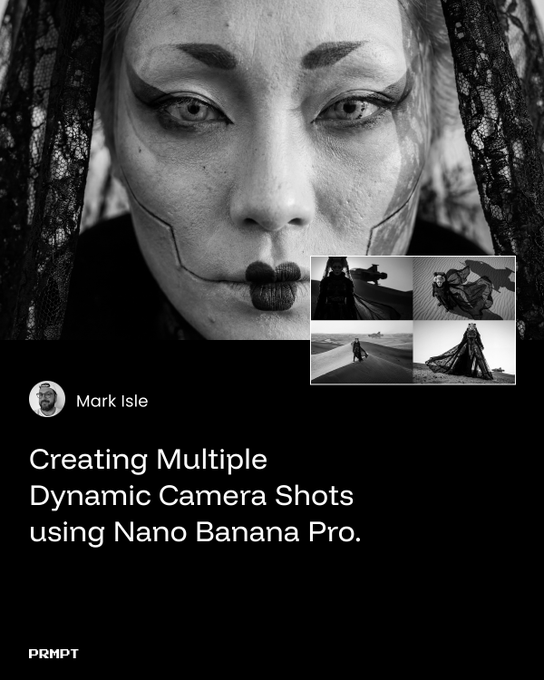
Free Nano Banana Pro camera guide focuses on extreme angles
Dynamic camera guide (ai_artworkgen + Nano Banana Pro): Ai_artworkgen publishes a free PDF guide on creating multiple dynamic camera shots with Nano Banana Pro via Leonardo AI, emphasizing fashion-oriented imagery and "extreme camera angles" across a series of worked examples guide overview. The thread compiles links to the PDF and individual sample shots, then closes with a wrap-up inviting people to bookmark and share the guide, framing it as a reusable reference for composition when experimenting with Nano Banana in Leonardo workflows thread wrap.
The resource focuses on prompt patterns and shot design rather than model settings, so it slots into existing image pipelines as a composition playbook rather than a technical tweak guide overview.
🖼️ Reusable looks: styles, srefs, and plush felt
A style‑heavy day for illustrators and art directors: new Midjourney srefs and NB Pro recipes for consistent looks and campaigns.
Felt diorama prompt and style pack lands for cozy stop‑motion looks
Felt dioramas (azed_ai): Azed_ai released a reusable "Felt" prompt that turns any subject into a felted wool miniature inside a handcrafted diorama, explicitly targeting a tactile stop‑motion fairytale look for illustrators and art directors Felt prompt. The prompt is paired with a newly created Midjourney style reference --sref 7448176501, giving artists a consistent plush, fuzzy rendering across characters and scenes, as noted in the style-specific follow‑up Felt style ref.
Community tests already show the look ported to new subjects—from elderly couples on a bench in a felt garden Garden couple test to kitten towel stacks and superhero riffs like a plush Captain America figure Kitten towel sample and Captain felt figure—indicating the combo functions as a shareable style kit rather than a one‑off gimmick.
Modern Graphic Novel sref 1078051407 targets cinematic superhero panels
Modern Graphic Novel style (Artedeingenio): Artedeingenio published Midjourney style reference --sref 1078051407, tuned for modern American comic art with expressive inking, film‑noir lighting, and splash‑page composition—low angles, characters emerging from shadow, and poses that read as instant covers Graphic novel style brief. Example outputs include Batman stepping through a backlit arch, Spider‑Man crouched amid rubble in harsh side‑light, a Judge‑Dredd‑style enforcer mid‑sprint with muzzle flash, and Venom materializing from an alley’s darkness, all sharing the same cinematic chiaroscuro and dynamic framing Graphic novel style brief.
The thread positions this sref as a way to keep entire sequential runs visually coherent—each frame looking like a key panel or variant cover—without hand‑tuning perspective and lighting per shot.
Nano Banana Pro beauty macro recipe locks in Y2K doll‑like close‑ups
Beauty macro flow (IqraSaifiii): IqraSaifiii shared a highly structured Nano Banana Pro prompt spec for a close‑up portrait—complete with sections for hair, eyes, skin, lips, hands, composition, style, lighting, camera, and quality tags—designed to produce a Y2K/Douyin, doll‑like beauty shot peering through a heart‑shaped paper cutout Beauty macro spec. The example image shows ash‑pink hime bangs, mauve eyes with spidery lashes, porcelain skin with nose blush, ombré almond nails overlapping the torn paper, and macro‑lens depth of field exactly matching the written JSON‑style description Beauty macro spec.
A follow‑up post applies the same structure to a surreal variant—a chicken‑bodied elderly woman in a library—using the trend to demonstrate how this prompt format can lock in composition, lighting, and lens behavior while swapping subject semantics Variant character test; for NB Pro users, it functions as a template to standardize beauty macros across characters and campaigns.
Teal‑noir Midjourney sref 6786942484 delivers cinematic rain‑soaked scenes
Teal‑noir look (azed_ai): Azed_ai introduced Midjourney style reference --sref 6786942484, which produces dark, high‑contrast imagery drenched in cyan/teal light—rain‑slashed deer portraits, abandoned rooms lit by sharp window beams, lone cars in stormy fields, and grainy close‑ups with heavy vignettes Teal noir gallery. The style leans into moody monochrome‑cyan palettes with strong directional light shafts and filmic grain, framing it as a reusable look for atmospheric posters, title cards, or album art rather than isolated concept pieces Teal noir recap.
The consistent handling of rain streaks, foggy beams, and silhouetted subjects suggests this sref can anchor a whole campaign around nocturnal or storm‑lit scenes without constant prompt tweaking.
Travel sketchbook sref 4911019617 nails ink‑and‑watercolor reportage
Travel sketchbook style (Artedeingenio): Another Midjourney style reference from Artedeingenio, --sref 4911019617, mimics urban sketcher notebooks with loose ink linework and watercolor washes, handling still lifes, architecture, and portraits as if painted on open sketchbook spreads Travel sketchbook intro. The examples show a blue vase and oranges on a table reflected in a mirror, a sunlit stone courtyard with deep tree shadows, a hat‑wearing traveler leaning on a balustrade, and a street‑corner building rendered with expressive blue shadows and warm window lights Travel sketchbook intro.
This sref effectively bakes in page layout, paper texture, and on‑location lighting, giving artists a fast path to faux‑journal pages for travel zines, editorial illustration, or narrative mood boards.
New Midjourney cartoon style focuses on intimate room and desk portraits
Cartoon room portraits (Artedeingenio): Artedeingenio showcased another Midjourney Style Creator preset built around simple, character‑driven cartoons set in everyday interiors—bedrooms, home offices, and desks—with clean linework and flat but nuanced color Cartoon style preview. The sample set includes bearded and bespectacled characters framed by doors, corkboards, sketches, and cluttered desks, emphasizing expression, posture, and props over hyper‑detail, and is positioned as a subscriber‑shared style for repeatable social content and explainer visuals Cartoon style preview.
Alongside an earlier blob‑character animation post that riffs on a different cartoon look Cartoon blob demo, this signals a growing library of shareable, production‑ready cartoon presets aimed at creators who want a consistent, recognizable series style.
🏭 Platforms and infra for creative AI
Business/platform shifts that change tool access and speed for creatives. Excludes model‑specific feature news covered elsewhere.
Runway brings Gen‑4.5 video and world models to NVIDIA Rubin NVL72
Gen‑4.5 on Rubin (Runway + Nvidia): Runway is partnering with NVIDIA to run its Gen‑4.5 video generation model and new GWM‑1 world model family on the upcoming Vera Rubin NVL72 platform, after migrating from Hopper to Rubin in a single day according to the partnership announcement Runway Rubin note and the detailed news post Rubin partnership news. This ties Runway’s top‑rated Gen‑4.5 model—used for long‑form, high‑fidelity video—to hardware that Nvidia says delivers 50 PF of inference compute per GPU, explicitly pitched as built for video generation and world‑simulation workloads.
• Creator impact: Nvidia frames Rubin as enabling real‑time, long‑context video and physics‑aware world models, and highlights Runway’s Gen‑4.5 as the first video model showcased on the platform in CES remarks amplified in the Nvidia keynote clip Nvidia keynote clip; for filmmakers and designers this points toward faster, more interactive Gen‑4.5 runs once Rubin hardware reaches cloud providers.
• World‑model angle: Runway’s GWM‑1 world model line is aimed at robotics, interactive avatars, and explorable environments, and is explicitly described as needing sustained long‑context inference on Rubin‑class systems in the same news post Rubin partnership news; that positions Runway not only as a content‑creation tool but also as infrastructure for simulated worlds.
The combination of Gen‑4.5 and GWM‑1 on Rubin signals that high‑end creative video and world modelling will increasingly depend on access to specialized accelerator clusters rather than generic GPU fleets.
ComfyUI’s new AMD ROCm 7.1.1 build speeds up Windows generative workflows
ROCm builds for ComfyUI (AMD + ComfyUI): ComfyUI announced official AMD ROCm support on Windows starting with ComfyUI Desktop v0.7.0, enabling creators to use Radeon GPUs and Ryzen AI for local diffusion pipelines instead of relying on Nvidia cards or cloud, as described in the rollout note ComfyUI rocm post. AMD’s own write‑up reports that ROCm 7.1.1 delivers up to 5.4× performance uplift for ComfyUI on Windows compared with earlier stacks, based on their internal benchmarks Amd blog share and the accompanying blog Amd comfy blog.
• Access paths: The AMD article explains there are three ways in—an official Windows installer, a portable build, and manual setup with ROCm nightlies—so artists on consumer Radeon cards can run heavy image or video workflows locally rather than renting GPUs Amd comfy blog.
• Why it matters: ComfyUI’s node‑based graphs are widely used for SD and custom pipelines; formal ROCm support means studios with mixed GPU fleets, or laptop creators on Ryzen AI, can standardize on one UI while tapping non‑Nvidia hardware for rendering and upscaling ComfyUI rocm post.
For creative teams, this shifts ComfyUI from “Nvidia‑first hobby tool” toward a more vendor‑agnostic workstation option, especially on Windows desktops and AI PCs built around AMD parts.
Amazon quietly launches Alexa.com early access for the Alexa+ chatbot
Alexa+ web chatbot (Amazon): Amazon has opened an alexa.com early‑access site for its upgraded Alexa+ chatbot, letting users log in with existing Amazon accounts and access modes labeled Plan, Learn, Create, Shop, Find, as shown in the CES‑timed screenshot thread Alexa plus ui. The UI shows a central "Ask Alexa" box with file‑attach support, a left nav for history and lists, and a right‑hand panel surfacing shopping and custom lists—hinting that Alexa+ is being positioned as a planning and creative assistant tied directly into Amazon’s commerce and household data, not only a smart‑speaker voice.
For creatives and small studios already embedded in Amazon’s ecosystem, this points to a future where ideation, basic copy, and shopping or gear planning can move into a single assistant surface, though Amazon has not yet disclosed model details, pricing, or API access beyond the current early‑access web UI Alexa plus ui.
Boston Dynamics pairs Atlas robots with Google DeepMind’s Gemini Robotics AI
Atlas + Gemini Robotics (Boston Dynamics + Google DeepMind): Boston Dynamics and Google DeepMind announced that next‑generation Atlas humanoid robots will be controlled by Gemini Robotics models, framing it as a joint platform for industrial work where perception, planning, and actuation come from a single AI stack Atlas gemini collab. This follows Boston Dynamics’ recent video of the fully electric Atlas performing gate‑opening, material carrying, and stair‑climbing tasks while running Nvidia‑powered AI on‑board Atlas Nvidia demo.

For creative technologists and experiential designers, the move ties together three layers—robot hardware, Nvidia‑class compute, and Gemini‑family models—into a more cohesive platform for physical performances, live installations, and real‑world motion capture; Atlas goes from being a scripted demo robot toward a system that can, in principle, interpret higher‑level instructions and environments via Gemini’s multimodal reasoning Atlas gemini collab.
✍️ AI‑native shorts and experiments
Finished pieces and experiments that showcase narrative, not tool updates. Excludes the Kling feature and non‑Kling tool releases.
“THE RUNNER” short film shows where Sora 2 narrative quality is today
THE RUNNER (OpenAI Sora 2): Creator Rainisto released a moody short about a woman running in the rain, made entirely with Sora 2 from pure text prompts and stitched from 565 generations, framing it as a filmmaking experiment rather than a tech demo Sora runner short.

The director emphasizes that Sora currently cannot lock consistent characters but still “feels the most cinematic” among video models, and describes working within that limitation as part of the creative process runner process notes. For filmmakers and storytellers, this piece functions as a real-world benchmark of what a solo creator can do with today’s text‑to‑video—strong atmosphere and shot variety, but character continuity still gated by OpenAI’s policy choices.
ElevenLabs debuts “Eleven Voices” documentary trailer about regaining speech
Eleven Voices (ElevenLabs): ElevenLabs released the trailer for Eleven Voices, a documentary series premiering at SXSW about eleven people who lost their natural speaking voice and then regained it via ElevenLabs’ AI speech technology, narrated in the trailer by Michael Caine eleven voices announcetrailer narration note.

The footage focuses on real‑world roles—a performing artist, a hospital chaplain, a yoga instructor—using cloned or reconstructed voices to return to creative and care work, positioning AI audio as an enabling tool in human‑centered stories rather than a synthetic stunt. For filmmakers and audio storytellers, it stands out as one of the more grounded narrative treatments of voice cloning, with the tech woven into character arcs instead of being the subject itself.
Grok Imagine keeps seeding anime and fantasy micro‑shorts
Anime and fantasy shorts (xAI Grok Imagine): Following earlier praise for Grok Imagine’s moody anime and cartoon look anime styles, creators are now sharing new micro‑shots like an OVA‑style scene of a girl sprinting through floating light shards while flickering between human and luminous form, driven by a detailed transformation prompt anime prompt.

Artedeingenio also showcased a bold dragon emblem forming and resolving as a logo‑like animation, using the same model to push into stylized fantasy branding rather than character drama dragon praise

. For storytellers, these clips underline that Grok Imagine is already viable for high‑impact moments—transforms, logos, and single‑beat scenes—even if longer, character‑driven pieces still need more tooling around it.
Mercedes‑Benz AI ad draws praise as a straight story, not a controversy
AI brand spot (Mercedes‑Benz): Commentator Diesol called out a new Mercedes‑Benz AI‑assisted ad for telling “just a good story” with “no pitchforks,” highlighting that audiences on his timeline reacted to it as a normal piece of brand storytelling rather than as an AI controversy mercedes ai remark. For creatives working with big brands, this is a datapoint that well‑crafted AI imagery can be accepted when the narrative is strong and the execution doesn’t lean on novelty or tech flexing.
Stylized lightsaber duel micro‑short lands as a shareable AI action beat
Lightsaber duel micro‑short (Artedeingenio): Artedeingenio posted a compact lightsaber fight where two Jedi‑style figures clash blue and red blades across a dark rocky arena, inviting followers to pick the winner rather than talk about the tool duel question.

For action‑oriented creators, it’s a clean example of an AI‑generated beat that already feels “finished enough” for social use—readable choreography, clear silhouettes, and loopable timing—without needing a full narrative arc.
✂️ Editing over automation: the 2026 skill
A long craft thread argues traditional editing—not auto clip‑stitching—wins audience trust; plus a useful agent‑ops prompt tip.
TheoMediaAI argues real editing beats automated AI video tools in 2026
Editing craft over automation (TheoMediaAI): TheoMediaAI posts a long thread arguing that traditional film and video editing—not in/outpainting or auto-cut tools—is the core skill creators need in 2026, framing editing as "10,000 micro decisions" about story and pace in the editing thread and expanding that idea with a Kubrick quote about editing being cinema’s unique art form in the kubrick quote. He groups many so‑called "AI video editing" products into three buckets—video in/outpainting (really VFX), one‑shot prompt‑to‑short clip stitchers that feel like "blocky" 5‑second chunks, and auto podcast cutters that switch cameras on speakers—arguing all still require a human editor for coherent narratives in the inpainting critique, one shot tools , and auto podcast cutters.
• Editing as audience advocacy: He quotes a pro editor who says they like "being the one looking out for the audience," using that to describe editing as an invisible act of caring about viewer experience rather than button‑pushing, as recounted in the audience quote.
• Tool stack, not silver bullets: For people starting today he name‑checks CapCut, Filmora, iMovie, DaVinci Resolve, and Adobe Premiere as viable options at different skill levels, while noting that even future models that can rough‑cut "a hundred hours of footage" will likely miss nuanced cutaways and J‑cuts, according to the tool list and rough cut comments.
The thread positions AI video generation as raw material while treating editing literacy as the differentiator that makes AI‑assisted work feel intentional instead of like a generic demo reel.
Matt Shumer’s “missing context” question becomes a simple agent-ops trick
Agent context prompt pattern (Matt Shumer): Matt Shumer highlights a very simple but reusable trick for working with AI agents—after a failed run, explicitly ask the agent "Are you missing any context needed to do this task effectively?", claiming that this question often surfaces missing details and improves the next attempt, as described in the context question tip. He later references the same pattern while talking about how fast the mobile app builder Rork has improved and how its v1.5 now bakes in analytics and monetization, suggesting that good agent behavior and tooling increasingly hinge on giving models the right structured context up front rather than tweaking prompts endlessly, according to the rork update.
The posts frame agent work not as magic but as an interaction design problem, where one extra clarifying question can shift an "unhelpful" assistant into a more capable collaborator for building apps, creative tools, or other workflows.
🕹️ From image to rigged 3D and shorts
3D pipelines and DCC showcases: turn stills into playable rigs and see studio‑grade shorts built with classic tools.
RigRunner turns Nano Banana Pro art into rigged, playable 3D avatars
RigRunner pipeline (Techhalla): Techhalla soft‑launched RigRunner, a free browser app that lets creators take a Nano Banana Pro image, generate a rigged 3D model in Tripo, export it as FBX with idle/walk/dance clips, then upload and instantly control the character in a simple A/D‑to‑move, spacebar‑to‑dance mini‑game RigRunner intro and RigRunner pipeline. The tool is positioned as v0.1 but already handles preset loading, animation state mapping, and basic analytics‑ready gameplay, with a follow‑up noting it "takes it to a next level" and works with any compatible FBX, not just the provided demo model RigRunner follow‑up.
• Image→3D→game flow: The thread spells out a concrete path—NB Pro concept art → Tripo rig/animation → FBX with three clips → RigRunner upload and state assignment—so non‑technical artists can see exactly where AI fits between DCC and a playable prototype RigRunner pipeline.
• Creator‑first framing: Techhalla stresses that generating 3D with AI is easy but using it is hard, and pitches RigRunner as a lightweight way to drop custom characters into interactive worlds without touching a game engine RigRunner intro.
Autodesk’s SWITCH short shows Flow Studio orchestrating a classic 3D stack
SWITCH short (Autodesk Flow Studio): Autodesk is showcasing "SWITCH," an anime‑inspired robot–human character piece created by Masahiro Yoshida using Flow Studio to coordinate 3ds Max, Golaem, Maya and Arnold, using the film as an example of how ideas move from sketch to finished short inside a traditional DCC pipeline Flow Studio highlight and Switch description. The campaign promises a week of behind‑the‑scenes looks at the project, positioning Flow Studio less as an "AI button" and more as a workflow hub that helps animators iterate on performance, camera, and lighting while staying close to their preferred tools.

• Workflow emphasis: Autodesk’s post stresses "first thought to final form" and name‑checks Flow Studio plus Maya, Golaem, 3ds Max and Arnold in one stack, signaling that Flow Studio is meant to sit on top of, not replace, existing 3D and crowd‑sim tools for short‑form storytelling Flow Studio highlight.
• Audience for the demo: The short’s anime look and expressive robot–human dynamic are framed as a creative showcase rather than a tech sizzle, aimed at filmmakers and animators who already know these DCCs but want to see how a modern orchestration layer can support small, director‑driven projects Switch description.
🔬 World models and multimodal reasoning
Mostly papers/code that matter to creative AI: 4D world modeling, diffusion‑native reasoning, open VLM training, and agent optimization.
NeoVerse turns in-the-wild monocular video into richer 4D world models
NeoVerse 4D world model (research): A new NeoVerse paper tackles 4D world modeling directly from noisy, in-the-wild monocular videos, showing split-screen demos where sparse street footage becomes a navigable, temporally consistent scene, as previewed in the NeoVerse teaser and detailed on the ArXiv paper. This line of work matters for AI filmmakers and game designers because better 4D reconstructions from everyday source clips can stabilize long camera moves, support consistent re-framing, and give agents a more realistic sense of physical space to choreograph shots.

The demo illustrates how the model refines from a wireframe representation into a textured 4D scene over time, hinting at pipelines where creators could feed in reference videos, then generate new paths and timings without full-blown 3D hand-modeling.
Runway’s Gen-4.5 and new GWM-1 world model family land on NVIDIA Rubin
Gen-4.5 and GWM-1 (Runway + NVIDIA): Runway confirms its Gen-4.5 video model is the first video generator running on NVIDIA’s new Rubin NVL72 platform and also unveils GWM-1, a general world model family aimed at simulating physical environments, in partnership statements in the Runway partnership and the longer Runway blog. For filmmakers and simulation-heavy storytellers, this pairs a high-fidelity video generator with infrastructure designed for long-context, physics-aware inference rather than short social clips.
• Rubin compute focus: NVIDIA positions Rubin as delivering around 50 PF inference compute per GPU for sustained workloads like video generation and world modeling, which Runway says it used to port Gen-4.5 from Hopper to Vera Rubin NVL72 in a single day—see the migration detail in the Runway blog.
• World-model angle: GWM-1 is pitched for robotics training, avatars, and explorable virtual spaces, which overlaps with virtual production needs where characters and cameras must move through coherent, simulated worlds instead of disjointed shots.
This anchors world-model-style reasoning and long-form video generation on a flagship GPU platform, signaling where higher-end creative tools are likely to tap for physically grounded scenes.
NEO native vision-language model releases full training and eval stack
NEO VLM (EvolvingLMMs-Lab): The NEO team open-sourced their "native" vision-language model training and evaluation stack, including VLMTrainKit and VLMEvalKit, under Apache-2.0, as highlighted in the NEO code RT and the GitHub repo. For AI creatives, this is one of the more complete public blueprints for training and benchmarking custom multimodal models that can actually be fine-tuned for studio-specific tagging, shot selection, or asset search.
• Training and eval kits: VLMTrainKit packages data pipelines and recipes for pretraining NEO-style models, while VLMEvalKit wraps standard VLM benchmarks so teams can measure trade-offs for their own curated datasets—see the structure in the GitHub repo.
• Open license signal: The Apache-2.0 license plus growing community interest (600+ stars and climbing) lowers barriers for indie tools that want a fully self-hosted VLM core instead of relying only on closed APIs.
This gives technically inclined studios and tool vendors a starting point for bespoke captioning, retrieval, and multimodal reasoning tuned to their own art direction and workflows.
Youtu-Agent proposes automated agent generation with hybrid practice-plus-RL optimization
Youtu-Agent (Tencent Youtu): The Youtu-Agent paper proposes a modular framework that auto-generates task agents and then refines them via a mix of in-context "practice" and reinforcement learning, as summarized in the Youtu-Agent summary and expanded in the paper page. For creative pipelines, this aims at agents that can assemble tools, prompts, and workflows themselves for things like multi-shot video generation or batch asset curation, rather than relying on hand-written orchestrations.
• Workflow vs meta-agent modes: Workflow mode targets routine tasks, while a meta-agent mode can synthesize new tool code, prompts, and configs for novel jobs, according to the paper page.
• Hybrid optimization: An "agent practice" module lets agents improve purely through accumulated experience (no parameter updates), then an RL phase tunes policies for longer-horizon tasks.
If these ideas transfer beyond benchmarks, they could underpin more reliable, self-improving assistants that manage complex creative jobs like iterating storyboards or revising entire ad campaigns across formats.
DiffThinker pitches diffusion-native multimodal reasoning instead of text chains
DiffThinker (research): The DiffThinker project is introduced as a "new paradigm for generative multimodal reasoning" that runs reasoning inside diffusion trajectories rather than relying on separate text-only chain-of-thought scaffolding, according to the early description in the DiffThinker thread. For creative AI, this suggests future models that can plan visual story beats, shots, or layouts in a more native image-space process instead of bolting reasoning onto a text backend first.
The announcement is high level and does not yet share benchmarks or code, so its practical impact for storytellers and designers depends on whether follow-up work shows concrete gains on tasks like visual question answering over storyboards or stepwise scene planning.
💸 Creator discounts, credits, and CES tie‑ins
Deals and incentives creators can use now; pricing locks and credit drops. Tool updates themselves are covered in other sections.
Higgsfield reopens 85% off 2‑year Unlimited Nano Banana Pro bundle
Creator promo (Higgsfield): Higgsfield has reopened its "Launch your 2026 Unlimited" sale for another 48 hours, offering 85% off a 2‑year Unlimited plan for Nano Banana Pro and other image models plus 7 days of unlimited Kling 2.6, Seedance 1.5 Pro, and Hailuo 2.3 Fast, as detailed in the Higgsfield offer. The campaign also adds 215 bonus credits sent via DM when users retweet, reply, like, and follow, which tilts this toward heavy‑usage creators who want to pre‑buy a year’s worth of video and image capacity.

The same offer is being amplified by creator partners who frame it as a way to lock in a full toolchain for 2026 at a steep discount, reinforcing that this is a short, engagement‑gated window rather than a standing price cut creator echo.
Adobe Firefly extends unlimited Flux.2 and video generations until Jan 15
Unlimited window (Adobe Firefly): Adobe is giving Firefly Pro, Firefly Premium, and 7,000‑ and 5,000‑credit customers unlimited generations on all image models—including the new Flux.2 partner model—and on the Firefly Video model until January 15, 2026, as called out in the unlimited Firefly note. The Flux.2 campaign highlights strengths for text‑heavy graphics, iterative product design, and image‑to‑image workflows in the Flux 2 demo, so lifting caps during this period effectively turns subscription and high‑credit users into heavy testers without marginal per‑render cost.

A parallel post encourages creators to "try it now" via Firefly’s web studio, tying the unlimited window directly to hands‑on experimentation with Flux.2 for infographics, brand content, and early video tests Flux 2 access link.
OpenArt’s 2026 deal locks up to 60% off gen prices all year
Annual lock-in (OpenArt): OpenArt is running a January promotion offering up to 60% off generation prices on top models—Nano Banana Pro, Veo 3, Kling 2.6, Seedream 4.5—for all users until January 31, 2026, with upgrades during this window locking in the discounted rates for the rest of the year OpenArt offer. Advanced‑tier and above upgrades made now keep 2026 pricing at the promo level, and Wonder Plan users get the discounted price for all of 2026 per the detailed terms in the OpenArt pricing note and the plan breakdown in the pricing page.

For high‑volume image and video artists, this effectively turns January into a decision point: stay on pay‑as‑you‑go or commit to a year of cheaper per‑gen costs across multiple flagship models.
PixVerse ties 300-credit Mimic promo to CES 2026 presence
CES tie-in (PixVerse): PixVerse is using CES 2026 to push its new MIMIC feature—one‑click imitation of movements, expressions, and speech—while offering 300 credits to users who retweet, reply, and follow within a 48‑hour window, according to the Mimic promo. The team is also inviting attendees to visit booth #21329 in LVCC’s Central Hall from January 6–9 for live demos of its latest AI video engine and on‑site gifts, positioning credits and swag as a funnel into the Mimic workflow PixVerse CES post.
Follow‑up posts reiterate the same 300‑credit engagement mechanics and spell out a simple three‑step flow—use PixVerse models, run them on GMI Cloud, and create videos—which keeps the offer squarely aimed at AI video experimenters looking for low‑risk trial capacity PixVerse usage tip.
Apob AI’s Remotion portrait animator dangles 1,000 credits for 24 hours
Engagement credits (Apob AI): Apob AI is promoting its Remotion feature—turning static AI portraits into short, animated clips with natural head and eye motion—by offering 1,000 credits to users who retweet, reply, follow, and like within a 24‑hour window Remotion credit offer. The company frames Remotion as a way to upgrade "nice pictures" into social‑ready motion pieces without building full video pipelines, making the one‑day credit drop a targeted incentive for creators optimizing for animated profile shots and reels.

Apob positions this alongside a broader pitch that 2026 content demand is high while budgets stay flat, suggesting these credits are meant to seed adoption of portrait‑to‑video workflows among freelancers and social teams Apob positioning.
PixVerse leans on CES booth gifts as onramp to its AI video engine
Booth incentives (PixVerse): Alongside the Mimic credit drop, PixVerse is explicitly using booth gifts at CES 2026 as an incentive for creators to try its latest AI video engine, inviting visitors to stop by #21329 in Central Hall for live demos and exclusive merch PixVerse CES invite. The broader CES thread connects these giveaways to a "from text to masterpiece" positioning, aiming at filmmakers and social teams who want to see text‑to‑video and motion‑transfer quality in person before investing time into the app.
This dual strategy—online credits plus on‑site rewards—anchors PixVerse as one of the few AI video players treating CES as both a product demo venue and a physical funnel into its creator ecosystem PixVerse closing note.
🎧 Voices and quick soundbeds
Lighter slate for audio: human‑centered voice stories and fast soundtrack adds for editors/music‑supervisors.
ElevenLabs to premiere “Eleven Voices” AI speech restoration doc at SXSW
Eleven Voices documentary (ElevenLabs): ElevenLabs will debut “Eleven Voices”, a documentary series at SXSW that follows 11 people who permanently lost their natural voices and regained them using ElevenLabs’ AI speech technology, as outlined in the Impact Program announcement series announcement; the trailer is narrated by Michael Caine and frames this as a story about human-centered AI rather than pure tech demo, according to the follow-up note trailer note.
• Human use cases: The series highlights real-world creative and communicative returns—such as a performing artist reclaiming expression, a hospital chaplain resuming bedside comfort, and a yoga instructor teaching with clarity—showing how AI voices can plug back into existing narrative and service roles rather than replace them series announcement.
• Signal for storytellers: Positioning AI voice at a major festival with a named narrator suggests growing comfort with synthetic voices as legitimate storytelling tools, while the Impact Program branding keeps emphasis on consent and individual agency rather than generic cloning series announcement and trailer note.
For filmmakers, audio teams, and brands, this points to AI voice increasingly being framed as an accessibility and restoration layer that can sit inside emotionally-driven work, rather than as a gimmick or cost-only swap.
While you're reading this, something just shipped.
New models, tools, and workflows drop daily. The creators who win are the ones who know first.
Last week: 47 releases tracked · 12 breaking changes flagged · 3 pricing drops caught