MiniMax-M2.5 posts 80.2 SWE-Bench Verified – 204,800 context lands

Stay in the loop
Free daily newsletter & Telegram daily report
Executive Summary
MiniMaxAI’s MiniMax-M2.5 surfaced on Hugging Face with a benchmark graphic and model card positioning it as a near-frontier coding model; the chart cites 80.2 on SWE-Bench Verified and 55.4 on SWE-Bench Pro, plus BFCL multi-turn 76.8; provider listings also highlight long-context availability up to 204,800 tokens alongside per-provider pricing tables. Builders are already treating it as a swap-in default: OpenClaw users report switching from Kimi K2.5 to M2.5 on cost/perf anecdotes—claims include “~40% cheaper than Kimi” and “95% cheaper than Opus,” but these are field impressions, not controlled evals.
• ClawdTalk (Telnyx): adds real phone numbers to Clawdbot/OpenClaw agents; claims sub-200ms voice latency; supports two-way SMS; pitches “missions” that navigate IVRs and text outcomes.
• Seedance 2.0 (ByteDance): MPA reportedly demands an “immediately cease” over copyright; ByteDance also suspends viral “photo-to-voice” after portrait-only voice-clone demos; stricter gating is hinted.
• Post/VFX: Luma’s Ray3.14 frames clip-to-VFX as “native 1080p”; Runway Aleph is spotted as a partner edit model inside Adobe Firefly.
Across releases, momentum is shifting from “new model” to “default selection + interfaces” (agents, calls, editors); independent benchmarking and reliability data remain thin.
While you're reading this, something just shipped.
New models, tools, and workflows drop daily. The creators who win are the ones who know first.
Last week: 47 releases tracked · 12 breaking changes flagged · 3 pricing drops caught
Top links today
- MiniMax-M2.5 model on Hugging Face
- ClawdTalk agent telephony setup page
- Gemini API billing in AI Studio update
- Seedance 2.0 Hollywood takedown coverage
- Seedance 2.0 face-to-voice suspension details
- Artefact AI Film Festival finalists screening
- 2D to 3D render workflow demo
- Flow Studio motion capture workflow video
- Luma Dream Machine Ray3.14 VFX feature
- Nano Banana access page
- Freepik Spaces Valentine workflow guide
- PISCO video instance insertion paper
- Seedance 2.0 reference-video prompting guide
- The Render AI art research newsletter
Feature Spotlight
Seedance 2.0 hits the guardrails: Hollywood takedowns + voice-clone backlash
Seedance 2.0’s realism is triggering immediate clampdowns: Hollywood/MPA pushback plus ByteDance suspending a viral photo→voice feature—signals creators must plan for tighter IP + consent constraints fast.
Today’s biggest creator-impact story is legal/safety pressure around Seedance 2.0: copyright enforcement signals and rapid rollback of a viral “photo-to-voice” capability. Excludes general Seedance craft demos (covered in Video Creation & Filmmaking).
Jump to Seedance 2.0 hits the guardrails: Hollywood takedowns + voice-clone backlash topicsTable of Contents
⚖️ Seedance 2.0 hits the guardrails: Hollywood takedowns + voice-clone backlash
Today’s biggest creator-impact story is legal/safety pressure around Seedance 2.0: copyright enforcement signals and rapid rollback of a viral “photo-to-voice” capability. Excludes general Seedance craft demos (covered in Video Creation & Filmmaking).
MPA demands ByteDance halt Seedance 2.0 amid viral IP remixes
Seedance 2.0 (ByteDance) vs MPA: The Motion Picture Association has reportedly told ByteDance to “immediately cease” Seedance 2.0, framing it as large-scale copyright infringement, as captured in the MPA cease demand circulating on X; the flashpoint example being a photoreal “Tom Cruise vs Brad Pitt fight” clip that went viral, per the Viral fight catalyst recap.
• Why creators feel this fast: The same thread claims Seedance 2.0 can take minimal prompts plus references and output “Hollywood level” footage, which is exactly the capability that turns fan remakes (Titanic/LOTR/Shrek-style riffs) into a legal tripwire, according to the Viral fight catalyst description.
• Industry rhetoric is escalating: The write-up also quotes a screenwriter warning the tech is an “existential threat” and “It’s likely over for us,” which signals the posture on enforcement is hardening, as reported in the Viral fight catalyst framing.
ByteDance pauses Seedance 2.0 photo-to-voice feature after deepfake backlash
Seedance 2.0 (ByteDance): ByteDance has suspended the viral “photo-to-voice” capability after users demonstrated voice cloning from a single portrait image with no audio sample, as summarized in the Feature suspension note and reiterated in the Rollback recap.
• What changes operationally: Reporting linked from the Turkish thread says the platform is moving toward stricter gating—“live verification” plus digital avatar approval—after the portrait-to-voice path surfaced deepfake and fraud risk, as described in the News report and echoed by the Rollback recap.
The model itself appears to remain accessible, but this specific voice path is now treated as a safety exception rather than a default creative feature, per the Rollback recap summary.
“Lens and camera specs” UI claims trigger trust fight in AI creator tools
Disclosure and UX trust: A creator-side critique is picking up steam around AI creative tools exposing camera bodies, focal lengths, and apertures as if they’re physically accurate controls—arguing it’s effectively “fraud” unless clearly disclosed as aesthetic simulation, as stated in the Freepik callout and expanded in the Disclosure argument.
• What the complaint is really about: The argument isn’t that “camera looks” are unusable—it’s that labeling implies causal optics (perspective compression, depth-of-field physics, sensor noise behavior) that diffusion-style priors may not actually implement, which is the core user-expectation mismatch claimed in the Disclosure argument.
No platform response is included in these tweets, but the tone suggests “truth in controls” is becoming a differentiator as marketplaces consolidate and features blur into marketing.
🎬 Video models in practice: Seedance scenes, Kling cinema tests, and ‘one-prompt ads’
High-volume hands-on posting around Seedance 2.0 and Kling 3.0: cinematic shots, ad generation, and meme formats. Excludes Seedance legal/safety clampdowns (covered in the feature: trust_safety_policy).
Seedance 2.0 turns minimal briefs into usable ad edits
Seedance 2.0 (ByteDance): Creators are showcasing ad generation where the “creative brief” is extremely small—either a short text like “a strong coffee ad” or a screenshot of a product page—yet the output is presented as a coherent, paced spot, per the Coffee ad from short prompt and the Amazon listing commercial.

• Text-only brief: one creator types a single-line prompt on a phone UI and gets a polished-looking coffee ad output, as shown in the Coffee ad from short prompt.
• Product-page conditioning: another workflow starts from a screenshot of an Amazon listing and an avatar image, then asks Seedance to generate a commercial “5 minutes later,” according to the Amazon listing commercial.
What’s not visible from these posts is how repeatable the pacing is across multiple regenerations or brand constraints; the examples are presented as single successes.
Kling 3.0 gets stress-tested on cinematic genre language
Kling 3.0 (Kling): A set of genre-forward clips leans into “cinema grammar” (atmospheric fog, gritty vehicle motion, glossy sci‑fi city scale) to sell that Kling is more than short-loop animation; the strongest examples are the Fog battlefield shot, the Mad Max style chase, and the Futuristic city flyover.

• Atmosphere and silhouette: the slow, imposing push through fog is framed as the selling point of the sequence, per the Fog battlefield shot.
• Vehicle momentum: post-apocalyptic chase visuals are called out as a good fit for Kling’s current strengths, according to the Mad Max style chase.
• Scale and gloss: a neon city flyover plus “what movie is this?” framing reinforces that creators are testing recognizable film language, per the Futuristic city flyover.
Seedance 2.0 lighting/reflection studies push “shiny product shot” looks
Seedance 2.0 (ByteDance): A small cluster of early-access posts focuses on dialing reflections—treating the model like a lookdev sandbox rather than a story generator, as shown in the Reflection test clip and echoed by follow-ups like the More reflection exploration plus the repost in One-shot reflection demo.

• What people are probing: specular highlights, surface gloss, and “studio-like” bloom; the outputs are being shared as single-shot materials tests (not multi-shot narratives), per the Reflection test clip.
• Practical read: this is the kind of exercise that tends to reveal whether the model’s lighting is stable across frames and camera moves; the posts frame it as iterative exploration rather than a single prompt-and-done result, according to the More reflection exploration.
DeepMind’s Project Genie opens world creation for AI Ultra users
Project Genie (Google DeepMind): DeepMind posts a reel of generated “worlds” and says U.S. Google AI Ultra subscribers can start creating, per the Worlds showcase post.
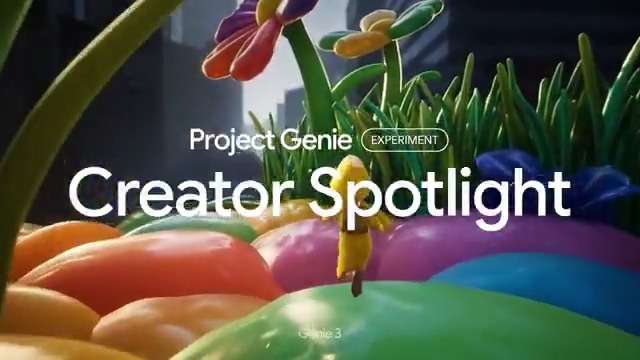
The tweet doesn’t specify creation limits (duration, export formats, or editing hooks), but it frames Genie as a world/scene exploration product rather than a single-shot video generator in the Worlds showcase post.
Luma Ray3.14 markets 1080p clip-to-VFX edits inside Dream Machine
Ray3.14 (Luma / Dream Machine): Luma is pushing a VFX-editing pitch—import an existing clip, then direct transformations like levitation/telekinesis—explicitly calling out “native 1080p,” per the Ray3.14 VFX promo.

The framing is closer to “post/VFX manipulation” than text-to-video generation; the example shows a grounded live-action-ish shot being altered rather than invented from scratch, as shown in the Ray3.14 VFX promo.
Seedance 2.0 “upload a reference clip” workflow gets shared with prompts
Seedance 2.0 (ByteDance): A practical technique being shared is reference-video prompting: upload a clip that’s close to what you want (motion/tempo/composition), then steer generation with text; one creator links a share page of reference videos and prompts in the Reference workflow note, with another post showing short-form outputs tied to a prompt share in the Prompt share with output.

• Reference-first control: the method is described explicitly as “upload a similar video… then enter prompts,” with more artifacts hosted via the Shared prompt page.
Because the shared artifacts live off-platform, the tweets don’t clarify how tightly Seedance matches camera motion versus reinterpreting it, but they do show the workflow pattern emerging in Reference workflow note.
Seedance 2.0 keeps spreading the “alternate ending” fan-edit format
Seedance 2.0 (ByteDance): A clean example of the “fan-ending rewrite” meme shows up with a Game of Thrones alternate ending clip—positioned as a quick, shareable narrative beat rather than a VFX test, per the GoT alternate ending clip.

The post doesn’t include the prompt or reference inputs, but it’s another datapoint that Seedance outputs are being circulated as “finished scene fragments” (ending card and all) rather than raw generations.
“Catering budget” becomes shorthand for AI video cost collapse
AI video economics: A recurring sentiment post compresses the production-cost argument into a single line—“Future Hollywood movies will be made on a catering budget”—using a mundane catering visual as the metaphor, per the Catering budget quote.

This is less about a single model feature and more about how creators are narrating the moment: the cost curve (and who can afford iteration) is becoming the headline, as framed in the Catering budget quote.
Seedance 2.0 gets tested for low-energy, calm direction
Seedance 2.0 (ByteDance): One early test explicitly asks for “the opposite of a high-speed, high-energy action sequence,” using calm motion and meditative staging as a controllability check rather than spectacle, according to the Meditative opposite-of-action test.

This kind of prompt is a quick way to see whether a video model can sustain stillness (slow hands, minimal cuts) without injecting unwanted drama or camera chaos—the clip is framed as a first-generation baseline in the Meditative opposite-of-action test.
🧍 Consistency wars: multi-character binding, locked elements, and better contact physics
Posts focused on keeping characters stable across shots: Kling 3.0 custom elements/multi-character binding and Seedance 2.0’s unusually strong character-to-character interaction consistency. Excludes general ‘cool clips’ (Video Creation & Filmmaking).
Kling 3.0 custom elements and multi-character binding for consistent two-person scenes
Kling 3.0: Creators are now showing a repeatable way to keep two characters stable in the same sequence by turning each actor into a reusable Custom Element and then running Multi-Character Binding for the actual shot generation, as demonstrated in the Binding workflow clip and previewed in the Two-character scene teaser.

The key creator claim is that this approach reduces the usual drift in identity and wardrobe across cuts because the model is being anchored to two separate element “slots,” not a single blended reference, per the Bound scene note and Element creation details.
Freepik Variations to build character shot packs before Kling binding
Freepik Variations → Kling 3.0: A practical pipeline is emerging where you first generate multiple angles/shots per character using Freepik’s Variations tool, then convert those outputs into two Kling Custom Elements (one per character) to improve identity consistency before you attempt any multi-character scene, as described in the Variations to elements workflow.

This matters because multi-character work tends to fail at the prep step (insufficient coverage of the character across angles); the workflow explicitly front-loads that coverage so the binding stage has better anchors, per the Custom multi-shot note.
Seedance 2.0 is getting noticed for unusually consistent character contact
Seedance 2.0: A creator reports that while the system threw repeated errors, took roughly a day to finish one clip, and didn’t follow the intended shot plan, the one area that looks better than any prior model is physical interaction—hands and body contact between characters staying coherent over time, according to the First test notes.

This is a narrow but important signal for filmmakers: two-person blocking (grabs, pushes, embraces) is often where generative video breaks first; here it’s being called out as a relative strength even amid reliability and prompt-adherence issues, per the First test notes.
Kling 3.0 Turkish dialogue via shot-by-shot script prompting
Kling 3.0: A multilingual stress test shows creators pushing dialogue control by writing a four-shot mini-script (camera moves + ambient SFX + spoken lines) and explicitly requiring that characters speak Turkish; the author says it only worked after 7–8 tries, as shown in the Turkish shot script and the resulting Turkish shot script.

The workflow detail that seems to matter is the film-style prompt structure—"Shot 1… Shot 2…" with dialogue in brackets—plus a hard constraint line (“characters must speak Turkish”), per the Turkish shot script.
Voice continuity for two characters via extracted audio plus ElevenLabs
Kling character voices: One build log pairs visual binding with voice continuity by creating two stable character voices—one voice pulled from a previous generation’s dialogue track, and a second voice created externally in ElevenLabs—then reusing those voices while generating a multi-shot scene, as outlined in the Two-voice setup note.
The interesting detail is the “voice asset” mindset: the dialogue voice isn’t treated as a one-off render artifact, but as something you extract and carry forward across scenes, per the same Two-voice setup note.
📣 AI ad factories: UGC realism, reaction-clone ads, and IG theme-page playbooks
Marketing-heavy creator posts: scaling UGC-style ads with agents, reaction video cloning, and content-factory patterns for Instagram/TikTok. Excludes pure prompt dumps (Prompts & Style Drops).
Clawdbot + Linah AI pitch: agent-run UGC ad factory claiming 600 videos/day
Clawdbot + Linah AI: A marketing workflow pitch is making the rounds: hook an agent stack (Clawdbot + Linah AI) to generate, test, and scale “fully realistic UGC ads” in high volume—claiming 600 videos per day with “UGC cost around $1” and turnaround in minutes, as stated in the Workflow claim.

The core idea is treating ad production as an always-on loop (“create → test → scale”) rather than one-off edits, with the “agent” positioned as the operator that iterates continuously, per the Workflow claim. Evidence here is promotional (no spend data, no holdout tests), but the workflow framing is clear: volume + iteration is the product.
Calico AI: reaction-video cloning to mass-produce UGC-style ads
Calico AI: A creator shares a UGC growth anecdote—“a prayer app” allegedly hit $0 to $2K MRR using simple reaction-video ads—then claims they’re replicating the same hook format with AI by cloning reactions onto AI characters via Calico AI, as described in the UGC reaction breakdown.

• Format recipe: “Shocked face + text hook → cut to product,” then scale variants without filming, per the UGC reaction breakdown.
• Tool pointer: The workflow routes through the Tool site, with the promise of printing reaction variants on demand.
It’s a concrete example of “UGC realism” being treated as a templated asset class rather than a creator relationship.
Ad-hook pattern: “objects acting human” as a stop-scroll UGC substitute
Objects acting human: A specific ad mechanic is called out: ads “don’t start with people talking,” they start with an object behaving like a person (examples: “a lemon reacting to heat,” “an onion showing frustration”), framed as a format behind $35k+/month ads, according to the Objects hook claim.

The post attributes performance to “unexpected” anthropomorphism—positioning AI as the enabler for high-volume variations of the same gag structure, per the Objects hook claim.
Instagram AI theme-page playbook: single niche + repeatable format + volume
Instagram theme pages: One post claims the “best 100 AI theme pages” share a consistent playbook—pick one niche, lock one repeatable content style, and replicate what already works—while asserting many of these pages are “quietly doing $25k+/month,” as written in the Theme-page playbook.
The key creative implication is operational: the differentiator becomes a repeatable production system (templates + scripts + batching) more than one-off creative direction, as suggested by the Theme-page playbook. The monetization claim is presented without receipts, but the format constraints are specific enough to copy.
Signal: “State of Instagram in 2026—every video that’s not an ad is AI”
Instagram saturation: A creator frames 2026 IG as a feed where “every video that’s not an ad is AI,” tying it to prior platform leadership warnings and to a broader “AI writes 90% of code” prediction as a cultural reference point in the Saturation claim.

This is less a how-to and more a distribution signal: AI-native short video is described as the default substrate, with “ads vs not-ads” becoming a primary distinction, per the Saturation claim.
🧩 Copy/paste aesthetics: Midjourney SREFs, liquid-object prompts, and microdot transforms
High-density prompt sharing today: Midjourney SREF codes + style analyses, minimalist photo prompts, and structured ‘style transformation’ JSON. Excludes multi-tool workflows (Creator Workflow Recipes & Agents).
Midjourney v6.1 SREF 20240619: AAA hyper-real 3D “game art” lighting/materials
Midjourney SREF 20240619 (Promptsref): Another copyable style drop calls out --sref 20240619 for a high-budget 3D character/poster look (heavy material detail on metal/fabric plus cinematic lighting), as positioned in the Sref note. The matching keyword recipe lives in the Prompt breakdown, which is the only concrete artifact shared today.
Midjourney v6.1 SREF 381645298: “Digital Mosaic” fragmented oil/geometry look
Midjourney SREF 381645298 (Promptsref): A “Digital Mosaic” look is being passed around as --sref 381645298, described as an impressionist/palette-knife texture broken into sharper geometric color blocks—useful when you want painterly texture without losing graphic readability, per the Sref description. The prompt scaffolding and examples are collected in the Prompt breakdown, which is the part you can copy/paste quickly.
Weekend prompt template: “Liquid Objects” minimalist floating [OBJECT] made of [LIQUID]
Prompt template (“Liquid Objects”): A reusable minimalist photography prompt is circulating—“minimalist photography of [OBJECT] made of a single [LIQUID] floating in the air against solid white; soft diffused light; perpendicular camera angle; tight framing; balanced composition; 3d render”—with multiple example outputs shown in the Prompt + examples.
This is one of the cleaner “swap one variable, keep the aesthetic” templates in the set, because the composition rules stay fixed while only the object/liquid changes.
Midjourney Niji 6 SREF 251: glossy “liquid metal” cyberpunk aesthetic pack
Midjourney SREF 251 (Niji 6): A liquid-metal/cyberpunk rendering style is being shared as --sref 251 for Niji 6, emphasizing holographic reflections and cold blue-silver palettes, according to the Sref description. The copyable prompt structure is gathered in the Prompt breakdown, which includes the style-oriented keywords the post claims make the look stick.
Midjourney prompt: coffee steam becomes a winding mountain road (SREF-weighted blend)
Midjourney prompt (SREF-weighted blend): A concrete “visual metaphor” prompt is shared with full parameters—“A steaming coffee cup with the vapor forming a winding mountain road --chaos 30 --ar 4:5 --exp 25 --sref 3886613874::2 2238063778::0.5”—including explicit SREF weights, per the Coffee road prompt.
This is one of the few posts today that includes the full knob set (chaos, aspect ratio, exp, and SREF weights) rather than only a style code.
Midjourney SREF 2312587175: hand-painted anime look associated with Ghibli-era frames
Midjourney SREF 2312587175: A style reference code is shared as --sref 2312587175, described as a traditional Japanese 2D anime / hand-painted animation aesthetic (80s–2000s vibe; warmth; everyday-object detail), as outlined in the Sref description.
It’s presented as “associated with” Studio Ghibli productions (style-adjacent language), so treat it as an aesthetic pointer rather than an official match.
Style JSON preset: dense monochrome microdot halftone (B/W stippling transform)
Image style transformation preset (“microdot”): A structured JSON spec for a dense black-and-white microdot/halftone + engraving hybrid is posted as a reusable “image_style_transformation” recipe—explicitly banning soft gradients, enforcing very high contrast, and mapping brightness to dot density, as written in the Microdot JSON preset.
If you’re building a repeatable print/etching look, the value is that the constraints are spelled out (no grayscale blending; sharp silhouettes; heavy black masses) instead of being implied.
Midjourney SREF 3257508791: clean character-turnaround sheets for design exploration
Midjourney character sheet SREF 3257508791: A style reference is posted specifically for “character design turnaround” layouts—multiple 3/4 poses, expression variations, and a clean neutral background—using --sref 3257508791, per the Character sheet guidance.
This is less about a single rendered frame and more about getting consistent presentation for iteration and review.
Prompt template: hyper-detailed origami portrait collectible (8K, 1080×1080)
Prompt template (Origami collectible look): A copy/paste prompt describes an “origami-style version of a person” folded from high-quality paper with crisp edges, realistic paper texture, and a clean studio surface; it also pins output intent as “8k, 1080×1080 square,” as written in the Origami prompt text. For people who want to compare outputs across generators, the same prompt is also shared through a multi-model page in the Prompt runner link.
Prompt: ad photography “splash of drop of water” with bright colors + studio lighting
Prompt template (Splash ads): A short commercial-photography prompt for high-speed splash imagery—“advertisement photography, splash of drop of water, bright colors, studio lighting”—is shared alongside a crown-splash sample in the Splash prompt.
The concrete detail here is the framing: it’s meant to read like product ad key art, not abstract texture.
🧑💻 Coding models & builder agents: MiniMax M2.5 buzz, OpenClaw defaults, and safer AI coding habits
Creator-dev chatter concentrates on new coding models (MiniMax/Kimi) and agentic dev workflows (OpenClaw), plus ‘don’t code blindly’ practices. Excludes general creator automation (Creator Workflow Recipes & Agents).
MiniMax-M2.5 hits Hugging Face with strong coding + agent benchmarks
MiniMax-M2.5 (MiniMaxAI): MiniMax-M2.5 is now posted on Hugging Face, with a widely shared benchmark bar chart that places it near Claude/GPT-tier on coding evals—e.g., 80.2 on SWE-Bench Verified and 55.4 on SWE-Bench Pro, plus multi-turn/tool-ish benchmarks like BFCL multi-turn 76.8 as shown in the Benchmark bar chart and described in the Model card.
• What creators/builders are reacting to: the pitch is “SOTA fast, precise,” with one tester saying it “feels like a model built by people who actually code,” per the SOTA coding impression.
• Why it matters operationally: the Hugging Face provider listing highlights a long-context/cost surface (including a 204,800 context entry and per-token pricing by provider), as summarized in the Inference pricing table.
Treat the chart as directional—it’s not a full eval report—but it’s enough for many builders to start swapping it into day-to-day coding stacks.
OpenClaw default-model swaps: Kimi K2.5 to MiniMax M2.5 for “almost Opus” coding
OpenClaw (workflow): A concrete “daily driver” pattern is emerging: set MiniMax M2.5 as the default model in OpenClaw after testing against Kimi K2.5, with one builder reporting it “feels like Opus 4.5, maybe slightly below,” while being “around 40% cheaper than Kimi and 95% cheaper than Opus,” per the Default model switch screenshot.
• Cost framing that sticks: the same thread compresses the value prop into “Almost-Opus” pricing, per the Almost-Opus cost quote.
This is less about a single benchmark and more about a repeatable ops move: pick one default that’s good enough for most coding tasks, then only escalate to pricier models when needed.
Don’t let coding agents free-run: request an implementation plan first
Antigravity (workflow guardrail): A lightweight habit is being shared for safer AI coding: ask for an “Implementation Plan” artifact first, review architecture/risks, then approve code generation—framed explicitly as “don’t let AI write code blindly” in the Implementation plan artifact post.
This pattern is showing up as a response to faster/cheaper coding models: as model swaps get easier, teams lean harder on process constraints (plan/review) to keep quality and security stable even when the underlying model changes.
Local-friendly coding packs: MiniMax-M2 GGUF 2-bit and Qwen3-Coder-Next INT4
Quantized local packaging (Cerebras/Intel ecosystem): Links are circulating to a MiniMax-M2 GGUF 2-bit build and a Qwen3-Coder-Next INT4 build, positioned explicitly as “run it locally” options; the pointers are collected in the Quantized model pointers post, with the direct artifacts in the GGUF 2-bit repo and INT4 model repo.
The practical creative angle is straightforward: these packaging formats lower the bar for “offline” or cost-capped coding assistants that still feel capable enough to wire into build scripts, render pipelines, or studio tooling.
Kimi K2.5 vs frontier pricing talk intensifies inside agent-coding stacks
Kimi K2.5 (MoonshotAI) cost/perf narrative: The “China models are undercutting frontier pricing” storyline keeps getting repeated in builder circles, with Kimi K2.5 described as “Claude Opus 4.6 performance” at much lower cost in the Cheap Opus-class claim discussion.
This shows up less as a single launch artifact and more as a selection heuristic: builders are treating model choice as a rotating commodity input (swap defaults weekly) rather than a long-term commitment, especially when routed through aggregators/tools like OpenClaw.
🧰 Where creators build: Freepik Spaces, Krea iPad, Dreamina, and studio OS platforms
Platform distribution and ‘creator hubs’ are active today: Freepik Spaces templates and Seedance placement, Krea’s iPad push, Dreamina/Seedream positioning, and STAGES as an AI production OS/marketplace. Excludes model capability demos (kept in image/video categories).
Freepik teases Seedance 2.0 “soon” and starts plan-first onboarding
Seedance 2.0 on Freepik (Freepik): Freepik is positioning Seedance 2.0 as an imminent add to its platform—explicitly “soon on Freepik” in the teaser clip shared in Soon on Freepik teaser.

The rollout is paired with a pricing funnel (“Don’t wait until launch day; lock in your plan now”) that points straight at Freepik subscriptions, as shown in Lock in your plan CTA and the linked Pricing plans.
Freepik Spaces: Valentine template walkthrough shows how “Templates” actually run
Freepik Spaces (Freepik): A Valentine’s Day template is being used as a concrete onboarding path for Spaces—showing how a shared workflow becomes a one-click, remixable canvas with minimal node-editing, as demonstrated in Template workflow guide.

• Template operation: The guide emphasizes the “remix” entrypoint, then swapping assets via “replace,” and executing from a specific node using “Run from here,” per the step-by-step in Template workflow guide.
• Example output format: The resulting “photo booth strip” style output is shown in Photo booth result strip.
Krea acquires Wand and releases a new iPad app
Krea (Krea): Krea announced it’s acquiring wand_app and simultaneously releasing a new Krea iPad app, consolidating tooling and pushing creation workflows onto iPad as stated in Acquisition and iPad app note.
AI Studio adds in-place upgrade and spend tracking for the Gemini API
Gemini API in AI Studio (Google): Google is rolling out a billing UX change so you can move from free to paid Gemini API without leaving AI Studio, plus track usage and filter spend by model—framed as “10x easier” in Billing flow demo.

The clip shows the subscription state switching (Free → Paid) and a usage dashboard with model-based filtering, all inside the same workspace per Billing flow demo.
Dreamina pitches Seedream 5.0 Lite with 2-second gen and native 4K claims
Dreamina + Seedream 5.0 Lite (ByteDance): A platform-side pitch frames Dreamina as moving “professional-grade,” with Seedream 5.0 Lite described as a February 2026 image-model upgrade that can generate in “as little as two seconds” and supports native 4K output, according to Dreamina platform pitch.
The same post claims improved prompt accuracy and stable text rendering, and it positions the model as currently accessible via Dreamina with limited-time free access per Dreamina platform pitch.
STAGES leans into “AI production OS” plus a Marketplace Beta for assets and tools
STAGES (STAGES): STAGES is being framed as an “AI production OS” with model routing (BYOK plus credit purchase) and a Marketplace Beta spanning assets, workflows, and tools—positioning the value as orchestration and creator ownership in Production OS pitch and the product page linked in Product page.

The Marketplace UI screenshot in Marketplace beta filters shows filters for asset types (stock images/video/audio, workflows, tools) and compatibility targets like TouchDesigner, After Effects, Premiere Pro, ComfyUI, and Stable Diffusion, alongside a pricing slider and “Include Free Assets.”
🪄 Finishing & VFX: clip re-imagining, video upscaling, and reshoot-less edits
Tools aimed at upgrading existing footage show up today: Luma’s Ray3.14 for VFX-style transformations, Runway Aleph edits inside Firefly, and early signal of Magnific video upscaling. Excludes primary video generation model showcases (Video Creation & Filmmaking).
Luma Dream Machine adds Ray3.14 for 1080p “import clip, add VFX” edits
Ray3.14 (Luma Labs): Luma is pushing Ray3.14 inside Dream Machine as a “native 1080p” workflow for re-imagining existing footage—import a clip, then direct VFX-style transformations like levitation/telekinesis, as shown in the Ray3.14 promo demo.
• What’s materially new for finishers: the pitch is less “generate a new scene” and more “turn a real plate into an impossible shot,” with the input being your clip (useful for punch-ins, inserts, and salvage passes) per the Ray3.14 promo demo.
It’s still a marketing-forward post (no knobs/settings listed), but it’s a clear signal that “VFX pass” is becoming a first-class mode in the video tools.
Adobe Firefly shows Runway Aleph for reshoot-less video content edits
Runway Aleph in Firefly (Adobe x Runway): A new integration signal shows Runway Aleph positioned as a partner model inside Adobe Firefly for “modify the content of an existing video” workflows—framed explicitly as avoiding reshoots in the integration mention.
What matters here is the implied workflow shift: Aleph-style edits (object/scene changes on a clip) get pulled into a Firefly-centric pipeline rather than living only in Runway’s app surface, per the integration mention.
Flow Studio workflow: single-camera capture to finished shot with post camera motion
Flow Studio (Autodesk): Autodesk shared a practical end-to-end example: capture high-quality motion from a single camera, then carry it through to a finished shot by adding light rays and subtle handheld camera movement in post, as demonstrated in the workflow demo.
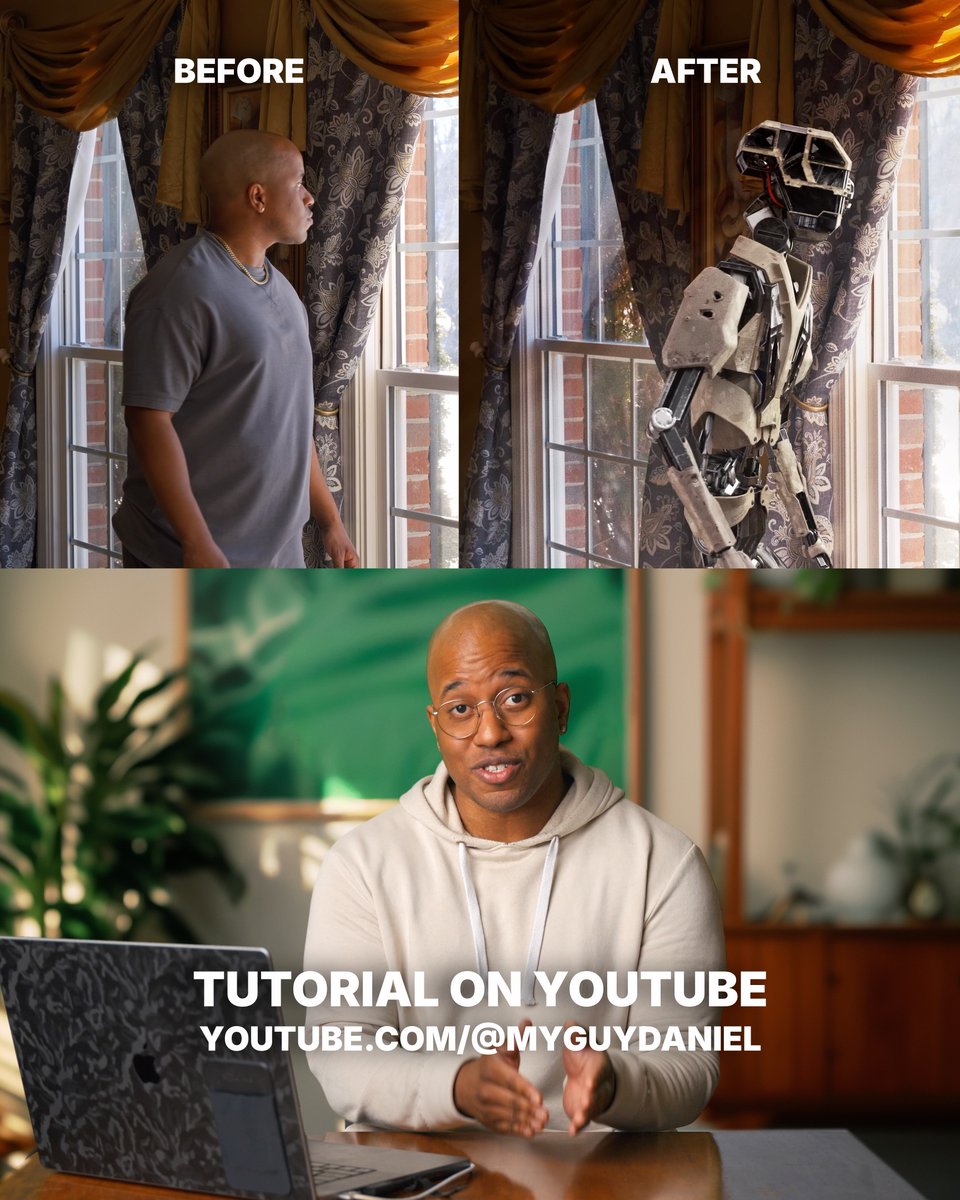
This reads like a “minimal capture, maximal finish” pattern—reduce onset complexity, then use post controls (light treatment + camera feel) to land the final look, per the workflow demo.
Magnific hints at a video upscaler arriving Monday
Magnific (Video upscaling): A teaser claims Magnific is about to ship an “Upscaler for Video” on Monday, as stated in the teaser post.
There are no samples, specs, or pricing details in the tweet, so the only concrete takeaway is timing (a near-term post pipeline option) per the teaser post.
PISCO paper: precise video instance insertion with sparse control
PISCO (research): A new paper proposes Precise Video Instance Insertion with Sparse Control, aiming at tightly controlled insertion/compositing of elements into video with minimal control signals, as linked in the paper pointer and detailed on the Paper page.
The creative relevance is straightforward: if this line of work holds up in tools, it’s a route to “add the thing to the shot” editing that behaves more like compositing than text-only generation, according to the Paper page.
🖼️ Image craft & lookdev: Midjourney × Nano Banana, character sheets, and concept renders
Image-centric creation today focuses on style discovery (Midjourney), refinement/variation (Nano Banana Pro), and character design references. Excludes raw SREF/prompt dumps (Prompts & Style Drops).
Midjourney-to-Nano Banana Pro workflow for style discovery and controlled iteration
Midjourney + Nano Banana Pro: A practical lookdev loop is getting repeated: use Midjourney to hunt for hard-to-replicate styles, then hand the winning frames to Nano Banana Pro for edit/refine/variant passes—framed explicitly as a way to keep outputs “one of a kind” in the Workflow writeup.
The key point for production is that Midjourney is being used as the “style miner” (especially via SREF libraries), while Nano Banana Pro becomes the “art director” step for controlled revisions and exploration, as described in the Workflow writeup.
Concept-to-character stack: found object prompt → 2D design → 3D render → animated spot
Multi-tool character pipeline: One creator describes starting from a mundane real-world seed (a road sign) to define the concept, then chaining Midjourney (2D) → Leonardo/Nano Banana 2 (3D) → Kling 2.5 (animation) with post and music via Topaz and Suno, as listed in the Toolchain breakdown.

The workflow emphasis is the “concept anchor” step—using a non-obvious reference object to constrain form language early—before the 3D/material pass and the final motion/music packaging, per the Toolchain breakdown.
Midjourney character turnaround sheets as a consistency scaffold
Midjourney: A character-sheet/turnaround layout is being shared as a repeatable way to stabilize character exploration—neutral background, repeated 3/4 poses, and expression variations—so you can judge design consistency before moving into downstream animation or 3D, as described in the Character sheet guidance.
Rather than treating it as “one pretty frame,” the point is to generate a design system (poses + expressions + proportions) that can survive later steps like rigging, multi-shot video, or 3D conversion, following the Character sheet guidance.
2D vs 3D side-by-side becomes a quick lookdev QA format
Lookdev review format: Side-by-side “2D or 3D?” comparisons are being used as a lightweight check for whether a design reads better as illustration or as a 3D collectible/turntable-style render, as shown in the 2D vs 3D comparison.
This format is useful because it forces a single decision: keep stylization in 2D, or commit to materials/lighting/silhouette in 3D—exactly what concept teams need before they start generating variations at scale, per the 2D vs 3D comparison.
Midjourney lookdev loop: iterate texture and palette families, not scenes
Midjourney: A recurring lookdev move is to iterate on texture families and palette pairings (fur/fuzz materials, soft macro surfaces, high-saturation color blocking) as the primary exploration axis, rather than constantly changing subject matter, as shown in the Texture exploration grid.
The practical takeaway is that treating “materials + palette” as first-class outputs creates a reusable style kit you can reapply to characters, props, and environments later, consistent with the exploration shown in the Texture exploration grid.
Nano Banana character panels for consistency checks and VFX beats
Nano Banana: Creators are using Nano Banana outputs not only as single hero images, but as multi-frame composites/panels (close-up → full-body → prop/hand detail) to lock a character’s read and sell “magic beat” moments like conjured objects, as seen across the Panel character example and Summoning panels.
This panel-first approach functions like a lightweight character bible: you can validate silhouette, face, and key props before you ask a video model to preserve them, following the examples in the Summoning panels.
Surreal, high-detail “sculpture renders” as a lookdev target
Aesthetic reference: Hyper-dense surreal “sculpture” compositions—miniature scenes embedded inside a single creature form—are being shared as a north-star look for generative image craft, with a representative example in the Sculpture-style render.
This style tends to stress-test controllability (micro-detail, nested story beats, and material readability in one frame), which is why it’s circulating as a lookdev reference in posts like the Sculpture-style render.
🧊 3D & animation pipelines: Hunyuan 3D in ComfyUI and rapid 2D→3D rendering
A lighter but clear thread today: 3D generation/animation tooling updates (ComfyUI partner nodes, rapid 2D→3D conversion, and storyboard panel rendering features).
ComfyUI Partner Nodes adds Hunyuan 3D 3.0
ComfyUI (Partner Nodes): Hunyuan 3D 3.0 is now available inside ComfyUI via Partner Nodes, according to the rollout note in Partner Nodes announcement; the post also frames this as the start of “more models & tools” landing as node-native integrations.
The creative implication is mostly about packaging: 3D generation becomes a first-class node in the same graph where people already do image conditioning, upscaling, and render/comp workflows.
2D sketch to finished 3D render in minutes (concept art workflow)
2D→3D workflow (concept art): A clean pattern for rapid character look-dev is getting shared as “2D to a fleshed-out 3D render in minutes,” with the transformation demoed in 2D to 3D demo post.

The still frame in 2D to 3D demo post makes the key point for pipelines: you can start with a readable 2D silhouette/shape language and end with a lit, textured 3D asset for pitch frames or story panels.
Story Panels update adds triptych logic for cinematic sequences
Story Panels (iamneubert): A small update shipped that targets “cinematic stories” quality and adds triptych logic support aligned with the Character Renderer, as described in Update note and demo.

The screenshot in Update note and demo shows a stacked three-panel composition (face, mid, torso) that’s meant to keep character presentation consistent across a mini-sequence.
Midjourney lookdev loop: iterate texture + palette combos with SREF stacks
Midjourney (lookdev studies): A practical look-dev habit is resurfacing: run fast texture/material explorations (fuzz, fiber, plush-like surfaces) while cycling colorways, then keep the best “material language” as a reusable style anchor—see the exploration grid shared in Texture and color exploration.
The post includes a concrete parameter recipe—multiple --sref codes, a --profile, and --stylize 250 in Texture and color exploration—useful if you want repeatable material tests rather than one-off pretty renders.
2D vs 3D side-by-side is becoming a quick design review format
Design review pattern: Posting a 2D concept next to a 3D render is getting used as a fast “readability vs presence” check—line clarity and gesture in 2D versus volume/material believability in 3D—as shown in the side-by-side prompt in 2D or 3D comparison.
It’s a small format, but it helps teams decide where 3D is actually buying something (materials, silhouette in motion, merch-ready turnarounds) versus where 2D is already doing the job.
🤖 Agents leave the chat: real phone calls, creator ops, and workflow safety
Agent workflows are a major practical thread today: giving agents real phone numbers, automating daily ops, and warnings about running open-source agents safely. Excludes coding-model news (Coding Models & Builder Agents).
ClawdTalk adds real telephony (not browser audio) to Clawdbot/OpenClaw agents
ClawdTalk (Telnyx): A new voice/telephony layer lets a Clawdbot or OpenClaw agent make and receive real phone calls with sub-200ms latency, plus two-way SMS from the same number, while still executing tools mid-conversation—framed as production-ready in the Launch thread and reiterated with specs in the Free tier details.

• Deployment model: Setup is positioned as ~5 minutes—“install the skill, verify your number, call your bot”—and the bot’s code “doesn’t change” because ClawdTalk adds voice as an interface layer, according to the Dev experience notes.
• Access and pricing shape: A free tier ships with “real minutes” and no credit card, while “Pro” adds a dedicated number and outbound calling, as described in the Free tier details and the linked Product page.
Missions: the workflow where an agent phones the world and reports back
Agent “missions” workflow: The practical pattern being pushed is delegating an outcome—e.g., “find a plumber who can come today”—and having the agent place outbound calls, handle phone trees, talk to humans, then text the best option back, as laid out in the Missions example within the broader ClawdTalk pitch in the Capabilities thread.
This matters to creator-operators because it treats voice as an action surface (sourcing, booking, follow-ups) rather than content generation, with the “make calls for you” framing repeated in the Missions example.
Agent orchestrator fatigue grows as tools converge on the same sidebar UI
Agent orchestrators: A builder complains there are “67 ppl shipping agent orchestrators” and “they’re all copying each other,” then narrates a personal loop of trying multiple orchestrator concepts and ultimately returning to “just use terminal,” per the Copycat rant and the longer Orchestrator journey.
The signal here is UI convergence: the differentiator is drifting away from “yet another conductor” and toward execution reliability and ergonomics (split terminals, latency, desktop app weight), with Codex desktop called an “ultimate lagfest” in the same arc in the Orchestrator journey.
Safety baseline for running open-source agents on personal machines
Open-source agent safety: A creator PSA reports anecdotes of newly released open-source agents doing “silly things” on users’ computers (including posting on their behalf) and urges a defensive baseline—use a virtual machine, avoid clicking unknown links, and enable 2FA across accounts/email—per the Safety warning post.
The thrust is operational: agent autonomy turns normal “download and run” behavior into account-risk and device-risk if you test in your primary profile, as described in the Safety warning post.
A permanent macOS sidebar becomes a personal “agent ops” control plane
macOS productivity UI: A builder describes creating a permanent right-side desktop sidebar that consolidates calendar, meeting status, clipboard/screenshots/downloads, smart-home cameras/security, analytics/revenue, system stats, and an OpenClaw status block (git changes badge + “git pull” + restart gateway), with auto-hide when undocking, as detailed in the Sidebar inventory and expanded rationale in the Menu bar constraint note.
It’s a concrete pattern for “creator ops”: move agent/tool observability out of chat and into always-on ambient UI, as suggested by the OpenClaw control bits in the Sidebar inventory.
OpenClaw at work: the “IT said no” reinstall reality shows up as a meme
OpenClaw (workplace ops): A short meme clip shows “reinstalling OpenClaw on your work laptop after the IT team tells you no,” capturing the practical friction of bringing agent tooling into corporate environments, as shown in the Work laptop reinstall meme.

It’s not a product update, but it’s a real distribution constraint: creators building with agents keep running into device policy and security posture issues, as the Work laptop reinstall meme implies.
📱 Distribution shifts: Instagram formats, anti-spam enforcement, and engagement experiments
Platform dynamics affecting creators show up across Instagram and X: new content surfaces, anti-automation enforcement, and data-backed engagement formats (puzzles vs threads).
Instagram’s “Short Drama” format points to native vertical mini-series distribution
Instagram (Meta): Instagram is reported to be introducing a “Short Drama” feature that lets creators publish (and viewers watch) vertical mini-series directly inside Instagram, according to the feature note in Short Drama mention. This matters because it’s a platform-native shelf for episodic storytelling—less “one-off Reel,” more “returning series,” which changes how trailers, episode hooks, and cliffhangers get paced.
Details like eligibility, monetization, and whether it’s creator-invite gated weren’t shared in the tweets; today’s signal is the surface itself, as described in Short Drama mention.
Data point: AI “puzzles” posts trade reach for deeper engagement
Engagement experiments: A creator running “AI puzzles” reports materially higher engagement than their non-puzzle posts—“24 puzzles in 12 days” delivered a 10.7% engagement rate, stated as 29% higher than their non-puzzle content in Puzzles performance stats; they also cite a 22.7% engagement rate from a single-image puzzle post in Single-image puzzle result. That pattern (lower reach, higher depth) is the core takeaway from the dataset described across Puzzles performance stats and Single-image puzzle result.
X tightens automation and spam detection with “human tapping” heuristics
X (platform enforcement): X is rolling out more detection for automation and spam, with the enforcement logic framed around whether “a human is not tapping on the screen,” as stated in Automation detection note. For creators who schedule, auto-repost, or run semi-automated distribution, this is a practical shift: the platform is explicitly signaling that interaction patterns can be used as authenticity/automation classifiers.
No thresholds or penalties were described beyond “more detection… and a lot more to come,” per Automation detection note.
X previews a country filter for timelines (Premium+)
X (feed segmentation): X Premium+ users are shown a forthcoming option to filter their timeline by country, using account location signals per the preview described in Premium+ preview and echoed in Country filter mention. This is a distribution lever: it implies more intentional regional targeting (and regional blind spots) for global creator accounts.
Payout dashboard screenshots are becoming a creator-status signal
Creator monetization reality check: A payouts dashboard screenshot shows $18,300.71 in total payouts with one period at $5,920.12 and another flagged “below minimum earnings,” framing the whiplash creators see across pay periods as captured in Earnings dashboard screenshot. The post’s tone (“this place is not real”) in Earnings dashboard screenshot reflects how public payout receipts are increasingly used as social proof—and as fuel for expectations mismatches.
🎙️ Voice & speech tools: open-source TTS stacks for creators
Standalone voice coverage is smaller today, but notable: open-source TTS claims for Mac and creator interest in voice as a production building block. Excludes Seedance’s policy-heavy voice cloning story (covered in the feature).
A creator claims a merged Qwen3‑TTS setup is the best open-source TTS on Mac
Qwen3‑TTS (open-source, Mac): A creator thread claims the current “best open source TTS available on Mac” comes from combining two separate Qwen3‑TTS community projects, with a walkthrough video breaking down how the merged stack works, as described in the Open-source Mac TTS claim.
What’s still unclear from the tweets is which two repos were combined (and what was improved—voice quality vs latency vs packaging), but the signal is that the "best on Mac" experience may now be more about stitching compatible OSS pieces together than waiting for a single polished app release.
🗓️ Industry & festival circuit: AI film legitimacy moments
Event/news beats for AI filmmakers: festival awards/screenings and notable industry panels. Excludes day-to-day tool demos (covered elsewhere).
Artefact AI Film Festival in Paris awards Grand Prize to “The Cinema That Never Was”
Artefact AI Film Festival (mk2 Bibliothèque, Paris): The festival’s Grand Prize went to “The Cinema That Never Was”, with the winner framing “cinema” as a physical, shared theatrical ritual (a room of people + giant screen), not just an aesthetic—an explicit legitimacy signal for AI-made work in traditional exhibition contexts, as described in the Festival recap.
• Why it matters for AI filmmakers: This is an “AI film belongs in theaters” moment—600-person crowd, a formal jury, and a public awards context are all spelled out in the Festival recap.
• Industry-facing framing: The quoted jury rationale emphasized “disturbing” realism and reflection on images/stories “that never existed,” which is a narrative that can travel beyond AI circles, per the Festival recap.
Andrew Ng flags AI discussion on a Sundance Film Festival panel
Sundance Film Festival: Andrew Ng highlighted that he spoke on an AI panel at Sundance, pointing to continued mainstreaming of AI conversations in filmmaker-native spaces rather than only tech conferences, as noted in the Sundance panel mention.
The tweet doesn’t include panel details (topics, other speakers, or takeaways), but it’s still a clean “industry narrative” datapoint: AI is being discussed in front of working filmmakers in one of the most culture-setting venues.
A “hire humans” plane banner circles Silicon Valley and OpenAI HQ
Labor/culture signal around AI media: The team behind ‘GOOD LUCK, HAVE FUN, DON’T DIE’ reportedly flew a plane around Silicon Valley and OpenAI HQ with “hire humans” messaging—an on-the-ground protest-style stunt that reflects rising public-facing tension around AI creative labor, per the Plane banner report.
No imagery is included in the tweet payload here, and the message is more symbolic than policy-linked—but it’s a useful indicator of how AI adoption is being contested in the filmmaking culture layer, not just in contracts and lawsuits.
🖥️ Local-first creator stacks: quantized models and ‘run it on your own hardware’
Local runtime chatter is modest but present: quantized model drops (GGUF/INT4) and creators polling what people run on their own machines. Excludes cloud platform integrations (Creative Platforms & Hubs).
Intel/Cerebras MiniMax‑M2 GGUF 2‑bit quant shows up for local runners
MiniMax‑M2 GGUF (Intel/Cerebras): A 2‑bit GGUF quantization of MiniMax‑M2 is being circulated as a “run it locally” packaging option, via a Hugging Face release pointer in the Quantized model pointers post and the accompanying GGUF model page. This is the kind of drop that matters when you’re trying to test large-model behaviors on consumer hardware (or at least cheaper boxes) by trading quality for fit/throughput.
The tweets don’t include tested VRAM/RAM requirements or real creative benchmarks yet, so treat it as “availability signal” rather than a performance claim; what’s concrete today is the 2‑bit GGUF format itself, as referenced in Quantized model pointers.
Intel posts an INT4 AutoRound Qwen3‑Coder‑Next for local use
Qwen3‑Coder‑Next INT4 (Intel): Alongside the MiniMax quant pointer, an INT4 AutoRound build of Qwen3‑Coder‑Next is also being shared as a local-friendly artifact, called out in the same packaging thread at Quantized model pointers and linked directly via the INT4 model page.
This is a different practical niche than GGUF: for many creator/dev stacks, INT4 weights are the path to “good enough coding model on a workstation” without paying for hosted inference every time you iterate. The post is a pointer only—no speed/quality numbers are provided in the tweets beyond the quant format callout in Quantized model pointers.
Creators are polling what generative models people run locally
Local-first adoption signal: A small but clear “what are you running locally?” check-in is making the rounds, with LinusEkenstam explicitly asking, “Have you run local generative AI models on your OWN hardware?” in Local hardware poll, followed by a prompt for specifics—“what models have you ran?”—in Models you’ve run.
This doesn’t introduce a new tool by itself, but it’s a useful temperature read: local inference is showing up as a normal part of creator chatter again (and not only among infra people), especially as more quantized artifacts like those in Quantized model pointers keep landing.
🧯 Reality checks: generation errors, regressions, and ‘demo vs production’ gaps
Creators flag reliability pain: Seedance generation failures/time cost, perceived regressions in competing tools, and dev-tool performance complaints. Excludes legal/safety issues (feature category).
Seedance 2.0 first-test report flags retries, slow throughput, and prompt drift
Seedance 2.0 (ByteDance/Dreamina): A creator’s “first try” report says the model threw errors repeatedly and it took ~1 day to get a single video out, while also not following the prompt’s requested shot variety, as described in the First-test reliability note.
The same post notes a bright spot: character-to-character contact/interaction consistency looked better than they’d seen in other models, even when overall controllability and throughput were rough, according to the First-test reliability note.
Codex Desktop gets called out for lag and Electron overhead
Codex Desktop (OpenAI): One builder describes trying Codex Desktop and uninstalling it due to performance—calling it an “ultimate lagfest” and “Electron slop”—inside a broader thread about bouncing between agent orchestrators and terminal-first workflows, as laid out in the Orchestrator journey rant.
The same thread highlights the day-to-day friction that triggers these reversions—"17 split terminals" and too much UI overhead—according to the Orchestrator journey rant.
Creators allege Kling motion-control regressions amid Seedance 2.0 comparisons
Kling (Kuaishou/Kling AI): A circulating claim says Kling’s motion control “suffered a lot of damage” after Seedance 2.0 became the comparison target, framed as a before/after replacement example in the Regression allegation.
Treat this as anecdotal for now: the tweet text doesn’t include a benchmark methodology or a reproducible setting change, but it’s a clear “demo vs. current build” reliability complaint in creator circles per the Regression allegation.
Creators push back on “48-hour app” narratives as QA and security work piles up
Demo vs production gap: A creator argues their larger apps take months of testing, bug-fixing, and security/perf hardening, and criticizes timeline claims like “48 hours with a Mac Mini,” as stated in the Shipping timeline pushback.
This is less about model capability and more about the production reality for AI-assisted builds: iteration speed doesn’t remove QA, edge-case handling, or release readiness, per the Shipping timeline pushback.
📄 Research radar: video editing control and long-horizon scientific agents
A smaller research day, but with creator-relevant signals: controlled video insertion/editing methods and long-horizon agent frameworks. Excludes productized VFX tools already covered in Post-Production & VFX.
PISCO proposes sparse-control video instance insertion as an editing primitive
PISCO (research): A new paper introduces Precise Video Instance Insertion with Sparse Control, framing “instance insertion” (placing a specific object/subject into an existing clip) as a controllable alternative to prompt-only regeneration, as linked in the paper pointer and summarized on the paper page. This is directly relevant to creators because it points toward a future where video tools can do targeted compositing-like edits—add/replace one element—without re-rolling the whole scene.
• Why it matters for editing control: “Sparse control” suggests fewer user constraints (vs dense masks/rotoscoping) could still yield accurate placement and temporal consistency, per the paper page.
Treat it as a research signal for where “edit what’s there” video models are heading, not a product feature yet.
InternAgent-1.5 frames long-horizon agent loops for scientific discovery work
InternAgent-1.5 (research): InternAgent-1.5 is described as a unified agentic framework for long-horizon autonomous scientific discovery, coordinating multiple steps and tools into extended workflows, per the paper mention. For creative technologists, the interesting part is the architecture direction: agent systems designed to sustain multi-stage loops (planning → tool use → critique → iteration) rather than short chat bursts.
Details are thin in the tweet itself (no linked artifact surfaced here), so treat capability claims as provisional until you can read the full paper.
While you're reading this, something just shipped.
New models, tools, and workflows drop daily. The creators who win are the ones who know first.
Last week: 47 releases tracked · 12 breaking changes flagged · 3 pricing drops caught