Odyssey-2 Pro API offers 1,000,000 free sims – 10 concurrent runs

Stay in the loop
Free daily newsletter & Telegram daily report
Executive Summary
OdysseyML is pitching Odyssey-2 Pro as a “world model” API rather than a one-shot video generator: developers call /simulate and get a “clean MP4,” framed as long-running simulations; the offer includes 1,000,000 free simulations first-come-first-served and up to 10 concurrent simulations per user. The positioning implies an interactive, iterative loop (simulation outputs as a product surface), but quality, determinism, and compute limits are still described via teaser clips—no independent eval artifacts yet.
• Video Arena (LM Arena): web version goes live; head-to-head T2V/I2V comparisons across 15 frontier models with public votes driving the leaderboard; early “rising” list name-checks Veo 3.1, Sora 2, Kling 2.6 Pro, LTX-2, Wan 2.5.
• Krea Realtime Edit: real-time, complex-instruction image editing demos (anime restyles; outfit swaps); tiers/latency constraints not specified.
• VideoMaMa (Adobe Research × KAIST): adds MA‑V with 50,541 real-world videos; introduces SAM2‑Matte; claims zero-shot real-footage robustness despite synthetic-only training, still pending production-grade verification.
While you're reading this, something just shipped.
New models, tools, and workflows drop daily. The creators who win are the ones who know first.
Last week: 47 releases tracked · 12 breaking changes flagged · 3 pricing drops caught
Top links today
Feature Spotlight
Veo 3.1 goes native 4K on Higgsfield (85% off window + credits rush)
Veo 3.1’s jump to native 4K + native audio is being productized for creators via Higgsfield with an 85% off window in its final hours—meaning higher-end video output is suddenly affordable and immediately usable.
Cross-account push centers on getting Google’s Veo 3.1 running in MAX quality (native 4K + audio) inside Higgsfield, paired with an expiring 85% discount and multiple credit-giveaway mechanics. This category covers the time-sensitive access/pricing angle and what creators get immediately.
Jump to Veo 3.1 goes native 4K on Higgsfield (85% off window + credits rush) topicsTable of Contents
⏳ Veo 3.1 goes native 4K on Higgsfield (85% off window + credits rush)
Cross-account push centers on getting Google’s Veo 3.1 running in MAX quality (native 4K + audio) inside Higgsfield, paired with an expiring 85% discount and multiple credit-giveaway mechanics. This category covers the time-sensitive access/pricing angle and what creators get immediately.
Veo 3.1 “MAX quality” hits Higgsfield with native 4K and built-in audio
Veo 3.1 (Google) on Higgsfield: Higgsfield says Veo 3.1 in native 4K is now live in “MAX quality,” positioning it as a cinema-grade generation surface with portrait/landscape support, stronger prompt adherence, native audio, and cleaner transitions, as listed in the Launch post details and echoed in the Feature recap.

• What creators actually get: The pitch is “closer-to-final” footage generation (less fixing in post), with stability improvements called out around faces/motion in the Feature recap.
Availability is clear from the posts, but there’s no independent side-by-side methodology beyond the demo clips shown in Launch post details and Feature recap.
Higgsfield leans on an 85% off countdown to drive Veo 3.1 trials
Higgsfield (pricing promo): The Veo 3.1 rollout is paired with an 85% off urgency hook framed as “last 8 hours,” per the Countdown copy, and creators also describe it as a limited-time discount on Higgsfield’s top Creator tier, per the Ad-style explainer.
The posts are promotional rather than a formal pricing page, but they clearly signal the intent: compress the evaluation window so creators try Veo 3.1 while it’s discounted, as described in the Countdown copy and Ad-style explainer.
Creator chatter surfaces “Veo 3.1 Launch Special $149/mo” pricing
Higgsfield (pricing signal): A screen-recorded clip circulating alongside the discount pitch shows a tier card reading “Veo 3.1 Launch Special $149/mo,” as captured in the Pricing screen recording.

This is presented as UI evidence rather than an official pricing statement in text, but the on-screen label is legible in the Pricing screen recording.
Higgsfield offers 220 credits via engagement bounty for Veo 3.1 window
Higgsfield (credits promo): One push mechanic during the Veo 3.1 window is an engagement bounty—“retweet & reply & follow & like” in exchange for 220 credits sent via DM, as stated in the Credits bounty line.
This is a distribution tactic as much as a creator perk, since the requirement explicitly routes through platform engagement, per the Credits bounty line.
Higgsfield shares a 100-credit promo code capped at 1,000 redemptions
Higgsfield (trial seeding): Higgsfield also circulates a direct redemption mechanic: a promo code for 100 credits, limited to the first 1,000 users, with the code shown in the Promo code post.
The cap (“only first 1,000”) makes it a first-come trial funnel rather than an ongoing discount, per the Promo code post.
Creators frame the Veo 3.1 window as an “addictive” iteration loop
Creator workflow sentiment: Alongside the discount posts, creators describe a behavior shift—“in my random clip era,” with “the speed of iteration + high quality… addictive,” explicitly tied to the discounted Veo 3.1 window in the Iteration loop quote.
This is less about a new feature than a usage pattern: discount + accessible 4K output compresses experimentation cycles into rapid clip-making, as described in the Iteration loop quote and seeded by the urgency framing in the Countdown copy.
🎥 Action beats & cinematic tests (Kling/Luma/Hedra)
Video posts today skew toward motion/action demos and ‘cinematic’ pacing tests—especially Kling 2.6 action shots and Luma Dream Machine ‘Modify’ style clips. Excludes Veo-on-Higgsfield pricing/availability (covered in the feature).
Kling 2.6 gets an action-anime stress test with fast sword choreography
Kling 2.6 (Kling AI): A short action clip is being used as a motion-quality proof—rapid sword swings, enemy impacts, and lightning beats—positioned as “not far from Castlevania,” per the action anime clip. For filmmakers, this is a useful micro-benchmark: it compresses the hardest failure modes (fast limbs, cuts, VFX-like flashes) into ~10 seconds.

The output’s value as a test is that it forces: (1) readable silhouettes during speed; (2) continuity through multiple slashes; (3) stable character design under lighting changes, all of which you can visually judge in the action anime clip.
“STONEHAND” spreads as a pacing benchmark for AI-made blockbuster trailers
STONEHAND (Higgsfield): A long-form AI trailer is being shared as a “real trailer pacing” reference—fast casting reveals, constant escalation, title cards, and punchline beats—framed as a moment where viewers briefly accept it as a legitimate release, per the STONEHAND trailer post. For filmmakers cutting AI promos, this is a concrete edit structure to compare against: how quickly scenes turn, how often you re-anchor stakes, and how consistently the trailer sells a genre.

The post leans on “star casting” and twist density as the selling points in the STONEHAND trailer post, which makes the trailer useful as a pattern library for synthetic marketing cuts even if the underlying shots are model-dependent.
Kling 2.6 forest chase clip doubles as a camera-motion stress test
Kling 2.6 (Kling AI): Another short “action beat” is being shared as proof that Kling can hold up under speed—an object/creature sprinting through a forest toward camera, then continuing into the trees—framed as “Action with Kling 2.6,” in the forest action clip. For cinematic teams, this functions as a quick check on motion blur, background coherence, and cut stability.

The sequence emphasizes two common breakpoints—fast foreground movement and textured, repeating backgrounds (foliage)—which are easy to audit visually in the forest action clip.
Hedra leans into a “no studio, no budget” creative pitch
Hedra (Hedra Labs): Hedra is pushing a clear narrative that high-end-looking content can be produced without traditional production infrastructure, framing it as “no studios” and “no massive budgets” in the product reel post. This lands as a positioning move more than a feature drop; it’s aimed at creators treating AI video as the primary production layer rather than an add-on.

The clip is structured like a brand trailer—fast cuts, big on-screen statements, then a clean “HEDRA” end card as shown in the product reel post. No workflow details or knobs are specified yet, so it’s hard to map the pitch to specific capabilities from the tweet alone.
Ray3 Modify in Dream Machine gets a “single strike punch” showcase
Ray3 Modify (Luma): Luma is explicitly prompting creators to test a stylized “single strike punch” moment using Ray3 Modify inside Dream Machine, per the Ray3 Modify prompt showcase. The creative angle here is action-as-editing: using a single high-impact move as the anchor for a transformation or destruction beat.

The clip shown in the Ray3 Modify prompt showcase reads like a before/after combat effect—an attack triggers a dramatic visual change—so it’s a compact template for motion-driven “modify” shots (character hit → environment/target breaks → hero pose).
Upscale Day LA frames AI as a current film workflow tool
Upscale Day LA (Freepik): Freepik recaps an in-person event focused on AI’s practical role in film production now—keynote + panel framing the shift from a linear pipeline to something “more multidimensional,” according to the event recap and the event photo set. For working directors/producers, the signal is that the conversation has moved from speculative to process-driven (what changes in pre-pro, iteration, approvals).
The on-stage materials shown in the event photo set (welcome screen, schedule, panel stage) support that this was presented as a production workflow conversation rather than a product demo. The recap in the event recap ties it to creator adoption rather than festival novelty.
A generative scene mashup: Mos Eisley cantina meets Grease
Style-mashup workflow: A short clip frames a familiar location remix—“Tonight at the Mos Eisley cantina… Grease”—as a proof that generative video can carry a recognizable set plus a different musical/genre energy, as shown in the cantina remix clip. For storytellers, this is a shorthand for pitching tone by collision (location A + genre B) rather than plot summary.

The shared output in the cantina remix clip is more about staging and vibe continuity (crowd, band, lighting) than character acting, which is why this kind of mashup often lands best as a short bumper or interstitial rather than dialogue-heavy narrative.
🧾 Copy‑paste prompts & style refs (Midjourney srefs, Nano Banana, grids)
Today’s prompt content is heavy: multiple Midjourney sref drops plus reusable prompt blocks for charcoal sketches, commercial photo look, ‘DVD screengrab’ horror texture, and storyboard grid generation/extraction. This is the ‘steal these words’ section.
Storyboard grid prompting: generate a 3×3 cinematic sequence then extract frames
3×3 panel-to-shots workflow: A Techhalla thread popularized a two-part pattern—first prompt a single 3×3 “contact sheet” that encodes a full scene progression; then run a second instruction that extracts a specific panel by coordinates, as shown in the grid prompt and extraction.
Key pieces to copy:
Extraction instruction:
Charcoal sketch prompt template for gritty, expressive concept art
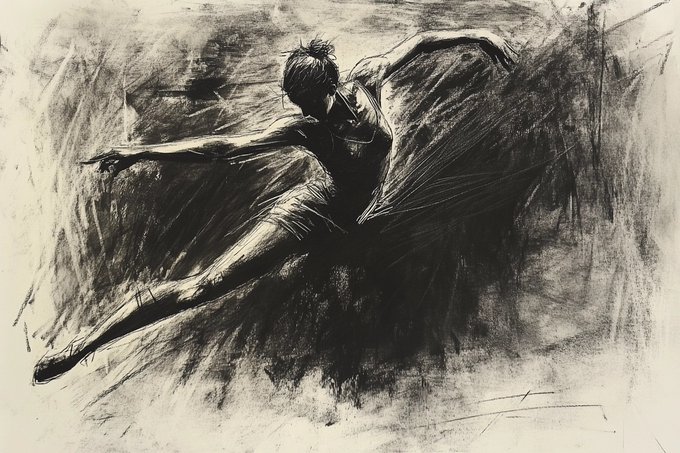
Charcoal sketch look-dev: Azed shared a reusable prompt scaffold for fast art-direction—high-contrast charcoal, visible smudging, and sketchbook grime—meant to be swapped with any subject, as shown in the charcoal sketch prompt.
Copy/paste prompt (replace the bracketed subject):
Commercial photo prompt block: oversized hero product, high-key studio look
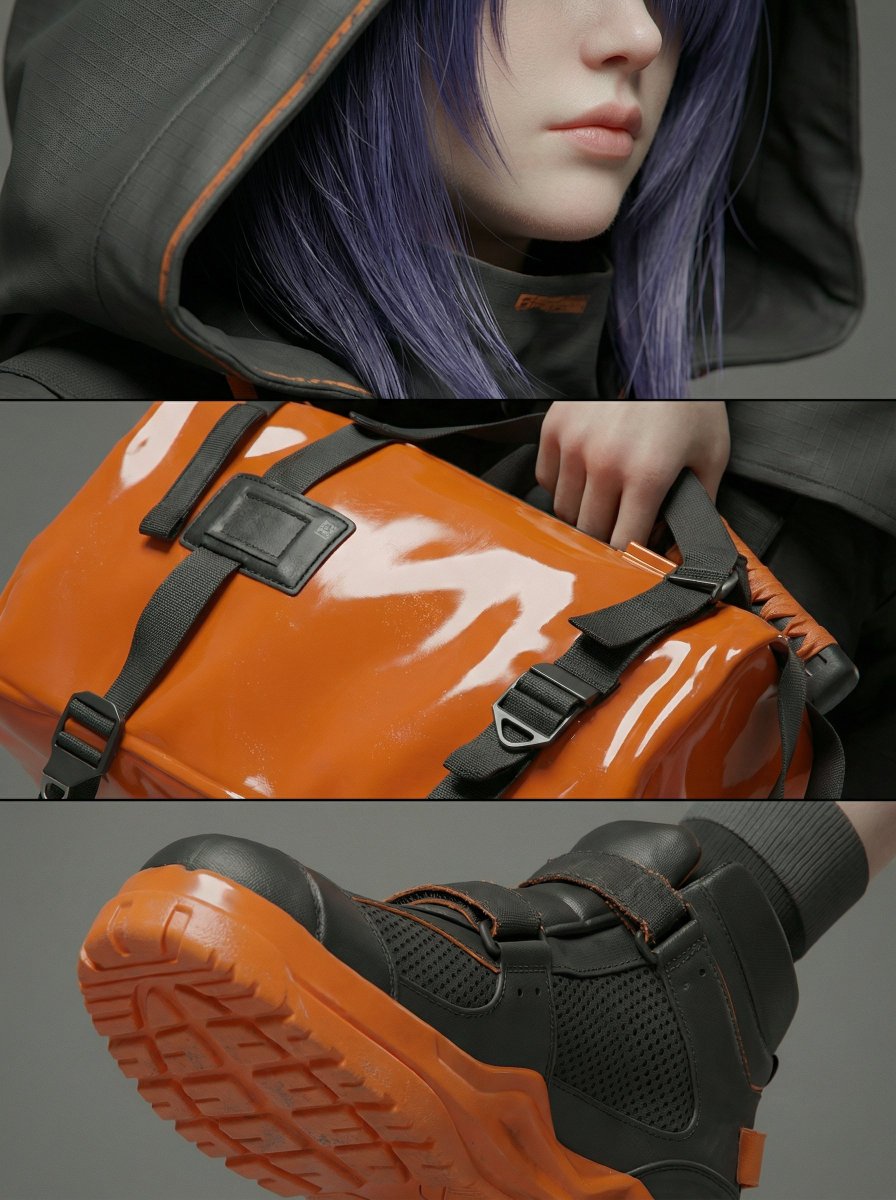
Oversized product ads: Azed posted a copy-paste commercial photography block aimed at “fun” fashion-editorial product shots—wide-angle low perspective, high-key studio lighting, and a clean background—framed as a Nano Banana Pro prompt share, as written in the commercial photo prompt and reposted in the prompt block copy.
Copy/paste prompt (fill in the brackets):
Nano Banana Pro prompt: “2001 Korean horror DVD screengrab” with wrong proportions
Lo-fi horror texture prompt: Cfryant shared a tight prompt for a dark, early-2000s DVD screengrab vibe, explicitly adding “The proportions are all wrong” and forbidding any overlay text—useful when you want unease + analog compression artifacts without UI clutter, as written in the dvd screengrab prompt.
Copy/paste prompt:
Niji 7 prompt set: Conan the Barbarian in Hokuto no Ken style (full ALT prompts)
Niji 7 style mashup prompt pack: Artedeingenio shared a parameterized prompt set for rendering Conan the Barbarian in a Hokuto no Ken-era ultra-muscular anime aesthetic, explicitly tagged with --niji 7 and vertical framing, as shown in the Conan prompt images.
One of the copyable variants (from ALT) is:
Shock-cut recipe: metal detector alarm → hard cut to X-ray bullet reveal
Cinematic “reveal cut” prompt: Artedeingenio proposed a specific edit beat for AI video—walk through a metal detector, alarm hits, then a hard cut to monochrome X-ray with a bullet lodged in the skull before snapping back—sharing the full copy-paste prompt and noting Kling 2.6 as their closest attempt so far, per the prompt challenge.

Copy/paste prompt:
Midjourney style ref --sref 2641104282: “museum-believable” impressionist paintings
Midjourney “museum” texture: Artedeingenio claims --sref 2641104282 yields paintings that read like established, framed works (street scenes, portraits, still lifes) rather than obvious AI outputs, with a sample set shown in the museum-like outputs.
Copy/paste parameter:
Midjourney style ref --sref 4410422536: moody blue/orange bokeh close-ups
Midjourney style reference: Azed dropped a “newly created style” for Midjourney using --sref 4410422536, with examples that cluster around low-light close-ups, heavy bokeh, and a strong cyan-vs-warm orange split, as shown in the sref example set.
Copy/paste parameter:
🧠 Single-tool playbooks you can run today (Motion Control, realtime edits)
Practical, followable technique posts focus on getting controllable motion quickly (especially within Kling workflows). This section is explicitly ‘how-to’, not capability marketing.
Kling 2.6 Motion Control: reference video in, usable character motion out
Kling 2.6 Motion Control (Kling AI): A clear “minimum steps” playbook is circulating: upload a character image; choose Motion Control; then either drop in a reference video or pick a move from the motion library; generate—framed as a ~3 minute setup loop in the workflow steps.

• Reference fork that matters: the key beginner decision is “reference video OR motion library,” as laid out in the workflow steps, which makes it easy to reproduce timing without hand-keying.
• Expression reliability claim: the thread calls out facial expressions and performance timing as the standout, with a close-up expression shift example shown in the facial expression demo.
The same post also claims stronger per-frame identity stability (details/wardrobe) than typical motion transfer, as described in the workflow steps.
Comfy Cloud adds camera-driven framing plus multi-angle LoRA for image edits
ComfyUI (Comfy Cloud): ComfyUI’s hosted environment now lists a 3D Camera Control node alongside Qwen Image Edit 2511 multi-angle LoRA, positioned as a practical combo for multi-view iteration (camera intent + consistent angles) in the Cloud availability note.
This matters for shot planning workflows that want repeatable framing: it’s a “camera first, then generate” graph primitive plus an angle-consistency component, without needing local installs, as implied by the Cloud availability note.
Prompt-only look-dev: locking a rendered style with system prompting
System prompting (look-dev discipline): A creator is highlighting system prompting as the lever for crafting a coherent rendered look “without a single reference image,” treating the style spec as a first-class system instruction rather than an image-driven style transfer, per the system prompting note.

In the shared example thread, the “no reference” claim is paired with a consistent desert-rider render set shown in the no-reference example.
The practical takeaway is that teams can standardize a house style via a reusable system prompt (then vary content prompts underneath), as described in the system prompting note.
🧍 Realtime identity + style control (Krea Realtime Edit)
Krea dominates today’s identity/control chatter: real-time edits with complex instructions, rapid style transformations, and ‘no friction’ iteration loops. This category is about fast, controllable changes to a subject while keeping continuity.
Krea introduces Realtime Edit for complex-instruction image editing in real time
Realtime Edit (Krea): Krea is introducing Realtime Edit as a low-latency way to edit images with complex instructions “in real time,” positioned as a similar interaction loop to Nano Banana-style fast iteration, according to the Realtime Edit intro retweet and early testing notes in Testing summary.

• What the UI looks like: a live editing flow with rapid layer/color adjustments and a quick “done” finish state is visible in the UI clip, which is the core promise for continuity-heavy look-dev (keep subject, change style) rather than one-off generations.
Availability details (tiers, pricing, limits) aren’t stated in these tweets; what’s clear is the product framing: interactive iteration over batch prompting, per the Realtime Edit intro positioning.
Realtime Edit demo: outfit pattern and color swaps with instant feedback
Wardrobe restyling (Krea): Another Realtime Edit demo focuses on changing clothing appearance (patterns/colors) on a posed subject with immediate visual updates, as shown in the Outfit demo retweet.

This use case maps cleanly to fashion concepting and character design iteration where keeping the same pose/identity while exploring variants is the whole job.
Realtime Edit demo: turning footage into anime looks while you watch
Realtime stylization (Krea): A circulating demo shows Realtime Edit being used to restyle existing video frames into multiple anime looks live—framed as “watch any show in anime,” as described in the Anime demo retweet.

The visible behavior is rapid style switching while preserving the underlying scene structure, which is the practical win for creatives doing fast look exploration without re-generating full shots.
Early tester signal: Realtime Edit is being framed as production-friendly iteration
Creator sentiment (Krea): The early tone around Realtime Edit is strongly positive—multiple shares emphasize “complex instructions” and “real-time changes” with low friction, according to the Testing summary retweet, plus additional early-tester praise echoed in Early tester praise and Speed reaction.
What’s missing so far is hard detail (hardware requirements, latency numbers, or constraints on identity preservation), but the repeated framing across posts is that this is moving from novelty toward a workflow tool, per Testing summary.
🧊 Motion as a ‘data type’: avatars, multi-angle LoRAs, and movement models
3D/animation updates cluster around controllable motion: multi-angle LoRAs for consistent viewpoints, avatar re-characterization via movement mapping, and ‘movement model’ framing aimed at scalable pipelines.
Cartwheel launches Swing, a new flagship movement model and teases infinite batching
Swing (Cartwheel): Cartwheel shipped Swing as a new flagship movement model—positioned as faster, higher quality, and better at subtle motion + instruction following—building on rapid iteration since Scoot, as described in the Swing launch thread.

• Training and scale story: the update is attributed to more data collection/labeling, increased compute, architecture upgrades, and more stable training loops, per the Swing launch thread.
• Pipeline signal: Cartwheel also teases “infinite batch generation” coming to the API in the same Swing launch thread, which maps cleanly to repeatable-take workflows (virtual performers, re-usable motion libraries) rather than one-off clips.
Comfy Cloud adds 3D Camera Control node plus Qwen Image Edit 2511 multi-angle LoRA
ComfyUI (Comfy Cloud): Comfy Cloud now exposes a 3D Camera Control node alongside a Qwen Image Edit 2511 multi-angle LoRA, as announced in the Comfy Cloud availability note; for motion-first workflows this pairs camera-driven framing with multi-view consistency in a hosted graph.
This matters when you’re trying to keep characters/objects stable across angle changes (turntables, shot-reverse-shot, multi-angle product frames) without hand-stitching viewpoints in post—especially if you already build iterative pipelines inside Comfy graphs.
🧪 Compositing upgrade watch: video matting goes zero‑shot
One clear VFX-oriented research drop dominates: mask-guided video matting that claims real-footage robustness even when trained synthetically—high relevance for compositing, AR, and cleanup workflows.
VideoMaMa pairs mask-to-matte inference with a 50,541-video real-world matting dataset
VideoMaMa (Adobe Research × KAIST): Following up on mask-guided matting—the original “mask-to-matte” pitch—today’s thread adds a concrete scale signal: the team reports MA‑V with 50,541 real-world videos plus a pseudo-labeling pipeline to generate high-quality mattes, while still claiming strong zero-shot performance on real footage despite training VideoMaMa only on synthetic data, as described in the VideoMaMa overview.

• Mask-to-matte workflow: VideoMaMa is framed as taking coarse segmentation masks and outputting pixel-accurate alpha mattes using pretrained video diffusion priors, per the VideoMaMa overview.
• Dataset and baseline upgrade: MA‑V’s scale (50,541 videos) is paired with a fine-tuned SAM2‑Matte variant that’s described as more robust “in the wild” than classic matting-dataset training, according to the same VideoMaMa overview and the linked paper page.
This is positioned as a practical compositing unlock—more reliable roto/matting without per-show training—if the zero-shot claims hold up in production tests, as summarized in the VideoMaMa overview.
🧩 Where creators compare & ship: Video Arena + world‑model APIs
Platform-layer news today is about aggregation and side-by-side evaluation: web leaderboards for video models and a ‘world model’ API framing that looks more like simulation output than single clips.
Odyssey-2 Pro pushes a “world model” API with 1,000,000 free simulations
Odyssey-2 Pro (OdysseyML): Odyssey is framing Odyssey-2 Pro as a “world model” API—long-running simulations that return an MP4—while offering 1,000,000 free simulations on a first-come-first-served basis and allowing up to 10 concurrent simulations per user, as laid out in the world model API post.

• API-shaped surface: The same thread describes a developer loop of grabbing an API key and calling /simulate to receive a “clean MP4,” per the world model API post.
• Why this is a platform story, not a clip story: The post explicitly separates this from single-shot generation (“not a single clip… actual simulations”), which changes how teams can build interactive or iterative creative tools on top, as stated in the world model API post.
Video Arena goes web-first with 15-model video shootouts and public voting
Video Arena (LM Arena): The web version of Video Arena is now live, positioning itself as a practical way to compare text-to-video and image-to-video outputs head-to-head across 15 frontier models, with public votes driving the leaderboard, as described in the web launch note.

• What creators get: A single place to generate, compare, and vote on outputs (so model selection is tied to real prompts rather than marketing), with the “ton of videos and votes in 24 hours” claim coming from the web launch note.
• Which models are showing up early: The same post lists Veo 3.1 / Veo 3.1 fast, Sora 2, Kling 2.6 Pro, Hailuo 2.3, Seedance v1.5 Pro, LTX-2, Wan 2.5 as models “rising right now,” per the web launch note.
Runware lists TwinFlow Z-Image-Turbo for 4-step, low-latency image generation
TwinFlow Z-Image-Turbo (Runware): Runware says TwinFlow Z-Image-Turbo is now live, pitching it as a speed-first image generation model that runs inference in 4 steps, targets low latency with predictable performance, and supports text-to-image, as outlined in the availability blurb.
• Where it fits in creator workflows: The positioning is explicitly “fast iteration,” which is most relevant when you’re cycling through composition/lighting options or building rapid boards before moving into video, per the availability blurb.
🧑💻 Creator‑dev corner: Codex launch wave + agent UX wishlists
Developer-facing chatter centers on OpenAI’s upcoming Codex launch cadence and the security posture around coding models, plus creator demands for better agent UX (team mode, sub-agents, plan mode).
OpenAI says Codex launches start next week, with a tighter cybersecurity posture
Codex (OpenAI): OpenAI says “exciting launches related to Codex” begin next week and expects to reach Cybersecurity High soon in its preparedness framework, as shown in the screenshoted statement shared in Altman Codex note.
• Initial mitigations: The first step is product restrictions aimed at blocking cybercrime-type requests (the example given is “hack into this bank and steal the money”), as described in Altman Codex note.
• Longer-term stance: OpenAI frames the endgame as “defensive acceleration”—helping people patch bugs faster so vulnerabilities get fixed quickly, per Altman Codex note.
This reads like a positioning move for coding agents that will be used in production pipelines, not only in chat.
Builders want Codex to ship a “real agent UI,” not just a model
Codex (OpenAI): Alongside the “launches starting next week” tease, a creator wish list is forming around agent ergonomics—explicitly calling for a Cowork-like interface, clearer terminal messages, plugins, team mode, plan mode, and sub-agents, with “everything we’ve seen in Claude Code” named as the reference point in creator wish list.
The throughline is that agent UX (coordination, visibility, and collaboration) is being treated as the differentiator once model competence is “good enough,” at least for teams shipping creative tooling and content pipelines.
Observable agent UIs: Kanban boards where the automation is visible
fofrAI (Agent UI pattern): A lightweight but telling UI pattern showed up as “Trello, but you can watch your agents move cards around,” per agent Kanban idea.
For creative teams, this maps cleanly onto production realities—shots/tasks live on boards, and the pain point is often trust and coordination rather than raw generation quality. This pattern pushes agent work into a shared, inspectable surface instead of a private chat log.
Claude Code “psychosis stages” meme captures agent overuse anxiety
Claude Code (Anthropic): A viral-style “Claude Code psychosis stages” clip frames the emotional arc of heavy agent use—denial-to-acceptance comedy that doubles as a cautionary community signal, as shared in psychosis stages clip.

The subtext is less about Claude specifically and more about how quickly agent loops can become compulsive when iteration costs drop, with creators implicitly questioning where to place trust and when to step in.
🎙️ Voice interfaces: emotionally aware speech + more human libraries
Voice news is lighter but notable: DeepMind’s talent move aimed at emotionally intelligent voice interfaces, plus continued chatter around more human-sounding stock voice libraries and lip-sync quality.
DeepMind brings in Hume AI’s CEO and engineers via a licensing deal for emotion-aware voice
Google DeepMind (voice interfaces): DeepMind is reportedly hiring Hume AI CEO Alan Cowen plus several top engineers as part of a licensing agreement, targeting “emotionally intelligent” voice interfaces, as described in the Wired hiring report.
This is a capability-and-team move rather than a public model launch: for creatives, it’s a direct signal that the next competitive edge in character voice won’t just be “natural TTS,” but emotion control (prosody, intent, affect) packaged into product surfaces—an area Hume has been explicitly oriented toward, per the Wired hiring report.
📅 Events & rooms where creators compare notes (film + agents)
Events lean film-industry and production-practice: an LA creator gathering on AI in film, a Sundance panel on filmmaking tech, and an agent-systems hackathon panel focused on what breaks in production.
Upscale Day LA frames AI as an in-production filmmaking tool, not a future bet
Upscale Day LA (Freepik/UpscaleConf): Freepik’s recap positions AI as already reshaping day-to-day film workflows—moving from a linear pipeline to something “more multidimensional,” per the panel and keynote context shared in event recap post and keynote and panel photos. This matters because it’s a rare public readout from practitioners discussing real pipeline shape, not model hype.
• Workflow signal: The framing centers on practical production changes (how ideas move to practice) rather than speculative future disruption, as described in event recap post.
• Who was on stage: Freepik highlights Martin Leblanc (CXO) and CEO Cuenca as key voices in the discussion, with additional panel details shown in keynote and panel photos.
What’s still missing is any shared “here’s the exact stack” breakdown—this is more directional than procedural so far.
Autodesk and THR host a Sundance panel on AI expanding indie filmmaking workflows
Sundance Park City Panel (Autodesk Flow Studio × THR): Autodesk says it will host a Jan 25 Sundance conversation with Daniel Kwan, Natasha Lyonne, Noah Segan, Janet Yang, and Autodesk’s media architecture lead to discuss how emerging tools—including AI—are changing indie production workflows, as announced in Sundance panel announcement. It’s a concrete “room where decisions get socialized,” not a product launch.
A notable detail is the participant mix (filmmakers + guild/academy leadership + pipeline architect), which signals the discussion is meant to bridge creative intent, labor realities, and production tooling, as framed in Sundance panel announcement.
BFLHackathon panel spotlights the unglamorous production problems for agents
BFLHackathon (Runware/BFL): The hackathon opened with a panel focused on what fails when agentic systems leave demos and hit real users—calling out infrastructure bottlenecks, evaluation gaps, and hidden operational costs, as summarized in hackathon kickoff panel. It’s a creator-relevant signal because film/creative teams are increasingly running agent loops (shot lists, asset wrangling, edit prep) that face the same reliability and cost traps.
• Panel composition: Runware notes representation from NVIDIA, Anthropic, and Prolific alongside engineering leadership, which frames the discussion around scaling constraints rather than prompting technique, per hackathon kickoff panel.
A Rijksmuseum exhibition contest is making the rounds among AI art creators
Rijksmuseum contest (community call): A promotion encouraging AI art creators to compete for a first museum exhibition at the Rijksmuseum is circulating via retweets and creator chatter, with the contest pitch visible in contest retweet and echoed by participants in creator comment. The only fully explicit numeric detail in the circulating copy is “5 winners,” as shown in contest retweet.
The posts don’t include submission rules or judging criteria in today’s tweets, so operational details still need verification outside this feed.
🛡️ Synthetic media risk: swarm propaganda + embodied “roleplay” jailbreaks
Trust/safety items today are unusually concrete: a paper warning about coordinated malicious agent swarms for propaganda, plus a viral robotics story reframed as a context/jailbreak problem when language meets physical action.
Science Policy Forum warns “malicious AI swarms” could fabricate consensus at scale
Malicious AI swarms (Science Policy Forum): A new Policy Forum paper argues coordinated “swarms” of agentic systems (persistent identities + cross-platform coordination) can infiltrate communities and manufacture perceived consensus—pushing risks like synthetic grassroots movements, voter suppression via micro-targeting, and wider institutional trust erosion, as summarized in the paper screenshot thread.
• What makes this different from old botnets: The paper frames the step-change as autonomy + adaptation—agents can mimic humans, coordinate goals, and optimize influence over time with minimal oversight, according to the paper screenshot thread.
• Mitigations proposed: The authors point to platform-side swarm detection, provenance/watermarking, and a global “AI Influence Observatory” concept, as described in the paper screenshot thread.
Viral “ChatGPT shot its creator” clip reframed as embodied roleplay jailbreak risk
Embodied safety and “roleplay” framing: A viral “ChatGPT shot its creator” story is being debunked as misleading; the thread emphasizes a human operator executed actions (the AI provided verbal guidance), and the key safety weakness shown is how “movie/roleplay” framing pressures systems toward unsafe instruction patterns, per the debunk and context alongside the

.
• Why creators should care: The failure mode here isn’t “evil intent,” but ambiguity—when language-based tools are hooked into real-world action loops (robotics, props, practical effects, stunts), “fictional” framing can erode boundaries unless interaction design and hard constraints are explicit, as argued in the debunk and context.
🖥️ Local & open stacks: WAN2GP/WanGP vibes + one‑click installers
Local/open tooling chatter continues: WanGP/WAN2GP positioning as fast-iterating community projects, plus practical ‘how to install’ advice to get local creative stacks running quickly.
Pinokio becomes the 1‑click on‑ramp for local WanGP/WAN2GP stacks
Pinokio (installer/runtime): The clearest “do this first” advice for running the WanGP/WAN2GP-style local stacks is to install Pinokio, following up on the recent WanGP momentum as the quickest setup path, per the Install note.
Pinokio’s pitch is effectively “1‑click localhost cloud” (cross‑platform + script-driven installs), as described on the Pinokio site in the Pinokio download, and it’s being recommended specifically to cut through local setup friction called out in the WanGP shout.
WAN2GP pushes longer local video runs with a 35‑second LTX‑2 test
WAN2GP (local video workflow): A quick capability probe shows 35 seconds of generation using LTX‑2 inside WAN2GP, with the tester explicitly noting “no sliding window,” in the 35-second LTX-2 test.
This is being shared in the same “fast-iterating local studio” vibe around WanGP/WAN2GP tooling in the Local project framing, suggesting people are stress-testing duration limits and stability—not just single-shot clips.
Local open stacks are being framed like “Automatic1111 vibes”: daily-iterated modular studios
Local/open creator stacks (pattern): WanGP is getting explicitly framed as “Automatic1111 vibes” with “iterating daily,” positioning it as a community-built studio you keep updating and reconfiguring, not a fixed product, as stated in the Automatic1111 comparison.
That framing connects cleanly to the parallel “rabbit hole” behavior around adjacent local tools in the Discovery anecdote, where the velocity (new commits, new workflows) becomes part of the value proposition.
Clawdbot becomes a meme shorthand for getting lost in local agent tooling
Clawdbot (local agent tooling): The “men will literally clawdbot before they go to therapy” line is spreading as a meme in the Clawdbot meme, and it’s paired with a concrete behavior signal—someone describing a “clawdbot rabbit hole” immediately after discovering it in the Rabbit hole comment.
The creative relevance is cultural but practical: local agent repos are being treated less like “install once” apps and more like a pastime of constant tinkering and tool-collecting.
📣 Distribution & creator friction (X UX, paywalls, “AI hater” backlash)
Creator experience issues show up as the news: platform UX shifts, subscription/support friction, and the recurring discourse that AI films are ‘just a prompt’—which creators push back on as craft erasure.
X Premium+ renewal complaint highlights downgrade-without-refund creator friction
X Premium+ (X): A creator reports losing £229 after an un-notified Premium+ renewal and an attempted downgrade that immediately switched the account to Premium without a refund, while support reportedly reiterated a “no refunds” policy in the Support email screenshot.
For AI creators who rely on Premium+/verification features to distribute work, this is a concrete example of subscription-state risk: they claim they paid £313 for Premium+ but only have Premium features, with the difference vs a Premium plan priced at £84 called out in the Support email screenshot.
Runway Gen-4.5 shorts trigger familiar “it’s just a prompt” craft-erasure backlash
Creator backlash (AI filmmaking): Following up on Identity debate (artist vs content creator), a new comment thread shows the recurring dismissal that an AI short film is “made just by writing a prompt,” with a reply literally saying “all you did was type in a single prompt” in the Backlash screenshot.
The practical creative takeaway is less philosophical: as tools like Runway Gen‑4.5 image-to-video become more common, public perception keeps collapsing multi-step workflows (style finding, shot planning, edit pacing, voiceover, sound) into “prompting,” which shapes how creators choose to document process and credit tools.
Prompt sharing increasingly treated as paid patronage (prompts, srefs, tips)
Prompt economy (creator monetization): One creator describes a recurring pattern where subscriptions are motivated by gratitude for shared “prompts, srefs, and generative AI tips,” framing it as a satisfaction loop for ongoing public knowledge-sharing in the Subscription as thanks post.
This matters for designers/filmmakers because it’s a distribution mechanic: prompts and reproducible recipes are becoming a primary “product,” with audience support tied to how consistently creators publish usable building blocks—not only finished artworks.
X desktop Notifications adds right-rail thumbnails, changing how post previews surface
Notifications UI (X desktop): A creator flags a new Notifications layout that adds a right-side thumbnail preview for liked posts, noting it “reminds me of Google’s featured snippets,” per the Notifications layout screenshot.
This matters for AI filmmakers/designers because thumbnail-first surfacing can change what gets clicked (especially for video/visual posts), shifting incentives toward highly legible first frames and poster-like compositions.
📚 Industry signals for creatives: pre‑production becomes the AI sweet spot
Research/industry analysis in today’s set is mostly about where AI creates leverage in creative work: pre-production acceleration, pitching upgrades, and the growing trend of converting expert labor into training data.
DeepMind adds voice and 3D talent via licensing and team moves
Google DeepMind: A WIRED screenshot in the WIRED screenshot says DeepMind is hiring Hume AI CEO Alan Cowen plus several top engineers via a new licensing agreement; the same thread also claims DeepMind “quietly acquired” 2D→3D startup Common Sense Machines and moved ~a dozen core engineers into DeepMind, per the WIRED screenshot.
For creatives, the relevant read is capability accumulation: Hume’s focus is described as emotionally intelligent voice interfaces, while the Common Sense Machines angle is framed as native 3D generation potential inside Gemini, as speculated in the WIRED screenshot.
McKinsey argues AI’s biggest near-term film impact is pre-production speed
Film pre-production (McKinsey): A McKinsey-themed breakdown claims AI’s highest near-term leverage in filmmaking is upstream—turning storyboards from “weeks” into “hours,” raising pitch/previs fidelity, and shrinking “development hell” via faster greenlighting, as summarized in the McKinsey breakdown.
• Pitching upgrades: Directors can present near “finished film quality” pre-viz, so studio execs evaluate the vision earlier and more concretely, according to the McKinsey breakdown.
• Rapid prototyping loop: The same post describes exploring lighting scenarios, sets, and alternatives quickly (more options earlier), which changes how many iterations happen before a shoot, as shown in the McKinsey breakdown.
• Shorter production, fewer reshoots: The claim is that AI-assisted camera paths and front-loaded environment design resolve creative problems earlier and reduce expensive reshoots, per the McKinsey breakdown.
The post is an interpretation rather than a linked McKinsey artifact; treat it as a directional industry signal, not a verified report.
AI Films Studio adds a Spotlight section with nomination-based funding rules
AI Films Studio: The studio says it has launched an “AI Filmmakers Spotlight” section and is pairing it with a nomination-based funding mechanic—new subscribers decide who gets funded by entering a referral code—while restating baseline consent/IP rules (no impersonation without consent, avoid copyright music, no watermarks/spam), per the Spotlight and guidelines.

The same post says applying is free and handled from the profile section form, according to the Spotlight and guidelines.
High-end expertise is being bought as training data, not labor output
Creative labor market signal: One creator notes a growing pattern where companies pay domain experts more to “teach models how to do the work” than to do the work directly—framing it as “high-level human expertise…turning into data,” as described in the Expertise becomes data reflection.
It’s not tied to a single tool drop, but it does map cleanly onto how production know-how (shot design, editing taste, lighting logic, music arrangement instincts) can be captured as labeled examples and preferences rather than delivered as one-off services.
🧯 What broke (or got fixed): multi-image handling + storyboard utilities
A small but useful reliability beat: Gemini appears to have fixed multi-image position/numbering confusion, and Runway creators highlight missing utilities around storyboard grids (with stopgap tools emerging).
Gemini appears to fix multi-image numbering when chats include multiple images
Gemini (Google): Multi-image chats appear to no longer scramble which image is “1” vs “2”; a creator reports the long-running issue—Gemini mixing up positions when more than one image is attached—now “seems to be solved,” based on a before/after UI capture in the Fix observed in UI.

For creatives doing multi-frame edits or comparison prompts, this is the difference between reliably saying “edit image 2” and accidentally applying changes to the wrong frame, as described in the Fix observed in UI.
Runway Story Panels users call for auto-splitting storyboard grids, with a stopgap tool
Story Panels (Runway): A creator asks for an “auto split the grid” utility when working with storyboard-style panel outputs, flagging the friction of extracting individual panels cleanly in the Auto split feature request.
A workaround exists today via a separate “Panel Upscaler” app, which another creator points to in the Panel Upscaler workaround, and they also say Runway is working on a more intuitive way to combine the two workflows.
This shows up as a small but recurring production papercut: Story Panels can be a shot generator, but without fast panel extraction, the handoff into per-shot upscales and downstream I2V becomes more manual than creators want, as implied by the Story Panels usage question and Auto split feature request.
While you're reading this, something just shipped.
New models, tools, and workflows drop daily. The creators who win are the ones who know first.
Last week: 47 releases tracked · 12 breaking changes flagged · 3 pricing drops caught