Seedance 1.5 Pro spans 12s AV shots – community touts lower costs than Kling 2.6

Stay in the loop
Free daily newsletter & Telegram daily report
Executive Summary
Seedance 1.5 Pro shifts from demo to infrastructure: BytePlus spotlights AI-native studio AiMation running Seedance via the ModelArk API for high-volume generative video, digital humans, and real-time delivery, underscoring one-pass audio+video as production-grade rather than experimental. Creator @azed_ai’s prompt pack reframes Seedance as a director’s console—multi-shot continuity with explicit shot grammar, 12-second takes, native SFX and ambience, auto-composed scores for product cinema, epic disaster beats, and seed-locked multilingual dialogue with millisecond-level lip-sync. A separate community test claims Seedance 1.5 finishes motion-heavy tasks faster and cheaper than Kling 2.6, but shares no configs or raw metrics; a Dreamina Harry Potter fan short probes whether Seedance’s native audio can carry nuanced character emotion without external sound design.
• Motion and assets stack: Kling 2.6 Motion Control tightens full-body, facial, and hand fidelity, adds start/end-frame blocking, and lands inside OpenArt; claymation transfers hint at stylized motion reuse. OpenArt Character 2.0 field tests validate one-image identity locking, while Tripo v3.0 in ComfyUI pushes Ultra meshes to ~2M faces with sharper geometry and PBR.
• Agents and mid-pipeline tools: MomaGraph debuts a state-aware household scene graph plus MomaGraph-R1, a 7B VLM for long-horizon robot planning; Luma’s Ray3 Modify and ApoB’s Remotion emphasize fast scene transitions and still-to-video digital humans as glue between scripted beats.
While you're reading this, something just shipped.
New models, tools, and workflows drop daily. The creators who win are the ones who know first.
Last week: 47 releases tracked · 12 breaking changes flagged · 3 pricing drops caught
Top links today
- StoryMem paper on long video storytelling
- MomaGraph paper on unified scene graphs
- Pollo AI Template Pioneer Program details
- Flowith Nano Banana Pro Flash listing
- OpenArt holiday upgrade and credits offer
- BytePlus and AiMation generative video case study
- Lovart AI holiday family photo generator
- Pictory guide to styling video subtitles
- OpenArt overview of Kling 2.6 motion control
Feature Spotlight
Seedance 1.5 Pro: native AV storytelling goes practical
Creators publish director‑grade prompts proving Seedance 1.5 Pro’s one‑pass video+audio: multi‑shot continuity, millisecond lip‑sync across languages, controlled camera moves, and early “faster/cheaper” wins vs rivals.
Big creator push today: detailed prompt packs show one‑pass video+audio with multi‑shot continuity, language‑aware lip‑sync, and director moves; now includes cost/speed comparisons. Excludes other video engines covered elsewhere.
Jump to Seedance 1.5 Pro: native AV storytelling goes practical topicsTable of Contents
🎥 Seedance 1.5 Pro: native AV storytelling goes practical
Big creator push today: detailed prompt packs show one‑pass video+audio with multi‑shot continuity, language‑aware lip‑sync, and director moves; now includes cost/speed comparisons. Excludes other video engines covered elsewhere.
AiMation case study shows Seedance 1.5 Pro API in production pipelines
Seedance 1.5 Pro API at scale (BytePlus × AiMation): BytePlus releases a case study showing AI-native studio AiMation using the Seedance 1.5 Pro API on ModelArk to power generative video, digital humans, and real-time content delivery, framing it as production infrastructure rather than a lab demo—building on the broader API rollout noted earlier in API rollout Case study teaser.

• Workflow acceleration: The video highlights AiMation’s pipeline from content generation to real-time delivery, with Seedance-backed shots of talking digital humans, cinematic environments, and fast-cut edits interleaved with UI and code views that imply scripted, repeatable workflows Case study teaser.
• Scaling generative video: BytePlus positions the partnership as proof that ModelArk plus Seedance can handle high-volume, high-fidelity video creation while keeping performance and stability acceptable for global audiences, emphasizing themes like scalability, reliability, and turning creative experiments into production-ready output Case study teaser and Case study video.
The case study gives AI filmmakers and studios a concrete reference that Seedance 1.5 Pro’s one-pass audio+video generation is already embedded in commercial pipelines, not only in individual creator workflows.
Creator thread turns Seedance 1.5 Pro into a practical director’s tool
Seedance 1.5 Pro prompt pack (OpenArt/BytePlus): Creator @azed_ai posts a dense, multi-part prompt thread that treats Seedance 1.5 Pro like a film director’s toolkit—showing multi-shot continuity, native sound effects, auto-scored music, and camera control up to 12-second shots in one pass, aimed squarely at storytellers and filmmakers Overview demo.

• Multi-shot continuity and camera moves: The classroom algebra scene cuts between over-the-shoulder, close-up, low-angle, and wide shots while preserving character identity, timing, and emotional flow, with prompts calling out shot types explicitly Classroom sequence; another sequence follows a girl in a red cloak from tracking shot to over-the-shoulder to close-up with stable lighting, mood, and motion Red cloak walk; a Disney-like forest short demonstrates stable tracking shots and push-ins on a skipping girl and a squirrel moment, with shot length controllable up to 12 seconds Forest girl tracking.
• Native SFX and ambience: An orange fox in a snowy field is paired with grounded ambient audio—low camera footsteps, distant raven call, and subtle tail flick detail—generated together with the visuals rather than added in post Fox with ambience; a dawn bike ride thread adds bell ring, leaves under tires, dog barks, wind, and a timed train horn to underscore the emotional beat when the boy reads a letter Bike with SFX; a skier descent combines smooth tracking and wide shots with synced wind and ski hiss to avoid jittery, cutty movement Skier run.
• Auto background music and product shots: A perfume-bottle prompt shows Seedance 1.5 auto-composing a gentle orchestral score (airy strings and piano) to match slow tracking shots over marble, silk, and floating petals while a droplet catches the light, framing clear product-cinema use cases Perfume with music.
• Epic and dramatic scenes: The same thread includes an epic tsunami shot with aerial pans, debris, cars, and dramatic ocean sound for large-scale VFX-style beats Tsunami example.
• Multilingual, seed-locked voice and lip sync: A five-language actor demo keeps the same Japanese woman’s timbre while she delivers lines in Japanese, French, Spanish, English, and Korean, with emotionally varied performances and language-aware lip sync at millisecond precision controlled via a fixed seed Multilingual actor test.
The thread positions Seedance 1.5 Pro less as a toy and more as a text-and-image-driven directing surface where shot grammar, pacing, sound design, and even multilingual performance are all promptable in one render pass.
Community tests pitch Seedance 1.5 Pro as faster and cheaper than Kling 2.6
Seedance 1.5 vs Kling 2.6 (SJinn community test): A side-by-side comparison from @SJinn_Agent, amplified via retweet, claims Seedance 1.5 completes motion-control style tasks faster and at lower cost than Kling 2.6, with on-screen overlays summarizing "seedance1.5 better & cheaper" for AI video makers deciding between engines Comparison post.

• Speed and cost overlay: The first clip shows both systems processing similar workload traces, where the right-hand "seedance1.5" pane appears to finish ahead of "kling2.6" and a closing frame highlights a lower cost metric for Seedance Comparison post.
• Visual quality comparison: A second clip juxtaposes animated outputs from Kling 2.6 and Seedance 1.5 with a text banner asserting that Seedance delivers better quality while also being cheaper to run for the same scenario Comparison post.
The evidence here is limited to one creator’s experiment with no raw numbers or configs disclosed, so it functions more as an anecdotal signal that some practitioners see Seedance 1.5 as a cost-efficient alternative to Kling for certain motion-heavy storytelling tasks.
Fan Harry Potter short probes Seedance 1.5 Pro’s native audio for emotion
Native Seedance 1.5 audio in Dreamina (heydin_ai): Creator @heydin_ai shares a Harry Potter–meets–Voldemort fan short built on Seedance 1.5 Pro inside Dreamina, focusing on how the model’s native audio (dialogue and sound) can carry emotion and narrative without external sound design Creator commentary.

The clip stages an alternate, non-combat encounter between Harry and Voldemort in a dim hall, then cuts to them standing side by side, with the author explicitly asking whether the emotional intent comes through via Seedance 1.5’s generated performance and mix rather than manual audio post Creator commentary.
For filmmakers and storytellers, it adds a qualitative datapoint alongside the more technical threads: Seedance 1.5 Pro’s audio isn’t only for ambience or SFX, but is starting to be tested for nuanced character scenes where delivery and tone matter.
🕺 Kling 2.6 Motion Control: clean hands, blocking, and clay tests
Continues creator testing of Motion Control; focus on precision hands/gestures, start/end‑frame blocking, and stylized claymation transfers. Excludes Seedance 1.5 items (covered as the feature).
Kling 2.6 Motion Control reproduces complex body, face, and hand performances
Kling 2.6 Motion Control (Kling): Creator tests describe Kling 2.6’s Motion Control as a step‑change for motion transfer, where 3–30 second reference clips combined with a single character image yield tightly matched body movement, facial expressions, and even lip sync, with one thread explicitly saying motion transfer has “changed completely” as shown in the dance and pose stress test

. Following up on precision viral, which focused on early dance and pop‑culture clips, new examples zoom in on fast, intricate hand choreography, with rapid finger poses staying sharp and anatomically clean instead of smearing or mutating—something the creator notes is usually where other motion‑transfer models fall apart, as demonstrated in the dedicated hand test

.
Creators say Kling’s new action control tracks expressions and mouth shapes tightly
Action control and expressions (Kling): Multiple Japanese creators amplify that Kling’s new action control not only follows full‑body movements but also mirrors facial expressions and mouth movements closely enough for natural‑looking character acting, with one cosplay dance test showing a model hitting on‑beat poses and facial shifts from a popular routine . Alongside praise that “most AI animation still looks fake” but that Kling 2.6 Motion Control allows anyone to move like a real human in these clips, the sentiment around action control centers on face and lips staying locked to the reference, which is key for anime, VTuber, and character‑driven shorts where performance credibility lives in subtle eye and mouth details.
OpenArt adds Kling 2.6 Motion Control as 1‑image+1‑video tool
Kling 2.6 Motion Control (OpenArt/Kling): OpenArt is foregrounding Kling 2.6 Motion Control as a creator‑facing feature, pitching AI video that “is no longer guessing” your motion and instead follows a 1 reference video + 1 image recipe that syncs body, expressions, hands, and lips for character animation, as highlighted in the launch clip

. This capability is now wired into OpenArt’s Motion‑Sync / action‑sync video flow, where users can pair a character still with a movement reference and generate fully matched performances—detailed further on the tool’s explainer page motion-sync page.
Claymation motion and expressions transferred to Nano Banana characters with Kling 2.6
Claymation transfers (Kling/Nano Banana): One experiment pairs a claymation performance clip with a Nano Banana‑generated character image, then runs Kling 2.6 Motion/expression control so the stylized character inherits the clay figure’s timing, facial shifts, and exaggeration, as seen in the side‑by‑side test

. The creator notes that tuning the text prompt around style and motion intent materially affects results, implying Motion Control can bridge stop‑motion and digital characters but still responds strongly to prompt design rather than acting as a pure, prompt‑free motion retargeting tool.
Start/end frames in Kling 2.6 help creators block out precise shot timing
Shot blocking workflow (Kling): Director David M. Comfort describes expanding a short film by planning blocking around explicit start and end frames in Kling 2.6, using them to lock where a motion begins and lands before letting the model interpolate the in‑between action, as hinted by his timing test clip

. This approach turns Motion Control into more of a traditional pre‑vis tool—creators can design beats, camera moves, and transitions shot‑by‑shot, then rely on Kling to smoothly connect those anchors instead of improvising entire motions from scratch.
🖼️ Reusable holiday looks and prompt kits for stills
Heavy on style references and prompt patterns: atmospheric winter haze, neo‑noir comic frames, cyberpunk anime reels, plus the Nano Banana Pro × Leonardo mini‑painter nail‑art trend.
Nano Banana × Leonardo nail-art trend turns classics into fingertip canvases
Miniature nail painters (azed_ai + Leonardo): Azed’s prompt for Nano Banana Pro on Leonardo—“a tiny artist on a stool painting a [subject] on a giant fingernail” with glossy surfaces and blurred studio background—has turned into a full trend, with the original collage showing Vermeer, Mona Lisa, Van Gogh, and a hijabi portrait all rendered as hyper‑real nail art in the Original prompt; remixers are now swapping in pop‑culture and seasonal subjects (Captain America, Santa sleigh scenes, Hokusai’s wave, Utamaro portraits) while keeping the same composition, props, and lighting to get a consistent, collectible series feel.
‘Drifting snow haze’ prompt pack standardizes poetic winter shots
Winter haze prompt (azed_ai): Azed shares a reusable “drifting snow haze” template built around a [SUBJECT] emerging through swirling snow, locking in a cool ivory and pale‑blue palette plus a motion‑vs‑stillness contrast that works across animals, characters, and dancers as shown in the Prompt thread; the attached fox, knight, umbrella girl, and ballerina examples show how swapping the subject while keeping the wording gives a consistent, dreamy winter look for everything from book covers to character key art.
Neo-noir cinematic comic style ref delivers dark, graphic panels
Neo-noir comic look (Artedeingenio): A new Midjourney style ref (--sref 3790706681) locks in a neo‑noir cinematic comic aesthetic—heavy chiaroscuro, wet streets, and hard backlights—across subjects like Venom, a screaming vampire, a helmeted enforcer, and a rain‑soaked caped figure, giving artists a turnkey recipe for frames that sit between illustration, comics, and film as described in the Style thread; the set is pitched specifically as a way to treat iconic characters like movie stills, making it useful for cover art, posters, and keyframes where mood and lighting need to stay coherent across a series.
Cyberpunk anime clip nails neon city look and pacing
Cyberpunk anime style (Artedeingenio): A short Grok Imagine clip showcases a cyberpunk anime recipe—neon‑lit cityscape, teal‑magenta color split, and a close‑up of a character with glowing blue eyes framed like a teaser shot—as demonstrated in the Style reel; the piece behaves like a moving style guide for designers who want Blade Runner‑adjacent key art or looping promos with bold title cards and fast cuts.

Monster Christmas Midjourney srefs blend festive scenes with demons
Krampus-core holiday art (bri_guy_ai): Bri Guy shares a set of Midjourney style refs (--sref 2048509208 2164866709, later combined with extra refs and profile settings) that consistently merge cozy Christmas iconography—trees, presents, women in festive outfits—with horned, furry demons in bold reds and greens, as shown in the “Merry Christmas, my little monsters” post and follow‑up compositions in the Monster pack; the series reads like a reusable Krampus‑meets‑pin‑up aesthetic that illustrators can apply across cards, posters, or cover art while keeping a unified color language and character design.
Seinen anime Christmas style ref focuses on cinematic close-ups
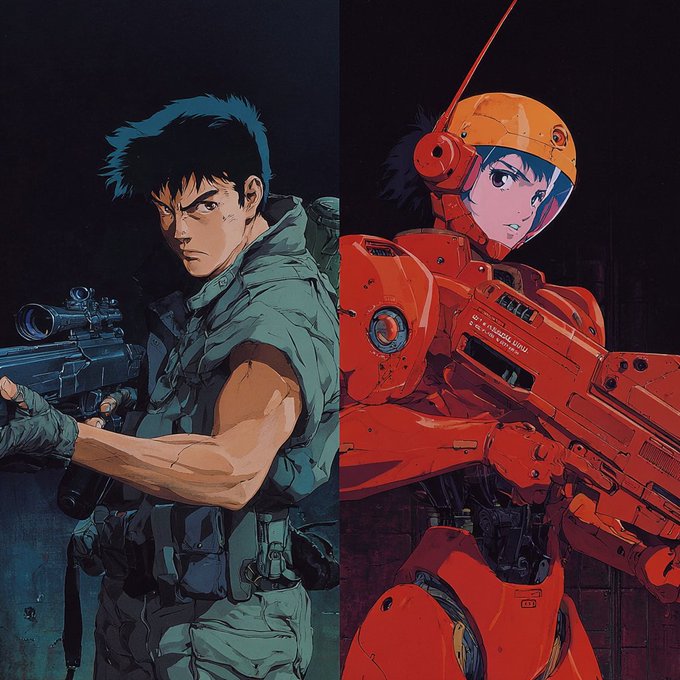
Seinen anime portraits (Artedeingenio): Artedeingenio introduces a “realistic, cinematic seinen anime” style ref (--sref 1668735916) as a Christmas look built around extreme close‑ups, shallow depth of field, and slightly hazy backgrounds, with examples ranging from a pirate on deck to a gunman aiming straight at camera in the Style reference; the framing leans on tight crops, eye detail, and atmospheric blur, giving character artists a repeatable way to make anime faces feel like live‑action stills for holiday cards, banners, or thumbnails.
Cartoon bounce style creates looping yellow mascot shorts
Bouncy cartoon mascot (Artedeingenio): A Grok Imagine mini‑reel defines a playful cartoon style where a small yellow creature squash‑and‑stretches into new shapes on each bounce before winking at camera, paired with big “LOL” lettering and bright flat colors in the Cartoon reel; the look functions as a reusable template for lighthearted loops, channel mascots, or interstitials where a simple character and text need to carry humor without complex backgrounds.

New Midjourney sref 5986413342 offers minimalist print-like illustrations
Minimalist print pack (azed_ai): Alongside the nail‑art work, Azed drops a Midjourney style ref (--sref 5986413342) that yields grainy, minimal illustrations—helmeted warrior with spear and shield, seated black panther, elongated robed figures with halos—using muted creams, blacks, and soft gold accents as seen in the Style sref; the texture mimics risograph or screen‑print art, giving designers a reusable base for art‑poster‑like holiday gifts, packaging, or gallery‑style social posts.
🎭 One‑image identity: consistent characters that hold
OpenArt Character 2.0 field tests show same face/proportions maintained across varied portraits—useful for sheets, mascots, and visual IP. Excludes any motion control or video use.
Creators validate OpenArt Character 2.0 with six-look identity stress test
OpenArt Character 2.0 (OpenArt): Community tests are backing up OpenArt’s claim that one reference image is enough to lock a character’s face and proportions across many looks, following up on consistent characters where the upgrade first promised 10× stability. Creator @azed_ai posts a six-portrait sweep using a single reference—different lighting, outfits, and framing—yet the same identity holds across all generations, as seen in the

.
• Field proof for character sheets: The tester reports "one reference image, same face, same proportions, same identity across generations, it works perfectly," which matches earlier praise that "AI characters finally stay consistent" in the initial upgrade thread upgrade praise.
• Workflow pairing with image models: OpenArt is nudging artists to combine Character 2.0 with Nano Banana and Seedream for faster and cheaper character runs, as the team hints in a reply inviting further experiments from Amira Zairi workflow reply.
For illustrators, brand designers, and storytellers, this is strong evidence that Character 2.0 can underpin reusable visual IP—mascots, cast sheets, or product heroes—without needing multi-image training or model fine-tunes.
📣 Templates, credits, and creator earning programs
A promo‑heavy day for quick content: holiday templates, Advent credit drops, and creator payout programs. Excludes core model capability news (see feature and engine sections).
OpenArt Advent Calendar final drop grants 3,000 credits and seven top models
Holiday Advent final drop (OpenArt): OpenArt marked the last day of its Holiday Advent Calendar by dropping 3,000 credits directly into upgraded users’ accounts and bundling access to seven featured models—Nano Banana Pro, Kling O1 and 2.6, Veo 3.1, Stories, and a Music Video generator—described as “7 gifts” worth over 20,000 credits in total final day promo, bundle recap ; following up on OpenArt Advent, which earlier added a free 3‑minute music‑video slot, the company stresses that even late upgraders still unlock all prior gifts retroactively calendar reminder.

Pricing and Advent‑specific upgrade paths are summarized on the OpenArt subscription page linked from today’s posts at the pricing page.
Pollo AI opens Template Pioneer Program with cash, credits, and Pro perks
Template Pioneer Program (Pollo AI): Pollo AI launched a Template Pioneer Program inviting creators of AI effects, video styles, and templates to publish their own cards on the platform in exchange for cash rewards, platform credits, and Pro membership perks program outline; the first wave runs from Dec 25, 2025 through Jan 11, 2026 (EST), turning Pollo’s template gallery into a direct earning channel for designers, motion artists, and effect builders program outline.

• Rewards and perks: Program material highlights direct cash payouts alongside credits and Pro plan time, with details laid out in the official event page.
• Onboarding flow: Applicants are funneled through a dedicated application form into the initial creator cohort according to the application form.
For AI video specialists, this formalizes a marketplace where distinctive looks and transitions can generate recurring income rather than remaining one‑off posts.
$6K OpenArt viral video challenge crowns winners across major platforms
$6K Viral Challenge winners (OpenArt): OpenArt announced winners of its $6,000 Viral Challenge, splitting awards into groups like Funniest Viral Video, Best Character, and Social Media Most Viral, and naming handles such as @RyanMoonCreative, @shoot_thismoment, @thetripathi58, and @millasofiafin across X, Instagram, TikTok, and YouTube Shorts winner list; the contest runs alongside heavy promotion of Kling 2.6 Motion Control and OpenArt’s Advent perks, effectively rewarding creators whose AI‑driven shorts already resonate at scale winner list.

For AI filmmakers and character artists, this signals that OpenArt is willing to put cash behind engagement metrics, not only credit rebates or discounts.
Higgsfield offers 80% off unlimited year of Nano Banana Pro
Nano Banana Pro sale (Higgsfield): Higgsfield is running an 80% off Christmas promotion on an unlimited one‑year Nano Banana Pro plan, framed as “3 DAYS ONLY” for its generative toolkit sale teaser; for the next 9 hours within that window, users who retweet, reply, like, and follow also receive 249 bonus credits to spend in the ecosystem sale teaser.

For AI artists and filmmakers who already rely on Nano Banana Pro for image or video concepts, the offer compresses a full year of heavy usage into a single discounted holiday buy‑in plus a short‑term credit boost.
Pollo 2.5 launch comes with 50% off and 250-credit blitz
Pollo 2.5 promo (Pollo AI): Pollo AI announced Pollo 2.5, splitting its engine into fast Basic and cinematic Pro modes while offering a 50% off launch discount for all users for seven days launch details; during the first 24 hours, anyone who follows, retweets, and replies “Pollo2.5” is promised 250 free credits on top launch details.

The campaign is aimed at creators who want to trial both rapid ideation and higher‑fidelity video templates without committing to full‑price usage in the first week.
Pollo New Year Special adds 3 free template runs and 66-credit giveaway
New Year Special templates (Pollo AI): Pollo AI switched on a “New Year Special” section powered by Pollo 2.5 where each festive template comes with three free generations, pitched as a way to “start 2026 with a bang” on TikTok‑style vertical video new year launch; for 12 hours, users who follow, retweet, and reply “Hello2026” can also win an extra 66 credits new year launch.

For social‑first storytellers, this bundles ready‑to‑use Seedance‑driven layouts with enough free runs to test multiple formats before dipping into paid credits.
Lovart shares Nano Banana + Veo recipe for retro 80s holiday portraits
Retro holiday portrait recipe (Lovart): Lovart AI shared a guided “holiday family photo” flow built on Nano Banana Pro plus Veo 3.1, publishing a detailed prompt for retro 1980s Christmas portraits that calls for red‑and‑green sweaters, gold ribbons, direct‑flash Kodak Gold 200 grain, warm tones, and a 3:4 8K frame prompt breakdown; the promotion ties into the team’s broader Christmas greeting video and frames the prompt as a ready‑made template users can adapt for their own family shots template invite, holiday greeting .

This is pitched less as a new model feature and more as a turnkey look‑and‑feel pack, letting non‑technical users steer Lovart toward a very specific nostalgic aesthetic.
🛠️ Modify the shot: Ray3 scene swaps and Remotion
Light but practical updates: Dream Machine Ray3 Modify for magical transitions/scene edits, and Apob’s Remotion turning still faces into natural motion with a credit promo.
ApoB’s Remotion pushes still-to-video digital humans with 1,000‑credit push
Remotion (ApoB AI): ApoB promotes its Remotion feature as turning a single static face into a hyper‑realistic talking video with fluid expressions and head motion, highlighting natural movement and digital‑human use cases in the latest clip Remotion teaser. The camera stays close on the subject.

The campaign re‑ups the 24‑hour 1,000‑credit giveaway covered in the earlier relaunch, now framed explicitly around digital humans rather than background object edits, which signals a pivot toward actors, presenters, and influencers as primary use cases remotion launch. That shift matters for AI filmmakers and streamers.
Ray3 Modify teaser shows Dream Machine as a fast scene‑transition tool
Ray3 Modify (LumaLabs): Luma Labs showcases Dream Machine’s Ray3 Modify as a way to generate “magical transitions” that morph one scene into another with stylized geometry and text in a single pass; the new teaser cycles through fast, glitchy cuts and camera moves that point to shot-to-shot use rather than full edits Ray3 modify teaser. The effect looks quick and controllable.

For creatives this builds on earlier season‑swap clips by reinforcing Ray3’s role as a mid‑pipeline transformer that can sit between story beats for title cards, scene bridges, and graphical wipes ray3 modify. It targets interstitial moments.
🔬 Memory for long video and state‑aware scene graphs
Two research threads relevant to storytellers: StoryMem’s compact memory bank for multi‑shot diffusion, and MomaGraph’s state‑aware scene graphs for embodied planning.
MomaGraph proposes state-aware scene graphs and 7B VLM for household task planning
MomaGraph (multiple institutions): Researchers introduce MomaGraph, a unified, state-aware scene graph representation designed to help mobile manipulators understand and act in household environments, combining spatial relations, object functionality, and part-level affordances into a single graph, as described in the paper summary and the paper page. This work targets embodied task planning: instead of treating scenes as static, MomaGraph encodes dynamic object states (open/closed, full/empty, etc.) so that an agent can reason about what actions are possible and what must change to reach a goal.
• Unified scene representation: The MomaGraph framework merges spatial-functional relationships with part-level interactive elements (e.g., handles, switches), giving planners a compact but semantically dense view of a home scene—see the design overview in the paper page.
• Dataset and benchmark: The team releases MomaGraph-Scenes, a large task-driven dataset of richly annotated household graphs, plus MomaGraph-Bench, an evaluation suite that tests six reasoning capabilities from high-level planning down to detailed scene understanding, according to the paper summary.
• Model and training: They also present MomaGraph-R1, a 7B-parameter vision–language model trained with reinforcement learning on these graphs to improve long-horizon reasoning for real robot workflows, with the goal of turning graph understanding into concrete, executable plans.
For storytellers working on interactive narratives, robotics characters, or simulation-heavy previs, this points toward agents that can maintain a coherent sense of space, objects, and actions across many steps instead of treating each frame or shot in isolation.
🧊 3D assets pipeline: Tripo v3.0 inside ComfyUI
Single strong 3D note: Tripo v3.0 adds sharper geometry (Ultra up to 2M faces), clearer micro‑detail textures, and improved PBR—handy for props and turntables.
Tripo v3.0 lands in ComfyUI with sharper geometry and Ultra 2M‑face mode
Tripo v3.0 in ComfyUI (ComfyUI + TripoAI): ComfyUI highlights Tripo v3.0 as a major 3D upgrade, calling out noticeably cleaner mesh geometry (with Ultra mode reaching up to 2M faces), higher‑fidelity textures, and more natural PBR shading for props and characters, as described in the feature note. For 3D artists working in node graphs, this is positioned as a drop‑in improvement for turntables and asset previews rather than a brand‑new workflow.

• Geometry and modes: Edges and silhouettes are sharper than previous Tripo versions; Ultra mode pushes detail to ~2M faces for hero assets, while Standard mode targets real‑time and lighter preview needs according to the feature note.
• Textures and PBR: New texture and PBR pipeline emphasizes clear micro‑details and more believable material response (metal, skin, fabric), which ComfyUI frames as improving realism without extra node complexity in the same feature note.
Taken together, the integration points toward a maturing AI→3D asset pipeline inside ComfyUI, where creators can trade off Standard vs Ultra depending on whether they are roughing in scenes or rendering showcase‑quality models.
🎸 Wan 2.6 “Band” micro‑stories and style sizzles
Quieter tools day for Wan; two ‘Wan Band’ episodes showcase stylized, multi‑shot vignettes (Santa bassist cameo). Excludes Seedance and Kling which are covered elsewhere.
Wan 2.6 “Wan Band” ep2 spotlights Santa-style bassist character vignette
Wan Band ep2 (Wan 2.6, Alibaba): The second "Wan Band" short focuses on a Santa‑like "part‑time" musician trading sleigh and reindeer for a sports car and bass guitar, cutting from tight performance close‑ups to a full stage lineup before ending on a "Bass Player Loaded" title card Wan ep2 text; the vignette shows Wan 2.6 handling character identity, costume detail, and concert lighting consistently across angles.

For storytellers and designers, the spot doubles as a style sample for holiday‑adjacent music narratives, mixing character‑driven framing with 3–4 distinct camera setups while keeping the same performer and mood intact Wan ep2 text.
Wan 2.6 kicks off “Wan Band” with neon multi-shot ep1 teaser
Wan Band ep1 (Wan 2.6, Alibaba): Alibaba’s Wan team dropped the first "Wan Band" micro‑episode, a fast‑cut neon teaser built around glitch transitions, cosmic backdrops, and an "impossible" lineup assembling beyond physical rules, as framed in the launch copy Wan Band ep1; the piece leans on multiple stylized shots and a bold title card to show Wan 2.6’s strength for music‑video‑style intros and logo sequences.

For creatives, this acts less like a feature announcement and more like a reference reel: it demonstrates how Wan 2.6 holds a consistent visual language across rapid cuts, with coherent lighting and typography that could be repurposed for band promos, streamer intros, or anthology title sequences Wan Band ep1.
🧩 Hands‑on: 3×3 frame extraction and branded captions
Workflow‑centric tips: extract a single still from a 3×3 grid in Leonardo then animate; plus Pictory’s subtitle styling to keep captions on‑brand. Excludes engine capability news.
Leonardo 3×3 grids turn into animated shots via Kling
Leonardo × Kling workflow (Techhalla): Creator Techhalla breaks down a hands‑on pipeline where Nano Banana Pro in Leonardo generates a 3×3 concept grid, a text prompt then extracts any chosen cell as a standalone still, and Kling 2.5/2.6 animates that frame into a shot—showing end‑to‑end from selfie to polished clip in the workflow thread and the follow‑up instructions in the guide wrapup. This keeps the same character design across multiple frames while letting storytellers iterate pose, framing, and wardrobe before committing to animation.

• Frame extraction prompt: The key trick is a reusable instruction (“attached you'll find a 3x3 grid… extract just the still from ROW X COLUMN Y”), which turns a single grid into nine addressable frames, each ready for separate animation according to the guide wrapup.
• Animation choices: Techhalla notes that Kling 2.5 is better when you want to respect an initial or start frame, while Kling 2.6 is recommended when you only have a still image and want Motion Control to infer movement, as shown in the workflow thread.
• Practical use for creatives: The workflow is framed as proof that directing, shot planning, and consistency are as important as raw prompting, giving filmmakers and designers a repeatable way to storyboard nine options at once, then promote selected panels into animated beats.
Pictory guide shows how to keep AI captions on brand
Subtitle styling in Pictory (PictoryAI): Pictory is spotlighting a new Academy guide on subtitle styling, showing how to tune fonts, colors, lower‑third themes, and logo placement so automated captions stay clear and on‑brand across every scene, which they frame as critical when many viewers watch muted video in the guide teaser. The promo graphic highlights editable name bars, role tags, and a logo overlay as part of the styling toolkit.
• Brand‑consistent captions: The Academy walkthrough linked from the tweet explains how to set global style presets so captions and speaker labels stay visually consistent from clip to clip, rather than tweaking each scene by hand, as referenced in the subtitle article.
• Use for AI‑generated edits: Because many AI video tools now spit out rough cuts with generic captions, this Pictory layer gives social teams, course creators, and explainer channels a way to polish those drafts into something that matches existing brand typography and color systems without leaving the tool, according to the guide teaser.
While you're reading this, something just shipped.
New models, tools, and workflows drop daily. The creators who win are the ones who know first.
Last week: 47 releases tracked · 12 breaking changes flagged · 3 pricing drops caught