LTX-2 Audio-to-Video API hits 1080p – up to 20s sound-driven scenes

Stay in the loop
Free daily newsletter & Telegram daily report
Executive Summary
LTX shipped LTX-2 Audio-to-Video as an API product: 1080p generation up to 20 seconds from an audio input; positioning centers on “consistent voices,” lip sync, and “performance control,” with the key claim that audio becomes the timing backbone rather than a post-production layer. fal also brought LTX-2 Audio-to-Video live; its framing is “sound drives video from the first frame,” and it posted a musical rhythm synchronization demo showing motion accents snapping to beats, but neither surface discloses pricing, exposed control parameters, or standardized lip-sync evals.
• Replicate audio-first competition: Replicate lists a Lightricks audio-to-video model driven by audio plus prompt/image; constraints (duration/resolution/licensing) aren’t stated.
• Krea Realtime Edit rollout: beta access opens to the first 10,000 waitlist users plus all Max users; edit knobs remain mostly unshown.
• fal infra signal: an MXFP8 quantizer writeup claims 6+ TB/s effective bandwidth on Blackwell; suggests continued FP8 cost-down pressure for hosted gen-video.
Across the day’s threads, “conditioning shifts” (audio-driven motion; reference-driven v2v swaps) are outrunning transparent benchmarks; most evidence is demo clips and availability posts, not reproducible eval artifacts.
While you're reading this, something just shipped.
New models, tools, and workflows drop daily. The creators who win are the ones who know first.
Last week: 47 releases tracked · 12 breaking changes flagged · 3 pricing drops caught
Top links today
- HunyuanImage 3.0-Instruct GitHub repo
- HunyuanImage 3.0-Instruct model on Hugging Face
- HunyuanImage 3.0 distill model on Hugging Face
- Kimi K2.5 model on Replicate
- Lightricks audio-to-video model on Replicate
- LTX-2 audio-to-video on fal
- PixVerse v5.6 video model on fal
- Z-Image base model on fal
- Z-Image Turbo Trainer v2 on fal
- Krea Realtime Edit beta access page
- Runway Grizzlies short film and workflow
- Kling O1 in Hedra product page
- Vidu Q2 Reference-to-Video Pro
- Chatterbox voice cloning on Comfy Cloud
- LTX Brush tool targeted edits
Feature Spotlight
Grok Imagine’s “ACTION” wave: faster surreal clips + 10‑second generations
Grok Imagine is everywhere today: creators are stress-testing its new action-focused motion and ~10-second generations, making it a fast idea-to-clip tool for trailers, surreal sequences, and rapid lookdev.
Today’s video chatter is dominated by Grok Imagine clips and tricks—especially action-forward motion and the jump to ~10s generations. This category focuses on Grok Imagine outputs and creator experimentation (and excludes reference/identity editing, covered elsewhere).
Jump to Grok Imagine’s “ACTION” wave: faster surreal clips + 10‑second generations topicsTable of Contents
🎬 Grok Imagine’s “ACTION” wave: faster surreal clips + 10‑second generations
Today’s video chatter is dominated by Grok Imagine clips and tricks—especially action-forward motion and the jump to ~10s generations. This category focuses on Grok Imagine outputs and creator experimentation (and excludes reference/identity editing, covered elsewhere).
Grok Imagine clips shift toward fast action and surreal continuity breaks
Grok Imagine (xAI): creators are framing the “new Grok Imagine” as more action-capable—running, chase-like motion, and rapid surreal cutaways—starting with the “all about ACTION” showcase from Action showcase and a follow-up “hospital dream” clip from Hospital dream example. Motion reads less like a slideshow. It’s still very stylized.

• What’s being tested: high-speed subject motion in long corridors and forward camera movement, as shown in Hospital dream example and echoed by “stunning” reaction posts like Phone demo.
• Creative implication: short, kinetic beats (runs, reveals, smash-cuts) are becoming the default Grok Imagine “unit,” rather than slow pans and atmosphere, per the framing in Action showcase.
Grok Imagine is now showing 10-second generations in the wild
Grok Imagine (xAI): multiple creators are explicitly calling out 10-second generations—following up on Moon test (earlier VFX stress-test clips)—with one post stating “now does 10 second generations” in 10-second mention and another saying “With @grok Imagine’s 10-second duration” in Duration callout. That’s a concrete length jump for micro-scenes. It’s still short-form.

• Why duration matters: creators are using the extra seconds to pack in multi-beat mini-stories (setup → turn → payoff), as implied by the “a lot can go wrong in 10 seconds” framing in 10-second mention.
Grok Imagine can turn an image grid into a sequential video reveal
Grok Imagine (xAI): a new “assembly” trick is to input a multi-panel grid and prompt Grok Imagine to hide the grid on frame one, then show each panel full-screen one at a time—effectively making a video out of a storyboard, per the demo in Grid-to-video example and the exact prompt text in Sequencing prompt. It’s a lightweight way to stitch scenes without an editor. It’s prompt-driven.

• Copy-paste prompt: the instruction “on frame one, hide the grid… only show one scene at a time” is provided verbatim in Sequencing prompt.
Grok Imagine is being used to animate simple line art into stylized motion
Grok Imagine (xAI): one repeatable experiment is starting from very minimal 2D line work and letting Grok Imagine “inflate” it into moving color-and-shape animation, as demonstrated in Line art animation demo. It’s a quick route from sketch to motion study. The input stays simple.

Rapid morph sequences become a speed/iteration check for Grok Imagine
Grok Imagine (xAI): a common “capability check” today is to prompt fast abstract transformations and see if the model can keep coherence while morphing at high tempo—called out as “incredible surreal speed” in Morph speed demo. This is less about story and more about throughput feel. It’s a quick way to compare prompt variants.

The “hospital dream” becomes a repeatable Grok Imagine micro-story
Grok Imagine (xAI): one creator is already treating a recurring dream setting as a reusable narrative template—long corridor run, then a sudden surreal insert—posted as “I had the hospital dream again” in Hospital dream example. It’s a format that can be swapped across settings while keeping the same pacing. The beat structure is clear.

“Explore Rama worlds” is being used as a style-breadth probe
Grok Imagine (xAI): a practical way creators are evaluating breadth is by generating/scrolling through many variations of one setting concept (here, “Rama worlds”), looking for consistent visual language across characters and environments, as shown in Rama worlds scroll. It’s closer to art-direction than single-shot prompting. It’s also fast.

Creators note Grok Imagine favors cross-dissolves unless told otherwise
Grok Imagine (xAI): a small but useful behavior note—when assembling multi-scene clips, Grok Imagine may choose cross dissolves by default, which surprised at least one creator in Dissolve question. The immediate takeaway is that cut style can be specified (hard cuts, swish pans), as suggested in Prompt for cut type and reinforced by “Swish pans for all!” in Swish pan reply. This is a prompt-level editing knob. It changes pacing.
Underwater bioluminescence shows off Grok Imagine’s lighting moods
Grok Imagine (xAI): creators are using underwater bioluminescent subjects as a stress test for atmosphere—dark scenes, glow falloff, and slow motion cues—shared as a “surreal underwater scene” in Underwater demo. It’s a clean way to see whether highlights smear or hold. This clip suggests it can hold.

🧑🎤 Reference-first video editing: swap subjects, preserve motion, keep style consistent
Reference-based control is the other major thread today: tools emphasizing motion-preserving transformations, multi-reference editing, and ‘Photoshop-for-video’ swaps. This excludes Grok Imagine’s general generation wave (covered in the feature).
Vidu Q2 Ref2Vid Pro ships multi-reference video edits framed as “Photoshop for video”
Vidu Q2 Reference-to-Video Pro (Vidu): Vidu is pushing a reference-first video editing model where “anything can be a reference,” with upgraded multi-reference support (up to 2 videos + 4 images) and explicit reference categories (character/scene/effects/expressions/actions/textures), as described in the Release announcement and reiterated in the Feature promo graphic.

The most concrete creative promise in today’s posts is “edit by instruction” instead of rebuilding shots: creators show one-sentence swaps like “Change the subject in [video1] to the gorilla shown in [image1],” aiming to preserve motion while replacing identity, as demonstrated in the Subject swap example. Background and scene replacement are pitched as the same class of edit (night sky/galaxies, snowy scene), as shown in the Background replacement examples.
• Shot revisions without reblocking: The thread frames add/delete/replace operations (wardrobe, props, textures, sky, even removing the subject) as the key time-saver versus rotoscoping-heavy workflows, with before/after style clips in the Add delete replace demos.
• Input and duration knobs: Duration is positioned as adjustable (2–8s), with multiple aspect ratios and either “auto-fit” or manual override, per the Inputs and duration options.
• Consistency claims: Posts emphasize carrying over color grade, texture, and movement (“understands, not just generates”) in the Consistency pitch, but there’s no independent eval artifact in these tweets—only demos and marketing framing.
A practical detail worth noting is that today’s coverage is mostly promotional and example-driven (strong UI/UX promise), not a deep spec drop (pricing, failure modes, and hard limits aren’t described in the tweets).
Hedra adds Kling O1 for motion-preserving video transformations inside its workflow
Kling O1 in Hedra (Hedra): Hedra says Kling O1 is now live inside its product, positioned around “buttery smooth movement,” “seamless transitions,” and transformations that stay consistent while keeping the original clip’s motion intact, as announced in the Launch post.

The pitch is explicitly video-to-video: “turn a single clip into anything you imagine while keeping the motion perfectly intact,” with the practical takeaway being that it’s embedded directly in Hedra (“no setup”) rather than a separate pipeline step, according to the Launch post. The only concrete access path shared is the “get started” CTA in the Getting started follow-up, which points to the Hedra app via Hedra app page.
What’s not in the tweets: any mention of duration limits, pricing deltas versus other Kling surfaces, or recommended settings for best motion retention—so today’s signal is primarily availability + positioning, not a technical playbook.
Freepik launches a Kling 2.6 Motion Control contest with 50K credits prize
Kling 2.6 Motion Control (Freepik): Freepik is running a creator challenge centered on Kling 2.6 Motion Control, encouraging people to transform a single person into many roles while keeping the performance coherent; the stated prize is 50K credits for the “craziest creation,” per the Contest announcement.

The demo framing emphasizes identity/role remix while the face remains recognizable across quick changes (chef, construction worker, doctor), which is the exact “swap subject, keep motion” behavior a lot of teams want for ad variants and meme formats. Entry mechanics are simple (“Reply to this tweet”), but the post doesn’t specify a deadline or judging rubric beyond “craziest,” as written in the Contest announcement.
🧠 Copy‑paste prompts & Midjourney srefs: concept art sheets, cartoons, and product ads
Today’s prompt feed is heavy on Midjourney style references (--sref) and reusable, parameterized prompt templates (materials, lenses, framing). This category is strictly for prompts/style recipes, not tool launches or multi-tool pipelines.
Midjourney --sref 1151865433 for cinematic concept art + blueprint sheets
Midjourney: A newly shared style reference—--sref 1151865433—pushes a hybrid “artbook page” look (cinematic concept painting plus blueprint-style technical sketches and notes), which the author says you can apply without adding extra tokens like “blueprint” or “character sheet,” as explained in the Sref description.
The usage claim is that you can keep prompts simple (object/character only) and let the sref inject the sheet layout, callouts, and industrial-design vibe, per the Sref description.
Raw fisheye wildlife POV template with {VAR_*} slots
Prompt template: A variable-driven “raw fisheye wildlife POV” directive is shared for generating GoPro-style hyper-realistic animal close-ups; it hard-codes a 16mm ultra-wide fisheye look, macro-wide focus, RAW aesthetic, and uses {VAR_*} slots for subject/biome/lighting, as laid out in the Variable prompt template.
Because the prompt is already structured into SUBJECT / ENVIRONMENT / TECH SPECS, it’s set up for rapid iteration: swap {VAR_SUBJECT} and {VAR_BIOME} first, then refine eyes/reflections and texture detail, matching the example substitutions shown in the Variable prompt template.
Matte translucent: a reusable 3D cartoon render prompt recipe
Prompt recipe: A copy-paste “Matte translucent” template targets a 3D cartoon render with a soft matte translucent body, glowing accents, subtle internal glow, and a dark gradient backdrop, with the full prompt shared in the Prompt text.
A useful detail is the parameterization: it’s designed to swap [subject], [color1], and [color2] while keeping a consistent “toy-like” lighting and material system, as demonstrated by the Prompt text.
Midjourney --sref 6078774955 for magenta/cyan split-light portraits and products
Midjourney: The style reference --sref 6078774955 is presented as a ready-made neon split-lighting look (magenta/pink vs cyan/blue), and the examples show it holding across portraits and product imagery, as shown in the Sref drop examples.
If you want the aesthetic to do most of the work, this is one of those srefs where a plain subject prompt (“portrait of…”, “bottle product shot…”, “shoe…”) can still land a cohesive lighting system, per the Sref drop examples.
Midjourney --sref 715701313 for hand-painted 90s storybook animation frames
Midjourney: Another style reference—--sref 715701313—is framed as a hand-painted traditional animation look with a romantic “90s storybook” feel, aimed at narrative scenes and close-ups, as described in the Cartoon sref notes.
The practical angle is shot selection: the post explicitly calls out medium shots and close-ups (faces, emotion) as the sweet spot for this sref, per the Cartoon sref notes.
Runway Story Panels: a 3-shot noir prompt pack (Tri-X 400)
Runway Story Panels: A three-shot prompt set is shared for building a coherent noir micro-sequence: rear shot with wind/film grain, macro shoes at a rain-soaked curb with taxi wheel, and a voyeuristic obstructed 50mm f/1.8 view through a rain-spattered taxi window; the constraints (“all shots black and white, Kodak Tri‑X 400”) are specified in the Three-shot prompt pack.
The set is a good example of “continuity by lens + obstruction”: instead of relying on character identity alone, it anchors continuity with camera language (macro detail, raindrops on glass, 50mm shallow DOF), as shown in the Three-shot prompt pack.
Grocery-bag lifestyle product ad prompt for Nano Banana Pro
Nano Banana Pro prompt: A reusable product-ad template specifies a close-up of a hand gripping a clear plastic grocery bag suspended mid-air, filled with ingredients around the product; it’s framed as a minimalist, premium editorial photo recipe in the Prompt share.
The prompt includes practical “finish” constraints—soft daylight, shallow depth of field bokeh, subtle film grain, natural colors, “no logos, no extra text,” and 8k with 1:1, as written in the Full prompt text.
Niji 7: Hokuto no Ken-style character prompt examples
Niji 7 (Midjourney): A set of Hokuto no Ken (Fist of the North Star) style character remixes is shared with the prompts embedded in image alt text—examples include Rambo, Predator, Rocky, and Ryu—positioned as a style that adapts across very different subjects, per the Niji 7 style notes.
The prompts themselves repeatedly anchor the same levers—“hyper-muscular,” “1980s anime aesthetic,” “exaggerated anatomy,” plus aspect ratio flags like --ar 9:16 --raw --niji 7—as visible in the Niji 7 style notes.
🧩 Production workflows that ship: short films, agent teams, and one-command content systems
The most useful posts today are workflow-first: step-by-step pipelines for short films, multi-agent research/reporting, and agents that output whole videos (script→shots→music). This category focuses on repeatable end-to-end processes (2+ tools or explicit agent orchestration).
Runway’s “Grizzlies” shows a fast short-film pipeline using Gen-4.5 I2V + Nano Banana Pro
Runway Gen-4.5 (Runway): Runway released the AI short “Grizzlies” and framed it as an “hours, not days” workflow using Gen-4.5 Image-to-Video plus Nano Banana Pro, with a behind-the-scenes workflow video teased as next Short film announcement.

• Repeatable story pipeline framing: the follow-up post explicitly positions the method as “single character image → entire short film,” pointing people to the full film and implying a stepwise build (character anchor → shot sequence → I2V renders) rather than one-shot generation Single image to film workflow.
• Where it’s meant to run: Runway’s call-to-action directs creators into the web app to start making shorts today, as linked in the Runway app from the thread follow-up Get started link.
LobeHub demos an end-to-end Twitter pipeline run by agent teammates and a supervisor
LobeHub: A “one command” production workflow is being showcased where agent teammates monitor sources, research, draft Twitter posts, and publish—coordinated by a supervisor with optional human approval, as described in the workflow rundown from One-command pipeline.

• Agent-economics benchmark angle: the same thread claims side-by-side timing/cost comparisons (example given: automated trading in “6m 10s, $1.24” vs “9m 04s, $5.27”) to argue the system reduces back-and-forth orchestration overhead One-command pipeline.
• Longer-running teammate model: a later post contrasts LobeHub with “one-off” agents by emphasizing editable memory that adapts over time for meeting-note summarization accuracy (fewer speaker attribution errors) Meeting notes comparison.
• Launch signal: separate chatter frames this as the project “finally launched,” calling out its existing open-source footprint and user count Launch remark.
A Glif agent turns renovation photos into exploded-view transformation sequences
Glif renovation agent (heyglif): A specific agent workflow is being shared for home renovation storytelling—bring real before/after photos, “pull the structure apart” into an exploded view, then reassemble into the renovated version, as shown in the demo from Exploded view concept.

• Audio-included option: the agent explicitly offers Seedance Pro 1.5 as a path that can generate audio, reducing the need for a separate sound-design step in the same run Exploded view concept.
• How it’s packaged: a separate post links a tutorial walkthrough for the full process (capture → explode → rebuild framing) Tutorial link.
A Glif POV-style agent leans on consistent foreground elements to keep continuity
Glif POV-style agent (heyglif): A POV-oriented workflow is being promoted where keeping visible POV elements consistent (hands, camera framing cues) lets the background environment change continuously without breaking continuity; the agent also stitches the sequence together once the final shot is approved POV workflow notes.

• Music handling: the same post says music can be generated inside the agent or brought in externally, with no explicit timeline editing step described POV workflow notes.
• Where to run it: the agent is shared via a direct product page link in Agent page, referenced by the follow-up post Agent link.
Airtable’s Superagent ships multi-agent research that outputs an interactive “Super Report”
Superagent (Airtable): Airtable launched Superagent as a standalone product and highlighted a workflow where multiple specialized agents run concurrently to research a question and produce a detailed, interactive, source-backed “Super Report” web page, according to an early-tester write-up in Tester notes.
• Output format matters for creatives: the same system is pitched as also generating “websites, slide decks, documents,” meaning the research artifact can be repackaged for pitches, client decks, or launch assets without reformatting by hand Tester notes.
• Offer details: the post includes a promo code for “2 months free,” repeated in the follow-up Promo code reminder.
Claude + Nano Banana Pro frame-by-frame prompting turns image gen into “AI stop motion”
Frame-by-frame prompting loop: A practical method is circulating for making “video” even when you only have an image model—Claude plans each frame, Nano Banana Pro generates the images, and then the frames are stitched into a clip, as described in the “go frame-by-frame” instructions from Frame-by-frame method.

• Core script you copy/paste: the loop starts by telling Claude, “We’re going to go frame-by-frame. Generate a prompt for the first frame…”, then you feed each generated image back to Claude to write the next prompt Frame-by-frame method.
• What it’s good for: the demo shows simple character pose changes across sequential frames (stop-motion feel), which can be assembled into short shots when full video models aren’t the best fit Frame-by-frame method.
Pictory frames transcript-based editing as a no-timeline video production workflow
Pictory (Pictory AI): Pictory is pushing a transcript-first editing workflow where you remove filler words, update visuals, and sync captions by editing text rather than manipulating a timeline, as outlined in the product post pointing to the Academy guide Edit video using text.
• Creation + edit loop: the same thread points to generating “custom visuals from text prompts” inside Pictory’s AI Studio, then using the transcript editor to keep captions and structure aligned after script changes Edit video using text.
🛠️ Direct manipulation beats prompting: 360° camera tools, realtime editing, and brush fixes
Creators highlighted UI-first control today—camera repositioning, realtime edits, and brush-based localized fixes when prompts fail. This category is for single-tool usage and feature guidance (not multi-tool pipelines).
Higgsfield Angles v2 adds full 360° camera control and shot-first project organization
Angles v2 (Higgsfield): Higgsfield shipped Angles v2 with full 360° camera control—you can orbit/reposition the camera around the subject instead of re-prompting for a new viewpoint, as shown in the Angles v2 launch clip; the update also includes a redesigned UI using a 3D cube + sliders, expanded behind-the-subject perspectives, and upgraded project management for iterating on multi-shot ideas, according to the Angles v2 launch clip and the creator recap.

• Camera-first control: The UI emphasis (cube + sliders) signals a shift toward “pick the shot” interaction—useful when you need consistent coverage (front/3-quarters/OTS/back) without playing prompt roulette, as demonstrated in the Angles v2 launch clip.
• Time-sensitive credits hook: Higgsfield is also offering 10 credits via DM for engagement actions called out in the release post, per the Angles v2 launch clip.
Krea opens Realtime Edit for beta testing to 10,000 waitlist users plus Max
Realtime Edit (Krea): Krea says Realtime Edit is now live for beta testing; access is enabled for the first 10,000 users on the waitlist and for all Max users, as stated in the beta access note and reinforced by the separate beta is out clip.

• What’s concretely new: The gating is explicit (waitlist tranche + Max tier), so teams can treat this as a staged rollout rather than a general launch, as described in the beta access note.
• Positioning: The product name and rollout framing is oriented around “edit while it’s happening” rather than iterating static generations, per the beta access note.
LTX Studio adds a Brush tool for targeted edits via selection plus prompt
Brush tool (LTX Studio): LTX Studio added a Brush workflow for localized fixes—select an area, describe the change, and get targeted edits “in seconds,” positioning it as the fallback for when prompt-only iteration is too slow or imprecise, as described in the Brush tool announcement and shown in the Brush demo walkthrough.

• Interaction model: The core mechanic is selection-first (mask/region) followed by a text instruction, which makes fine adjustments more deterministic than regenerating whole frames, as demonstrated in the Brush demo walkthrough.
• Why it matters for iteration: The announcement explicitly frames Brush as the answer to “prompting takes longer,” which maps to common finishing work (small props, wardrobe tweaks, background patches) called out in the Brush tool announcement.
🖼️ Open image models & editing-first releases: HunyuanImage 3.0‑Instruct + Z‑Image base
Image-side news is dominated by open releases and ‘editability’ claims—especially open-source image-to-image instruction models and non-distilled base models meant for fine-tuning. This excludes pure prompt/style drops (handled separately).
ComfyUI ships day‑0 Z‑Image support, positioning it as a tuneable base model
Z-Image base in ComfyUI (ComfyUI): ComfyUI says Z‑Image is natively supported on Day 0, explicitly positioning it as a non-distilled foundation model meant for fine-tuning and customization in the Day 0 support note. The companion workflow write-up notes the non-distilled model wants ~30–50 steps for best quality (higher ceiling than “turbo” distills), with setup and templates detailed in the Workflow links and expanded in the ComfyUI blog.
• Control and diversity: ComfyUI calls out broader aesthetic range and stronger negative prompt response in the Day 0 support note, which maps directly to “art-directable” iteration (less fighting the model).
• Distribution path: They point creators to Comfy Cloud templates and ready-to-run workflows in the Workflow links, which lowers the friction for teams standardizing around one base + LoRA strategy.
No benchmark artifact is provided here; it’s a tooling-and-availability signal rather than a measured quality claim.
Z-Image base lands on fal as a hosted, non-distilled image foundation model
Z-Image base on fal (fal): fal says Z‑Image base is now available as a hosted, non-distilled foundation model geared toward high-quality generation and higher variation in identity/pose/composition in the Model availability. A follow-up post adds a larger example set to show the range and fidelity in everyday scenes, as shown in the Example gallery.
The practical creative angle is that this is positioned as a “start here, then LoRA” base, rather than a one-shot style generator.
fal adds a faster LoRA trainer for Z‑Image‑Turbo
Z-Image-Turbo-Trainer-V2 (fal): fal announced a new trainer that targets faster LoRA training for Z‑Image‑Turbo, claiming similar or better results for style/personalization/custom concept LoRAs in the Trainer V2 release.
No timing numbers are given in the tweets, so “faster” should be treated as directional until you compare wall-clock and output consistency on your own dataset.
HunyuanImage 3.0-Instruct’s open-source drop is already drawing strong dev uptake
HunyuanImage 3.0-Instruct (Tencent Hunyuan): Following up on Arena tier-1 (editing-first distribution + leaderboard signal), the newly published repo has already reached 2.7k stars and 130 forks, as shown on the GitHub repo, while Tencent reiterates that it’s ranked tier-1 on Arena’s Image Edit board in the Open-source announcement. This matters for image editors because it’s one of the clearer “open weights + instruction image editing” options that can realistically become a community fine-tuning base.
Treat the “world’s strongest open-source image-to-image” claim as marketing until you validate on your own edit set, but the repo momentum is an early adoption signal.
Reflective surfaces are becoming a quick fidelity test for new image models
Reflections (fofrAI): A small photo set focuses on highly reflective ceramics/metal as a practical stress test—specular highlights, warped room reflections, and fine surface imperfections are all failure modes for many generators, as shown in the Reflections photo set.
This kind of “material torture test” pairs well with evaluating edit-first models (does an object-reference edit preserve plausible reflections, or smear them?).
🎙️ Voice cloning & voice libraries: fast cloning, multilingual TTS, and curated voice packs
Voice updates today skew toward practical creator UX: short-sample cloning, multilingual support, and pre-curated collections for specific content formats. This excludes music generation (separate category).
Chatterbox arrives on Comfy Cloud for 5-second voice cloning in 23 languages
Chatterbox (ComfyUI/Comfy Cloud): ComfyUI says Chatterbox is now runnable on Comfy Cloud with no setup, positioning it as zero-shot voice cloning from ~5 seconds of audio, plus 23-language support and expressive TTS controls, as announced in the Comfy Cloud launch post.

• What creators actually get: the demo shows a simple “Clone voice” flow and then emotion presets (for example “Monotone” vs “Dramatic”), which hints at quick iteration on delivery once you’ve got a voice locked, as shown in the Comfy Cloud launch post.
Local runs are also mentioned via an FL ChatterBox node in ComfyUI Manager, but the tweet doesn’t specify hardware requirements or pricing for Cloud usage.
Chatterbox workflow pack in ComfyUI standardizes voice conversion + multi-speaker TTS
Chatterbox (ComfyUI): ComfyUI follows up with a practical “workflow pack” framing—four ready-to-run templates covering voice conversion, classic voice-cloned TTS, multi-speaker dialogue (up to 4 voices), and multilingual TTS—as listed in the Workflow list.
• Why this matters in practice: packaging these as discrete workflows is a small but real UX win for creators who want repeatable setups (single-voice narration vs dialogue scenes) without rebuilding graphs each time, aligning with how ComfyUI presents the end-to-end cloning flow in the demo clip.
ElevenLabs adds Voice Collections to make voice picking workflow-driven
Voice Collections (ElevenLabs): ElevenLabs is pushing Voice Collections as a discovery layer—curated packs that map to common creator/enterprise uses (for example customer support or short-form social), as described in the Collections overview.

The clip shows an in-product collection browser (for example “Announcers and Radio Hosts”) with sample previews, emphasizing quicker voice selection rather than manual auditioning across a giant list, as shown in the Collections overview.
ElevenLabs spotlights “Announcers & Radio Hosts” with trailer and DJ-style voices
Announcers & Radio Hosts (ElevenLabs): ElevenLabs calls out a specific Voice Collection aimed at broadcast-style reads—highlighting “David” for blockbuster-trailer narration and “Johnny Dynamite” for a vintage DJ tone—per the Collection spotlight.

This is primarily a packaging/discovery update (a curated library and examples), with no new cloning capability or pricing details mentioned in the tweets.
🧰 Where the models actually land: Hedra, fal, ComfyUI, Replicate, and ‘video studios’
Beyond model announcements, today’s posts show distribution: models and creator features becoming usable inside platforms (Hedra, fal, ComfyUI, Replicate) and bundled ‘AI video studios.’ This category is about availability/integration, not prompt recipes.
Hedra ships Kling O1 for motion-preserving clip transformations
Kling O1 (Hedra): Kling O1 is now live inside Hedra, positioned as high-fidelity video-to-video that keeps the original motion intact while transforming the scene—Hedra calls out “buttery smooth movement,” “seamless transitions,” and consistent surreal transformations in the launch post, with a direct entry point in the get started link.
• Workflow implication: Hedra’s pitch is “built right into your workflow; no setup,” which effectively treats Kling O1 as a drop-in v2v stage for turning a single source clip into multiple stylized variants while preserving performance and timing, as described in the launch post.
• Access surface: Hedra links straight to the in-app flow via the Hedra app page, suggesting this isn’t a separate toolchain step (no separate install or export/import loop mentioned in the tweets).
ComfyUI supports Z-Image base on Day 0, emphasizing fine-tuning readiness
Z-Image base (ComfyUI): ComfyUI says Z-Image is natively supported on Day 0, framing the non-distilled base model as a foundation model suited to fine-tuning and customization, with emphasis on aesthetic range, high generation diversity, and strong negative prompt response in the Day 0 announcement.
• Why creators notice this: “Day 0” support signals fast distribution into node-based workflows (and therefore faster community LoRA/fine-tune iteration), which ComfyUI reinforces by pointing people to a workflow write-up in the workflow blog post.
• Model positioning inside Comfy: ComfyUI explicitly contrasts the base as a customization-friendly foundation model (not a distilled “turbo” variant) and highlights controllability via negative prompts in the Day 0 announcement.
Replicate adds Kimi K2.5, a 1T-parameter multimodal + agentic model
Kimi K2.5 (Replicate): Kimi K2.5 is now on Replicate, described as a “1-trillion-parameter model combining vision, language, and agentic reasoning,” and framed as “great for visual coding” in the Replicate announcement.
• Distribution angle: Being on Replicate means K2.5 can be slotted into creator pipelines that already run on Replicate’s hosted inference (composable with other endpoints), as implied by the “try here” thread context and the positioning in the Replicate announcement.
• Creative relevance: Even though Replicate markets “visual coding,” this specific combination (vision + agentic reasoning) is the kind of bundle that often ends up powering asset inspection, prompt-to-script automation, and shot/scene analysis workflows—Replicate is explicitly pitching it as an applied tool rather than a research drop in the Replicate announcement.
Showrunner AI teases a remote-control interface metaphor for episodic creation
Showrunner AI (Fable Simulation): Fable Simulation is teasing Showrunner AI with a “remote control” UI metaphor—buttons like “Create episode” and “Next episode” are shown in the remote photo—while separately positioning Showrunner as style-flexible storytelling (“switch styles, break aesthetics, remix to the story”) with early access messaging in the style remix clip.

• Distribution signal: The UI framing suggests a product direction toward an end-to-end episodic interface (episode creation as a primary action), rather than a single-model playground; the strongest evidence is the physical-remote mock shown in the remote photo plus the multi-style demo loop in the style remix clip.
fal adds PixVerse V5.6 with voiceover and motion quality claims
PixVerse V5.6 (fal): PixVerse V5.6 is now live on fal, with fal emphasizing sharper “studio-grade” visuals, smoother motion, multilingual voiceovers, and fewer warping/distortion artifacts than prior releases in the fal availability post.

• What’s actually changed for distribution: This is an availability shift—PixVerse becomes callable as part of fal’s model catalog (T2V, I2V, and “first/last frame” surfaces are referenced in the fal availability post), rather than being limited to PixVerse’s own product UI.
• Claims to treat as provisional: The tweets assert fixes to “most warping and distortion” plus more natural voiceovers, but they don’t include a standardized eval artifact—only the demo clip in the fal availability post.
Wondercraft launches Video studio pitch: explainers and trainings over “slop”
Wondercraft Video (Wondercraft): Wondercraft is pitching Wondercraft Video as an “AI video studio built for real work,” explicitly calling out explainer-style and business-friendly outputs in the Wondercraft intro RT.
AI video studio workflow (commentary): A creator describing early access highlights “image & video models, narration, music, branding” in one place, plus an “agentic workflow” and a “Premiere-style timeline” editor in the early access reaction, which adds concrete texture to what “studio” means here (not only generation, but assembly and iteration).
🎵 Soundtrack & audio-first video: music generation steps and audio-driven motion
Audio posts today are mostly about making sound a first-class input/output: background music generation inside creator workflows and audio-driven video generation where timing and performance follow sound. This excludes pure voice cloning (covered in Voice).
LTX-2 opens an Audio-to-Video API for 1080p clips up to 20 seconds
LTX-2 (LTX Model): LTX-2 Audio-to-Video is now available via API; it generates 1080p video up to 20 seconds directly from an audio input, with positioning around consistent voices, lip sync, and performance control, as stated in the API availability post.

This is an “audio-first” pipeline claim: sound (speech or music) is treated as the timing backbone, with the resulting motion/performance following that structure rather than being stitched in after the fact. The tweet doesn’t publish pricing or a reference spec for the “performance control” knobs, so the practical surface area (what you can explicitly control vs what’s implicit) still isn’t fully visible from today’s material.
fal adds LTX-2 Audio-to-Video with an audio-first generation flow
LTX-2 on fal (fal): fal says LTX-2 Audio-to-Video is live on its platform, framing it as “sound drives video from the first frame”; voice, music, and sound effects influence timing, motion, and performance, with Full HD output called out in the fal launch post.

The notable creator-facing implication is that audio becomes the primary conditioning signal (not a post step), which is particularly relevant for music-driven edits, rhythm cuts, and dialogue scenes where “timing feel” matters more than camera tricks. fal also points to LTX-2 demos around gesture/action control, as teased in the fal launch post.
LTX-2 shows musical rhythm synchronization where movement follows the beat
Musical timing control (fal × LTX-2): fal posted a “Musical Rhythm Synchronization” example for LTX-2 Audio-to-Video, showing a generated character performance that visually tracks the audio rhythm, as shown in the rhythm synchronization clip.

This is a useful proof-of-concept for music-video style work: if the model can reliably “lock” motion accents to the beat, it reduces how often creators have to brute-force timing by regenerating or manually re-cutting. Today’s tweet is a demo rather than a spec, so it doesn’t disclose what audio features are extracted (onsets, tempo, phonemes) or what parameters are exposed to steer the sync strength.
Replicate adds Lightricks’ audio-to-video model for sound-driven generation
Lightricks Audio-to-Video (Replicate): Replicate says an audio-to-video model from Lightricks is available; it can use audio plus a prompt or image to generate video that’s driven by the sound, per the availability post.

The post is light on constraints (duration, resolution, licensing, or control surfaces), but the integration matters because it puts another audio-conditioned video option next to the other Replicate-hosted building blocks creators already use for pipelines. No independent examples or comparative timing/lip-sync claims are provided in today’s tweet beyond the “sound-driven” framing.
Adobe Firefly workflow highlights background music generation as a built-in step
Adobe Firefly (Adobe): A creator workflow shared for making a short video in Firefly explicitly includes background music generation—Firefly produces 4 music options, and the prompt can be edited to adjust the vibe, as described in the workflow steps post following the “Die Harder” example in the project post.

The workflow also calls out a finishing pass (upscaling via Astra) after music selection in the workflow steps post, but the distinctive audio-first takeaway is that soundtrack selection is treated as a native iterative stage, not something deferred to a separate DAW/library step.
Glif highlights “video with audio included” by selecting Seedance Pro 1.5
Glif agents + Seedance Pro 1.5 (heyglif): A Glif agent demo for “exploded view” home-renovation transformations mentions an option to use Seedance Pro 1.5 specifically because it generates audio alongside the video, avoiding a separate sound-design step, as described in the agent example.
A second Glif post reinforces the same direction for longer POV-style sequences: the agent can generate music inside the agent or accept external music, then stitches the video once the final shot is confirmed, as explained in the POV agent note. The common pattern is treating “audio included” as part of the render target, not post-production.
🏁 What creators shipped: AI shorts, animated tests, and stylized reels
Today includes multiple ‘finished artifact’ drops—short films, animated sequences, and stylized reels—often paired with tool stacks (Runway/Kling/Firefly/Hailuo). This category is for the releases themselves, not the underlying tool announcements.
Runway releases Grizzlies, an AI short made in hours (Gen-4.5 I2V + Nano Banana Pro)
Grizzlies (Runway): Runway premiered Grizzlies, a short film generated with AI and positioned as a speed benchmark—created “in a matter of hours” using Runway Gen‑4.5 Image‑to‑Video plus Nano Banana Pro, with a BTS workflow video teased in the Grizzlies release post follow‑up.
• Workflow framing: Runway’s second post turns the film into a repeatable template—“single character image → entire short film,” pointing to a walkthrough tied to the finished piece in the Pipeline walkthrough clip.
Die Harder: a Firefly-made short using image gen + video gen + music gen
Die Harder (Adobe Firefly): James Yeung shared a short video built across Firefly’s stack—image generation, video generation, and background music generation—with the finished cut shown in the Die Harder short.

• Concrete pipeline: The follow‑up workflow lists a four-step finishing chain—generate a consistent image set in Nano Banana Pro, generate video, pick from “4 choices” of Firefly background music, then upscale via Astra—laid out in the Workflow steps video.
Paris screening: a director shares a Kling 2.5/2.6 motion-control short
Prompt Club screening (Kling): A filmmaker described screening an AI short in Paris and argued model quality is now “no longer an obstacle to telling the story,” while still calling out weak spots (distance detail, dynamic movement, multi-character complexity) in the Screening notes.

• Tool mix used on the project: The same post says the short was made predominantly with Kling 2.5, adding Kling 2.6 motion and some Seedance shots for wider two‑shots in the Screening notes, with motion-control use confirmed in the Motion control reply.
A live-action-style character clip made with Luma Ray 3.14 Modify
Ray 3.14 Modify (Luma / Dream Machine): Jon Finger shared a filmed character moment and credited it as “Made with our new Ray 3.14 modify in Dream Machine,” pointing to practical use in a shoot context (talent + pickup + filming) in the Ray 3.14 modify post.

A second post spotlights another creator’s experiment with the same capability in the Ray 3.14 modify shoutout, reinforcing that “modify video” is being treated as an on-set-friendly post step rather than a lab demo.
Animated Batman series test using Midjourney + Grok Imagine + CapCut
Batman animated test (Midjourney + Grok Imagine + CapCut): Artedeingenio posted a Netflix-pitch-style proof-of-concept clip and explicitly named the stack—Midjourney for imagery, Grok Imagine for animation, and CapCut for assembly—according to the Batman tool stack post.

The post reads as a “show bible in motion” artifact: a single character concept pushed through a lightweight toolchain to communicate tone, pacing, and style continuity.
RIFT: an experimental short credited as powered by Hailuo
RIFT (Hailuo): Heydin posted RIFT, an experimental, title-card-forward video credited as “Powered by @Hailuo_AI” in the RIFT post.
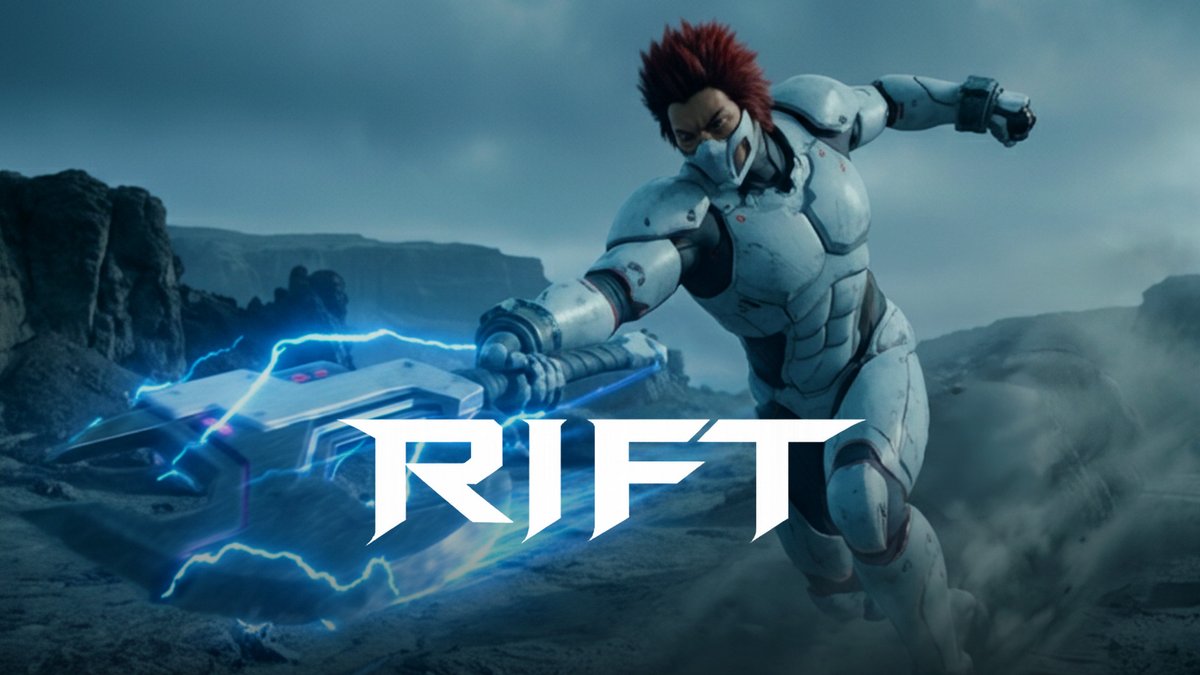
It’s a clean example of the “graphic intertitles + rhythm cut” format creators are using to ship finished micro-shorts quickly without needing dialogue or complex multi-character staging.
An “outtake from dream” micro-short made with Seedream inside Freepik
Seedream (Freepik): gcwalther_x posted a short “outtake from dream” clip and later attributed it to “Seedream inside @freepik,” per the Outtake clip and the Seedream attribution.

This is a straight “ship the shot” example: a single, polished beat released as a standalone artifact, without needing a longer narrative wrapper.
NEON BAY: a fast-cut stylized Runway reel built around glitchy montage
NEON BAY (Runway): Victor Bonafonte dropped NEON BAY, a stylized reel that leans on rapid cuts, graphic textures, and glitch transitions, credited to @runwayml in the Neon Bay post.

As a finished artifact, it’s less “scene realism” and more “motion design energy,” which is exactly where short-form AI video often lands cleanly under tight time constraints.
💸 Big creator deals & free windows (worth acting on)
Only the promos that materially change creator throughput made the cut today: major discounts and real free-generation windows. Minor engagement-farming credit offers are excluded.
OpenArt’s 2026 offer: up to 60% off major gen-video models, price locked for 2026
OpenArt (OpenArt): OpenArt is running a time-boxed “2026 offer” with up to 60% off across popular creator models—explicitly naming NanoBanana Pro, Veo 3, Kling 2.6, Hailuo 2.3, and Seedream 4.5 in the Offer reel; the promo frames it as “lowest price locked for 2026,” with only 4 days left per the Offer reel.

The primary CTA is the offer page linked from the Deal follow-up, which repeats the “best model deal” framing in the accompanying Offer page.
PixVerse V5.6 has a 48-hour 0-credit free window
PixVerse V5.6 (PixVerse): PixVerse is pushing a 48-hour window to “go V5.6 for 0 credits,” positioning it as a short-term throughput boost for creators in the 48-hour free window post.

This reads as a promo layer on top of the recent V5.6 positioning from V5.6 launch, but today’s material change is the explicit 0-credit timer in the 48-hour free window post.
Vidu Q2 Reference-to-Video Pro promo adds new-user code YESVIDU
Vidu Q2 Reference-to-Video Pro (Vidu): Vidu says Q2 Reference-to-Video Pro is available now and attaches a new-user bonus code “YESVIDU”, while also reiterating the core pitch that “anything can be a reference” in the Feature list + bonus code.
• Reference capacity (what you can steer with): the promo claims multi-reference support of 2 videos + 4 images and 6 reference types (character, scene, effects, expressions, actions, textures) as listed in the Feature list + bonus code.
• Ongoing campaign signal: a follow-up promo repeats “Start creating now” and points back to the same Q2 Pro pitch in the Start creating post, extending the push that started with Creativity week promo.
Vidu Ref2Vid Pro promo offers 100 free credits with code MARCO2026
Vidu Ref2Vid Pro (Vidu): A creator-led promo thread claims “100 FREE Credits” for trying Vidu Q2 Ref2Vid Pro via a redemption code “MARCO2026”, as stated in the Redemption code callout.

The same thread frames Ref2Vid Pro as “edit video like text” and foregrounds one-sentence edit instructions (subject/background swaps) in the Model control overview, but today’s deal-specific delta is the 100-credit hook spelled out in the Redemption code callout.
📅 Contests, meetups, and creator programs (credits + community access)
Calendar items today are unusually creator-relevant: prize pools, credit contests, and in-person workshops/meetups tied to specific gen-media stacks. This excludes pure discounts (handled in Pricing/Promos).
Higgsfield Global Teams Challenge posts winners and category awards
Higgsfield (Higgsfield AI): The Global Teams Challenge wrapped after 60 days, $100,000 in prizes, and 5,000+ submissions, with winners announced across a grand award and multiple categories in the Winners announcement. This matters because it’s one of the clearer signals that gen-media platforms are optimizing not just for solo prompting, but for team workflows (asset handoffs, project organization), as emphasized in the Winners announcement.

• Awards structure: A $15,000 grand team award plus multiple $5,000 category awards and 20× “Higgsfield Choice” payouts are listed in the Winners announcement and reiterated in the Category highlight.
• Platform message: Higgsfield explicitly frames the takeaway as “AI creation scales differently when teams build together,” per the Winners announcement.
Freepik runs a 50K-credits contest for Kling 2.6 Motion Control creations
Kling 2.6 Motion Control (Freepik): Freepik is running a contest where the “craziest creation” made with Kling 2.6 Motion Control wins 50,000 credits, with entry driven by replying to the post per the Contest call. For creatives, this is explicitly rewarding identity-preserving transformations and rapid role-switch edits—the exact kind of “motion stays, world changes” output shown in the Contest call.
The mechanics (reply-to-enter + large credit prize) make it a practical way to fund heavier iteration loops if you’re already producing Motion Control tests, as framed in the Contest call.
Hailuo × fal schedules an Istanbul meetup with a full speaker slate
Hailuo × fal (Istanbul Meetup): An in-person meetup is scheduled for Jan 28, 19:00–21:30 at QNBEYOND (Şişli, Istanbul), with a posted speaker list (including Ozan Sihay and others) and a “free but limited capacity” note in the Event flyer.
The format is framed as short welcomes + creator talks + networking, which makes it explicitly about community knowledge transfer around a specific gen-video stack (Hailuo + fal), as detailed in the Event flyer.
Hailuo University Workshop in Tokyo opens free student registration
Hailuo University Workshop (Hailuo AI): Hailuo announced a Tokyo hands-on workshop on Sat, Feb 28 (1–5PM JST) at GMO Yours · FUKURAS (Shibuya), co-hosted with Buzzsell, SuguruKun.ai, and GMO Group, and positioned as “produce your very own film in just one afternoon” in the Workshop details. It’s free and open to university/grad/vocational students, with registration via the Join link.
Because it’s framed as an end-to-end “make a film” session (not a lecture), it’s a direct onramp for students trying to translate model capability into a repeatable short-form pipeline, as described in the Workshop details.
fal opens RSVP for a GTC 2026 GenMedia after party
GTC GenMedia After Party (fal): fal is collecting RSVPs for a “GTC 2026” evening event positioned for “leaders in the generative media space,” offering food/drinks and networking per the After party invite. The RSVP flow includes host approval and token ownership verification, as described on the RSVP page.
For creators and studio teams, this is mainly an access signal—where partnerships, tool integrations, and creator programs often get quietly socialized before broader launches—though the tweet does not list speakers or an agenda in the After party invite.
Mitte AI surfaces a creators program for model experimenters
Mitte creators program (MitteAI): A creators program is being promoted for people who “spend hours experimenting with image and video models,” as teased in the Creators program RT and echoed by a separate nudge to apply in the Apply encouragement.
Details like selection criteria, benefits, or credit amounts are not included in the visible text here, so treat it as an early signal rather than a fully specified program announcement, based on the Creators program RT.
Escape AI Media Awards opens nominations
Escape AI Media Awards: Nominations are open for the 2nd Annual awards, per the Nominations open RT. For filmmakers using AI tools, this functions as a visibility/credential loop (festival-adjacent social proof) even when prize money isn’t the point.
The tweet text shown doesn’t include deadlines, categories, or submission rules; only the “nominations are open” status is explicit in the Nominations open RT.
✨ Polish & finishing: upscales, text-based edits, and cleaner deliverables
Finishing workflows show up today as ‘last mile’ accelerators: upscaling for sharpness and transcript-based editing for fast cleanup. This category focuses on post steps after generation.
LTX-2 ships audio-to-video via API with 1080p/20s and lip sync claims
LTX-2 Audio-to-Video (LTX): LTX-2 is now exposed via API for audio-driven video generation up to 1080p and 20 seconds, positioning consistent voices, lip sync, and performance control as the deliverable-quality hook, as stated in the API announcement.
• Audio-first timing: fal also frames the same capability as “sound drives video from the first frame,” where voice/music/SFX shape timing and motion, per the fal availability note.
• Practical implication for finish: this is aimed at reducing the usual last-mile mismatch (voice track vs generated motion) by letting the audio dictate pacing, according to the fal availability note.
LTX adds Brush for localized prompt edits
Brush tool (LTX Studio): LTX Studio is shipping a “Brush” workflow for polish passes—select a region, describe the change, and get targeted edits “in seconds,” positioned as what you use when prompting doesn’t nail the details, as described in the feature announcement.

• How it’s meant to be used: the product framing is explicitly “prompt → then brush,” with the step-by-step shown in the longer demo clip.
• Why this matters for finishing: localized edits are the difference between re-rolling full shots and nudging a shot to client-ready, per the intent described in the feature announcement.
Krea opens Realtime Edit beta access
Realtime Edit (Krea): Krea says Realtime Edit is live for beta testing, with access going to the first 10,000 waitlist users plus all Max users, as stated in the beta access post.
• Availability signal: a separate “beta is now available” clip reinforces that this is a broader rollout moment rather than a private demo, as echoed in the beta availability clip.
No detailed knobs/settings are shown in the tweets, so the precise edit controls (masking, timing, history, etc.) remain unclear from today’s material.
Runway Story Panels: a 3-shot Tri‑X 400 noir prompt pack
Runway Story Panels (Runway): A 3-shot “finish-in-camera” prompt set constrains the look to black-and-white Kodak Tri‑X 400, using macro inserts and an obstructed taxi-window perspective to keep visual coherence across cuts, as shared in the prompt share image.
• Copy-paste prompt set: Shot 1: “Rear shot, showgirl's hair whipping in the wind, as she walks along the pavement, raw grain.” Shot 2: “Macro detail shot of her shoes against the rain-soaked curb. we see the wheel of a passing taxi” Shot 3: “The Voyeuristic/Obstructed 50mm f/1.8, viewing her through a rain-spattered taxi window… bokeh layers… all shots should be black and white, Kodak Tri-X 400 film stock,” per the exact text in the prompt share image.
Adobe Firefly workflow ends with Astra upscaling for sharper exports
Adobe Firefly workflow (Adobe): A shared end-to-end “finish” pipeline for an AI short video explicitly adds Astra upscaling as the final step to make the export “sharper and crisper,” after generating images, video, and choosing from 4 background-music options, as laid out in the workflow steps video.
• Stack order: generate a consistent image set first (suggesting a 3×3 story grid), then generate video, then generate music, and only then upscale, per the ordering shown in the workflow steps video.
• Project context: the workflow is attached to the “Die Harder” Firefly-made short, which is framed as a multi-tool Firefly workflow in the project post.
Pictory leans into transcript-based video editing as a finishing workflow
Pictory AI (Pictory): Pictory is pushing “edit video by editing text” as a cleanup workflow—remove filler words, update visuals, and auto-sync captions without living on a timeline, as described in the feature explainer.
Details are expanded in the linked walkthrough, which Pictory points to as the canonical how-to in the Academy guide.
🔬 Research & infra signals creators will feel: FP8 throughput, safety evals, and scientific images
A smaller but high-signal set of research/engineering posts today: GPU-optimized quantization, agent safety diagnostics, and benchmarks for scientifically rigorous image synthesis. This category is lighter on new papers than prior days, but practical in implications.
fal posts an MXFP8 quantizer hitting 6+ TB/s on Blackwell
MXFP8 quantizer (fal): fal published a throughput-focused engineering writeup showing an MXFP8 quantizer exceeding 6 TB/s effective bandwidth on NVIDIA Blackwell, as teased in the performance blog drop and detailed in the performance blog. This matters to gen-media creators because FP8/quantization plumbing is one of the levers that turns “cool model” into “cheap enough to iterate all day,” especially for video diffusion and real-time-ish editing stacks.
• What they implemented: a block-scaled quantizer (32-element blocks) that outputs packed FP8-compatible layouts for Tensor Cores; the post walks through why splitting work over the K dimension and moving to a TMA-style design improved throughput, as explained in the performance blog.
Treat it as a signal about where inference cost is headed (more FP8 everywhere), not a user-facing feature you can toggle today.
AgentDoG proposes diagnostic guardrails for agent safety
AgentDoG (research): A guardrails paper called AgentDoG is being shared as a “diagnostic” framework for AI agent safety—moving beyond pass/fail labels toward diagnosing root causes—per the guardrail paper mention. For creators and small studios wiring together multi-step agents (research → generate → edit → publish), diagnostics matter because failures are often pipeline bugs (wrong tool call, brittle state, missing constraints) rather than a single bad output.
Today’s tweet is only a pointer; no concrete taxonomy, eval results, or integration guidance is included in the post itself.
ImgCoder and SciGenBench target “scientifically rigorous” image generation
ImgCoder + SciGenBench (research): A new research thread spotlights Scientific Image Synthesis work—ImgCoder plus the SciGenBench benchmark—aimed at evaluating whether models can generate images that are scientifically rigorous, not just aesthetically plausible, as referenced in the paper mention. This is directly relevant to creators doing technical storytelling (education, explainer visuals, medical/engineering-style illustration, and product diagrams) where “looks right” isn’t enough.
No metrics, task breakdown, or examples are included in the tweet itself, so the scope of “scientific rigor” being tested (charts, microscopy, labeled diagrams, procedural steps) isn’t verifiable from today’s timeline.
Ant Group open-sources LingBot-Depth for depth perception
LingBot-Depth (Ant Group): Ant Group “just open sourced LingBot-Depth,” framed as tackling difficult depth perception for robotics, according to the open-source mention. For creative tooling, depth estimation models are one of the building blocks behind scene understanding (occlusion-aware edits, 2D-to-3D-ish parallax, and more reliable compositing).
The tweet doesn’t include a repo link or benchmarks; what’s shipped (weights vs code-only) and how it compares to common depth backbones isn’t specified in today’s posts.
🛡️ Disclosure & naming realities: platform labels and trademark pressure
Two creator-adjacent governance signals today: platforms tightening labels on AI/deceptive media, and trademark constraints forcing tool rebrands. Both affect how creators distribute and name products.
Clawdbot rebrands to Moltbot after Anthropic trademark request
Moltbot (formerly Clawdbot): The Clawdbot project says it renamed to Moltbot after Anthropic asked for a name change due to trademark issues, keeping the product’s positioning as “AI that actually does things,” as shown in the Rebrand announcement.
• Naming/handle risk: The team also highlights a real operational hazard during rebrands—GitHub renames can be fumbled and the X handle can get grabbed—described in the Handle rename mishap.
This is a clean reminder that brand constraints (not model quality) can force rapid creator-tool renames—and that social handles are part of the product surface.
X adds clearer warning labels for AI/manipulated misleading media
X (platform disclosure): A creator-facing note says X has started adding clearer warning labels for “manipulated or AI-generated misleading content,” framing it as overdue but necessary transparency for feeds that mix real footage and synthetic media, as argued in the Labeling change reaction.
The practical impact for AI filmmakers and designers is distribution-side: when a platform standardizes visible labels, it changes how “realistic” edits and GenAI composites travel (and how much creators need to pre-emptively disclose in captions to avoid confusion).
While you're reading this, something just shipped.
New models, tools, and workflows drop daily. The creators who win are the ones who know first.
Last week: 47 releases tracked · 12 breaking changes flagged · 3 pricing drops caught