Project Genie (Genie 3) hits Google Labs – ~1‑minute playable worlds

Stay in the loop
Free daily newsletter & Telegram daily report
Executive Summary
Google DeepMind rolled out Project Genie on Google Labs: text prompt or photo → approve/modify a Nano Banana Pro preview → Genie 3 generates an explorable real‑time world; access is framed as US‑first and tied to an Ultra tier; early demos show a short session window (often described as ~1 minute), making it closer to an interactive shot generator than a persistent sandbox. Hands‑on probes focus on “worldness” basics: collision behavior (cars/doors block movement); brief occlusion memory (turn away and return; entities often persist, but “not perfect”); a directing surface with WASD movement plus arrow‑key camera framing, with an unlisted Shift run control spotted.
• xAI/fal: Grok Imagine Video edit endpoint surfaces pay‑per‑use pricing (example $0.36 for a 6s edit); positioning is surgical continuity edits, not new footage.
• Angles v2: pushes camera-as-parameter after image gen with 360° orbits and lighting adaptation; continuity via coverage rather than re‑prompting.
• Open world-model baselines: LingBot‑World is marketed on offscreen memory/cause‑effect, but no public eval artifacts in the cited posts.
Failure modes are already getting formalized (mirrors; infinite backward walking); capacity warnings/rate limits hint the bottleneck may be availability as much as coherence.
While you're reading this, something just shipped.
New models, tools, and workflows drop daily. The creators who win are the ones who know first.
Last week: 47 releases tracked · 12 breaking changes flagged · 3 pricing drops caught
Top links today
- AlphaGenome paper and model weights
- fal hosting for new video models
- Freepik Nano Banana Pro inpainting
- Runway Gen-4.5 image to video
- Luma Dream Machine Ray3.14 1080p I2V
- SciSpace Agent workflow updates
- Zotero reference manager integration
- Kimi Code CLI open-source repo
- PrunaAI acceleration for FLUX.2 flex
- Topaz Labs new upscale model
- Remotion agent skills integrations
- Adobe Firefly boards workflow
- ComfyUI Grok Imagine integration
Feature Spotlight
World models go hands-on: Project Genie (Genie 3) and the push toward interactive worlds
Project Genie turns prompts into explorable worlds with real-time control—an early glimpse of “directable simulation” becoming a mainstream creative canvas.
The dominant story is Google DeepMind’s Project Genie (powered by Genie 3): text/photo → a controllable, explorable world with early signals for physics, memory, and directing controls. Also includes adjacent conversation about “world models” as a 2026 creative medium (excludes non-world-model video tools).
Jump to World models go hands-on: Project Genie (Genie 3) and the push toward interactive worlds topicsTable of Contents
🌍 World models go hands-on: Project Genie (Genie 3) and the push toward interactive worlds
The dominant story is Google DeepMind’s Project Genie (powered by Genie 3): text/photo → a controllable, explorable world with early signals for physics, memory, and directing controls. Also includes adjacent conversation about “world models” as a 2026 creative medium (excludes non-world-model video tools).
Project Genie launches on Google Labs for AI Ultra users in the US
Project Genie (Google DeepMind): Google DeepMind is rolling out Project Genie, a Google Labs experiment that turns a text prompt (or photo) into an explorable real-time world powered by Genie 3, with an image “preview” step generated by Nano Banana Pro as described in the Launch thread; access is framed as US-first via Google Labs according to the Try it link, with some posts calling out “only in the US” right now as noted in the US-only note. This matters for filmmakers and game artists because it’s not just image-to-video—it adds input control (movement/camera) and short-lived world coherence.
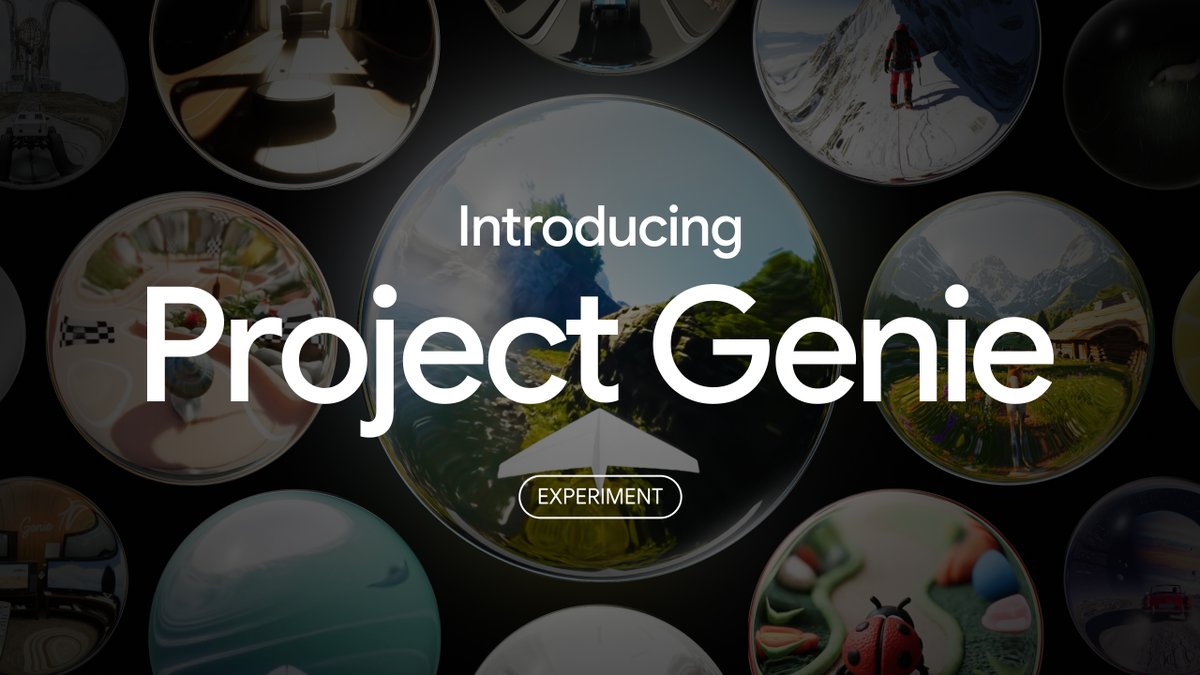
• Pipeline: “Describe a world or upload a photo → approve/modify the Nano Banana Pro preview → Genie 3 generates the world in real time,” as explained in the Launch thread and reiterated in the Pipeline recap.
• Distribution surface: Signup/entry point is centralized on the Labs site, linked in the Project page.
The visible constraint in demos is a short session window (often described as about a minute), so it currently behaves like an interactive shot generator rather than a persistent sandbox.
Genie 3 passes basic “no clipping” collision probes
Genie 3 (Google DeepMind): Early testers are treating “can I walk through solid objects?” as the first reliability check, and Genie 3 is showing collision-style behavior instead of classic video-model hallucination—running into a car blocks movement, and closed doors block traversal per the Physics examples and the follow-up Collision details. This matters for pre-vis because it’s the difference between a moving wallpaper and a space you can actually stage action in.

The current signal is narrow (two simple tests). It’s still useful. It creates a repeatable sanity check creators can run on any new prompt/world before investing in “directed” takes.
Genie 3 shows short-term scene memory when you turn away
Genie 3 (Google DeepMind): A standout hands-on claim is that Genie 3 can preserve elements across brief occlusion—turn away, then come back, and the scene often still “makes sense,” including recurring characters and some environment continuity as shown in the Memory demo. This matters for storytellers because continuity across camera moves is the core pain point of video generation.

The tester framing is cautious—“not perfect,” but better than typical out-of-sight resets. That nuance is important, and it aligns with the broader “world model” direction discussed in the World model approaches thread.
Project Genie adds a directing layer: WASD navigation plus camera control
Project Genie (Google DeepMind): Users can “direct” inside a generated world using WASD for movement and arrow keys for camera angle changes, with responsiveness highlighted in the Control demo; the workflow of “approve the preview → explore the world” is summarized in the How it works. This matters because it turns prompt-to-video into prompt-to-blocking: you can get multiple angles on the same moment rather than regenerating from scratch.

The demos still look like early tech (motion and stability vary), but the control surface is already legible as a filmmaking primitive.
Genie 3 is being used for bodycam-style pre-vis tests
Genie 3 (Google DeepMind): One emerging use is “found footage” realism probes—ChrisFirst shows a “body camera footage” world prompt (trailer park, daytime) paired with a “police officer holding a taser” character prompt in the Bodycam demo, with the exact prompt text reiterated in the Prompt text. This matters for creators because bodycam/FPV language is a fast way to reveal whether motion, exposure shifts, and micro-jitter feel plausible.

The author notes it’s close but still needs “more motion,” which is consistent with where current world models tend to break: locomotion cadence and camera inertia.
Fire and disaster scenes are being used to probe world dynamics
Project Genie (Google DeepMind): Beyond walking tours, creators are testing “system” scenes like fire spread and response. ChrisFirst posts “fighting fires” inside Project Genie in the Firefighting clip, which matters because fire, smoke, and propagation are a fast way to reveal whether the environment behaves consistently under change.

There’s not enough evidence here to say Genie 3 is doing real physics simulation, but “dynamic hazard” prompts are already becoming a repeatable probe category—similar to mirrors for visuals, but for state changes over time.
Mirror hallways are becoming a stress test for Genie 3 stability
Genie 3 (Google DeepMind): A classic fidelity trap—mirrors—gets used as a deliberate break test. ChrisFirst runs a “hallway of mirrors” scenario and notes two things in the Mirror hallway test: reflections can “slip up” the model, and continuous backward walking doesn’t reliably trigger a new obstacle to stop you.

For creators, this is less about “gotchas” and more about knowing which set designs will sabotage continuity. Mirrors, glass, and recursive reflections remain a high-risk art direction choice in early world models.
Project Genie driving demos collide with early capacity limits
Project Genie (Google DeepMind): Vehicle-like sequences are appearing quickly—ChrisFirst posts a snowy driving set-piece in Sapporo inside Genie in the Sapporo driving demo, including a minor crash at the end as noted in the Fender bender note. Shortly after, the same creator reports generation being blocked by a capacity warning (“more requests than usual”), shown in the Rate limit screenshot.

This matters operationally: when world models are interactive, demand spikes can halt production mid-iteration, so early adopters may need to plan around availability windows and retries.
“Advancing Open-source World Models” circulates as context for the Genie moment
Open-source world models (Research context): A reference point for the broader ecosystem shows up via a share titled “Advancing Open-source World Models,” posted with a paper link and a supporting video in the Paper share. This matters because creators are starting to compare products like Genie against open research baselines, not just against other video generators.

The tweet itself doesn’t include conclusions or metrics, but the circulation is a signal: “world models” are now being treated as a coherent category with shared expectations (interactivity, memory, controllability) rather than a novelty demo.
LingBot-World is marketed as “doesn’t forget offscreen”
LingBot-World (Ant Group): Alongside the Genie hype, open-source world models are being positioned on a specific differentiator: offscreen memory and cause/effect continuity. Posts claim typical world models “forget things as soon as they’re out of sight,” but LingBot-World keeps coherence after you leave and return, as stated in the Offscreen memory claim and echoed by an open-source unveiling mention in the Unveiled note. This matters for interactive storytelling because persistence is the feature that makes “world” different from “video.”
No concrete eval artifact or demo clip appears in these tweets, so treat it as directional marketing signal rather than verified performance.
🎬 AI video tools beyond world models: Grok Imagine edits, Runway Gen‑4.5 I2V, Kling FPV, Luma 1080p
Covers video generation/editing workflows and capability demos that are not about world models (excludes Project Genie/Genie 3, covered in the feature). The feed is heavy on Grok Imagine micro-scene control, plus Runway/Luma/Kling experimentation.
Grok Imagine multi-shot prompting uses [cut] as a shot delimiter
Grok Imagine (xAI): A simple prompting pattern is circulating for packing multiple beats into one generation: insert [cut] tokens to force hard scene changes while staying in a single request, as demonstrated in the three-shot prompt example.

This matters because it turns Grok into a rough shotlist tool: you can specify beat A → beat B → beat C in one line (e.g., “banana drinking coffee [cut] reading a book [cut] singing”), then use the output as an animatic or as selects for a longer edit.
Kling 2.6 FPV prompts are being shared as reusable camera recipes
Kling 2.6 (Kling): A creator shared multiple “FPV camera” recipes as ready-to-reuse prompts—spiral descents around buildings, interior punch-throughs, speed ramps, and exposure shifts—framed as a repeatable way to direct motion, per the FPV thread intro.

One standout structure is: establish a huge landmark → spiral down with near-misses → break into interior corridors → burst back outside. The prompts are long on purpose (they specify camera path and transitions), and the post indicates eight examples are included in the thread, as described in the FPV thread intro.
Luma Ray 3.14 Image-to-Video now outputs native 1080p
Ray 3.14 Image-to-Video (Luma): Luma says Ray 3.14 can now transform still images into video in native 1080p, positioning the upgrade around depth/parallax and clearer scene structure, as shown in the 1080p demo.

The pitch is about holding up detail during camera moves (edges, textures) rather than only generating a good first frame. No pricing or limits are stated in the tweet, so treat output cost/throughput as unknown from today’s posts.
10-second Grok Imagine clips are being used for dialogue beats
Grok Imagine (xAI): Multiple posts converge on 10 seconds as a workable duration for short dialogue exchanges and micro-scenes, with one creator calling out that “dialogues at 10 seconds” are notably strong in the dialogue clip.

A separate performance claim highlights fast generation at 10s and 15s clip lengths when using the API, as described in the API speed note. Taken together, the emergent workflow is “write a line, generate a beat, stitch beats into a scene” rather than trying to one-shot an entire sequence.
Grok Imagine continuity via a single image anchor across multiple gens
Grok Imagine (xAI): Creators are leaning on a continuity method where one reference image becomes the “identity anchor,” then you run multiple prompt-driven generations off it to keep character/style consistent, as shown in the image-anchored sequence demo.

The key detail is that it’s not one long clip; it’s a chain of shorter clips stitched in edit. The method pairs well with multi-shot prompting (using [cut]) when you want continuity plus explicit beat control.
Runway Gen-4.5 shows a photo-to-motion ‘Day at the Museum’ flow
Gen-4.5 Image to Video (Runway): Runway is pushing a straightforward creative loop—start from a real photo, then prompt for camera motion and scene action—to get cinematic movement out of stills, as shown in the museum example.

The clip reads as a practical storyboard starter: you can capture reference lighting/composition with a phone, then iterate on motion directions (push-ins, pans, subject animation) without rebuilding the scene from scratch.
A Runway-generated internal-body camera move gets treated as an editable beat
Runway (Runway): A director shares a generated VFX-style shot where the camera drops, tracks into a woman’s torso, and transitions to a visible beating heart—then notes it was cut from the final short due to pacing/tone mismatch, as described in the heart shot breakdown.

The useful creative signal is editorial: even when a model hits a hard prompt (complex camera travel), the shot still behaves like a normal piece of coverage—something you can keep, trim, or drop depending on the sequence rhythm.
Krea Realtime Edit beta shows fast restyling with texture prompts
Realtime Edit (Krea): A creator reports getting beta access and shows a simple lookdev loop: feed in existing artwork, then drive restyling with a texture/style prompt (e.g., “grunge texture”), iterating quickly to new themes (e.g., “cyberpunk city”), as shown in the realtime restyle clip.

A separate thread frames the next step as applying Realtime Edit to audio-reactive visuals for live restyling, per the audio-reactive goal.
Midjourney Video is being used for abstract motion stress tests
Midjourney Video (Midjourney): Early experiments are showing up as “aesthetic probes”—abstract morphing materials, specular highlights, and fast texture transitions—rather than narrative shots, as shown in the abstract morph clip.

This is a common early-stage behavior for new video models: creators use non-narrative motion to judge temporal stability, aliasing, and how the model handles rapidly changing surfaces before committing to character or story work.
One-shot script-to-animation promo clips are being pitched as ad production
One-shot AI promo generation: A creator claims a “one click” flow that goes script → animation in a single shot, highlighting that camera push-ins and a final logo reveal landed on the same beats as the character actions in the one-shot promo clip.

The post frames this as a response to CapCut subscription pricing and hints at an ad pipeline where the “edit” is mostly prompt iteration rather than cutting multiple clips, as described in the one-shot promo clip.
🧩 Copy/paste prompts & style references (Nano Banana, Midjourney srefs, spec-sheet JSON, cyanotype, FPV recipes)
High-density prompt sharing day: Nano Banana Pro templates for product ads and stylized looks, plus Midjourney style references and structured JSON prompt formats. Excludes tool capability announcements (covered in other categories).
Nano Banana Pro “Submerged Product Effect” prompt enforces true submersion (no platforms)
Nano Banana Pro (Prompt template): A long JSON prompt called Submerged_Product_Effect v10.0_FINAL is designed to stop the common failure where models “rest” products on a surface; it repeatedly specifies the item must be inside an opaque gradient liquid with one end sinking much deeper than the other, as written in the full JSON prompt and illustrated in the example grid.
• Key constraint that makes it work: “CRITICAL ASYMMETRIC SUBMERSION” + “NO platform/surface/floor” are repeated with extensive negatives to prevent the default tabletop look, per the full JSON prompt.
• Color discipline for ad work: The template forces a two-color gradient world (liquid = background), which is useful when you need art-directable brand palettes without stray hues, as specified in the full JSON prompt.
“Accuracy-first” comparison-chart prompt bans guessing and forces official-source specs
Structured prompting (Spec-sheet workflow): A long-form JSON spec for a “Universal Product Comparison Chart (Accuracy-First)” is being shared as a way to generate clean side-by-side comparison tables while explicitly forbidding hallucinated specs and enforcing “Not officially available / Not confirmed” fallbacks, as shown in the full prompt spec output example.
• Source governance baked in: The prompt restricts sources to manufacturer docs/press releases and disallows blogs/reviews/forums, per the full prompt spec.
• Design intent: It pairs a neutral studio product visual with a fact-checked table in a consistent 2-column grid—handy for pitch decks and “explainer” creatives where credibility matters, as demonstrated in the full prompt spec.
Nano Banana Pro cyanotype blueprint prompt locks Prussian-blue realism (no warm tones)
Nano Banana Pro (Free-form prompt): A detailed “1842 blueprint” directive is circulating that forces a cyanotype chemical-print look—deep Prussian blues only, coarse watercolor paper texture, and messy emulsion borders—aimed at making outputs feel like scanned physical artifacts rather than clean digital filters, as shown in the cyanotype prompt examples.
• Palette lock: It explicitly bans sepia/greys/any warm tones and insists on Prussian Blue/Indigo/Cyan midtones with blown-out white highlights, per the cyanotype prompt.
• “Physical object” cues: The prompt calls for brush strokes at the borders, uneven coating density, light leaks, dust specks, and deckled edges—details that often sell authenticity in poster/prop workflows, as described in the cyanotype prompt.
Midjourney --sref 1061349747 targets cinematic realistic anime storyboards
Midjourney (Style reference): A “cinematic realistic anime” style code—--sref 1061349747—is being recommended as a middle ground that’s not Ghibli, shonen, cartoon, or photoreal; the share name-checks influences like Cowboy Bebop, Trigun, Vampire Hunter D, Batman TAS, and Berserk for storyboard/opening-sequence framing, as described in the style reference post.
The examples are presented as suitable for action storyboards and animated-short keyframes rather than single hero art, per the style reference post.
Midjourney --sref 2487252379 for character design sheets (anime-influenced Western)
Midjourney (Style reference): A character-design-sheet look is being passed around as a single style reference code—--sref 2487252379—positioned as “don’t specify anything but the character,” with examples showing multi-pose turnarounds and expression studies in a consistent mixed anime/Western illustration finish, as shared in the style reference tip.
The share is explicitly framed as a reusable sheet aesthetic (poses + heads) rather than a one-off illustration style, per the style reference tip.
Nano Banana Pro prompt yields glossy “flag product” 3D ice cream renders
Nano Banana Pro (Prompt example): A copy-paste prompt is being used to generate hyper-realistic vertical 3D “ice cream bar on a stick” concepts with glossy glaze, gold logo patterns, and engraved stick ornamentation—effectively a branded product mockup format—with multiple country variants shown in the image set and a rotating render in the image set.

The prompt structure is notable for consistently asking for national color signatures + gold pattern drips + engraved cultural motifs, per the image set.
Midjourney --sref 1470170 pushes “flawed” crayon texture over 8K polish
Midjourney (Style reference): A style-ref drop argues against “8K perfection” and recommends --sref 1470170 to inject raw crayon texture—jittery edges and naive-art cues—specifically to avoid the “cold AI gloss,” as framed in the style-ref claim and expanded via the breakdown link.
This one is presented as brand-kit/storybook friendly rather than cinematic realism, per the style-ref claim.
Midjourney --sref 20240916 is pitched as a fast “cinematic cyberpunk” shortcut
Midjourney (Style reference): A “cinematic cyberpunk” shortcut is being marketed via --sref 20240916, described as vaporwave-pop with a commercial finish, as claimed in the cyberpunk sref post and linked out in the full breakdown.
No canonical prompt/output set is embedded in the tweet itself; what’s concrete here is the code and the intended aesthetic positioning, per the cyberpunk sref post.
Midjourney --sref 3091309576 aims for Wong Kar-wai-style motion blur
Midjourney (Style reference): A prompt recipe is being shared for “raw” cinematic motion blur—[Prompt] --sref 3091309576 --v 6—explicitly positioned as warm, dreamy, and imperfect (the opposite of hyper-sharp renders), with visual examples collected in the motion blur collage and a longer explainer linked in the style breakdown.
The examples emphasize blur streaks, warm lighting, and smear during motion rather than crisp edges, as shown in the motion blur collage.
Firefly prompt recipe: cinematic first-person still with Portra and camera settings
Adobe Firefly (Prompt snippet): A compact Firefly prompt formula is being shared for “cinematic still first person POV” images; it explicitly includes film emulation (“Kodak Portra”), shutter speed (“1/125s”), depth of field, film grain, and “shot on 35mm,” as written in the prompt line.
It reads like a reusable “camera metadata” block you can swap the subject into, per the prompt line.
🖼️ Image creation & editing: Nano Banana Pro inpainting, FLUX typography speed-up, Firefly/Photoshop maker loops
Image-side capability posts: Nano Banana Pro editing (especially selection-based inpainting), and model/perf updates like FLUX.2 [flex] speeding up for design/typography. Excludes raw prompt dumps (those are in Prompts & Style Drops).
Nano Banana Pro in Freepik advertises unlimited, selection-only inpainting
Nano Banana Pro (Freepik): Freepik is positioning Nano Banana Pro as an “unlimited” inpainting tool where only the masked/selected area changes and the rest of the image stays consistent, as shown in the inpainting demo clip; the framing is explicitly “Only the selected area changes. Nothing else,” including for photos, illustrations, and AI images per the inpainting demo post.

The same idea is being echoed as a Freepik workflow shift—“controllable inpainting … supported by Nano Banana Pro” per the workflow note mention—suggesting the product pitch is less about new styles and more about predictable, localized edits for creatives.
FLUX.2 [flex] is being used for rapid typography poster iteration
FLUX.2 [flex] (Black Forest Labs): After the “up to 3× faster” claim, creators are showcasing the practical payoff as rapid iteration loops for typography-heavy design—poster grids with varied, legible type treatments and brand-style experiments, as shown in the poster grid example share.
Rather than focusing on benchmarking, the examples emphasize a “generate many options, pick a direction” workflow; the original speed and typography focus are reiterated in the speed claim post, with the visible output quality illustrated by the poster grid example images.
Firefly Boards is being used as an image-first storyboard workspace
Adobe Firefly Boards (Adobe): A repeatable workflow is being demoed where a single illustration (or reference image) becomes the anchor asset inside Firefly Boards, then gets expanded into a multi-panel grid as a lightweight storyboard before generating motion beats, as described in the workflow overview thread.

The core move is treating Boards as the “scene planner” rather than a final generator: start from one image, build a simple grid, then generate variations and assemble—steps outlined across the workflow overview and multi-shot step posts.
Krea Realtime Edit is being used for fast “style auditioning” passes
Krea Realtime Edit (Krea): Creators are using Realtime Edit as a rapid “style auditioning” tool—pushing the same likeness/art through many distinct cartoon looks in one session; one example reports testing 15 recognizable cartoon/anime style targets, with “Samurai Jack” called out as a favorite in the style test reel post.

A separate early-use pattern is combining existing artwork (e.g., Niji) with texture prompts to restyle quickly, as shown in the texture restyle demo clip.
Angles v2 turns a single image into a 360° camera exploration asset
Angles v2: The tool is being framed as “take the image first, then move the camera after”—enabling full 360° camera movement around a subject, including behind it, while the lighting adapts to the new angle, per the angles v2 demo explanation.

The claimed creative payoff is reusing one still as a multi-angle source for product, portrait, and architecture coverage, with the “lighting adjusts automatically” behavior emphasized in the angles v2 demo clip and description.
Seedream 4.5 artifact tests show how “low-res snapshot” prompts can break realism
Seedream 4.5: A creator is documenting “interesting errors” by prompting for a deliberately mediocre, noisy phone-snapshot aesthetic—and getting outputs that collapse into heavy pixelation/uncanny facial artifacts, as shown in the error example post.
The value here is diagnostic: the prompt intentionally mixes “Instagram style” language with “low pixel, high noise, film coarse-grain,” and the result illustrates how quickly realism can degrade when models over-index on “bad camera” cues, per the error example note.
Adobe Firefly “Tap the Post” assets evolve into glitch-type template packs
Adobe Firefly (Adobe): The “Tap the Post” loop continues mutating into reusable, multi-frame template packs—glitchy, cropped, high-contrast type and visual fragments meant to be posted as swipeable sets—shown in the glitch template frames image set.
The posts emphasize repeatability over one-off art: “Tap the Post … Made in Adobe Firefly” appears as the consistent label in the template post and glitch template frames drops, suggesting creators are standardizing meme-able asset formats, not just making single images.
🧍 Consistency & control systems: camera-as-parameter, reference-driven video continuity, multi-shot coherence
Posts focused on keeping identity/continuity stable—either via reference-first video iteration or by turning camera placement into an editable parameter. Excludes full world-model discussion (feature) and general video capability chatter.
Angles v2 makes camera placement an editable parameter after image generation
Angles v2: Following up on Angles v2, creators are emphasizing a very specific control loop—generate the image first, then orbit the camera a full 360° and let lighting adapt to the new angle, before committing to a render, as shown in Camera-after-image demo and reiterated in 360° movement demo.
• What it unlocks for continuity: One “hero” image can become multiple consistent angles (front, 3/4, profile, over-shoulder) without re-prompting the subject, which is the kind of coverage that normally breaks identity across generations—see the framing in Lighting adapts per angle and the reuse cases in Reuse constraints list.
Grok Imagine video editing model: targeted edits while keeping the rest consistent
Grok Imagine Video (xAI): A “video editing” mode is being tested in the wild with the key claim that it segments only what you ask to change while preserving the rest of the clip’s continuity, with side-by-side before/after examples in Edit model examples.

• Where it’s being run: One practical path is via fal’s hosted endpoint, as noted in fal hosting note and detailed on the Edit endpoint page (priced per seconds of in/out video; the page example quotes $0.36 for a 6-second job).
The pitch here is less “new footage” and more “surgical continuity edits,” which is a different control problem than text-to-video generation—see Edit model examples.
Grok Imagine multi-shot control via [cut] delimiter inside one prompt
Grok Imagine: A simple delimiter is being passed around as a practical way to force beat-to-beat sequencing—add [cut] between clauses so one 10-second generation contains multiple discrete shots with clearer transitions, as demonstrated in the example prompt shared in Cut token example.
The visible win for storytellers is less “mushy” continuity between actions (drink → read → sing) because the prompt encodes shot boundaries rather than relying on the model to infer edits from prose, as shown in Cut token example.
Grok Imagine: reuse one image across multiple generations to keep a consistent thread
Grok Imagine: A continuity recipe is being described as “single image + multiple prompts + multiple generations” to keep identity stable while iterating motion/style, according to Single image continuity claim.
This is closer to reference-driven lookdev than pure text-to-video: the anchor frame carries character/wardrobe/composition, while prompts steer the next shot or variation, as shown in Single image continuity claim.
“A trailer isn’t an episode”: creators call out episode-level continuity as the real bar
Episode coherence vs trailer polish: A creator is drawing a hard line that “anyone can make a trailer with AI,” but the meaningful test is producing a cohesive full episode (consistent story logic, pacing, and recurring character continuity), as argued in Trailer vs episode critique.
This frames continuity as an end-to-end production constraint (writing + blocking + edit decisions), not a single model capability, per Trailer vs episode critique.
🛠️ Systems that ship: automated content factories, context that compounds, and agent-driven ops
Multi-step, production-minded workflows: automated podcast/news systems, persistent context stacks (SQLite+markdown), and agent-based operations. Excludes coding-assistant product comparisons (covered in Coding Agents & Dev Tools).
Automated hyper-local news podcast pipeline claims $100/mo all-in cost
Automated local news podcast (Workflow): A creator described a daily, hands-free pipeline that scrapes Google News + local event feeds + social platforms, generates “professional scripts with emotion and pacing controls,” then produces audio with ElevenLabs V3—framed as replacing a $50k/year show with “$100/mo” in APIs, per the Pipeline breakdown.

• What’s concrete here: The setup is positioned as “completely hands-free once deployed,” with multi-source ingestion → script generation → TTS output as the repeatable core loop, as stated in the Pipeline breakdown.
• Business framing: It’s pitched as making “news deserts” economically addressable by scaling the same workflow across many towns, per the Pipeline breakdown.
Clawdbot-style ops: route customer requests from anywhere into Discord threads
Clawdbot (Ops pattern): A maker claims they “taught” their Clawdbot to handle customer requests regardless of where they arrive, with everything “managed nicely via Discord,” effectively using Discord threads/channels as the central support inbox, per the Support routing claim.

The tweets don’t include the implementation details, but the operating model is explicit: multi-channel intake → single routed workspace in Discord, as described in the Support routing claim and reinforced by the Follow-up clip.
Floatprompt workflow: SQLite “brain” + git-aware session boot for compounding context
Floatprompt (Workflow pattern): A “continuous compounding context” setup combines a local SQLite database (float.db) + a .float/ file tree + git-aware session startup and logging commands (/float, /float-log) so each AI session resumes where the last left off, as detailed in the System description.
• Mechanics: /float reads recent commits + context files; /float-log commits changes and enriches the DB with transcripts/decisions and a “buoy” table for cross-session carry, according to the System description.
• Design principle: The author explicitly prefers “retrieval-led reasoning over pre-training-led reasoning,” treating the DB as the long-term memory substrate, per the System description and Context building claim.
Linah AI workflow claims 400+ UGC ads per brand using Veo 3
Linah AI + Veo 3 (Ad factory workflow): A creator claims they built a system generating “400+ UGC ads per brand” by combining Veo 3 with Linah AI, emphasizing persona/angle variation and high posting volume as the driver—“50–200 creatives per week”—per the UGC ad factory thread.

• Output structure: The described variants include unboxings, problem–solution sequences, testimonials, lifestyle POV, and offer-focused edits, framed as “hundreds of variations” from one product, per the UGC ad factory thread.
• Operating thesis: The pitch is that the bottleneck has shifted from targeting to creative throughput (“volume isn’t optional anymore”), as stated in the UGC ad factory thread.
Prompt-injection hardening claim for message/email-driven bots
Prompt injection hardening (Ops pattern): One builder claims they found a way to make prompt injection “via messages/email virtually impossible” in their bot workflow, but says the technique is only shared privately and provides no method or test evidence in public, per the Hardening claim.
This is a security-relevant signal for anyone running “agent-in-the-inbox” systems, but it’s currently unverifiable from the available material in the Hardening claim.
SciSpace Agent adds library search, Zotero/Drive sync, report sub-agent, and save-to-notebook
SciSpace Agent (Update): A creator testing SciSpace describes four workflow updates aimed at making research work less chat-fragmented: searchable private PDF library, Zotero + Google Drive ingestion, an auto-triggered report-writing sub-agent, and saving outputs to notebooks as markdown with citations, per the Update overview and Feature list recap.

• Ingestion change: Zotero integration is positioned as “zero manual uploads,” with direct pull + analysis, as shown in the Zotero integration clip.
• Persistence change: “Save to Notebook” is framed as keeping work from vanishing in chat history by storing .md plus citations, per the Notebook save clip.
• Promo detail: A discount code is promoted (40% annual; 20% monthly), as stated in the Feature list recap.
Selfie-to-closet automation: clothing item extraction and tracking pitched as app idea
Clothing extraction app (Workflow pattern): A “take a selfie or upload a pic” flow is shown breaking down clothing items and classifying them into a closet-style tracker, framed as a niche but monetizable automation (“extract this into an app and print $”), per the Closet organizer screenshot.
The visible UI suggests stateful inventory (closet, worn, laundry, drying), implying the core system is not just recognition but ongoing item lifecycle tracking, as shown in the Closet organizer screenshot.
“In 2026, build systems” framing: assistant vs agent vs managed SuperAgent
Agent org design (Framing): A simple mental model is circulating—“AI assistant = tool,” “AI agent = employee,” “SuperAgent = managed employee,” with “building systems” positioned as the path to delegating large fractions of work to machines, per the Assistant-agent-superagent framing.
It’s not a product launch; it’s a vocabulary shift that maps directly onto how people describe multi-agent ops stacks in the wild (routing, supervision, and handoff), as stated in the Assistant-agent-superagent framing.
🧊 3D & animation pipelines: text→3D assets, character conversion, and game-ready workflows
3D asset creation and animation workflows are active today: text-to-3D tools, production pipelines (Meshy→ZBrush→Substance), and platform hosting for 3D generation. Excludes pure 2D image prompting.
Meshy shows a full text-to-3D sword workflow with ZBrush + Substance Painter finishing
Meshy (MeshyAI): A practical end-to-end asset workflow is being demonstrated: start from a text prompt in Meshy, generate a stylized sword, then push it through ZBrush for sculpt cleanup and Substance Painter (SP) for materials/texture polish, as shown in the pipeline tutorial clip. It’s positioned explicitly as “game-ready,” i.e., a generation-first step that still assumes traditional finishing.

• Pipeline shape: Text prompt → Meshy base mesh → ZBrush sculpt/refine → Substance Painter textures, per the pipeline tutorial clip.
The tweet doesn’t specify poly/UV/export settings, so treat it as a pipeline pattern rather than a repeatable spec sheet.
Hunyuan 3D 3.1 Pro and Rapid land on fal with fidelity vs speed options
Hunyuan 3D 3.1 (fal): fal is announcing hosted access to Hunyuan 3D 3.1 in two variants—Pro (framed as high-fidelity image-to-3D and text-to-3D) and Rapid (framed as speed-optimized)—as stated in the fal availability post. This matters for creators because it turns “try this 3D model” into “slot it into a pipeline” without local setup details in the tweet.
No pricing, export formats, or topology notes are included in the shared post, so real production fit (riggability, UVs, retopo needs) remains unverified from today’s tweets.
Nano Banana Pro is being used for fast 3D lookdev on characters and product renders
Nano Banana Pro: Creators are posting Nano Banana outputs that look like “instant 3D” lookdev—both character-turnarounds and product-style renders—suggesting it’s being treated as a quick 3D visualization step before animation or further tooling.
• Character example: A detailed TMNT-style humanoid turtle render (goggles, gear, hoverboard) is shared as “another turtle made on Nano Banana pro,” per the character render post.
• Product example prompt: A “Gemini Nano Banana pro 3.0” post includes a copy-paste prompt pattern for “hyper-realistic 3D ice cream on a stick” with country colorways/logos, shown with multiple outputs in the ice cream prompt and results.
• Workspace context: Another creator notes “character design made with Niji 7 and Nano Banana pro on Freepik spaces,” per the workspace screenshot, which frames Nano Banana as part of a mixed-tool design board rather than a standalone generator.
Anima Labs keeps iterating a 2D→3D→animation character pipeline with Kling 2.5
2D→3D→animation character pipeline: Anima Labs shares another concrete “character to animated clip” stack—Midjourney + Nano Banana Pro + Kling 2.5 + Suno—this time centered on a specific persona (“bus driver… nostalgic for the 1980s”), as described in the character concept post.

They also call out their older multi-tool recipe—“Midjourney (2D)… Nano Banana 2 (3D)… Kling 2.5 (Animation)… Topaz (Upscale)… Suno (Music)”—as a repeatable process pattern in the older fusion pipeline example, reinforcing that Nano Banana is functioning as the “2D to 3D look” hinge before motion.
Node Spawner adds a radial menu approach to node creation for graph workflows
Node Spawner (CreativeDash): A radial “node spawner” UI is shown for creating nodes across many categories—click to open, then scroll/swipe to cycle—aimed at speeding up node-graph construction, as demonstrated in the radial menu demo.

This is a small UX change, but it targets a real friction point in ComfyUI-like graph work: reducing time spent hunting node types in menus.
🧪 Finishing passes: upscaling, restoration, and making motion hold up
Finishing and enhancement tools—especially upscaling and detail recovery—show up as creators chase more ‘native’ looking footage. Excludes base video generation itself (handled in Video Filmmaking).
Topaz teases a new Astra upscaler, with “native-looking” textures as the goal
Topaz Astra (Topaz Labs): A creator testing a “new upscale model” reports cleaner edges and more realistic textures on difficult footage, and says the model is “releasing very soon” on Astra, per the hands-on note in Beta upscale impressions.

The broader Topaz Studio positioning frames Astra as a creative video-upscaling surface, alongside other AI enhancement apps (notably “Bloom” up to 8×), as described on the product page linked in Topaz Studio page.
Runway insert-shot prompting: “camera into the body” as a usable VFX beat
Runway (RunwayML): A director shares a prompt-delivered VFX insert—“camera drops… travels into her body… see her fast beating heart”—and frames it as a ~5s shot that worked as requested but still got cut for pacing/tone (“kill your darlings”), per the workflow note in Prompted internal-heart shot.
This is a clean example of generative video being treated like a finishing/VFX option: a specific insert you’d typically plan as post, now coming from prompt iteration, as described in Prompted internal-heart shot.
CapCut price friction shows up as creators test cheaper “editing paths”
CapCut pricing + AI promo workaround: One creator flags CapCut’s “official renewal” at $19/mo and switches to a $7.49/mo plan via a third-party subscription reseller, then tests an AI-generated, one-shot promo video where the script-to-animation timing is meant to land the logo reveal on a precise beat, according to CapCut renewal workaround.
The post’s core claim is less about a new model and more about a finishing constraint: editing subscriptions + turnaround time are becoming part of the creative stack’s bottleneck, as framed in CapCut renewal workaround.
Topaz as the “last mile” in multi-tool character video pipelines
Topaz (finishing step): Creators keep listing Topaz as the final polish stage after image/character generation + animation—e.g., a stack of Midjourney + Nano Banana + Kling + Topaz + Suno is explicitly called out in Tool stack with Topaz, with the output shown at 4K-scale in the accompanying clip.

The same dynamic shows up in the new Astra-model discussion—texture integrity and avoiding an “over-processed” look are the stated goals, as described in Beta upscale impressions.
💻 Coding agents & maker tooling: Claude Code, Codex loops, visual coding, and browser-based AI builders
Distinct coding/dev-tool thread: creators discussing Claude Code/Cursor/Codex workflows, code review loops, and ‘visual coding’ agents that turn screenshots into deployable sites. Excludes non-coding creative workflows.
A Codex↔Claude code-review loop is emerging as a reliability hack
Codex + Claude Code (Workflow): One builder describes a simple “two-model review loop”: run Claude Code to generate/modify code, have Codex review and improve it, then ask Claude whether the Codex version is better—“usually is,” according to the Cross-model review loop. A related sentiment is that Codex’s tone/guardrails feel “firm… professional,” per the Codex firmness note.
This is effectively using model disagreement as a fast quality filter when you don’t have time to do a full human review.
X’s algorithm reportedly scores “profile click” and “follow” separately
X algorithm reverse-engineering (Workflow): A thread claims X models two distinct actions—“will they click the profile?” and “will they follow?”—citing internal names like profile_click_score and follow_author_score in the Two-stage prediction claim. It further claims both signals appear as separate weighted lines in scoring, as described in the Scoring formula note, and that the model is trained on sequences like “saw → clicked → followed” vs “saw → clicked → didn’t,” per the Training sequence breakdown.
• Funnel framing: The practical interpretation is “curiosity about you” and “commitment to you” are different levers, which the thread summarizes directly in the Curiosity vs commitment line.
This is a creator-growth tactic rather than a model/tool release, but it’s actionable for anyone shipping AI work on X because it treats posts and profile as two separately-optimized surfaces.
“Close the editor”: creators are prioritizing docs and rules over diffs
Docs and agent rules (Workflow): A blunt take argues creators should prepare for a near-term world where “the code won’t matter,” and instead stop obsessing over diffs/Tailwind tweaks and invest in better docs + rules for agents to follow, as stated in the Docs and rules push. The same thread of thought continues with the idea that managing agents + clean markdown context may out-rank raw coding ability, per the Markdown intern comparison.
This is less about a specific tool update and more about what people are optimizing for when the bottleneck is agent alignment, not keystrokes.
Claude Code is being framed as the “build anything” tool for creatives
Claude Code (Anthropic): A creator-facing push frames Claude Code less as “coding help” and more as a way for designers/filmmakers to ship custom tools, portfolios, and interactive web experiences, as argued in the Build anything note. It’s a clean signal that “creative coding” is becoming a default lane for AI-native artists.
The post doesn’t include tactics or templates—just the positioning—but it’s notable because it assumes creatives are now comfortable owning small software artifacts, not just images/videos.
Gemini is being predicted as the default browser-based agent via distribution
Gemini (Agent usage): A prediction frames Gemini’s advantage as distribution: “long horizon tasks directly in the browser,” with the claim that Gemini could become the most-used agent because it’s already becoming the most-used LLM—driven by “distribution and surface area,” according to the Browser agent prediction.
No concrete demo or benchmarks are included in the tweet; it’s a positioning statement about where agents win (default placement) rather than a capability claim.
🧰 Where creators run models: ComfyUI-in-browser, Comfy integrations, and model hosting hubs
Platform availability and ‘run it here’ posts: browser-hosted workflows, ComfyUI integrations, and places to access models without local setup. Excludes the actual model capability deep-dives.
Floyo brings ComfyUI to the browser with a big workflow library
Floyo: Floyo is being pitched as a “run ANY open-source workflow in your browser” layer for ComfyUI—no installs, configs, or local GPU—aimed at making complex node graphs usable for non-technical creators, as described in the Launch claim and reinforced by the Setup-free demo.

• Workflow library as the hook: The pitch leans hard on prebuilt pipelines—Wan 2.6 image-to-video, ControlNet bundles, sketch-to-lineart+color, video outpainting, face swap & inpainting—summarized in the Workflow list and Example workflows.
• Scale/traction signals: Floyo claims “1000+ pre-built workflows” and calls out “4.2k views on their Wan 2.6 workflow alone,” per the Launch claim and View count stat.
This is a distribution play for open workflows: ComfyUI power without local setup, with portability/lock-in framed around exporting your workflows as noted in the Open source positioning.
ComfyUI adds Grok Imagine access as a node workflow option
ComfyUI + Grok Imagine: Grok Imagine is now callable inside ComfyUI, framed as a new “model access via nodes” option rather than a separate web app flow, as announced in the ComfyUI availability note.

The post also hints at qualitative differences (“some models are just more emotional”), which matters mainly because it suggests creators can A/B Grok outputs against other Comfy graphs without leaving the node stack, per the ComfyUI availability note.
fal is a practical place to run Grok Imagine video edits
fal + Grok Imagine Video: Creators are running xAI’s Grok Imagine video editing model on fal (video-to-video edits), emphasizing fast segmentation while keeping the rest of the clip consistent, as shown in the Before-after edits and linked via the edit endpoint in fal edit endpoint.
From the fal page, pricing is framed as duration-based (example: $0.36 for a 6-second edit), with common upload formats called out (mp4/mov/webm/gif) in the pricing and formats blurb on fal edit endpoint.
Hailuo x Dzine promotes lip sync plus “unlimited” image generations with a time-boxed discount
Hailuo x Dzine: Dzine is promoting Hailuo as a “leading AI lip sync” option, bundled with “unlimited image generations,” alongside a limited-time discount—50% off Dzine’s yearly plan for Hailuo users for 7 days—as stated in the Promo post and detailed on the offer page in Promo landing page.
This is mainly a distribution/access update: it’s about where to run lip sync and related generators, and what the temporary pricing incentive is, per the Promo post.
🎵 Music + audio-reactive worlds: sound design pipelines and beat-driven visuals
Audio is present mainly as workflow glue: music generation/usage and audio-reactive visuals, rather than major new music-model releases. Excludes voice/TTS tools (Voice & Narration category).
Suno MIDI stems are being used to trigger beat-synced 3D worlds in the browser
Suno → MIDI → 3D world (Workflow pattern): A concrete “audio-reactive world” pipeline showed up today: export MIDI stems from Suno, map them to events, and drive a real-time web world that reacts on every beat, as described in the MIDI stems note and demoed in the Audio-reactive world build.
The demo is positioned as a guided, interactive presentation of a specific song (“The Beyond The Beyond”), with the creator saying it’s the first of many worlds—see the live build via the Experience site.
• What creators can copy: the key move is using MIDI (not audio amplitude) so beat/phrase-level structure can trigger deterministic scene events, per the MIDI stems note.
What’s still unclear from the tweets is the exact stack used to map MIDI to scene logic (Three.js/Unity WebGL/etc.), but the proof-of-concept is concrete and already shipped as a playable site, as shown in the Audio-reactive world build.
AI character shorts keep standardizing on Suno for the final music layer
Suno (Soundtrack layer): Another clear “default stack” signal: creators building short character pieces with Midjourney + Nano Banana Pro + Kling are listing Suno as the music step (often alongside Topaz upscaling), as shown in the Toolchain credits and reiterated in the Character clip example.
The notable part for audio workflows is the role separation: visuals and motion are generated/animated upstream (Midjourney/Nano Banana/Kling), while Suno gets treated as a modular, swappable soundtrack stage per the Toolchain credits.
Krea Realtime Edit is being aimed at live restyling of audio-reactive scenes
Krea Realtime Edit (Krea): A creator shared a ~48-second batch of Realtime Edit experiments and explicitly framed the next step as “feed it an audio reactive scene to then be restyled live,” according to the Audio-reactive restyle goal.

This is a practical direction for music visualizers: instead of generating the motion from scratch, generate (or render) a beat-driven base scene first, then use Realtime Edit as a style layer on top—matching the intent described in the Audio-reactive restyle goal.
🎙️ Voices, lip sync, and narration: creator tool picks + scaling TTS in production
Voice and lip-sync focused chatter: what tools creators are choosing, plus production systems leaning on TTS (not music composition). Excludes music generation (Audio & Music category).
AI pipeline turns local news feeds into a daily narrated podcast using ElevenLabs V3
ElevenLabs V3 (ElevenLabs): A creator demoed a hands-free “local news podcast factory” that scrapes sources (Google News + local feeds + social), writes a paced/emotional script, then renders “broadcast-quality” narration with ElevenLabs V3, claiming cost drops from $50,000+ per year to about $100/month in APIs, per the Automation breakdown.
• Narration control: The workflow explicitly calls out “emotion and pacing controls” in the script stage, then uses ElevenLabs V3 as the voice engine, according to the Automation breakdown.
• Scale thesis: It’s framed as economically enabling “thousands of hyper-local podcasts,” with no hosts or editors once deployed, as described in the Automation breakdown.
Creators debate best lip-sync stack as HeyGen gets “close” but lacks video input
Lip-sync tool selection: A thread asking “what is the best lipsync tool” (with Kling explicitly excluded) turned into a practical limitation callout: HeyGen is described as “SO close” but missing video-as-input, which blocks some creator workflows, according to the Tool question and the HeyGen limitation.
• Training-heavy alternatives: One creator cites prior tests with Lipdub that required about 30 seconds of lip-movement training footage and could require retraining for lighting changes (taking hours), per the Lipdub workflow notes.
The thread’s consensus is mixed in these snippets: people want pro-grade dubbing with audio clips they control, but tool ergonomics (inputs, retraining, lighting robustness) keep dominating the choice.
Hailuo and Dzine bundle lip sync tooling with a 7-day 50% yearly-plan discount
Hailuo (MiniMax) + Dzine: A partnership promo positions Hailuo as a “leading AI lip sync” tool and pairs it with Dzine plus “unlimited image generations,” advertising a 7-day limited-time offer of 50% off Dzine’s yearly plan for Hailuo users, per the Promo post and the details on the Offer page.
The actual lip-sync capabilities aren’t benchmarked in the tweets, so treat this as pricing/packaging signal rather than a proven quality jump.
📅 Creator challenges & programs: short-deadline drops and paid community pathways
Time-boxed creator opportunities and challenges surfaced today. Excludes general community encouragement posts unless tied to a concrete program/challenge.
Hailuo runs a 48-hour Nano prompt challenge for 50 Ultra memberships
Hailuo (Hailuo AI): Hailuo posted a short-deadline creator challenge—48 hours only—offering 50 free Ultra memberships for people who generate with Nano in Hailuo and then quote-repost results using #Hailuo and tagging the account, as outlined in the challenge instructions and routed via the challenge page.
This is structured like a rapid “prompt proof” sprint: public outputs are the entry mechanic, and the reward is access-tier (Ultra) rather than cash.
Firefly Ambassador wave moves forward as recommendations are submitted
Adobe Firefly Ambassadors (program): Following up on Paid program, one organizer says they’ve now sent their recommendation list for the next wave and hints that additional paid opportunities will come later, according to the recommendations submitted note. The same thread frames creator selection as an ongoing, community-recommendation-driven process rather than a one-off intake, as described in the community builder context.
This update doesn’t add new eligibility details, but it does signal the current wave is already in review.
Satoshi Army exhibition featuring AI-involved work opens at Museo Marte
Satoshi Army (Satoshi Gallery): A show titled Satoshi Army is announced as opening at Museo Marte in El Salvador, positioned as a major museum exhibition featuring “iconic” works, per the museum announcement. In parallel, a participating creator describes a 6-hour AI video collaboration workflow with traditional artists tied to the same gallery ecosystem and invites attendance at a local event, as described in the process note.

This is more gallery-program signal than tool news: museums and curators are programming AI-assisted work into formal exhibition contexts.
📣 Short-form marketing engines: UGC floods, ‘wisdom pages,’ and content monetization playbooks
Marketing-focused creator tactics: scaling UGC ads, monetizable AI ‘wisdom’ accounts, and automation-first distribution. Excludes pure tool capability news.
Linah AI claims a 400+ UGC-ad-per-brand factory built on Veo 3
Linah AI + Veo 3: A creator demo frames high-volume UGC ad generation as the new bottleneck—claiming a system that can produce 400+ UGC-style ads per brand by mixing personas, hooks, and formats, as described in the UGC engine breakdown. Volume is the product.
• What the “factory” actually outputs: The pitch lists unboxings, problem–solution, testimonials, day-in-the-life, before/after, and offer-focused variants—positioned as “50–100 ads per day,” according to the UGC engine breakdown.
• Why it’s framed as urgent: The same post argues TikTok/Meta reward brands publishing 50–200 creatives per week, which is used as the justification for automation, per the UGC engine breakdown.
A parallel “AI ads platform” tease shows up in the local-news automation thread, which signals similar product thinking across creators—see the Ad platform tease.
A $100/month automation stack for daily local-news podcasts
Hyper-local podcast factory: One builder describes a fully automated daily local-news podcast pipeline—scraping Google News and local feeds, generating paced scripts, and producing audio via ElevenLabs V3, with an all-in cost framed as $100/mo in the Workflow breakdown. It’s pitched as a way to serve “news deserts.”
• Pipeline shape: Auto-scrape (News/social/events) → “professional scripts with emotion and pacing controls” → ElevenLabs V3 audio → hands-free deployment, as outlined in the Workflow breakdown.
• Business framing: The same thread claims this drops a typical annual budget (“$50,000+”) into a subscription stack and could scale to “thousands” of local pods, per the Workflow breakdown.
A follow-up post turns it into a lead magnet offering an n8n template + setup video, as stated in the Blueprint offer.
AI “wisdom pages” are being sold as trust-first monetization machines
AI wisdom pages: A monetization playbook claims “$30k–$75k per month” pages are built around calm monk-style avatars delivering short health/mindset advice—then layering ebooks and affiliate products “naturally over time,” as described in the Wisdom pages breakdown. The tone is intentionally low-pressure.
• Format specifics shown: Example profiles emphasize “grounding and familiar” delivery and use multiple similar accounts/characters, per the Wisdom pages breakdown.
• Scale claim extension: Following up on Distribution engineering (AI influencer networks), the same author cites “over 230m views in December alone” coming from AI influencer mass marketing across “dozens of accounts,” according to the Network scale claim.
The posts are promotional; no verifiable revenue proof is included in the tweets.
Keyword “comment to get DM” gating keeps spreading across AI creator offers
Engagement-gated lead magnets: Multiple creators use a consistent growth mechanic—ask people to comment a keyword (“AI”, “BLUEPRINT”, “wisdom”, “LINAH”) to receive prompts/templates via DM, often paired with “follow so I can DM you,” as shown in the Gemini mega prompts gate and Blueprint gate. It’s a distribution tactic.
• What’s being gated: “300+ mega prompts” for Gemini per the Gemini mega prompts gate; an n8n automation template + prompting pack per the Blueprint gate; and monetization breakdowns for “wisdom pages,” according to the Wisdom page playbook offer.
This pattern shows up again in the UGC-ad-factory pitch, which uses “comment LINAH” for a workflow breakdown in the LINAH keyword gate.
A “one-shot” AI-generated promo ad is pitched as the next ad format
One-shot promo generation: A creator claims they turned a pricing pitch (CapCut renewal $19/mo vs reseller $7.49/mo) into an AI-generated promo video “in one click,” with camera push-in and logo timing matching the character’s actions, as described in the One-shot promo claim. This is framed as an alternative to assembling clips and edits.
The broader context is the same “creative volume” argument seen in UGC-ad-factory posts—compare the High-volume UGC claim framing to this One-shot promo claim.
📈 Creator reality check: algorithm mechanics, engagement loops, and community trust signals
Platform behavior and creator-economy signals: how discovery works (click vs follow), engagement-farming dynamics, and community support posts. Excludes marketing tactics (Social Marketing) and policy (Trust/Safety).
X’s ranking funnel: profile curiosity and follow conversion are scored separately
X algorithm mechanics: A reverse-engineering thread claims X doesn’t just predict “will they follow,” but separately scores “will they click the profile” and “will they follow,” framing it as two weighted steps in distribution—curiosity vs commitment, as laid out in the [two-predictions explainer](t:173|Two-predictions explainer) and the [scoring formula note](t:351|Scoring formula note).
• What the thread names: It cites internal labels like profile_click_score (“Who made this?”) and follow_author_score (“I want more from them.”), per the [phoenix scorer snippet](t:173|Phoenix scorer snippet) and the [curiosity vs commitment line](t:319|Curiosity vs commitment line).
• Practical implication for creators: It argues posts can win twice—once by triggering profile clicks, then again by converting those visits into follows—spelled out in the [two questions recap](t:320|Two questions recap).
Community support is being framed as creator infrastructure, not “nice to have”
Creator community trust signals: A set of posts frames public support for AI creatives as a practical necessity—inviting followers to share portfolios, offer collaborations/jobs, and normalize using AI in creative workflows, as written in the [collaboration invite](t:40|Collaboration invite) and reinforced by the [career doors reflection](t:120|Career doors reflection).
The same account also frames “paid opportunities” as something it will route via recommendations, which positions visibility and mutual support as a resource network rather than pure socializing, according to the [recommendations note](t:121|Recommendations note).
• Gift mechanics as trust-building: The offer to gift a small number of X Premium subscriptions is presented as a community give-back tied to nominations, per the [premium gifting post](t:285|Premium gifting post).
Creators are using “are you real?” posts as a proof-of-life trust signal
Follower authenticity check: A creator with 113,000 followers publicly asks how many accounts “actually exist” and prompts replies (“Say hi or drop an emoji”), using a simple proof-of-life prompt as both a trust check and engagement reset, as shown in the [follower reality check post](t:21|Follower reality check post) and echoed in the [113 is my number follow-up](t:103|113 follow-up).

The pattern leans on lightweight participation (one comment) rather than a giveaway or external link, and it’s paired with milestone signaling (“113 is my fav number”), per the [milestone note](t:103|113 follow-up).
“I support small accounts” engagement scripts are getting called out as scams
Scam-awareness (engagement bait): A creator mocks the familiar “support small accounts” promise structure (likes/reposts in exchange for attention, love-bombing, and absurd rewards) and explicitly frames it as a con that “big accounts” run daily, calling it “el timo de la estampita,” as described in the [scam pattern callout](t:72|Scam pattern callout).
🎞️ What shipped: interactive experiences, short-form experiments, and creator reels worth studying
Named or clearly-packaged creative releases and showcase pieces from creators (not generic ‘cool clip’ tool demos). Excludes Project Genie experiments (feature).
The Cube Experience ships as a beat-reactive, web-based 3D music world
The Cube Experience (Ben Nash): A web-based guided 3D audiovisual “world” shipped that reacts to music events in real time, positioned as “the first of many new worlds,” per the launch note in Project description. It’s built around MIDI-triggered events exported from Suno, as described in the MIDI stems note, which makes it a clear reference for interactive music-video / album-experience formats that run in a browser. Experience site A key detail. It’s presented as an interactive, guided experience rather than a linear render, as shown in Project description.
Fable Simulation teases Ikiru Shinu as a remix-first AI storytelling format
Ikiru Shinu (Fable Simulation): Fable Simulation posted a teaser positioning Ikiru Shinu as “the future of AI storytelling,” with a specific emphasis that it “dares you to remix with it,” as framed in Remix-first claim. It’s paired with an early-access funnel pointing at Showrunner, as linked in the Early access link.

The point is authorship workflow. The teaser language in Remix-first claim frames the product less as a passive feed and more like an interactive story sandbox.
Midjourney is being framed as an ideation tool, not a final renderer
Midjourney ideation workflow: A creator argued that using Midjourney “purely for ideation” is an under-discussed edge, with a quick visual scroll-through of concepts shown in Ideation montage. Short claim. Clear positioning.

This frames Midjourney as a “concept search” layer that feeds downstream tools (animation, layout, 3D) rather than being the end product, as stated in Ideation montage.
The Artisan – Part 2 gets shared as an AI-involved short film segment
The Artisan – Part 2: A creator shared “The Artisan – Part 2” while explicitly noting it was “created involving AI,” and calling out credited music and sound design, as described in AI-involved credit note. Part 2 is the notable concrete detail. It reads like a case study in presenting AI work with traditional production credits (director + sound) rather than treating it as a tool demo.
🧠 Compute & cost pressure: cheaper VRAM comparisons and local-first creator mindsets
Compute economics that impact creators’ ability to run models: high-VRAM hardware comparisons and local-stack sentiment. Excludes general consumer hardware chatter without AI compute implications.
Huawei 96GB vs Nvidia 96GB VRAM price gap gets fuzzier in viral compare clip
96GB VRAM price pressure: Following up on VRAM gap (the $2k vs $10k narrative), a reposted comparison clip still frames Huawei Atlas DUO 96GB VRAM as “<$2,000” versus Nvidia RTX 6000 96GB VRAM as “>$10,000”, but it also briefly swaps in “$6,000” on the Nvidia side—see the on-screen price cards in price comparison clip.

The only concrete “update” here is the appearance of that $6,000 figure; the tweet doesn’t provide a source (retailer, region, time window), so treat it as price-discourse signal, not verified market pricing.
Local-stack adoption gets framed as a moat: most won’t set it up
Local-first creator compute mindset: A recurring take is getting sharper—one creator argues “99%… won’t set up a clawdbot,” “90%… who got a mac mini will forget about it,” and “the rest… will be dangerous,” positioning local automation + local compute as a capability gap rather than a mainstream shift, as stated in local stack adoption take.
This is about compute economics indirectly: if local stacks stay niche, the “power users” end up being the ones who can justify/optimize hardware, orchestration, and run costs.
Mac Studio sellout speculation resurfaces as an AI workload proxy
Mac Studio demand speculation: A creator predicts the “m5 max mac studio will be the quickest sold out computer in history,” framing it as impending scarcity rather than a normal upgrade cycle, per sellout prediction.
There’s no data attached (allocation, lead times, SKU counts), but it’s being used socially as shorthand for growing on-device/desktop AI workloads competing for high-end creator machines.
While you're reading this, something just shipped.
New models, tools, and workflows drop daily. The creators who win are the ones who know first.
Last week: 47 releases tracked · 12 breaking changes flagged · 3 pricing drops caught


