FLUX.2 [klein] 9B-KV adds KV caching – 2× faster multi-reference edits

Stay in the loop
Free daily newsletter & Telegram daily report
Executive Summary
Black Forest Labs shipped FLUX.2 [klein] 9B-KV, a KV-cached variant aimed at multi-reference image editing; the company claims 2×+ faster iterations with no price increase, with gains increasing as more references are added because ref-encoding compute is amortized across steps. It’s positioned as a free API upgrade for existing users; FP8 weights also drop for lower-VRAM local runs, expanding self-hosting viability while keeping the same “reference-heavy edit loop” focus.
• Gemini API billing: Google adds experimental spend caps; enforcement can lag by ~10 minutes, with overages during the window still billed; email notifications are “shortly” rolling out.
• Grok Imagine refs: xAI demos explicit reference binding via @Image tags with up to 7 references; creators are treating prompts as slot-filled shot lists, but scale/perspective consistency complaints persist.
• Velma (Modulate): transcription API pitched as 10–90× cheaper than common STT vendors on a cost-vs-WER chart; no raw eval artifact is linked in the threads.
Net: caching, caps, and reference binding are all pushing toward longer, denser “asset stacks” per project; third-party benchmarks and reproducible artifacts remain the weak link across most claims.
While you're reading this, something just shipped.
New models, tools, and workflows drop daily. The creators who win are the ones who know first.
Last week: 47 releases tracked · 12 breaking changes flagged · 3 pricing drops caught
Top links today
- LLM Course GitHub repo by Maxime Labonne
- OpenClaw-RL paper Train agents by talking
- Flash-KMeans paper Fast exact k-means
- FLUX.2 [klein] API docs
- FLUX.2 [klein] 9B model weights
- Shahed Attack free browser meme game
- Autodesk Flow Studio product page
- Wonder 2 upscaling model overview
- Modulate low-cost transcription API
- Agentic design tools with MCP video
- PixVerse 5.5 in Pictory AI Studio
- Pictory live talk Future of AI video
Feature Spotlight
Photoshop’s new object rotation + “Harmonize” makes compositing feel 3D (beta)
Photoshop’s Rotate Object + Harmonize (beta) turns flat cutouts into re-poseable, relightable elements—speeding up believable composites without leaving PS.
Biggest hands-on creative tooling story today: Photoshop (beta) adds Rotate Object for 2D layers plus Harmonize for relighting/shadow blending, with multiple creators demoing “turntable-like” control. This category centers on practical Photoshop workflows and excludes other platforms’ releases.
Jump to Photoshop’s new object rotation + “Harmonize” makes compositing feel 3D (beta) topicsTable of Contents
🧩 Photoshop’s new object rotation + “Harmonize” makes compositing feel 3D (beta)
Biggest hands-on creative tooling story today: Photoshop (beta) adds Rotate Object for 2D layers plus Harmonize for relighting/shadow blending, with multiple creators demoing “turntable-like” control. This category centers on practical Photoshop workflows and excludes other platforms’ releases.
Photoshop (beta) ships Rotate Object for turntable-like control over 2D layers
Rotate Object (Adobe Photoshop beta): Photoshop’s new Rotate Object (beta) tool lets you rotate a cutout/isolated pixel layer to a different viewpoint (effectively “turntable for pixels”), as announced in the feature release and demonstrated in the 2D to 3D-ish demo.

The practical creative impact is faster compositing iterations: instead of hunting for a new source photo angle (or re-rendering in 3D), you can push the same asset to a better-facing pose and keep moving.
Rotate then Harmonize: the new Photoshop compositing loop
Harmonize (Adobe Photoshop beta): The strongest “do this right after rotating” workflow is to run Harmonize to auto-blend lighting and shadowing into the destination scene, as shown alongside Rotate Object in the workflow demo and in a step-by-step tulips composite in the Harmonize example.
This reads like a new default loop for ad comps: rotate your product/prop to the angle you want, then harmonize so it stops looking pasted-on.
Photoshop beta “2D to 3D-ish” placement experiments are emerging
2D asset placement (Photoshop beta): Creators are already treating Rotate Object as a lightweight way to make flat assets feel spatial—e.g., taking a simple 2D cloud illustration and manipulating it as a 3D-ish object you can rotate and position, per the cloud experiment.

This is less about perfect geometry and more about getting “good enough” perspective shifts for posters, key art, and quick story frames without leaving Photoshop.
“Cat rotation” becomes the shorthand demo for Photoshop’s new rotate tool
Community signal (Photoshop beta): The feature is spreading with a simple meme demo—rotate a cat silhouette 180°—as a fast way to show the capability without a complex composite, per the cat rotation clip riffing on the same Rotate Object release in the feature post.
It’s a small thing, but it’s the kind of “one-gesture” proof that tends to travel quickly inside creative teams and group chats.
🧷 Reference-driven creation gets real: Grok Imagine image refs + “Omni” mashups
Heavy focus today on keeping characters/scenes consistent by tagging multiple reference images inside Grok Imagine (and related ‘Omni’ update posts). New here vs prior days: more concrete, step-by-step UI examples for using @Image tags and combining disparate refs.
Grok Imagine adds image references for video prompts with @Image tagging
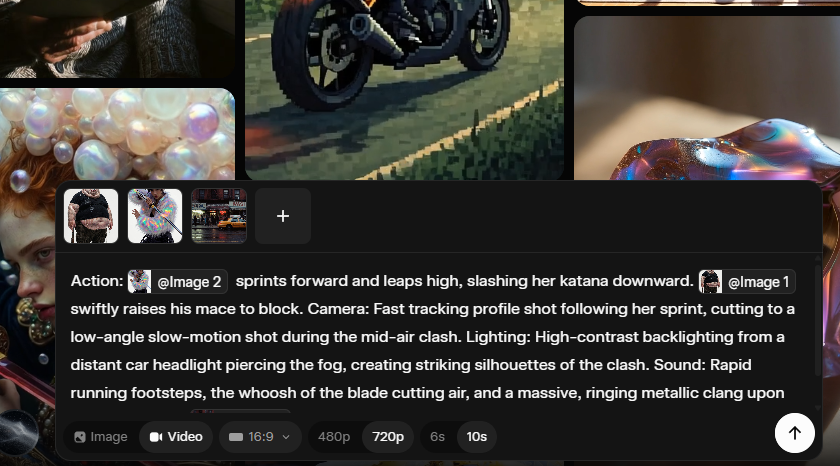
Grok Imagine (xAI): Grok Imagine now lets you upload multiple image references and explicitly bind them inside the prompt using "@Image 1 / @Image 2"—with creators calling out support for up to 7 reference images in a single generation flow, as shown in a UI example in Reference prompt screenshot and discussed as a new update in Reference-only workflow post.
• What this unlocks for creators: Reference binding turns “character + prop + location” into controllable slots (instead of hoping the model infers intent), which is why posts like Reference prompt screenshot phrase prompts as role assignments (e.g., “@Image 2 holding @Image 1 in @Image 3”).
• How people are using it immediately: The same release wave is being used for reference-only video construction—generate characters, then generate scenes, then compose action prompts that call specific references, per the walkthrough framing in Reference-only workflow post.
Grok Imagine “Omni” blends unrelated references into one video concept
Grok Imagine (xAI): A new “Omni” update is being demoed as the ability to mash completely different reference sources into one video output, with examples emphasizing cross-domain combinations rather than style-matched inputs, per the Omni callout in Omni update post.

The notable creative shift here is that the “inputs don’t need to match” pitch implies reference sets can be treated as a moodboard of incompatible elements, then fused into a single sequence—exact quality limits aren’t quantified in the tweets, but the intent is clear from the mixed-source demo in Omni update post.
Reference-only video building in Grok Imagine: separate assets, then direct the shot
Grok Imagine (xAI): A hands-on workflow is emerging for making short sequences using only references: create/collect separate character images and separate environment images, upload them individually, then write prompts that “call” each asset and specify action + camera, as demonstrated in Step-by-step prompt UI.

• Prompt structure that’s actually being used: The example in Step-by-step prompt UI uses an explicit template—“Action: … Camera: … Lighting: … Sound: … setting: @location”—which functions like a mini shot list rather than a vibes-only paragraph.
• Why separate uploads matter: The same post explicitly says to upload images separately and use “@” callouts, which preserves per-element control (character vs prop vs location) instead of collapsing everything into one fused reference image, per Step-by-step prompt UI.
Grok Imagine compositing pattern: character + product + location via references
Grok Imagine (xAI): Creators are using reference tagging as a compositing primitive—combine a character reference, a product reference, and a location reference, then describe the interaction (e.g., “takes a sip”) and camera move, as shown in the example prompt in Reference prompt screenshot and reinforced by a “combined 3 elements” demo in Three-element video test.

This is less about generating “a new thing” and more about directing a specific staged shot from existing ingredients, which is the key difference between generic text-to-video and reference-bound shot construction in Reference prompt screenshot.
Grok Imagine reference mixing still shows scale/perspective failures
Grok Imagine (xAI): Alongside the new multi-reference capability, at least one creator reports persistent failures in scale and perspective consistency—specifically, repeated attempts producing a subject that’s proportionally too large for the street scene—per the critique in Scale/perspective note.
The practical implication for reference-driven storytelling is that “binding” references doesn’t guarantee physically plausible composition; the complaint in Scale/perspective note frames this as a current limitation even when the wardrobe + prop + background references are clearly specified.
Stop-motion aesthetic tests are landing well in Grok Imagine
Grok Imagine (xAI): A stop-motion aesthetic experiment—miniature clay-like character motion and handcrafted set feel—is being highlighted as a strong fit for Grok Imagine’s generation style, per the showcase in Stop-motion demo.

This matters because stop-motion is one of the clearer “style wins” for short-form storytelling: the movement reads as intentionally imperfect, and the output in Stop-motion demo is presented as closer to handmade animation language than glossy cinematic realism.
🎬 AI video craft: Kling 3.0 multi-shot prompts, horror beats, and Seedance ad power
Video posts today skew toward ‘how it looks in motion’ across Kling and Seedance, including multi-shot prompting and micro-genre experiments. Excludes Grok Imagine reference mechanics (covered under identity) and post/upscale tooling (covered under post).
Kling Motion Control 3.0 Challenge sets $30K + 300M credits with Mar 18 deadline
Kling Motion Control 3.0 (KlingAI): Kling is running a Motion Control 3.0 creator challenge with a stated reward pool of $30K USD + 300 million credits, requiring entries to keep the Kling watermark, use #KlingMotionControl3, include “Created by KlingAI,” tag @kling_ai, and DM a Kling UID, as listed in the Challenge rules post; the submission window shown there runs Mar 5–Mar 18, 2026 (UTC‑8).
• Timeline clarity: The same rules graphic calls out reward distribution as Mar 19–Apr 1, 2026 (UTC‑8), and splits prize criteria by platform (TikTok/Instagram vs X), per the Challenge rules image.
• Reminder + example motion: Kling also pushed a “still on” reminder clip in the Challenge reminder, reinforcing that Motion Control is the feature focus.

Seedance 2.0 commercial workflow: generate, extract assets, and re-prompt with references
Seedance 2.0: Creators are demonstrating an ad-style workflow that treats Seedance outputs as a source of reusable assets—generate a first pass, then extract frames/clips/audio and feed them back as new references—positioned as a path to “premium commercials for any product” in the Workflow walkthrough.

• Reference-heavy approach: The breakdown claims Seedance 2.0 supports up to 9 references across images/video/audio, and shows a practical tip to stitch a 3×3 grid into one image to conserve slots, as explained in the Asset accumulation note.
• Prompt scaffold included: The example prompt includes subject, action beats (macro zooms, page turns), lighting style (chiaroscuro), and VO beats, all laid out in the Asset accumulation note thread.
A copy-paste Kling 3.0 multi-shot prompt uses timestamps to lock a 5-shot sequence
Kling 3.0 Multi-shot prompting: A creator shared a copy-paste structure that scripts a full 00:00–00:15 sequence as five timestamped shots (wide establishing → car arrival → tracking walk → beauty close-up → hero reveal), using a Y2K rooftop-party “entrance” as the template in the Multi-shot prompt text.
• Why this format works: The prompt spells out shot-by-shot camera language (“low-angle tracking,” “close-up beauty shot”) plus wardrobe and lighting notes, keeping the model’s job closer to executing a shot list than inventing one, as written in the Multi-shot prompt text.
• Reusable scaffold: The same structure can be swapped to other genres by replacing location + wardrobe + action verbs while keeping the timestamp cadence, based on the way the Multi-shot prompt text is written.
Kling 3.0 horror micro-scene: “closet opens → shadow reveal” jump-scare beat
Kling 3.0 (KlingAI): A new horror micro-scene template is circulating: a dark bedroom where a closet door slowly opens, revealing a shadowy figure before a fast lunge/cut-to-black, as shown in the Horror clip.

• Beat design: It’s a tight, single-location sequence that leans on pacing (slow open) and a single “reveal” moment, matching the structure visible in the Horror clip video.
• Micro-genre iteration: The post frames it as “still playing with horror in Kling 3.0,” implying this beat is one of several repeatable scare patterns being tried, per the Horror clip.
LTX Studio 2.3 Fast clip frames “same-day idea to video” as the new baseline
LTX Studio 2.3 Fast (LTX Studio): A short narrative clip titled “Mara The Sky Swan” was shared as an example of producing a story the same day the idea appears, made with LTX 2.3 Fast plus BeatBandit per the Creation note.

• Story-first framing: The post explicitly ties the tool choice to compressing the time from “idea at night” to “video output,” which is the core claim in the Creation note.
🛠️ End-to-end creator automation: agents that pitch, plan, and produce while you sleep
Multi-tool recipes dominate this slice: automating agency deliverables, creator ops, and production loops using agents + multiple SaaS/tools. New today is the concrete “ad audit → deck” pipeline and recurring-job style content agents.
Automated ad-audit sales deck: Firecrawl + Apify + Gemini 2.5 Pro + Gamma in ~5 minutes
Ad-audit deck automation (n8n-style pipeline): A creator documented a prospecting workflow that turns “free ad audits” (typically 2–3 hours per prospect) into an automated branded sales deck in about 5 minutes, using a URL + Meta Ads Library link as inputs per the pipeline walkthrough.

• Data collection: Firecrawl pulls branding/messaging from the client site while Apify scrapes active Meta ads (images, videos, carousels), as described in the pipeline walkthrough.
• Analysis + packaging: Gemini 2.5 Pro runs the creative audit and Gamma assembles a branded deck with screenshots, according to the pipeline walkthrough.
The post frames the operational value as scaling from a few audits per week to roughly 10 personalized pitches per day, using the same pipeline shown in the pipeline walkthrough.
OpenClaw “no‑AI‑slop” content ops system: ideas→research→scripts→schedule→analytics loop
OpenClaw content ops (creator system): A creator shared a full “no‑AI‑slop” production loop built around OpenClaw, covering idea discovery, research, script drafting, scheduling, and analytics feedback; they claim it saves 12+ hours per week in the system overview.

The visible structure in the demo emphasizes an end-to-end pipeline rather than single prompts—analytics gets fed back into planning, as shown in the system overview. The post positions it as an operating system for repeatable output (not one-off generation), with the “improve over time” loop being the core differentiator described in the system overview.
Raelume pipeline: one image→camera sheet→shot selects→Kling 3.0→CapCut edit
Raelume (shot planning from a single image): A creator breakdown shows Raelume generating a “camera sheet” from one source image (up to 9 angles), then using selected shots as inputs to an image model, handing frames to Kling 3.0 for motion, and finishing pacing in CapCut per the workflow breakdown.

The supporting screenshot illustrates the intermediate artifact (camera sheet → multiple image blocks) and the “select shots, then generate” structure, matching the sequencing described in the pipeline detail.
AVA agent runs recurring content jobs via Notion/Drive/Discord/Gmail integrations
AVA (AI Video Assistant): A recurring-job agent was presented as a “prompt once, run 24/7” system that connects to Notion, Discord, Google Drive/Docs, Gmail, and web search, with an emphasis on “no setup” per the product description.

Examples shown/described include scheduling daily trend digests, “most viral posts” retrieval, market summaries, and even a gym routine that posts into a Discord channel, as laid out in the workflow examples thread. The core product claim is that these tasks can be saved as jobs with a frequency and run continuously, matching the behavior shown in the product description.
Operational agent task: collecting 3 months of invoices across email + portals (login friction)
Back-office automation with a browser agent: A creator reports getting an agent ("clawdeez_bot") to gather three months of invoices and send them to an accountant, pulling from both email and billing portals, as described in the invoice collection report.
They note the main blocker was browser-use friction—manual logins across services—and explicitly call out wanting a 1Password-style credential handoff for agents, per the invoice collection report. The reported constraint is less about extraction logic and more about authentication/hand-offs in real workflows, as framed in the same invoice collection report.
🧪 Copy‑paste prompt kit: Midjourney SREF styles + Nano Banana UI/brand templates
Today’s prompt content is largely design-system and illustration style references (SREFs) plus reusable web/UI mockup prompts. This is more template-heavy than pure art sharing, and it excludes general model capability upgrades (covered elsewhere).
Nano Banana smart prompt for bento-grid e-commerce UI concepts with one variable swap
Nano Banana 2 (Prompt template): A copy-paste “smart prompt” is shared for generating high-end minimalist e-commerce interface mockups in a rounded “bento box” grid; it’s built around swapping just [BRAND NAME] and [CATEGORY], with specific layout requirements (top nav; multiple tiles; large “+” icon; promo tag like “20% OFF”; “SHOP ALL” button), as written in the prompt template screenshot and reiterated via the concept example.
• Layout constraints: The prompt calls for deeply rounded inner corners (radius ~40px) and a black-bordered device frame, as specified in the prompt template screenshot.
• Content slots: It explicitly requests a hero product shot, a vertical detail shot, and a texture close-up tile, as shown in the prompt template screenshot.
Brand-to-era website prompt reskins modern e-commerce into Art Deco, Y2K, grunge, and more
Recraft V4 + Nano Banana 2 (Prompt template): A reusable prompt formula is shared for turning a modern brand’s e-commerce homepage into a specific historical design era (examples listed include 1920s Art Deco, 1950s retro, 1970s psychedelic, 1980s neon, 1990s grunge, Y2K), while keeping products “modern,” according to the prompt formula.
The prompt formula keeps the same bento-grid structure (hero panel, model shot, texture close-up, “NEW COLLECTION,” “SHOP ALL”) but forces typography, colors, and textures to match the chosen era, which makes it more like a consistent art-direction constraint than a one-off style filter.
Midjourney SREF 790656295 targets New Yorker-style editorial fashion sketching
Midjourney (SREF): A style reference—--sref 790656295—is positioned for editorial illustration and fashion sketching: loose expressive ink lines, minimal color accents, and a “magazine illustration” feel, per the editorial sketch notes.
In the examples attached to the editorial sketch notes, the look stays intentionally unfinished (visible line energy, selective color pops), which maps well to brand illustration systems, lookbooks, and storyboards that need readability more than rendering polish.
One prompt generates a full fintech campaign board grid (hero, UI, merch, billboard)
Campaign board prompt (Fintech branding): A long-form prompt is shared to generate a multi-tile campaign grid that looks like a launch-ready brand presentation for a fintech startup—specifying an asymmetric tile layout (hero landscape tile + square; then 3 squares; then square + landscape billboard), plus required tile content (UI screens, card/product visuals, merch, lifestyle, palette, outdoor ads), as written in the full prompt text.
• Swap variables: The template is structured around placeholders for brand name, primary/secondary/accent colors, app name, and optional slogan, as shown in the full prompt text.
• Asset variety baked in: It explicitly calls for a hero abstract texture tile, multiple UI tiles, and a billboard tile, matching the example grid shown in the full prompt text.
Midjourney SREF 1003439084 channels French 80s/90s animation with Don Bluth influence
Midjourney (SREF): Another shared style reference—--sref 1003439084—is framed as a blend of classic European animation with French 80s/90s influences, plus some Don Bluth DNA, as described in the cartoon style notes.
The sample frames shown in the cartoon style notes read like hand-drawn animation closeups (expressive eyes, textured shading, slightly softened backgrounds), which fits character design sheets and pitch frames for an animated short.
Midjourney SREF 1301865671 maps to classic European children’s book ink + watercolor
Midjourney (SREF): A shared style reference—--sref 1301865671—targets classic European children’s-book illustration with ink linework + watercolor washes, with specific lineage callouts (Beatrix Potter, E.H. Shepard, Quentin Blake, Ronald Searle) in the style reference notes.
The examples in the style reference notes skew toward storybook staging (characters in environments, readable gestures, gentle palette), which makes it useful for consistent “picture book” pages and editorial spot illustrations where you want warmth without going fully cartoon-flat.
🖼️ Image models & design generators: faster FLUX editing and “web→editable UI” tools
Image-generation news today is about capability and speed (especially editing workflows), plus tools that convert existing web assets into editable design. Excludes pure prompt/style dumps (prompt category) and Photoshop’s Rotate Object (feature).
FLUX.2 [klein] 9B gets up to 2× faster for multi-reference edits
FLUX.2 [klein] 9B (Black Forest Labs): Multi-reference image editing is now reported as up to 2×+ faster with no price increase, by adding KV-caching so the model can skip redundant compute on reference images; the speedup grows as you add more references, per the Speedup details update.
• What actually changes in a creator workflow: Reference-heavy edits (multiple product shots, character refs, style refs) should iterate faster because the expensive “re-read the refs” work is amortized across steps, as described in the Speedup details.
FLUX.2 [klein] 9B-KV rolls out: free API upgrade and FP8 quantized weights
FLUX.2 [klein] 9B-KV (Black Forest Labs): Black Forest Labs is positioning the faster KV-cached variant as a free upgrade for existing FLUX.2 [klein] 9B API users, while also publishing FP8 quantized weights for easier local/self-host runs, according to the Upgrade + weights note post.
• API + self-hosting surfaces: The company points to updated endpoints in the API docs and a downloadable package on the Model card, with the same “multi-reference gets faster” story echoed in the Upgrade + weights note.
Web to Design: paste a URL to convert a live site into editable UI
Web to Design: A new “paste a URL” flow is being teased as a way to turn an existing website into an editable UI layout, per the Web to Design intro announcement.
It’s a direct pitch at speeding up redesign and iteration loops by starting from a real site instead of recreating components manually; the tweet doesn’t include file-format details or export targets yet, so treat capabilities as provisional until docs land.
🪄 Finishing passes: Wonder 2 upscaling + human matting for cleaner composites
Post tools today emphasize rescuing low-res sources and cleaner cutouts for comp/VFX. New vs recent reports: Wonder 2 examples get highlighted alongside continued interest in matting quality on real-world footage.
Wonder 2 upscaling gets spotlighted for rescuing ultra low-res sources
Wonder 2 (Topaz Labs): Topaz is pushing more concrete “where it shines” guidance—using Wonder 2 as a finishing pass for ultra low-res inputs where you care about legible text, believable fabric, and tight surface texture, as shown across 7 example comparisons in the example set and follow-up visuals in the scarf texture demo.
• Best-fit footage: The strongest use cases called out are assets that normally fall apart under upscalers—logos/lettering, monogram patterns, knit/weave detail, and repeated textures—per the example set.
• Where it lands in a pipeline: The product framing is “rescue then comp”—Wonder 2 as the last-mile detail rebuild before you matte/composite or do marketing crops, with availability noted in Topaz apps (Bloom, Gigapixel, Topaz Photo) in the scarf texture demo.
MatAnyone 2 targets cleaner human mattes on messy real-world footage
MatAnyone 2 (NTU S-Lab + SenseTime Research): A CVPR 2026-accepted release pitches more reliable human cutouts under real-world mess—fine hair/clothing boundaries plus robustness in difficult conditions—backed by a new VMReal dataset with 28K clips / 2.4M frames, as summarized in the paper overview.

• Quality scoring without ground truth: The system adds a Matting Quality Evaluator (MQE) that estimates semantic/boundary quality and produces pixel-wise “reliable vs erroneous” maps, according to the paper overview.
• Training/data angle: It uses online quality feedback to suppress bad regions during training and an offline selection module to improve annotation quality, per the paper overview.
🗣️ Voice economics shift: cheap transcription + small-GPU voice cloning
Voice-related posts today are about cost collapse and accessibility: drastically cheaper transcription APIs and voice cloning on lightweight hardware. This category is about standalone voice stacks (not voices embedded in video generators).
Modulate claims a 10–90× cheaper transcription API, reshaping voice app unit economics
Velma transcription API (Modulate): Modulate is pitching its Velma speech-to-text as a step-change in recurring infra cost—positioned as 10–90× cheaper than common STT vendors for voice agents, meetings, and call-center products, per the cost vs WER chart (which plots cost per 1,000 minutes against average word error rate) and the launch quote.
• What creatives feel immediately: If the price claims hold, “always-on” workflows (daily podcast transcription, dailies logging, searchable interview archives, docu-series stringouts) move from “budget line item” to “default feature,” which is why the cost vs WER chart frames it as a hidden cost getting “nuked.”
• Benchmark framing to watch: The posted chart compares Velma against services like Deepgram, AssemblyAI, ElevenLabs Scribe, Google, and OpenAI Whisper-family baselines, as shown in the cost vs WER chart; there’s no raw eval artifact in the tweets, so treat the exact deltas as promotional until you can reproduce on your own audio.
LuxTTS claims voice cloning from 3 seconds of audio on a 4GB GPU
LuxTTS (voice cloning): A LuxTTS release is being shared as removing the “you need hosted voice” constraint by claiming you can clone a voice from ~3 seconds of audio on a 4GB GPU, as stated in the LuxTTS claim.
• Why it matters for storytellers: This points toward local or edge-friendly voice pipelines where character-voice iteration happens on modest hardware (or cheap GPU instances) instead of per-minute hosted pricing.
The tweets don’t include a demo clip, model card, or quality samples, so fidelity, accent robustness, and safety/consent guardrails aren’t evidenced here beyond the headline claim in the LuxTTS claim.
🧱 3D + game-ready assets: text→character pipelines and AI-native game tooling
3D-related tweets today cluster around turning prompts/images into usable 3D assets and game characters, plus creator-facing game tooling visibility at GDC. Excludes pure video generation (video category).
Text-to-playable character in UE5 using fal + Hunyuan 3D v3.1 + auto-rig
fal + Hunyuan 3D v3.1 (workflow): A shared pipeline shows an end-to-end “prompt to playable character” loop for Unreal Engine 5—text → 3D generation with Hunyuan 3D v3.1 → automatic rigging/animation—framed as being built on fal, per the UE5 character pipeline.
This is a practical template for game-ready output because it explicitly includes the painful step most demos skip (rigging/animation), not only mesh generation.
Meshy caps its GDC week with “AI-native games” positioning and Booth 941 demos
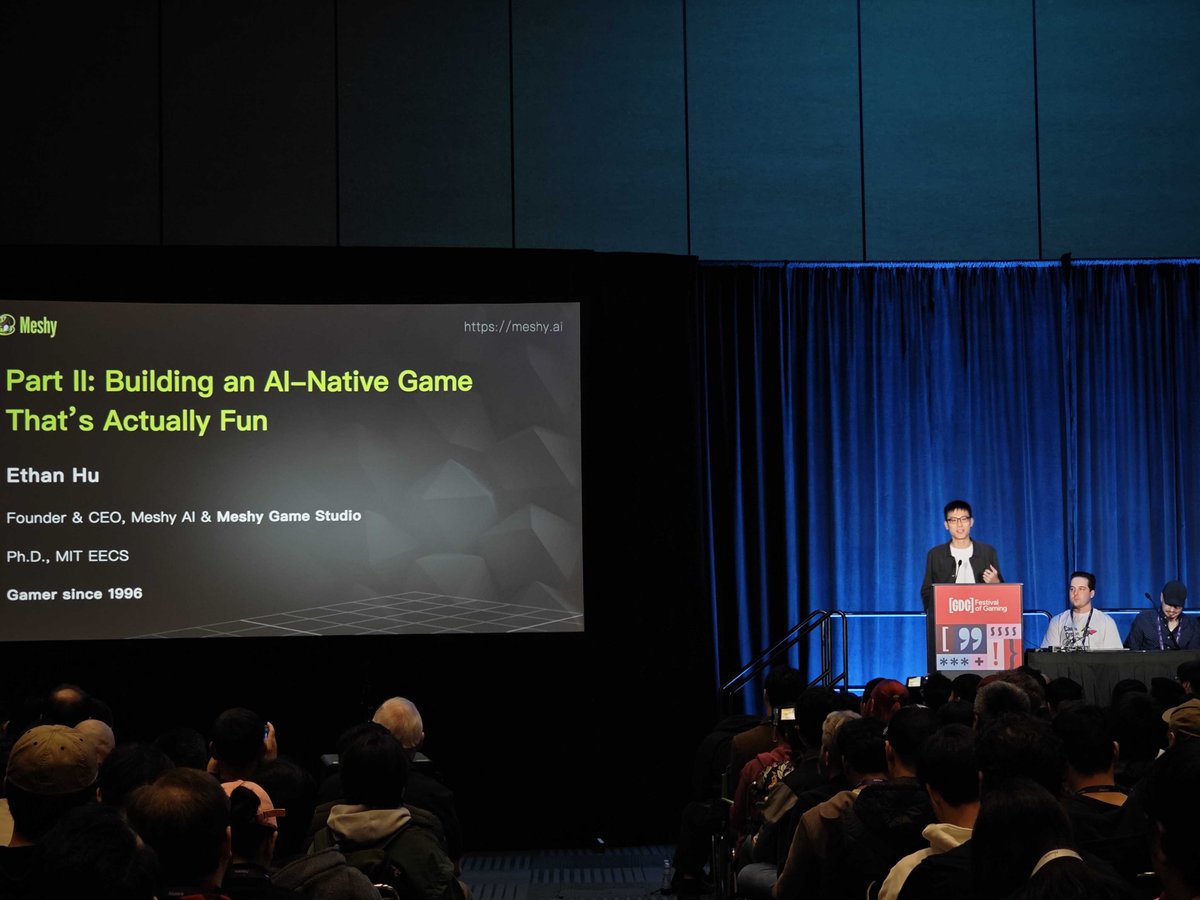
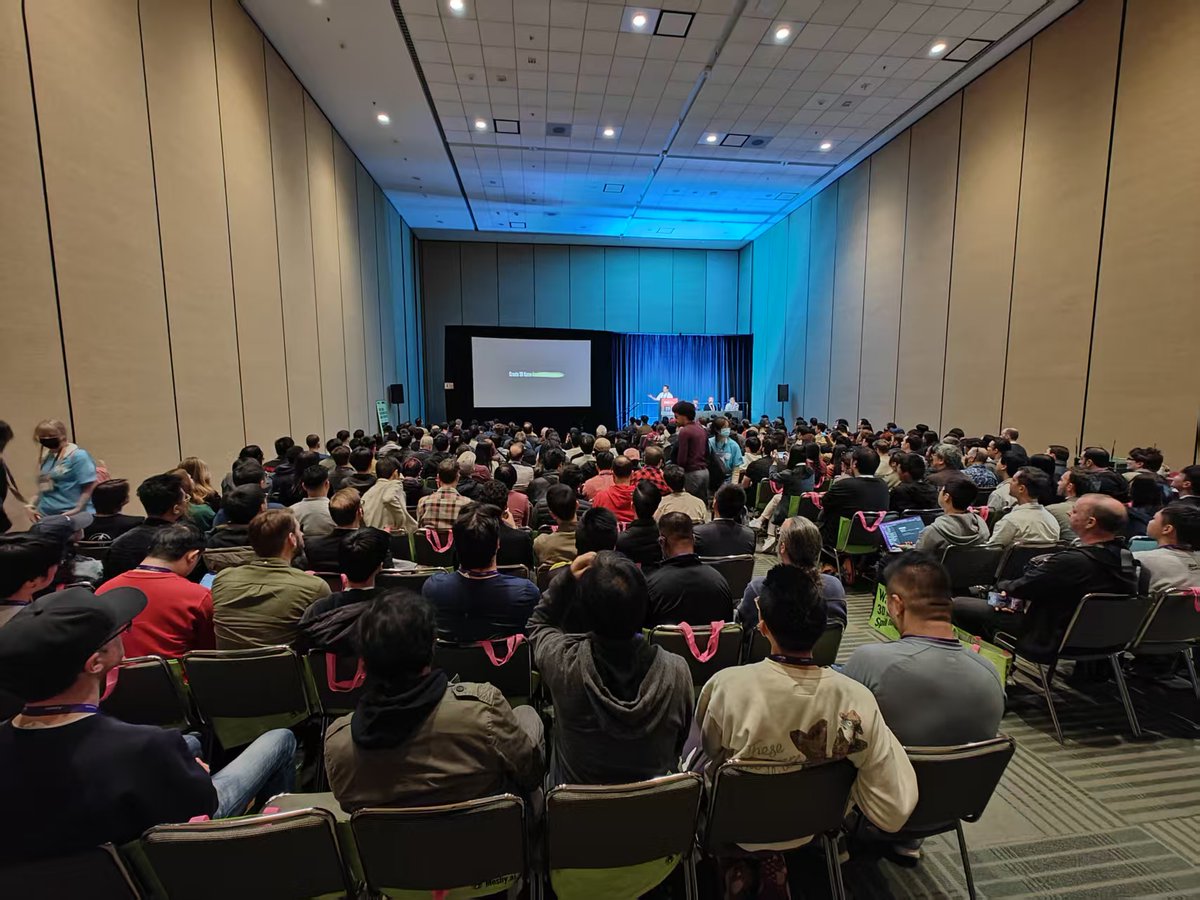
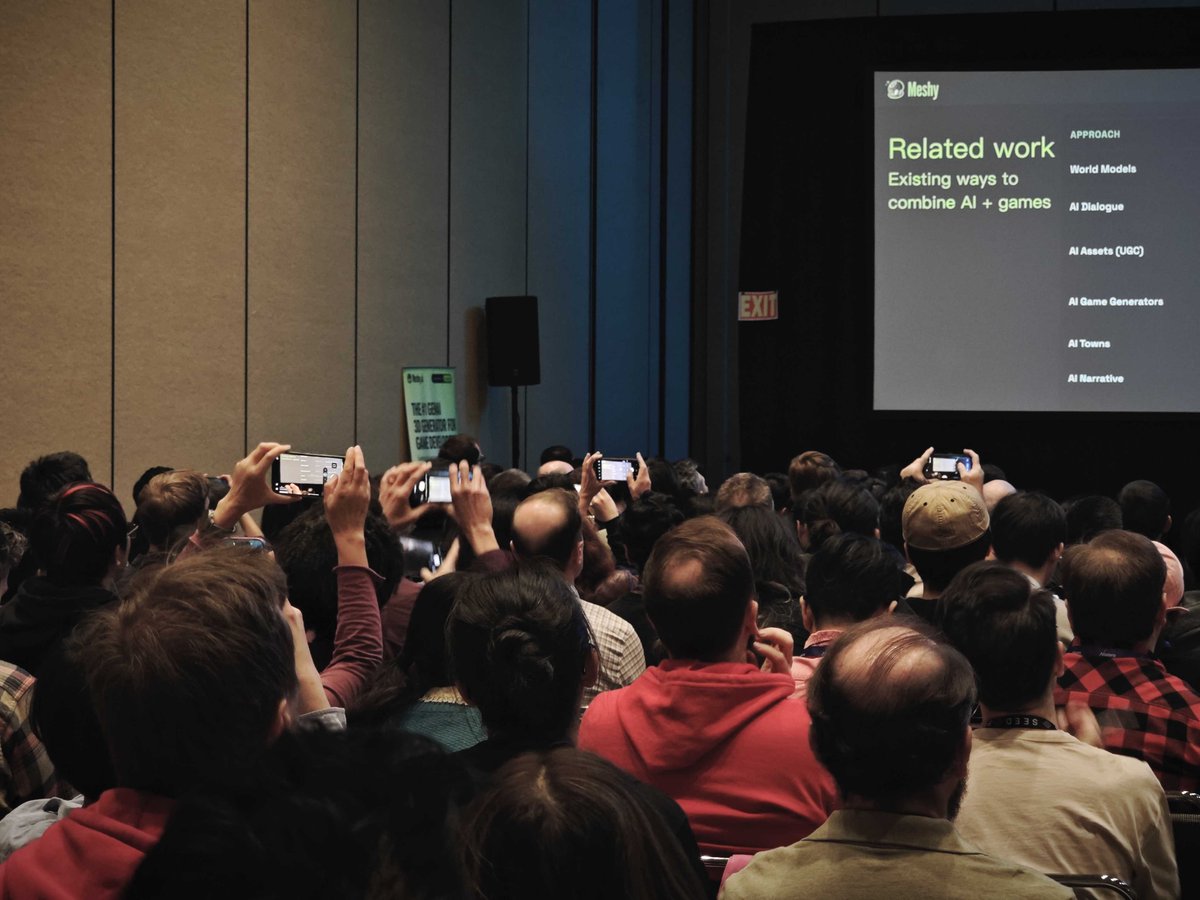
Meshy (Meshy AI): Following up on GDC talk (AI-native games vision), Meshy posted a high-attendance session recap and flagged that tomorrow is the last day to catch them at Booth 941, per the GDC booth reminder.

The crowd shots and “Part II: Building an AI-Native Game That’s Actually Fun” slide in the GDC booth reminder read like a visibility signal: 3D-gen isn’t only “asset creation” anymore; teams are pitching full game loops as the next proving ground.
Wonder 3D inside Autodesk Flow Studio as a “starter model” generator
Autodesk Flow Studio + Wonder 3D: Flow Studio highlighted a studio workflow where Wonder 3D generates an initial 3D model from a prompt to accelerate early asset concepting—shifting time from “build from scratch” to refinement, as described in the podcast workflow note.
The key creative angle is the intended role: not final meshes, but fast first-pass geometry you can iterate on in a normal DCC/game pipeline.
💻 Creator infra knobs: spend caps and on-device LLM runtimes for mobile apps
This bucket is for practical infrastructure changes creators/builders feel immediately: keeping API bills bounded and running models locally on consumer devices. New today: Gemini API spend caps and a React Native on-device LLM binding aimed at 4GB-class phones.
Gemini API ships spend caps to bound runaway bills
Gemini API (Google): Spend caps are rolling out “starting today,” giving builders a hard budget guardrail inside Gemini API billing controls, as announced in the Spend caps launch.

• Operational detail: Caps can take “up to a 10 minute delay” to take effect, and you’re still responsible for any overage during that window, per the Spend caps launch.
• What’s next: Google says email notifications when you hit caps are “shortly rolling out,” and the feature is labeled experimental with a direct request for feedback in the Spend caps launch.
For creator tooling that runs unattended (batch image/video jobs, agents, background renders), this is a concrete new knob for cost containment—though the delayed enforcement means you still need some app-side throttles if spikes matter.
llama.rn runs Llama/Qwen/Mistral locally inside React Native apps
llama.rn (open source): A React Native binding around llama.cpp is being shared as a way to run LLMs on-device on “a 4GB phone,” including Llama/Qwen/Mistral, according to the On-device React Native claim.
• Acceleration + offline: The post calls out GPU acceleration via Metal on iOS and Hexagon NPU on Android (experimental), plus fully offline operation, as described in the On-device React Native claim.
• App-builder features: It explicitly mentions built-ins for vision/audio understanding models, tool calling, structured JSON, and parallel decoding in the On-device React Native claim.
This is one of the clearer “ship it in a mobile app” paths for local inference when you don’t want per-request API costs or network dependency.
🧭 Gemini expands into everyday apps: Maps “Ask Gemini” and creator-facing Google surfaces
Platform/hub news today is mostly Google shipping Gemini into consumer and creator-facing touchpoints. New vs prior days: Google Maps is positioned as a decade-scale upgrade with conversational ‘ask while driving’ behavior and Immersive Navigation visuals.
Google Maps rolls out Gemini-powered “Ask” plus Immersive Navigation driving
Google Maps (Google): Google is framing this as its biggest Maps upgrade in “over a decade,” centered on Ask Gemini (including personalization) and a new Immersive Navigation driving layer with clearer, more cinematic 3D guidance, as announced in the Google retweet and demoed in the feature walkthrough.

The practical shift for creatives on-the-go is that Maps is being positioned less like a directions app and more like a context-aware assistant for scouting, recs, and planning inside the same surface—see the Turkish breakdown’s “prompt-based search” and “review synthesis” framing in feature list. Google’s own driving UI emphasis shows up in the Immersive Navigation post, which spotlights readability and “intuitive guidance” rather than only route lines.
The new “ask while driving” Maps pattern: natural language → contextual POI shortlist
In-car prompting (Google Maps): The most repeatable demo pattern is conversational queries mid-drive (not keyword search) that return an in-context shortlist—e.g., “I’m thinking about finding some really good tacos,” shown in the tacos while driving demo.

Creators can treat it like lightweight location scouting: ask for food/activities with constraints and get map-native suggestions instead of tab-hopping, which is the core behavior highlighted in the family restaurant query demo. The longer Turkish explainer in complex query example suggests multi-constraint prompts (charging + coffee + meal timing) as the intended “complex query” use, which is a clearer prompt template than generic “near me” searches.
Google AI Studio seeks Android early-access testers ahead of Google I/O
Google AI Studio (Google): A Google PM is openly recruiting users to help ship Google AI Studio on Android ahead of Google I/O, with an application link shared in the Android invite post.
This is a creator-relevant distribution signal: AI Studio is where a lot of Gemini experimentation happens (prompting, model selection, prototyping), and moving it onto phones suggests faster “idea to test” loops away from the desktop, especially for capture-heavy workflows (location scouting, reference gathering, quick iterations). No feature list or pricing changes are stated in the tweet, so treat this as access/rollout logistics rather than a capabilities announcement.
DeepMind’s Platform 37 includes a public AI Exchange for exhibitions and education
Platform 37 (Google DeepMind): DeepMind announced its new London building name—Platform 37—and said it will open The AI Exchange, a dedicated public space for free exhibitions, events, and educational programming, as described in the building announcement and detailed in the blog post.
For creators, this is less about a product surface and more about an on-the-ground ecosystem node (talks, demos, workshops, exhibitions) where DeepMind is explicitly trying to make AI exploration public-facing rather than conference-only, per the same building announcement.
🧰 Open-source builder drops for creatives: learn LLMs, diagram from screenshots, better code review
Coding/tooling threads today skew toward repos and plugins that let creators ship their own AI tools faster (and cheaper). New vs prior reports: a surge of ‘replace paid course’ repos + a screenshot→editable diagram tool getting traction.
Edit Banana: screenshot → editable Draw.io XML via segmentation + OCR passes
Edit Banana: A repo called Edit Banana is being shared as a “diagram rescue” workflow: upload a screenshot of a flowchart/architecture diagram and get back editable .drawio XML, per the Feature description. The pitch is eliminating redraw work when you only have a raster image.
The thread claims a pipeline of SAM 3 shape segmentation plus multimodal “multi-pass” parsing and OCR-to-text/LaTeX extraction, as described in the Feature description. The README screenshot in
also shows some metadata worth double-checking (it displays an “AGPL-3.0 license” header while also showing an “Apache 2.0” badge), which may matter for anyone planning commercial use.
Maxime Labonne’s “LLM Course” repo packages a full, free LLM curriculum plus one-click Colab notebooks
LLM Course (Maxime Labonne): A GitHub “LLM Course” repo is being shared as a free, structured path from fundamentals through fine-tuning, quantization, and deployment, with “one-click” Colab notebooks called out in the Course breakdown. It’s framed as practical builder education, not just theory. Short version: it’s a curriculum plus runnable recipes.
The post highlights three tracks—fundamentals, “LLM Scientist,” and “LLM Engineer”—and name-drops workflows creators actually use: fine-tuning Llama with Unsloth, merging models with MergeKit without a GPU, and exporting common quant formats (GGUF/GPTQ/EXL2/AWQ) in Colab, as described in the Course breakdown. It also mentions an Apache 2.0 license and “no local GPU required,” per the same Course breakdown.
rasbt’s “LLMs-from-scratch” repo resurfaces as the build-a-GPT-by-hand reference
LLMs-from-scratch (rasbt): The “LLMs-from-scratch” repo is getting resurfaced as a concrete learn-by-implementation path for building a GPT-style model in PyTorch, with the post citing 85.2K stars and 12.9K forks in the Repo popularity note. It’s positioned as a way to understand internals (tokenization, attention, pretraining, finetuning) by writing the pieces.
The same thread claims the repo extends beyond a basic GPT build into modern components (for example KV cache, MoE, and preference/alignment variants), as listed in the Repo popularity note, with the canonical reference being the repo itself in the GitHub repo.
Hugging Face plugin for Cursor brings datasets, evals, and training into the IDE
Cursor × Hugging Face plugin: A post claims a Hugging Face plugin for Cursor enables creating datasets, running evals, and even training models directly inside the IDE, per the Plugin capability note. It’s pitched as collapsing the loop between code, data, and evaluation into one workspace.
No setup details or supported backends are shown in the tweet. That’s the missing piece.
Qodo AI claims higher-recall code reviews than Claude at a lower price point
Qodo AI (Qodo): A thread claims Qodo AI outperforms Claude on code review, citing 19% better recall, 12% higher F1, and being 10× cheaper, as stated in the Metric claims. It’s framed as “PR hygiene” tooling: catch more real issues without generating noisy false alarms.
A follow-up post emphasizes “extended mode” as the reason it finds more issues while staying precise, according to the Extended mode note. There’s no public benchmark artifact linked in the tweets. That’s notable.
📚 LLMs as research & thinking partners: Claude prompts, interactive charts, and ideation hacks
Storytellers/designers are using LLMs less for ‘writing for you’ and more for structured thinking: literature review prompts, interactive diagrams, and rapid market/idea reconnaissance. New today: concrete Claude prompt packs and in-chat interactive chart creation demos.
Claude prompt pack to turn paper dumps into a structured lit review workflow
Claude (Anthropic): A widely shared prompt pack frames Claude as a “research assistant” by turning a folder of papers into a repeatable workflow—catalog each paper’s core claim, cluster by assumptions, surface contradictions, extract methods, and end with a future research agenda, as laid out in the Prompt pack intro and expanded through the Future agenda prompt.
• Intake + landscape mapping: The pack starts with “Don’t summarize. Map the landscape.” to force paper-by-paper extraction before synthesis, per the Prompt pack intro.
• Gap + contradiction mining: Dedicated prompts ask for direct conflicts and “missing variables” across the set (useful for positioning your own thesis/story bible as “the next step”), as shown in the Future agenda prompt.
It’s framed as technique, not a Claude feature drop—value comes from the sequencing and constraints in the prompts.
Claude chats can generate interactive charts inside the thread
Claude (Anthropic): A Turkish demo shows generating an interactive chart directly in the Claude conversation—prompt → chart appears and animates/updates in place, as demonstrated in the Interactive chart demo.

The practical creative angle is that “thinking artifacts” (charts/diagrams) can live next to the text you’re iterating on—so a research outline, budget, audience segments, or story structure can be inspected and revised without exporting to a separate tool, per the Interactive chart demo.
Use LLMs to find the specific workflow users gave up fixing
Idea validation with ChatGPT: A founder-style tactic compresses discovery by feeding an LLM a corpus of negatives—“150 one‑star reviews,” category complaint threads, and “6 failed startup post‑mortems”—then asking for the specific workflow people have “silently given up on fixing,” plus the real reasons prior founders failed, as described in the Validation workflow story.
It also includes a concrete outreach loop—generate “40 versions” of a cold email whose first line nails a customer’s day and reportedly gets “31 people” to reply, leading to “3 paying pilots” in month one per the Validation workflow story.
📈 Marketing & growth tactics with AI: synthetic influencers, pitch automation, and strategy memos
Marketing-focused posts today center on AI-native customer acquisition patterns and operational leverage (not just pretty outputs). New today: a detailed synthetic influencer psychology breakdown plus strategy notes for ‘pre‑AI’ companies transitioning.
Agencies are automating the classic “free ad audit” into a scalable pitch deck
Ad-audit pitch automation (Firecrawl + Apify + Gemini 2.5 Pro + Gamma): An agency-style outbound play got productized into a pipeline that takes a brand URL plus a Meta Ads Library link and outputs a branded sales deck; the creator claims it replaces a 2–3 hour manual audit with ~5 minutes of automation, enabling “10 prospects a day instead of 2 a week,” as described in the Workflow breakdown.
• Data capture: Firecrawl pulls positioning/messaging from the site while Apify scrapes active Meta ads (images, videos, carousels), per the Workflow breakdown.
• Analysis and packaging: Gemini 2.5 Pro runs the creative audit and Gamma formats it into a deck with real screenshots, as shown in the Workflow breakdown.
This is positioned as a way to turn “free audits” from a time sink into a repeatable acquisition funnel, with the deck acting as the deliverable.
LLM-assisted market research: turn competitor complaints into a problem map and outreach copy
Customer discovery with ChatGPT: A founder-style workflow uses an LLM as a synthesis engine by ingesting “150 one-star reviews,” Reddit complaint threads, and “6 failed startup post-mortems,” then asking for the workflow users have “silently given up on fixing,” followed by prompts that generate cold emails; the post claims 40 email variants sent with 31 replies and 3 paying pilots by month one in the Workflow story.
• Question design: The key move is framing around a specific day-in-the-life pain (“their Tuesday afternoon”) rather than market sizing, as written in the Workflow story.
It’s a sales/validation tactic built around better inputs and sharper prompts, not new model capability.
Synthetic influencer tactic: engineer an identity gap that mirrors the viewer
Tom Rhoe synthetic influencer pattern: A thread breaks down an AI fitness persona where the profile photo is “who you could become,” while the actual videos show “where you are right now”; the post claims 2.7M likes on TikTok and cites a 16M-view example, framing the emotional targeting as the main conversion lever in the Persona breakdown.

• Creative mechanism: The “aspirational avatar” vs “relatable struggle” contrast is presented as the hook that keeps middle-aged scrollers watching, per the Persona breakdown.
• Funnel placement: The post explicitly calls out a fitness app link in the bio as the monetization capture point, as noted in the Persona breakdown.
No tooling details are provided, but the tactic is described as a repeatable template for synthetic influencer design.
Strategy memo for pre‑AI companies: stop over-engineering around models and restructure teams
Pre‑AI → AI transition memo: A post argues companies should treat models as the “point of economic diffusion” (if models get 3× better, the customer should get 3×+ value) and warns against over-engineering compensations that may have a short shelf life as context windows expand, as outlined in the Transition notes.
• Org design claim: Instead of “AI improves each person,” it suggests putting a model in charge of an entire business unit and having humans handle exceptions, per the Transition notes.
• Product surface split: It predicts two surfaces—a traditional UI plus a “terminal-like” self-modifying surface for cross-functional ambiguity—described in the Transition notes.
This reads as a north-star framing for how AI-native operations could change go-to-market pace and internal execution, rather than a tool release.
🔬 Research radar that affects creative tools: agents, spatial QA, and efficiency primitives
A light but relevant set of papers and research posts today: agent training loops, multi-agent video QA, and GPU efficiency work that could roll into creative stacks. This category stays paper-focused (not product how-tos).
OpenClaw-RL trains agents from “next-state signals” across chat, tools, and GUIs
OpenClaw-RL (Princeton AI Lab): A new RL framework proposes training an agent “simply by talking,” using next-state signals (user replies, tool outputs, terminal/GUI state changes) as the online learning source, as shown in the paper card and described on the paper page. This targets agents that learn from real interactions rather than only prebuilt reward functions.
• Training loop design: The abstract highlights asynchronous training (serve requests while updating policy) plus PRM-judge rewards and hindsight-guided distillation, per the paper card.
• Creative-tool relevance: If the approach holds up, it maps cleanly onto “teach-by-correction” workflows for tool-using agents (editors, compositors, DAW assistants) where the most available supervision is what changed in the app after a command.
Flash-KMeans claims exact GPU k-means with up to 17.9× speedups on H200
Flash-KMeans (UC Berkeley / Song Han lab): A new paper argues k-means can become an online GPU primitive via kernel-level optimizations that reduce I/O bottlenecks and atomic contention; it reports up to 17.9× speedup on NVIDIA H200, as summarized in the paper card and detailed on the paper page.
• Why this shows up in creative stacks: Faster exact clustering matters anywhere you bucket high-dimensional embeddings—reference image sets, stock libraries, sound-effect catalogs, or “find similar shots” pipelines.
• Claims to treat as provisional: The tweet cites comparisons vs cuML and FAISS in the paper card, but the dataset/task specifics aren’t surfaced in these tweets.
“Intelligent AI Delegation” gets framed as a new direction for agent coordination
Agent delegation (Google DeepMind): A circulating claim says DeepMind released a paper titled Intelligent AI Delegation that could reshape how agents coordinate and hand off work, per the paper mention RT. The tweet contains no abstract, link, or eval artifact in this dataset, so the concrete mechanism and scope can’t be verified from today’s sources alone.
This lands as a coordination signal: creators are watching for systems where one agent can reliably break work into subtasks, assign them, and integrate outputs without constant manual supervision.
MA-EgoQA benchmarks question answering across multiple agents’ POV videos
MA-EgoQA (KAIST AI): A new benchmark targets question answering over multiple long-horizon egocentric video streams from several embodied agents at once—positioned as “system-level comprehension,” according to the paper card and the linked paper page. It reports 1.7k questions spanning coordination and multi-perspective reasoning categories.
• What it measures: The paper card lists categories including social interaction, task coordination, theory-of-mind, temporal reasoning, and environmental interaction, as shown in the paper card.
• Why creatives might care: Multi-POV understanding is adjacent to problems like tracking continuity across cameras, characters, and timelines—especially when “who did what, when” matters more than single-clip captioning.
DeepMind marks 10 years of AlphaGo with a podcast on Move 37 and algorithmic discovery
AlphaGo 10-year podcast (Google DeepMind): DeepMind published a long-form conversation with Thore Graepel and Pushmeet Kohli reflecting on the original match, “Move 37,” and how game-playing research translated into broader algorithmic discovery work, as outlined in the podcast thread. This follows up on AlphaGo 10-year note, which framed AlphaGo as a foundation for scientific-method style AI.
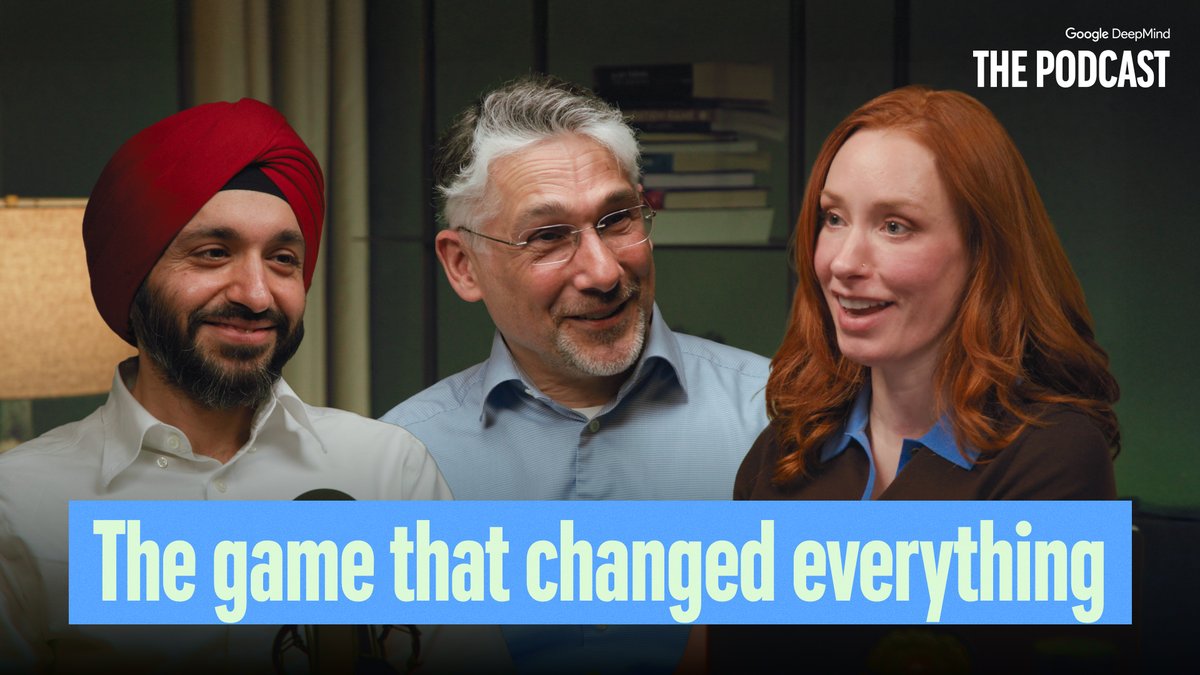
• What’s actually in the episode: The on-post chapter list includes segments on community reaction, “never before seen footage,” matrix multiplication, and how to verify discoveries, per the podcast thread.
The tweet doesn’t include a paper link; it’s positioned as a research-to-real-world methods retrospective.
📅 Deadlines & programs: Kling challenge countdown, hackathons, and GDC booth windows
Time-sensitive items today are mainly creator challenges and conference presences. This includes clear timelines (submission windows) rather than general platform news.
Kling Motion Control 3.0 Challenge deadline is Mar 18 (UTC-8)
Kling Motion Control 3.0 Challenge (KlingAI): Kling is running a creator challenge with submissions due by Mar 18, 2026 at 23:59 UTC-8, with rewards advertised as $30K USD + 300 million credits, as laid out in the Challenge rules poster and reiterated in the Challenge still on reminder.
• Entry requirements: Posts must be made with Motion Control 3.0, keep the KlingAI watermark, include #KlingMotionControl3, include “Created by KlingAI,” tag @kling_ai, and DM your Kling UID, per the Challenge rules poster.
• Timeline & payout window: Submission and like-count deadline both land on Mar 18, with reward distribution slated for Mar 19–Apr 1, per the Challenge rules poster.
• Like thresholds & platform split: The poster distinguishes TikTok/Instagram vs X thresholds (including minimum-like requirements for top prizes), as shown in the Challenge rules poster.
Hugging Face is sponsoring a Gemini hackathon with Cerebral Valley
Gemini hackathon (Hugging Face x Cerebral Valley): Hugging Face says it’s sponsoring a Gemini hackathon with Cerebral Valley “this weekend,” positioning it as an in-person/real-time build window for Gemini-based prototypes, according to the Sponsor announcement.
No schedule, prize details, or submission rules are included in the tweet, so the operational details (themes, judging, and whether it’s model/API-specific) remain unspecified beyond the weekend callout in the Sponsor announcement.
Meshy flags GDC’s last day: catch demos at Booth 941
Meshy at GDC 2026 (MeshyAI): Meshy posted a last-day reminder to “catch us at Booth 941 before we pack up,” following a packed session where they shared their “AI-native games” vision, as stated in the Booth 941 last day post.
• On-floor context: The post frames this as the final chance during the show to see whatever they’re demoing live (plus whatever pipeline they’re pitching for AI-native game creation), per the Booth 941 last day post.
🛡️ Policy & trust: Oscars AI eligibility, responsible release talk, and privacy-first creative platforms
Trust/policy posts today focus on how AI use is judged and disclosed in mainstream media plus platform positioning around data ownership. New today: explicit Oscars guidance that treats AI as a tool, and renewed emphasis on creator privacy models.
Academy CEO clarifies how AI affects eligibility for the 2026 Oscars
Oscars eligibility (Academy): The Academy’s CEO Bill Kramer reiterated that films using AI can still be eligible as long as human creative authorship remains the dominant factor, per a March 12 interview recap in the eligibility summary.
• Branch-by-branch reality: Kramer reportedly points to uneven consensus inside the Academy—VFX being more accepting of AI as a production tool, while writers/actors remain more wary—according to the eligibility summary.
• What’s actually changing now: The guidance is framed as continuity with rules established in April 2025, with AI treated as a tool and eligibility reviewed through the normal branch process, as described in the eligibility summary.
The practical signal is that “disclosure + authorship dominance” is still the evaluative lens, rather than a blanket ban.
STAGES claims a privacy-first stance: import LLM histories into encrypted storage
CUE / STAGES (STAGES.ai): STAGES is explicitly arguing that platforms “want to make money off your AI data,” and counters by highlighting an encrypted workflow that imports and stores chat histories from other LLMs under user control, as described in the privacy stance thread.
• Concrete product surface: The screenshot shows a “MEMORX • External LLM Data” area with language about chunking, analyzing, encrypting, and storing uploaded exports, per the privacy stance thread.
This is less about model capability and more about data ownership positioning as creative stacks get more multi-model and history-dependent.
Runway frames Characters as immersive interaction—and flags misuse risk
Runway Characters (Runway): Following the release of Runway Characters, Runway is positioning the feature as a new kind of real-time, immersive interaction with AI, while explicitly acknowledging misuse risk and describing its “build responsibly” approach in the responsible release note.
The post is light on concrete policy mechanics (no specific gating details in-text), but it’s a clear signal that Runway expects Characters to be used for more than short clips—i.e., interactive experiences that feel closer to simulated environments than traditional generation pipelines.
🎞️ What creators shipped: trailers, shorts, and AI-native series worlds
Finished-work posts today include trailers, game/world updates, and longer AI-generated shorts—useful as benchmarks for pacing, tone, and what’s shippable now. Excludes tool challenges/events (events category).
BUNNYNJA: The Final Hunt claims ~9 minutes at Grok Premium-level spend
BUNNYNJA: The Final Hunt (Grok): Creator posts a ~9-minute short film and claims it’s “90% generated with Grok,” framing cost as roughly “two months of Grok Premium” (stated as $60) versus higher per-credit platforms, according to the project breakdown.

• What’s useful as a benchmark: It’s a long-form pacing sample (minutes, not seconds) that shows whether your toolchain can sustain character/action continuity across many beats, as shown in the project breakdown.
• Content note: The creator flags “graphic violence” and positions it as a sequel to an earlier BUNNYNJA short, per the project breakdown.
Route 47 Archive drops a “recovered tape” episode for ARG-style worldbuilding
Route 47 Archive (Series world): A new “RECOVERED” entry leans hard into faux-documentary/ARG language—redactions, warnings, and in-universe institutional voice—while delivering a short trespass/horror scene that advances lore without exposition dumps, as shown in the recovered tape post.

The format is a solid reference for serial storytelling with minimal on-screen complexity (few actors, one location), where the written framing does a lot of the narrative work, per the recovered tape post.
DISCLOSURE DAY trailer is a clean reference cut for sci‑fi teaser pacing
DISCLOSURE DAY (Trailer cut): A new DISCLOSURE DAY trailer dropped and reads like a tight “mystery object + keycard + escalating reveals” teaser structure—useful as a reference for how to pace a 60–150s sci‑fi promo with fast inserts, title-card timing, and a single recurring prop, as shown in the trailer post.

The cut is also a practical benchmark for how much perceived production value you can get from controlled lighting, macro inserts, and a final “sparking artifact” beat without over-explaining the premise, as seen in the trailer post.
DUNE: AWAKENING clip highlights the classic sandworm scale reveal beat
DUNE: AWAKENING (Clip): A short DUNE: AWAKENING clip posted as “DUNE 3” centers on the sandworm eruption/reveal—one of the clearest “scale sells” beats to study when you’re trying to land threat, distance, and impact in a few seconds, as shown in the sandworm clip.

The moment is a compact reference for blocking a lone figure vs. a massive creature, then cutting quickly to a title card, per the sandworm clip.
While you're reading this, something just shipped.
New models, tools, and workflows drop daily. The creators who win are the ones who know first.
Last week: 47 releases tracked · 12 breaking changes flagged · 3 pricing drops caught