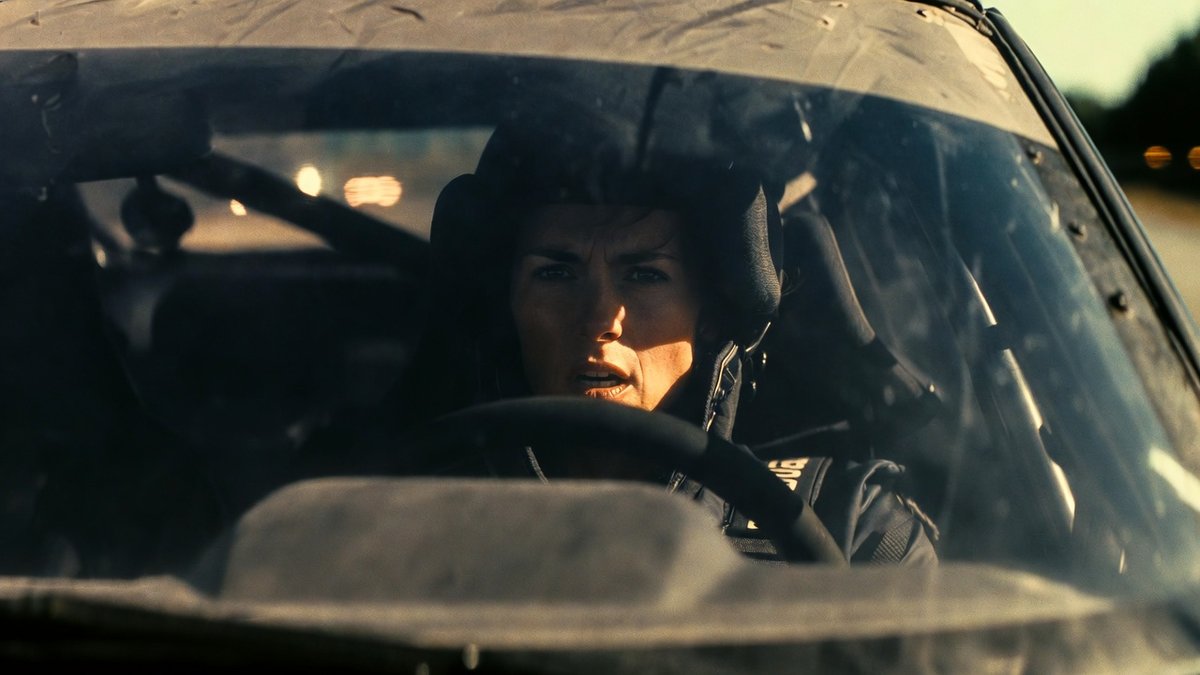
Adobe Firefly ships Kling 2.5 Turbo and 2.6 – Custom Models beta

Stay in the loop
Free daily newsletter & Telegram daily report
Executive Summary
Adobe expanded Firefly into a tighter end-to-end creator surface: Kling image→video is now embedded in Firefly and Firefly Boards, with creators reporting Kling 2.5 Turbo selectable in-app and anecdotal praise for Kling Turbo 2.6 “character” handling; in parallel, Firefly Custom Models (beta) is framed as broadly available “to everyone,” letting users train on their own images to keep style/character continuity across shots. The posts emphasize workflow compression (stills→motion without export/import); specs, pricing, and control/limit details aren’t surfaced, and character-consistency claims aren’t benchmarked.
• Directing patterns: Seedance 2.0 Pro demos push timecoded 15s multi-sequence shot lists with hard invariants (“keep the street layout unchanged”); Grok Imagine attempts multi-shot transitions inside one clip but flags physics errors.
• Continuity via spaces: OpenArt Worlds claims 1–4 images → navigable 3D set in ~5 minutes; camera exploration becomes the anti-drift lever.
• Build plumbing: fal ships an MCP server advertising 1,000+ gen-AI models; Claude Code “channels” expose a controllable running session; Google drops DESIGN.md as an agent-readable design-system artifact.
Across the feed, “consistency” is converging on three layers—custom identity models, shotlist-style prompts, and tool control planes—while verification and operational constraints remain mostly unstated.
While you're reading this, something just shipped.
New models, tools, and workflows drop daily. The creators who win are the ones who know first.
Last week: 47 releases tracked · 12 breaking changes flagged · 3 pricing drops caught
Top links today
- Ground Station satellite weather SDR repo
- Superpowers AI coding agents OS repo
- Claude Code channels announcement
- DESIGN.md portable design system spec
- Google AI Studio vibe coding updates
- Google Stitch vibe design partner
- Adobe Firefly with Kling integration
- fal MCP server for 1,000+ models
- OpenArt Worlds 3D navigable scenes
- MetaClaw agent meta-learning paper
- V-JEPA 2.1 dense video features paper
- Video-CoE chain-of-events video prediction paper
- Runway Characters hackathon registration
- Hailuo Light Studio relighting controls
- Firefly Custom Models beta details
Feature Spotlight
Adobe Firefly gets two big creator unlocks: Kling video + Custom Models (beta)
Firefly adding Kling video + letting anyone train Custom Models removes two bottlenecks at once: motion + consistency—making repeatable characters and storybook/film pipelines far more practical for small teams.
High-volume story today: Adobe Firefly expands into a more complete production surface for creators with Kling (image→video) inside Firefly/Boards and Firefly Custom Models (beta) for training on your own images to keep style/character consistency.
Jump to Adobe Firefly gets two big creator unlocks: Kling video + Custom Models (beta) topicsTable of Contents
🧨 Adobe Firefly gets two big creator unlocks: Kling video + Custom Models (beta)
High-volume story today: Adobe Firefly expands into a more complete production surface for creators with Kling (image→video) inside Firefly/Boards and Firefly Custom Models (beta) for training on your own images to keep style/character consistency.
Adobe Firefly adds Kling AI video generation
Adobe Firefly × Kling (Adobe): Adobe Firefly now supports Kling AI video directly inside the Firefly surface, with creators already publishing early Firefly-made clips and framing it as a meaningful step toward doing image→video without leaving Adobe’s workflow, as described in the [partnership post](t:33|Partnership announcement) and echoed by [reposts](t:82|Repost reaction).

The near-term creative implication is straightforward: if your stills are already being made/finished in Firefly, Kling becomes the in-app motion layer rather than a separate export/import step, as implied by creators sharing “made in Firefly” outputs in the [first demo](t:33|Partnership announcement).
Firefly Custom Models (beta) opens to everyone
Firefly Custom Models (Adobe): Firefly Custom Models (beta) is described as broadly available (“to everyone”), letting creators train a model on their own images to keep a consistent style or character, according to the [release note](t:48|Custom Models beta post) and reinforced by Adobe’s own [beta messaging](t:184|Adobe beta promo).

This is a concrete unlock for character continuity: instead of re-prompting style every shot, the style/likeness becomes a selectable custom model, as stated in the [beta post](t:48|Custom Models beta post).
Kling 2.5 Turbo is available in Firefly and Firefly Boards
Kling 2.5 Turbo (Kling/Adobe): Creators report Kling 2.5 Turbo is now selectable inside Adobe Firefly and Firefly Boards for image-to-video generation, positioning Boards as the place to iterate from a board/mood reference into motion rather than treating video as a separate app hop, per the [availability callout](t:191|Boards availability mention).

• Early usage pattern: posts are clustering around quick image→video tests (“first tries”) created inside Firefly, with the output shown in the [example animation](t:366|Kling 2.5 Turbo output).
A repeatable Firefly stack: Nano Banana 2 stills → Kling Turbo motion
Firefly multi-tool stack (Adobe): Creators are explicitly labeling a pipeline where Nano Banana 2 is used for the image layer and Kling 2.5 Turbo is used to animate it—both presented as being done “in Adobe Firefly,” which turns Firefly into a single place to assemble stills and motion for short-form pieces, per the [stack callout](t:157|Nano Banana plus Kling credit).

This is less about one perfect prompt and more about a repeatable division of labor—still generator for look, video model for movement—captured in the [published example](t:157|Nano Banana plus Kling credit).
Using Firefly Custom Models to keep a film’s look consistent
Custom model workflow (Firefly): One practical use case shared today is training a Firefly Custom Model on a creator’s own photography, then generating images “impossible to get any other way” for an upcoming film—treating the custom model as a continuity layer across many shots, per the [filmmaking example](t:48|Custom Models beta post).
The key detail is that the training set is “your own images,” which is the mechanism for locking a specific visual language across outputs, as described in the [same post](t:48|Custom Models beta post).
“I’ve been asking for Kling in Firefly”: storybook creators react
Creator workflow signal (Firefly): A storybook-video creator notes they’d “been asking for Kling in Adobe Firefly for awhile,” explicitly because Kling is “a key model” for their storybook videos—framing the integration as a workflow unblock rather than a novelty feature, per the [storybook production note](t:196|Storybook workflow note).
What’s missing from the tweets is a spec sheet (limits, pricing, exact controls exposed), but the motivation is clear: keep the storybook pipeline inside the Adobe surface as much as possible, as described in the [same post](t:196|Storybook workflow note).
Creators highlight Kling Turbo 2.6 for character work inside Firefly
Kling Turbo 2.6 (Kling/Adobe): A creator specifically calls out Kling 2.6 Turbo as being “so good with characters,” which is a common pain point for image-to-video pipelines (identity drift), and frames this as part of their Firefly workflow, per the [character note](t:245|Kling 2.6 character note).

The evidence here is anecdotal rather than benchmarked, but it’s a clear signal that character consistency is the feature creators are immediately stress-testing in the Firefly+Kling setup, as stated in the [same post](t:245|Kling 2.6 character note).
Firefly+Kling lands in the creator feed, with first-try demos spreading fast
Community uptake (Firefly): Creators report Firefly content is “trending,” coinciding with a burst of “first try” posts testing Kling inside Firefly—suggesting the integration shipped into a surface where community iteration happens in public and quickly, per the [trending note](t:112|Trending signal) and the [hands-on demo](t:202|Kling typed into Firefly).

The observable behavior is rapid probing of the new capability (prompting inside Firefly, sharing results immediately), as shown in the [demo clip](t:202|Kling typed into Firefly) and contextualized by the [trending post](t:112|Trending signal).
🎬 Directing AI video this week: Seedance sequences, Kling Multi Shot, Grok scene transitions
Outside the Firefly feature, the feed centers on practical directing: Seedance multi-sequence prompting, Kling 3.0 Multi Shot workflows, and Grok Imagine’s in-video scene transitions—aimed at getting coherent mini-edits faster.
Seedance 2.0 Pro workflow: character sheets → multi-sequence → CapCut edit
Seedance 2.0 Pro (Vadoo AI): A published end-to-end directing workflow shows how people are getting character continuity and a coherent mini-edit by combining Seedance multi-sequence generation with pre-made character sheets and a final CapCut assembly, as outlined in the creation breakdown and reinforced by the 15-second shot list.

• Identity lock-in: The thread uses reference character sheets (turnarounds + closeups) created before motion, as shown in the character sheet examples.
• Edit stage: The creator frames CapCut as the last-mile step for sequencing and pacing, per the CapCut assembly note.
A timecoded Seedance prompt template for 6-shot continuity
Seedance 2.0 (Multi-sequence directing): A practical prompting pattern is being shared as a “timecoded shot list” for a 15-second clip—explicit beats (0–3s, 3–6s…) plus a hard continuity line (“Keep the street layout unchanged”) to reduce background drift, as written in the multi-sequence prompt.

A copy/paste-able skeleton from the thread looks like:
Grok Imagine can chain multiple shots in one video
Grok Imagine (xAI): A Turkish-language prompt demo claims Grok Imagine can now do scene transitions inside a single generated video, using a four-shot “coverage” prompt (wide shot → brushstroke closeup → robot face closeup → finished canvas detail) as shown in the robot painter prompt.

The same post notes the feature is a step forward but still has “physics errors” and isn’t yet a pro-ready tool, per the broader assessment in the driving sequence critique.
OpenArt Worlds directing loop: build a set once, then find angles
OpenArt Worlds (OpenArt): Following up on Worlds launch (prompt-to-navigable 3D worlds), a how-to thread says you can upload 1–4 images, add a description, and get a “fully navigable 3D world” in about 5 minutes, then take shots and composite characters—see the step list in the how-to thread.

The thread positions this as a workaround for scene consistency: once the world exists, camera exploration becomes the main creative lever rather than re-rolling backgrounds each shot.
Vadoo AI offers Seedance model variants and formats (image2video, v2v, extend)
Vadoo AI (Seedance access): One creator claims Seedance is “available for everyone” through Vadoo, with multiple variants (Pro, Pro Fast, Extend, Extend Fast) and support for image-to-video, video-to-video, and extension, as described in the Seedance setup notes and reiterated in the availability post.
The only explicit pricing signal in the tweets is a small promo code (“MAYOR10”), which appears in the availability post, but no baseline plan pricing is shown in the dataset.
A 3-shot action prompt for Grok Imagine image-to-video
Grok Imagine (Image-to-video prompting): A second prompt recipe tries to “direct” a short action beat using three explicit angles—driver face closeup, exterior shot on a muddy cliff road (Subaru WRX), then an interior rear-seat view—shared alongside the resulting clip in the three-plan driving prompt.

The author calls out visible physics mistakes and frames it as not yet suitable for professional work, per the note in the three-plan driving prompt.
Seedance 2.0 is being used for short horror beats
Seedance 2.0 (Horror pacing): A creator calls out Seedance as “great for horror,” posting a short scare clip and framing it as a sound-on experience in the horror example.

This is less about new features and more a usage signal: Seedance’s motion + timing are being used to sell fast, high-contrast emotional beats.
Seedance 2.0 reliability note: Mitte runs ‘perfectly for days’
Seedance 2.0 (Mitte): A creator reports the model has been “running perfectly for days” on Mitte, which is a practical ops signal for anyone trying to iterate without downtime—shared in the stability note with the platform linked via the Mitte site.
This reads as continuation of Mitte field notes (earlier notes about using Seedance on Mitte), but today’s update is explicitly about multi-day stability rather than output aesthetics.
The “AI film can’t be art” argument gets answered with showreels
AI filmmaking discourse: A high-engagement post pushes back on the “AI film can’t be art” claim by posting a stylized, photoreal face-forming sequence and daring skeptics to explain it, per the art challenge post.

The clip itself doesn’t reveal tools or workflow, but the rhetorical move is notable: short, polished motion snippets are being used as the rebuttal format rather than essays or tool comparisons.
🖼️ Image models in practice: Midjourney v8 vibe tests + Nano Banana realism experiments
Image chatter today is mostly hands-on: Midjourney v8 alpha ‘vibe’ evaluations and Nano Banana outputs/experiments (including typography/lettering and stylized character work). Excludes Firefly Custom Models (covered in the feature).
Midjourney V8 Alpha “vibe” gets praised even as anatomy issues persist
Midjourney V8 Alpha (Midjourney): Hands-on testers are increasingly describing V8’s output feel as the headline—one creator says its “VIBE… is in a different planet” while still calling out that limbs/anatomy shouldn’t be failing at this stage, even for an alpha as noted in the v8 vibe take. Another common posture is “V7 still rules, but V8 has a new world to find,” which shows up in the v7 loyalty note.
The supporting evidence today is more aesthetic than benchmark-y: Dustin Hollywood shared a spread of V8 test frames and said they’re collecting feedback for a write-up, which gives a concrete visual anchor for what people mean by “vibe” in the v8 test stills.
Nano Banana 2 realism prompting shifts to JSON specs and constraint lists
Nano Banana 2 (image model): A recurring practice today is treating prompts like structured specs—long JSON-like blocks with camera angle, lighting, environment, “must keep/avoid,” and explicit negative prompts, as shown in the transit photo schema. Separately, Nano Banana 2 is being promoted as cheap enough for brute-force iteration, with one creator claiming “each generation costs only $0.07” in the per-gen cost claim.
The net effect is a realism workflow that looks less like “write a vibe prompt” and more like “write a shot bible,” aiming to reduce artifacts via constraints (e.g., “not a mirror selfie,” “no logos,” “keep signage secondary”) as detailed in the transit photo schema.
Midjourney SREF 1922429581 targets a painterly European animation look
Midjourney (SREF 1922429581): Artedeingenio shared a style reference they describe as “modern European animation,” with a painterly finish, loose linework, and caricatured-but-emotive character design—positioned explicitly as “very different from anime or classic American cartoons,” per the style description.
The examples in the same post show close-up faces and everyday scenes rendered with visible sketch lines and soft paint textures in the style description, making it an obvious fit for storyboard frames, animatic panels, or character explorations where you want warmth and imperfection baked into the line.
Midjourney SREF 3092087225 is tuned for production character model sheets
Midjourney (SREF 3092087225): Artedeingenio called out a “really good” style reference specifically for character design/concept art workflows—described as modern Western animation with European comic influence and “production-oriented character development (model sheets),” as written in the sref callout.
The attached images include turnarounds and head studies laid out like actual model sheets in the sref callout, which matters if you’re using Midjourney as a front-end for downstream rigging, 3D sculpting, or consistent character casting across a sequence.
A Midjourney Niji 7 prompt for decorative lettering and custom wordmarks
Midjourney (Niji 7): Promptsref shared a copy-paste prompt for generating decorative lettering from a specific word (their example: “PROMPTSREF”), explicitly telling the model to invent an original letterform design “without being limited by existing fonts,” using parameters including “--ar 3:2” and “--niji 7,” per the decorative lettering prompt.
The attached samples show multiple directions—from colorful illustrative lettering to beveled 3D text—suggesting this prompt is being used as a rapid wordmark/title-card generator rather than traditional image-making, as evidenced in the decorative lettering prompt.
Midjourney V8 changes how some style references behave vs V7
Style references (Midjourney): A practical gotcha for people who rely on saved looks—Promptsref claims Midjourney V8 is now out and that the “same sref exhibits different styles in v7 and v8,” framing it as a direct preference test in the v7 vs v8 sref note.
For production, the implication is that “locked” visual recipes need version tagging (V7 vs V8) if you’re sharing SREFs across a team or revisiting an old prompt pack months later; the tweet doesn’t include a controlled grid or changelog, so treat it as an early field report rather than a formal spec.
Nano Banana 2 is being used for standalone word-illustration assets
Nano Banana 2 (typography/word art): Hailuo accounts are highlighting “Word Illustrations by Nano Banana 2,” where the output is the word itself rendered as an object—e.g., jeweled “GOLD,” flame “FIRE,” watercolor “OCEAN,” and dripping biohazard “VENOM,” as shown in the word art grid.
For designers, this is a direct substitute for bespoke title-card illustration when you need a strong typographic hero asset with a consistent theme per-word, with the examples in the word art grid reading like poster-ready stickers rather than background art.
2D vs 3D side-by-sides are becoming a standard “style decision” post
Style selection pattern: Creators are posting paired 2D and 3D renders of the same concept to decide whether to stay illustrative or move into 3D character/IP territory—0xInk’s “2D or 3D?” post is a clean example of the format in the paired renders.
Promptsref echoed the same comparison framing in the 2d vs 3d sample, reinforcing the idea that side-by-side “look tests” are functioning as a lightweight art direction checkpoint before committing to an animation/asset pipeline.
Creators push back on “AI art has no soul” with an open call for examples
AI art discourse: A recurring argument thread today is about emotional impact rather than process purity—one creator says “I keep hearing that AI art has no soul. I disagree,” then asks people to share AI art that “made you feel something,” as written in the soul debate prompt.
This is less about model capability and more about taste, editing, and context: the prompt invites examples as evidence, but the tweet itself doesn’t propose a shared rubric for what counts as “soul,” so responses are likely to be anecdotal and medium-specific.
🧪 Copy/paste prompts & SREFs creators are using right now
Heavy prompt-and-style day: Midjourney SREF codes, Nano Banana ‘smart prompts,’ and packaging/typography recipes designed to be pasted and iterated immediately (kept separate from tool news).
Copy/paste prompt for consistent pink metallic 3D logo renders
Nano Banana prompt template: A structured, phase-based prompt turns any brand logo into a thick 3D object with controlled fillets, depth, and a very specific pink brushed-metal material spec; the post frames it as “one variable, endless results” by swapping only the brand name, as shown in the 3D logo prompt output grid.
Notable constraints worth copying verbatim from the 3D logo prompt are “NO copper, NO gold, NO silver,” “object levitating in white void,” and the camera spec (“slight 3/4 angle, looking down 10°”).
Minimal product-shot prompt that fuses photoreal food with printed line art
Packaging photo prompt: A repeatable ad-style recipe blends a photoreal food item “escaping” a paper bag while the missing portion becomes a clean black line illustration printed on the packaging—tight alignment is the whole trick, as shown in the minimal food prompt examples.
The copy/paste prompt from minimal food prompt is:
“minimal studio shot on pure white background, real [Food Name] emerging from a paper packaging, the visible part outside the packaging is fully photorealistic, the continuation of the same food is drawn as a clean black line illustration printed directly on the surface of the packaging, perfectly aligned with the real food shape, the illustration stays strictly on the packaging material, not floating, not extending into the background, seamless transition between real and printed illustration, modern minimal branding, top-down composition, soft shadows”
A simple Kling prompt for Roman-legion wide battlefield coverage
Kling prompt: A compact “wide ancient battlefield” prompt is being shared as a baseline for coherent large-scale motion—Roman legionaries marching in tight formation with dust and a cloudy sky—paired with a generated example in the prompt and result.

The value here is how little prompting is used to get readable formation movement and atmosphere, per the prompt and result clip.
Midjourney SREF 1922429581 for painterly European animation vibes
Midjourney style reference: SREF 1922429581 is described as a modern European animation style with a painterly finish, loose linework, and caricatured-but-emotive characters—shared as a distinct alternative to anime and classic US cartoon looks in the SREF breakdown.
The examples in SREF breakdown read like animation stills you’d later push through an image-to-video pass, but the core drop here is the style reference itself.
Midjourney SREF 3092087225 targets production-style character model sheets
Midjourney style reference: SREF 3092087225 is being shared specifically for character design that reads like animation/game production sheets—turnarounds, clean shapes, and a modern Western animation look with European comic influence, per the SREF callout examples.
This is positioned as a practical “save this for later” style for model-sheet work rather than one-off concept art, according to the SREF callout description.
SREF 224194394 blends comic structure with painterly realism
Promptsref SREF: SREF 224194394 is pitched as a commercially usable middle ground—crisp comic-book structure plus soft painterly realism—framed as good for covers, posters, and character design in the style explanation.
Promptsref also points to a longer breakdown with prompt keywords and examples in the SREF detail page, which is the most copy-friendly source for recreating the look.
Copy/paste decorative lettering prompt for custom wordmarks
Decorative lettering prompt: A Midjourney prompt is being shared to generate flexible, non-font-based word art—explicitly instructing “original design” lettering that evokes the word’s meaning, with background restricted to white/black and --sref random to explore styles, as shown in the lettering prompt outputs.
The core instruction to keep is “without being limited by existing fonts,” plus the constraint that the background stays a single color, per the lettering prompt text.
SREF 1214430553 for shaky ink doodles and editorial cartoons
Promptsref SREF: SREF 1214430553 is being shared for minimalist, intentionally awkward doodle work—shaky ink lines, dry humor, and “New Yorker meets David Shrigley” energy—described in the doodle style notes.
Promptsref’s copy-ready breakdown (keywords + usage guidance) lives on the SREF detail page, since the tweet itself is mostly positioning and use-cases.
SREF 3874879308 for holographic cyberpunk nebula gradients
Promptsref SREF: SREF 3874879308 is framed as a high-attention sci‑fi look—iridescent holographic glow plus nebula textures in pink/cyan/violet/gold—called out for album covers, VR visuals, and futuristic campaigns in the nebula SREF pitch.
The most actionable artifact is the Promptsref reference page linked from the replies, see the SREF detail page for the prompt formula and parameter suggestions.
🧬 Keeping characters and spaces consistent across shots (without a full studio pipeline)
Creators are sharing practical continuity tactics: character sheets, multi-shot constraints, and ‘spatial consistency’ examples that reduce drift when building narrative sequences. Excludes Firefly Custom Models (covered in the feature).
Seedance multi-sequence prompts are starting to look like shotlists
Seedance 2.0 Pro (Vadoo): Creators are getting better continuity by writing prompts like a real shotlist—explicit time blocks (0–3s, 3–6s…), camera intent per segment, and one or two hard invariants (e.g., “keep the street layout unchanged”), as shown in a 15-second multi-sequence example in the Timecoded multi-sequence prompt.
• Continuity directive: The prompt’s “Kael is present from the first frame and remains continuous throughout” and “Keep the street layout unchanged” constraints in the Timecoded multi-sequence prompt are doing the heavy lifting—one pins the character thread, the other pins the environment.
• Editing implication: This structure makes it easier to trim without breaking logic, because each segment is already scoped like a discrete shot beat (wide, tracking, frontal, OTS, standoff), per the Timecoded multi-sequence prompt.
A simple way to judge spatial consistency: anchor-object checks
Spatial consistency check: A three-image “same world, different angles” set is being used as a quick continuity audit—if fixed anchors (multiple suns, a dome house, antenna/tower, parked craft) persist across viewpoints, the scene is usable for narrative sequencing, as shown in the Desert multi-angle set.
• What to look for: The Desert multi-angle set keeps celestial anchors (two/three suns) and set dressing (dome dwellings, towers, vehicles) stable while shifting camera position; that’s the exact failure mode most “pretty single shots” don’t survive.
• How creators apply it: Treat the first image as your establishing plate, then generate additional angles while explicitly calling out the anchors you refuse to let drift (number/position of suns, main building silhouettes, hero prop locations), using the Desert multi-angle set as a reference pattern.
Nano Banana 2 character sheets as continuity anchors for later video
Nano Banana 2 (via Vadoo workflow): A practical continuity move is showing up again—generate a clean character model sheet (front/side/back + portrait closeup) first, then reuse those images as references so the protagonist doesn’t drift when you animate or cut coverage, as demonstrated in the Character sheet set from a Seedance build thread.
• Prompt shape worth copying: “Professional character model sheet… plain white background… three full body turnaround views… one centered portrait close-up” is the reusable scaffold visible in the Character sheet set, and it’s model-agnostic enough to port to other image generators.
• Why it works: By forcing neutral pose + orthographic-ish views, you’re creating a single source of truth for face, silhouette, and wardrobe—so later prompts can say “match this sheet” instead of re-describing a person from scratch.
Midjourney SREF 3092087225 targets production-ready model sheets
Midjourney (SREF 3092087225): A style reference aimed specifically at animation/game model sheets is being passed around as a way to keep character design consistent across turnarounds and head angles—see the example sheets in the SREF drop examples.
• How it’s used: The shared recipe is “character model sheet / turnarounds / headshots” plus the style anchor --sref 3092087225, as described in the SREF drop examples.
• Continuity payoff: Because model-sheet layouts bake in multiple views, you can iterate on a character once and then keep reusing the same design language across posters, storyboard frames, and shot prompts (especially when you need a stable costume read), per the SREF drop examples.
Midjourney SREF 224194394 for consistent ‘comic realism’ sequences
Midjourney (SREF 224194394): A second SREF getting saved for continuity work is a “comic structure + soft painterly realism” look—useful when you want multiple frames to read like they belong to the same illustrated universe, as outlined with examples in the Style breakdown.
• Copy/paste parameter: The shared starting point is --sref 224194394 with --v 6.1 --sv4, as written in the Style breakdown.
• Where it helps: The Style breakdown frames it as strong for character design and comic panels; that’s exactly the scenario where “same character, new pose” consistency matters more than one-off image novelty.
🤖 Coding agents & MCP connectors: making creative tooling actually buildable
Distinct dev-tool thread: Claude Code control surfaces (MCP), agent workflow ‘operating systems,’ and model-connector servers show up as the infrastructure creative technologists use to ship tools, not just demos.
Superpowers: a spec-first workflow OS for Claude Code, Codex, and OpenCode
Superpowers (obra): The Superpowers repo is being pitched as a full “workflow OS” for coding agents—~40.9K GitHub stars are cited in the Repo screenshot thread, with install details in the GitHub repo. It hardcodes a spec-first flow (clarify → spec chunks → implementation plan), then runs subagent-driven tasks with review gates and strict red/green TDD, as shown in the
.
• Workflow mechanics: It explicitly adds two-stage review (spec compliance, then code quality) and enforces “tests first” behavior rather than trusting an agent’s narrative, per the Repo screenshot.
• Tool compatibility: It’s positioned to work across Claude Code, Codex, and OpenCode, with the repo presented as composable “skills” and starter instructions in the
.
Claude Code channels expose session control via MCP connectors
Claude Code (Anthropic): Claude Code “channels” shipped as a new control surface that lets external tooling drive an active Claude Code session through select MCPs, per the Channels release note. This is a concrete step toward treating a coding session as an addressable runtime (not just chat text). It matters for creative devs building internal builders—custom UIs, one-button “build/export” flows, or pipeline hooks—because the control plane can live outside the terminal.
A max-200-lines lint rule as a practical guardrail for agent codegen
LLM code quality guardrails: A concrete failure mode shows up in an oxlint report screenshot—an LLM allegedly let a “max 200 lines per file” rule “magically disappear,” and the repo ends up with multi-thousand-line files (e.g., 7,557 lines in one TSX file) in the Oxlint report screenshot. This is a mechanical constraint. It’s also a reliable way to surface when an agent is optimizing for completion over maintainability.
Composer 2 one-prompts a full landing page in a single generation
Composer 2 (Cursor): A short demo shows Composer 2 generating a complete landing page from one prompt, with the creator framing it as a one-shot build for a real product page in the Landing page demo. The point is speed. The interaction model is “describe the outcome, get a runnable UI.”

fal’s MCP Server connects assistants to 1,000+ generative models
fal MCP Server (fal): fal published an MCP server that plugs Claude, Cursor, or other assistants into a catalog of 1,000+ generative models, as announced in the Server announcement. One server becomes a “model router” inside agent workflows. That changes how quickly creative tooling teams can wire new image/video/audio models into build systems without bespoke integrations.
Google’s DESIGN.md turns a design system into an agent-readable artifact
DESIGN.md (Google): Google shipped DESIGN.md, framed as a portable, agent-readable design system file—called out as “the real announcement” in the Design.md note. It’s a small file-format move. But it’s aimed at the practical problem of keeping coding/design agents aligned on tokens, components, and UI rules across repos and tools.
Cursor Composer2 lands on Fireworks with RL-backed deployment
Composer2 on Fireworks (Fireworks): A launch note claims Cursor Composer2 is now running on Fireworks, and that the deployment includes reinforcement learning in addition to inference—“not just inference but also RL,” per the Fireworks deployment note. That’s a packaging signal: coding UX models are being marketed as an ongoing RL-tuned product, not a static checkpoint.
🧰 Real creator pipelines: from photos → concepts → motion → edit (multi-tool recipes)
Workflows over announcements: multi-step creator recipes dominate—especially practical pipelines that combine GPTs, image/video tools, and editors to produce client-ready media quickly. (Health/medical content automation is excluded.)
A repeatable renovation preview pipeline for contractors and real estate teams
AI Renovation Visualizer (CustomGPT + Calico AI + Kling + CapCut): A creator shared a client-ready pipeline that starts from a single room photo and ends as a cinematic “before→after” renovation preview; the claim is it replaces “$2K+” traditional 3D rendering with a ~10-minute workflow, as laid out in the Workflow breakdown.

• Flow that’s actually shippable: Upload room photo → a Renovator GPT generates ~12 style-matched concepts/prompts → generate renovated stills from the original photo → animate the transformation with Kling inside Calico → stack start/animation/end frames in CapCut, as described in the Workflow breakdown.
• Where the leverage is: The output is positioned as pre-construction sales collateral (“close the project before the client shops around”), using the same assets across stills and motion per the Workflow breakdown.
A longer walkthrough is linked in the YouTube tutorial, but tool settings (Kling params, prompt templates) aren’t enumerated in the tweets.
Seedance multi-sequence prompting as a shot-by-shot mini storyboard
Seedance 2.0 Pro (Vadoo AI): A practical pattern emerged for getting more directed video out of Seedance—write one 15-second prompt as a timecoded shot list (0–3s, 3–6s, …) while repeating continuity constraints like “keep the street layout unchanged” and “character remains continuous,” as shown in the Shot list prompt.
• Continuity language that repeats: The prompt explicitly pins set dressing (taxi left, police SUV right) and calls out camera grammar (wide, side tracking, frontal, over-the-shoulder) in the Shot list prompt.
• Surface + availability context: The same thread frames this as testing Seedance’s image-to-video plus multi-sequence generation “Pro” tier via Vadoo, per the Workflow recap and the Model access note.
No independent failure cases are shown here (e.g., when the layout drifts), but the pattern is concrete and copyable from the thread.
Character sheets before motion to reduce identity drift
Nano Banana 2 (Vadoo AI) → Seedance: One creator describes generating character sheets (front/side/back + closeup) first, then using them as references to keep the same protagonist consistent through a longer action sequence, as explained in the Character sheet step.
The same thread pairs those sheets with an environment reference image for the set, then moves into Seedance multi-sequence generation, per the Character sheet step and the surrounding workflow context in the Availability post.
Directing Grok Imagine with numbered shot plans for one continuous clip
Grok Imagine (xAI): Following up on Isometric drone (single-move animation), creators are now prompting Grok Imagine to generate a single video containing multiple planned shot transitions—written as “Plan 1… Plan 2…” coverage—with notes about current limits (“physics errors,” not yet pro-ready), per the Robot painter shot list and the Action sequence attempt.
• Prompt shape that repeats: Describe the same scene as a sequence of explicit shots (wide → detail closeup → face closeup → final result) in the Robot painter shot list.
• Continuity stress test: Another example tries interior/exterior/interior coverage of a Subaru WRX cliff-road drive inside one clip, as shown in the Action sequence attempt.
Both examples read like “director notes” more than style prompts, which is useful when you’re trying to previsualize edits rather than generate one perfect shot.
OpenArt Worlds as a virtual location scout for consistent coverage
OpenArt Worlds (OpenArt): Following up on OpenArt Worlds launch (prompt-to-navigable worlds), a walkthrough frames the tool as a fast way to turn 1–4 images into a navigable 3D environment in ~5 minutes, then “take shots” inside it and integrate characters, per the How-to steps.
The tweet doesn’t specify export formats or how character insertion composits with lighting, but it’s a clear “set first, shots second” pipeline for scene consistency, as stated in the How-to steps.
A lightweight mobile interface for iterating on AI film projects in production
On-the-go AI filmmaking UI (starks_arq): A creator shared that they “vibe coded” a pixelated version of their filmmaking platform in ~24 hours to iterate on AI film projects away from the desktop, with intent to start using it in production immediately, as described in the Build notes.

The clip suggests the UX goal is faster dailies-style iteration (start project, browse library) rather than higher-fidelity generation; details on what models/services sit behind the UI aren’t provided in the Build notes.
Hailuo Light Studio adds a relight step for cinematic lighting control
Light Studio (Hailuo AI): Hailuo announced “Light Studio,” positioned as a relighting layer where you can adjust light angle, intensity, and color temperature, stack dual sources, and apply ~20 presets—aimed at adding cinematic depth without re-generating the whole frame, per the Feature list.

A product link is provided in the Relight tool page, while the tweets don’t clarify output constraints (resolution caps, whether relight preserves identity across a sequence, or if it’s deterministic across reruns).
A lightweight color-correction checklist for AI generations
Finishing workflow (Figma/any editor): A designer shared a compact post step for AI images—small exposure lift, bump saturation, then nudge temperature—implemented via common tools like Levels, Curves, and Hue/Saturation, as listed in the Checklist post.
The supporting link points to “quick color correction in Figma,” per the Figma tips link, but no before/after frames are shown in today’s tweets.
🧭 Design-to-app tooling gets practical: AI Studio vibe coding, Stitch, and prompt structure
Single-tool guidance and UX upgrades: Google AI Studio’s ‘vibe coding’ improvements, Stitch as a design partner, plus prompt-structuring advice aimed at getting usable outputs (not just pretty drafts).
Google AI Studio’s vibe coding upgrade adds Antigravity agent, multiplayer, and backend support
Google AI Studio (Google): The rebuilt “vibe coding” experience is now presented as live (vs earlier teasers), adding one-click database wiring, Google sign-in, an Antigravity coding agent, plus multiplayer and backend-capable app support, as listed in the feature list and echoed by the AI Studio upgrade post. The entry point is the AI Studio build page linked in AI Studio build page, and a third-party Turkish rundown adds more concrete claims around Firebase-style auth/DB and browser-only full-stack iteration, according to the capability breakdown.
The functional shift here is that “prompt to prototype” isn’t just UI scaffolding anymore; the pitch is a browser-based, deploy-adjacent workflow with identity, data, and real-time collaboration baked in.
AI Studio roadmap calls out Design mode, Figma/Workspace integration, and planning mode
Google AI Studio (Google): A near-term roadmap was shared that explicitly targets designer-to-app plumbing—Design mode, Figma integration, and Google Workspace integration—alongside better GitHub support, planning mode, an immersive UI, agents, multiple chats per app, and simplified deploys, as laid out in the roadmap list. It’s framed as “the next few weeks,” which makes it less a vague direction and more a sequencing signal about what Google thinks blocks real app shipping from AI Studio today.
The list also implies two distinct workflows: design import (Figma) and operational context (Workspace/GitHub), which are usually the painful handoff points for small creative teams building interactive experiences.
SCQA prompting turns vague asks into usable briefs for creative and product work
Prompt structure (SCQA): A practical prompting template circulated that mirrors consulting-style briefs—define the output up front, give role+context, then structure the request as Situation–Complication–Question–Answer format—with concrete examples in the output-first example, the role context example, and the SCQA template. A follow-on step pushes explicit constraints (length, audience, evidence standards) before generation, per the constraints example.
This pattern matters for design-to-app workflows because the model’s “draft” quality is often fine; what teams need is deliverable-shaped output (tables, sections, acceptance criteria) that can be handed directly into a build step.
A single self-critique line is being used to catch missing context before the model answers
Prompting tactic: A specific “last line” is being recommended to improve first-pass usefulness: end prompts with “Before you respond—what information are you missing that would make this answer significantly better?”, as stated in the self-critique line. The intent is to force the model to surface missing constraints (audience, format, data sources, brand guidelines) before it commits to a confident but off-target response.
In design-to-app contexts, this often functions like a lightweight requirements check—especially when the next step is auto-generating UI, flows, or copy that’s expensive to unwind later.
🎚️ Finishing matters: relighting, color correction, and cleanup tools
A smaller but actionable cluster: relighting controls (Light Studio), quick color correction habits, and browser-based cleanup utilities that turn ‘good gen’ into publishable frames.
Hailuo Light Studio ships image relighting with controllable lights and presets
Light Studio (Hailuo AI): Hailuo announced Light Studio as an image relighting tool with direct control over light angle, intensity, and color temperature, plus multi-light layering and preset packs—pitched as “cinematic crew in your pocket” in the Launch demo.
• Hands-on controls: The product framing emphasizes “click and drag” relighting to reshape depth and mood without regenerating the whole image, as described in the Click-and-drag note.
• Look presets as a workflow: Hailuo’s own examples highlight one-click shifts like “key anime feels” lighting, per the Preset look example.
Availability details (pricing, limits, or whether it’s gated) aren’t stated in these tweets; the only concrete entry point shown is the Relight tool.
RecCloud bundles cleanup tools (watermark removal, subs, translation) in one browser tab
RecCloud (RecCloud): RecCloud is being marketed as a single-tab utility stack covering watermark removal, auto subtitles, video translation, clip extraction, and more—positioned as “replaces 5 tools” in the Feature rundown.

The post claims no sign-up and no install for getting started, and it links directly to a free entry point via the Start free page.
A minimal color-correction pass creators use to de-slop AI frames
Color correction habit: A creator shared a lightweight finishing checklist—nudge exposure, increase saturation, then adjust warm/cool balance; use Levels, Curves, and Hue/Saturation to make generations feel more deliberate, as outlined in the Color correction tip.
The follow-up points to Figma-friendly versions of the same adjustments in the Figma effects link, which matters when the “finishing pass” happens inside design tooling instead of a dedicated grading app.
DLSS 5 off/on comps become a shorthand for “finishing makes it real”
DLSS 5 off/on comps: A new example making the rounds shows a Blender-style render comparison labeled “DLSS 5 Off” vs “DLSS 5 On,” with the claim that the toggle makes the result “much more photorealistic,” as shown in the DLSS render comparison.
This is being used less as a benchmark and more as a creator-facing finishing trope—“before/after” framing that communicates perceived realism jumps in one glance.
🧊 3D & game pipelines: from AI assets to printing, sprites, and world models
3D creation shows up as pipeline acceleration: AI→sculpt→3D print workflows, no-code game tooling (sprites/backgrounds/logic), and open world-model claims for interactive scenes.
InSpatio-WorldFM pitches open-source real-time navigable worlds on a 4090-class GPU
InSpatio-WorldFM (Zhejiang University/SenseTime): A long thread claims InSpatio-WorldFM is the “first open source real time interactive 3D world model,” turning a single photo into a navigable, persistent 3D space while targeting consumer GPUs “like a single RTX 4090,” under an Apache 2.0 release framing in the WorldFM claim thread.

The linked write-up attached elsewhere describes InSpatio-World as a 4D world model from video with temporal control and cites 24 FPS on a single GPU and a 1.3B-parameter model, as summarized in the Technical blog; taken together, the public chatter is mixing “single photo” and “video-to-4D” descriptions, so the exact input requirements are still ambiguous from tweets alone.
• Why it matters for pipelines: The pitch is multi-view consistency as a first-class constraint (less drift when you “move the camera”), which maps directly to game grayboxing, previz, and interactive set exploration claims in the WorldFM claim thread.
RAMEN Engine opens waitlist for video-to-sprites, AI backgrounds, and node logic
RAMEN Engine (RAMEN): The project’s waitlist is now live, with the creator promising an alpha drop “next week” and positioning it as a 2D adventure stack that converts videos to sprites, generates AI backgrounds + lighting, and uses node-based logic—as laid out in the Waitlist announcement.

This is a concrete step forward from the earlier tease in RAMEN teaser (video-to-sprites + lighting + node logic), since today’s posts include a direct path to sign up via the Waitlist page.
• Cloud-first workflow signal: The product page copy emphasizes cloud projects, rapid iteration, and export/publish framing, as described in the Waitlist page.
A simple continuity test for AI worlds: regenerate three angles and check invariants
Spatial consistency workflow: A three-image sequence demonstrates a straightforward way to pressure-test whether an AI “world” is actually coherent—generate multiple angles of the same setting and confirm invariants (e.g., number/position of suns, key structures, vehicles) hold across views, as shown in the Three-angle desert set.
This kind of multi-angle continuity check is directly useful before investing time in interactive exploration, camera pathing, or sprite extraction, since it reveals drift early in the process per the Three-angle desert set.
Meshy spotlights an AI-to-sculpt-to-3D-print loop for physical game assets
Meshy (MeshyAI): Meshy is pushing a practical loop for physical asset production—generate a creature with AI, refine via sculpting, then 3D print—shown in their GDC “dragon” showcase clip in the GDC dragon pipeline.

The emphasis is less about a new model drop and more about an end-to-end handoff that results in a tabletop-scale object you can photograph, scan, kitbash, or use as a reference maquette, as demonstrated in the GDC dragon pipeline.
AI-generated 3D key art as the first artifact in a fan-game build
Fan-game prototyping workflow: A creator kicking off “let’s create a pokemon fan game” leads with high-detail 3D character/creature renders (clean white-background comps, dynamic materials, splash/VFX motifs), using that as the first concrete artifact before gameplay—see the Pokemon fan game renders.
Even without tool names in the post, the ordering is the interesting part: establish an art target (characters, creature scale, surface language) before mechanics, which reduces rework when the game loop arrives, as implied by the Pokemon fan game renders.
📚 Research drops creatives will feel soon (agents, video understanding, OCR)
Today’s papers skew toward agent learning, video event prediction, and OCR—useful for creators building smarter tools and pipelines (not just generating media).
MetaClaw proposes agents that evolve from real conversations without downtime
MetaClaw (Aiming Lab / UNC): The MetaClaw: Just Talk paper pitches a continual meta-learning loop where an agent improves from ongoing use—synthesizing reusable skills from failure trajectories and doing opportunistic LoRA updates during idle time, as shown in the Paper card and echoed by the Paper highlight.
• Two-speed learning loop: Fast “skill-driven adaptation” (new behavioral skills) plus slower “policy optimization” (weight updates) is the core structure, per the description on the Paper page.
• Reported lift: The paper page summary claims skill adaptation can improve accuracy by up to 32% on its benchmark, with the full pipeline improving task completion further, as stated on the Paper page.
The tweets don’t include an implementation walkthrough, but the framing is directly aimed at production agents that keep running while they get better.
V-JEPA 2.1 targets dense, consistent video features for downstream creative tools
V-JEPA 2.1 (Meta): V-JEPA 2.1 is out with a focus on learning dense visual representations for images and video via self-supervision—useful groundwork for tools that need temporal consistency (tracking, stabilization, scene understanding), as surfaced in the Paper card.
• What’s new technically: The paper page summary calls out dense predictive loss, deep self-supervision, multi-modal tokenizers, and scaling as the recipe, according to the Paper page.
• Benchmarks (as reported): The same summary lists results like 7.71 mAP on Ego4D anticipation and 77.7% on Something-Something-V2, as stated on the Paper page.
No creative demo is attached in the tweets, but the value proposition is “better representations first,” which tends to show up later as fewer hallucinated object/scene drifts in video pipelines.
Chandra OCR 2 is flagged as a new OCR SOTA with an olmocr benchmark claim
Chandra OCR 2: A release callout says Chandra OCR 2 has dropped, with the headline metric claim of 85.9% on the olmocr benchmark, as stated in the OCR release note.
For creative teams, the immediate implication is less time cleaning scans and more reliable “PDF/scan → editable text” steps for scripts, subtitles, research binders, and archive ingest—though the tweet doesn’t include a model card, demo notebook, or error analysis.
Paper claim: alignment makes models normative, shifting what creative assistants output
Alignment research: The paper titled “Alignment Makes Language Models Normative, Not Descriptive” is being circulated with the claim that alignment changes model behavior from describing humans to prescribing norms, which matters when you rely on assistants for voice, character intent, or “what would someone do?” writing tasks, as flagged in the Paper title.
The tweet snippet references a comparison of 120 base–aligned model pairs over 10,000+ human data points (the rest is truncated), per the Paper title; no further details are present in today’s tweets.
Video-CoE argues video models need explicit “chain of events” reasoning
Video-CoE (Alibaba): The Video-CoE: Reinforcing Video Event Prediction via Chain of Events paper proposes structuring videos into temporal event chains to improve future-event prediction and reasoning in MLLMs, per the Abstract screenshot and the Paper recap.
• Claimed outcome: Authors say the method beats leading open-source and commercial MLLMs on video event prediction benchmarks and sets a new SOTA, as described on the Paper page.
• Release posture: The abstract notes code/models will be released soon, per the Abstract screenshot.
For creators building “what happens next?” features (auto-trailers, beat extraction, continuity checks), this is squarely aimed at the reasoning gap, not prettier frames.
NVIDIA surpasses Google as the largest org on Hugging Face by member count
Hugging Face Hub signal: Hugging Face’s CEO says NVIDIA has crossed Google as the biggest org on the Hub, citing 3,881 team members on Hugging Face, per the Hub stat.
For open creative tooling, the practical read is that more model publishing and infra-adjacent assets may flow through Hugging Face’s distribution rails; the tweet doesn’t specify which repos/models drive the count.
🎞️ What creators shipped (or teased): AI films, installations, and playable experiments
Named outputs and releases: AI film episodes/series promos, creator-made shorts, and art/installation drops—useful as references for what’s ‘shippable’ right now.
Higgsfield releases ‘Arena Zero’ and pushes “Create. Distribute. Earn.” for AI filmmakers
Higgsfield Original Series (Higgsfield): Higgsfield’s launch messaging for its Original Series leans on aggressive production-economics framing—claiming it “saved $100,000,000 in 4 days” making an AI movie—according to the Launch claim, while simultaneously positioning a built-in distribution path with creator earnings in the Platform trailer post.

• Economics framing: The “$100,000,000 in 4 days” line in the Launch claim is presented as the headline proof-point, but the tweets don’t include a cost breakdown (labor, compute, licensing, or marketing) to validate the comparison.
• Creator monetization posture: A separate promo thread describes Higgsfield as a streaming platform that “actually pays creators,” and cites a $150k winner in an “Action Contest,” as stated in the Platform trailer post.
• Time-sensitive promo: A community giveaway tied to the Arena Zero release offers “10 free memberships,” with “winners announced this Saturday,” per the Giveaway announcement.
The net effect is a single launch narrative: release an episodic flagship, then recruit filmmakers with an earn-through-distribution promise.
A Teletext Suite project adds terminal teletext and publishes it to GitHub
Teletext Suite (AIandDesign): The retro UI/graphics experiment that recreates Teletext screens now includes “terminal teletext,” with the author saying it’s been added to the GitHub repo in the Terminal teletext shipped follow-up, building on the earlier suite teaser in the Teletext suite preview.
The screenshots in the Terminal teletext shipped post show a navigable page system (including “37 pages”) and a CEEFAX-style layout rendered directly in a terminal, turning the format into something creators can embed in demos, games, and interactive story “interfaces” without a browser UI.
A creator coins “AI Premo Content” to distinguish high-effort AI film work from slop
AI Premo Content (terminology): A filmmaker proposes “AI Premo Content” as a new label for high-effort AI-made work—arguing “slop” is becoming a catch-all that flattens real craft—according to the Term proposal.

The post frames this less as a technical distinction and more as a narrative/marketing one: creators want language that separates sustained style control and long-form intent from one-pass generations, as described in the Term proposal.
📅 Creator events & meetups: where to learn and ship with others
Time-bounded events show up as hands-on builder meetups (video agents, voice agents) and art-world dates. Kept strictly to calendar items surfaced in the tweets.
Runway sets an Apr 2 NYC hackathon for building real-time video agents
Runway Characters (Runway): Runway announced an in-person Runway Characters Hackathon in New York on April 2, framing it as a workshop to build “custom real-time video agents” and embed them into apps, sites, and products, as described in the Hackathon invite. Registration is routed through the Registration page, which positions the day around hands-on creation rather than a talk.
The agenda details (API surface, prerequisites, and what “real-time” means in practice) aren’t specified in the tweets.
Claire Silver sets a March 25 drop for an AI-tuned Art Basel HK installation
Art Basel Hong Kong (Claire Silver): Following up on Mary installation (AI “Mary” exhibit), Claire Silver posted that the exhibition becomes available March 25, listing “mary’s room” as a 1/1 installation and “echoes” as 10 artworks with 10 editions each, with location callouts for Art Basel Hong Kong / Zero 10 / Booth Z6 in the Exhibition date and booth.

She also frames “Mary” as influence-trained on specific writers (Helen Keller, Emerson, Plath, Salinger) in the Influence note, and teases a “2K zoom-in surprise” in the 2K zoom hint.
MiniMax and Agora schedule a Tokyo builder night for voice agents and digital humans
MiniMax × Agora (Hailuo/MiniMax, Agora): A “Voice AI Agent Builder Night” is scheduled for March 30, 6–9pm (GMT+9) in Chiyoda City, Tokyo, pitched around practical stacks for voice AI agents, AI characters, and digital humans, per the Event details. The post claims product demos and networking, plus a walkthrough of how their TTS + LLM power real-time interaction.
No speaker list or capacity limits are shown in the tweet.
RAMEN Engine opens a waitlist with an alpha planned for next week
RAMEN Engine (techhalla): A new waitlist is live for RAMEN, an AI-assisted 2D adventure game engine; the post claims the alpha drops next week and highlights “videos to sprites,” AI backgrounds/lighting, and node-based logic, per the Waitlist announcement and the linked Waitlist page.
A follow-up reminder says the main post image links directly to the waitlist signup, as noted in the Signup reminder.
Dustin Hollywood posts a one-day discount code for his AI filmmaking masterclass
Generative filmmaking masterclass (Dustin Hollywood): Following up on Masterclass (March 29 date previously shared), Dustin Hollywood posted a same-day promo code—HOLLYWOOD99—saying it’s valid “today only” and expires at 11:59pm, according to the Discount code post.
The tweet describes the session as a workflow walkthrough aimed at getting filmmakers “from point A to B faster,” but doesn’t list curriculum modules or deliverables.
Higgsfield Arena Zero promo includes a 10-membership giveaway with Saturday winners
Higgsfield Original Series (Higgsfield): A partner account posted a giveaway for 10 free memberships to celebrate Higgsfield’s first Original Series, Arena Zero, with winners to be announced “this Saturday,” as stated in the Giveaway post. The surrounding promo emphasizes a creator monetization narrative (“Create. Distribute. Earn.”) shown in the Platform announcement trailer.
The post doesn’t specify how winners are selected beyond “Comment & RT.”
Pictory schedules a March 25 webinar on the next leap in AI video
Pictory webinar (Pictory): Pictory is promoting a live webinar on March 25 at 11am PST featuring Abid Ali Mohammed (Co‑Founder & CPO), described as “a rare glimpse into the future of AI video capabilities,” per the Webinar announcement.
Signups are handled via the Zoom registration.
📣 The slop backlash, feed filters, and what creators want platforms to fix
Discourse is the news here: creators argue about ‘AI slop’ vs craft, propose feed filters for originality, and note how AI-generated spam changes what gets seen and rewarded.
A “gradient boosting” lens for separating AI slop from finished work
Slop vs craft: A recurring theory frames good AI art as iterative convergence—“your aesthetic is the loss function” and each generation is a residual-correction pass—while “slop” is what happens when someone “run[s] one tree and call[s] it done,” as argued in the gradient boosting thread and extended with the “single-tree vs 200-tree ensemble” metaphor in the longform follow-up. The point is cultural (how to talk about effort), but it also maps to an observable workflow difference: multi-pass prompting, masking/img2img, and continuity constraints vs one-shot outputs.
• Sticky quotes creators repeat: Phrases like “human gradient boosted model” and “you don’t stop until it converges” show up verbatim in the gradient boosting thread, which is why it’s getting re-shared as a shorthand definition.
This is less a technical claim than a shared vocabulary for critique and credit assignment.
X users propose an “Original Content” timeline toggle
X (product request): A proposed timeline option would let users filter for “Original Content,” with the claim it would materially hit large accounts that rely on reposting, as suggested in the timeline filter mock. This is being framed as a concrete UI-level fix for “slop by amplification,” not “slop by generation.”
The mockup is the whole point here: it’s a platform control surface request, not a new creator tool.
Maintainers warn AI slop PRs are making GitHub harder to use
GitHub (platform): Maintainers are warning that major open-source repos are being flooded with low-quality AI-generated pull requests—described as “AI slop” that can make GitHub “unusable,” per the maintainer complaint. The creative relevance is indirect but real: lots of creator tooling (ComfyUI nodes, model wrappers, video pipelines) lives in GitHub repos, and review bandwidth becomes the bottleneck when spam rises.
Treat this as a platform-health signal, not a solved problem—no mitigation details are shared in the tweets.
More X feed filter ideas target regurgitation and mega-accounts
X (product request): A second mock proposes opt-in feed hygiene toggles for “Hide tired regurgitated content (AI powered)” and “Hide posts from >500k followers accounts I don’t follow,” shown in the feed settings mock. The two toggles target different spam dynamics: repetition across the graph vs attention monopolies.
No implementation details are discussed; it’s a “what should the platform ship” thread starter.
Blocking becomes a mainstream creator hygiene tactic
Feed hygiene (practice): Multiple creators describe blocking as a deliberate workflow choice—less about “winning discourse,” more about protecting creative time and comment tone—laid out in Linus Ekenstam’s “start blocking people” policy post in the blocking policy, echoed by kitze’s “block you if you insult me” rule in the blocking rule, and reinforced by the “use that block function liberally” PSA in the block function PSA. It’s simple. It’s social tooling as creator ops.
The AI content loop: generation up, summarization up
Content inflation: A small but telling observation is that creators can publish AI-written text at scale, and audiences increasingly respond by using AI to summarize it—“full circle” as described in the summarization loop. Short sentence: this is a volume problem.
For creative communities, it’s another data point that distribution and filtering are becoming as important as generation quality.
A creator proposes “AI Premo Content” as an anti-slop label
Terminology (community): One filmmaker argues “slop” is being over-applied and proposes “AI Premo Content” as a label for high-effort AI filmmaking, saying “No part of what I’m doing is slop,” in the AI Premo Content post. The move is narrative control—reframing from defensive (“not slop”) to a named category.
Whether the label sticks is unknown, but it’s evidence the discourse is shifting from quality arguments to branding and taxonomy.
The “AI has no soul” debate shifts into show-your-work challenges
AI art legitimacy: The “AI art has no soul” line keeps circulating, and the pushback is increasingly framed as an invitation to share examples that made people feel something, as asked in the soul discussion prompt. A parallel posture shows up in the “If you think AI film can’t be art then explain this” provocation, paired with a capability-reel clip in the AI film can be art post.
This isn’t new technology; it’s an evolving norm-setting mechanism: social proof via exemplars rather than abstract argument.
📈 AI for client work & growth: sales visuals, research automation, and brand assets
Practical business-facing creation: AI-generated visuals used to close deals, compress customer research cycles, and produce brand-ready assets without traditional overhead. (Medical/health content automation excluded.)
Paradigm AI pushes an agentic spreadsheet for research, enrichment, and alerts
Paradigm AI (Paradigm): Paradigm is being positioned as an “agentic spreadsheet” that replaces manual web research and CRM copy/paste by letting you assign agents to columns and have them fill the grid automatically, as described in the [launch thread](t:30|Agentic spreadsheet thread).

• Spreadsheet-as-workflow: The core loop is “start a workspace → assign agents to columns,” framing it as “1,000 analysts that never sleep,” per the [step-by-step](t:280|Workflow step 1).
• Ops hooks for real teams: CRM syncing targets Salesforce/HubSpot/Attio/DealCloud/Affinity, as listed in the [CRM note](t:286|CRM sync list), while Slack delivery is pitched via deal-channel alerts in the [alerts step](t:287|Slack alerts).
• Data plumbing: The product pitch highlights email forwarding, custom DB integrations, and webhook pipelines as inputs, as outlined in the [data sources step](t:279|Data sources step) and supported by the [workspace page](link:280:0|Workspace page).
Frank AI pitches overnight customer interviews with automated synthesis
Frank AI (Frank): Frank is being marketed as a customer research system that runs “100s of customer interviews overnight” across video, voice, and WhatsApp-style chat, then auto-generates themes, sentiment, and insights, according to the [product pitch](t:47|Customer interview pitch).

The same thread claims it compresses a 6-week research cycle to 3 days and undercuts $500–$1,000/interview costs, while attributing outcomes like “56% higher feature adoption” and “20% less churn” to the approach in the [results claims](t:47|Results claims). Availability is pointed to via the [product page](link:395:0|Product page), but the tweets don’t provide an independent methodology for those lift numbers.
Renovation preview workflow turns one room photo into sales-ready before/after media
AI renovation preview pipeline: A contractor/real-estate sales workflow is being shared that turns a single room photo into multiple renovation concepts and a cinematic before/after animation—framed as replacing “$2K+ in 3D rendering costs” with a roughly “10-minute workflow,” per the [step breakdown](t:36|Workflow breakdown).
• Tool chain: Room photo → “AI Room Renovator” CustomGPT generates 12 style-matched concepts → prompts generate renovated images → Kling 3.0 inside Calico animates the transformation → CapCut stacks start/animation/end, as described in the [workflow steps](t:36|Workflow steps).
• Sales positioning: The thread’s explicit claim is using the preview to “close the project before the client shops around,” per the [sales angle](t:36|Close-before-shopping claim).
A longer walkthrough is linked in the [tutorial video](link:264:0|Tutorial video).
A copy/paste prompt template for consistent 3D logo renders across brands
Nano Banana “smart prompt” pattern: A structured prompt is circulating for producing consistent “luxury product photography” style logo renders by changing a single variable (the brand name/logo), with examples showing the same lighting/camera/material spec applied across multiple brands in the [prompt card](t:29|Smart prompt examples).
• What stays fixed: The template pins a thick 3D sculpt (40–60mm depth), a constrained pink metallic material range, soft studio top-left lighting, and a floating white-background product shot, as written in the [full prompt](t:29|Full prompt text).
• Why it’s used in client work: The “one variable, endless results” framing targets repeatable campaign assets (consistent look across logos), as emphasized in the [consistency claim](t:29|Consistency claim).
“Share your art” posts are being used as a lightweight growth loop
Community posting template: A recurring growth pattern is to post a “share your art” prompt and explicitly invite replies/likes/tags to concentrate discovery in one thread—positioned as a way to “connect with others in your niche,” per the [community prompt](t:28|Share your art invite).
The attached visual emphasizes the same idea as a repeatable asset (“SHARE YOUR ART” + social icons), reinforcing that the post itself can be packaged like a mini-campaign creative, as shown in the [thread image](t:28|Thread image).
🧯 What’s breaking: rate limits, tool slowdowns, and LLM code messes
A grab bag of real-world friction: rate-limit errors, tool performance degradation under load, and examples of LLMs producing or excusing messy code—useful for setting guardrails.
Oxlint max-lines guardrail fails, producing multi‑thousand‑line files
Oxlint (max-lines rule): A builder reports an agent-introduced regression where an oxlint rule limiting files to 200 lines “magically disappeared,” and the subsequent lint report shows massive violations—e.g., 7,557 lines in one TSX file and several others in the 1,200–2,369 range, as captured in the Oxlint report screenshot.
The same post argues the “max 200 lines per file” constraint is a practical anti-slop guardrail for LLM coding output, since it forces modularization and makes reviews possible under agent speed.
Freepik AI Suite rate limits surface as a creative bottleneck (ERROR 429)
Freepik AI Suite (Freepik): A creator testing Midjourney v8 via Freepik’s AI suite reported hitting an “ERROR 429 Too many requests” wall, with the UI showing a reference code and IP address in the Error 429 screenshot.
Freepik acknowledged the report and said the team would update via Discord in the Support reply, which frames “requests per time window” as the practical limiter when you’re iterating fast (especially during alpha model testing).
GitHub maintainer pain: low-quality AI PRs flood major repos
GitHub maintenance (open source): Hugging Face’s Clement Delangue says their biggest open-source repos are getting overwhelmed by “AI slop” pull requests, to the point where it “makes Github unusable,” as stated in the Maintainer complaint.
For AI creatives shipping tools and templates in public, the immediate implication is review bandwidth becomes the scarce resource, not code generation speed—especially when automated PR volume rises faster than maintainer capacity.
Long chat threads bog down after ~5 open conversations
Long-session chat UX: A creator noted that after opening “more than 5 long conversations” the app became “barely functioning,” per the Long chat slowdown note, then followed with “TIL my laptop has fans,” implying noticeable local resource pressure in the Laptop fans quip.
This is a concrete failure mode for creators who keep multiple projects alive as parallel threads (scripts, shot lists, prompt iterations) rather than closing context after each deliverable.
Claude Code self-attribution glitch: “Oh, wow! This really impressive work.”
Claude (Anthropic): A creator shared an exchange where Claude asks who manages a website, gets told “you built it,” then responds with a compliment—“Oh, wow! This really impressive work.”—as shown in the Self-attribution chat.
For creative teams using assistants as “project managers,” this is a reminder that agent self-reporting (ownership, provenance, what it actually changed) can be unreliable even in small, concrete repos.
While you're reading this, something just shipped.
New models, tools, and workflows drop daily. The creators who win are the ones who know first.
Last week: 47 releases tracked · 12 breaking changes flagged · 3 pricing drops caught